
How to Choose the Best Commercial TV for Signage in 2026
Choosing a commercial TV for signage in 2026 requires focusing on durability, performance, and long-term value for your business. Unlike consumer TVs, commercial displays are engineered for continuous operation, often running up to 16–24 hours daily, with higher brightness and stable performance in demanding environments. With the digital signage market projected to reach $8.4 billion by 2028, investing in the right commercial screen ensures your setup remains scalable and future-ready.
In this article, selecting the right commercial TV requires evaluating use case (indoor vs outdoor signage), connectivity (HDMI, wireless, Android/webOS), scalability, and energy efficiency, along with integration into AI-driven digital signage software ecosystems. Businesses leveraging programmatic DOOH, audience analytics, and automated content scheduling can significantly improve engagement, ROI, and operational efficiency.
What is Commercial TV for Digital Signage?
A commercial TV for digital signage is a professional-grade display designed for continuous operation (16/7 or 24/7 use) in environments like retail stores, hospitality venues, corporate offices, and public spaces. Unlike consumer TVs, these displays feature higher brightness (often 500+ nits), durable components, extended warranties, and optimized performance for delivering dynamic content, advertisements, and real-time information through cloud-based digital signage systems.
Built for reliability and scalability, commercial TVs include anti-burn-in technology, reinforced panels, and secure settings like public mode lock, ensuring consistent performance in high-traffic areas. When integrated with digital signage platforms like AIScreen, they support centralized content management, remote updates, and multi-screen control, making them ideal for businesses seeking high-visibility, long-lasting, and professional digital signage solutions.
Why Choose Commercial TV for Digital Signage?
Commercial TVs are purpose-built for digital signage, offering better service of durability, consistent performance, and long-term reliability for any business. These displays are designed to withstand continuous use and demanding environments, making them more suitable than consumer TVs for professional applications.
They also feature higher brightness, anti-glare coatings, and advanced protection systems to ensure content remains visible and secure. With advertising being the “classic engine” of the television entertainment industry, commercial displays help businesses deliver impactful messaging that drives engagement and brand recall.
Key advantages include:
- Durability: Built for continuous use with heat-resistant panels
- Nonstop Operation: Supports 16/7 or 24/7 usage
- High Brightness: Maintains visibility in bright environments
- Content Stability: Smooth playback without overheating
- Cost Efficiency: Lower maintenance over time
- Professional Integration: Works with CMS platforms like AIScreen
- Security Features: Public Mode lock and anti-theft design
- Extended Warranty: Longer coverage than consumer TVs
How to Choose the Best Commercial TV for Digital Signage in 7 Steps
Choosing the best commercial TV involves evaluating features that impact visibility, scalability, and performance. Start with brightness, resolution, and viewing angles to ensure content is clear and engaging across all displays.
Then, focus on connectivity, smart features, and CMS compatibility. A well-integrated system allows businesses to manage content remotely and deliver dynamic messaging. By combining advanced hardware with software, your setup becomes a fully powered digital signage solution that improves engagement and ROI.
Step 1. Check Operational Hours and Durability

Commercial TVs for digital signage are designed for 16/7 or 24/7 continuous operation, using industrial-grade components, advanced cooling systems, and reinforced panels to ensure reliability in retail, hospitality, and corporate environments.
Step 2. Focus on Brightness and Anti-Glare
High brightness levels (700–1000+ nits) and anti-glare coatings are essential for clear visibility in high-light environments, ensuring automated digital signage content remains readable in storefronts, lobbies, and public displays.
Step 3. Match Resolution with Viewing Distance
Choosing 4K UHD resolution ensures sharp visuals, crisp text, and high-quality media playback, optimizing viewer experience for ads, promotions, and branded content across various screen distances.
Step 4. Ensure CMS Compatibility
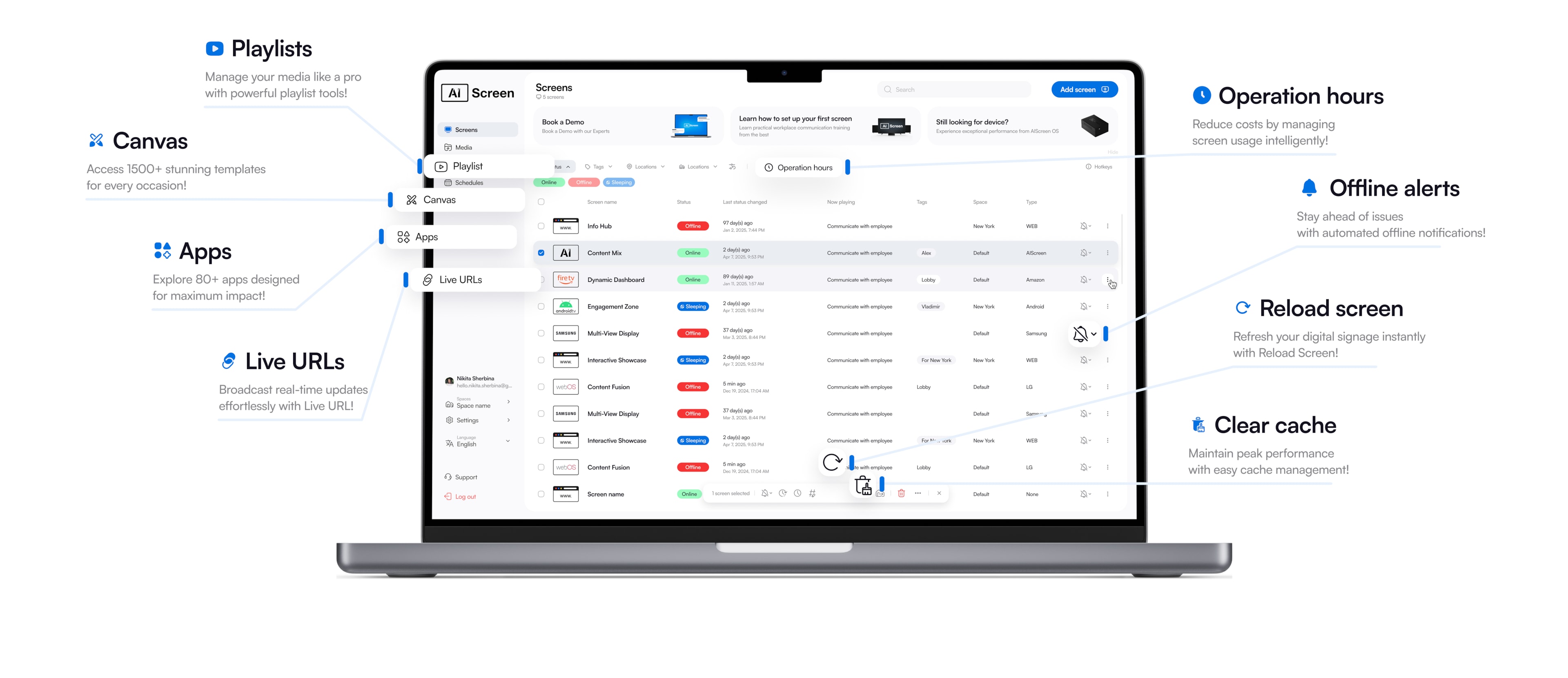
A cloud-based digital signage CMS like AIScreen enables remote content management, scheduling, and real-time updates, allowing businesses to control multiple digital signage screens from a centralized dashboard.
Step 5. Evaluate Connectivity Options
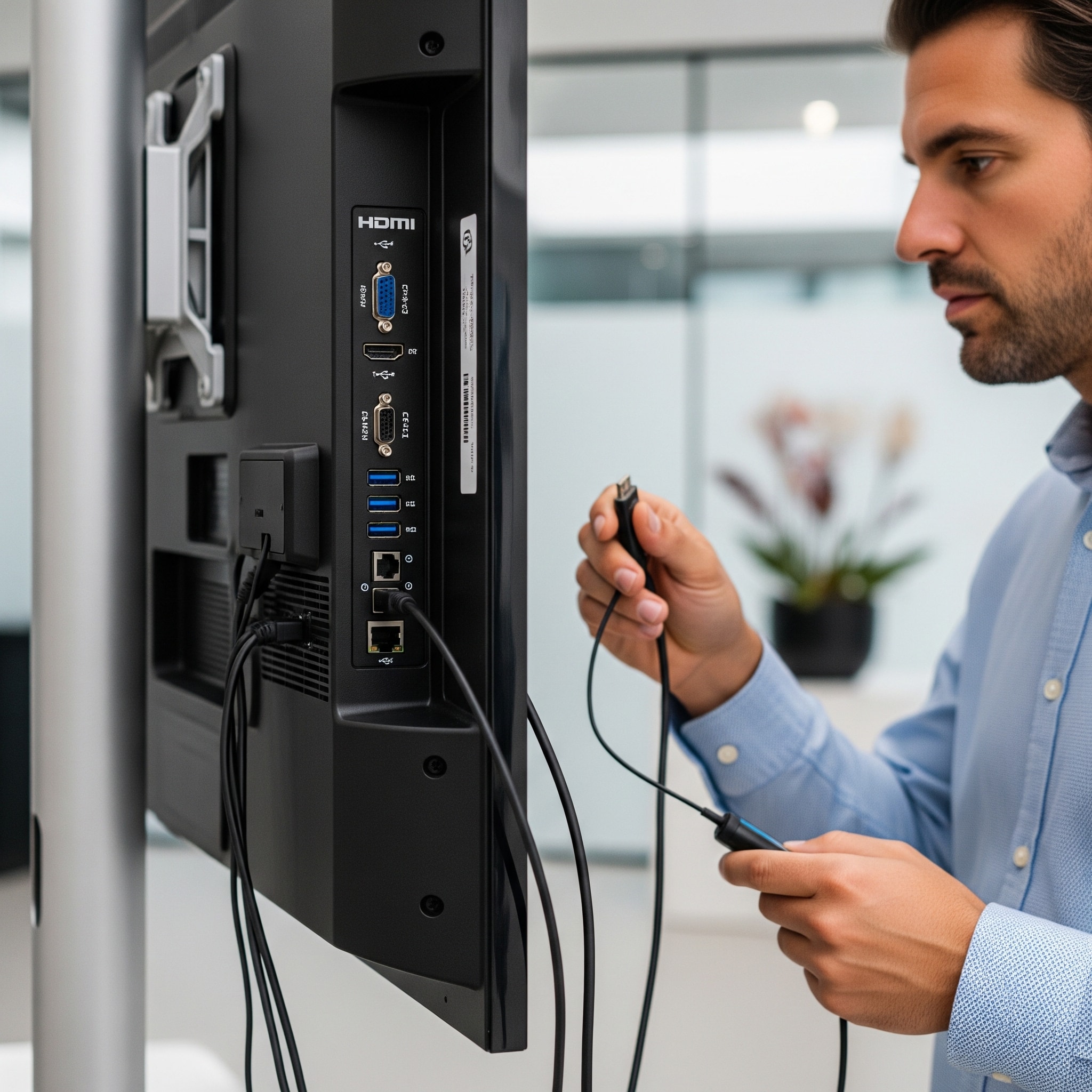
Reliable connectivity options such as HDMI, USB, Wi-Fi, and Ethernet ensure seamless integration with media digital signage players, IoT devices, and digital signage networks for uninterrupted content delivery.
Step 6. Consider Mounting Flexibility
Support for portrait and landscape orientation allows flexible digital signage layouts, making it easier to adapt displays for menus, advertisements, and wayfinding systems.
Step 7. Smart TV Features
Built-in smart platforms like Android TV or Samsung Tizen enable app-based digital signage deployment, reducing the need for external hardware while supporting cloud-based apps, streaming, and remote management through digital signage software. To see how this works in practice, explore how to turn your Android TV into digital signage using AIScreen and unlock scalable, app-driven display management aligned with modern Educational Technology systems.
What is the Price of Commercial TVs and How Does It Affect Digital Signage?
The price of commercial TVs for digital signage depends on factors like screen size, resolution (HD, 4K, OLED), brightness (nits), and smart features, making it important to match the display with your business requirements. Entry-level models typically range from $300–$500, mid-range 4K commercial displays cost around $450–$700, while premium large-format screens from brands like Samsung and LG can exceed $2,500, especially for 55”–86” high-brightness displays.
These commercial-grade displays are engineered for 24/7 operation, durability, and long-term performance, offering better value than consumer TVs. When combined with AIScreen digital signage software, businesses benefit from cloud-based content management, remote updates, and scalable deployment, making commercial TVs a reliable and cost-effective solution for professional digital signage networks.
How Can You Turn Your Commercial TV into a Digital Notice Board?
Turning your commercial TV into a digital notice board allows businesses to display real-time announcements, promotions, and updates using digital signage software. By connecting your screen to a cloud-based platform, you can easily manage and schedule content for better communication and engagement. To get a step-by-step setup, explore how to turn a smart tv into a notice board with digital signage software?, which explains the complete process for transforming your TV into a dynamic display solution.
How AIScreen Enhances Digital Signage Performance
AIScreen turns your commercial TV into a fully powered digital signage solution. It allows businesses to control content, schedule campaigns, and manage multiple displays from one dashboard.
With AIScreen, businesses can deliver dynamic visuals, improve customer engagement, and create consistent messaging across locations. This enhances brand visibility and improves the experience for customers and guests, making digital signage a critical tool for modern communication.


Frequently Asked Questions
What are the benefits of using a commercial TV for digital signage?
Commercial TVs offer higher durability, better brightness, and longer operational hours, making them ideal for continuous use.
What is the difference between consumer and commercial TVs?
Commercial TVs support extended operation, have stronger components, and include advanced protection and longer warranties.
Can I use a regular TV for digital signage?
Yes, but only for short-term use. Consumer TVs are not designed for continuous operation.
Is it possible to use multiple TVs in a signage network?
Yes, multiple displays can be connected through a CMS for centralized control.
What is the cost range for a commercial TV?
Commercial TVs typically range from $300 to $3,000+, depending on features and size.
