
What is a Digital Poster and How to Design It?
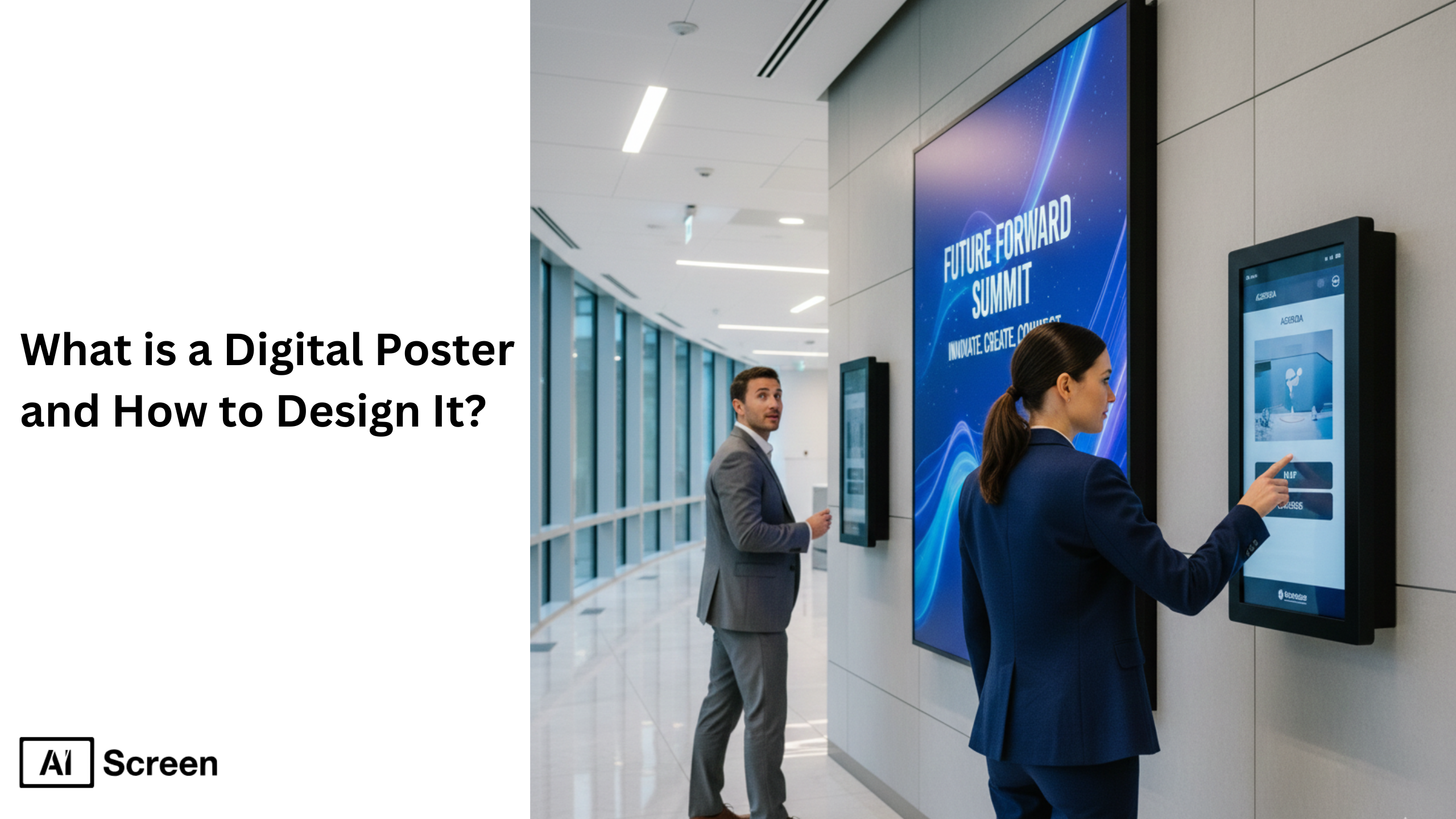
Digital posters represent the modern evolution of traditional posters, versatile, creative, and easily shareable on screens and online platforms. These digital posters replace printed posters with dynamic visuals, animations, and interactive content, and they’re used across marketing campaigns, educational settings, and corporate communication to tell stories more effectively. According to AIScreen.io’s research, digital displays capture 400% more views than static printed posters.
In this blog, you’ll find practical guidance on what a digital poster is, how it differs from a printed poster, and why digital poster examples deliver higher engagement. The blog also walks through digital signage software, how to design posters, choose the right format, and use the best poster-making tools, ensuring your digital poster creation process aligns with your brand and objectives.
What Is a Digital Poster?
A digital poster is a visually engaging electronic display used on screens, LED panels, or digital signage systems instead of traditional printed posters. It uses dynamic content, such as motion graphics, animated transitions, or interactive QR codes, to replace static text and images. These digital posters are used across education, corporate offices, events, and retail stores, making announcements, promoting offers, or guiding visitors through space.
Imagine a vending-area digital poster in a cafe that updates to show new items, nutritional alerts and menu boards with high-resolution visuals. It blends creativity and technology efficiently, becomes part of your screen-based display strategy, and helps your audience engage rather than pass by.
What Are the Best Uses for Digital Posters?
The best uses for digital posters span across industries, from retail and corporate spaces to education and entertainment venues. These digital formats revolutionize how businesses communicate, advertise, and present information by merging dynamic content with high-definition capabilities. Unlike static posters, dynamic digital posters can be updated instantly, integrate multimedia formats, and deliver compelling images to capture attention and boost engagement among a wider audience.
Here’s a closer look at how different industries leverage high-quality digital posters effectively:
Retail Promotions and Advertising
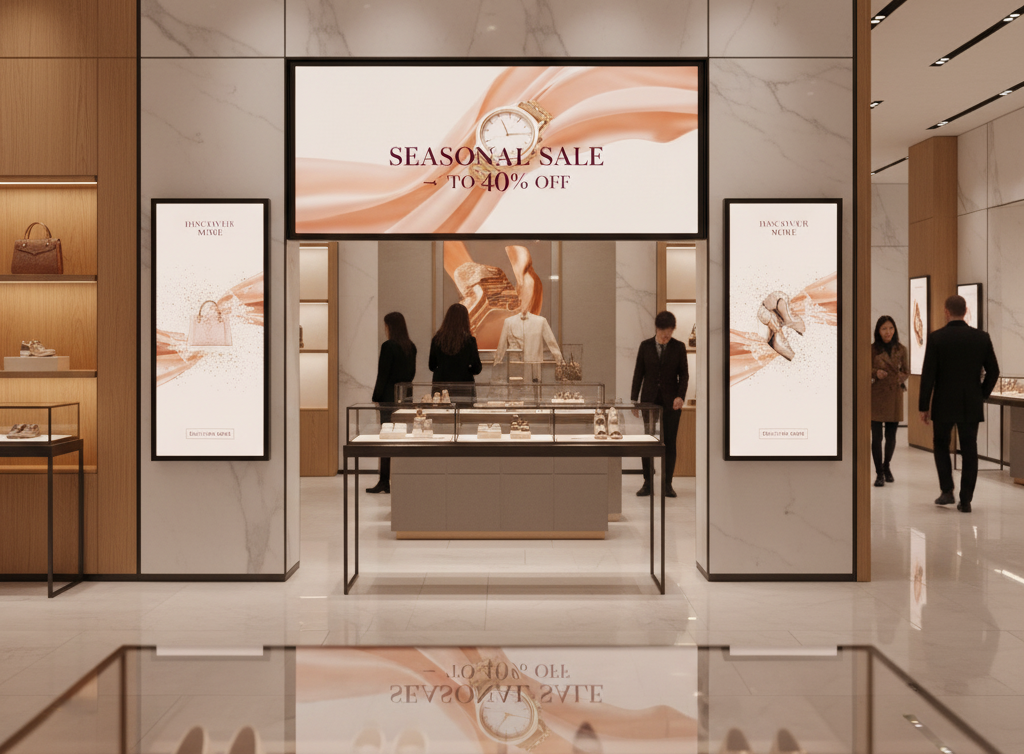
Retail stores use digital posters to advertise products, announce offers, and enhance branding with eye-catching visuals. Unlike static posters, digital displays can be updated remotely across multiple locations to show time-sensitive promotions or limited-time deals.
This flexibility helps retailers respond quickly to stock changes, flash sales, or seasonal campaigns, ensuring the intended message always aligns with real-time needs. Following principles like 11 rules for design digital signage content helps maintain clarity and consistency across campaigns. With dynamic graphics and poster templates, brands can create stunning digital posters that drive impulse purchases and elevate in-store experience.
Corporate Communications
In corporate environments, digital poster boards serve as a vital visual aid for internal communication. Businesses use them to share company news, HR updates, and motivational content, all in dynamic digital formats. These poster templates can include multimedia formats like video or GIF files to boost engagement among employees.
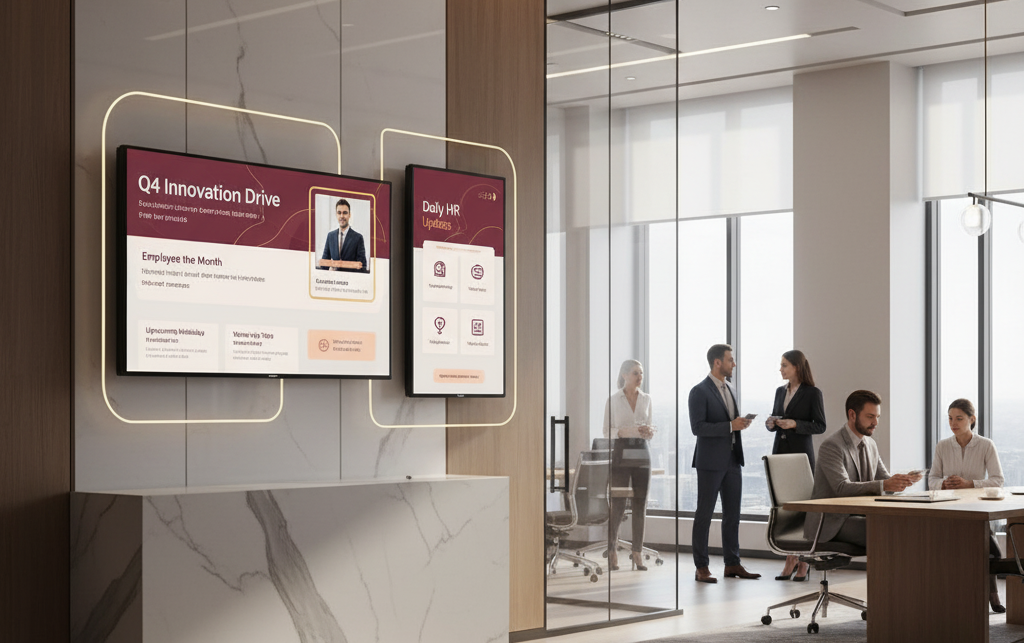
With an intuitive, user-friendly interface, even non-designers can start creating engaging content using tools such as Adobe Illustrator or built-in design tools. This approach reduces the environmental footprint of printed posters while enhancing brand colors and consistency.
Event Promotion
For conferences and trade shows, digital poster examples demonstrate how to advertise products or highlight event schedules with compelling images and moving visuals. Organizers use these displays to present speaker bios, live updates, or public service announcements.
Unlike static posters, digital formats enable real-time updates via mobile devices or media players, ensuring the audience always receives fresh information. With multiple panels, you can segment your poster content for different audiences, creating excitement and improving event navigation simultaneously.
Wayfinding and Navigation
Wayfinding digital posters transform public spaces such as malls, airports, and hospitals into intuitive navigation hubs. Equipped with interactive maps, these digital signs help visitors locate stores, gates, or departments easily. Beyond guiding, they present information about promotions, safety protocols, or upcoming events.
The benefits of digital wayfinding include flexibility, reduced upfront costs over time, and integration with multiple locations for a seamless visitor experience. Their high-definition capabilities and dynamic graphics ensure they capture attention even in high-traffic areas.
Educational Institutions
Schools and universities rely on digital poster boards for announcements, reminders, and learning content. These dynamic digital posters make it easy to convey information like class schedules, exam updates, or cafeteria menus with clarity and visual appeal.
Educators can create digital posters to highlight student achievements or upcoming events, combining design elements and poster templates to engage students effectively. Unlike static posters, these formats allow updates through a centralized system, saving time and resources while reaching a wider audience across campuses.
Restaurants and Cafés
Digital menu boards are one of the most popular digital poster examples in hospitality. Restaurants use digital formats to showcase delicious menu visuals, daily specials, and nutritional details like calorie counts or allergy info.
These dynamic digital posters help advertise products and encourage upselling through stunning designs and high-quality digital posters that highlight flavor and freshness. With options to link social media feeds, display customer feedback, or share QR codes for easy ordering, they create a modern and engaging dining experience.
Public Transportation Systems
In bus stations and train terminals, digital poster boards are used for real-time schedules, emergency alerts, and travel advisories. These digital formats replace static posters, offering dynamic content that improves communication accuracy and timeliness.
Commuters benefit from display screens that share up-to-the-minute updates or public service announcements. With a user-friendly interface and integration with live data, transit authorities can reduce confusion, manage high-traffic flows, and promote local businesses efficiently.
Entertainment Venues and Theaters
Cinemas, theaters, and concert halls use digital poster boards to promote upcoming shows, display trailers, and showcase artistic visuals. These high-quality digital posters can act as multimedia formats, combining video loops, animations, and artwork that capture attention and reflect brand identity.
The poster content can also include additional details like ticket availability or artist bios. Venues often use multiple panels or large display screens to transform their entrances into immersive experiences, turning every wall into a storytelling space that draws the viewer’s eye.
What Are the Different Types of Digital Posters?
The different types of digital posters offer businesses and organizations multiple ways to communicate, advertise, and engage with their target audience. Depending on the message, venue, and purpose, digital posters can be static, video-based, interactive, or dynamic, each offering unique benefits of digital design.
Whether displayed on a single display screen or integrated into video walls, these poster types help create digital posters that capture attention, reduce cognitive overload, and deliver high-quality digital content across multiple locations.
Below are the main types of digital posters and their most effective use cases:
1. Static Digital Posters
They are ideal for poster stands, retail displays, or local electronics stores where simplicity and clarity matter. The main benefits include easy setup, minimal maintenance, and quick updates, allowing businesses to modify visuals without reprinting.
These posters work best when the poster design online follows clean white space, brand consistency, and limited text to avoid clutter. They’re cost-effective for companies that need frequent updates but don’t require complex animations. Static digital posters are an excellent choice for organizations aiming to create digital posters that are straightforward, professional, and easy to deploy.
2. Video Posters
It combine moving images, motion graphics, or video loops to enhance viewer engagement. These are commonly seen in train stations, waiting areas, and retail environments where vibrant visuals can instantly grab attention. The digital signage technology behind these posters enables fluid animations and seamless playback using a media player or display screen.
The main benefits of video posters include their ability to create emotional connections, convey detailed product information, and elevate wall art or advertisements. They transform ordinary visuals into immersive experiences that speak directly to the target audience. With basic design skills and creative software, you can create stunning digital posters that bring your brand story to life.
3. Interactive Posters
These are built to engage users through touch, motion, or QR-enabled experiences. These digital displays often integrate interactive elements like swipe, tap, or gesture-based control—making them ideal for public spaces, events, and restaurants. Some even include QR codes that lead viewers to product details, event pages, or special offers.
The main benefits of interactive digital posters lie in their ability to encourage audience participation while collecting valuable feedback. Whether it’s a touchscreen menu at a café or an art display that responds to movement, these posters help reduce cognitive overload by letting users control how they consume digital content. The flexibility of this format helps businesses improve customer engagement and offer additional details without cluttering the screen size.
4. Dynamic Content Posters
These posters are designed for real-time updates and live information sharing. Perfect for menus, events, digital campaigns, or social media feeds, these posters automatically refresh to display the latest content, weather updates, or emergency alerts. Unlike static digital posters, they continuously evolve, keeping information accurate and relevant.
The digital poster strategy behind dynamic content relies on media players and cloud-connected systems that distribute updates across multiple displays simultaneously. The main benefits include enhanced flexibility, relevance, and engagement with the target audience. Dynamic posters are often used in train stations, airports, or restaurants to ensure timely communication and seamless coordination with digital signage networks.


How to Design Posters?
To design posters that truly stand out, you need more than just creativity, you need structure, balance, and intention. A professional-quality poster combines strong visual hierarchy, readable typography, and consistent branding to convey a clear message at first glance. Whether displayed as a printed poster or on digital signage, the goal is to guide the viewer’s eye naturally toward your most important information.
Start by focusing on balance, keeping equal weight on both sides of the design. Then consider color theory to evoke emotion while maintaining brand identity. Use contrast to separate headlines from body text and images, and ensure your poster layout flows logically from top to bottom. Finally, choose legible fonts, align your brand colors, and leave enough white space to avoid clutter. With the right design elements, your posters become powerful storytelling tools.
Make a Poster on Canva
On Canva, start by opening the Canva poster maker, then browse through its wide collection of Canva posters and pre-built templates. Choose one that matches your theme, whether business, event, or school project.
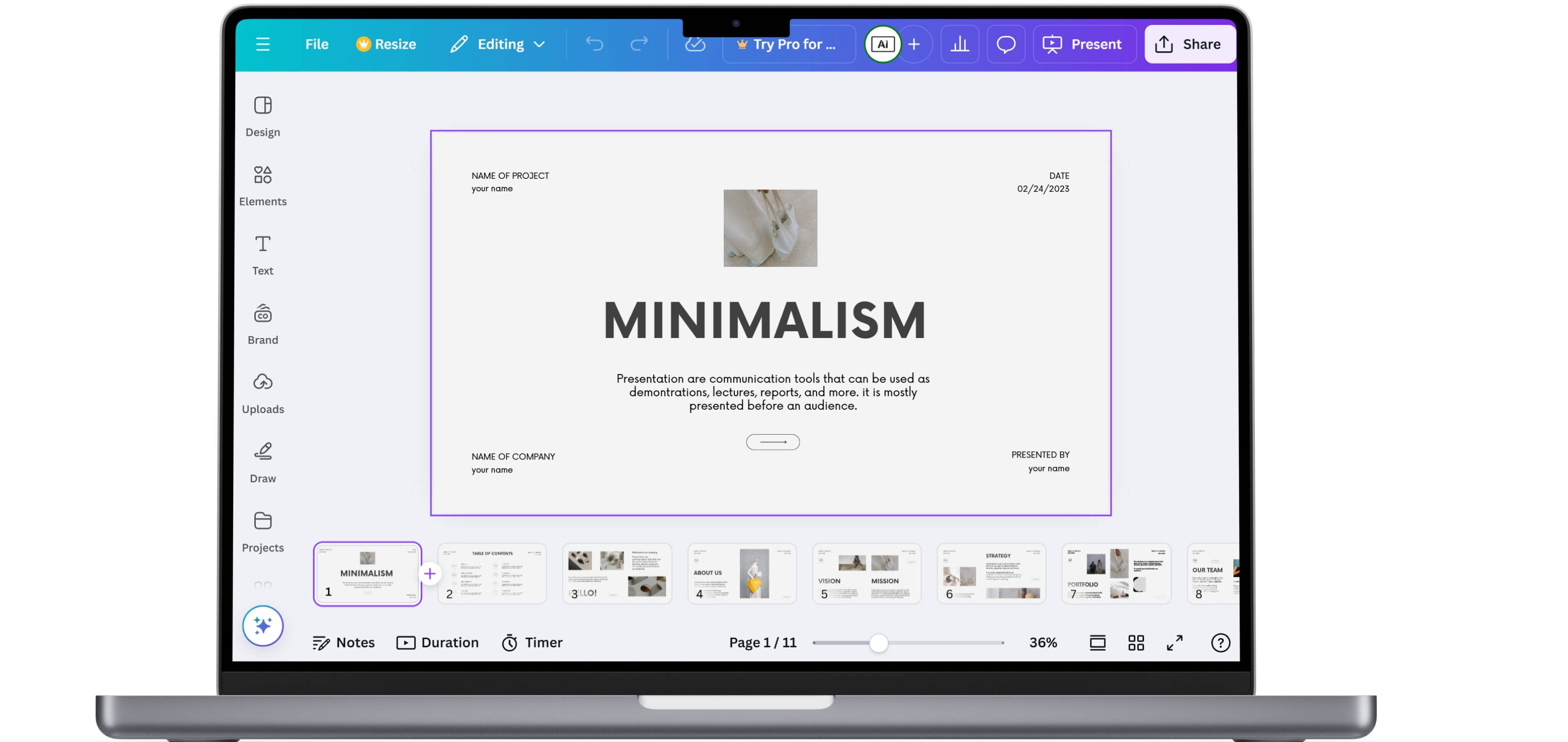
Next, customize your design by adding your own text, images, and logos. Use Canva’s drag-and-drop tools to modify fonts, colors, and background shapes. Once satisfied, download your design in your preferred format, PDF for printing or PNG for digital signage. The platform’s valuable features like grid alignment, brand kits, and collaboration tools make how to make a poster on Canva both simple and efficient.
Make Custom Posters
For custom posters, start by defining your goal, whether it’s a product launch, awareness campaign, or internal event. Use a custom poster maker to design your own poster that aligns with your brand’s color palette, fonts, and message.
Add unique elements such as your company logo, slogan, and visuals that reflect your target audience. Keep the design clutter-free and use clear CTAs to drive engagement. The key is personalization, when every element feels intentional, your custom posters stand out, whether displayed on printed posters or high-definition screens powered by a media player.
Make an Advertisement Poster
For this, first focus on grabbing attention in the first three seconds. Use bold headlines, short copy, and striking imagery to convey your offer or message instantly. An advertisement poster should follow a clear flow, headline → visual → CTA. Start with a compelling promise, reinforce it with visuals, and end with an action button or phrase like “Shop Now” or “Learn More.”
Platforms for poster making online often include templates designed for marketing, making it easy to maintain consistency across campaigns. For digital signage, ensure your poster animations are smooth and optimized for your media player, so your content loops attractively without lag.
Make a Poster from a Photo
First, upload your chosen image to any make poster online tool or photo editor. Choose a layout that highlights your image as the main focal point, then overlay minimal text to avoid distraction.
You can turn travel photos, product shots, or team pictures into eye-catching posters for both print and screen use. The process of creating a poster from a photo works best when you adjust brightness, contrast, and alignment for visual clarity. Whether for printed posters or digital signage, this technique gives your visuals a professional edge with minimal effort.
Make a Digital Poster
To make a digital poster, use a digital poster maker or poster design software that supports screen-friendly formats. Start by setting your dimensions based on the display screen size, common resolutions include Full HD or 4K.
Next, design your layout using clear typography and strong visuals. Incorporate animations, videos, or transitions if your media player supports them. Once completed, export your make digital poster file in MP4 or JPEG format for use on digital displays. Digital posters are perfect for businesses that want dynamic visuals without the upfront costs of printing, an innovative alternative that fits seamlessly into modern digital signage strategies.
Make a Poster for School
To make a poster for school, start with your topic or project theme. Use a poster for students template or a poster design free tool to organize your information clearly. Include your title, key facts, and visuals that support your message. Keep the colors bright, fonts legible, and layout clean so your classmates or teachers can easily follow along.
Whether it’s a science fair, art competition, or presentation board, a thoughtfully designed poster for school not only informs but also captures attention, teaching students early lessons in creativity, structure, and communication.
What Are the Best Apps for Making Digital Posters?
The best apps for making digital posters make creativity accessible for everyone, from beginners to professional designers. Whether you’re promoting an event, running a campaign, or creating educational visuals, these platforms provide tools to design polished, high-quality posters quickly. With user-friendly interfaces and cloud-based features, you can easily make posters online using pre-made templates and drag-and-drop editors. Here are the top poster design tools you can explore:
1. AIScreen Aura Studio: Best for Digital Signage Posters
AIScreen Aura Studio helps you create and display posters instantly with a seamless workflow, so your content moves directly from design to digital screens without downloads. Its drag-and-drop editor is beginner friendly, letting you start designing with free poster templates and customize every poster title, background, and style for the perfect look. But how do you keep content engaging across screens?
Aura Studio supports rich media like videos, GIFs, and animations, along with built-in apps for real-time data such as Google Reviews and weather. It also enables interactive kiosk experiences, giving businesses more creative ideas and inspiration to design content for any room or space across the digital world.
1. Canva: Best for Beginners and Professionals
Canva is one of the most popular tools for designing posters of any type. It offers thousands of customizable templates for business, social media, education, and marketing. Canva‘s interface is intuitive, letting you create stunning digital posters even if you have zero design experience.
One of its valuable features is seamless integration with AIScreen.io, allowing you to upload and manage posters directly on your digital signage screens for real-time campaigns.
2. Canvas: Great for Classroom and Educational Projects
Canvas is ideal for schools, universities, and training institutions. Like Canva, it simplifies the process of creating screen content, from classroom presentations to digital posters for school events.
Educators can easily integrate multimedia like videos or GIFs, making lessons more interactive and engaging. It’s a top choice for those looking to combine design simplicity with educational impact.
3. PosterMyWall: For Quick Marketing and Event Posters
PosterMyWall is perfect for marketers, event planners, and small businesses who need to make posters online in minutes. It includes a vast library of templates and customization options that help users produce high-quality digital posters for advertising, product launches, or special events.
The platform’s PosterMyWall, a poster creator online tool, makes it possible to design and publish posters without needing advanced design skills, ideal for time-sensitive campaigns.
How Do Digital Posters Work in Signage?
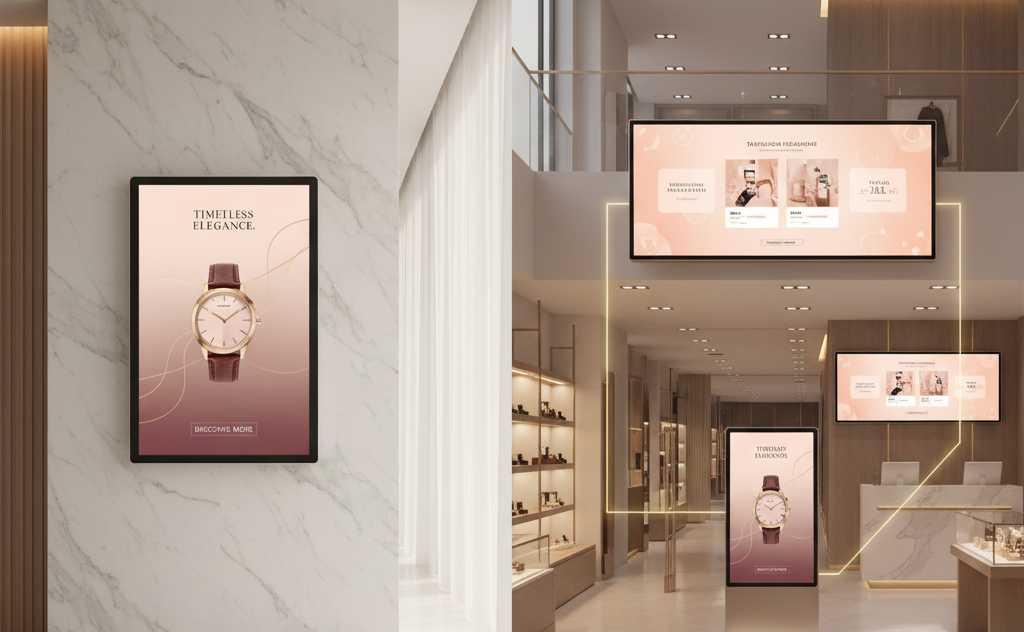
Digital posters work as a part of a broader digital signage system where a single visual becomes one element within a connected network of screens. A poster designed with motion, visuals, or real-time updates can be scheduled, managed remotely, and displayed across multiple locations using digital signage software. This transforms a simple design into a scalable communication tool.
Digital posters integrate with centralized systems, ensuring consistent messaging and real-time updates. This connection becomes even more impactful when paired with creative storefront strategies like what are the 10 creative storefront sign ideas?, where strong visuals and smart placement work together to capture attention and drive engagement across physical spaces.
Design Stunning Digital Posters with AIScreen!
Creating professional-quality digital posters has never been easier with AIScreen. As we explored throughout this article on “What is a Digital Poster and How to Design It,” AIScreen takes poster design to the next level with its simple interface and powerful scheduling tools. You can design, manage, and display your posters across multiple screens effortlessly, all from one dashboard.
AIScreen’s platform includes ready-to-use digital signage templates, a drag-and-drop editor, and multi-screen compatibility, ensuring your digital displays are always engaging and consistent with your brand identity. Whether you’re promoting an event, product, or internal message, AIScreen lets you deliver stunning visuals that grab attention instantly. Start your free trial today or schedule a demo to experience how AIScreen simplifies digital poster creation and real-time content updates for businesses, schools, and organizations worldwide.
FAQs
How can I make a digital poster online?
To make a digital poster online, use platforms like AIScreen or Canva that provide drag-and-drop tools and templates. These tools simplify design creation, allowing you to focus on visuals, layout, and branding without needing graphic design experience.
How do I display my digital poster on a TV screen?
To display your digital poster on a TV screen, connect your display to a digital signage media player or use AIScreen’s software for wireless content sharing. This ensures your poster appears in high resolution and can be updated remotely in real time.
Which file formats are best for digital posters?
The file formats best for digital posters include JPEG, PNG, and MP4 (for motion content). These formats ensure compatibility with most digital signage systems and maintain high visual quality across different screen sizes.
Can digital posters include animations or video?
Yes, digital posters can include animations and video to create more dynamic content. Using AIScreen, you can upload short clips, motion graphics, or transitions that make your poster visually engaging and help it stand out.
Can I schedule digital posters to automatically change?
Yes, you can schedule digital posters to automatically change using AIScreen’s scheduling feature. It allows you to plan campaigns, update content across screens, and maintain fresh visuals without manual effort.
