Corporate Digital Signage
That Connects Offices, Headquarters and Campuses

Keep employees informed and the workplace experience consistent, using secure, reliable digital signage that spans offices, headquarters and campuses worldwide.

14-day FREE trial. No credit card required
Corporate Digital Signage

Corporate Digital Signage That Keeps a Connected Workplace Running

AIScreen is the platform that keeps every screen on message, on the factory floor, in the breakroom or in the lobby. Reliability, security and scale are what corporate environments expect, and our cloud-based digital signage software delivers all three.

You get flexible setups and consistent performance at any size, from a single office to several thousand screens across global campuses. The tools enterprises already use stay in place, because AIScreen is the content management system (CMS) itself and integrates with them instead of replacing them.

Corporate Digital Signage for a Workplace That Runs Better

Four Wins for the Modern Office

  • Keep always-on internal communications, timely employee recognition and instant emergency alerts on every screen, so no employee is left uninformed.
  • Make lobby displays, wayfinding screens and room booking the reason the office earns the commute.
  • Scale centralized remote device management and secure cloud infrastructure to thousands of screens and control each one.
  • Future-proof with AI cameras and analytics that adapt on-screen content to the viewer.
Team in a corporate meeting room reviewing a marketing dashboard on a wall-mounted digital signage screen

Corporate Digital Signage That Delivers Impact Without Burdening IT

The pressure to link up a distributed workforce and energize the office without straining the budget or overloading the network lands on communications teams, HR, workplace leads and IT alike. Each screen in the workplace, front door and meeting room alike, runs on scalable, secure corporate digital signage from AIScreen on one cloud-based digital signage platform.

Corporate Digital Signage That Gets Through to Every Employee

Get the Message to Every Employee

Rise above inbox noise on the screen nobody can skip.

  • Company-Wide Reach: Push company news, live KPIs and staff recognition to all locations.
  • Emergency Alerts: Override all screens at once with a safety message in seconds.
  • Content Freedom: Publish from the apps teams already use, on screens you already own.
Office wall screen showing company news, an employee spotlight and upcoming events

Corporate Digital Signage That Makes the Office Worth the Trip

An Arrival That Sets the Tone

Make arrival a statement and the office a place worth showing up for.

  • Return Worth Making: Create an energized, modern space where engagement climbs.
  • Lobby Video Walls: Power lobby video walls with frame-accurate synchronized playback across every panel.
  • Easy Wayfinding: Guide visitors via interactive wayfinding, desk or room booking and hoteling screens.
Visitor check-in touch screen at a corporate reception desk

Corporate Digital Signage That IT Can Secure and Scale

Built to Satisfy Enterprise IT

Give IT teams the confidence to roll screens out across the enterprise.

  • Account Security: Protect every account with role-based permissions, SSO and encryption.
  • Remote Fleet Management: Run every player remotely from one dashboard and scale large rollouts without a site visit.
  • Lower Running Costs: Spend less with one cloud subscription and no on-premise servers to run or maintain.
Facilities manager reviewing several building directory screens from one laptop dashboard
Corporate Digital Signage Corporate Digital Signage Corporate Digital Signage

What Can Corporate Digital Signage Do for Your Workplace?

Employee communications, emergency alerts, lobby video walls, wayfinding screens and room booking all run on one secure, scalable cloud platform, so every employee is reached and the office stays worth coming back to, on a platform enterprise IT can rely on.

Speak with our team

Submit the form and an AIScreen specialist will walk you through how AIScreen digital signage fits your offices, campuses and IT requirements.

    This field is required
    This field is required
    You must type in an email
    This field is required
    This field is required
    This field is required

    How many screens do you intend to connect?

    • 1-10
    • 11-50
    • 51-199
    • 200-499
    • 500+

    Corporate Digital Signage Integrations for the Workplace Stack

    Microsoft Teams

    Channel announcements on office screens

    Slack

    Slack app for office screens

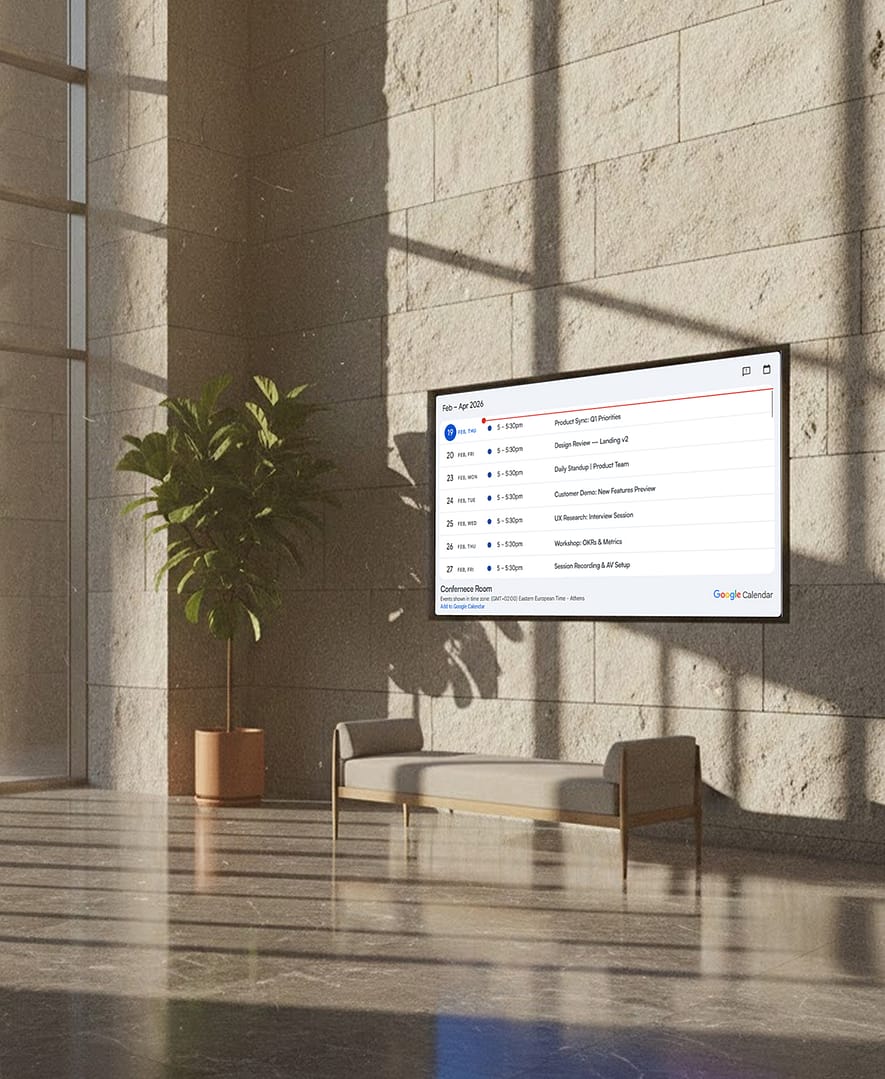
    Google Calendar

    Meeting schedules and room availability

    Microsoft Calendar

    Outlook events outside every meeting room

    Microsoft Excel

    Spreadsheet KPIs shown on the wall

    Trello

    Project boards on the office screen

    Grafana

    IT and operations metrics on screen

    Canva

    Canva designs published to screens

    Corporate Digital Signage Ready for On-Device AI

    AI That Runs on the Player, Not in the Cloud

    AIScreen adds AI cameras to the media player, and all detection runs locally on the player instead of being sent to the cloud.

    Video stays on the device and never touches the network; only the numbers reach the dashboard as the camera counts viewers, measures attention and dwell time, and adapts content to the audience in front of the screen.

    AI camera on top of an office lobby screen with an audience analytics overlay counting viewers

    Corporate Digital Signage in a Headquarters Lobby

    How It Works at a Corporate Headquarters

    Picture a headquarters where the lobby screen, a dozen floor displays and the breakroom TVs each show a different version of last month’s news, because every update means someone walking around with a USB stick.
     
    With AIScreen, the communications team schedules the lobby wall, the floor screens and the meeting room panels from one dashboard, and a new message is on every display within minutes.
     
    Coworking front desk with a wall screen showing available meeting rooms

    Corporate Digital Signage FAQs

    What does corporate digital signage mean?

    Corporate digital signage means the set of screens an organization runs across every office, headquarters and campus to keep employees and visitors informed, covering reception displays, internal-comms boards, wayfinding screens and room booking panels alike. Because it is managed from one cloud dashboard, one update reaches a single building or an entire global enterprise within minutes.

    How are internal and employee communications improved by digital signage?

    Internal and employee communications improve with digital signage because it reaches the people that email, intranets and chat often miss, above all deskless staff who are not at a computer. A screen on the wall needs no login and no inbox, so a company-wide message lands with every employee, and AIScreen keeps that channel playing for routine updates and urgent alerts alike.

    Can digital signage encourage employees to return to the office?

    Yes. Digital signage encourages employees to return because the in-office experience now decides whether people come in at all, and AIScreen runs the lobby screens, wayfinding displays and room booking panels that turn a modern workplace into somewhere worth the trip.

    Does AIScreen include a content management system (CMS)?

    Yes. AIScreen is the content management system itself, so teams build playlists, schedule content by time and screen and publish everywhere with no separate platform to buy. The apps they already use, from Microsoft Teams to Google Calendar, connect through the app catalog, with custom integration on the Enterprise plan.

    How secure is AIScreen for enterprise IT?

    AIScreen treats every screen on the network as a managed endpoint for enterprise IT. Data is encrypted in transit and at rest, access is controlled through role-based permissions and single sign-on, and the player app receives OS updates and security patches remotely, so the fleet stays current without anyone visiting the device.

    Can AIScreen scale from one office to global campuses?

    Yes. AIScreen scales from one office to campuses with thousands of screens, with IT managers checking device health, pushing updates and fixing any player from one cloud dashboard. User roles let headquarters standardize the brand and leave local teams running their screens.

    Corporate Digital Signage for Deskless and Frontline Workers

    Reach the Floor, Not Just the Desk

    Plant and warehouse employees mostly work away from a desk, so an urgent email rarely reaches them in time. Screens at entrances, in breakrooms, beside time clocks and along production lines reach workers on the spot, carrying safety alerts, shift changes and staff recognition without extra steps. And since an industrial site cannot afford downtime, the platform driving those screens has to keep them playing reliably, shift after shift, even offline.

    See how production display boards bring the same reach to the plant floor.

    Plant manager showing a colleague a production dashboard on a factory floor screen

    Corporate Digital Signage on Our Displays, Your TVs or Just the App

    AIScreen indoor wall-mounted digital signage displays with a built-in AI camera from the Screens Marketplace

    Our Own Displays

    Starting from scratch? Pick wall-mounted, freestanding or touch displays from the AIScreen range; delivery, duties and a year of support are included in the price.

    Media player box and HDMI streaming stick that run the AIScreen app

    The Screens You Already Have

    Keep the TVs on the wall and plug in the AIScreen Stick Player, a 4K HDMI media player, or run the app on your smart TVs, Android boxes and Fire TV devices.

    AIScreen app pairing screen on a TV, ready to be added to the account

    Only the App

    No hardware needed. Install the AIScreen app on Android, Fire TV, ChromeOS, LG webOS, Raspberry Pi, Linux, Windows or Samsung Tizen, enter the pairing code once and manage the screen from the dashboard.