Connected Campus: How Davenport University Modernized Student Communication with AIScreen
The Challenge
The Solution
Dean of Students
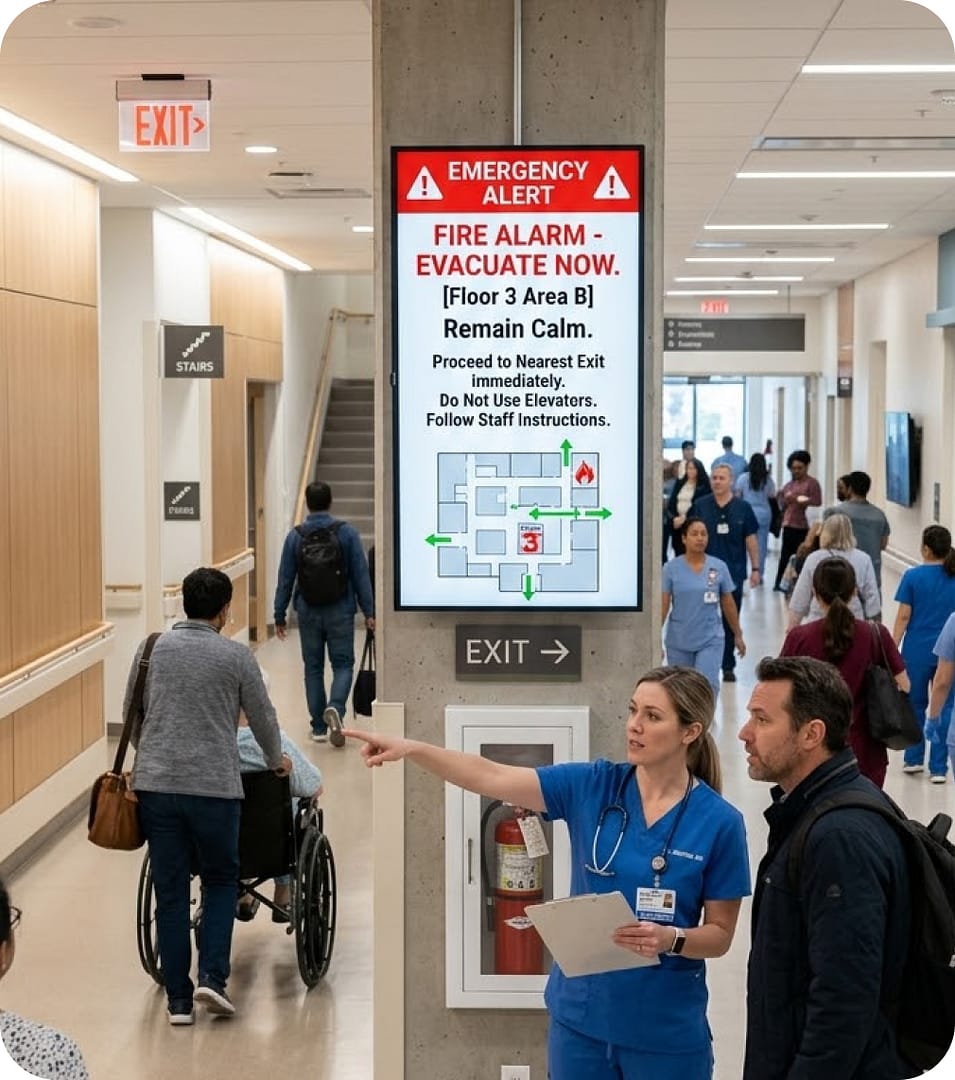
Push coordinated emergency messaging to every connected digital signage screen and keep staff, students and visitors safe.
Push critical information out in real time.
Start from emergency alert templates, change the text, colors and images in AIScreen Aura, then broadcast critical alerts to every display in your network.
A manual trigger overrides scheduled content with a full-screen emergency alert, so the most urgent message takes over. Switch back to regular playlists from the same dashboard.
Pick the screens for one building, one floor or every location, and each emergency message appears only where people need that instruction.
Turn the smart TVs and media players you already own into alert-ready digital signage with the AIScreen app. Deploy it on Android, Fire TV, ChromeOS, LG webOS, Raspberry Pi, Linux, Windows or Samsung Tizen and manage it all with no extra hardware.

The Microsoft Teams app brings the channels, alerts and announcements your staff already follow onto shared screens around the building. A safety note repeated on every floor reaches staff who rarely open Teams on a laptop, so more people see it and know how to stay safe.
Run a scrolling ticker with a detailed, situation-specific safety notice that tells people what to do, without interrupting the main content. Edit the text at any moment and the change reaches every connected screen on campus, high-traffic areas included.
The Weather app shows real-time forecasts for up to three cities or for each screen’s own location. On screens in common areas and noisy spaces where announcements are hard to hear, vital weather information stays in front of everyone, so people can plan ahead and lower their risk.
AIScreen is more than a tool for the moment an incident hits. Screens carry communication through each of the four emergency management phases, which turns your emergency messaging into a dependable part of a wider crisis communication strategy.

Post proactive safety tips and site guidelines on screens to cut risk and keep people aware of possible hazards long before anything happens.

Give viewers critical information with regular updates, drill notices and emergency procedure reminders, so everyone is ready if a situation arises.

When an incident starts, screens show real-time emergency messages and clear instructions that guide students, faculty and staff to safety.

Once the danger has passed, share the all-clear, recovery updates and where to find support, helping everyone get back to normal with confidence.
Book a time and see how easily our digital signage software puts the right message in front of the right people.
Emergency alert digital signage is a network of screens that plays everyday content and switches to a full-screen emergency alert when an incident happens. With AIScreen, the alert overrides the scheduled playlist on the screens you choose, and you switch them back to regular content from the same dashboard once the situation is over.
An alert reaches every connected screen in real time. AIScreen sends updates remotely from one cloud dashboard as soon as you publish them, whether the message is a lockdown notice, a severe weather warning or an evacuation instruction.
Alerts can be targeted to specific areas. When you publish an alert, you choose the screens it plays on, so the message can go to one building, one floor or every location in your account.
Emergency screens normally show everyday content such as announcements, wayfinding, dashboards and the weather, which keeps them useful and keeps people in the habit of looking at them. Playlists and schedules run on their own until an alert takes over.
Emergency signage is most valuable wherever many people need the same instruction at once, such as schools and university campuses, hospitals, corporate offices, manufacturing plants and government buildings.
Only the people you authorize can trigger an alert. AIScreen provides role-based SSO access control to manage user permissions, and approval workflows add a review step before content goes live on your screens.
AIScreen supports emergency messaging with emergency alert templates you can prepare in AIScreen Aura ahead of time, a full-screen override on the screens you choose, and real-time updates from one cloud dashboard. Remote device management also raises an alert when a screen fails or goes offline, so you can fix it before an emergency.