
Top Digital Signage Tablets for Interactive Solutions: Best Picks
Top digital signage tablets, popularly used as consumer and commercial-grade devices, are Amazon Fire HD 10, Amazon Fire HD 8, Amazon Fire Max 11, and Xiaomi Mi Box S. They are cost-effective, flexible, and are used to provide interactive solutions. With the increasing use of digital signage, tablets are transforming the way businesses communicate and engage with their audiences. These tools are helping companies attain higher customer attention. As per supply-side validation for the latest data received from Canalys, the global tablet shipments grew 9% in 2024, and 52% of those that sell commercial tablets expect their shipments to increase in 2025.
This article highlights the top digital signage tablets for interactive solutions, their benefits, and important features, with a focus on the top picks for 2025. Whether in education, retail, hospitality, or any other industry, choosing the right digital signage device can streamline updates, boost sales, and create enhanced customer experiences.
What Are Digital Signage Tablets and Why Are They Used for Interactive Displays?
Digital signage tablets are compact electronic devices designed for both personal and commercial use. Built with touch-sensitive displays, they bring dynamic content to life in business settings. From interactive menus and promotional videos to product catalogs, these tablets function as versatile digital signage displays with simple mounting options for any environment.
What makes the digital signage software for tablet so valuable? It is their flexibility. Businesses choose digital signage tablets because they enable quick content updates, adapt easily to new trends, and offer interactive customer experiences, all at a lower cost than traditional signage hardware. They are especially popular in retail stores, restaurants, and service counters, where real-time updates at the point of interaction can boost sales, deliver valuable information, and ensure customer satisfaction.
Best Picks of Digital Signage Tablets in 2025
The best digital signage tablets of 2025 are the Amazon Fire HD 10, Amazon Fire HD 8, Amazon Fire Max 11, and Xiaomi Mi Box S, as discussed above. They are the top digital signage tablets for interactive solutions, offering a perfect blend of durability, quality, software support, and interactive features. Let’s check them in detail:
Amazon Fire HD 10
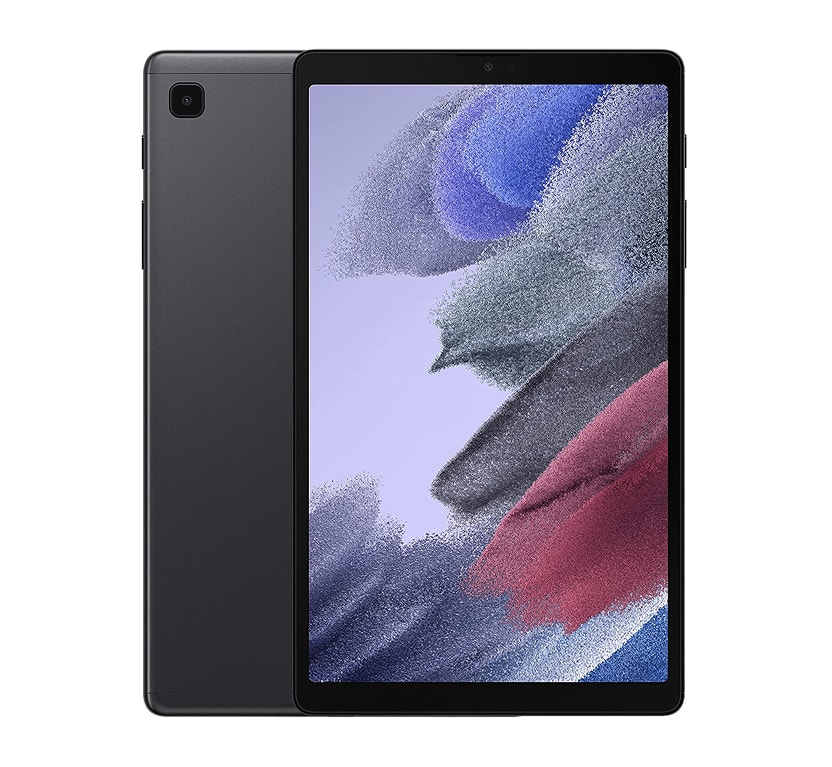
Amazon Fire HD 10 is an ideal choice for medium-scale digital sign solutions that follow Android OS’s capabilities. This tablet features a 10.1-inch 1080p Full HD screen to deliver crisp visuals and smooth performance.
Its robust build makes it a popular option for businesses requiring reliable, budget-friendly signage tablets. This model’s compatibility with Android-based signage platforms makes it a flexible choice for retail, educational, or office settings where consistent digital content delivery is required and is used to enhance customer engagement.
Check further specifications of the Amazon Fire HD 10 Android Tablet
| Features | Details |
| Display | 10.1-inch, 1080p Full HD, IPS LCD |
| Operating System | Fire OS (Android-based) |
| Connectivity | Wi-Fi, Bluetooth, USB-C |
| Battery Life | Up to 12 hours |
| Touchscreen | 10-point multi-touch |
| Best For | Menus, kiosks, info displays |
Amazon Fire HD 8
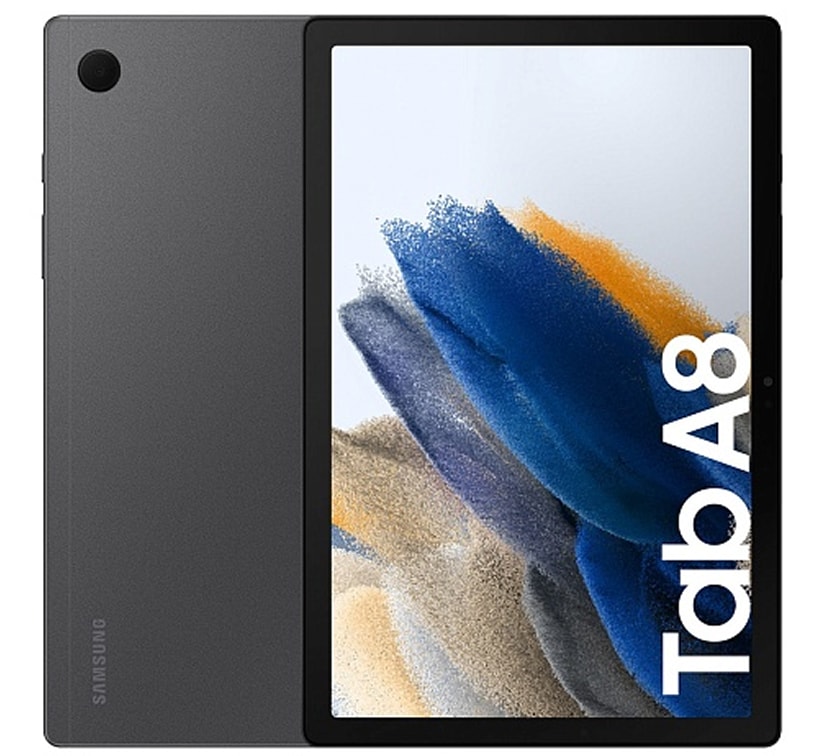
Amazon Fire HD 8 is a compact tablet that offers portability and quality for smaller digital sign displays or kiosks. Equipped with an 8-inch HD screen and running Fire OS, it’s both affordable and reliable, making it a top choice for targeted touch-enabled signage in limited spaces.
Check further specifications of the Amazon Fire HD 8 Android Tablet
| Features | Details |
| Display | 8-inch HD, IPS LCD |
| Operating System | Fire OS (compact) |
| Connectivity | Wi-Fi, Bluetooth, USB-C |
| Battery Life | Up to 13 hours |
| Touchscreen | Responsive multi-touch |
| Best For | Small signs, portable solutions |
Amazon Fire Max 11
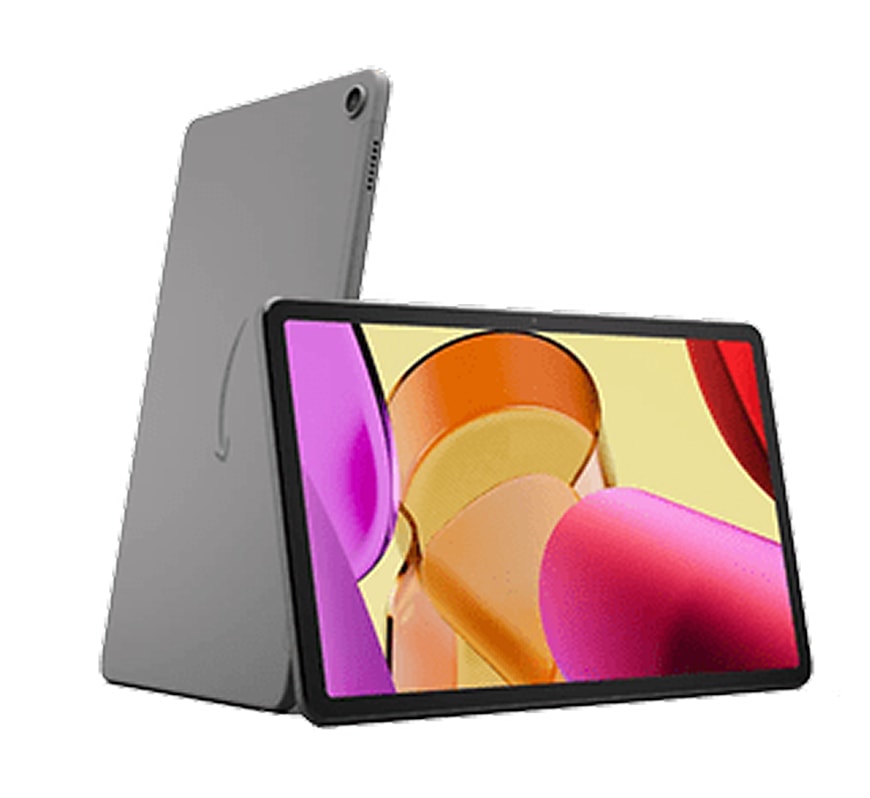
Amazon Fire Max 11 comes with an 11-inch high-resolution 4K display and a robust aluminum build. It fully meets the demands of busy retail stores and other commercial applications. Users praise its battery life (over 14 hours), powerful Dolby Atmos audio, larger screen for better visibility, robust build quality for commercial use, and effortless setup, making it a star among commercial tablets.
Check further specifications of the Amazon Fire Max 11 Tablet
| Features | Details |
| Display | 11-inch, high-resolution, IPS LCD |
| Operating System | Fire OS (latest) |
| Connectivity | Wi-Fi 6, Bluetooth, USB-C |
| Battery Life | Up to 14 hours |
| Touchscreen | Stylus-compatible, ultra-responsive |
| Best For | Premium kiosks, busy retail spaces |
Xiaomi Mi Box S
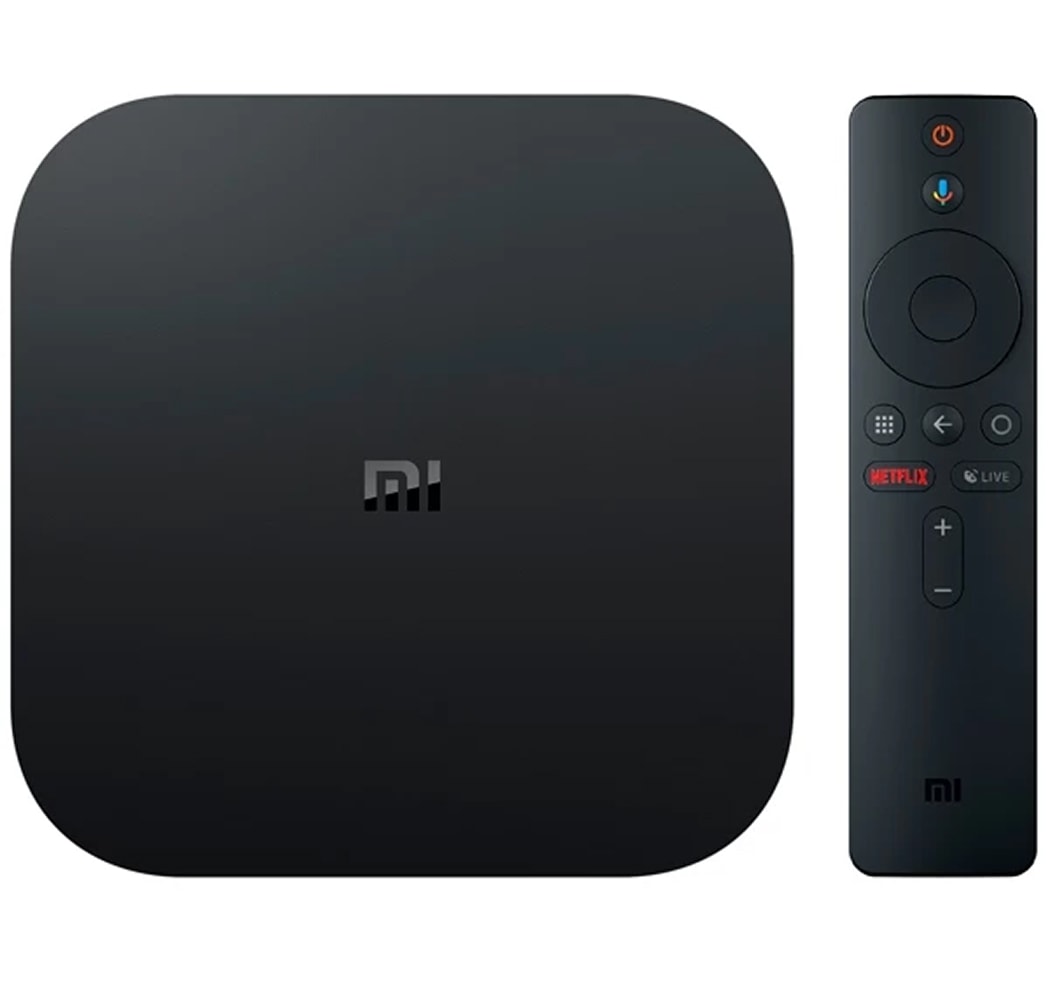
Xiaomi Mi Box S is best for those seeking budget Android-based digital display solutions. The Xiaomi Mi Box S device is a reliable media player supporting 4K content with Wi-Fi capabilities and a user-friendly Android TV interface. Its affordability and seamless integration with interactive content apps make it a great value for a wide range of signage needs.
| Features | Details |
| Output | Supports 4K UHD, HDR10 via HDMI |
| Operating System | Android TV |
| Connectivity | Wi-Fi, Bluetooth, HDMI, USB |
| Enclosure Options | Bracket/VESA mount |
| Best For | Streaming digital displays, TV walls |
| Price Range | $60–$80 |
Are Tablets Better Than Traditional Digital Signage Screens for Interactivity?
Yes! Tablets are always better than traditional digital signage screens when interactivity and user engagement are top priorities. Thanks to their portable design, built-in cameras, multi-touch screens, and robust wireless connectivity, tablets deliver a more hands-on and adaptable experience than stationary digital signage screens.
This means spaces like retail stores, lobbies, and quick-service restaurants can deploy interactive kiosks, customer surveys, or mobile product demonstrations at the drop of a hat with no complicated rewiring or bulky installation needed to stay ahead.
Do you need to shift your signage from the front desk to the shop floor? Or, want fresh content updates or remote control? Tablets shine due to their inherent flexibility. So, just pick one tablet of your choice and get your signage developed.
We, at AIScreen, offer amazing quality tablets that make it easy to manage apps and update content in the cloud anytime, from anywhere. Unlike traditional digital screens that mainly show fixed large-format messages, tablets let brands interact directly with customers and quickly adjust to any setting where engagement counts most.
Why Choose Tablets for Digital Signage Interactive Solution?
Tablets are highly chosen for digital signage interactive solutions due to their portability and flexibility features. They allow for greater customization compared to traditional digital displays. According to Nielsen research, over 63% of retailers now prefer tablets for in-store displays, largely because of their adaptability and strong interactive features that elevate customer engagement and drive sales.
Here’s why tablets are emerging as the preferred option for modern digital signage interactive solutions:
1# High Brightness Digital Display:
Try finding tablets with 400–600 nits brightness to keep content clear in bright indoor spaces.This brightness level works well near windows and in well-lit areas. It ensures easy reading and grabs attention without fading.
2# Durable Digital Display Build Quality:
Tablets for digital signage requirements are built using industrial-grade materials to handle continuous use.They feature scratch-resistant glass and rugged casings for extra protection. Perfect for high-traffic areas where durability and reliability matter most.
3# Mounting and Enclosure Compatibility for Digital Signs:
VESA-mount compatibility is essential for easily mounting tablets on walls or kiosks.It provides flexible placement options for neat, professional installations.Guarantees secure mounting, ensuring stable and reliable operation.
4# A Reliable Operating System for Digital Display Device:
Tablets compatible with Android, iOS, or Windows are ideal for digital signage.Android is especially popular due to its wide app support and flexibility. A reliable OS guarantees smooth performance and compatibility with signage software.
5# Long Battery Life or Power Stability in Digital Displays:
8+ hours of battery life is important for portable or semi-permanent digital signage setups.Fixed installations should support continuous power via USB-C or charging docks. Stable power ensures the signage runs continuously without interruptions.
6# Network and Connectivity Options for Digital Displays:
Wi-Fi and Bluetooth support ensure seamless connectivity in digital signage tablets. Optional 4G/5G LTE is useful for remote or outdoor setups without reliable Wi-Fi. Some tablets offer Ethernet support via USB adapters for a stable wired connection when needed.
7# CMS Compatibility for Digital Display Management:
Cloud-based CMS makes content management simple and flexible from anywhere.It allows remote updates, scheduling, and control of multiple screens through one dashboard. Platforms like AIScreen ensure easy compatibility and smooth signage management.
8# Interactive Capabilities in Digital Display Device:
Multi-touch screen support lets users interact directly with content, making digital signage more engaging and intuitive.Responsive touchscreens ensure smooth, lag-free interaction for an enhanced user experience.Gesture recognition features improve self-service applications like check-ins, menus, and directories by enabling swipes, zooms, and other natural motions.
Companies that choose tablets for digital signage solutions can achieve advanced levels of innovative efficiency and customer centricity, which keeps them at the forefront of audience engagement through modern display technology.
What Features Should You Look for in a Digital Signage Tablet?
The features that we should look for in a digital signage tablet are clarity of display, interactivity, and OS compatibility. Choosing the right digital signage tablets ensures seamless deployment of hardware, software, and other associated devices to achieve a better customer experience. Let’s check out the features that a digital signage tablet should possess:
- Display Quality: Always select the bright and high-definition screens to ensure your content is clear from all viewing angles and under different lighting conditions.
- Size and Portability: Select a size according to your space and intended use. They could range from compact 8-inch models for small counters to larger displays for impactful visuals.
- Durability: Look for reinforced frames and robust hardware to guarantee long-term performance in commercial environments.
- OS Compatibility: Confirm that whatever operating system (typically Android or iOS) you are using, it works seamlessly with your preferred digital signage software and CMS platforms.
- Connectivity Options: Always make sure that the tablet perfectly connects to Wi-Fi, Bluetooth, and potential HDMI or USB ports for quick and easy updates and external device control.
- Interactive Touchscreens: Enhance user engagement with highly responsive touchscreens. Our tablets provide a smooth, intuitive, interactive experience for all users.
How to Set Up an Tablet as a Digital Sign?
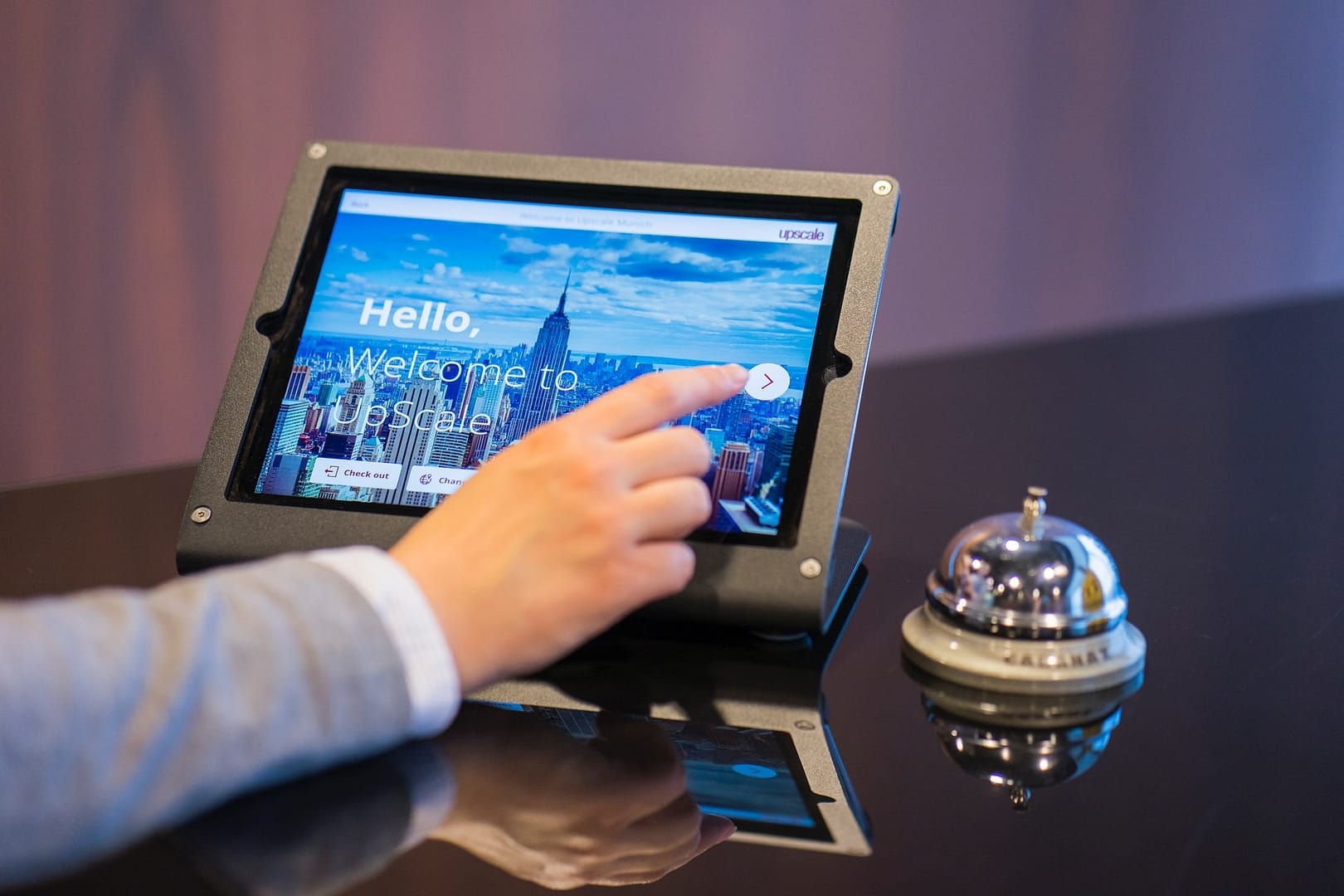
How to Set Up a Tablet as a Digital Sign
Setting up a tablet as a digital sign is one of the fastest ways to start displaying content without extra hardware. Tablets work perfectly for lobbies counters reception areas retail shelves and small spaces where a compact screen is all you need. With AIScreen you can turn any Android tablet into a fully managed digital signage display in just a few minutes using the same workflow used for TVs and players.
The process follows a simple structure: log in to the Web Player pair your screen upload your content and push it live. This setup gives you the flexibility of cloud based management and keeps your tablet synced with your account just like any other display.
1. Log in to Web Player
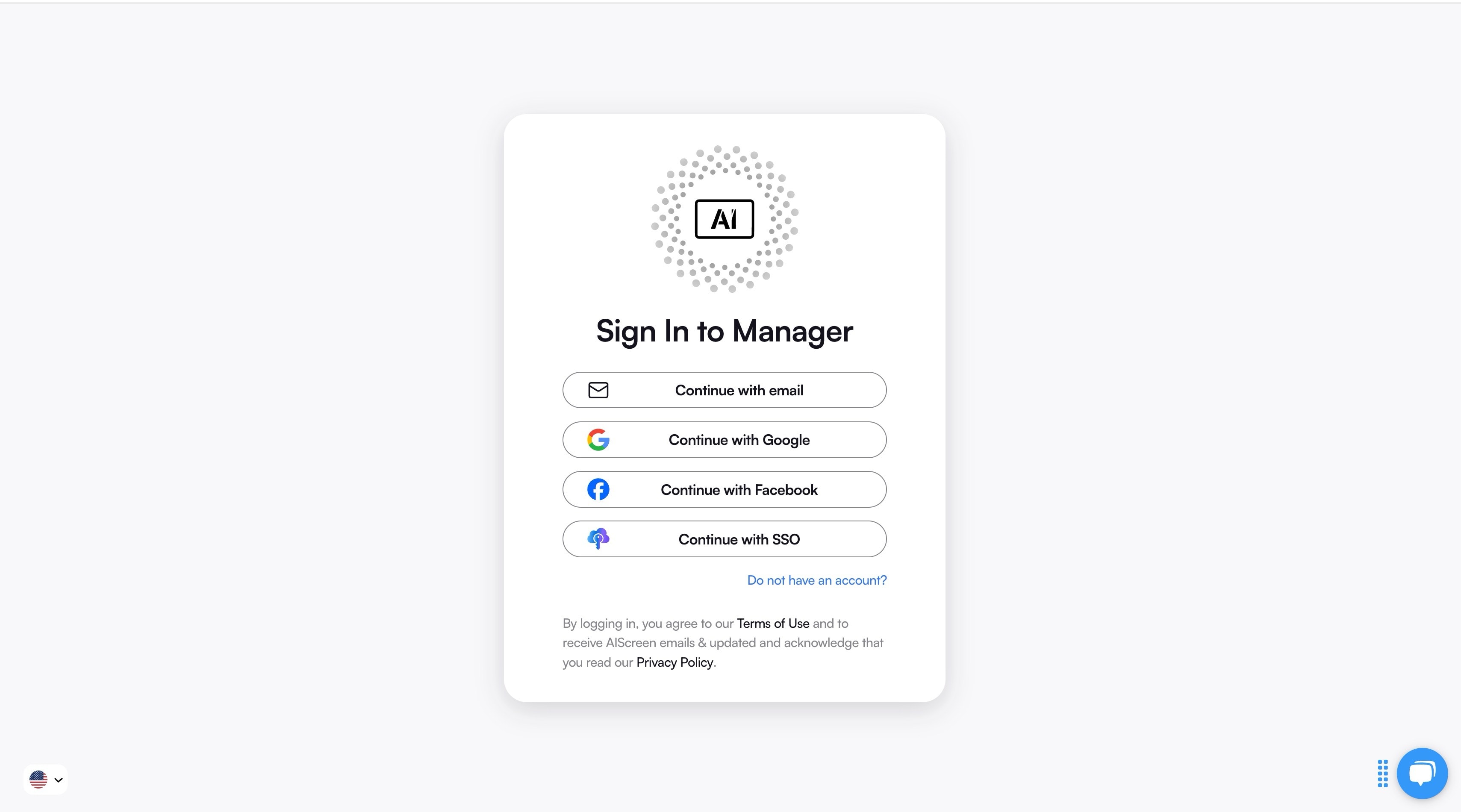
Access your AIScreen account and open the Web Player on your tablet’s browser. This allows you to test signage instantly or run a tablet as a fully functional display without installing anything. The Web Player loads your content directly from the cloud and prepares the device for pairing and playback.
2. Pair Your Screen to Account
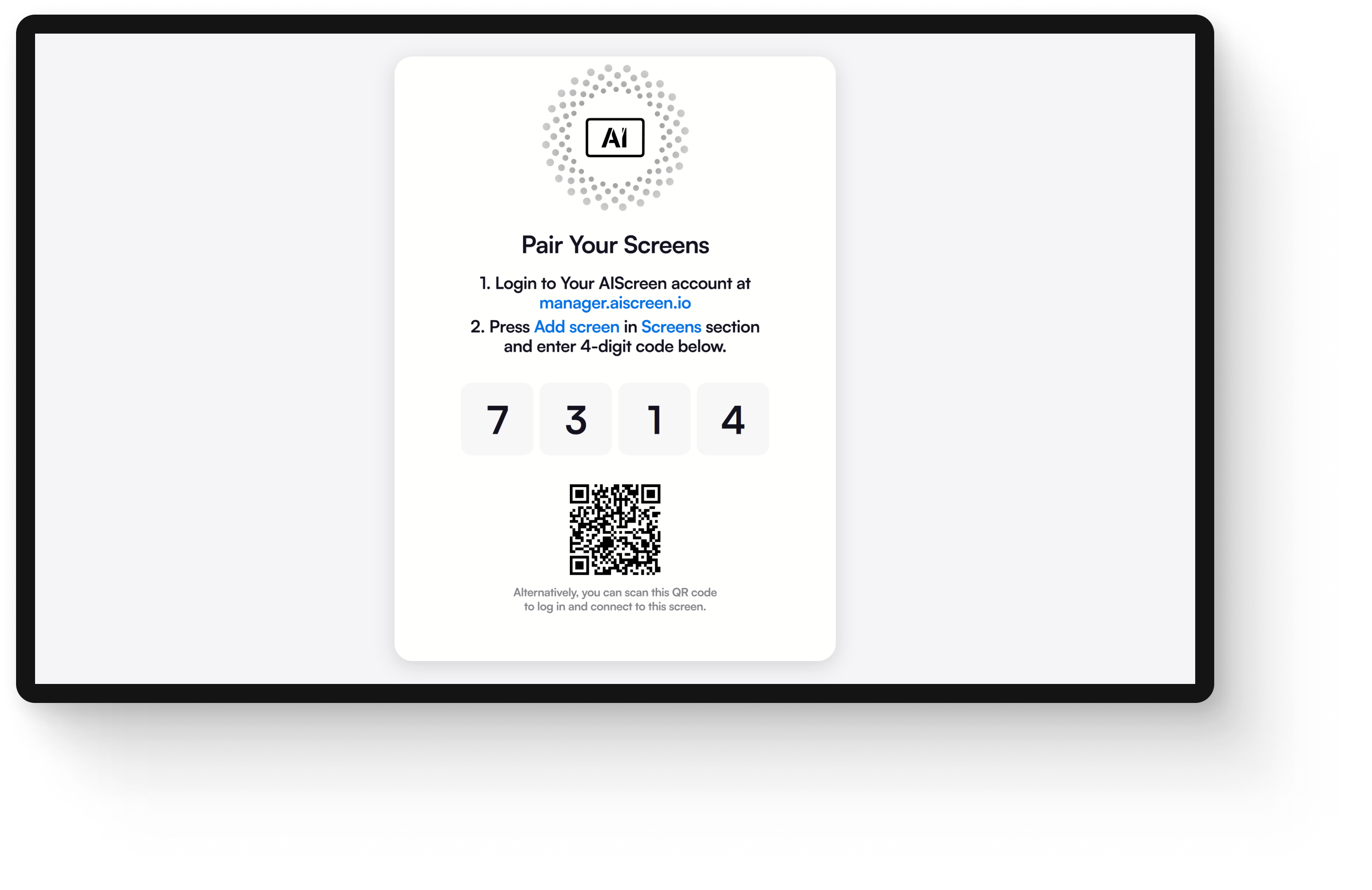
After opening the Web Player you will see a pairing code on the tablet. Head to the AIScreen Manager on your computer select Screens then click Add Screen. Enter the pairing code and your tablet will connect to your account. Once paired assign a name orientation and settings so the tablet fits perfectly into your screen network.
3. Upload Your Content
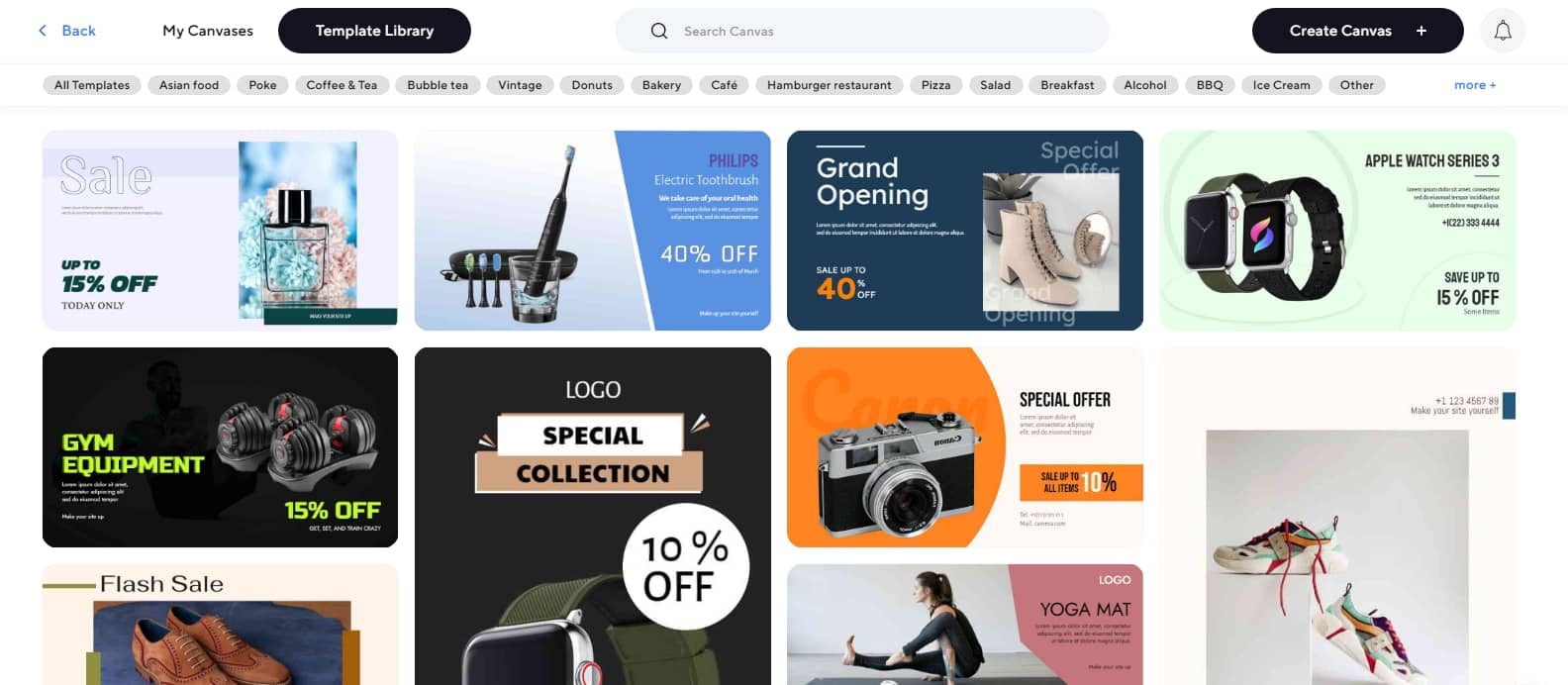
In your AIScreen dashboard open the Media section and click Upload. Drag and drop your images videos presentations or menu boards. AIScreen supports a wide range of file formats so your tablet can display nearly any type of content clearly and smoothly.
4. Push it to Screen

Find the file you want to display click the three dots and choose Set to Screen(s). Select your tablet from the list and confirm. The content will appear instantly on your device. Tablets update in real time so any content you schedule or publish will sync automatically.
Setting up an Android tablet as a digital sign is one of the easiest ways to launch signage without extra hardware. Tablets are portable flexible and perfect for counters reception areas and retail shelves. You can follow our full guide on how to set up Android tablet digital signage software at AIScreen to get your device running in minutes.
Explore the Best Tablets for Digital Signage Now with AIScreen
The best tablets for digital signage are now available with us at AIScreen to provide businesses with access to Android and Fire OS tablet solutions. These tablets combine hardware capabilities with advanced management tools and straightforward integration features. The comprehensive solutions provided by our company help businesses to maintain market leadership and enhance sales while maximizing audience interaction through their industry-leading performance and reliability.


FAQs
Can I use an Android tablet for digital signage?
Yes, you can use an Android tablet for digital signage because of its versatile design and low prices, combined with effortless connections to display management applications and cloud CMS systems. Android tablets also offer a wide range of compatible apps and easy integration with most digital signage platforms.
Do digital signage tablets support 24/7 operation?
Yes, digital signage tablets support 24/7 operation as they are commercial signage tablets, while battery-powered models need to stay plugged in for continuous performance. Many are built with durable components designed for long hours of reliable use in various environments.
What are the benefits of touch-enabled signage tablets?
The benefits of touch-enabled signage tablets are direct accessibility of menus and forms, real-time interaction resulting in higher satisfaction levels, and increased sales. This interactivity creates engaging customer experiences and improves overall communication effectiveness.
How much does a good digital signage tablet cost?
The cost of a good digital signage tablet ranges from $100 to more expensive premium models based on brand and performance quality. Investing in a quality tablet can reduce maintenance costs and enhance display reliability over time.
Are digital signage tablets suitable for educational environments?
Yes, digital signage tablets are suitable for educational environments in both schools and campuses through their application in digital menus, wayfinding systems, and interactive learning programs, which provide modern and easy-to-update content for students and staff members. They also support dynamic learning tools that boost student engagement and collaboration.
