
How to Create Effective Directional Signage for Events
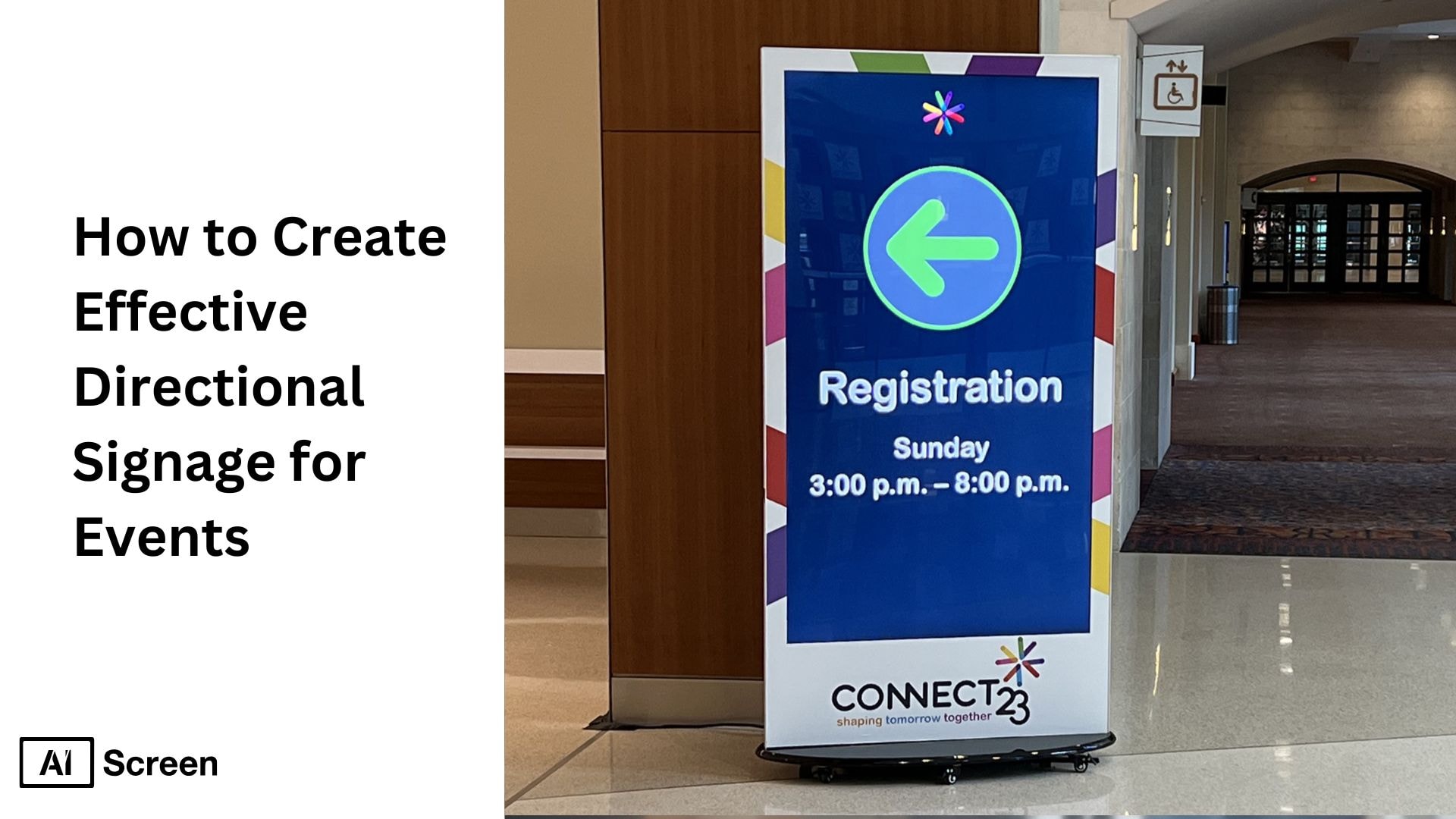
Imagine arriving at a conference with no clear arrows or event directional signs to guide you, confusion replaces excitement and you suddenly feel disconnected from the experience you expected. As you move through the venue, every unclear turn slows you down, every missing sign creates tension, and every incorrect direction adds an extra layer of frustration. This is exactly why effective directional signage for events shapes the way people feel, move, and interact within a space. According to Digital Signage Today, digital wayfinding reduces attendee navigation time by 42% at large events.
In this blog post, you’ll learn the best practices for creating effective directional signage for your event. From choosing the right digital displays and software to ensuring your signs are straightforward, we’ll guide you through each step. You’ll also discover creative signage ideas and tips on improving navigation across different types of venues, ensuring a positive experience for your attendees.
Modern facilities manage these displays with digital signage software so signage stays accurate and easy to update.
How Do You Design Directional Signage for Events?
To design effective directional signage for events, choose the right screens, install digital signage software, and create clear layouts with arrows, room names, schedules, and event branding. Customize the content for different areas, then schedule each message to appear at the right time and update it remotely as routes or sessions change.
Step 1: Choose the Ideal Digital Display for Wayfinding
You’ve felt that moment when guests arrive and look around, hoping for clarity, and that’s when the right smart display for event venue becomes the anchor that calms their uncertainty. When you choose bright screens between 700 and 2500 nits, your outdoor directional signs instantly feel stronger and more reliable in daylight. As they guide people from parking spaces to entry gates, they remove confusion before it even begins. This is where your event gains its first layer of smooth, predictable movement.
Pick a digital display that suits your needs. For example, the Insignia F30 Series LED 4K UHD Smart Fire TV:
- Screen Size: 43″-65″
- Price: $170 – $300
Features: 4K UHD, voice remote with Alexa, innovative features like Netflix and YouTube, immersive audio, and secure packaging.

Step 2: Download and Set Up Digital Signage Software for Event Navigation
You know that sinking feeling when schedules change suddenly and signs don’t update fast enough, which is why digital directional signage software becomes your safety net. When you download digital signage software from the AIScreen software page, you gain the power to manage every screen remotely without rushing across the venue.
Real-time updates let you react before confusion spreads, keeping your event navigation smooth and predictable. This gives you a level of control that old printed signs could never match.
Cloud-based tools make your directional signage for events even more effortless, especially during multi-day programs where layout changes are constant. You can schedule content, adjust outdoor wayfinding signage, or refresh custom directional signs with a single click.
Whether a room shifts, a session moves, or traffic flow changes, your digital directional signage adapts instantly. The result is a calm, steady experience for guests who rely on your guidance from entrance to exit.
Step 3: Create an Account on the Event Directional Signage Management App
The moment you create your account, the entire venue begins to feel more structured, because now every custom wayfinding sign connects to a central system you control. You set up zones for parking, lobbies, and auditoriums, and suddenly the layout becomes easier to visualize.
Instead of juggling paperwork or printed maps, you see every screen in one dashboard. This gives you the freedom to adjust outdoor directory signs and indoor directional signage without hesitation.
What makes this dashboard powerful is how simple it feels, even when you’re managing multiple locations at once. With each screen linked, every update flows across your venue like a coordinated guide.
You can fine-tune custom wayfinding signs, adjust direction arrows, or reorganize zones when crowd patterns shift. Using a centralized dashboard means you stay in control even during rush moments, supporting your guests with clear, reassuring guidance.
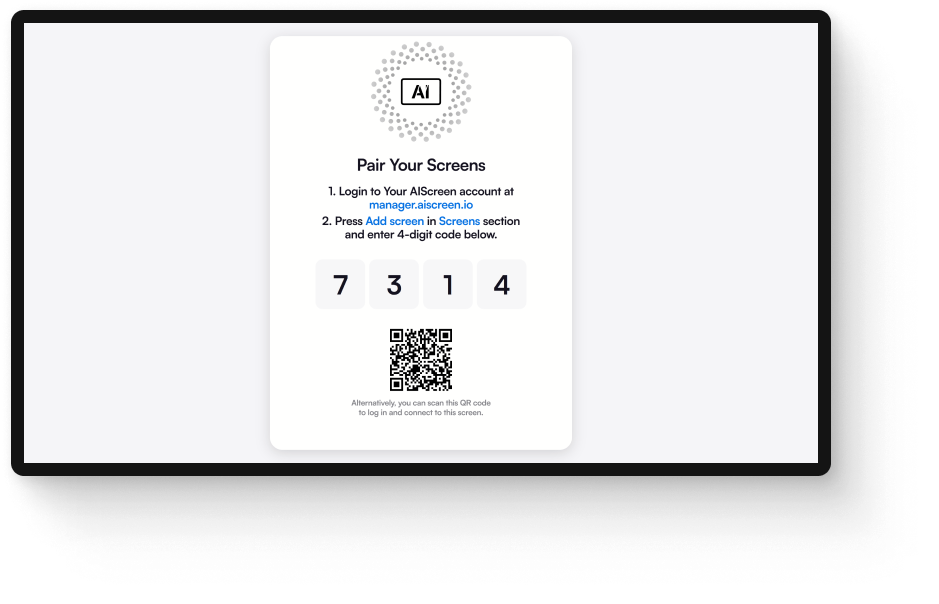
Step 4: Pair Your Screens with the Directional Signage Software
You’ve probably experienced how stressful setup days can be, which is why pairing your screens needs to be quick, smooth, and reliable. When you scan a QR code or enter a PIN on the CMS, your displays connect instantly and your directional signage software begins to come alive.
Stable Wi-Fi or LTE ensures every screen receives updates exactly when you need them. That first moment of successful pairing gives you confidence that the entire signage direction system will stay in sync.
If a screen doesn’t show up, the solution is often as simple as checking your signage direction network or verifying the pairing code. These small steps prevent delays that could ripple across the event.
Once connected, all your outdoor directional signage and indoor signages respond to your commands seamlessly. This leaves you free to focus on the flow of the event instead of troubleshooting last-minute setup issues.
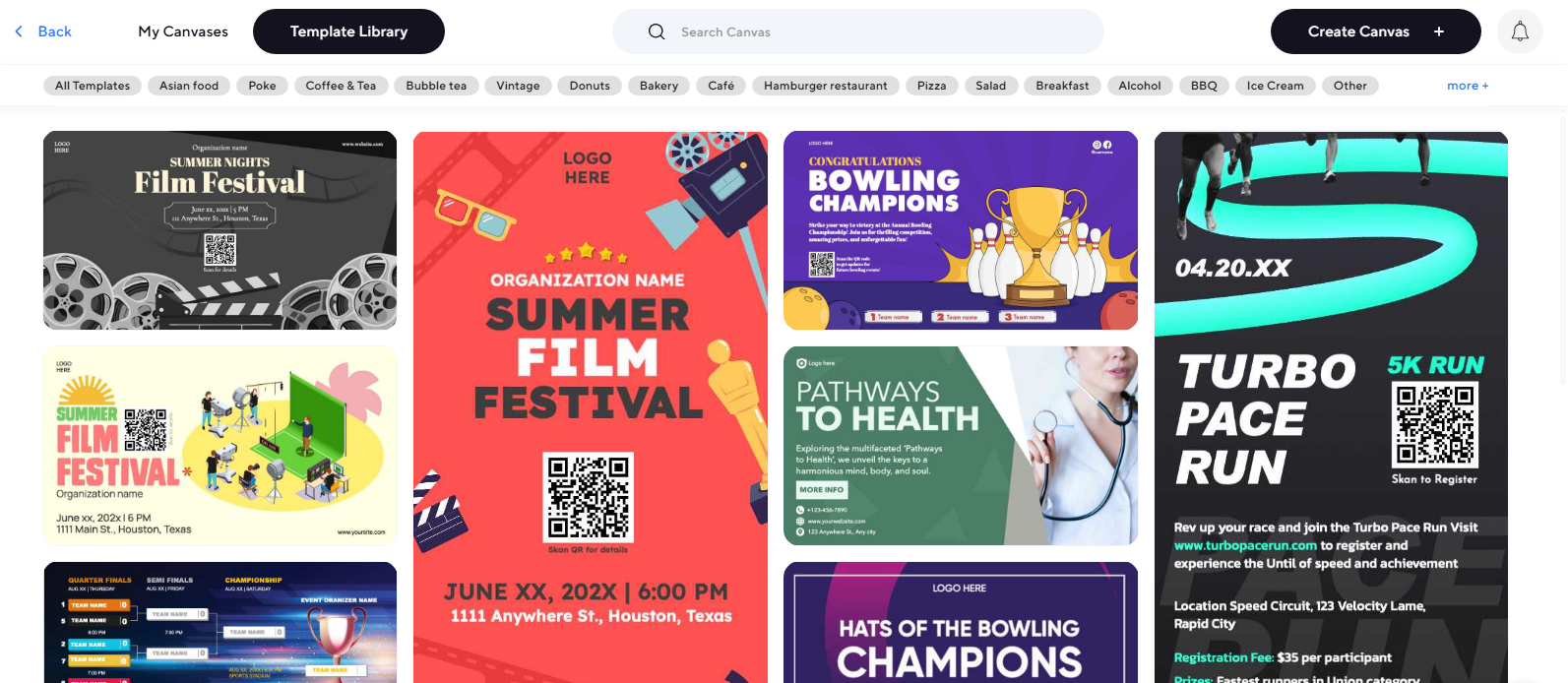
Step 5: Design or Upload a Custom Directional Signage Template for Events
This is where your event’s personality starts to appear, because your custom directional signs aren’t just functional, they carry your voice. When you upload or customize a directional signage template with bold arrows, clean icons, and clear typography, guests immediately feel supported.
The moment they spot easily readable text, their stress fades and their confidence grows. Good design makes every signage direction feel intuitive, even before guests process the words.
Color-coding your zones or floors turns navigation into a natural rhythm people follow without thinking. Strong contrast improves visibility for outdoor wayfinding signs, especially when crowds are moving quickly.
Using sans-serif fonts at 20+ points ensures attendees can read instructions from 10–15 feet away. And when your brand logo appears subtly in the corner, the experience becomes cohesive, elegant, and unmistakably yours. This is especially useful for teams learning how to use PowerPoint for digital signage, since slides can be quickly converted into clean, high-contrast directional screens.
Step 6: Set Up the Display Schedule and Launch Directional Signage for Events
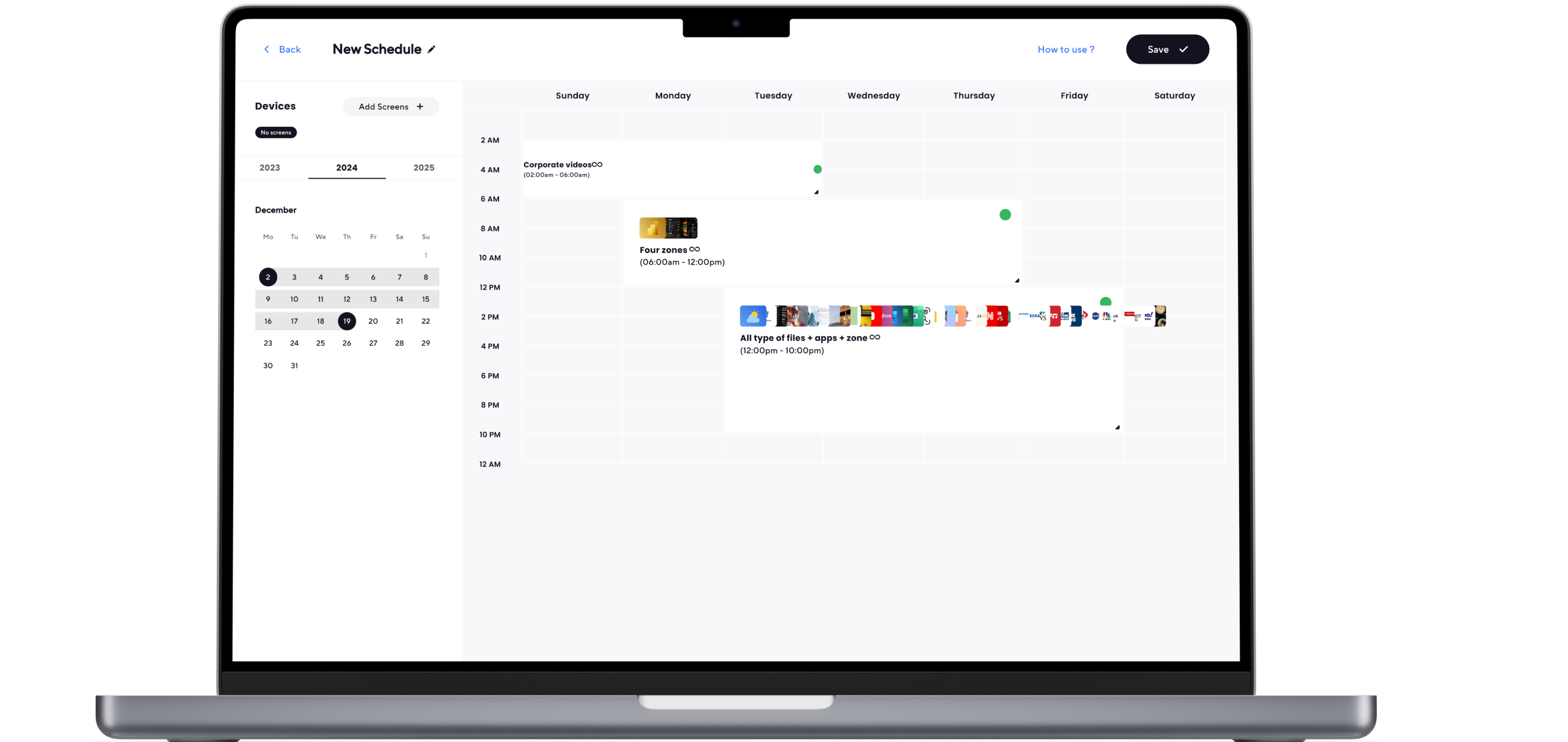
Scheduling your screens brings your entire event to life because your event directional signs now shift automatically based on the day’s flow. You can display morning sessions, transition to lunch routes, and highlight VIP pathways without touching a single monitor.
Real-time updates make sudden room changes invisible to attendees because the signs adjust before confusion builds. This sense of smooth movement becomes a quiet gift to every person walking through your venue.
When you sync your screens and set up display scheduling with the event calendar, your directional signage for events becomes dynamic and incredibly supportive. Outdoor wayfinding signage and indoor screens respond together, guiding people through every transition with ease.
Planning your rollout 24 hours early allows you to test visibility, check timing, and fine-tune every transition. Once everything goes live, the entire venue feels more organized, predictable, and genuinely welcoming.
Why Is Event Directional Signage Important?
Think about the last time you entered a busy venue and instantly felt at ease because every path was clearly marked, that quiet sense of relief is exactly what strong event directional signage creates for your guests. Instead of hesitating or searching for help, people move naturally from parking to entry gates with the support of outdoor wayfinding signs and indoor direction signage that feels intuitive and reassuring. According to ResearchGate, real-time directional signage improves crowd movement efficiency by up to 55%. You can see this clarity in action across a range of event signage examples.
Thoughtful signs for directions also strengthen the operational flow of your event by preventing crowd build-ups and reducing the constant need for staff guidance. With fewer interruptions, your team stays focused and your branding feels more professional through consistent visuals across the venue. When your event directional signage works seamlessly, your guests feel guided, your staff feels supported, and your overall environment becomes noticeably smoother and more organized.
Key Benefits
- Streamlined navigation: Helps guests move confidently through the venue without stopping to ask for directions.
- Reduced confusion: Minimizes miscommunication by giving attendees clear visual cues at every decision point.
- Consistent branding: Reinforces your event identity through uniform colors, fonts, and design elements.
- Time efficiency: Saves staff time and speeds up guest movement, keeping the entire event on schedule.


What Are Event Directional Signage Best Practices?
Every event needs clear, directional signage so attendees can easily find their way around and have a positive experience. Creating effective wayfinding signs that are visually appealing and easy to understand is essential. According to PwC, events using digital navigation tools see a 37% increase in overall attendee satisfaction. Here are some tips to help you design great directional signage for your event:
1. Mix Indoor and Outdoor Signs
- Use indoor event directional signs to guide guests to check-in areas, restrooms, halls, and booths.
- Place outdoor wayfinding signage at parking lots, entrances, and pathways to assist visitors before they reach the venue.
2. Make Your Signs Easy to See
- Choose large, bold text and high-contrast colors so directional signage is readable from a distance.
- Position exterior wayfinding signs at eye level and keep them free from physical obstructions.
3. Give Guests Plenty of Notice
- Start placing event directional signs early, at parking points, road turns, and pedestrian paths.
- Add repeated signage along walkways so attendees never wonder where to go next.
4. Keep It Simple
- Use one clear message per sign with short text and easy-to-recognize icons.
- Avoid clutter by keeping layouts clean, readable, and consistent with event directional sign best practices.
5. Consider the Background
- Place directional signage against backgrounds that offer strong contrast, avoiding busy or patterned surfaces.
- Ensure lighting conditions, day or night, do not wash out the sign’s visibility.
6. Reinforce Your Brand
- Add brand colors, fonts, and logos to your event directional signs for a unified event look.
- Use consistent brand elements across indoor and outdoor wayfinding signage to strengthen recognition.
7. Be Consistent
- Maintain the same arrow styles, colors, layouts, and fonts across all directional signage.
- Keep terminology identical (e.g., “Registration” vs. “Check-In”) to avoid confusion.
8. Use Arrows
- Use large, clean, universally understood arrow styles to guide attendees quickly.
- Place arrows in the same position on every sign to ensure predictable navigation patterns.
What Are Creative Event Wayfinding Ideas?
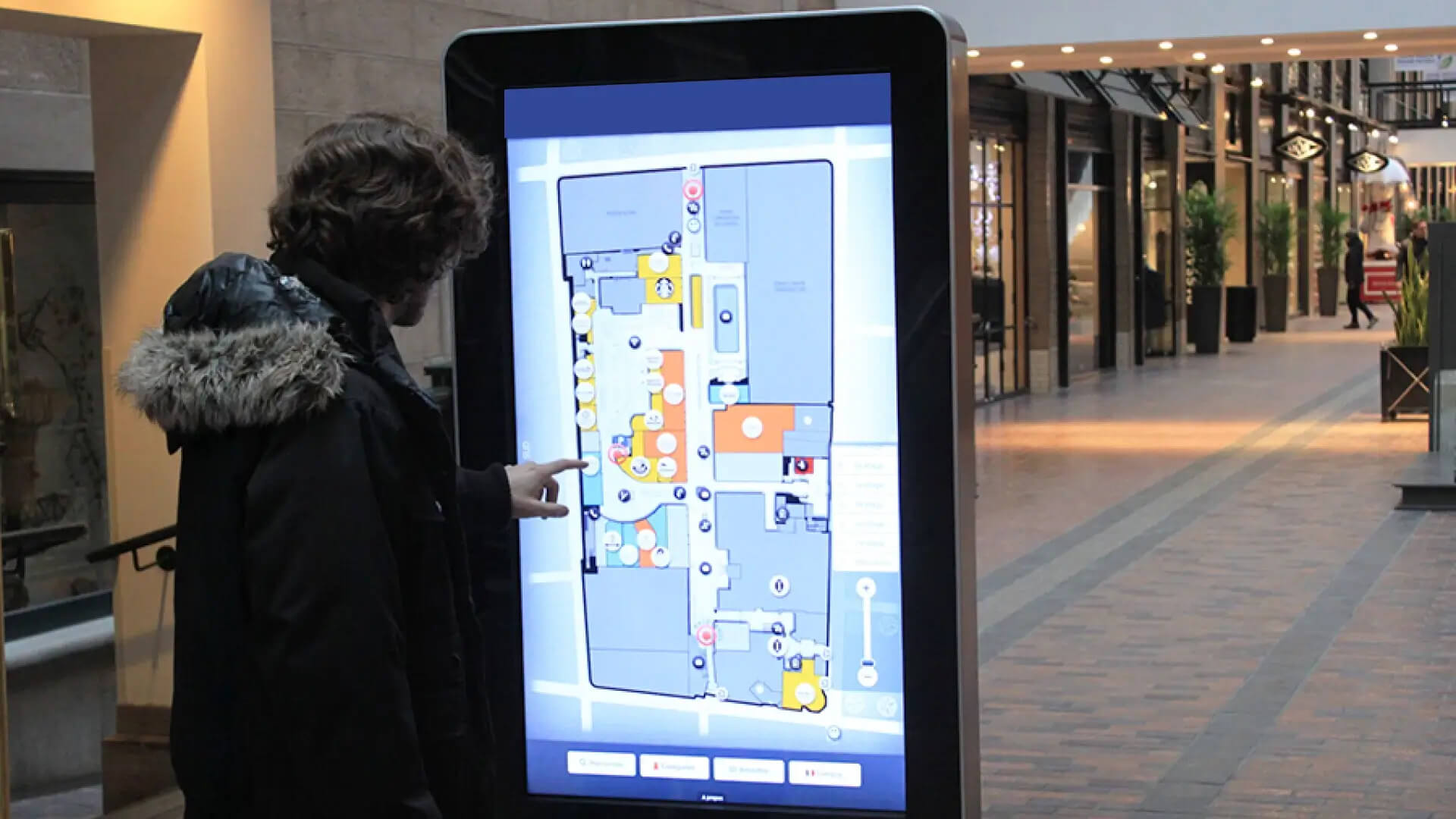
Creative event wayfinding signage helps guests move confidently through every part of your venue while reinforcing your event’s visual identity. Instead of relying only on traditional boards, modern events now use floors, barriers, stairs, projections, and digital displays to communicate directions clearly. These digital signage event trends make navigation more flexible, visually engaging, and easier to update throughout the event. According to Deloitte, interactive wayfinding displays boost engagement by 48% compared to static signs.
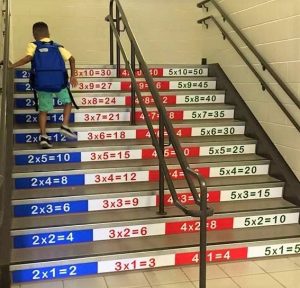
1. Stair Wraps
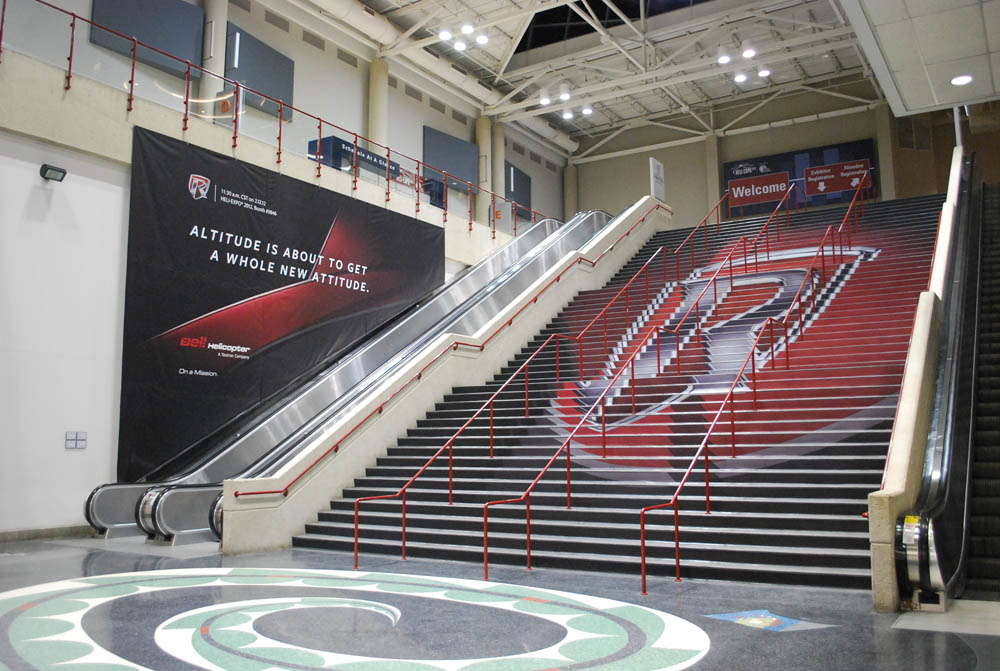
Stair wraps are a striking way to turn a functional space into a branded guidance tool that attendees notice instantly. By using steps and railings creatively, you can direct guests to key areas without adding clutter. Stair wraps also help strengthen your brand by carrying the event theme across multiple levels of the venue.
- Maximize unused space: Staircases and railings can be transformed into eye-catching signage.
- Brand the event: Match the stair wraps with your event’s branding to make guests feel they’re heading in the right direction.
Example:
At the 2023 Tech Conference, stair wraps guided attendees to key event areas while promoting the conference’s branding.
2. Barrier Signs
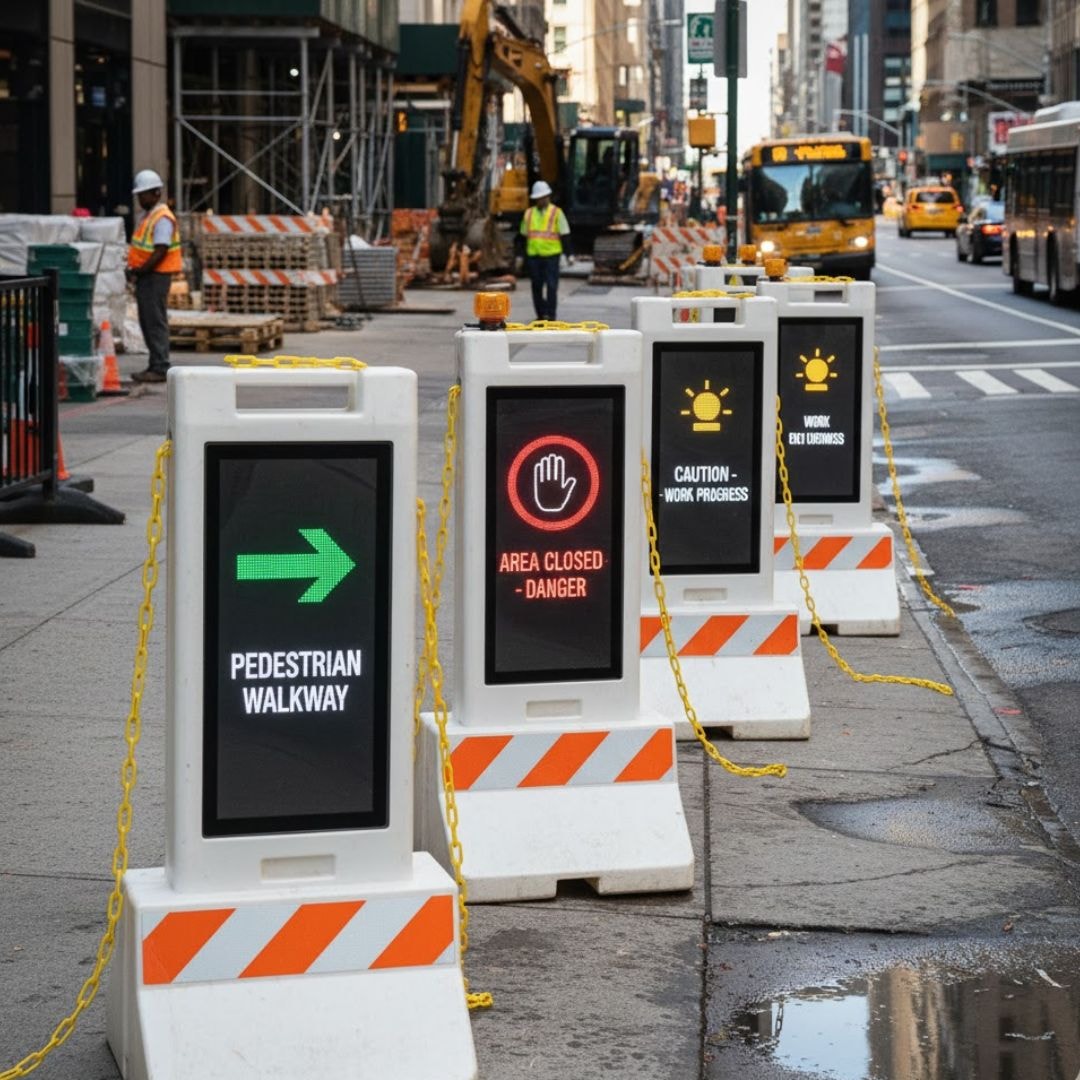
Barrier signs work well in high-traffic zones where you need to control flow and provide clear direction at the same time. They help guests stay organized, reduce wandering, and prevent bottlenecks in busy entry or registration spaces. Simple wording and bold placement make them especially effective in large venues.
- Direct guests: Use barrier signs to lead people to entrances, check-in booths, or event stages.
- Prevent confusion: Clear signs ensure guests know they’re in the right line and headed to the right spot.
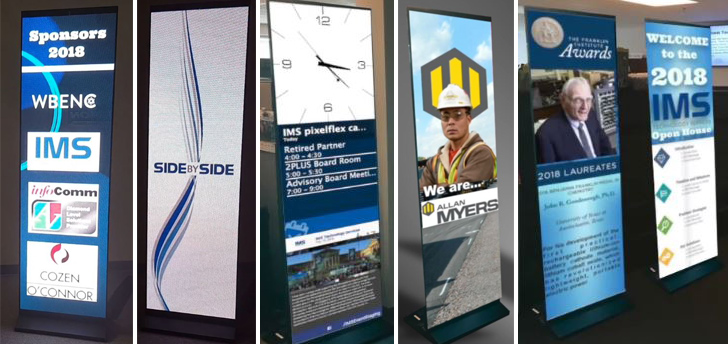
3. Banners
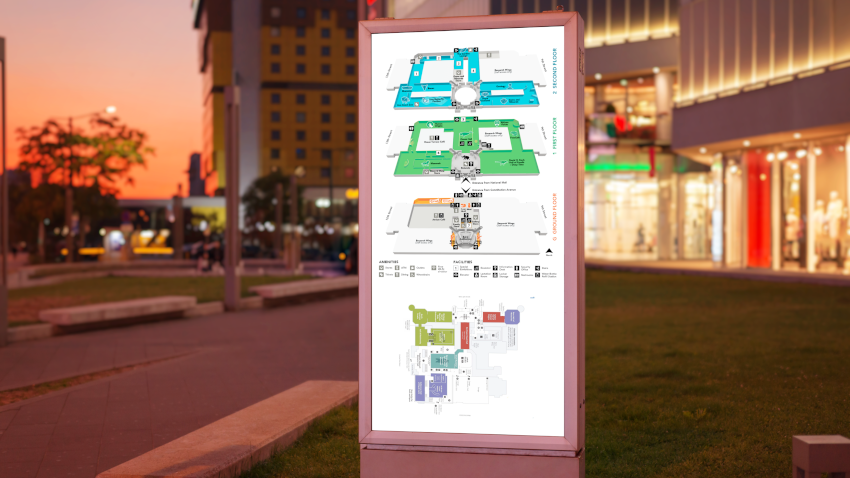
Banners are one of the most versatile and cost-effective event directional signs you can use. They stand out in tall, crowded spaces and are easy to move as your layout changes. Whether placed at hallways, lobbies, or booth entrances, banners provide quick visual cues that help guests navigate smoothly.
- Quick setup: Retractable banners are easy to set up and take down.
- Reusable: They can be used at multiple events, saving costs.
- Strategic placement: To maximize visibility, place banners at key spots around your event space.
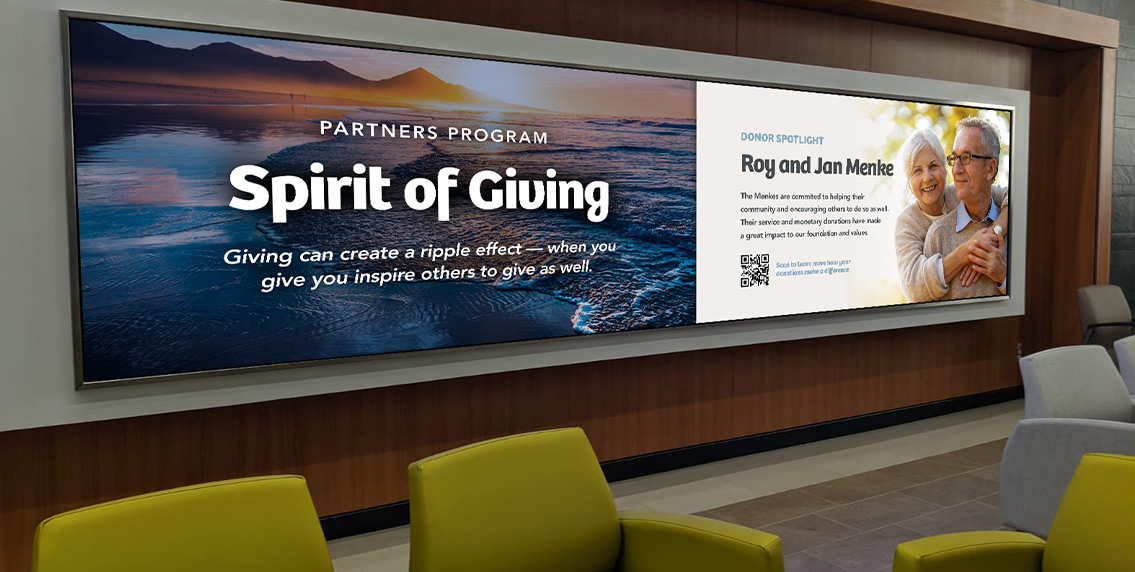
4. Projections
Projected signage adds a modern, high-tech touch to your event while solving space limitations. Instead of relying on physical boards, digital projections can display arrows, room names, and announcements on walls or floors. This approach is especially useful when the venue restricts hanging or installing signs.
- Customizable: Projected signs can be updated in real time to match the event.
- Interactive: You can include links for guests to visit your website or social media.
- No space restrictions: Ideal for venues where hanging or placing physical signs isn’t possible.
5. Floor Decals
Floor decals are ideal for guiding guests through areas where their eyes naturally fall, downward. They help maintain smooth traffic flow while blending seamlessly into your event design. When used creatively, floor decals can transform empty spaces into helpful navigation tools.
- Guide traffic: Direct guests to critical areas like welcome tables, restrooms, and booths.
- Maximize unused space: Take advantage of the floor space for wayfinding signage.
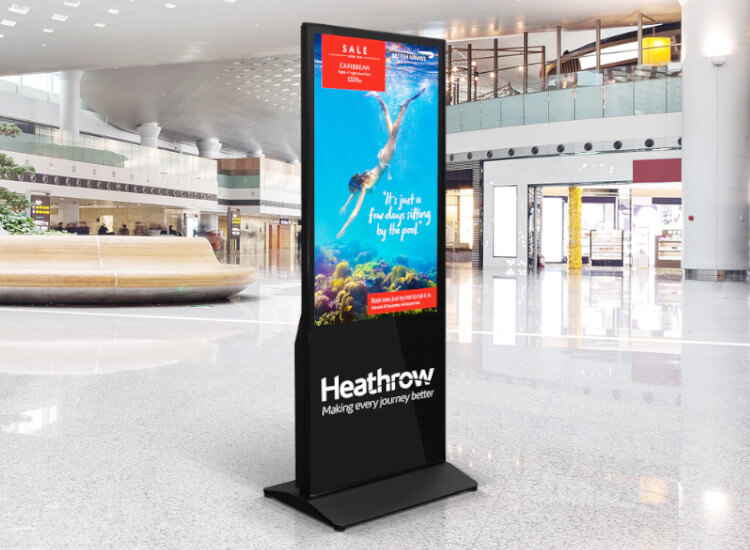
6. Yard Signs
Yard signs are simple, effective tools for outdoor events or venues with large parking areas. They help attendees confirm they’re at the right location long before they walk in. By placing yard signs along pathways and entrances, you create a smooth arrival experience for all guests.
- Direct traffic: Place signs leading to entrances, exits, and parking areas.
- Simple and effective: Even basic yard signs with arrows can let guests know they’re in the right place before leaving their car.
How Does Directional Signage Improve Navigation?
Directional signage completely changes how people experience a space, whether they’re rushing through a hotel lobby, exploring a mall, or trying to find the right booth at a trade show. When signs feel intuitive, people relax, move confidently, and naturally follow the flow of the venue. According to Statista, digital signs capture 4.3x more attention than traditional printed boards. Here are six real-world places where great signage makes navigation easier, smoother, and actually enjoyable.
1. Public Venues
Public spaces like hotels, airports, and casinos are full of fast-moving crowds, and people rarely have time to stop and think. That’s why clear signage becomes a silent guide, helping everyone from travelers to hotel guests feel grounded the moment they enter. When signs are universal and easy to spot, the entire experience feels seamless.
- Easy to spot: Signs should be simple and internationally recognized.
- Compliance: Signs for restrooms, emergency exits, and wheelchair access are often legally required.
2. Retail Businesses
In retail environments, great signage isn’t just helpful, it actually influences customer behavior. Whether someone is exploring a mall or walking into a store with an off-street entrance, signage becomes the gentle nudge that pulls them inside and guides them to the right sections. It keeps foot traffic flowing without feeling forced.
- Types of venues: Malls, strip malls, outlet stores, and stores with off-street entrances.
- Temporary and permanent options: Both work to guide customers and maintain flow.
3. Event Signage
Events come with excitement, energy, and sometimes… a little chaos. When guests arrive, they need reassurance that they’re heading in the right direction, especially at weddings, fairs, or birthday celebrations spread across multiple spaces. Good signage reduces stress and lets people simply enjoy the moment.
- Types of events: Weddings, birthday parties, farmers’ markets, and more.
- Benefits: Reduces confusion and helps manage traffic.
4. Office Buildings
Office buildings often feel like mini-mazes, especially for first-time visitors. Good directional signage gives people confidence, whether they’re heading to a meeting room, HR department, or the conference hall. With clear directions, the building immediately feels more organized and welcoming.
- Key areas: Departments, meeting rooms, waiting areas, and conference rooms.
- Smooth navigation: Helps avoid confusion and unnecessary questions.

5. Trade Shows
Trade shows are fast-paced, noisy, and packed with booths, making it easy to feel overwhelmed. Directional signage becomes your secret weapon for guiding attendees through the chaos and helping your booth stand out. When the path is clear, people explore more, which means more interest and engagement for exhibitors.
- Types of signs: Overhead, wall-mounted, floor decals, and freestanding signs.
- Custom options: Choose the best signs for your booth and venue layout.
6. Campuses
Large campuses, whether universities or corporate hubs, can feel like little cities. Visitors, students, and new employees depend on signs to move confidently from one building to another. When directional signage is consistent across the entire campus, the environment feels more connected and easier to navigate.
- Key locations: Staff offices, dorms, classrooms, cafeterias, event spaces, and conference rooms.
- Purpose: Guides visitors and helps them find the right rooms and spaces.
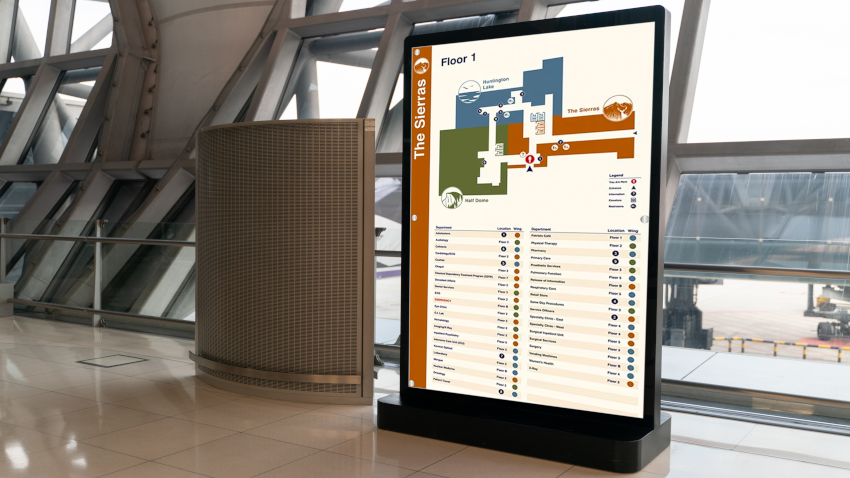
How Can Grocery Store Displays Improve Directional Signage?
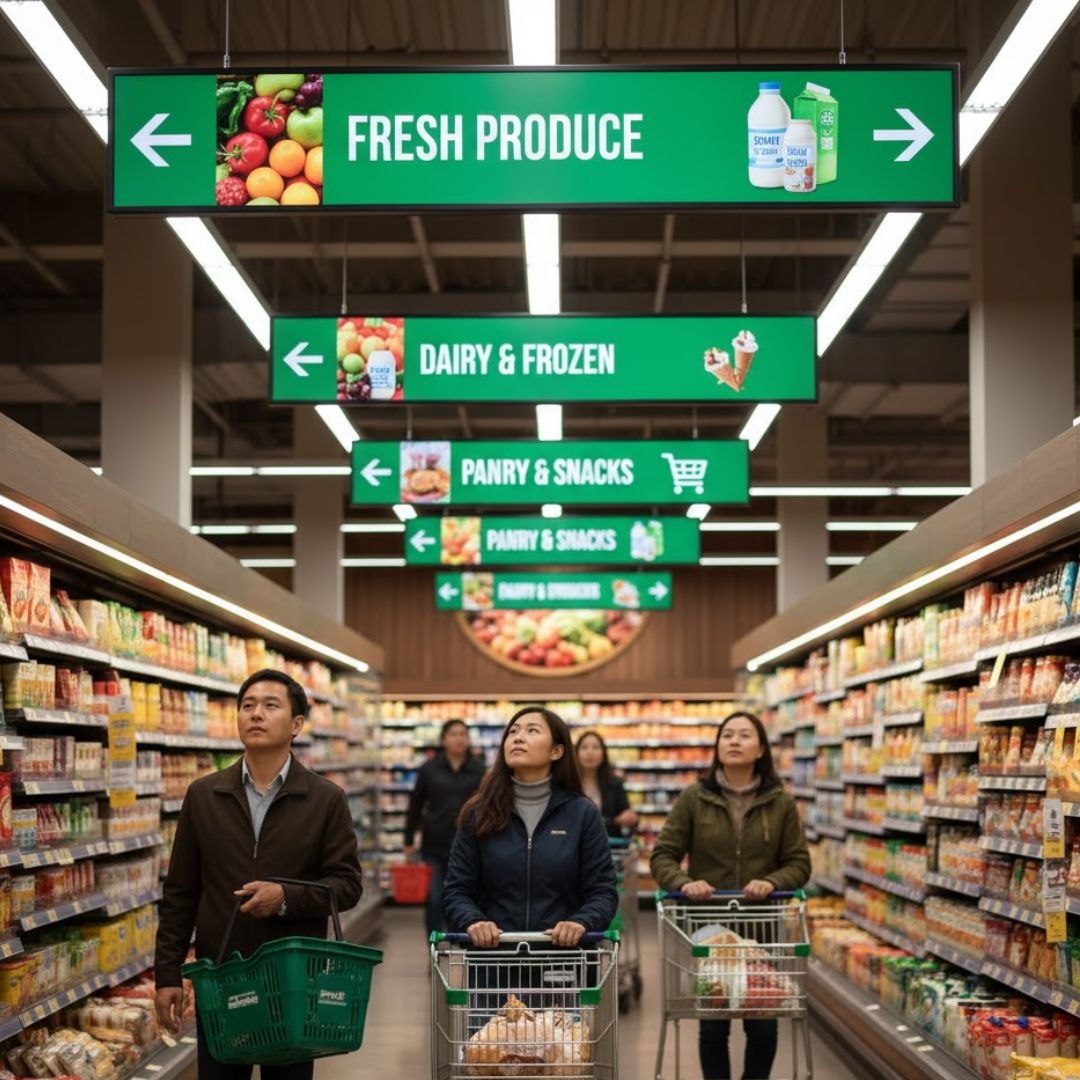
If you’ve ever walked through a grocery store and instantly understood where snacks, dairy, or cleaning items are, that’s the power of intuitive wayfinding at work. End-cap displays, aisle markers, and bold category labels guide you without you even noticing, creating a smooth shopping rhythm that feels effortless. That same instinctive clarity is exactly what great directional signs should deliver at events.
- Guides Shoppers: Grocery store displays help customers navigate aisles, product sections, and checkout areas.
- Strategic Placement: Placing displays at entrances or aisle ends improves traffic flow.
- Enhances Shopping Experience: Displays promote products and reduce confusion, improving customer satisfaction.
Just like clear supermarket labels boost product visibility, well-designed custom wayfinding signs help attendees move confidently from one zone to another. When colors, symbols, and sections stay consistent, people naturally follow the signage direction without stopping to ask questions.
Tip: Use color-coded categories in your event layout just like a supermarket uses colored aisle markers.
How Does a TV Calendar Enhance Event Navigation?
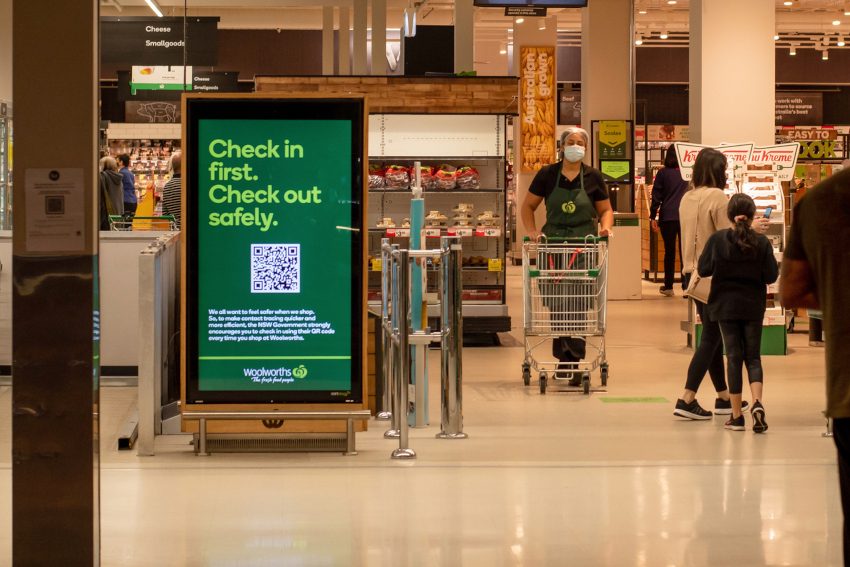
Think about how easy it feels when you walk into a venue and instantly see a TV screen showing the day’s schedule, room numbers, and upcoming sessions, everything you need in one clear view. These digital displays sync directly with the event schedule, turning ordinary screens into powerful event directional signs that guide people without confusion. According to McKinsey, clear signage direction reduces operational bottlenecks by 33% during peak sessions. When the information is always visible, guests don’t wander around or ask staff for directions; they simply follow the cues.
- Real-Time Updates: TV calendar displays provide live event schedules, location details, and any last-minute changes.
- Increased Clarity: Ideal for significant events, helping attendees stay informed on session times, breaks, and venue shifts.
- Improved Organization: Keeps everyone aligned, ensuring a smooth and efficient event experience.
The real magic happens with real-time updates. If a keynote room changes or a workshop runs late, every connected display updates instantly, keeping your directional signage accurate across the venue. Tools like AIScreen make this effortless by pushing updates to all indoor screens and outdoor directory signs at the same time. That means your direction signage stays aligned, consistent, and always one step ahead.

Transform Your Directional Signage For Events With Digital Signage Solution!
Are your event attendees still relying on outdated static boards to find their way? Digital displays instantly modernize navigation by turning outdoor directional signs into live, responsive guides. When rooms change or timelines shift, every screen updates within seconds. This ensures guests move confidently without delays or confusion throughout the venue. According to Forbes, using color-coded navigation improves decision-making speed by 60% in busy venues.
Upgrading to a smart system like AIScreen gives you full control over event directional signage and wayfinding signs from one centralized dashboard. You can push updates instantly, maintain consistent directions everywhere, and deliver a smoother event flow. It’s the simplest way to enhance organization, streamline navigation, and improve attendee satisfaction. For fresh inspiration, explore these creative outdoor event signage ideas.
Here’s a natural question-style heading using both keywords:
How Can Directional Signage for Events Support New Employee Announcement Signage?
Effective directional signage for events can also support new employee announcement signage by guiding attendees while introducing new team members in a clear and engaging way. For example, event screens can display directions to meeting rooms, onboarding sessions, welcome areas, or networking spaces while also featuring employee names, job titles, departments, and welcome messages.
Well-designed new employee announcement signage can become even more useful when combined with directional signage for events. Digital displays allow organizations to update employee information, event schedules, room assignments, and navigation details in real time, creating a more organized experience while helping new hires feel recognized and welcomed.
Why Choose AIScreen for Event Signage?
AIScreen gives event teams one dashboard to control every directional sign, push instant updates when rooms or schedules change, and keep wayfinding consistent across indoor and outdoor screens. From registration areas and session rooms to exits, food zones, and sponsor displays, teams can keep guests informed with clear, timely content throughout the event.
As a leading provider of digital signage solutions, AIScreen helps event organizers manage content across multiple screens and venues with cloud-based control, remote updates, and flexible scheduling. Its platform makes it easier to maintain consistent branding, respond quickly to last-minute changes, and create a smoother navigation experience for attendees.
Start a free trial or book a demo to see how effortless event navigation becomes.
FAQs
What is digital directional signage for events?
Digital directional signage for events uses screens to guide attendees through venues with clear, real-time instructions. It replaces static boards with dynamic visuals that update instantly when schedules or room locations change. These displays help reduce confusion and keep people moving smoothly. Overall, it creates a more organized and engaging event experience.
Can digital signage be more effective than traditional signs?
Yes, digital signage can be more effective because it adapts to last-minute changes without needing physical replacements. It captures attention with motion, color, and live updates, making directions significantly clearer. Attendees get accurate information wherever they are, which improves event flow. This flexibility and visibility make it stronger than traditional static signs.
How can I make my directional signage stand out at a crowded event?
You can make your directional signage stand out by using bright visuals, bold fonts, and contrasting colors that catch attention instantly. Adding motion graphics or simple animations helps draw the eye even in a busy environment. Clear icons and arrows make navigation effortless for attendees. Consistency across all screens ensures people can follow directions without confusion.
Where should directional signs be placed at an event?
Directional signs should be placed at all major decision points where attendees must choose a path. Entryways, hallways, intersections, and near elevators are ideal locations for maximum clarity. Screens near registration desks and session rooms help guide traffic smoothly. Strategic placement ensures people reach their destinations without unnecessary stops or backtracking.
Why is ADA-compliant signage important for accessibility?
ADA-compliant signage is important because it ensures every attendee, including those with visual, mobility, or cognitive challenges, can navigate the event independently. Proper contrast, readable text, and correct mounting height support clear visibility for everyone. Including braille and tactile elements adds another layer of accessibility. This not only follows regulations but also promotes inclusive event experiences.
