
What Are The Best Interactive Digital Signage Examples?
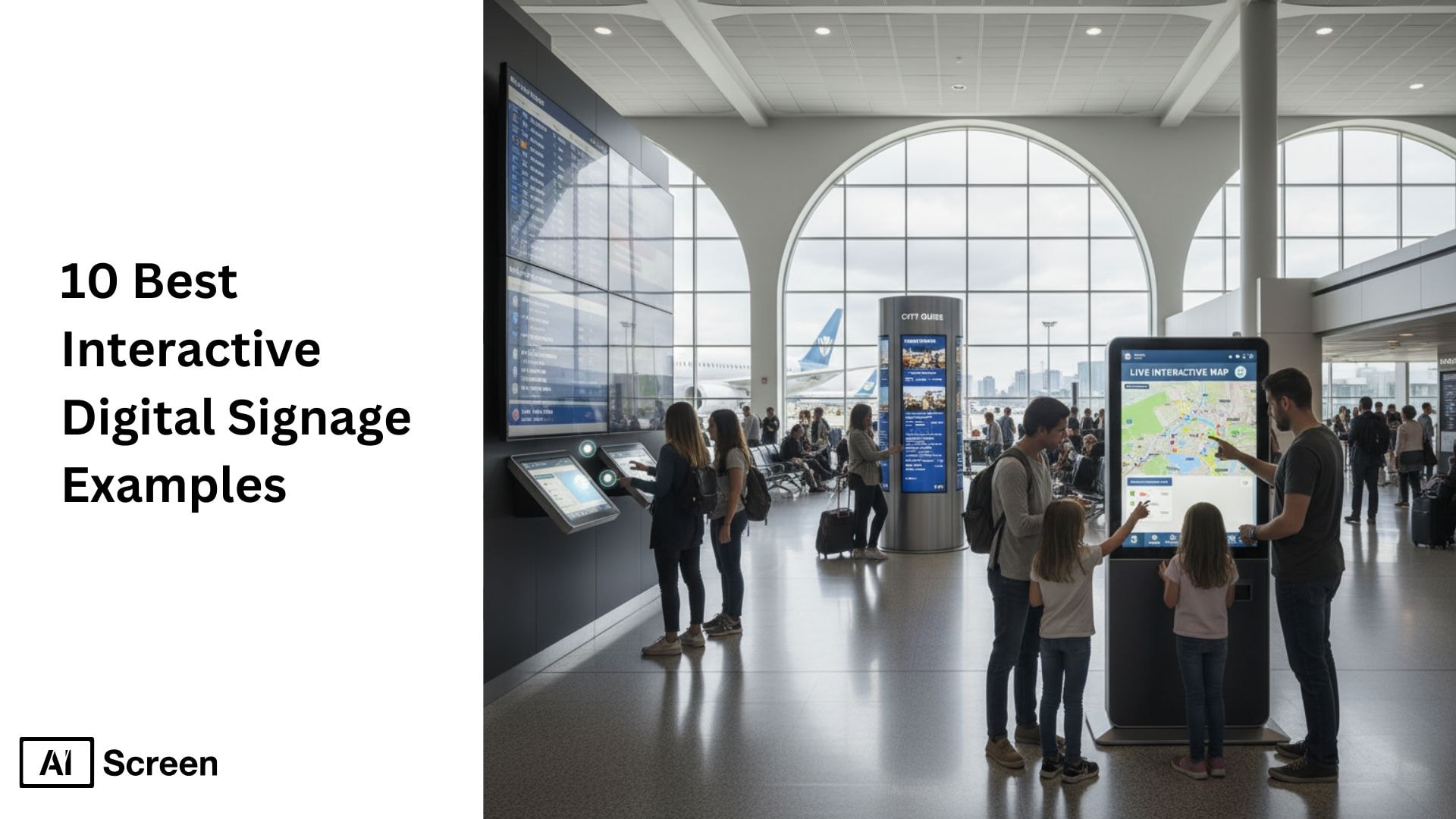
Have you ever stopped at a screen that suddenly spoke to you, moved with you, or reacted to your touch? That’s the magic of interactive digital signage examples, where technology meets storytelling to draw you into the experience. By blending sensors, cameras, video walls, and touchscreens with dynamic digital signage displays and engaging content, brands create moments that feel personal and unforgettable. According to a report by Grand View Research, over 65% of retail stores now use digital content and digital signage, including QR codes, to enhance customer engagement and experience.
In this article, we’ll explore ten real-world digital signage ideas that have redefined how brands communicate through interactivity. Let’s explore so many ideas and the most creative upcoming events and effective examples of digital signage and interactive digital signage from around the world, ensuring an immersive experience for all.
What Is Interactive Digital Signage Content
Ever noticed how some screens invite interaction instead of just being watched? Interactive digital signage content refers to digital displays that respond to user actions, allowing people to engage with information rather than passively view it.
This content can include QR codes for instant access, interactive kiosks for self-service interactive kiosks, gesture-controlled screens, augmented reality experiences, facial-recognition video walls, and touch-enabled wayfinding displays.
These interactive elements are commonly used in retail, offices, airports, and event spaces to make information more memorable and useful. According to Deloitte, interactive digital signage can increase customer engagement by up to 60% compared to static displays, proving that interaction helps people pay attention, understand messages faster, and stay engaged longer.
What are the 10 Best Interactive Digital Signage Examples
Some screens inform, but the best ones invite action. 10 best interactive digital signage examples showcase how modern displays go beyond visuals to actively involve users through touch, motion, and real-time responses.
From retail and healthcare to offices and public spaces, interactive signage improves attention and participation, and it scales cleanly across a multi-site software signage rollout. According to Intel, interactive digital signage can increase engagement rates by up to 400% compared to static displays, making it one of the most effective communication tools today.
Below are some of the most effective and widely used interactive digital signage examples:
1. Battersea Dogs & Cats Home — Heartfelt Adoption Campaign

You walk past a screen, and suddenly a pair of hopeful eyes follows you; it’s a dog waiting for a home. That’s exactly what Battersea Dogs & Cats Home achieved using interactive digital signage examples powered by facial recognition and motion sensors.
Every passerby saw a personalized message, making the digital sign content feel alive and emotionally engaging. According to Nielsen, digital displays that incorporate and display user-generated content drive 47% higher brand recall compared to non-digital advertising formats.
It wasn’t just an ad; it was a story reaching out to you. The result? Real adoption rates soared as people connected with the animals on screen. With vibrant visuals, live data, and responsive movement, it stood out as one of the most touching digital signage design ideas ever created, keeping customers engaged.
2. T-Mobile Live Angry Birds — Gamified Digital Signage Example
Imagine a scenario where you’re standing in a busy city square when a giant screen suddenly invites you to play Angry Birds. That’s how T-Mobile transformed a simple digital signage example featuring digital menu boards into an unforgettable, city-wide gaming event that maximized every inch of screen space.
Thousands joined live, flinging virtual birds from their phones onto massive digital signage screens, turning a casual moment into an engaging shared experience.

The energy, the crowd, the laughter; it was marketing through fun. This campaign showed how digital signage software can blend entertainment and engagement to boost customer experience and brand awareness, aiming to encourage customers to connect with the brand.
If you work in retail or telecom, this is one of those digital signage ideas that shows how to make technology truly connect with people.
3. East Coast Jewelry — Personalized Mother’s Day Billboard

Now imagine walking past a billboard and seeing your own message to your mom lighting up the city. East Coast Jewelry made it happen by letting shoppers send personalized texts that appeared live on their digital billboards. This wasn’t just another ad; it was a heartfelt experience that made every viewer stop and smile.
The content for digital signage here focused on emotion over promotion, showing how stories can connect more deeply than slogans. Each message felt unique, thanks to SMS integration and live updates. The elegant layouts and heartfelt moments made it one of the most beautiful digital signage designs ever seen.


4. SLS Las Vegas — Interactive Hotel Concierge Wall

You step into the lobby of SLS Las Vegas, and instead of flipping through brochures, you explore the hotel on a massive touchscreen wall. You can browse rooms, discover restaurants, and even preview nightlife with eye-catching animations, all from a single digital screen.
The interactive wall became a smart concierge, guiding guests effortlessly and replacing traditional static displays with a modern, immersive experience.
It’s a perfect showcase of digital signage content ideas that elevate hospitality. Every design detail, from menu previews to event booking, felt smooth and intuitive. This project proved how thoughtful digital signage design ideas, combined with a well-curated digital signage playlist, can turn a simple hotel visit into a personalized virtual tour made just for you.
5. Los Angeles International Airport — Wayfinding and Flight Info Board

When you’re at LAX, finding your gate can feel like navigating a maze, but their interactive wayfinding system changes everything. These interactive digital signage displays feature touch-enabled maps and real-time flight tracking, powered by custom digital signage, even allowing the airport to schedule specific advertising slots as part of a broader digital signage strategy and internal communications plan.
You can switch languages, explore airport services, or check gate updates instantly. According to Statista, the global digital signage market is projected to reach $45 billion by 2030, fueled by advances in interactive display technologies.
For travelers racing through terminals, it’s more than just a screen; it’s a lifeline. With accessible visuals, live data, and smart layout design, LAX turned travel stress into smooth, confident navigation.
It’s a clear example of how digital signage ideas can do more than inform; they can enhance efficiency, keep employees informed, and create an immersive experience that makes even the busiest airports feel effortless to explore.
LAX proves how intuitive mapping, real-time data, and interactive layouts can turn confusion into clarity. For a deeper breakdown of how these systems function behind the scenes, take a look at what is interactive wayfinding signage and see why it’s becoming a standard in large venues.
6. Pepsi MAX “Unbelievable Bus Shelter” — AR Street Takeover

Have you ever waited for a bus and suddenly seen a UFO or a tiger sprinting across the street? That’s exactly what Pepsi MAX pulled off with its “Unbelievable Bus Shelter” campaign. Using AR technology and camera sensors, the brand transformed an ordinary bus stop into a jaw-dropping interactive digital display that blurred the line between real life and digital illusion.
At the heart of the chaos, the digital signage content worked seamlessly, blending live camera feeds with animated visuals that reacted in real time. It didn’t just catch people’s attention; it made them part of the story. The campaign went viral, filling social media platforms with videos and reactions from amazed commuters.
This became one of the most iconic digital signage examples, proving that when creativity, storytelling, and augmented reality come together, even a bus stop can turn into a global sensation.
7. British Airways #LookUp — Real-Time DOOH

You’re walking through London when a billboard suddenly shows a child pointing up, at the exact plane flying overhead. That’s the brilliance of the British Airways #LookUp digital signage example, where live flight data and outdoor creativity came together perfectly.
The screen didn’t just show ads; it displayed real-time plane details like the destination and flight number, timed with the moment each aircraft passed above.
Behind this magic was GPS technology and smart sensors powering real-time content that made the sky itself part of the story. It turned something ordinary, looking up, into an emotional, shared experience. Today, this remains one of the most iconic signage examples in outdoor advertising, proving that a well-timed digital message can beautifully bridge the gap between technology and real life.
8. LEGO “Mosaic Maker” — Interactive Retail Photo Booth

Ever wanted to see your face made entirely out of LEGO bricks? With LEGO’s Mosaic Maker, you could. This fun experience turned selfies into pixel-like LEGO portraits right on an interactive screen where you can also upload sponsored content.
It’s one of the most playful interactive digital signage examples that made shopping in LEGO stores more personal and memorable, including features like customer quotes. According to Digital Signage Today, interactive kiosks can reduce customer wait times by up to 35% in quick-service environments.
The setup captured your photo, analyzed it instantly, and recreated it as a colorful LEGO-style image you could buy as a set. This wasn’t just fun; it created a keepsake that blended creativity, personalization, and tech. For brands looking for inspiration, there are plenty of digital signage content ideas from photo filters and AR layers to product tie-ins that boost engagement and drive purchases.
9. Westfield Mall Wayfinding — Smart Kiosks

Have you ever felt lost in a massive mall? Westfield fixed that with touch-enabled kiosks that made store discovery effortless. The digital signage design ideas behind these kiosks focused on intuitive navigation, clear visuals, and quick results, a refreshing upgrade from traditional static signage.
Shoppers could find what they needed in seconds, turning what used to be a maze into a smooth, stress-free experience.
Each kiosk featured interactive indoor maps, current promotions, and turn-by-turn directions, all accessible with a simple tap. It even integrated brand campaigns and store highlights, giving retailers more visibility while improving the customer experience.
This is one of those timeless digital signage examples that proves great design doesn’t just look good; it works quietly, guiding people with ease and keeping everyone engaged.
10. McDonald’s Self-Order Kiosks — Queue-Busting Digital Signage Example

You’ve probably used one of these, McDonald’s massive digital signage example that completely redefined fast service. Their self-order kiosks let you browse the menu, customize meals, and pay instantly, all while cutting wait times and boosting customer satisfaction.
It’s a perfect blend of sales posters, digital signage, and smart technology, turning every interaction into an engaging experience that doubles as free marketing material. Each kiosk featured dynamic digital signage content, vivid menu visuals, live pricing updates, and real-time promotions that subtly encouraged upsells.
It also gave space to showcase sponsored ads, maximizing brand visibility. The outcome? Shorter queues, larger orders, and happier customers across the globe. Today, it stands among the most powerful signage examples in retail, clear proof that digital innovation can elevate both the customer journey and business growth.
Whether you’re building digital menu boards food, showcasing employee recognition, displaying user-generated content with real time sales messages, or turning your screens into valuable advertising space to feature sponsored ads, AIScreen gives you the flexibility to do it all with ease.
What are the Benefits of Interactive Content for Digital Signage
Static screens get noticed, but interactive ones get remembered. Benefits of interactive content for digital signage become clear when businesses treat it as a practical upgrade they can run through a single digital signage platform like AIScreen.
When teams can design, manage, and update interactive experiences from one place, results improve faster and scale more easily across locations.
1. Attention Magnet
Busy spaces demand more than passive visuals. Interactive content naturally pulls attention by inviting people to tap, scan, or explore, turning viewers into participants. Instead of guessing what works, teams can measure real engagement, not just views.
Platforms like AIScreen make it easy to publish interactive campaigns quickly and track which content people interact with most.
2. Customer Autonomy
Let people help themselves, without waiting. Interactive signage enables self-serve experiences where customers browse options, compare information, and take action without staff assistance.
From kiosks to touch-enabled displays, these experiences stay efficient when updates and changes can be pushed remotely across all screens through a centralized platform like AIScreen.
3. Enhanced Brand Awareness
Brands stick when they simplify life. Interactive digital signage improves brand recall by making decisions faster, navigation smoother, and information clearer.
With access to 1,500+ professionally designed templates and centralized content control, AIScreen helps maintain a consistent, polished brand experience across every location, from a lobby display to an airport digital signage screen, no matter how many screens are in use.
How Can You Create Interactive Digital Signage Content Effortlessly with AIScreen?
Have you ever wished that creating interactive digital displays could feel effortless and fun instead of complicated and time-consuming? That’s exactly what AIScreen makes possible. In their demo video, you’ll see how this powerful tool helps you meet your business goals by letting you design, deploy, and automate interactive digital signage campaigns, all from one simple dashboard. Everything works seamlessly, from layout creation to live updates. According to Forbes, 70% of marketers say interactive content outperforms static content in audience engagement and education.
With over 1500+ editable digital signage designs, AIScreen lets you create displays that truly match your brand. Add cloud-based scheduling and real-time analytics, and suddenly, you’re not just running screens, you’re making data-driven decisions that elevate customer engagement. Whether it’s menu boards, social media walls, or internal communications, AIScreen gives you endless digital signage content ideas ready to launch. Start your free trial today and bring your most creative digital signage ideas to life.
FAQs
What is interactive digital signage?
An interactive digital signage system allows users to engage directly with on-screen content through touch, motion, or mobile input. It combines digital screens, sensors, and cameras to create personalized, real-time experiences. Unlike traditional static signs, it encourages participation and delivers measurable engagement data, keeping content fresh. This helps brands build stronger connections with audiences more dynamically and memorably.
What type of content works best for digital signage?
The type of content that works best for digital signage includes short videos, animations, live data, and user-generated content. Eye-catching visuals, real-time updates, and motion graphics help maintain audience attention. Brands can also mix social media feeds, event highlights, or promotional offers for variety. The key is keeping content dynamic, relevant, and easy to understand at a glance.
How can I create interactive digital signage content easily?
You can easily create interactive digital signage content using platforms like AIScreen, which offer customizable templates and scheduling tools. These cloud-based systems allow you to upload videos, images, and live data for display across multiple screens. With drag-and-drop editors, you don’t need technical skills to build engaging visuals. It’s the fastest way to design, deploy, and update interactive campaigns in real time.
Are interactive digital signage solutions expensive?
No, interactive digital signage solutions are not as expensive as many assume. Cloud-based systems and subscription plans have made them highly affordable for small and medium businesses. The initial investment often pays off quickly through higher engagement, faster service, and better customer retention when you can easily upload images to your digital signage. In the long term, automated updates and centralized control help reduce maintenance costs significantly while also managing business-critical data effectively.
What industries benefit most from interactive digital signage?
The industries that benefit most from interactive digital signage include retail, hospitality, transportation, and corporate sectors. In retail, interactive displays improve shopping experiences and boost sales. Hotels use them for concierge services and event information, while airports enhance wayfinding and flight tracking. Across industries, effective interactive content increases engagement, streamlines communication through numerous social media platforms, and elevates the overall customer experience.
