
Enhancing Remote Device
Management to Enable Reliable
and Scalable Digital Signage
AIScreen simplifies remote device management by giving businesses complete visibility
and control over their digital signage network from any location. Manage screens, players,
and system performance while cutting downtime and reducing operational costs.

-

Update Network Settings Without Touching the Screen
Change Wi-Fi, Ethernet, authentication, and certificates remotely to keep devices connected and secure.
-

Adjust System
Settings in SecondsConfigure device behavior and system controls quickly from a single centralized dashboard.
-

Minimize Downtime Without Site Visits
Restart players, reboot devices, and resolve issues remotely to keep screens running smoothly.
Clear Out-of-Date or Sensitive Files with Clear Cache
We allow you to remove outdated web content and stored media using our Clear Cache feature. Devices store temporary files locally to improve playback speed, but over time this cached data can become outdated or create display conflicts. When content updates do not reflect immediately, clearing cache ensures the latest version loads correctly. Using AIScreen feature also helps remove
sensitive media files that should no longer remain on the
device for compliance or security reasons. We make this
action available remotely from the dashboard, so
maintenance can be completed instantly without touching
the hardware.


Verify Playback in Real Time with Screen Monitoring
AIScreen provides screen monitoring through Remote Device Management so you can see exactly what is playing on your screens at that moment. Instead of relying on scheduled playlists or reports, you get a direct, real-time view of the display output.
This makes it easy to confirm that content is running correctly, layouts appear as intended, and screens are not frozen or blank. Teams can quickly validate campaign playback across multiple locations without being
physically present. Screen monitoring removes
uncertainty by showing what is happening on the screen
right now.
Learn About Important Software Features for Device Management


Manage Screen with
Remote Power and
Display Control
Remote Power and Display Control allows you to turn screens on or off without being physically present. Using CEC, displays can also be scheduled to power cycle automatically based on defined operating hours. Through AIScreen, these power actions can be managed centrally across multiple locations from a single dashboard. This helps reduce unnecessary energy consumption during off-hours while maintaining operational control. Controlled power management also extends the lifespan of display hardware by preventing continuous runtime.


Keep Devices Updated
with Remote Firmware
and Software Updates
Firmware and software updates ensure devices remain secure, stable, and compatible with the latest features. OS updates, security patches, and application versions can be deployed remotely without interrupting operations.
Through AIScreen, updates are managed centrally so all devices stay aligned with the same approved version. This reduces security vulnerabilities and prevents version mismatches across locations. Remote update control
keeps your network consistent and production-ready at scale.
Maintain High Uptime with Device Health Tracking
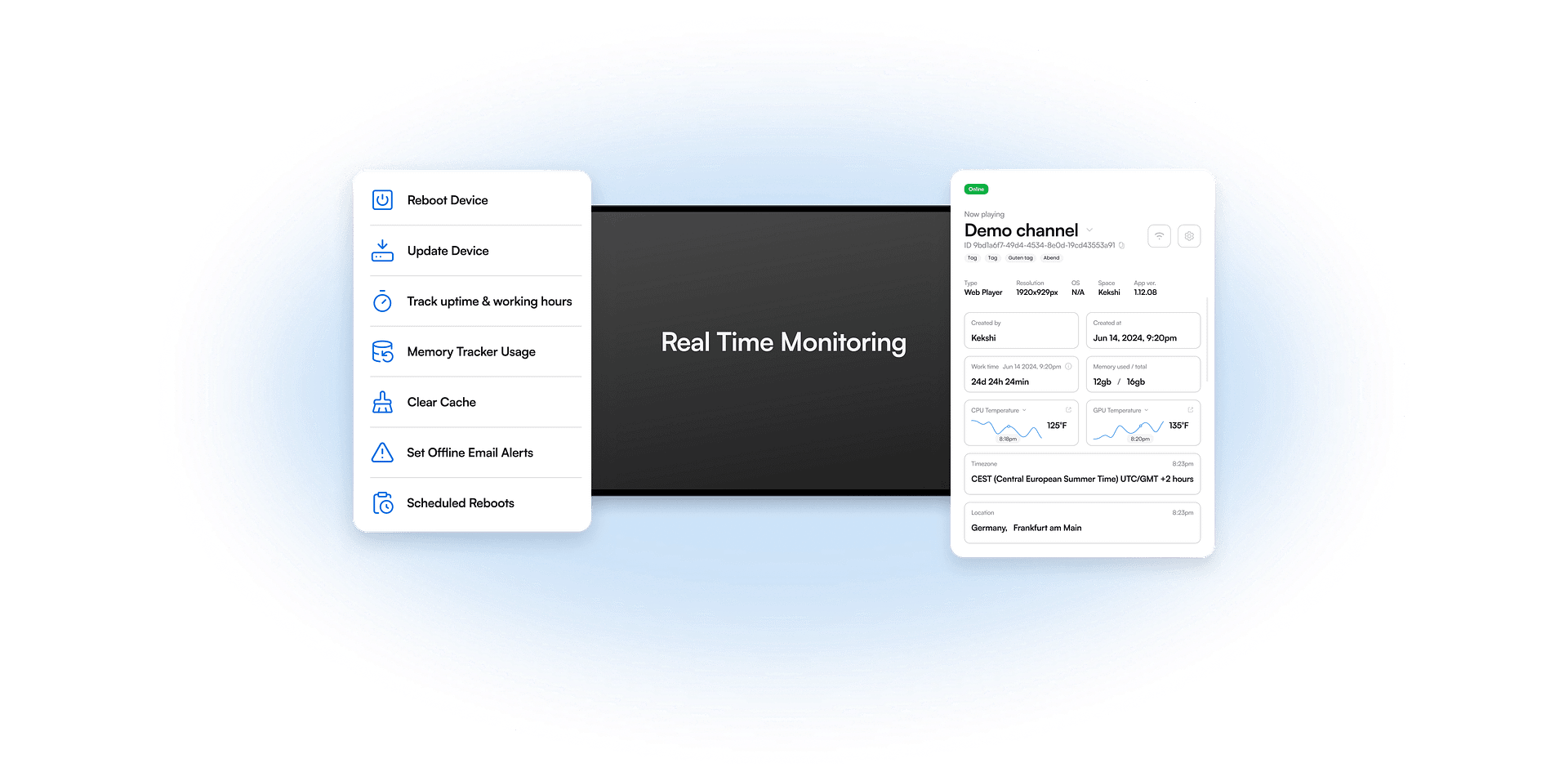
Real-time device tracking provides continuous visibility into device health and operational status.
Track online and offline states, connectivity performance, storage usage, and CPU activity from a centralized dashboard. Through AIScreen, alerts are automatically triggered when failures or abnormal behavior are detected. This allows teams to act quickly before issues impact screen performance. Proactive tracking helps maintain consistent uptime across the entire display network.


Recover Your Device
with a Remote Reset
When devices freeze, slow down, or stop responding, AIScreen allows you to recover them using remote reset tools. We provide both Restart Player and Reboot Device options to address different levels of system instability.
Restart Player resolves application-level issues without affecting the full device, while Reboot Device performs a complete system reset when deeper issues occur. Our remote recovery controls reduce downtime by allowing immediate intervention from the dashboard. With AIScreen, we ensure device recovery is controlled, fast, and does not require on-site technical support.
Access Up-to-Date Device Information in Real Time
Managing screens at scale requires more than knowing whether a device is online. To understand performance, you need visibility into what is happening inside the hardware itself.
Remote Device Management provides direct access to key system details such as IP and MAC addresses, storage usage, memory consumption, and component temperature. These indicators help explain why a device may slow down, overheat, or behave unexpectedly. AIScreen makes this information available centrally so teams can diagnose issues based on actual system conditions rather than assumptions.


Get in Touch With Us for Expert Advice
Eliminate scheduling conflicts, reduce no-shows, and keep everyone informed with conference room digital signage. Display real-time room availability, meeting details, and important updates on any screen, automatically synced across locations. Get clearer schedules, smarter meetings, better productivity.
Frequently Asked Questions
AIScreen remote device management allows you to control and monitor your digital signage devices from a centralized dashboard. With AIScreen remote device management, you can manage screens, media players, and system settings without visiting the location. It gives you real-time visibility into your entire network. This helps keep your digital signage stable and scalable.
AIScreen remote device management reduces downtime by enabling real-time, centralized monitoring and proactive troubleshooting of digital signage from any location.
Yes, AIScreen’s remote device management (RDM) allows you to update network settings remotely.
AIScreen’s Remote Device Management (RDM) system monitors equipment status through a centralized cloud dashboard, providing rapid monitoring and proactive maintenance.
Yes, AIScreen’s remote device management (RDM) supports live screen monitoring, allowing you to instantly view what is currently playing on your screens, check if they are online/offline, and monitor overall health.