
Turn Screens into Conversion
Engines with Interactive Digital
Signage
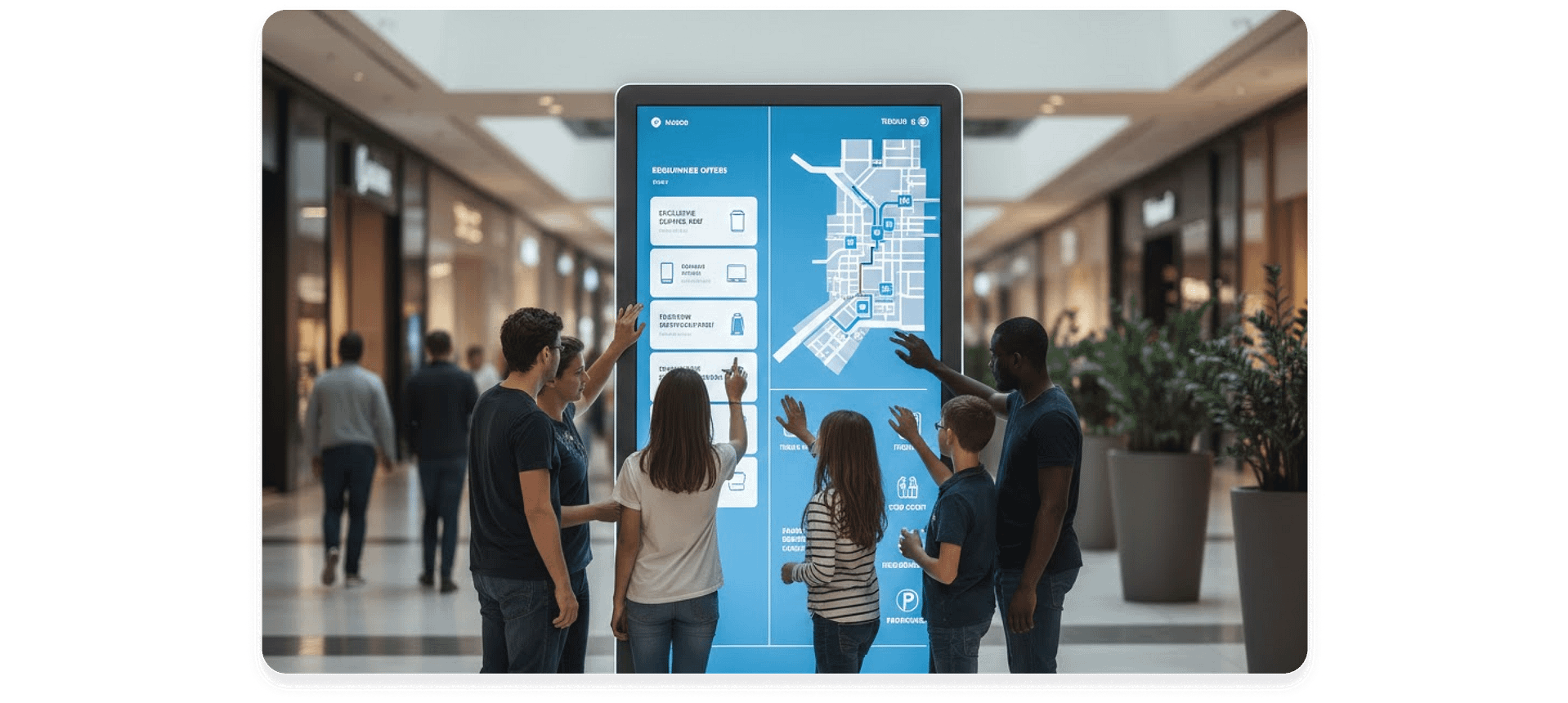
Interactive digital signage turns static screens into responsive experiences that
invite real user participation. With structured touch controls, guided navigation,
and centralized management, AIScreen enables businesses to deliver measurable
engagement across physical environments.

-

Turn Passive Viewers
into Active ParticipantsEncourage users to tap, explore, and engage directly with on-screen content.
-

Simplify Access to Information
Guide users through structured navigation to find products, services, or directories quickly.
-

Manage Interactivity Remotely
Update touch behavior and kiosk settings across locations without on-site changes.
Launch Interactive Experiences with the
Touch Kiosk Module
Touch interaction requires its own structured configuration because interactive screens behave differently from standard playback displays. We built the Touch Kiosk Module to give interactive projects a clear operational space instead of mixing them with regular content controls.
This separation reduces setup confusion and makes touch deployments easier to manage at scale. AIScreen’s Aura Studio, includes all the features required to design, manage, and deploy fully interactive digital signage experiences at scale. With built-in apps, teams can create, customize, and publish professional content directly inside the platform without switching tools. This streamlines creative production and accelerates campaign deployment from concept to live screen.


Enable Direct Screen Interaction with Tap Actions
Tap Actions allow users to turn static content into responsive touch experiences. Instead of limiting screens to passive playback, we enable any element or widget to respond instantly when tapped. This makes navigation, content exploration, and media access intuitive for end users. With AIScreen, we centralize On Tap Interactivity so touch behavior can be configured directly inside the project without external tools.
Sign in to AIScreen Free Digital
Signage Software
Sign in to AIScreen Free Digital Signage Software
Activate Web-Based Conversions with URL Interactivity
URL interactivity allows screens to connect users directly to web-based destinations through a simple tap action. By assigning a URL input field to an interactive element, businesses can drive traffic to product pages, booking platforms, campaign microsites, or e-commerce checkouts. In MVP mode, the webpage launches instantly, with future embedded or external display modes offering additional flexibility. AIScreen enables this direct link between physical touchpoints and online transactions. This transforms interactive screens into measurable revenue and lead-generation channels.


Control Interaction
Hierarchy with Structured Assignment Modes
Assignment Modes determine whether tap actions are applied at the individual element level or at the widget level before any interaction is configured. This prevents situations where multiple touch areas compete for the same tap or unintentionally override each other.
Without defined hierarchy, one element’s action can block, duplicate, or conflict with another inside the same layout. AIScreen separates these levels so interaction priority is clear and consistently enforced. This ensures complex kiosk layouts behave exactly as configured, even as more interactive components are added.
Learn About Important Software Features for Digital Signage


Maintain Consistent Interactivity Flow with Inactivity Timeout
Inactivity Timeout defines how long a kiosk waits without interaction before resetting to its default state. This prevents the screen from remaining on a deep navigation slide after a user walks away. The system monitors touch activity and automatically returns to the first slide when no interaction occurs within the defined timeframe.
AIScreen allows teams to enable or disable this behavior and configure the timeout value in seconds. This ensures every new user starts from a consistent entry point.


Get in Touch With Us for Expert Advice
Get in Touch With Us for Expert Advice


Standardize Kiosk Interactivity Rendering with Global Player UI Settings
Interactive kiosks can look and behave differently across screen sizes, resolutions, and playback environments. Without defined rendering and behavior settings, slides may stretch, crop important areas, or display navigation inconsistently from one screen to another. Inactivity settings determine that if there is no interaction for a defined number of seconds, the player automatically returns to the first slide to reset the experience. We have button with one-step-back behavior. These settings ensure both visual rendering and user navigation remain structured and consistent across every kiosk deployment.
Global Player UI & Rendering Settings establish a single project-wide standard so the experience stays consistent across every slide. AIScreen applies these settings at the kiosk level, keeping Preview rendering aligned with the live Player output. This prevents layout distortion and ensures navigation feels predictable for every user.
Design Advanced Interactivity Paths with Navigation-Only Slides
Interactive kiosk flows often require slides that act as routing points rather than visible content in the main playback sequence.
With the Slide-Level Toggle, AIScreen allows us to disable standard slide behavior and repurpose specific slides purely for navigation. This separation ensures navigation logic does not interfere with automatic sequencing or content timing. By defining slides as navigation-only, we create cleaner interaction paths and more modular kiosk structures. The result is a more controlled and scalable interactive experience.


Validate Touch Interactivity in Real-Time with Full Preview Integration
Interactive behavior must be validated before deployment to avoid broken navigation or unexpected transitions. Full Preview Integration ensures that every Touch Kiosk action behaves exactly as it would in the live player.
AIScreen mirrors slide transitions, media launches, URL actions, timeout behavior, and UI rendering inside Preview without altering project data. This allows teams to test interaction logic safely before publishing. Preview operates in read-only mode to protect configuration integrity while enabling full behavior simulation.
Frequently Asked Questions
AIScreen interactivity in digital signage means your screens are no longer passive displays but touch-enabled experiences. You allow users to tap, explore, and navigate content directly on the screen. This transforms standard digital signage into an engaging, responsive communication tool. With AIScreen interactivity, you create structured screen journeys that feel intuitive and modern.
AIScreen interactivity improves screen engagement by transforming passive viewers into active participants through touch-based interfaces, AI-driven personalization, and real-time responsiveness.
AIScreen interactive digital signage can be used across various industries to drive engagement and revenue, including retail, restaurants, healthcare, corporate, and hospitality.
AIScreen interactivity enhances customer experience by transforming passive viewing into active engagement through touchscreens, gestures, and QR codes, allowing users to explore products, customize options, and access information on their own terms.
Yes, AIScreen interactivity and content can be updated remotely in real-time from anywhere using their cloud-based platform.