A Complete Content Management Software for Digital Signage

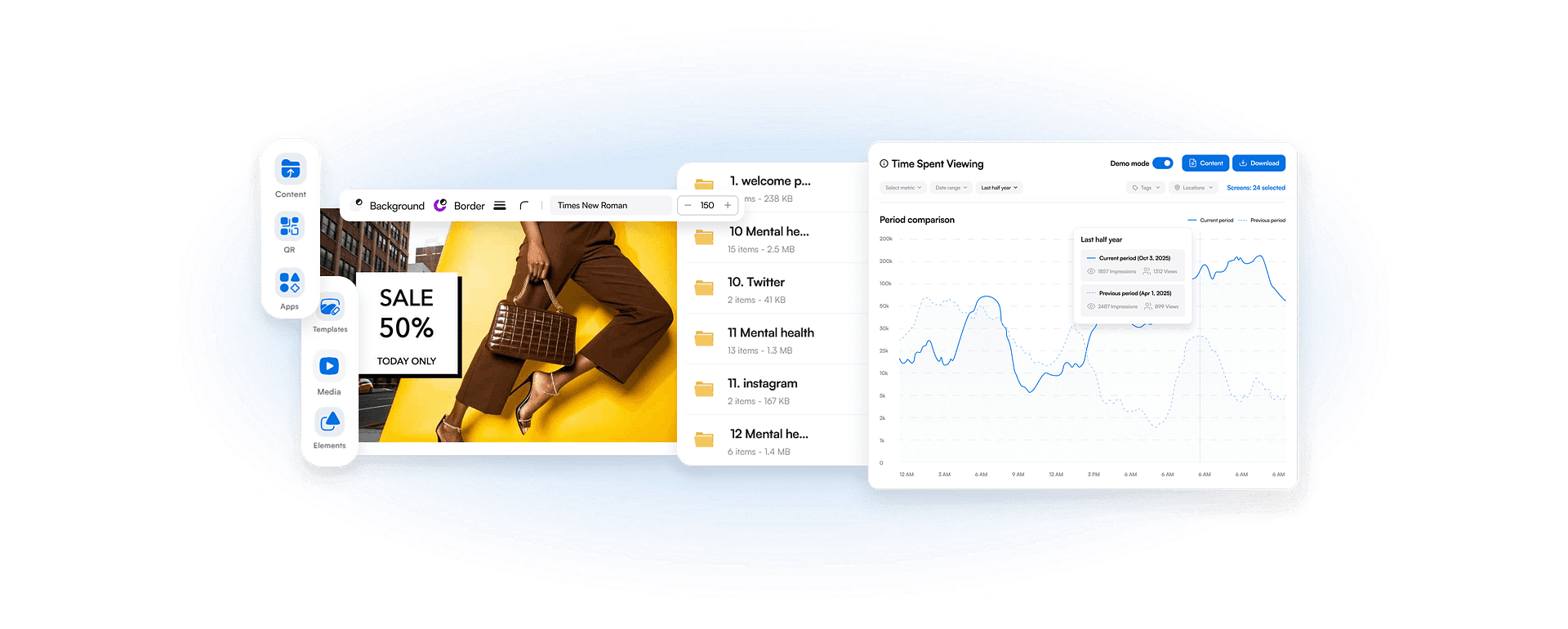
AIScreen Manager simplifies content creation, management, and publishing,
while providing screen activity and audience reporting to support clearer insights
and more effective digital signage management.
Content manager
Content manager
  • Content manager

    Easy-to-Use and Seamless Experience

    Our intuitive CMS allows users without technical expertise to create, edit, and publish content easily, ensuring a smooth and consistent workflow.

  • Content manager

    Flexible, Organized, and Collaborative

    Organize content efficiently using tags, folders, or types. Collaboration features enable multiple users to work simultaneously with approval workflows, keeping content structured and dynamic.

  • Content manager

    End-to-End Security
    with Controlled Access

    Benefit from built-in security measures that protect your digital signage system and provide role-based SSO access control to manage user permissions and maintain data security.

Sign in to AIScreen Free Digital Signage Software

Sign in to AIScreen Free Digital Signage Software

Centralize and Manage Thousands of Screens from One Dashboard

The AIScreen dashboard gives you a complete, real-time view of every screen in your network. Screens can be organized by status, tags, locations, spaces, and player type, making it easy to monitor performance, take action, and send updates across thousands of displays from one place.

Content manager
Content manager
Content manager
Content manager

Enjoy Native Compatibility with All Content Formats

Experience digital signage content flexibility with native support for nearly all formats and types, removing the need for time-consuming conversions. Easily preview content and track CMS user edits to streamline management and maintain consistent, high-quality displays.

Build Dynamic Playlists That Power Every Screen

AIScreen playlists are dynamic content engines that support split-screen zones, live data feeds, Stream URL content, background music, and customizable zone-level design. Organize media into structured playlists that can blend video, dashboards, real-time data, and web content seamlessly — all with instant preview before publishing.

Playlists integrate directly with AI-driven triggers, allowing content to activate automatically based on audience or operational conditions. The result is a flexible, scalable playlist architecture built to support automation, targeting, and high-performance content delivery across your entire screen network.

Content manager
Content manager
Content manager
Content manager

Schedule Your Content in a Sequential or Programmed Manner

Different screens need different messages at different times. AIScreen Manager lets you organize content into playlists and schedule playback sequentially or programmatically based on your needs.

Schedule your playlists to control exactly when content appears, by time, date, or interval, while updating or swapping media effortlessly across playlists. This ensures the right message reaches the right audience at the right moment.

Gain Reporting on
Playback and Audience Engagement

Monitor reporting on playback and audience engagement by analyzing audience demographics, foot traffic, and engagement through sensors and cameras. Generate detailed playback reports customized by campaign or timeframe, delivering clear insights into viewer behavior, interaction patterns, and content performance.

Content manager
Content manager
Content manager
Content manager

Track the Health of Your Screens, Media Players, and Content

Downtime disrupts communication. AIScreen’s Remote Hardware Management gives teams deep visibility into screen and media player health across all locations.

Reload screens, clear cache, monitor uptime, view real-time playback, and track hardware metrics such as CPU, GPU, memory usage, and temperature, without requiring physical access. Also, turn screens on/off on schedule. This keeps your network reliable, stable, and always ready.

Discover Key Software
Features for Digital Signage

Content manager
Retail Digital Signage
Content manager
Corporate Digital Signage
Content manager
Healthcare Digital Signage
Content manager
Education Digital Signage
Content manager
Digital Directory
Content manager
Digital Bulletin Boards
Content manager
Digital Information Board

Manage CMS Users, Teams, and Organizations Securely and Independently

AIScreen Manager supports multi-tenant environments, allowing each organization or department to manage content, schedules, and configurations independently.

With strict data separation and configurable permissions, administrators maintain oversight while empowering teams to work autonomously within clearly defined boundaries.

Content manager
Content manager
Content manager
Content manager

Display Live Content
Using Stream URL

Static content can’t keep up with real-time operations. AIScreen’s Stream URL feature allows you to securely broadcast live web content, such as dashboards, schedules, news feeds, or presentations, directly to your screens.

As the source updates, your displays update automatically, ensuring accuracy, consistency, and relevance across one or hundreds of screens with minimal effort.

To support enterprise security requirements, we are launching a dedicated external rendering server architecture. This secure layer enables AIScreen to display protected internal systems — even those behind firewalls or secured with two-step authentication (2FA).

Boost Engagement with Interactive Digital Signage for Touch Screens

As you’ve already seen with AIScreen Content Manager, centralized control makes managing content effortless. Interactive digital signage takes this a step further by turning your screens into responsive, tap-driven experiences.

Using On Tap actions, slide navigation, and media triggers, Aura Studio’s Touch Kiosk module transforms static content into interactive journeys. Teams can update content remotely, enable smartphone-based management, and display product title & price, high-quality visuals, functional descriptions, and social proof instantly.

The result is more engaging, customer-focused digital signage that combines content management efficiency with hands-on interactivity.

Content manager
Content manager

Sign in to AIScreen Free Digital Signage Software

Conference Room Digital Signage That Works Smarter

Frequently Asked Questions

What is AIScreen Content Manager?

AIScreen Content Manager is a comprehensive digital signage content management system that allows you to control all your screens from one centralized dashboard. Instead of managing content separately for each location, you can upload, organize, schedule, and publish everything in one place. It is designed for non-technical teams, so you do not need advanced training to manage your digital signage network efficiently.

How do you upload content in AIScreen Content Manager?

To upload content in AIScreen Content Manager, navigate to the Media section on your dashboard, click Upload, and select your files or drag-and-drop them directly. You can upload videos, images, and documents, which will be processed and stored in your library for scheduling.

How do you schedule content in AIScreen Content Manager?

To schedule content in AIScreen Content Manager, navigate to the “Schedule” tab in your dashboard, click “Create Schedule,” and select your playlist, target screens, and desired date/time/frequency. 

Can you manage multiple screens with AIScreen Content Manager?

Yes, AIScreen Content Manager allows you to manage multiple screens, locations, and displays from a single, centralized dashboard. It supports scalable, multi-location digital signage, enabling you to update content, monitor screen health in real-time, and schedule playlists for different displays simultaneously.

How does AIScreen Content Manager monitor screens and players?

AIScreen Content Manager provides real-time, cloud-based monitoring of screens and players through a centralized dashboard.