
What Is the Difference in Signs vs Signage?
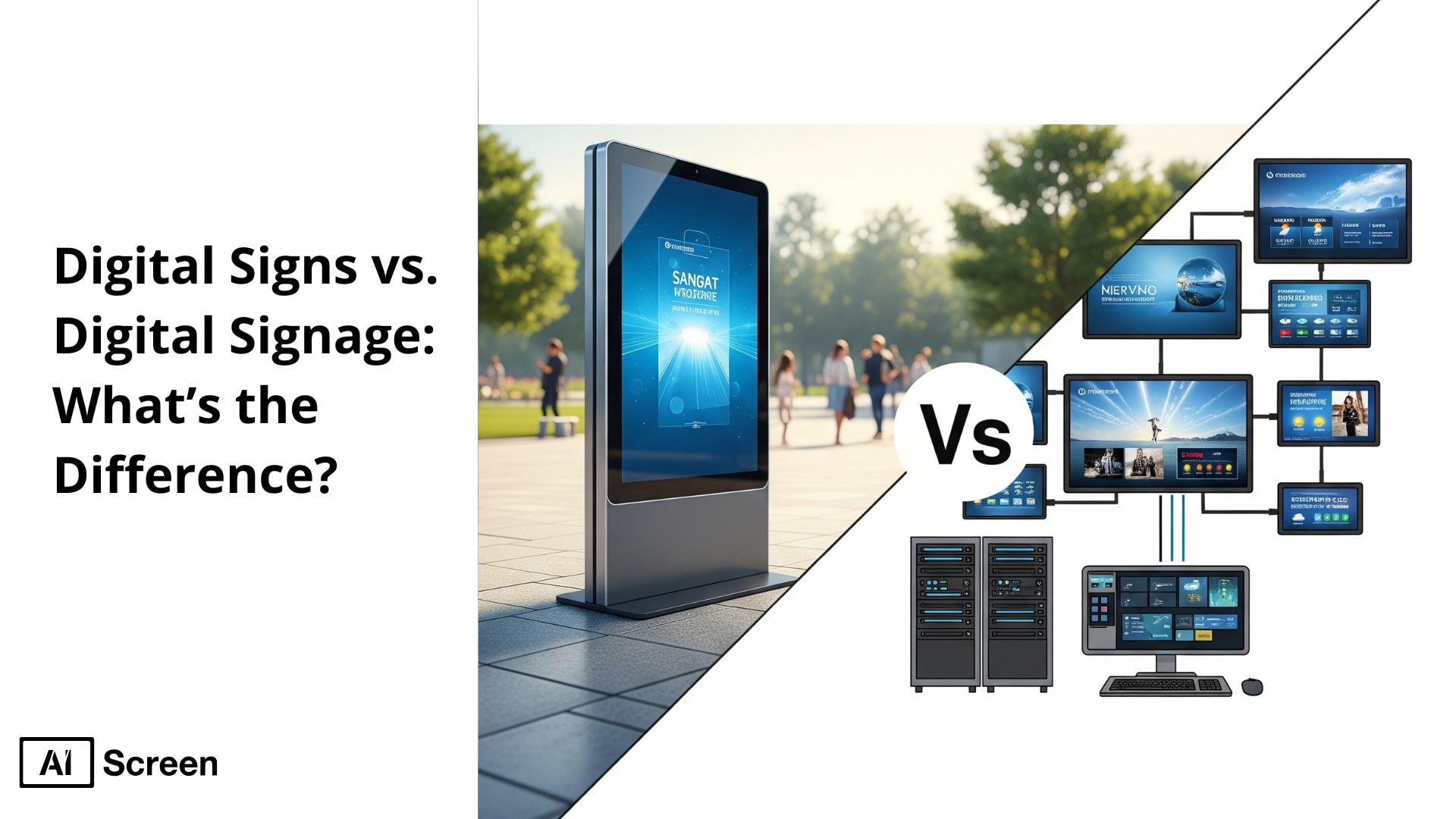
The main difference between a “sign” and “signage” is their scope and role. A sign is a single visual element that conveys a specific piece of information, whereas electronic or digital signage is a system of multiple static signs working together to deliver clear, consistent communication throughout a space. This distinction can have a significant impact on your brand’s visibility, customer engagement, and operational efficiency, especially when using effective signage solutions that utilize digital signage technology.
In this article, we’ll break down every key difference using real-world examples, current trends, and industry-backed data. You’ll discover how digital signs function as standalone displays, while traditional signs refer to simpler forms of communication, and digital signage encompasses a broader content management ecosystem. We’ll explain how each impacts customer engagement and how digital displays with interactive features can engage customers effectively, improve operational efficiency, and scalability for modern businesses.
Modern facilities manage these displays with digital signage software so signage stays accurate and easy to update.
How Do Signs and Signage Differ?
The main difference between digital signs and digital signage lies in their scale and functionality. A digital sign is a standalone display used to showcase static displays or looped content such as promotions, menus, or alerts, but it is limited compared to more advanced technologies for digital signage that support dynamic content. These are often installed in a single location and manually updated. In contrast, digital signage software involves a network of interconnected screens powered by a cloud-based content management system (CMS), enabling centralized control across multiple locations.
According to WBR Insights, 72% of digital signage users believe it helps increase overall customer satisfaction at the point of sale. Modern digital signage solutions support automation, real-time updates, audience targeting, and analytics. The technology extends beyond the hardware to include digital signage systems, software platforms, and advanced display technology that provide scheduling, monitoring, and content customization. If you want to learn more about top 10 types of signs for businesses read our guide. If visual layout matters to your rollout, our digital signage design covers the design principles that keep both signs and signage clear and on brand.
Scope and System Complexity
Digital Signs
Digital signs have limited scope and system complexity. These displays are often standalone solutions, static signage like LED boards or simple LCD screens used to showcase one message or looped content, making them a cost-effective solution for smaller setups. They’re used in small retail setups where content rarely changes and there’s no need for remote management or networking.
Digital Signage
Digital signage operates as a complete ecosystem. It includes connected screens, dynamic visuals, digital signage, a centralized CMS, and cloud-based control for real-time updates. Businesses can run campaigns across locations, manage screen groups, and ensure brand consistency, making it far more robust than basic digital signs and a digital signage solution, electronic signage. with enhanced interactivity.
Content Management and Control
Digital Signs
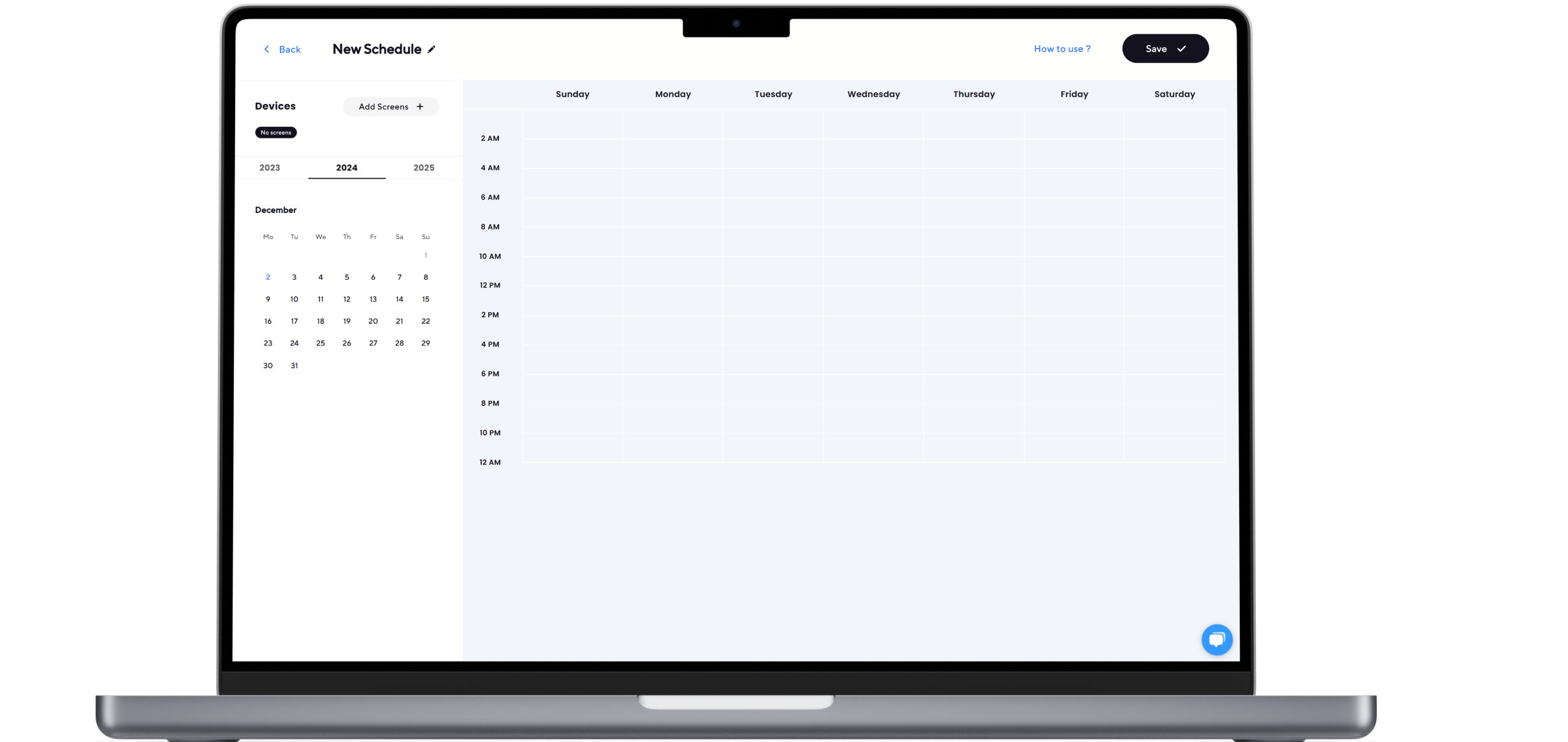
Digital signs rely on manual and localized content management. Updates are made via USB sticks or direct input, making the process tedious, especially when managing multiple electronic displays. Without scheduling, automation, or remote access, electronic signage systems require manual effort for updates, which results in businesses losing agility and responsiveness in updating communications.
Digital Signage
Digital signage systems offer centralized, cloud-based content control. You can schedule, edit, and deploy content to hundreds of screens from a single dashboard, ensuring that digital signage content management system software updates are executed seamlessly. This level of control allows brands to maintain consistent messaging across their digital signage displays for any digital signage project while staying agile and reactive to real-time changes.
Functionality and Interactivity
Digital Signs
Digital signs offer minimal functionality and interactivity. They display non-interactive loops and can also display videos without support for interactive elements like touch, gesture, or real-time input. This results in a passive viewing experience and limits audience engagement significantly.
Digital Signage
Digital signage enables immersive, interactive experiences. Touchscreens, QR codes, sensors, and gesture-based interactions can be embedded to engage users directly. These features, including even interactive digital signage elements, make digital signage ideal for dynamic use cases like kiosks, smart retail, and customer self-service tailored to the target audience.
Scalability and Deployment
Digital Signs
Digital signs have restricted scalability due to isolated operation. Each screen runs independently, including electronic signs requiring manual effort for updates or expansion, unlike traditional signage. Adding new locations means repeating setup steps with no unified control or screen connectivity.
Digital Signage
Digital signage is built for scale. From local to global rollouts, it supports hundreds of screens connected to a single CMS. Businesses can push synchronized messages across stores, regions, or countries, including digital billboards, while retaining local customization when needed.
Initial Investment and Setup Costs
Digital Signs
Digital signs have low upfront costs, making them budget-friendly. A basic system may include a consumer-grade screen and media player. However, these setups lack longevity and usually need upgrades when advanced features are required.
Digital Signage
Digital signage may require a larger upfront investment due to commercial-grade displays, CMS software, and networking tools. However, this cost leads to long-term ROI through automation, centralized control, enhanced marketing efforts, and professional branding possibilities.
Ongoing Maintenance and Support
Digital Signs
Digital signs require basic but manual ongoing maintenance. Users are responsible for checking hardware and updating content without automation. The lack of vendor support or monitoring often results in unnoticed failures or outdated messaging.
Digital Signage
Digital signage includes comprehensive vendor support, from remote diagnostics to scheduled software updates. Teams can monitor screen status, troubleshoot in real time, and ensure operational continuity with a content management system and minimal on-site intervention.
Content Flexibility and Dynamic Capabilities
Digital Signs
Digital signs offer limited content flexibility and adaptability. They typically show static visuals without support for live data, integrations, or automation. This limits how often content can be updated or personalized in real time.
Digital Signage
Digital signage allows for dynamic, real-time content. From social media walls to weather updates and local offers, businesses can tailor messages based on time, specific audiences, or location. This transforms digital signage content from a static screen into a strategic communication tool that can adapt based on customer feedback, thereby engaging customers and including interactive content.
Data Analytics and Performance Tracking
Digital Signs
Digital signs lack performance tracking and engagement insights. There’s no data on viewer interaction, screen uptime, or content success. This leaves businesses unable to measure impact or make data-driven improvements.
Digital Signage
Digital signage solutions offer in-depth analytics such as audience metrics, engagement rates, dwell time, and ROI measurement. This allows businesses to make smarter decisions in the digital signage vs traditional signage context that leverages a content management system, including the usage of video walls backed by data.
Power BI
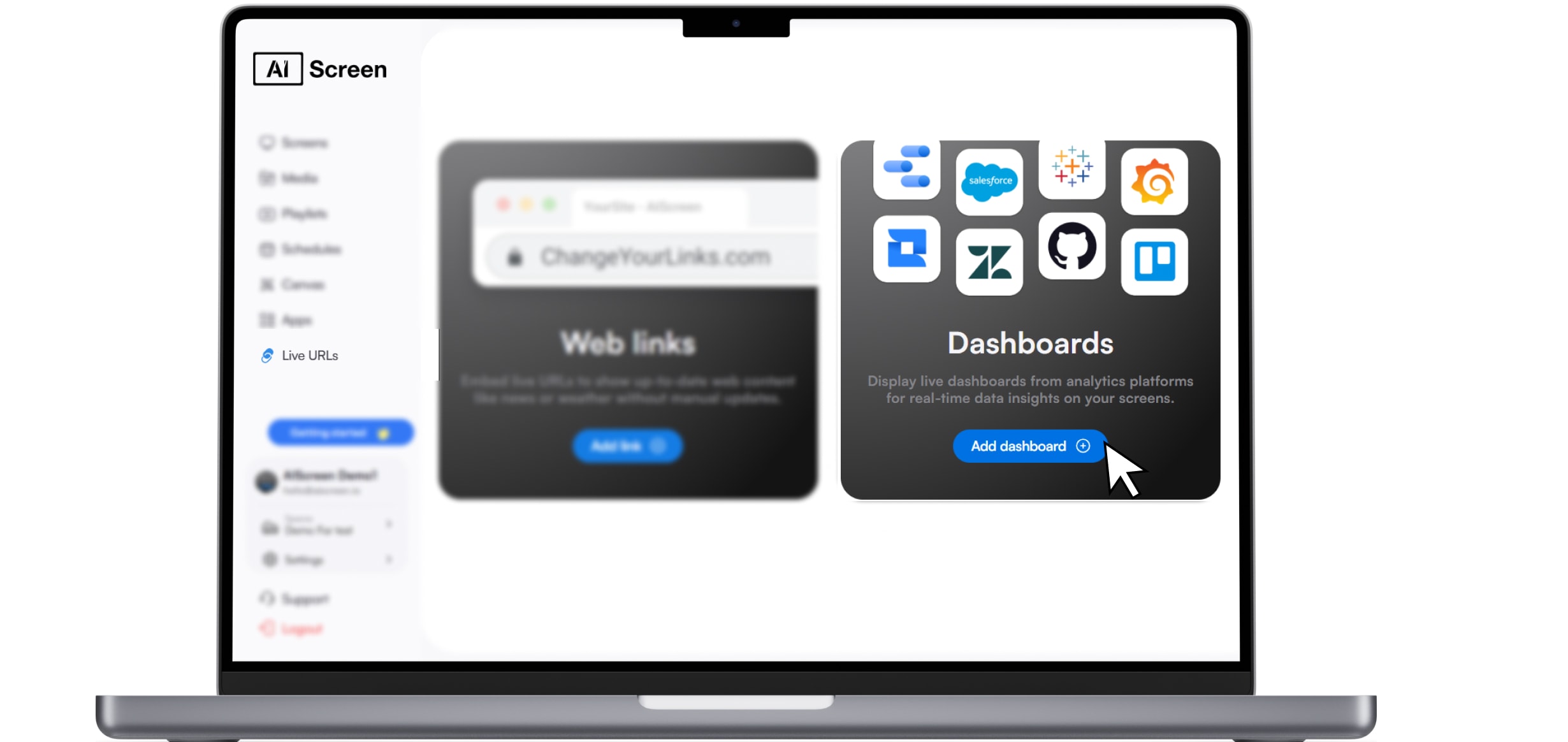
Power BI helps visualize performance trends, campaign results, and audience interactions through detailed dashboards connected to real-time signage data, often complemented by powerful content management software. With Power BI, businesses can break down engagement metrics by time, location, or content type for deeper insights.
Tableau
Tableau enables dynamic data storytelling, helping teams analyze how different content strategies perform across locations and time slots. With Tableau, digital signage insights can be turned into interactive dashboards shared across departments.
Google Data Studio
Google Data Studio allows marketing teams to create live visual reports from digital screens connected to signage metrics that connect with signage metrics, making analytics accessible and customizable. Teams can combine Google Data Studio with Microsoft Excel Sheet or ad platforms to assess ROI in one view, all with just a few clicks.
Microsoft Excel Sheet
Microsoft Excel Sheets support raw data tracking and reporting, enabling teams to monitor campaign KPIs, schedule performance, and track returns with spreadsheet simplicity. A Microsoft Excel Sheet is especially helpful for small teams needing fast, offline reporting on digital signage use.
Jira
Jira integrates with digital signage and its digital counterparts to manage deployment workflows, monitor tasks related to screen content updates, and track execution timelines efficiently. Jira supports tagging, status tracking, and time estimates for each signage-related task.
Audience Targeting Precision
Digital Signs
Digital signs deliver generic, non-targeted messaging to all viewers. The same static content plays regardless of audience, time, or location. This absence of personalization weakens relevance and lowers viewer engagement.
Digital Signage
Digital signage uses contextual targeting to adapt messages in real time. Based on location, time, weather, or audience data, each screen can show content tailored to its environment. This personalized delivery, including interactive displays, even interactive elements, unlike traditional signage printed materials, enhances engagement with the target audience and increases the chances of customer action.
Integration with Broader Systems
Digital Signs
Digital signs typically operate as standalone units with no real-time connection to other business tools or platforms. They display static or preloaded content and don’t support data-driven updates or automated workflows.
Digital Signage
Digital signage integrates seamlessly with broader systems like IoT devices, POS systems, CRM tools, and automation platforms to create dynamic, responsive content environments that align with your signage strategy.
Square
With Square integration, electronic signage can automatically update product displays, menus, and pricing based on live POS data. This is ideal for retail stores and high-quality displays in restaurants needing synchronized menus or promotions without manual changes.
Salesforce
The Salesforce integration allows teams to showcase live sales metrics, customer engagement dashboards, and performance updates on digital displays. This boosts internal visibility and ensures key CRM data and display technology are always up to date and visible across departments.
Long-Term Value and Adaptability
Digital Signs
Digital signs have limited long-term flexibility. Once installed, their static nature and hardware constraints make it difficult to update or repurpose them, although they have their own unique advantages, often leading to outdated setups within a few years. This stagnation can hinder brand relevance in fast-changing retail or service environments, especially when compared to the adaptability of printed posters.
Digital Signage
Digital signage offers future-ready flexibility with modular hardware and cloud-based systems. Businesses can easily update content, scale locations, and integrate new tech, keeping the setup fresh and aligned with evolving needs.
When Should You Upgrade to Signage?
You should upgrade from digital signs to full digital signage when your content demands grow or your business begins to scale. If your team is spending more time updating screens, managing inconsistencies, or troubleshooting displays, it’s time for an upgrade. Many businesses hit a wall when they try to run promotions across multiple locations or want to shift from static to dynamic content. Digital Signage Today, 80% of businesses using digital signs report an increase in customer engagement and dwell time.
Static setups can’t keep up with growing demands. If you’re currently using TVs or basic digital displays, you’ve likely already noticed the limitations. Learn more about these limitations in what is the difference between digital signage and TV before making your next upgrade. Making the shift ensures you’re equipped for scale, flexibility, and long-term success.
How Do You Maintain Signage?
Whichever route you choose in the signs vs signage decision, upkeep protects your investment over time. Screens fade, players fail, and outdated content quietly erodes trust, so a plan for fixes matters. Our signage repair resource explains how to spot problems early and keep every display running the way it should.
Regular maintenance should include checking screens for brightness or pixel issues, inspecting cables and media players, cleaning displays, updating software, and reviewing content for accuracy. Scheduling routine signage repair and preventive checks can reduce unexpected downtime, extend equipment life, and keep every sign looking professional and communicating effectively.
Ready to Try Digital Signage with AIScreen?
Explore the full power of digital signage with AIScreen by starting your free trial today. AIScreen gives you an all-in-one platform to design, schedule, and manage dynamic content across unlimited screens and locations. Whether you’re in retail, hospitality, healthcare, or education, AIScreen helps you turn any screen into a powerful engagement tool.
With real-time updates, cloud control, and drag-and-drop simplicity, your messaging becomes smarter and faster. According to Research and Markets, more than 60% of restaurants in the U.S. plan to upgrade to cloud-based digital menu boards by the end of 2025.
You can start your free trial today and experience firsthand how digital signage offers a more powerful, flexible, and intelligent way to engage your audience. Whether you’re upgrading from digital signs or starting fresh, considering the initial cost, AIScreen has everything you need to transform your signage game.


FAQs
Are digital signs the same as digital signage?
Digital signs are not the same as digital signage. A digital sign is typically a single screen playing static content. Digital signage involves connected informational displays powered by software for centralized control, real-time updates, and analytics. It offers more flexibility and business functionality.
Is digital signage just multiple digital signs?
No, digital signage is not just multiple digital signs; it’s a complete system that includes software, automation, scheduling, and analytics. While digital signs simply display content, digital signage manages how and when that content is delivered across screens. It transforms basic displays into powerful communication tools for business growth and engagement.
Which is better: digital signs or digital signage?
Digital signage is better for businesses needing scale, interactivity, and targeted messaging. Digital signs are ideal for simple, one-location, static content. Your choice depends on your business size, content goals, and customer engagement needs. For long-term value, digital signage wins over traditional static signage.
Is digital signage more expensive than digital signs?
Yes, digital signage is more expensive than basic digital signs due to the added cost of software, hardware, and setup. It includes features like content automation, remote control, and real-time analytics, which increase the initial investment. However, it delivers stronger long-term ROI by saving time, improving engagement, and supporting business growth..
Can I convert digital signs into a digital signage network?
Yes, you can convert digital signs into a full digital signage network using platforms like AIScreen. This upgrade allows you to manage multiple screens, automate content, and access performance data, all from one dashboard. It unlocks real-time updates, scheduling, personalization, and centralized control across your entire network.
Good design separates a forgettable sign from signage that drives action. Layout, contrast, and hierarchy decide whether your message lands, so it helps to follow a structured approach before you build. A clear design guide walks through the principles that keep signs vs signage clear, consistent, and on brand across every screen.
