
What Is ADA Signage?
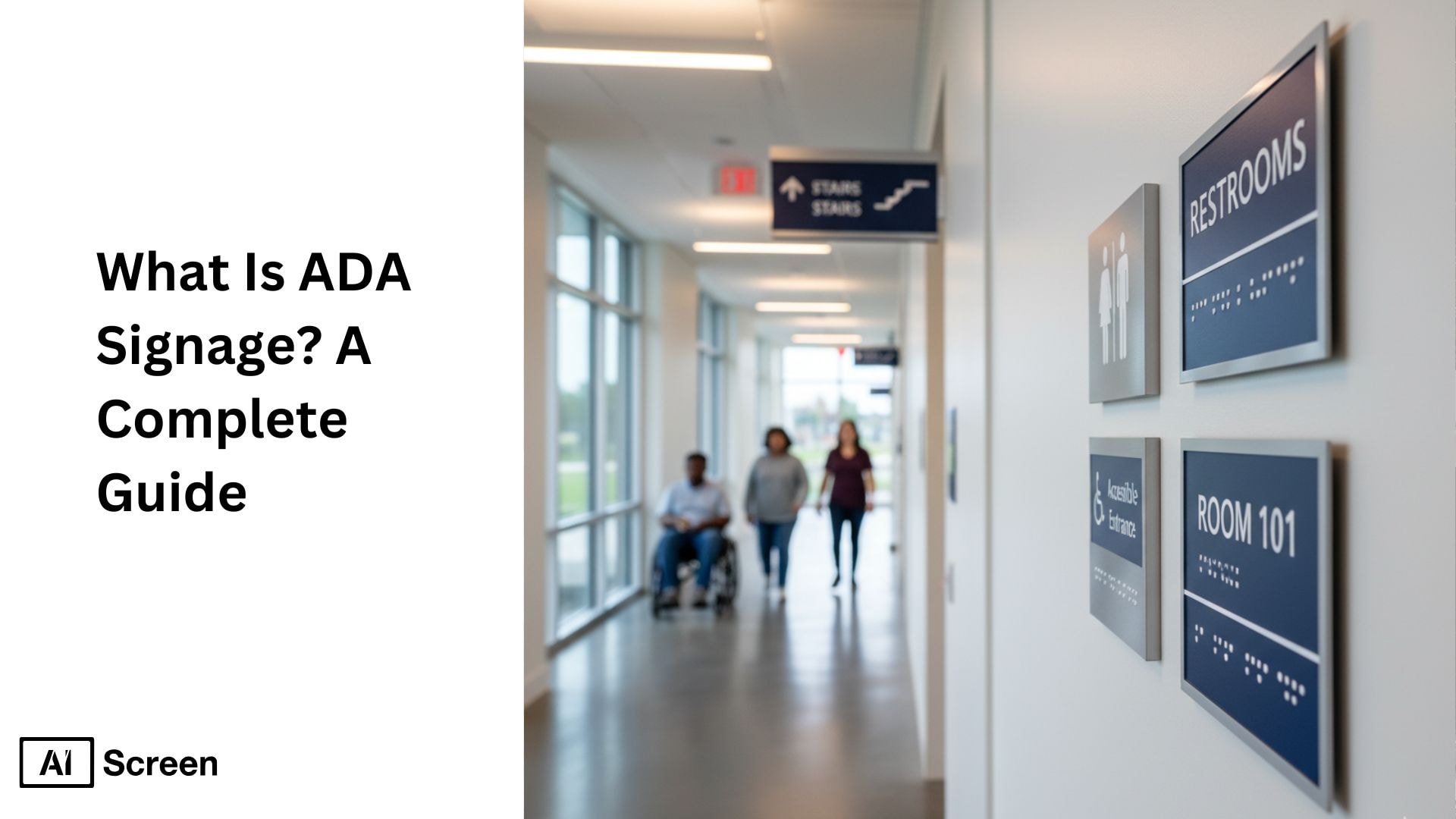
Sometimes you walk into a building and instantly feel at ease; everything makes sense. The signs are clear, the directions feel natural, and you never once wonder where you’re supposed to go. That feeling isn’t luck; it’s the quiet power of ADA signage, rooted in the Americans with disabilities act. When done right, ADA-compliant signs with raised letters and characters, braille signs, and accessible features make every person feel seen, supported, and welcomed. According to Digital Signage Today, buildings with accessible wayfinding see up to a 20% boost in visitor confidence, especially in high-traffic environments.
In this article, you’re going to see how ADA signage becomes more than just rules on paper. You will learn how it becomes a way to shape experiences that feel safe, intuitive, and respectful. Therefore, you’ll walk through what makes a sign truly accessible, why these standards matter, and how the right design choices can change the way people move through your space.
Modern accessibility now extends beyond printed panels, and dependable digital signage software lets you deliver ADA signage that stays clear, readable, and consistent across every screen in your building. You can update room labels, wayfinding cues, and accessibility notices in real time, so visitors who rely on tactile or visual guidance always receive accurate information. This keeps your ADA signage aligned with compliance standards while making your space feel welcoming and easy to navigate.
What Is ADA Signage?
You can think of ADA signage as tactile signs and accessibility brought to life. These are the tactile signage signs carefully designed to help every individual, including visually impaired individuals, people with physical, or cognitive disabilities, navigate a space without stress. Everything from raised tactile letters to braille placement, and visual characters, cover finish, exists to guide someone who depends on signage for safety and independence. According to PwC’s customer experience research, accessible environments can increase brand trust by nearly 12%, especially in service-based industries.
ADA signage refers to accessible signs identifying permanent rooms and spaces designed to follow ADA standards, including the international symbol helping people with disabilities navigate a space safely and independently. These signs use Braille, tactile letters, and high-contrast layouts, making buildings easier to understand for everyone. You’ll see ADA signs in offices, hotels, hospitals, schools, and any public facility that wants to create an inclusive and compliant environment. To learn the language behind accessible displays, our glossary of digital signage terms breaks down the key concepts in plain words.
- Clear Tactile Lettering: Tactile lettering makes every sign easier to read by touch, giving people with low vision the confidence to move around without assistance. Letters must follow ADA rules for height, spacing, and style so information feels familiar across all rooms and floors. This keeps your entire facility consistent and accessible.
- Grade 2 Braille Integration: Braille is one of the most important ADA sign features because it supports true independent navigation. Grade 2 Braille shortens words for easier reading while keeping the message accurate. When placed just below raised text, it ensures every sign communicates clearly to every visitor.
- High-Contrast Visuals: ADA signs use contrasting colors to improve visibility from different distances and lighting conditions. Dark text on a light background, or vice versa, makes details pop instantly. This simple design rule reduces confusion and makes wayfinding smoother for everyone who enters.
- Consistent Placement Rules: Correct mounting height and location matter as much as the sign itself. ADA guidelines ensure every sign appears where users naturally reach or look, especially around doors and hallways. When signs follow a predictable pattern, navigation becomes effortless and intuitive.
- Durable, Long-Lasting Materials: ADA-compliant signs are built from materials that stay readable even after years of use. Acrylic, metal, or photopolymer surfaces keep tactile characters crisp and Braille dots intact. This reduces maintenance and helps your facility meet accessibility standards long term.
ADA signs and informational signs appear in places you use every day, restrooms, elevators, exits, conference rooms, and hallways. Their purpose is simple: help people find where they need to go, unlike temporary signs that may not provide permanent solutions. But behind that simplicity is a thoughtful system that makes your building feel more intuitive, more welcoming, and more human.
Does My Business Need ADA Signs?
When you care about the experience of every person who enters your facility, the need for ADA signs becomes clear, especially when using a dark background for signs that feature raised characters or letters. Installing ADA-compliant signage naturally becomes a priority because these signs do more than label permanent rooms and spaces; they remove uncertainty.
Someone with low vision shouldn’t have to guess which door leads to the restroom or rely on others to navigate. ADA signs restore independence. According to Deloitte’s compliance reviews, legal compliance shows that over half of small businesses fail ADA signage guidelines, mostly due to incorrect mounting or missing Braille.
ADA signage isn’t optional. It’s a legal requirement for most permanent rooms and spaces, making sure people with visual or mobility challenges can move safely and independently, adhering to visual and tactile requirements. These ADA-compliant signs with tactile letters, Braille, and separate signs with high-contrast colors quietly guide people through your building without making them feel lost or dependent on others.
But beyond legal rules, ADA signs create a more respectful and inclusive experience, especially with accessible entrances for every visitor who walks through your doors.
When your facility uses clear, accessible signage with visual characters, customers instantly feel that your space is thoughtful, organized, and designed to support everyone equally. It’s one of the simplest ways to show that accessibility isn’t just a box to tick, it’s a part of your business values.
What are ADA Requirements?
Once you look closely at ADA requirements, you start to realize they aren’t just technical rules. They’re small decisions, such as using a non-glare finish, that shape someone’s entire experience in your space.
The ADA 2010 Standards for Accessible Design and spacing guidelines ADA signage requirements were created to make sure every person, especially someone with low vision or mobility challenges, can move confidently without feeling lost or dependent. And when you follow these guidelines, your building quietly communicates something powerful: you belong here, and we’ve thought about your needs.
- Raised Characters for Tactile Reading: Raised tactile characters help visually impaired individuals read important information using touch, giving them the ability to identify permanent rooms and spaces independently. These raised letters support equal access by making your ADA-compliant signage more intuitive and predictable.
- Grade II Braille Inclusion: Including Grade II Braille beneath your visual characters ensures that people who rely on tactile dots can understand room numbers, location signs, and directional signs with accuracy. This tactile signage standard is a core part of proper ADA compliance and makes navigating your facility safer.
- High Contrast & Non-Glare Finish: ADA guidelines require strong contrast so text stands out clearly, even from a distance or in dim lighting. A non-glare finish prevents reflections that reduce readability, especially for people with visual impairments who depend on crisp, clear ADA-compliant signs.
- Font & Size Consistency: Using simple sans-serif fonts and consistent sizing keeps your signage visually accessible, reducing confusion and improving wayfinding in commercial facilities or local government buildings. Consistency also prevents improper signage design that disrupts the user experience.
- Mounting Height & Placement Rules: Your ADA signs must follow strict mounting height and proper installation guidelines, typically placing tactile characters between 48 and 60 inches from the floor and locating the sign on the nearest adjacent wall. Clear floor space ensures people can reach, touch, and read without obstacles.


What Are ADA Sign Installation Guidelines?
When you start installing ADA signage, ADA sign installation guidelines quickly show that it’s not just about following rules, it’s about creating a space where every person feels supported the moment they walk in.
The right placement brings a sense of order, including mounted signs, proper line and character spacing, the right height builds confidence, and the right position helps someone who relies on tactile characters or Braille find their way without hesitation.
According to Digital Signage Today reports, clear ADA-friendly messaging, including signs indicating directions, can reduce wayfinding confusion by up to 40% inside public facilities. And when all of this comes together, your building becomes a place where people feel guided instead of overwhelmed.
- Mounted 48–60 Inches From the Floor: This height range ensures your ADA-compliant signs can be reached comfortably by wheelchair users and standing individuals. It keeps tactile lettering within a natural hand level so people can read raised characters smoothly. This simple choice makes your signage feel intuitive instead of out of reach.
- Placed on the Latch Side of Doors: Positioning signs on the latch side creates a predictable pattern, helping visually impaired individuals locate room identification signs quickly. It reduces confusion because the placement is always consistent and familiar. This predictability turns navigation into something calm rather than stressful.
- Clear Space Around Signage: Leaving unobstructed wall space allows visitors to approach and touch the sign safely. It removes visual clutter that can overwhelm someone relying on tactile reading for direction. This clarity supports equal access for everyone moving through your space.
- Consistent Placement Throughout the Facility: Keeping all ADA signage aligned in similar locations helps visitors build a mental map of your environment. It becomes easier to identify permanent rooms and accessible features without second-guessing. This consistency creates a quiet rhythm people can trust.
- Good Lighting & Durable, Non-Glare Materials: Soft lighting ensures visual characters stay readable without harsh reflections blocking the text. Durable, non-glare finishes help your signs withstand daily touch and stay clear for people with visual impairments. It keeps your signage reliable long after installation, and ties directly into 7 easy ADA sign height tips and how to install for long-term compliance and usability.
What Are ADA Signage Design Guidelines?
ADA design guidelines define how accessible signage must be designed so every visitor can read, navigate, and interact with information without barriers.
These standards, including spacing guidelines, shape modern ADA-compliant signage, improving clarity, visibility, and user experience across retail, corporate, hospitality, and public spaces. The goal is to align accessibility with brand-driven design so compliance and aesthetics operate together without conflict.
- Use sans-serif fonts for readability: Using sans-serif fonts ensures clean character shapes, consistent stroke widths, and higher readability for people with visual limitations. This guideline helps businesses present text that remains sharp across digital signage, printed panels, and tactile signs. Sans-serif typography also supports faster recognition in fast-moving environments like corridors, lobbies, and transit zones.
- Maintain a 70% light–dark contrast ratio: A minimum 70% light–dark contrast ratio strengthens text visibility by separating foreground and background elements. This contrast requirement is essential for ADA-approved color schemes, ensuring legibility under bright lighting, changing daylight conditions, or LED illumination. Strong contrast also improves accessibility for users with low vision or color-contrast sensitivity.
- Ensure non-glare materials for visibility: ADA standards call for non-glare materials to eliminate reflections that interfere with legibility. Matte, low-sheen finishes enhance clarity at various viewing angles, keeping critical information readable under spotlights, natural light, or digital display glare. This requirement is key for high-traffic environments where visibility must stay consistent throughout the day.
- Include Braille translation accuracy: Braille translation accuracy ensures that tactile characters follow ADA spacing, dot height, and placement rules. Correctly applied Braille helps visually impaired users navigate spaces confidently without relying on assistance. Errors in Braille embossing can result in non-compliance, reduced accessibility, and costly replacements, making precision essential in signage systems.
- How aesthetics and compliance can coexist: Modern ADA-compliant signage integrates clean typography, compliant contrast, tactile elements, and high-quality materials while still reflecting brand identity. By aligning layout, color, and form with ADA rules, businesses achieve signage that delivers accessibility, architectural consistency, and a polished, professional visual presence.
How Does Digital Signage Support ADA Signage?
When you think about accessibility, you probably picture ramps and handrails, but your digital signage supoorts ADA complianc. It plays an equally important role in helping every visitor feel confident and included. With features like voice guidance, screen readers, and interactive touch controls, your displays can guide people who may struggle with traditional signs.
Instead of leaving someone guessing or searching, your digital screens step in and communicate clearly, including the international symbol of accessibility using accessibility symbols, no matter their ability. According to Research Gate, 48% of businesses still use low-contrast signage that fails ADA visibility standards.
You can take this even further with tools like text-to-speech, motion sensors, and visual alerts that quietly work in the background to keep your space accessible. Text-to-speech helps someone who can’t read the screen hear the message instantly, motion sensors make navigation hands-free, and visual alerts offer support for anyone with hearing challenges.
When you use digital signage this way, free from varied or textured backgrounds that distract, you’re not just meeting ADA expectations, you’re creating an experience where every person feels considered and welcomed.
Why ADA Compliance Matters in Digital Signage Design
ADA compliance matters in digital signage design because the way people experience your digital displays shapes how they feel in your space, welcome, included, and supported. Accessible design makes it easier for every person to understand information without hesitation, including overhead signs and signs indicating directional signs, ensuring equal access and turning your signage into something that guides rather than overwhelms. It’s a simple shift that creates a big difference in the comfort and confidence of your visitors.
By embracing inclusive digital signage and promoting accessible parking spaces, you strengthen your brand’s reputation and show that accessibility is part of your values, not an afterthought. It also prepares you for the future, where universal accessibility principles and advancing adaptive technology will continue to evolve. When your displays are designed for everyone, your business feels more human, more thoughtful, and more ready for what comes next.
How Do You Display ADA Signage on TV?
When you want accessible information to reach everyone, the ability to display messages on digital signage tv screen gives your ADA signage a flexible, high contrast way to communicate. You can show room identification, directional guidance, and safety notices on large, readable displays that support visitors with low vision. Pairing tactile signs with clear on screen messaging ensures your building stays accessible, intuitive, and fully aligned with ADA expectations.
Digital displays can also be updated quickly when room assignments, routes, schedules, or emergency instructions change. Using large fonts, strong contrast, simple layouts, and clear visual cues helps improve readability, while centralized content management makes it easier to keep accessibility information consistent across multiple screens and locations.
What Is ADA Signage and Why Is the Importance of Safety Signage Essential?
Understanding what is ADA signage helps businesses create spaces that are easier to access and navigate for people with disabilities. ADA signs typically support room identification, wayfinding, accessibility, and emergency communication through features such as readable text, tactile characters, Braille, and proper placement.
The importance of safety signage goes beyond accessibility by helping employees, visitors, and customers quickly recognize hazards, emergency routes, restricted areas, and required actions. When ADA signage and safety signage are planned together, organizations can improve communication, reduce confusion, and create a safer and more inclusive environment.
How Can AIScreen Support ADA Signage?
ADA signage helps keep buildings accessible, compliant, and easier to navigate for every visitor. Combining tactile signs with digital displays can strengthen wayfinding, room identification, and safety communication while allowing organizations to keep important information current and consistent across their facilities.
As a leading provider, AIScreen helps businesses enhance ADA signage strategies with centralized digital signage management, real-time content updates, and flexible display options. AIScreen can support accessible communication by displaying clear directions, facility updates, safety notices, and other important information across multiple screens and locations.
Frequently Asked Questions
What types of signs need to comply with ADA standards?
The types of signs that need to comply with ADA standards are any signs that identify permanent rooms, functional spaces, or important building features. These include restrooms, exits, stairways, and floor level signs. You also need ADA compliance for directional signs that help people move safely through the space. Anything essential for navigation or safety falls under these requirements.
How does ADA signage help people with disabilities navigate buildings?
ADA signage helps people with disabilities navigate buildings by giving clear, readable, and tactile information they can rely on. Signs that feature raised characters, letters and braille allow people with visual impairments to read signs by touch. High-contrast colors make the text easier to see from a distance. Together, these features make the entire space feel simpler, safer, and more manageable.
Why do businesses need to follow ADA signage regulations?
Businesses need to follow ADA signage regulations related to the disabilities act because accessibility is a legal requirement and a responsibility to every visitor. Proper signage in existing facilities shows that you care about creating an inclusive and welcoming environment. It also protects your business from complaints, lawsuits, and unnecessary risks. Following the rules ensures consistency, safety, and trust.
Can non-compliance with ADA signage result in fines or penalties?
Yes, non-compliance with ADA signage can lead to fines, penalties, and expensive corrective actions. Agencies can investigate and require you to update your building immediately. In some cases, lawsuits can push costs even higher. Staying compliant saves money and helps you avoid avoidable legal trouble.
What are common mistakes people make when designing ADA signage?
The common mistakes people make when designing ADA signage include choosing the wrong font styles or sizes that reduce readability. Many also forget braille signs and proper contrast and contrast and compromising readability, making the sign hard to see in different lighting. Others place signs at incorrect heights or skip the highest tactile character in Braille entirely. These small errors, such as using the lowest tactile character, can quickly make a building less accessible for everyone.
