
What Are The Best Free Sign Design Programs for Small Businesses?
For the free sign design program, you never know that AIScreen is the best choice for small businesses. It transforms how organizations communicate internal messages and ensures information accessibility for all. Traditional static signs, push notifications, and emails often fail to meet the demand for real-time information sharing among deskless workers and visitors. According to a study by Harvard Business Review, technologies like digital signage increase information accessibility and staff satisfaction by 62%.
AIScreen’s digital signage engineers witnessed a 71% increase in employee productivity with free sign design programs for digital signage like AIScreen. This blog post explores the free sign design program AIScreen, covering how it benefits businesses and its unique features.
What Is a Free Sign Design Program?
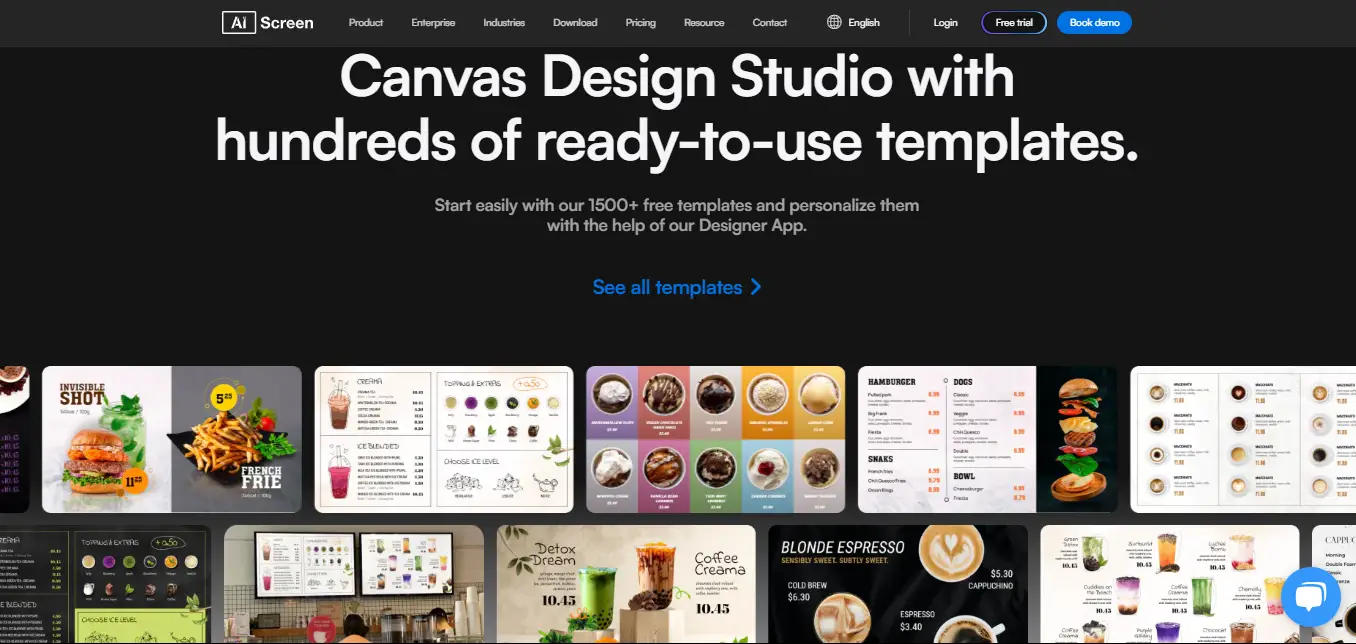
A free sign design program refers to a digital signage software design tool such as AIScreen’s Canvas that gives users access to easy-to-use features for creating professional signs without advanced graphic design experience. These programs typically include customizable templates, drag-and-drop editing, text tools, images, icons, shapes, fonts, and branding elements that help businesses build attractive signage quickly.
A free sign design program can be used to create content for storefronts, restaurants, offices, healthcare facilities, schools, waiting rooms, and other commercial spaces. Users can customize colors, logos, layouts, promotional messages, menus, announcements, and informational displays to match their brand identity and communication goals.
Tools such as AIScreen’s Canvas also simplify the design process by allowing businesses to create and update signage from one platform. Instead of relying on professional designers for every small change, teams can quickly adjust promotions, prices, schedules, or messages and prepare fresh content for their digital displays whenever needed.
How Do Free Sign Design Programs Help Businesses?
Free graphic design tools benefit businesses by providing them with 1500+ professionally designed sign templates that they can customize to communicate internal messages. Some of the benefits include:
1. Create Meeting Room and Lobby Signage
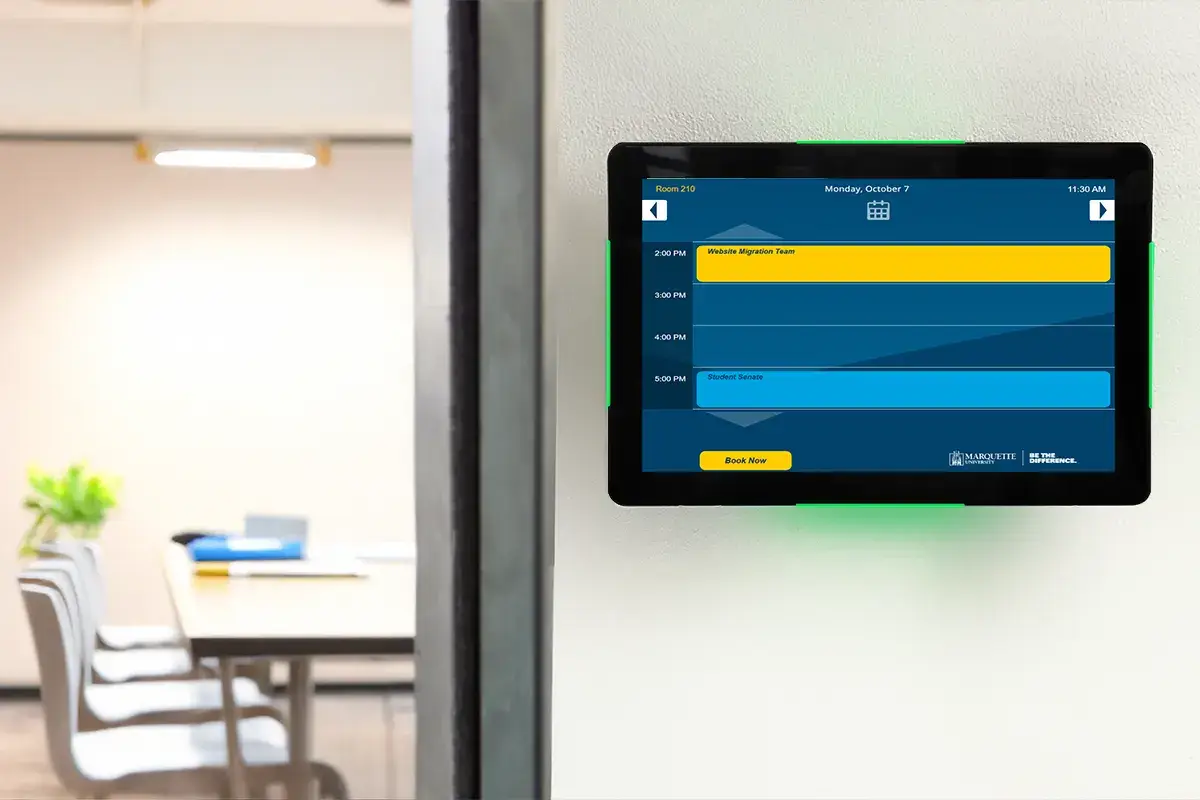
Choose from various business meeting templates to deliver key updates regarding meetings. Here’s what all businesses can do with software for digital signage:
- Room Status: Indicate room occupancy status; green for vacant room and red for occupied.
- Meeting Information: Broadcast schedules, upcoming meetings, etc.
- Room Booking: Calendar-integrated signage simplifies room booking approvals.
- Wayfinding: Show interactive maps for navigating office spaces.
- In-Office Communication: Share company news, emergency alerts, instructions, etc.
2. Design Attention-Grabbing Digital Lobby Signs
Businesses can create signs for lobby areas that immensely benefit visitors and staff alike.
These signs improve the guest experience by 40% (Travel Agent Central). You can utilize the sign design program to create content and offer:
- Check-in Facility: Touchscreen-enabled displays simplify check-in processes.
- Wayfinding Support: Help visitors locate offices, rooms, and facilities.
- Digital Makeover: Transform lobby areas into aesthetically pleasing spaces.
- Video Walls: Deploy attention-grabbing video walls to showcase demonstrations, etc.
- Safety Notes: Share safety instructions to keep visitors informed.
- Promotions: Promote on-site facilities, offerings, & loyalty programs.
3. Use Free Templates for Quick Customization
Digital signage simplifies internal communications and enhances employee engagement and productivity.
AIScreen’s templates are perfect for sharing facility and employee-related information without creating designs from scratch.
- Integrate Project Management Tools – Create signs showcasing project dashboards from Slack.
- Celebrate Employee Birthdays & Teams – Use birthday templates to share special wishes & messages, team celebrations, etc.
- Weather & News Updates – Integrate weather app and live news feeds to keep staff informed.
- Highlight Facilities – Guide staff and visitors toward in-house facilities such as gyms, cafeterias, etc.
- Showcase Client Testimonials – Increase customer trust by 72% by displaying client testimonials.
4. Improve Internal Communication and Engagement
Digital signage helps businesses streamline communication across teams and instantly deliver information that boosts transparency, motivation, and workplace culture.
Engaging content keeps employees updated and connected.
- Real-Time Updates – Instantly share announcements, KPIs, and important company-wide notifications.
- Motivational Messaging – Inspire teams by displaying leadership messages, achievements, and success stories.
- Recognition Boards – Highlight top performers or project wins to build morale.
- Training & Learning – Share quick training modules, safety videos, or compliance reminders.
- Interactive Feedback – Use touch-enabled screens for employee polls, quick surveys, and idea submissions.
How Do Free Sign Design Programs Compare?
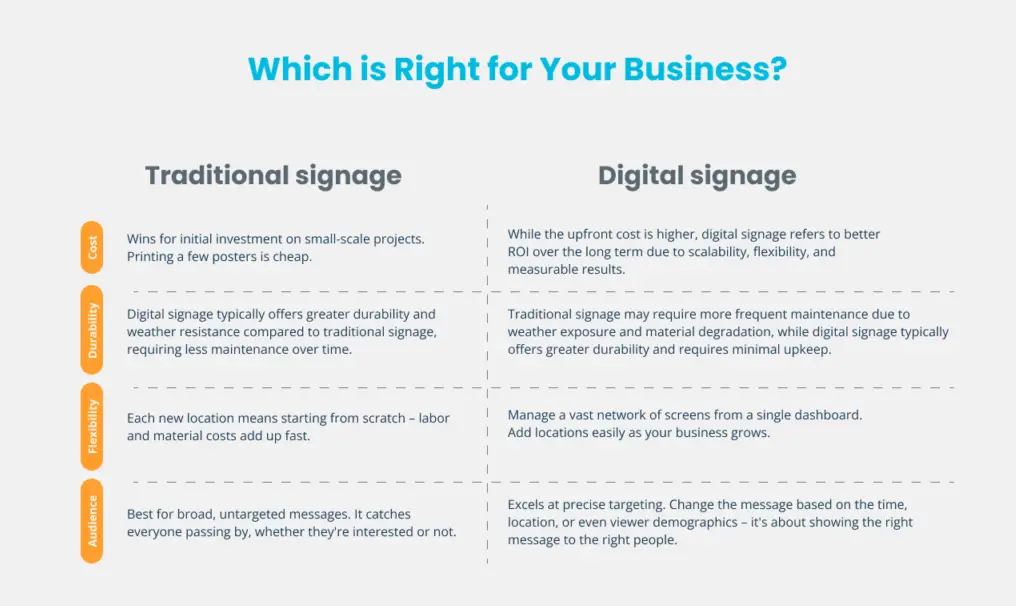
Traditional and digital signs both differ in their use cases. While traditional signs are static, digital signs are dynamic and support motion graphics. Traditional signs are paper-printed, while digital signs are hosted on a cloud-based CMS platform.
Digital signage integrates with applications like Google Calendar and Slack to deliver real-time content. Here’s a detailed comparison between traditional and digital signs:
1. Content Flexibility and Real-Time Updates
- Traditional signs are static and often limited to plain text and simple graphics. Once printed, the message stays the same until replaced.
- Digital signs, on the other hand, bring your content to life. They allow you to share multimedia-rich updates like images, videos, moving text, and even live data that capture attention instantly.
2. Update Content Instantly from Cloud CMS
- With traditional signage, updating information means reprinting, replacing boards, or manually swapping posters. It is time-consuming and costly.
- With digital signage, you can update content in seconds from a cloud-based CMS. Whether it’s a new promotion, event, or urgent alert, changes go live instantly across all screens.
3. Engagement and Interactivity
- Printed boards and posters are static, so people can only glance at them without interaction.
- Digital signage flips the script by enabling interactive experiences. Touchscreen kiosks, QR codes, and live integrations let audiences engage directly, providing a more memorable and useful experience.
4. Design Customization and Brand Consistency
- Traditional signs offer little room for creativity. It mainly consist plain text and static imagery that can’t be easily adjusted to evolving brand guidelines.
- With digital signage, you get complete creative freedom. From animations to motion graphics, every design can be tailored while keeping brand colors, tone, and style consistent across all locations.
5. Cost Effectiveness Over Time
- Traditional signs might seem cheaper upfront. But constant reprints, paper waste, and damage quickly pile on costs.
- Digital signage requires a higher initial investment, but running costs are lower. No prints, no replacements, just update content digitally and keep your display fresh for years.
How Do Free Sign Design Programs Support LED?
Free sign design programs at AIScreen let you build bright, high-visibility layouts made for illuminated displays. When you pair a template with digital signage panels and signage LED lighting, your promotions and menus stay readable in daylight and after dark, so small businesses can reach customers around the clock without reprinting a single board.
Effective signage LED lighting can also improve the clarity and visual impact of your designs by providing consistent illumination across the display. Businesses can combine bold fonts, contrasting colors, branded graphics, and well-lit screens to make important information easier to notice while maintaining a professional and consistent appearance.
How to Use a Free Sign Design Program?
You can utilize free sign design programs with us at AIScreen to create eye-catching signs to facilitate effective internal communications.
The free version features a user-friendly interface, and here’s how to utilize our software more efficiently for your business:
1. Design Custom Signs
Custom designs include attractive signs and displays across business signage screens from a centralized content management system. Here’s what to create using our drag-and-drop video editing tool:
- Dynamic Signs: Images, videos, animations, texts, wayfinding maps, digital menu boards.
- Window Displays: Yard signs, business marketing campaigns, and more.
2. Customize Templates
Take any template from a library of over 1500 and customize it to create more personalized signage in a few clicks. Include graphic elements, company branding, and more.
- Add Personal Touch: Include the logo, fonts, & colors matching your branding.
- Design Blank Template: Turn blank templates into highly visual images.
- Create a Catchy Brand Name: To promote products and services.
3. Edit Sign Designs
Utilize our simple editing processes to add design elements, resize images, adjust font sizes, and incorporate shapes, icons, logos, and more.
- Consistent Brand Identity: Always include branding elements like logos, colors, and fonts.
- Video and Data Integration: Showcase social media feeds, presentations, dashboards, and live news.
What Features Matter in Free Sign Design Programs?
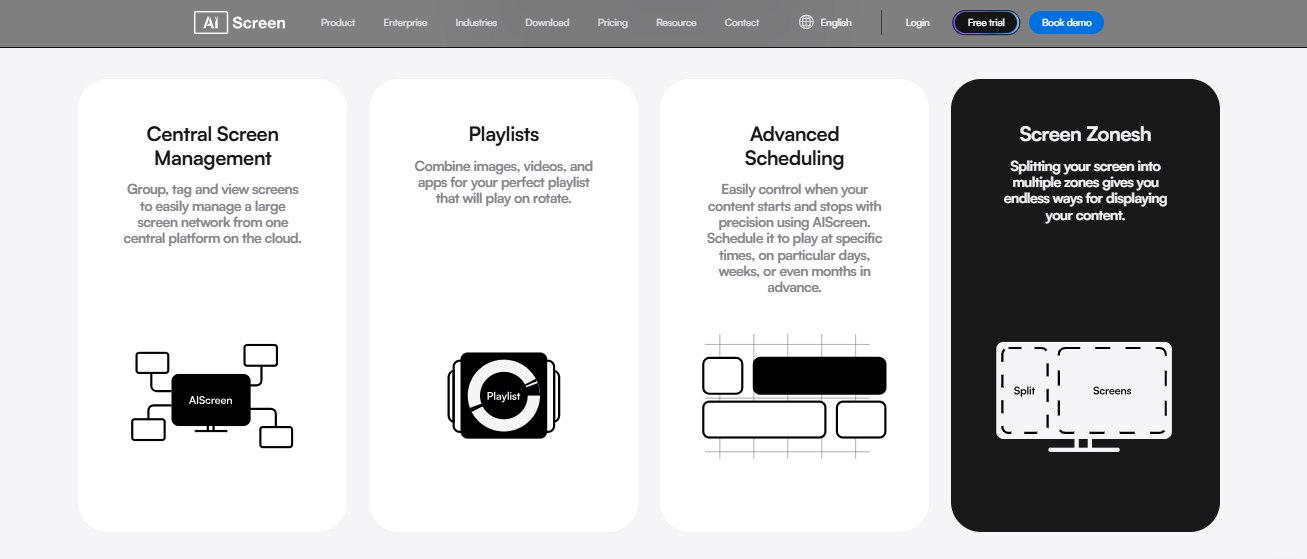
If you are looking for the best free sign design program for small business, the right features will make it easy to not only create signage but also build a strong brand identity. A good platform should let you design eye-catching signs, integrate your company logo, and keep your messaging consistent across social media posts, t-shirts, websites, and marketing materials. Let’s break down why these tools matter with real use cases.
Drag-and-Drop Editor
No problem if you are not a graphic designer. A user-friendly drag-and-drop editor helps non-designers create professional-looking signage and even a business logo with zero design skills.
Let’s take an example: a coffee shop owner can start creating daily specials, social media assets, and menu boards just by dragging visuals, text, and icons around, no professional designer needed.
Perfect for small business owners who want to create a logo, add text, or upload images in minutes.
Library of Ready-Made Templates
Why waste hours staring at a blank canvas? A strong library of customizable templates helps you design quickly with different styles and adapt them to your target audience.
Consider a new fitness studio that can use templates to promote class schedules, motivational quotes, and even integrate its unique logo design to build awareness.
With logo templates, you can design a new logo or reuse them to maintain uniform branding across social posts and marketing campaigns.
Image and Video Support
Images and videos make your signs more dynamic, and many programs today double as a video maker. From high-resolution files of your own custom logo to engaging animations, multimedia gets your message noticed.
For instance, a retail store can showcase product videos, animated banners, and its perfect logo on-screen to drive foot traffic and sales.
These elements are great for creating professional signs for commercial projects, social media, or full-size print materials.
Font and Brand Control
Consistency builds trust. Having control over your fonts, colors, and logo files makes it easy to maintain your brand kit.
Let’s take another example: A boutique fashion brand can apply the same typography and professional logo across its storefront signage, social media profiles, and profile picture to create a polished look.
They are ideal for businesses that want to build lasting connections with their target audience by sticking to a cohesive brand style everywhere
Multi-Language and Screen Preview Tools
If you serve a diverse customer base, multi-language tools help you adapt your message. The screen preview option shows how your designs will look on a lobby sign, website, or social feed before publishing.
Let’s consider: A travel agency can display offers in English, Spanish, and French while previewing how it appears across different file types like a PDF file, social media posts, or large display screens.
This saves time and ensures pixel-perfect, professional-looking logos and signage across all platforms.
A good logo creator or logo maker tool within your sign design program means you can make a logo alongside signs, choose from multiple logo design options, and even use an AI-powered free logo generator if you need a logo for free quickly. Whether it’s for a new brand or an ongoing campaign, this powerful tool will help you design signs, download your logo in multiple file formats, and launch marketing materials without hiring a freelance designer.
How Does AIScreen Create Professional Sign Designs?
Creating a custom sign design with a free sign design program like AIScreen’s Canvas is easy. You just need to sign up now for a free 14-day trial to explore all the advanced features of AIScreen, then follow the steps below to create designs:
Step 1: Select from 1500+ Business-Specific Templates
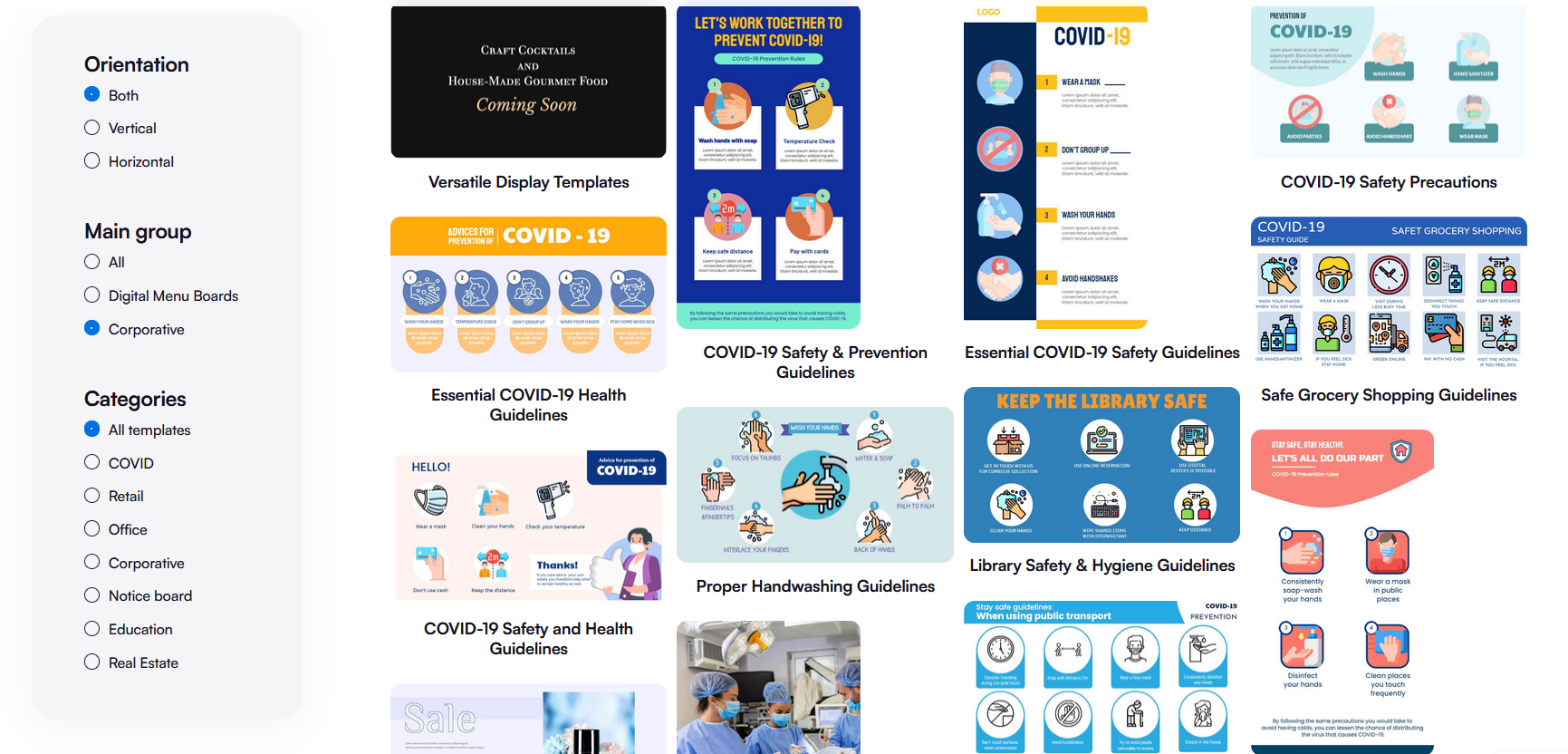
Select a professionally designed custom template from the “Template Library” suitable for your communication needs. Here’s how to do it:
- Visit https://manager.aiscreen.io/login to sign up for a free account.
- Go to “Canvas” in AIScreen’s content management system (CMS) dashboard.
- Explore digital signage templates for internal communications, events & promotions.
- Select a template & begin customizing it.
Step 2: Customize the Design in AIScreen Canvas Editor
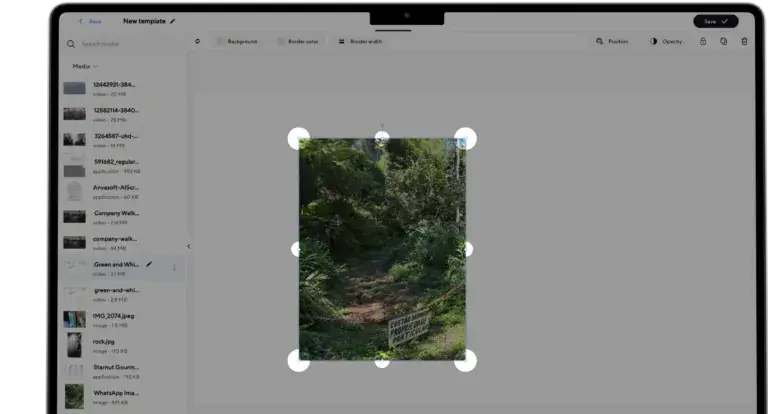
Start customizing selected templates using a simple drag-and-drop editing tool, and add graphic elements like dynamic text, images, fonts, logos, videos, and icons. Here’s how to do it:
- Navigate to the “Media” section and customize your template; begin by adjusting font size, color, and logo, and dragging and dropping images.
- Rotate images, adjust border colors and width, or choose between vertical and horizontal orientations.
- Add a text box and add your description; choose font type, color, size, and text alignment, and styles like bold, italic, underline, or strikethrough.
Step 3: Click “Set to Screen” to Publish Instantly
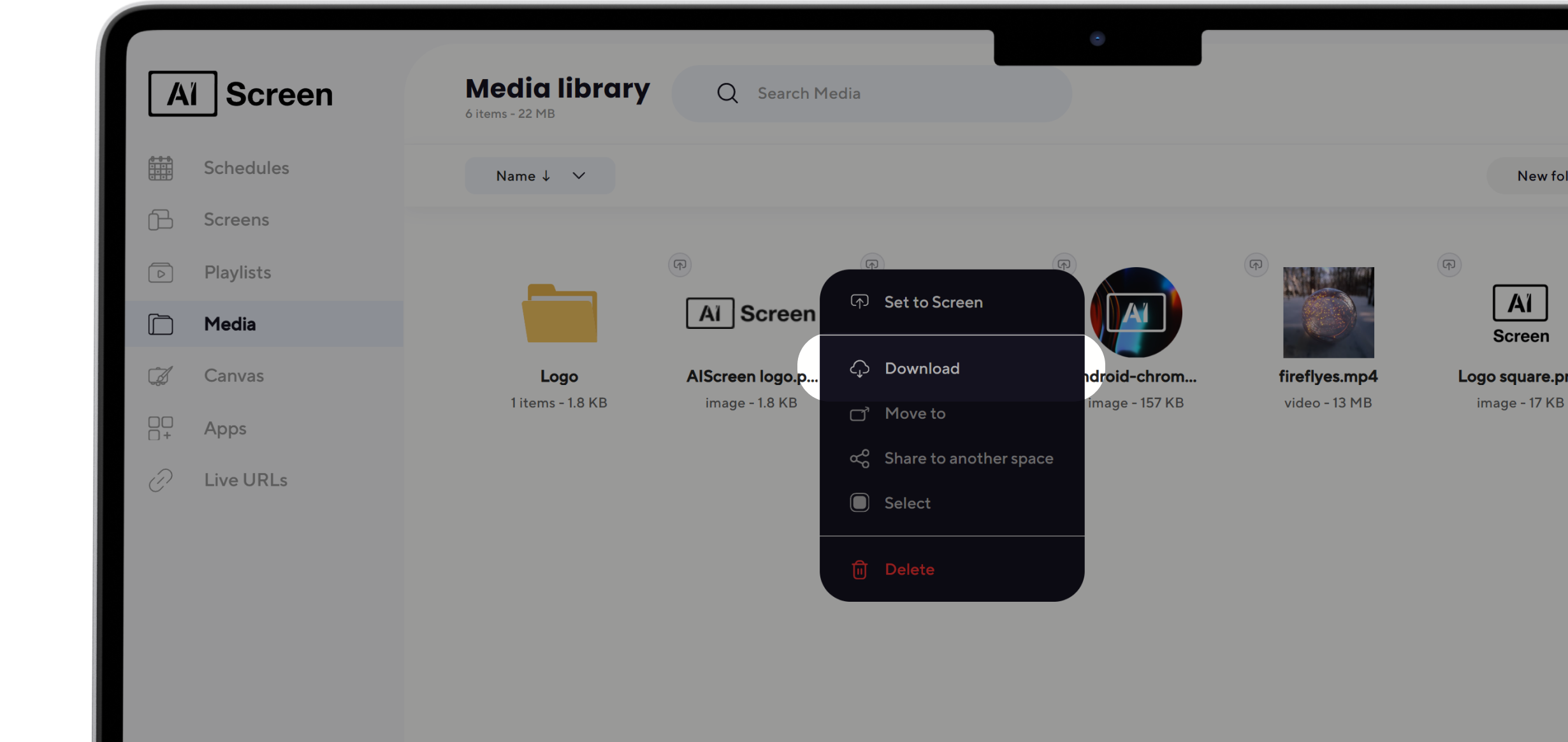
Once done customizing the template, preview your design or save it. If it’s approved, publish it to the signage screen following these steps:
- Upload customized sign design or content to the “Playlist.”
- Select a design file and click the three dots next to it.
- Tap “Set to screen” to display your design on screens.
How to Set Up Free Sign Design Programs?
Setting up digital signage needs hardware and software. So what kind of hardware and software is required? Let’s dive in to discuss:
1. Digital Signage Screen
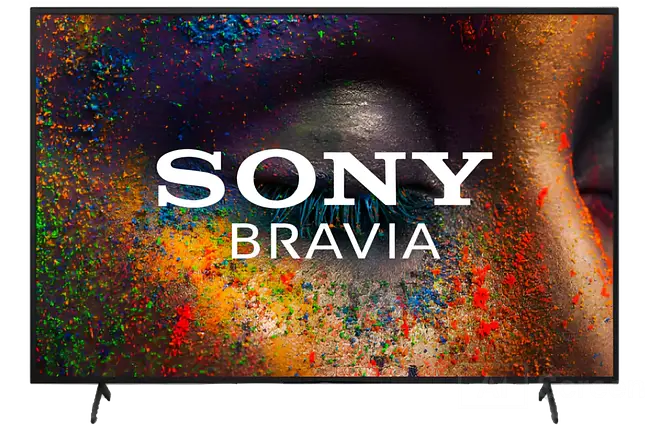
A digital signage screen includes monitors, LED & LCD screens, tablets, and more. These displays are used to showcase custom signs. High-performance digital signage screens worth investing in include Sony BZ30L or BZ35L.
2. Digital Signage Media Player
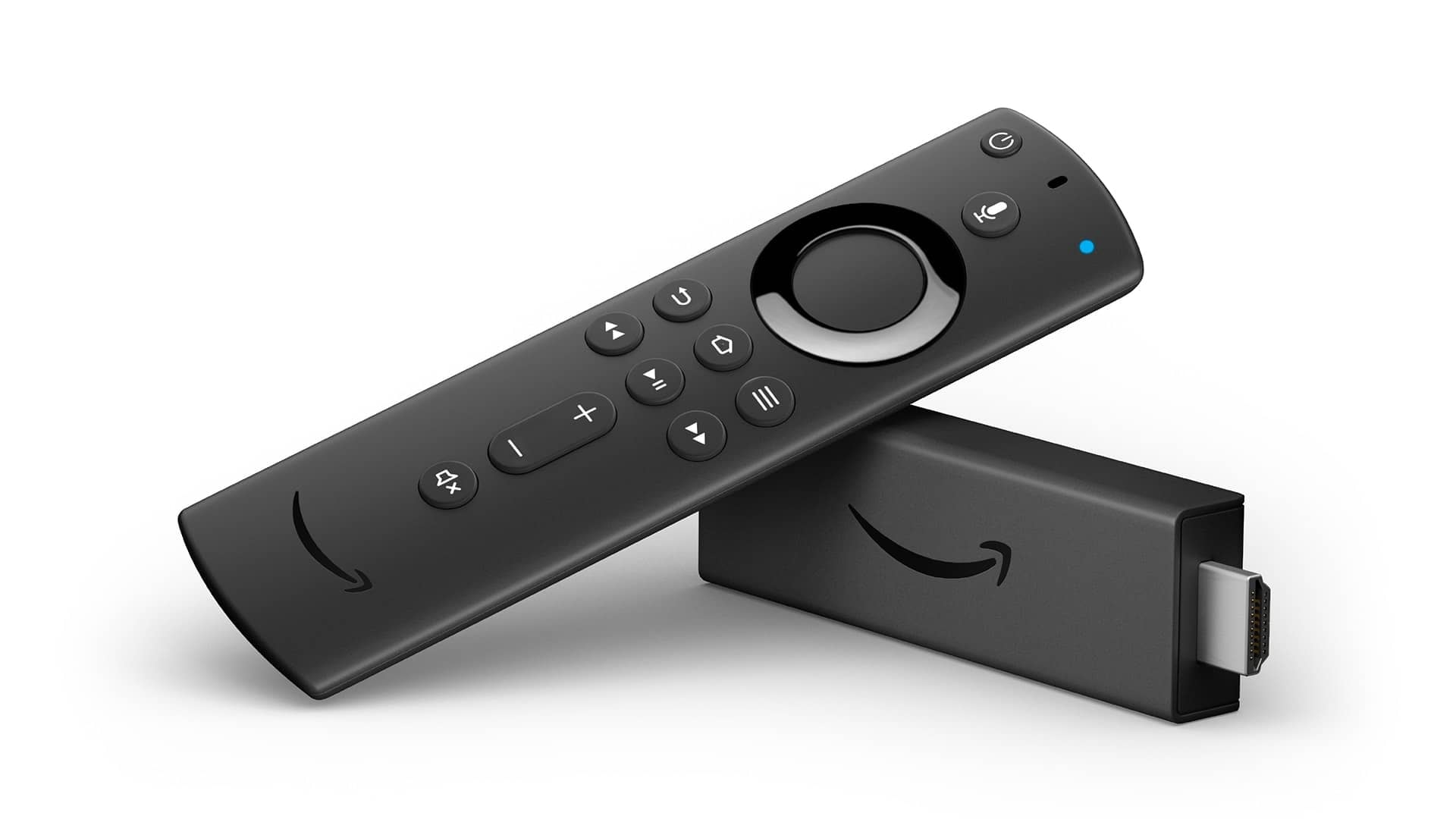
A digital signage media player facilitates a plug-and-play setup. As a result, users can broadcast digital signs seamlessly.
Media players are used to connect TVs to web-based CMS. This is required to deploy content. Cost-effective media players include Amazon Fire Stick and Raspberry Pi.
3. Digital Signage Software
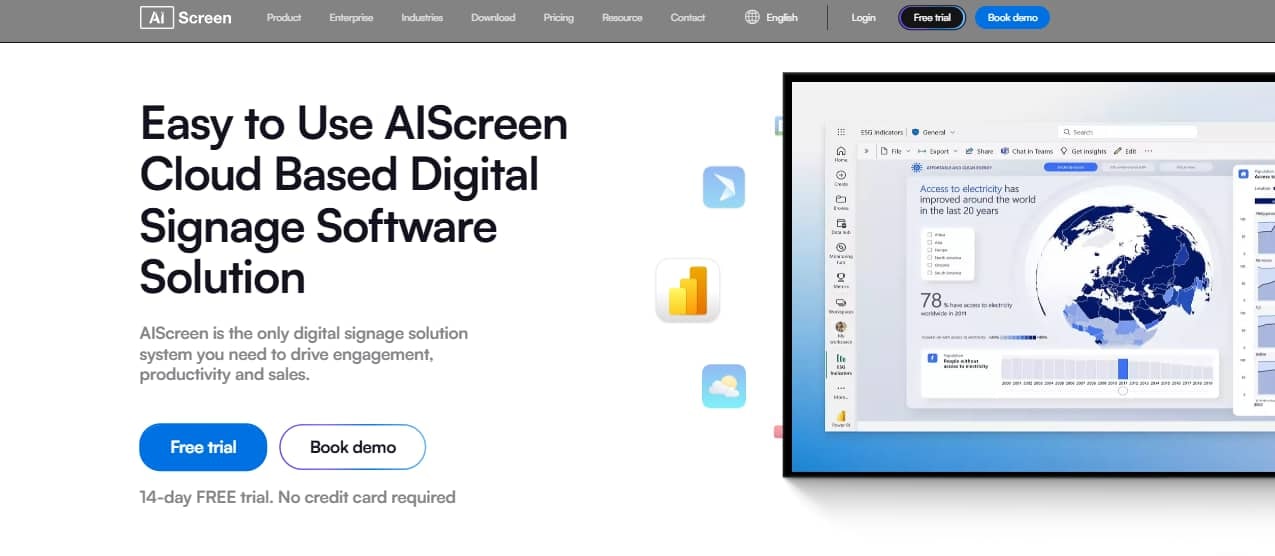
Digital signage software helps create and schedule content, including multimedia, content scheduling, remote management, and more. Companies leverage it for advertising, wayfinding, and information-sharing.
Take advantage of AIScreen’s 14-day free trial and explore how its easy-to-use interface, device and app integrations, and remote management can take your internal communications to the next level.
If you are a digital signage reseller or agency, selecting a platform that strengthens and showcases your own brand is crucial. Here’s how to choose a white label digital signage platform that aligns with your business needs.
Can Free Sign Design Programs Create LED Gasoline Price Signs?
Free sign design programs also cover the outdoor pricing formats that many small businesses depend on. If you run a fuel station or a convenience store, you can design led gasoline price signs that update in seconds from the same dashboard you use for indoor menus, so a price change reaches every forecourt display at once and drivers always see current rates.
These digital price displays also help businesses maintain accurate, consistent information across multiple locations while reducing the need for manual sign changes. Clear LED numbers, strong brightness, and remote updates make fuel prices easier to read from the road while helping staff respond quickly whenever rates change.
Which Businesses Use Free Sign Design Programs?
Some real-use sign design program use cases are in retail, restaurant, corporate, healthcare, and other sectors where businesses leverage it for various purposes, such as:
- Retailers: Create signs for in-store promotions & increase foot traffic by 20%.
- Restaurants: Design digital menus & instantly update menu items and pricing & enjoy 15% higher conversion rates.
- Corporate: Broadcast schedules, announcements, and news from a centralized source & reduce errors by 40%.
- Hospitality: Display wayfinding signs in hotel lobbies, hallways, and elevators to help guests navigate complex premises.
- Healthcare: Showcase wait times & appointment schedules, including patient instructions & emergency alerts.
- Transportation: Share flight & train schedules and directional signs to direct visitors toward boarding gates.
- Banks: Display queue status, banking-related information, and financial events, besides delivering corporate messages.
Why Choose AIScreen and Free Sign Design Programs for Your Business?
AIScreen and free sign design programs make it easier for businesses to create professional, eye-catching signs without the stress or added cost of hiring a designer for every project. From café promotion boards to retail event posters, businesses can quickly create branded visuals that help attract attention and strengthen their identity.
You do not need professional design experience to get started. AIScreen provides ready-made templates, simple editing tools, and customizable marketing materials that allow you to add your company logo, choose suitable fonts and styles, and create polished signs within minutes. Finished designs can be used on digital screens, shared on social media, or prepared for printed displays.
With AIScreen and free sign design programs, businesses can experiment with different layouts, logo options, colors, and promotional messages while keeping branding consistent. Whether you are developing a new business idea or refreshing existing signage, AIScreen gives you practical tools to create professional visuals quickly and easily.


FAQs
What is the best free program to design custom business signs?
If you are just starting, the best free sign design programs are ones that offer customizable templates, logo creation, and drag‑and‑drop editing. Tools like Canva or AIScreen’s free sign maker make it easy to design professional signs without design skills. Have a new business idea? You can create a custom logo and signage in minutes, all without hiring a designer.
Can I use free sign software to make digital menu boards?
Yes! Free sign software is perfect for creating digital menu boards for cafés, restaurants, and food trucks. Just pick a template, upload your food images, add prices, and you are ready to display. Imagine updating daily specials in a few clicks, no costly reprints or chalk dust needed. Doesn’t that sound like a game-changer for your business?
What hardware is required to display signs designed in free software?
To display your designs, all you really need is a screen (like a smart TV, tablet, or monitor) and sometimes a media player device if your TV doesn’t have built‑in support. Many small businesses use Amazon Fire TV sticks, Android boxes, or commercial displays. The best part? Once you have the hardware, your free software designs can go live instantly.
Can free digital signage tools be used for emergency alerts?
Yes, and this is one of the most practical uses of digital signage. Free tools often let you push urgent messages, like safety instructions, weather alerts, or evacuation notices, across all connected screens in real time. Wouldn’t it be reassuring to know everyone in your building gets notified instantly when it matters most?
How secure is it to manage signage designs remotely?
Most modern platforms, even free ones, use cloud‑based dashboards with encrypted connections. This means you can safely update signs anytime, anywhere. Of course, for extra peace of mind, look for software that offers role-based access controls and secure login. Who doesn’t like knowing their brand’s content is protected while staying easy to manage?
