
Digital Signage Hardware Buyer’s Guide

Digital signage hardware refers to the essential physical components, such as digital signage displays, media players, and operating systems, that bring digital content to life on screens. It typically involves connecting a media player (like an Android box) to a commercial display, consumer TV, or video wall, and then managing visuals through digital signage software. According to Statista (2024), the global digital signage market is projected to surpass $31 billion by 2028, driven by the rising adoption of interactive kiosks, menu boards, and touchscreen displays across industries that prioritize visual communication and excellent customer service.
In this blog, we’ll explore the key components of digital signage systems, including different types of digital signage solutions, hardware setup, and operating systems. You’ll also learn best practices for using digital menus, maintaining devices, troubleshooting common issues, and ensuring your digital signage displays deliver consistent performance and high-quality customer engagement.
What Is Digital Signage Hardware?
Digital signage hardware is the collection of physical items that makes up a digital signage system. These include display screens (LED, LCD, OLED, etc.), media players or digital signage players, kiosks or interactive displays like touchscreens, mounting brackets or hardware, and supporting network/connectivity components. Having all parts work in harmony ensures content looks great, loads reliably, and engages customers or viewers with minimal downtime.
Types of Digital Signage Hardware:
- Screens: LED, LCD, OLED, and projection screens make up core display types. High-resolution LED and OLED displays tend to offer more vibrant visuals and brightness, essential for larger screens and outdoor usage.
- Media Players: Devices or digital signage players manage playback, store content, and ensure the display shows the correct visuals at the right time. Some are integrated, others are external.
- Kiosks and Interactive Displays: Touchscreen kiosks or interactive displays allow user interaction, customer feedback, or navigation. These elements support interactive content and better customer experience.
- Mounting and Stands: How you mount screens, wall mounts, ceiling mounts, stands, affects visibility, safety, and design. Mounting hardware is a key component in indoor displays or video walls.
Why Use Digital Signage Hardware
Investing in good digital signage hardware can unlock several advantages for businesses. Whether for retail, hospitality, or corporate settings, hardware paired with dynamic content transforms communication, elevates engagement, and delivers cost savings over time.
- Enhanced Communication: Reliable signs send real-time information, promotional offers, announcements, or wayfinding, across multiple locations without the lag of print. Businesses can centrally push content updates, improving operational efficiency.
- Increased Engagement: Screens that support digital signage displays and interactive elements (like touchscreens or kiosks) lead to more active engagement. Vibrant visuals, dynamic content, and signage hardware that responds to customer preferences boost the appeal, keep customers interested, and support customer satisfaction.
- Cost-Effective: While upfront costs for display types and media players can be higher than static posters, digital signage hardware reduces printing, distribution, and replacement expenses. Over time content remotely managed through a content management system (CMS) further cuts costs.
- Operational Efficiency: Scheduling, remote updates, and centralised content management mean less manual work. Digital signs can be programmed to show different content at different times, freeing staff from constantly changing static signs.


How to Choose the Ideal Digital Signage Screen
Choosing the ideal digital signage screen depends on understanding your environment, your audience, and the type of content you plan to display. No single screen fits all digital signage deployments; your decision should reflect your digital signage strategy, location lighting, and duration of display use.
If you’re setting up digital signage hardware in a school, conference room setup, or corporate office with an enterprise-level network that streams 4K video, app integrations, and dynamic content, you’ll need higher processing power and professional-grade displays. However, if you’re managing a retail advertising network with screens across multiple locations, your focus may shift toward theft protection, remote management capabilities, and seamless integration with a content management system for centralized updates.
For businesses that run digital signs fewer than eight hours daily, a consumer-grade TV screen or LED display may be sufficient. However, if your digital signage screens are active 24/7, it’s better to invest in professional displays built for long-term durability and superior image quality. Understanding these needs helps you choose the right signage hardware, ensuring your digital signage project runs smoothly and supports ongoing maintenance in the long term.
When choosing digital signage options, also consider screen size, operating system compatibility, and connectivity options such as multiple HDMI ports or Wi-Fi support. Each factor impacts not just performance but also integration capabilities with your existing systems and signage software.
What Are the Different Screen Types for Digital Signage?
When most people picture digital signage, they think of massive LED displays in Times Square or large video walls in airports. But digital signage hardware has evolved far beyond that. Businesses today can choose from multiple display types, each serving different use cases and budgets. Here’s an overview of the most common digital signage screens and where they work best:
- Tablets or iPads (Interactive Kiosks): Best for touch-based or close-view applications, like meeting room door displays, menu boards in restaurants, or digital menus in beauty salons. These interactive features enhance customer engagement and work perfectly in indoor displays or kiosks.
- Monitors: An affordable choice for smaller screens (17–32 inches). These are ideal for corporate offices or indoor signage where static images or basic content loops suffice.
- Non-Smart TVs: Great for budget setups. They require an external digital signage player or Android box to function but deliver good visual performance and flexibility in system integration.
- Smart TVs: Best for simple setups needing an all-in-one device. Most run operating systems like Android TV, LG’s webOS, or Samsung’s Tizen. Check for processing power and compatibility with your content management software to avoid lag during playback.
- Consumer TVs: Designed for shorter daily use (around eight hours). They’re affordable but may face burn-in or color distortion during continuous operation.
- Professional TVs (Commercial Displays): These commercial devices are engineered for continuous operation often rated for 16/7 or 24/7 display time. They feature better build quality, higher brightness, stronger network components, and extended warranties. Professional displays are ideal for high-traffic areas, retail stores, and outdoor or semi-outdoor environments.
Choosing the best digital signage hardware vendor also means considering image quality, network connectivity, and ceiling or wall mounts that ensure stability and safety. Businesses should align their display selection with their digital signage journey, integrating hardware that matches both immediate and future signage needs.
When selecting a screen, it’s important to understand the different options available. Learn more about which TVs are best for digital signage to ensure you choose the right display for your needs.
Do you need a commercial-grade TV to run digital signage?
While commercial-grade screens offer unmatched durability and uptime, you don’t always need one to run digital signage solutions effectively. A consumer TV connected to a capable media player and reliable signage software can create a powerful setup, especially for smaller deployments or those experimenting with a new digital signage strategy.
However, commercial-grade digital signage displays are designed for continuous use, often featuring enhanced brightness, anti-glare coatings, and longer warranties (5–10 years compared to 1–2 years for consumer models). They’re built to handle high operational loads, resist image burn-in, and support remote management features through your content management system.
Consumer-grade screens can still perform well for lightweight digital signage projects, but warranties typically exclude continuous use, which may lead to early wear or voided coverage. For long-term installations in corporate offices, retail shops, or public areas, professional-grade digital signage hardware ensures consistent image quality, seamless connectivity options, and integration capabilities with advanced digital signage software platforms.
That said, modern technology is blurring the lines, many enterprises now use consumer-grade hardware like smart TVs or tablets with interactive elements, pairing them with strong content management software to deliver high-quality digital signs at lower costs. As display technology improves, your choice between consumer and commercial displays depends more on usage duration, environment, and content type than brand or price alone.
In short, whether you opt for commercial or consumer signage hardware, prioritize reliability, flexibility, and support for your ongoing maintenance. The right mix of digital signage screens, media players, and mounting hardware will make your digital signage deployments both effective and future-ready.
Selecting a screen summary
| Display Type | Price Range | Best For | Limitations |
| Tablet | $100–$230 | Small surface areas like meeting‑room doors, elevators, or next to supermarket products | Small size; not ideal for long-duration, high-volume use |
| Monitor | $150–$300 | Use cases where you want a screen between 17″–32″ | Smaller size; requires an additional media player |
| Smart TV | $170–$750 | All-in-one solution if you don’t have space for a separate media device | Limited horsepower on lower-priced models; HDMI-based setup |
| Non-smart TV | $170–$300 plus media player cost | Most cost-effective for screens 32″+ when paired with a media device | Requires external media player; may not support 24/7 usage |
| Commercial Screen | $920–$4,865+ | Cases needing 24/7 operation, high durability, rigorous long-term use | Expensive; more difficult to source and upgrade |
Choosing a digital signage media player
Choosing a digital signage media player is critical because it transforms a standard display into part of a smart, connected digital signage network. Media players range from consumer media players for basic needs to industrial media players for harsh environments.
Consumer Media Players
Consumer media players for digital signage (like Chromecast with Google TV) are cost-effective but designed for household use. These media devices often lack the durability needed for long digital signage plays and can overheat during continuous operation. They’re best in light-use retail environments or temporary setups.
Commercial Media Players
Commercial media players offer higher processing power, better graphics processing unit performance, and support for complex digital signage content like multiple displays or high-quality playback of 4K video. They’re built with metal casings for durability and heat dissipation. These players excel in permanent installations requiring robust technical support and reliable remote content management.
Industrial Media Players
Industrial media players go a step further, offering features like shock absorption, dust and moisture protection, and extreme temperature tolerance. They’re perfect for outdoor displays, factories, or venues with high pollution. These players often control multiple screens simultaneously and maintain consistent performance even in brightly lit environments.
Low Cost consumer digital signage media devices (under $100)
Low cost consumer digital signage media devices are an affordable entry point for businesses or individuals looking to run simple digital signage without investing heavily in hardware. Priced under $100, these devices offer basic features suitable for small-scale signage, light content playback, and simple installations. Let’s look at popular options:
Chromecast with Google TV
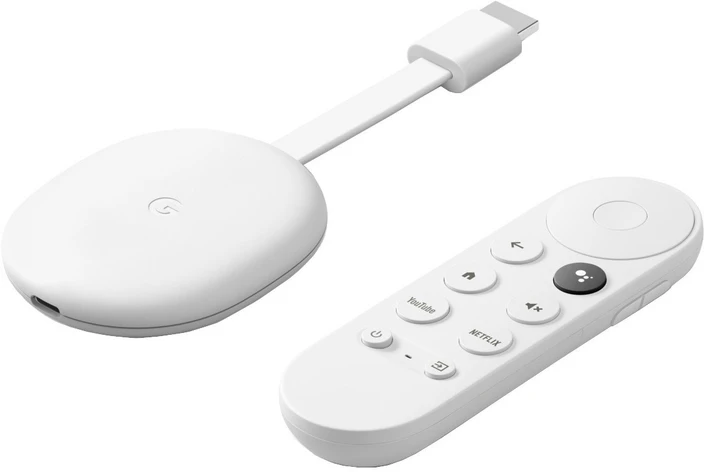
Chromecast with Google TV is a compact and user-friendly streaming device that doubles as an effective digital signage solution for basic needs. It offers:
- A smooth interface powered by Google TV for easy navigation and app access.
- Support for 4K HDR content to display high-quality visuals.
- Built-in Chromecast features to easily cast content from other devices.
- Access to the Google Play Store for signage apps.
- Wi-Fi connectivity for streaming and cloud-based content updates.
While it’s affordable, it’s best for setups that don’t require 24/7 operation or advanced device management features.
Amazon Fire TV Sticks
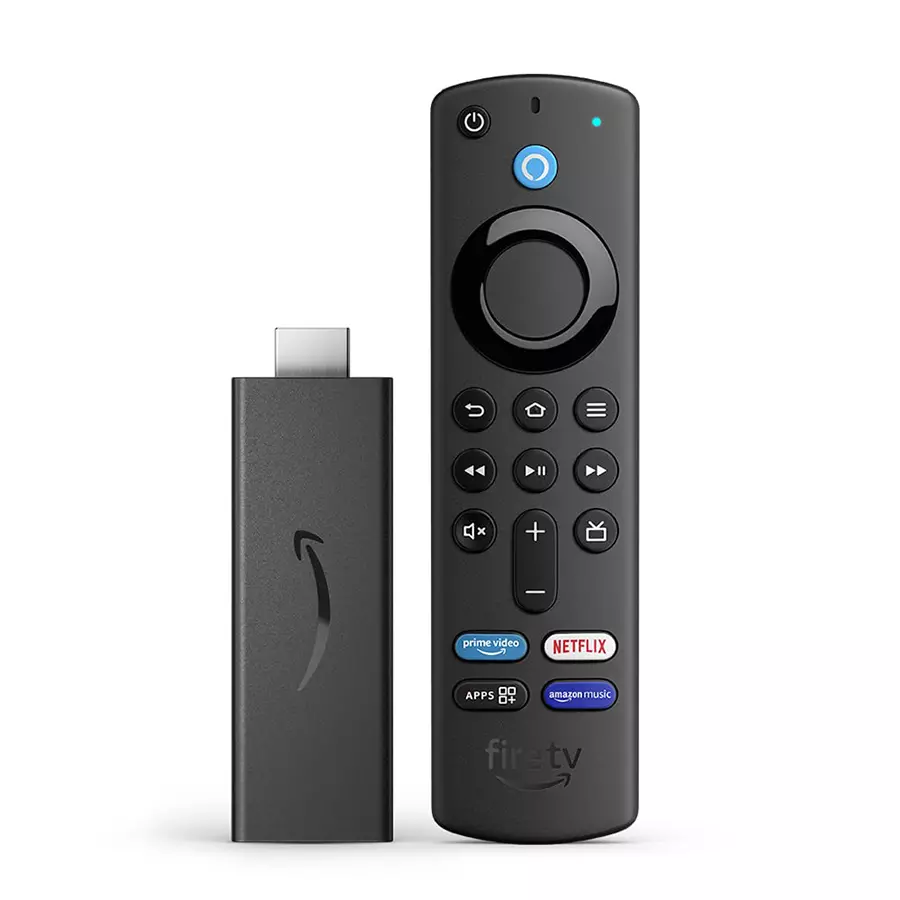
Amazon Fire TV Sticks are widely used consumer devices that can also serve digital signage purposes for budget-conscious users. Key features include:
- Full HD (Fire TV Stick) or 4K (Fire TV Stick 4K) resolution support for crisp visuals.
- Access to a variety of apps through the Amazon Appstore.
- Compact, plug-and-play design for easy installation behind displays.
- Voice control via Alexa for added convenience.
- Cost-effective, but limited for enterprise-grade signage due to fewer remote management tools.
Cost-effective commercial digital signage media devices (under $100)
Cost-effective commercial digital signage media devices provide a step up in reliability and performance, even while keeping costs low. These devices are better suited for light professional use cases and offer slightly stronger specs or features compared to basic consumer sticks.
Xiaomi Mi Box S
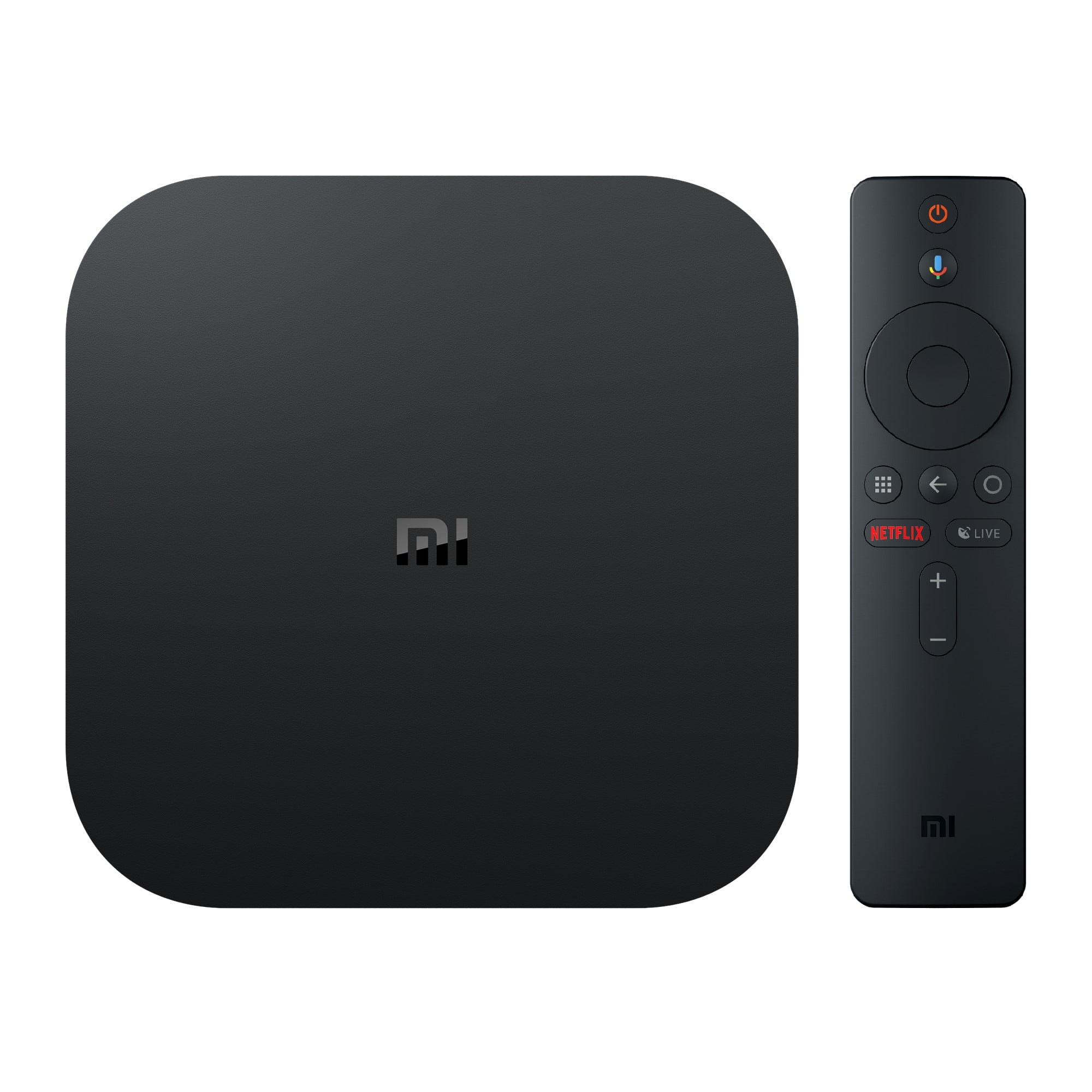
Xiaomi Mi Box S is a compact Android TV box that provides good performance at a low price. It offers:
- 4K HDR support for sharp and vibrant display quality.
- A quad-core processor that handles signage content smoothly.
- Support for Google Assistant and voice commands.
- Access to the Google Play Store for a wide range of digital signage apps.
- Built-in Chromecast functionality for flexible content sharing.
It’s a solid option for small businesses that need a balance of affordability and decent performance.
Xiaomi TV Stick 4K
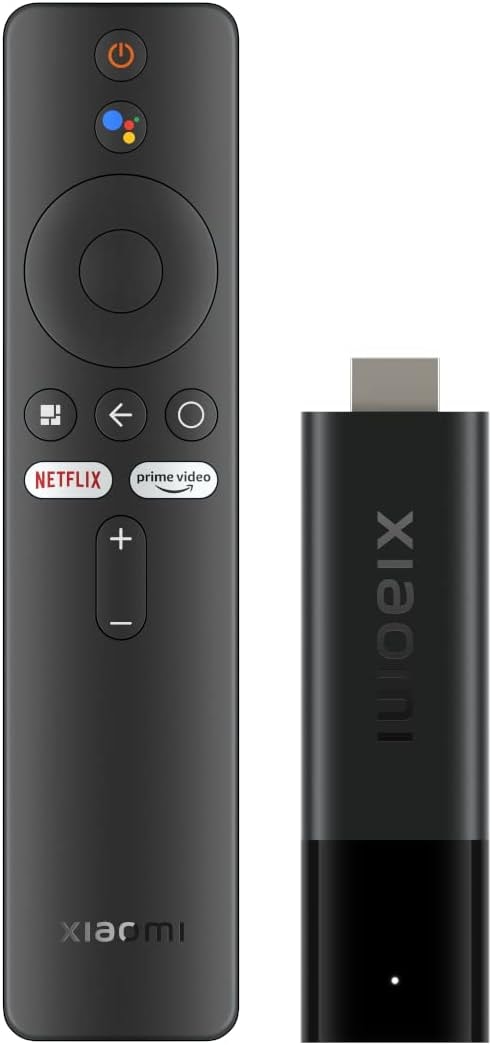
Xiaomi TV Stick 4K is another cost-friendly option for signage, offering:
- 4K HDR streaming capability for sharp image quality.
- Android TV 11 OS with access to a range of apps suitable for signage.
- Compact design for quick installation behind screens.
- Dolby Atmos and Dolby Vision support, enhancing media playback quality.
- Bluetooth and Wi-Fi connectivity for flexible setup options.
It’s great for entry-level digital signage where low cost, space saving, and reasonable performance are priorities.
Budget-friendly entry-level commercial digital signage media players ($100-$200)
Budget-friendly entry-level commercial digital signage media players deliver reliable performance at an accessible price point, typically ranging from $100–$200.
AIScreen OS Media Player: Priced at around $128 per device, this player runs AIScreen’s own Os, offering plug‑and‑play simplicity with built-in remote device management, scheduled power on/off, and cache management.
These devices are positioned between basic consumer sticks and high-end professional players, making them ideal for small to medium deployments that need robust performance without breaking the budget.
AIScreen OS
AIScreen OS is a dedicated operating system optimized for digital signage. Key strengths include:
- Cloud-based remote management console supporting device monitoring, health checks, scheduled restarts, and cache cleanup .
- One-click remote troubleshooting and control, including auto-power on/off and performance tuning.
- Compatible across multiple platforms (Android, Fire TV, ChromeOS, webOS, Raspberry Pi, Linux, Windows, Tizen) for flexible deployment
Mid-range commercial digital signage media player devices ($200-$400)
ChromeOS
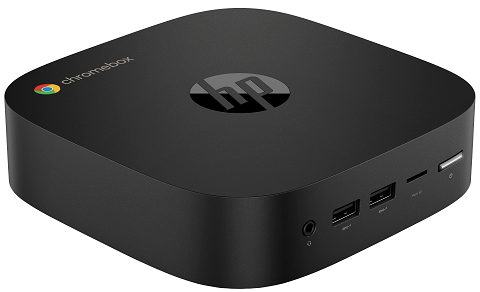
ChromeOS media players like HP Chromebox G4, CTL Chromebox CBx3, Asus Chromebox 5, and Acer Chromebox CXI5 are available in the $300–$400 range. These devices offer:
- A stable, secure Chrome enterprise environment.
- Automatic OS updates and built‑in remote management through Chrome Enterprise tools.
- Strong integration with AIScreen OS, supporting multiple OS compatibility.
- Compact form factors with SSD storage, Wi‑Fi, and Ethernet ports.
Windows OS
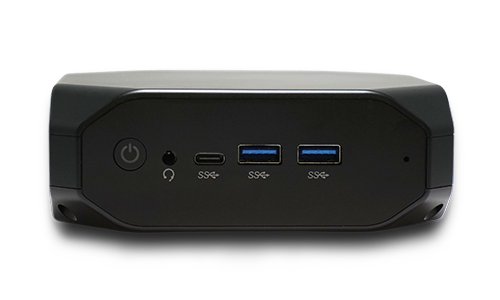
Windows-powered players like the Simply NUC Zircon (from $200) and Asus ExpertCenter PN64 (from $330) fall into this price range. Their features include:
- Full Windows OS compatibility, supporting rich desktop applications.
- Powerful processors (Celeron or Core series) for advanced content and interactive experiences.
- Native support for robust remote management tools, Wake‑on‑LAN, and enterprise security.
High-end digital signage players ($400+)
AOpen Chromebox Commercial 3
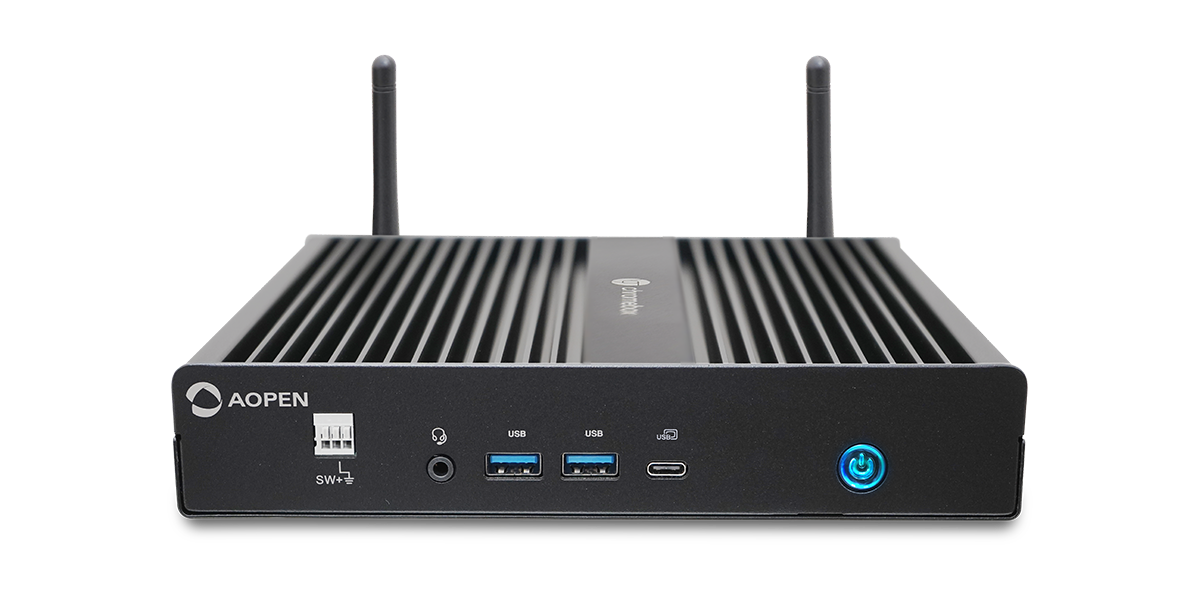
The AOpen Chromebox Commercial 3 starts at around $420. Designed specifically for digital signage, it offers:
- A rugged small‑form‑factor ChromeOS device tailored for commercial use.
- Enhanced thermal management and reliability under 24/7 operation.
- Support for remote device control, automatic updates, and enterprise tools.
Simply NUC Onyx i5
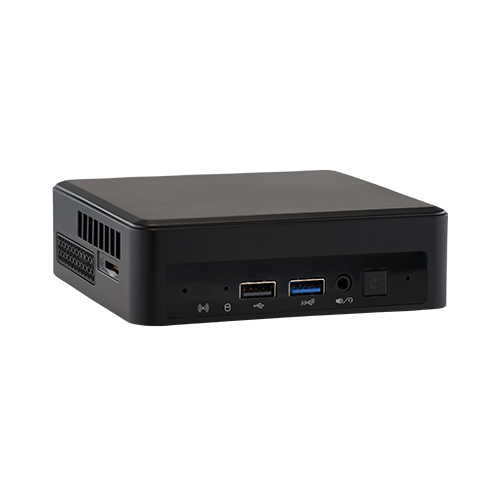
The Simply NUC Onyx i5, priced at approximately $620, delivers top-tier performance. Key benefits include:
- Intel Core i5 processor capable of handling multi‑zone layouts and high-resolution playback.
- A compact, fan‑cooled design ideal for both desktop and wall-mounted signage.
- Full compatibility with AIScreen OS and remote management systems.
Understanding device performance
Understanding device performance involves assessing processor power, RAM, and storage to ensure seamless content delivery. It also means checking connectivity options and boot speed for smooth daily operation. The right specifications help avoid lag, display errors, and system crashes.
1. SOC (System On Chip) / CPU (Processor)
The SOC (System on Chip) in your digital signage hardware is the engine that powers everything, handling the CPU, GPU, RAM, storage, connectivity, video codecs, and output. This makes choosing a device with a reliable SOC essential for smooth performance.
The CPU is the core of your device’s processing power, so it’s important to select one that matches your signage needs. A newer, stronger SOC/CPU combo ensures your digital signage systems run efficiently without display errors or lag during content creation and playback.
For Android TV boxes, go for devices with the Amlogic S912 SOC, the most reliable option in its class. If that’s not available, the Amlogic S905 SOC is a decent alternative. For Android tablets, aim for at least a quad-core processor (dual-core as the bare minimum).
If you’re using Chromeboxes or Windows PCs as your digital signage hardware, start with at least a Celeron. Avoid Atom devices, they’re underpowered for most signage tasks. For better performance, choose Core m3, Core m5, Core i3, Core i5, or Core i7, with i5 and i7 delivering excellent power for demanding content.
For Amazon Fire TV, Apple iOS, or Chromebit devices, no need to stress, these devices are generally well-optimized by their manufacturers to deliver reliable performance with their built-in processors.
Choosing the right SOC/CPU helps ensure your right digital signage hardware keeps up with your needs, supports your operating system, and works seamlessly with your industrial media players and user-friendly interface. You can also check What is a System on a Chip Screen for Digital Signage? to learn more.
2. GPU (Graphics Processing Unit)
The GPU handles graphics processing, so choose a device with a GPU that matches your display needs. Look for features like reliable video decoding, smooth video output, HDMI compatibility, and HDR support for high-quality visuals.
3. Storage Drive
Storage drive of your device must have enough space to handle cached media, even after the operating system and apps take up their share. Aim for at least 8GB of storage, though 16GB or more is preferable for better performance and flexibility.
Devices with smaller storage are generally suitable only if you plan to stream content rather than store it locally. Choose SSD storage over HDD, it offers faster, more reliable read and write speeds, which helps prevent display errors during playback.
4. RAM (Random Access Memory)
RAM keeps your signage system running smoothly by supporting active processes and the user-friendly interface. The right amount of RAM ensures a better experience, especially for content creation and playback.
- For Windows, Android, and Android TV devices: choose at least 2GB of RAM 3-4GB is even better for smoother performance.
- For Chrome OS devices: 2GB or more works fine due to its lighter resource use.
- For devices designed with built-in optimization, like certain media players, the provided RAM is usually sufficient to meet signage needs.
5. Connectivity
Connectivity is a crucial part of choosing the right digital signage hardware, as it must align with your network setup to ensure stable performance, secure access, and smooth content delivery without interruptions.
- WiFi: Go for devices that support 802.11ac WiFi for faster, more stable connections. This standard offers speeds up to 1,300 Mbps, significantly better than 802.11n (450 Mbps) or 802.11g (54 Mbps). While your actual internet speed may not reach those numbers, newer WiFi standards provide better stability and future-proofing for your digital signage systems.
- Network Security: Always use devices that support WPA2-PSK, the most secure common protocol today. Avoid older options like Open, WEP, or WPA, as they are outdated and vulnerable. If your network uses advanced security (e.g., WPA2-Enterprise), check that your device supports it for a seamless connection.
6. Ethernet
Ethernet is essential for setups that need a wired connection, choose devices with built-in Ethernet ports or support for official adapters. Make sure the Ethernet speed aligns with your network and use the right cables for the best performance.
Deployment and setup considerations
Deployment and setup considerations include size, form factor, case design, and mounting support to ensure devices fit your environment. For indoor digital displays in remote or public spaces, you should also consider theft protection options, remote management capabilities, and reliable cabling solutions such as those provided by WellPCB to keep devices secure and easy to control.
Remote management features
Remote management features depend heavily on the device’s operating system. Devices running desktop OS like Windows or macOS typically offer the most control, with native tools and third-party apps supporting functions like Wake-on-LAN for remote power control.
Chrome OS options, such as Chromebox, provide strong management tools through Google Chrome Enterprise. Android, iOS, and Fire OS devices have more limited remote control functions.
Stability & boot time
Stability & boot time matter because they affect daily operations and user experience. Devices must have enough resources to handle their OS without frequent crashes. Systems like Android can vary in stability depending on the manufacturer’s implementation. Boot time also varies, for example, Android TV and Fire OS may display menus or ads during startup. Selecting an OS that supports kiosk mode ensures a smooth, focused display during boot.
Support
Support is critical to ensure reliable help when issues arise. Devices with poorly supported custom interfaces (such as some Android TV boxes) may leave you without solutions if problems occur. Always choose hardware with strong manufacturer or vendor support.
Price & availability
Price & availability influence your final hardware decision. Look for devices that balance performance and budget while checking regional availability. Compare manufacturer and third-party pricing, and if purchasing in bulk, explore direct quotes or volume discounts to get the best deal.
Warranty
Warranty coverage is essential for protecting your investment in digital signage hardware. Standard warranties often cover a year, but not all include scenarios like extended daily use. Commercial-grade devices generally offer better warranties, for example, three years on many Intel NUCs or Chromeboxes. Some manufacturers provide options to purchase additional warranty coverage or care plans.
Supported AIScreen features
Supported AIScreen features include a comprehensive set of tools that make managing your digital signage simple, secure, and efficient. Designed for both small setups and large networks, these features ensure high performance, flexibility, and reliability. Below are the features:
Online support
Online support is a core part of AIScreen’s offering. Their 24/5 cloud-based management platform enables real-time device monitoring, screen health diagnostics, content scheduling, and remote troubleshooting. Support is available via email and phone to ensure your digital signage systems stay online and effective
Auto reboot
Auto reboot is supported through AIScreen OS. You can schedule daily automatic restarts or shutdowns to clear caches and maintain optimal playback performance. This helps prevent device memory issues and display errors without requiring manual intervention.
Kiosk mode
Kiosk mode is fully supported. AIScreen locks the device into a single, fullscreen app or content stream, preventing unauthorized changes. The system automatically relaunches the app after power loss or crashes, ensuring uninterrupted playback in public or unattended environments.
Zones & advanced apps
Zones and advanced apps are enabled via AIScreen’s Canvas Design Studio and app integrations. You can divide screens into multiple zones and combine media, widgets, live feeds (weather, dashboards), or custom scripts (JavaScript) for dynamic, interactive content across multiple digital signage displays.
Power Your Hardware with AIScreen’s All-in-One Signage Solution!
AIScreen’s all-in-one digital signage solution takes the complexity out of your signage setup. From hardware integration to content management and performance monitoring, everything is handled on a single, user-friendly platform. Whether you’re running displays in one location or across hundreds of sites, AIScreen ensures smooth operations, powerful customization, and remote management, so you can focus on delivering impact without the tech headaches.
FAQs
What type of digital signage hardware do I need for my business?
The type of digital signage hardware you need for your business depends on your goals and environment. Simple setups can use consumer devices like Fire TV Sticks, while 24/7 operations benefit from commercial players. AIScreen supports both to give you flexibility and performance.
How do I set up digital signage hardware in my store?
Setting up digital signage hardware in your store is easy with AIScreen’s plug-and-play platform. Just connect your player, install the app, and manage everything from your dashboard. AIScreen guides you through the process for a smooth setup.
Can I use digital signage hardware for interactive displays?
Yes, you can use digital signage hardware for interactive displays with AIScreen’s support for touchscreens and compatible devices. AIScreen enables interactive menus, directories, and engagement tools. This helps you create richer customer experiences.
How often should I update the content on my digital signage hardware?
The content on your digital signage hardware should be updated regularly to keep it fresh and engaging. AIScreen makes it simple to schedule and push updates in real time. A weekly or monthly refresh is recommended, depending on your campaign.
What are the common troubleshooting steps for digital signage hardware?
The common troubleshooting steps for digital signage hardware include checking connections, restarting the device, and verifying sync in your AIScreen dashboard. AIScreen also offers remote tools like auto-reboot to fix issues faster. This ensures your signage stays reliable with minimal downtime.
