
Which Are The Best Office Signage Ideas for Workplace?
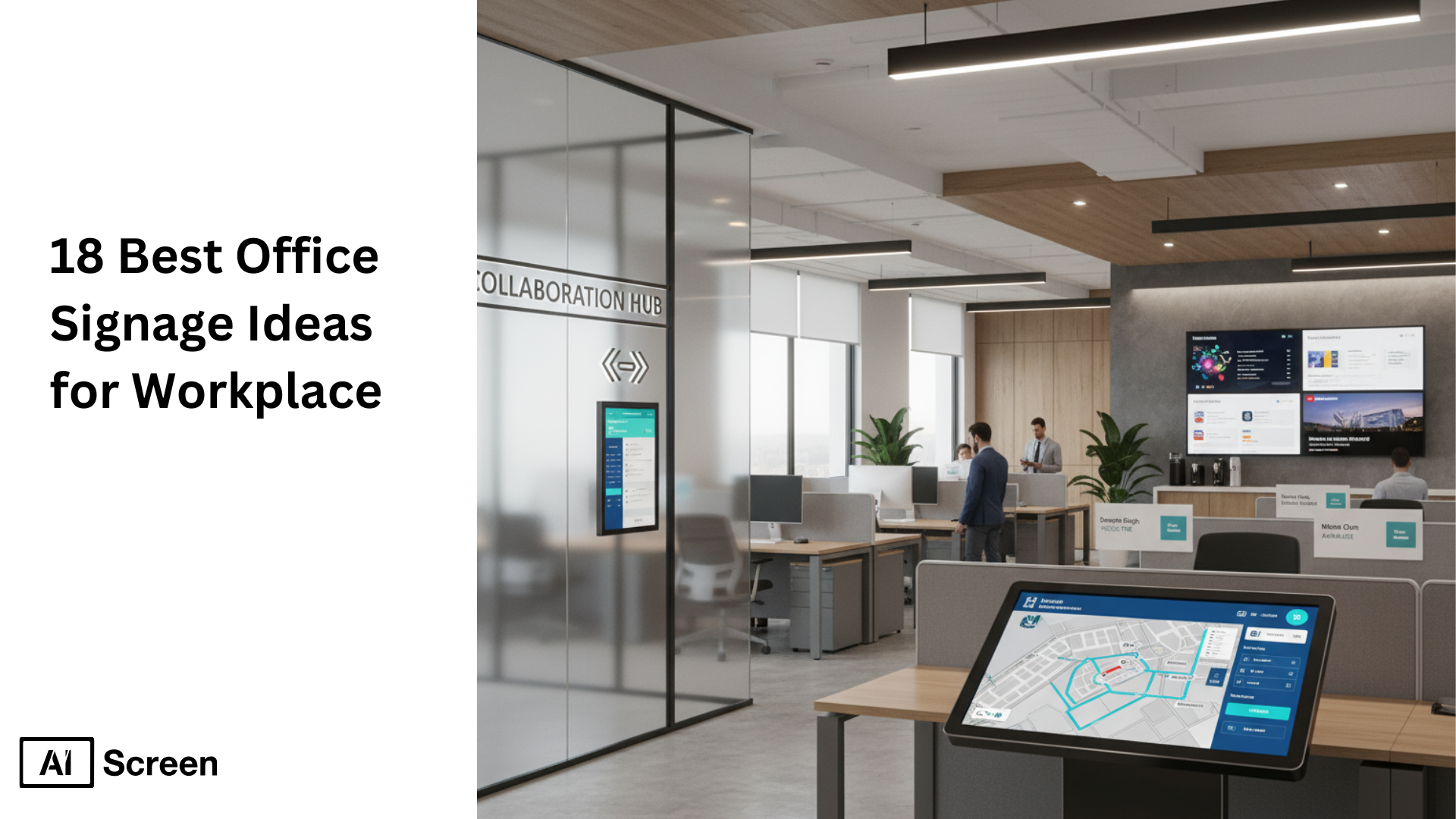
Today’s office signage plays a key role beyond simple directions. According to recent surveys, well-designed signage and digital displays boost employee engagement and reduce confusion by up to 30%. Interactive displays and digital wayfinding are trending as offices become more dynamic and multi-functional. Combining functionality with stylish design creates an inspiring workplace that reflects brand identity and encourages collaboration. So, are you ready to transform your office?
In this article, “you will discover 18 best office signage ideas for workplace,” including digital screens for instant updates, ADA-compliant safety signs, engaging break room displays, and conference room signages that blend aesthetics with navigation. These signage ideas not only simplify navigation but also elevate the entire office environment for employees and visitors alike.
1. Wayfinding Office Signage
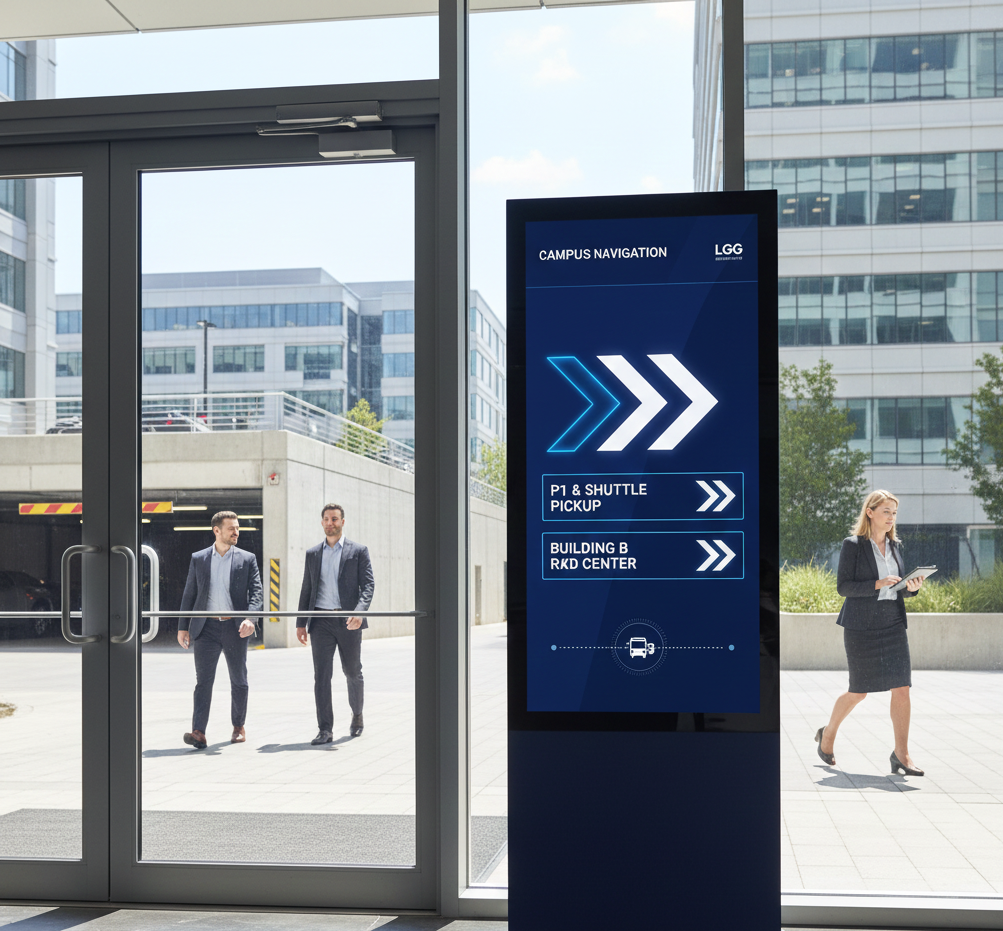
“Ever wonder how visitors find their way around a sprawling office complex without getting lost?” That’s where wayfinding signage steps in to guide employees and guests smoothly through large office spaces.
This signage includes directional arrows pointing to departments and exits, detailed maps, and digital directories that update in real-time.
Designed with accessibility in mind, wayfinding signs use clear typography, high contrast colors, and universal symbols to ensure everyone, including visually impaired individuals they can navigate with ease.
Beyond functionality, these signs also maintain a polished, professional aesthetic that reinforces your office’s brand identity while creating a welcoming environment.
2. Interactive Office Digital Signage
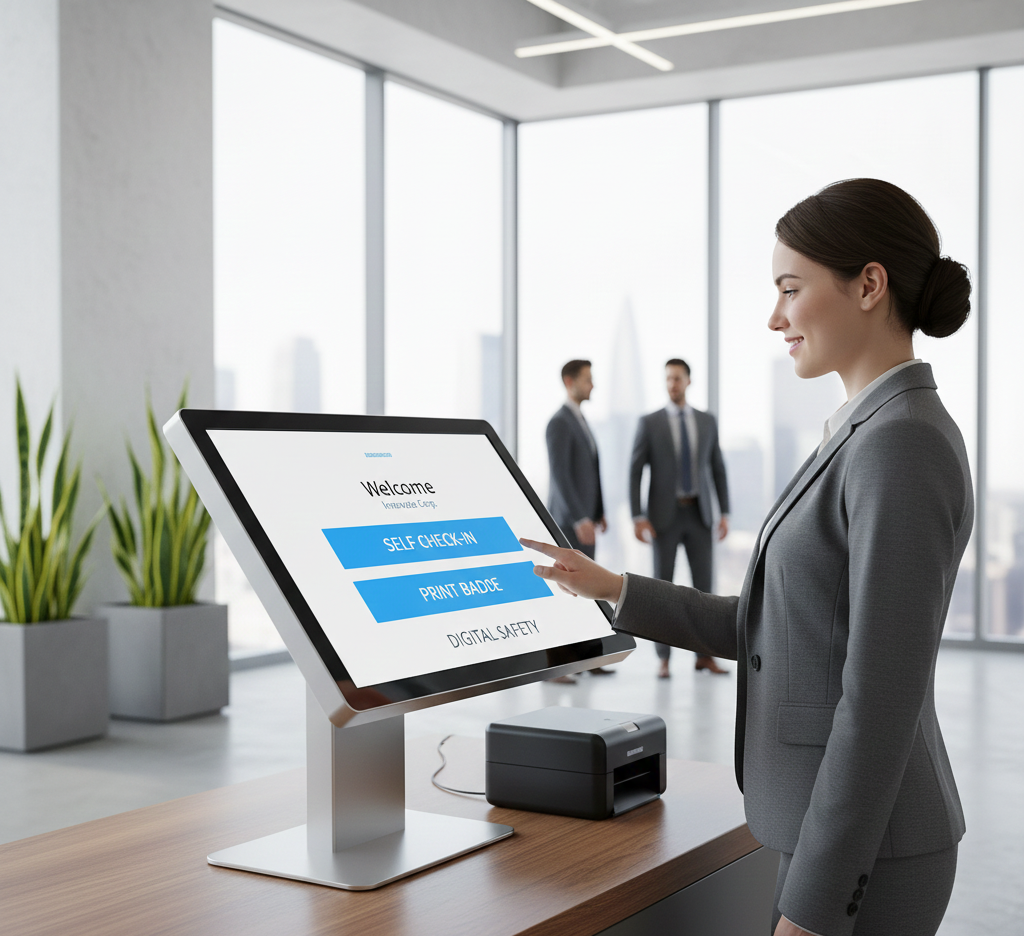
“Looking for a way to boost communication and engagement in your office?” Interactive digital signage with kiosks and touch displays is the answer.
These intuitive digital signage screens enable employee communication, guest check-ins, and quick access to meeting room booking or company updates, all in real time. The benefits?
Instant updates ensure your messages stay fresh, increase employee engagement by making information accessible and interactive, and enhance the overall visitor experience.
These smart displays also allow content customization, making them versatile tools for any modern workplace seeking to improve connectivity and streamline operations.
3. ADA Compliant Signage
“Wondering what ADA compliance really means for your office signs?” ADA, or the Americans with Disabilities Act, ensures your signs are accessible and inclusive for everyone, including people with disabilities.
This involves specific design standards such as raised characters that are at least 1/32 inch high, braille integration using dome-shaped dots, and high contrast color schemes to aid visibility.
Placement guidelines require tactile signs to be mounted between 48 to 60 inches from the floor, located on the latch side of doors for easy reach.
Using non-glare finishes and clear, sans-serif fonts enhances readability, ensuring your signage meets legal standards and welcomes all individuals equally.
4. Fire Safety Office Signage
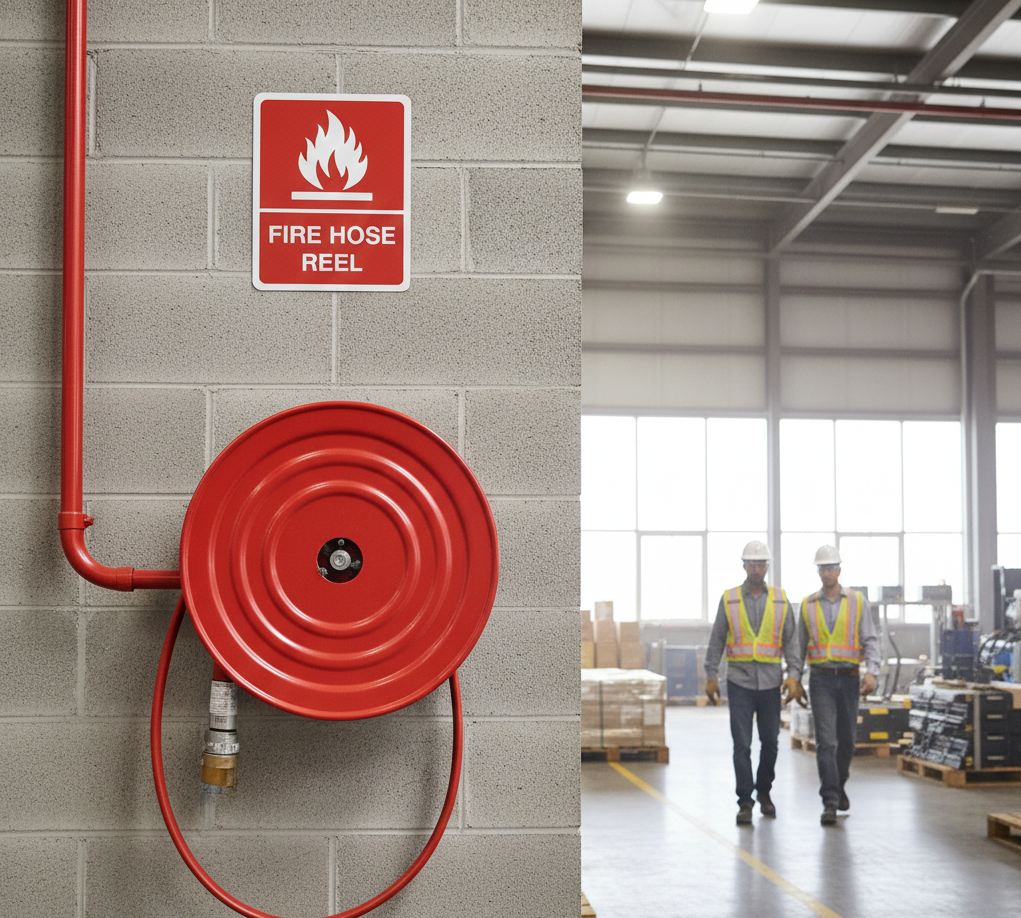
“Think fire safety signs are just a legal checkbox? Think again.” Fire safety signage is mandatory and plays a critical role in protecting lives during emergencies.
These signs include exit route markers, fire alarms, and fire extinguisher indicators, designed to be highly visible and easy to understand under pressure.
For example, exit signs guide occupants to the nearest safe exit, while fire extinguisher signs pinpoint important firefighting equipment.
Compliance with safety codes like NFPA and local fire regulations is essential, and signs should be strategically placed along evacuation routes, near firefighting gear, and at key decision points.
These signs often use photoluminescent or illuminated materials to ensure visibility even in smoke-filled or low-light conditions, making them vital components of your office’s safety plan.
5. Photoluminescent Demarcation
“Ever wondered how people safely exit during a blackout?” Photoluminescent safety markers, or glow-in-the-dark strips, are essential for stairways and emergency exits.
These signs use luminescent materials that absorb and store light, then emit a glow when power fails, providing continuous visibility without electricity.
They help highlight step edges, exit pathways, and door perimeters, reducing trip hazards and guiding occupants clearly even in smoke or darkness.
Meeting codes like NFPA 101 and the International Building Code, these glow-in-the-dark markers improve safety, compliance, and peace of mind during emergencies by ensuring uninterrupted evacuation guidance.
6. Branding Wall Graphics Office Signs
“Want your office walls to speak volumes about your brand?” Branded murals and wall decals are excellent tools to reinforce your company’s identity across your workspace.
These graphics can feature everything from your mission statement and core values to slogans and logos, creating a cohesive and inspiring environment.
Imagine a large mural in the lobby showcasing your brand’s journey or vinyl decals in break rooms with motivational quotes aligned with your culture.
Using your brand colors and consistent design elements on walls not only boosts aesthetic appeal but also strengthens visual identity and employee pride.
Incorporating these creative elements transforms ordinary walls into powerful storytellers that connect your team and impress visitors.
7. Interactive Kiosks
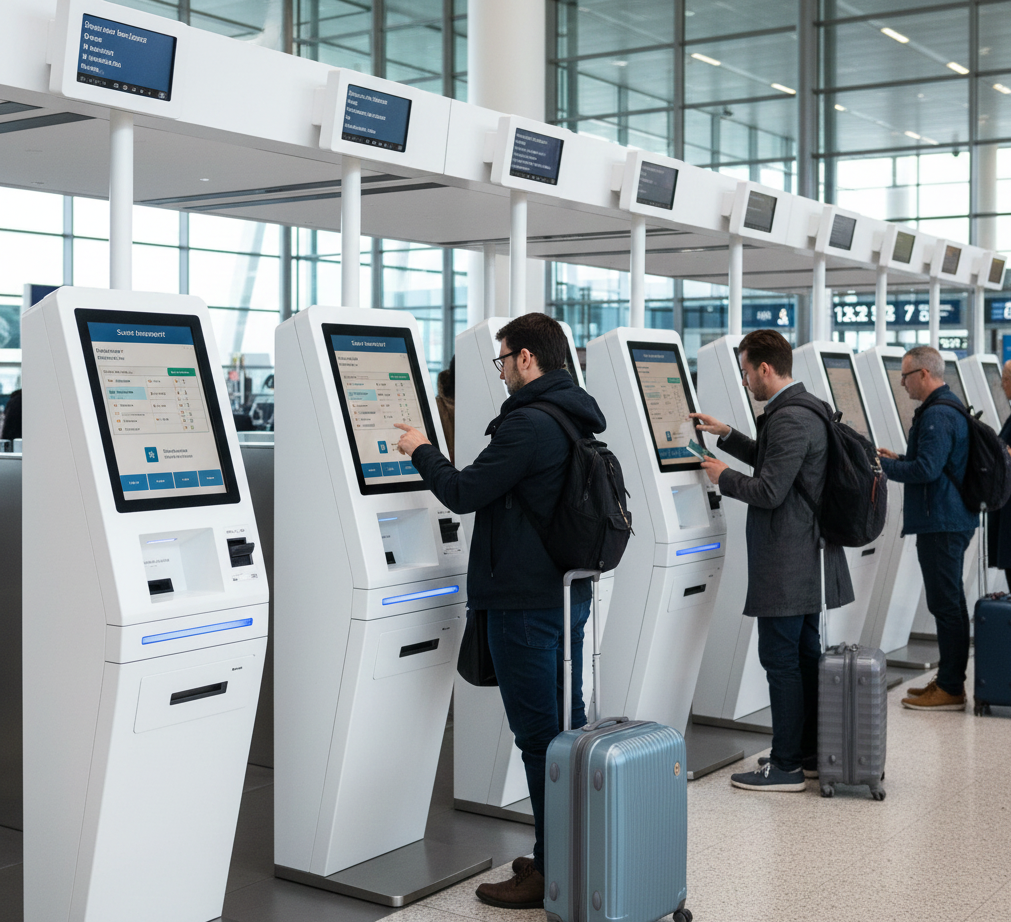
“Imagine a seamless way to book meeting rooms or check in as a visitor with just a few taps.” Interactive touch-based kiosks make this a reality.
Positioned in lobbies or near conference rooms, these kiosks allow users to search for available rooms, book spaces instantly, register visitors, or access internal communications.
Integration with digital signage software enables real-time updates on room availability, simplifying scheduling and helping avoid conflicts.
Their interactive nature also enhances user experience, reduces administrative workload, and keeps your office running efficiently by putting booking and information access right at employees’ and guests’ fingertips.
8. Conference Room Availability Displays
“Ever walked up to a meeting room only to find it’s occupied?” Conference room availability displays solve this common frustration by showing real-time meeting schedules and occupancy status right outside each room.
These digital displays sync seamlessly with popular calendar systems like Google Calendar and Microsoft Outlook, ensuring up-to-date information without extra manual input.
Users can quickly see if a room is free, who booked it, and for how long, helping avoid double bookings and wasted time.
Offering options like e-paper, touchscreen, or tablet-based panels, these displays improve space utilization and foster a smoother meeting experience throughout your office.
How Does Office Signage Streamline Room Booking?
A thoughtful conference room setup keeps meetings on schedule and helps teams find the right space fast. Pairing clear room signage with booking panels turns every gathering into a smooth experience for staff and guests. See the full walkthrough in our guide to digital signage conference room setup so your office runs without booking clashes.
Office signage can also show room availability, upcoming meetings, capacity, and schedule changes in real time. By giving employees clear information at the door, digital room displays reduce confusion, prevent double bookings, and make shared spaces easier to manage throughout the day.
9. Reception Area Signage
“Want to wow visitors the moment they walk in?” Digital welcome boards and brand introduction screens in reception areas do just that.
These vibrant displays greet guests with personalized messages, showcase your brand colors and logos, and provide helpful visitor information such as directional maps or event announcements.
Real-time content updates ensure fresh, relevant messaging that reflects your company’s latest news and culture.
Reception signage creates a polished first impression, making visitors feel valued and boosting your organization’s professional image from the get-go.


10. Restroom Signage
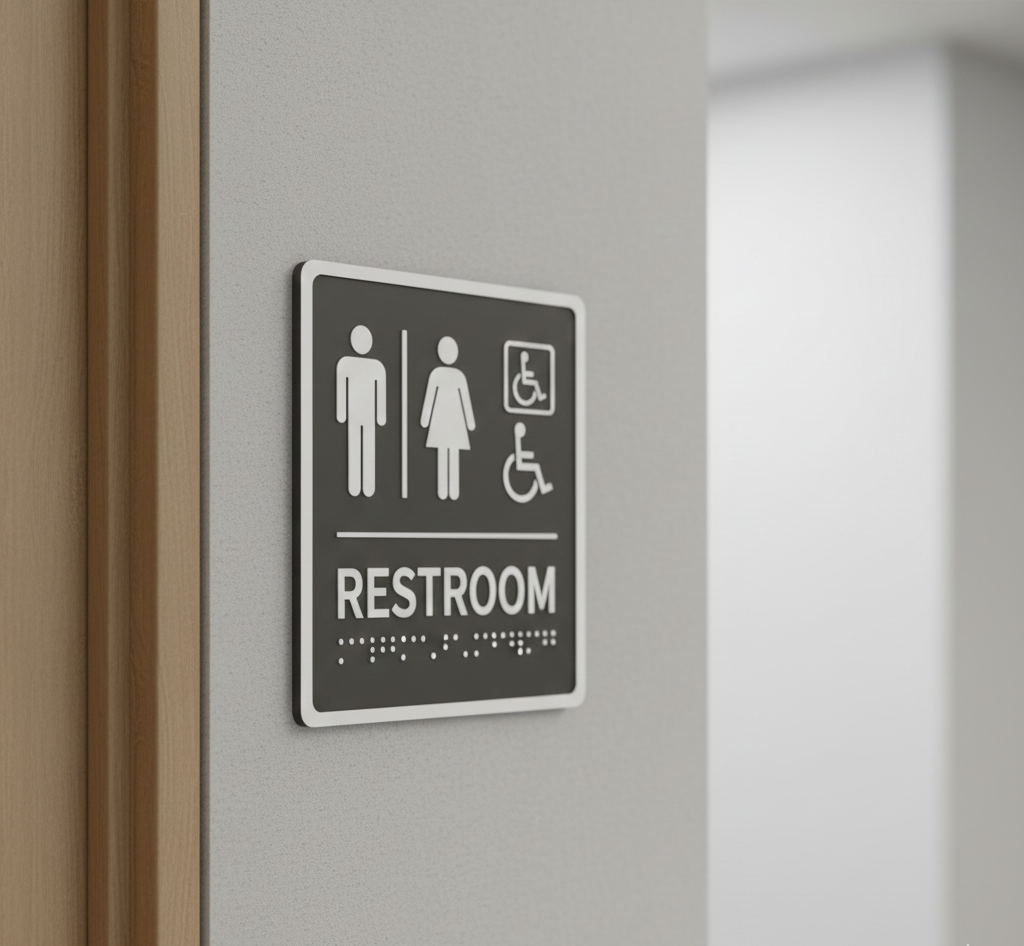
“Want restroom signs that everyone can understand and appreciate?” Modern restroom signage focuses on inclusivity and clarity with gender-neutral, accessible, and visually clear designs.
Using simple, sans-serif fonts for readability, signs employ universally recognized pictograms and symbols to guide users easily.
ADA compliance is key: featuring your digital signage with raised characters, Grade 2 Braille, and high-contrast colors to support visually impaired individuals.
Placement guidelines recommend mounting signs between 48 and 60 inches from the floor, typically on the latch side of the door for easy access.
These signs balance functionality with aesthetics, often using durable materials like acrylic or metal, and can be customized to match your office’s brand colors while ensuring an inclusive environment for all.
11. Departmental Signs
“Ever wonder how to make your office layout instantly clear to everyone?” Departmental signs are the answer.
These labels designate specific areas like HR, Finance, or Marketing, making it easier for employees and visitors to find their way while improving internal communication.
Using color-coded signage systems adds an extra level of clarity. Each department can have its unique color for instant recognition.
Digital panels, on the other hand, offer flexibility by allowing real-time updates to department names or room assignments.
Together, these signage options boost navigation efficiency, reduce stress, and contribute to a well-organized office environment that supports productivity and collaboration.
12. Emergency Exit Signs
“Did you know emergency exit signs are legally required to ensure safe evacuation?” Clear, illuminated exit signs are mandated by OSHA and NFPA to reliably guide occupants during emergencies.
Signs must display the word “EXIT” in at least six-inch-high letters with a stroke width of three-quarters inch and provide high contrast for easy visibility.
Proper placement is critical. The exit signs should be installed above exit doors, along exit corridors, and at decision points with directional arrows if needed.
To maintain visibility during power failures, exit signs must include battery backup or be photoluminescent, glowing in the dark after exposure to light.
Regular inspection ensures they remain unobstructed and fully functional, contributing to a safer office environment and compliance with life safety codes.
13. Visitor Information Boards
“Looking for an efficient way to keep visitors informed and comfortable?” Digital visitor information boards are the solution.
These dynamic displays provide maps, company policies, announcements, safety guidelines, and Wi-Fi details in a clear, visually appealing format.
One major advantage is their real-time updating feature, allowing you to quickly keep content fresh as needed, which is perfect for special upcoming company events, emergency alerts, or new office policies.
Admins can manage the boards remotely, ensuring the information is always current and relevant.
This technology enhances the visitor experience by simplifying navigation, communication, and overall engagement within your office environment.
14. Sustainability Messaging
“Want your office signage to reflect your commitment to the planet?” Eco-friendly signage materials, such as FSC-certified wood, bamboo, recycled plastics, and aluminum, offer sustainable alternatives to traditional options.
These materials reduce environmental impact through recyclability, responsible sourcing, and lower carbon footprints.
Digital signage boards further promote sustainability by displaying energy-saving reminders, carbon footprint dashboards, and eco-initiatives, helping communicate your company’s green goals effectively.
Integrating sustainable signage not only supports environmental responsibility but also enhances your brand’s reputation as a forward-thinking, conscious business.
15. Interactive Feedback Stations
“Want to hear what your employees or guests really think, instantly?” Interactive feedback kiosks are touch-based stations placed in strategic office locations like break areas or lobbies, making it easy for users to submit their thoughts on the spot.
These kiosks gather real-time, actionable data on employee satisfaction, workspace conditions, or visitor experiences through social feeds and other channels.
With customizable surveys featuring smiley faces, multiple-choice, or open text, they boost response rates and provide honest insights.
The collected feedback from many employees helps management quickly identify issues, improve engagement, and make data-driven decisions, fostering a more responsive and connected company culture.
16. Directional Floor Decals
“Want to guide foot traffic without adding clutter to your wall space?” Vinyl floor graphics are a sleek and practical solution.
Used extensively in open offices and event zones, these durable, adhesive-backed decals provide clear directional cues like arrows or footprints that lead visitors and employees effortlessly.
Floor decals maximize your office’s navigational efficiency without intruding on wall or ceiling space, and their slip-resistant surfaces ensure safety.
They are customizable in shape, size, and color to align with branding or specific wayfinding needs, making them a functional and aesthetically pleasing signage option for busy environments.
17. Accessibility Pathways
“Wondering how to make your office truly inclusive for everyone, including visually impaired individuals?” Accessibility pathways use tactile and visual floor guidance systems designed specifically to aid navigation for people with visual impairments.
Tactile pathways employ raised surfaces, textured tiles, or detectable warning strips on floors to provide physical cues that can be felt underfoot or with canes.
Visual guidance includes high-contrast colors and clear markings that help individuals with low vision navigate safely.
These pathways must comply with ADA standards, ensuring minimum widths of 36 inches for wheelchair accessibility and barrier-free routes.
Inclusive design not only meets legal requirements but fosters an environment where everyone can move independently and confidently within the workspace.
18. Seasonal or Event Office Signage
“Want your office to stay fresh and festive year-round?” Rotating signage for holiday themes, internal celebrations, or product launches keeps your workspace lively and engaging.
Digital signage templates make updating content a breeze as they allow quick customization with your brand colors, logos, and event details.
Using these templates saves time and effort, enabling seamless transitions between different themes or announcements without redesigning from scratch.
Whether it’s Halloween, Christmas, a company milestone, or a product rollout, digital templates help maintain brand consistency and eye-catching communication that resonates with employees and visitors alike.
How to Create an Impactful Office Signage Design?
Creating impactful office signage is essential for enhancing workplace navigation, reinforcing brand identity, and fostering a professional environment. Right signs not only direct employees and visitors efficiently but also reflect your company’s values and aesthetics. By applying practical design principles tailored to your business space and brand, you can effectively create simple signs that are both functional and visually engaging.
Step 1: Understand Your Office Space and Branding Needs
Begin by assessing your entire workspace layout, traffic flow, and visitor patterns. Identify high-traffic areas and decision points such as entrances, hallways, and intersections, where signage will have maximum visibility. Understand your organization’s identity, tone, and personality to ensure the signage style aligns with your company’s overall image and communication style.
Step 2: Choose the Right Type of Office Signage
Select signage types that align with your goals: use wayfinding signs to guide navigation, branding signs to reinforce identity, safety signs for safety protocols and compliance, and communication signs to share updates about upcoming events and other ideas and information about different departments. Consider both physical signs like wall plaques and floor decals, and digital signage for dynamic, real-time content updates.
Step 3: Focus on Readability and Visual Hierarchy
Use clear, legible typography such as sans serif fonts (Arial, Helvetica) with sufficient size for viewing at different distances. Ensure high color contrast between text and background to maximize visibility. Structure content with a clear visual hierarchy and emphasize key messages with a larger font or bold weight to guide the viewer’s attention effectively.
Step 4: Incorporate Brand Personality and Aesthetics
Use your brand’s colors, icons, and logos consistently in all signage to maintain a cohesive look and long-term visual impact. Balance creativity with clear safety messaging using functional signs, as they can also be visually engaging by using brand motifs and design elements. This reinforces brand recognition and contributes to a professional office atmosphere.
Step 5: Test Placement and Lighting Before Final Installation
Check natural lighting conditions to avoid glare and ensure signs are illuminated or easily visible in all situations. Conduct mock-ups or temporary placements to gather feedback from users on readability and effectiveness. Adjust placement as needed to optimize visibility and user experience before finalizing installation.
Can Office Signage Ideas Suit Community Spaces?
The same signage principles that guide an office also work for places of worship, where clear direction and warm branding welcome every visitor. If your projects reach beyond the workplace, explore our roundup of church signage ideas for practical ways to inform and engage a congregation.
Community spaces can use digital displays, directional signs, welcome boards, and event screens to make information easier to find throughout the building. Adapting office signage ideas to these environments helps organize schedules, highlight announcements, guide visitors, and create a more consistent experience for everyone who enters.
Why Choose AIScreen for Office Signage?
Elevate your office communication and branding effortlessly with AIScreen, which is your all-in-one digital signage software solution with many benefits.
Experience the power of real-time content updates, ensuring your messages are always fresh and relevant. Access over 1,500 ADA-compliant, ready-to-use templates designed to meet your brand’s needs and legal requirements related to readability standards.
With AIScreen’s remote screen control, managing multiple displays across locations becomes simple and efficient. Take control today and make your office signage dynamic, compliant, and engaging with AIScreen.
Frequently Asked Questions
What is office signage used for?
Office signage is used to guide people around the workspace, reinforce brand identity, and ensure safety by displaying important information clearly. It helps visitors and employees navigate efficiently, communicate key messages, and create a professional atmosphere that reflects the company’s values.
What types of office signage are required by law?
Legally required office signage typically includes fire safety signs, emergency exit indicators, and ADA-compliant accessibility signs. These signs ensure compliance with safety regulations, help people evacuate during emergencies, and make spaces accessible to everyone, including those with disabilities.
How can digital signage improve workplace communication?
Digital signage improves work communication by delivering real-time updates, announcements, and performance metrics to encourage employees to perform best. It makes communication and relevant content dynamic and accessible, reaching teams across multiple locations instantly, and fosters a collaborative and motivated culture for employees working with visually appealing content.
What materials are best for long-lasting office signs?
For long-lasting office signs, durable materials like acrylic, metal, and high-quality vinyl are ideal. These materials resist wear and tear, maintain color vibrancy, and can withstand various indoor conditions, ensuring signs stay clear and professional-looking over time.
How often should office signage be updated?
Office signage should be reviewed and updated regularly, typically annually or whenever there are significant changes in branding, layout, or safety regulations. Digital signs can be updated instantly to keep information fresh, while physical signs should be checked periodically to remain relevant and compliant.
