
How to Set Up Digital Signage With Live TV?

Setting up digital signage with live TV requires a combination of digital displays, media players, and reliable digital signage software that supports live streaming integration. Businesses typically connect live TV sources; such as cable, IPTV, or streaming platforms; to screens using HDMI or network-based solutions, then manage content through a content management system (CMS). According to Statista, the global digital signage market is projected to reach $31.71 billion by 2025, highlighting the rapid adoption of real-time display solutions.
This article explains how to set up and optimize digital signage software with live TV using the right hardware, cloud-based CMS, and high-speed connectivity. By combining live broadcasting with data-driven digital signage, businesses can create scalable, interactive display networks that enhance customer experience and operational efficiency.
What is Live TV?
Live TV signifies broadcasting live television programs on digital screens that are frequently incorporated into a network of digital signs. This covers broadcasting of newscasts, sporting events, showcasing promotions, live conferences, and entertainment channels that are directly displayed on a signage screen, popularizing and significantly contributing to the global digital signage market, reaching USD 45.94 billion by 2030.
Why Use Digital Signage Software to Display Live TV?
Digital signage software is used by businesses to display live TV as a powerful communication tool, and thus, they attain 32% greater audience retention rates, as stated by AVIXA’s 2024 industry prediction. This is due to the fact that integrating traditional programming with personalized digital signage information helps to keep viewers’ attention while conveying powerful messages.
AIScreen’s digital signage software lets users set up processes, plan content, overlay real-time social network feeds, and place promotions during commercial breaks. Your signage displays should be vibrant and versatile to deliver impactful messages.
What are the Best Live Streaming Sources for Digital Signage?
The best live streaming sources for digital signage platform include IPTV, YouTube Live, and cloud-based streaming platforms that deliver real-time content, live events, and interactive media. These modern alternatives to traditional broadcast TV provide greater content control, flexibility, and personalization, helping businesses create more engaging and targeted display experiences.
Explore these more relevant and engaging live content sources as effective alternatives to traditional broadcast TV for digital signage:
YouTube Channel Streaming for Real-Time Digital Content
YouTube Live streaming provides a wide range of real-time content, including news, sports, events, and branded streams. Businesses can integrate these streams into cloud-based digital signage software using full-screen or multi-zone layouts, making them ideal for retail, hospitality, and corporate environments.
IPTV and Curated Live TV Platforms for Targeted Streaming
IPTV and OTT platforms deliver curated live TV content such as business news, educational programs, and lifestyle entertainment. These sources offer better content control, fewer ads, and seamless integration with digital signage software.
Live Webinars and Presentations for Internal Communication
Live streaming webinars, town halls, and digital signage for corporate presentations can be broadcast across multiple digital signage screens, improving internal communication and employee engagement. Tools like Zoom, Microsoft Teams, and Google Meet enable real-time streaming via shareable links, making them effective for hybrid workplaces and distributed teams.
Enhanced Live Content with Digital Signage Overlays
Digital signage software enhances live streaming by layering real-time data, news tickers, weather updates, QR codes, and branded visuals over video content. This approach maximizes screen engagement and ensures relevant messaging.
How Do You Set Up Digital Signage Software with Live TV Easily?
Step-by-step guide of setting up live TV with digital signage software includes a smooth process or methodical setup procedure. It covers software functionality and key features, combining with the appropriate hardware to create a smooth experience.
Step 1: Log In Digital Signage Software
Access your AIScreen account by logging in with your credentials.
Step 2: Access the Live URL Section
To steam Live URL, navigate to the left menu where the Live URLs option is listed.

Step 3: Create a New Link
Click on the Create Link button. This will open a new page where you can set up your live link broadcasting.


Step 4: Paste Your URL
In the Write URL field, paste the copied URL that you want to broadcast on digital signage. This URL will be the content displayed to your audience in real time.


Step 5: Name and Save
Assign a Name: Enter a clear and descriptive name that reflects the purpose or content of the digital signage screen (e.g., “Social Wall Display,” “Main Lobby Screen,” or “Weekly Dashboard”).
Click “Save” to apply changes and deploy the wall on your screen.
Step 6: Launch Your Content Live
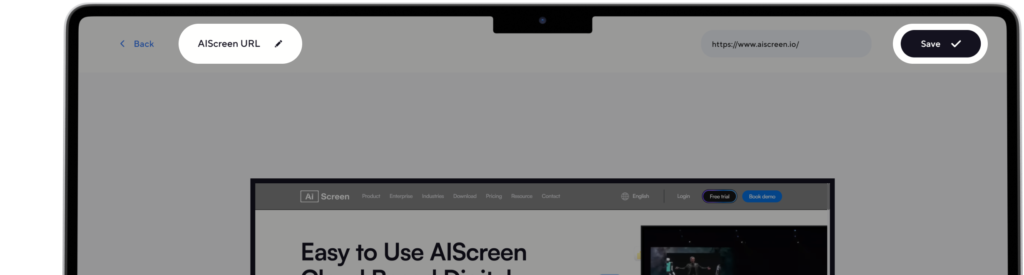
Launch your content live after configuring your display and stream URL. Just hit ‘play’ from the AIScreen dashboard, and now you can broadcast live TV as part of your digital signage network.
How to Setup YouTube Live into AIScreen?
YouTube Live integration with AIScreen transforms static displays into dynamic digital signage screens by streaming videos, playlists, and live content in real time. Businesses can use this feature to showcase product demos, tutorials, brand storytelling, and entertainment content, creating a more engaging and interactive viewer experience.
Step 1: Register and Log In to AIScreen
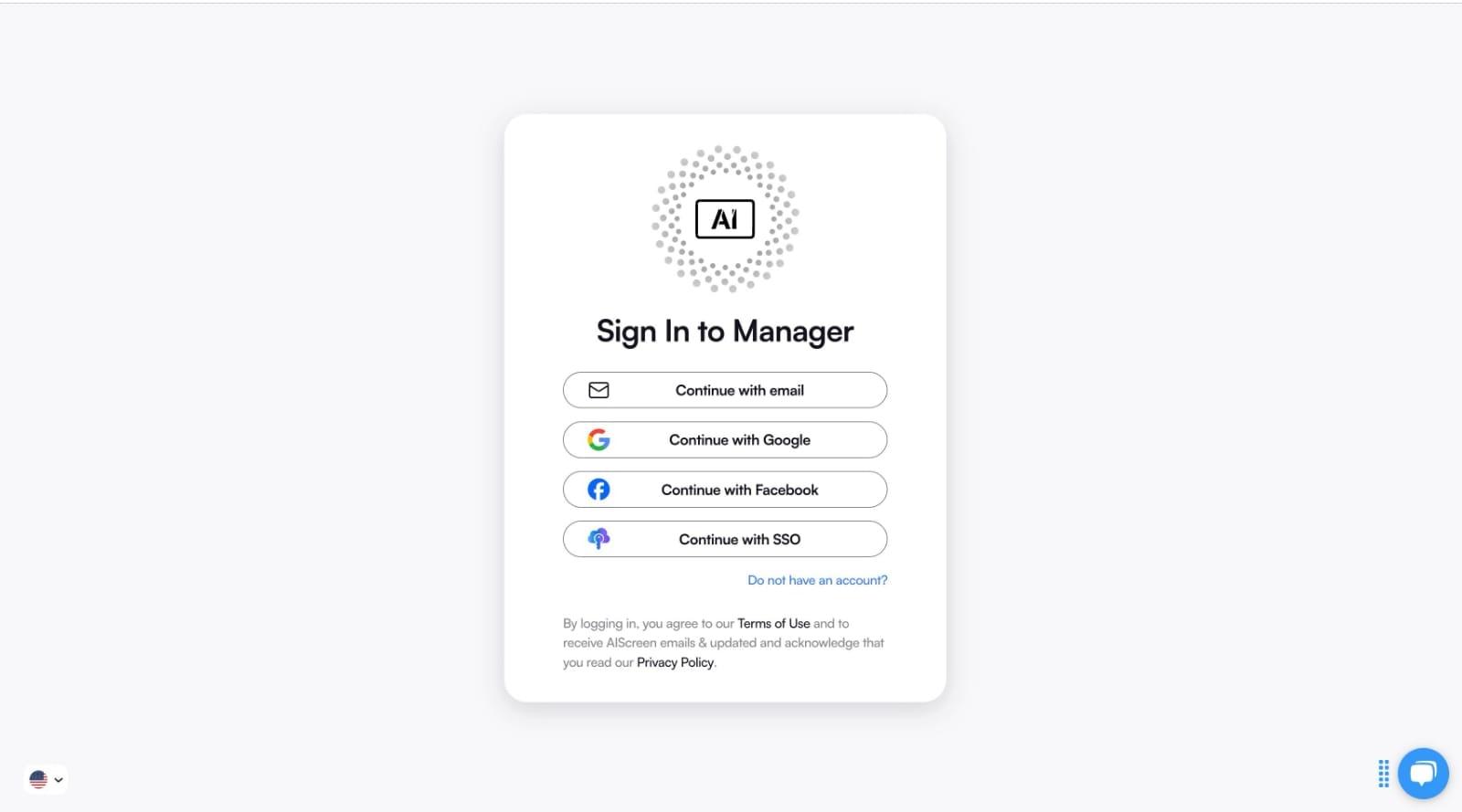
Start by creating an account on AIScreen and logging in using your email and password. This gives you access to the digital signage dashboard, where you can manage screens, apps, and content.
Step 2: Add YouTube from the AIScreen App Store
2.1 Opening the App Store
After logging in, navigate to the Apps section from the left-hand menu
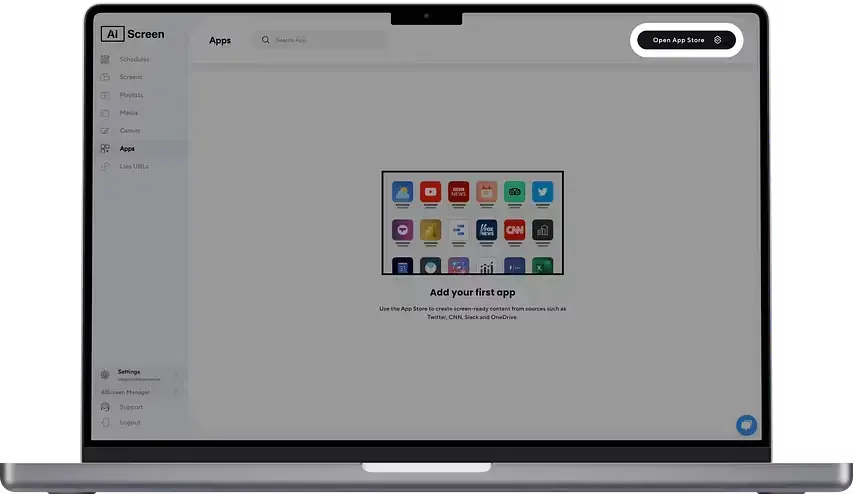
Then, click the Open App Store button in the top-right corner to access the app catalog.
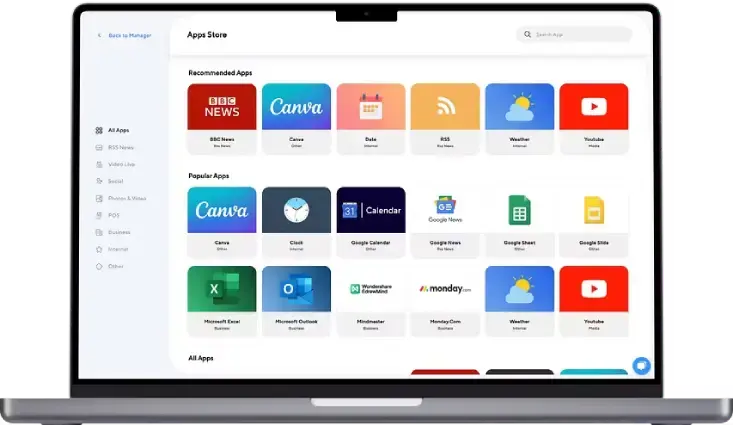
2.2 Find YouTube for Digital Signage Displays
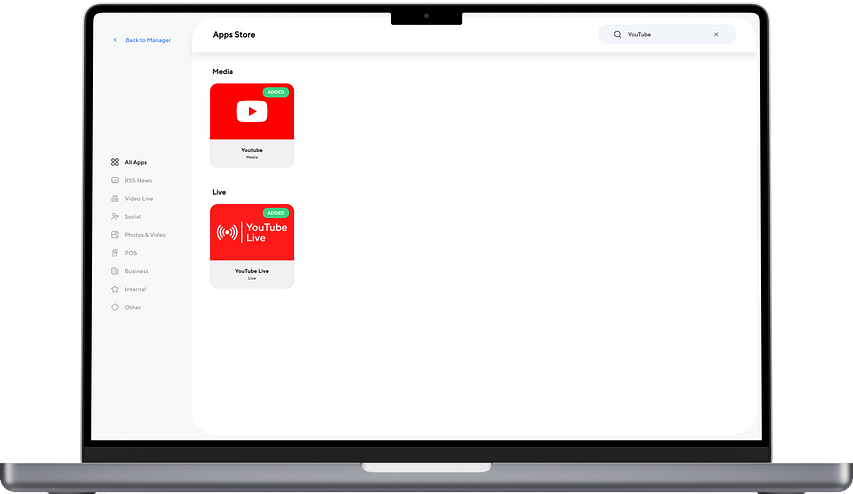
In the search bar, type “YouTube” to locate the app.
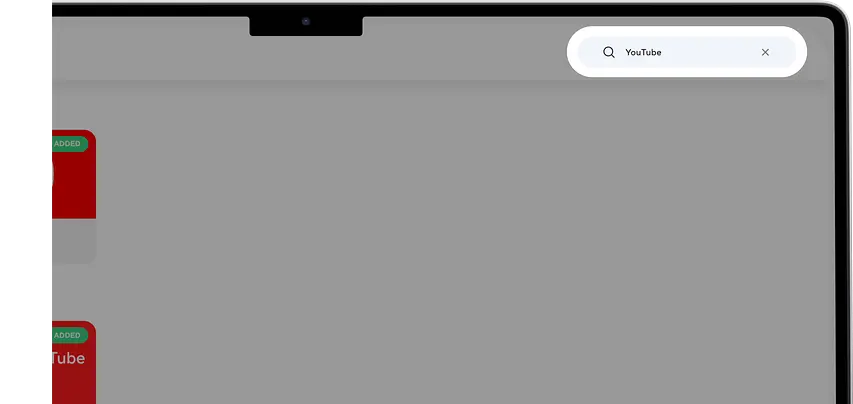
Then, select the YouTube app from the available results to proceed.
2.3 Opening YouTube
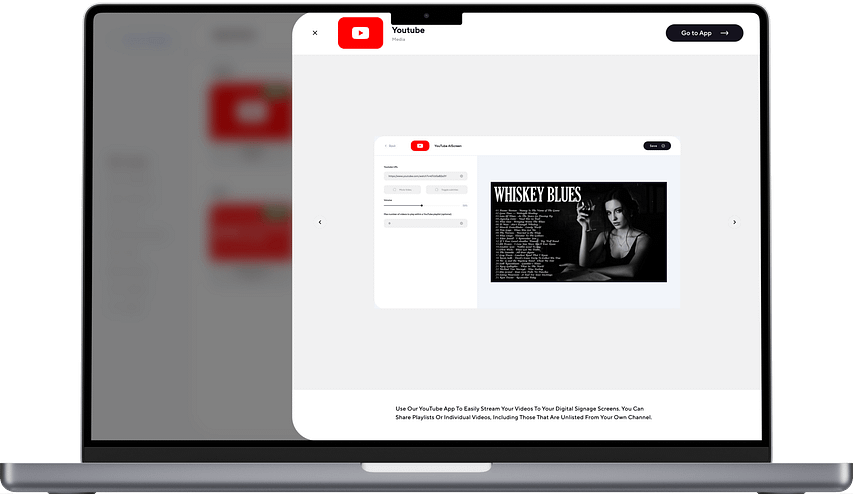
Click on the YouTube application icon.
In the pop-up window, select Go to App to open it.
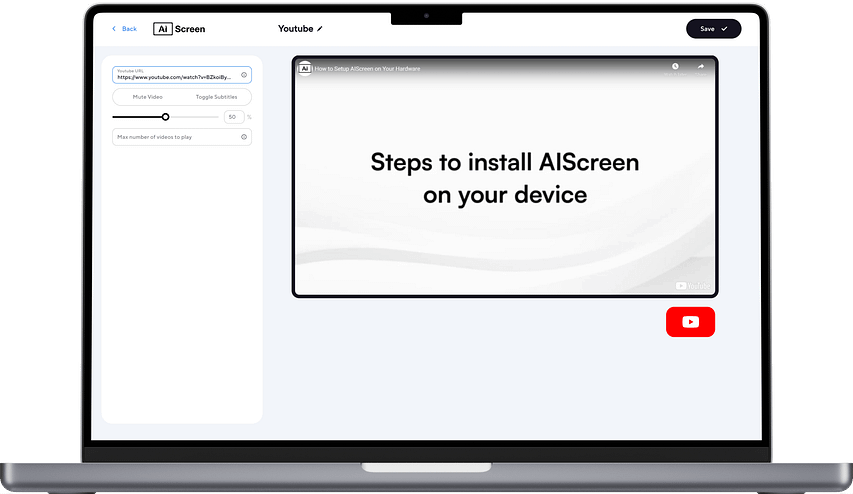
Step 3: Set Up YouTube for Digital Signage
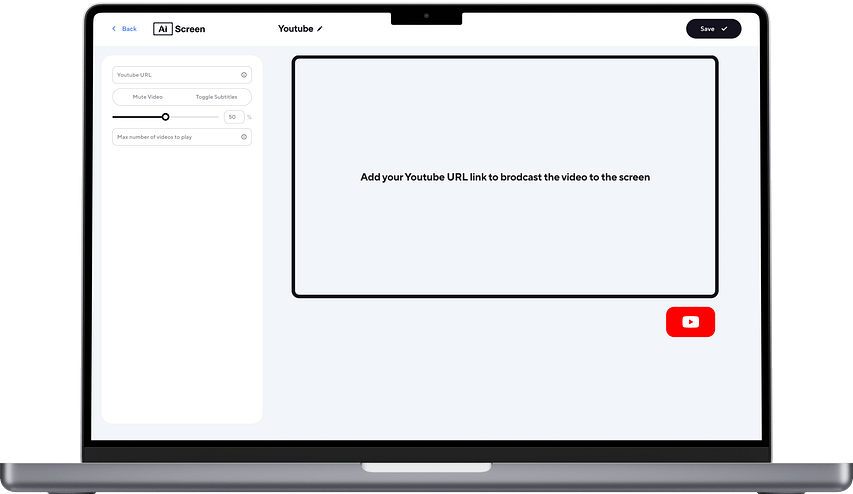
Customize how your videos appear on screen by adjusting playback and display settings.
3.1 Add a YouTube Video or Playlist
Copy the URL of your desired YouTube video or playlist.
Paste it into the YouTube URL field.
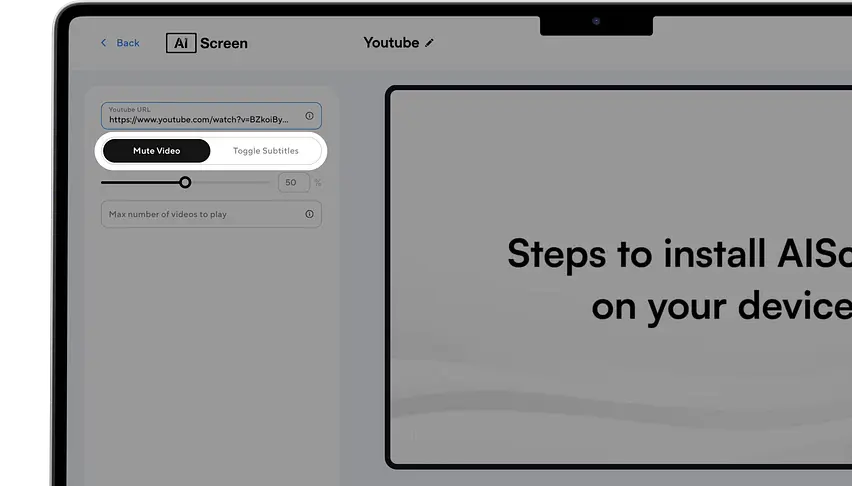
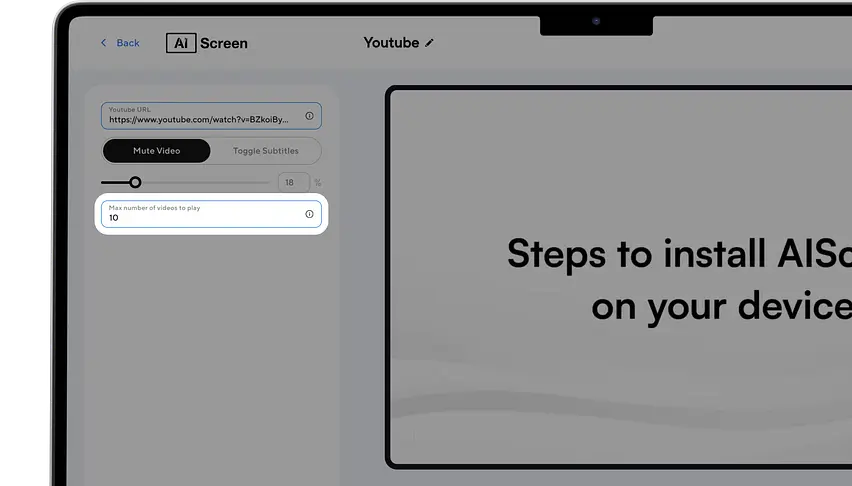
3.2 Mute Video Sound
Enable the Mute Video option to play content without sound.
Leave it off if audio is required.
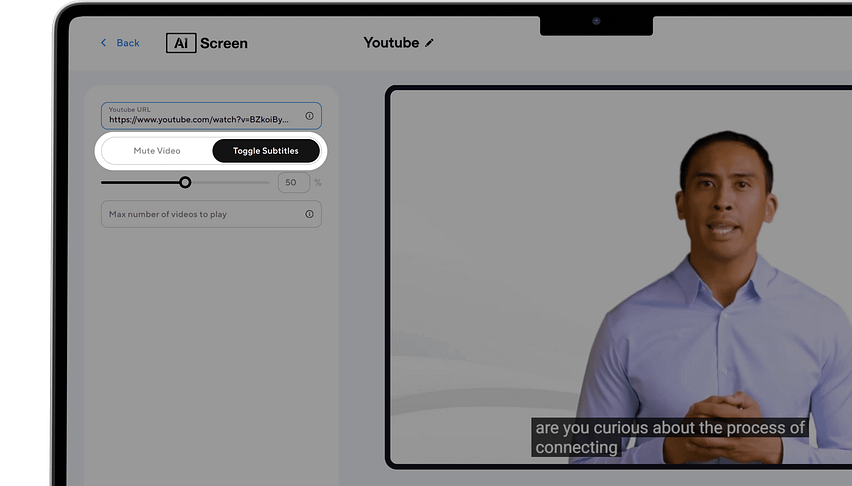
3.3 Enable Subtitles
Turn on the Subtitles toggle to display captions on the screen.
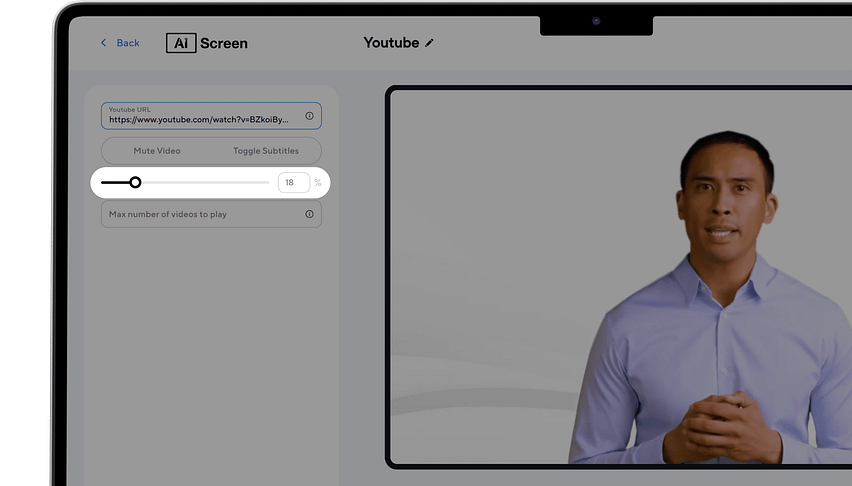
3.4 Adjust Volume
Use the volume slider to set the preferred sound level.
3.5 Limit Playlist Content
If using a playlist, set the maximum number of videos to display (e.g., 6) in the provided field.
3.6 Name and Save
Enter a clear name for your setup (e.g., Main Lobby Screen or Social Wall).
Click Save to apply and publish your content to the screen.
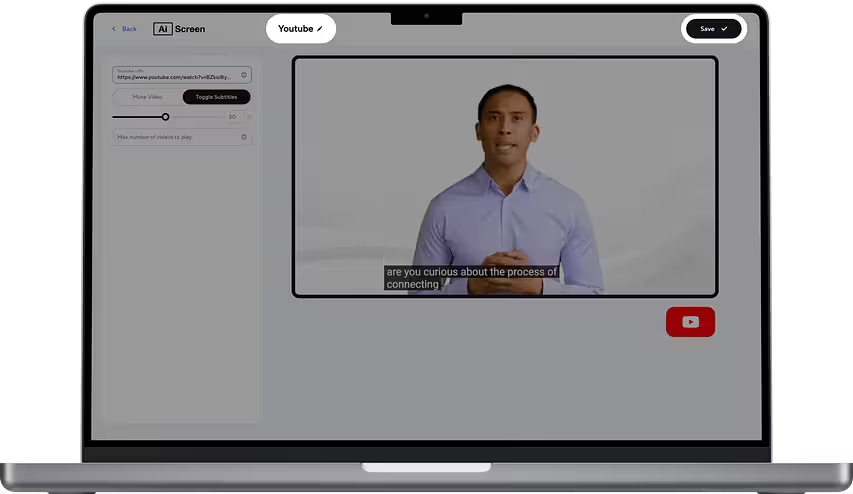
Step 4: Optimize and Deploy Content
Assign a clear name to your display setup (e.g., lobby screen, product showcase, or social wall) and save the configuration. Once deployed, your digital signage display will stream YouTube content in real time, creating an engaging and visually appealing experience.
What Are the Benefits of Integrating Live Streaming into Digital Signage?
The benefits of integrating live streaming into digital signage include improved content relevance, higher customer engagement, stronger brand control, and more flexible real-time communication. Using digital signage software, businesses can deliver live video, personalize messaging, and combine broadcasts with promotions or updates, making digital displays more dynamic, interactive, and effective.
- Relevance: Curated live content aligns with real-time context, ensuring digital screens display timely and useful information.
- Engagement: Viewers are more likely to engage with live video, especially when it includes local, branded, or event-based content.
- Internal Communication: Live streaming of corporate events, town halls, and updates improves transparency and strengthens team connection.
- Brand Control: With digital signage CMS, businesses can overlay branding, messaging, and visuals, ensuring consistent brand identity.
- Flexible Messaging: Using screen zones and overlays, businesses can combine live TV, promotions, ads, and real-time updates for a more dynamic and targeted communication strategy.
How is Digital Signage with Live TV Used in Singapore?
In this blog, we explored how digital signage with live TV enhances real-time communication and customer engagement. To see how these strategies are applied in a fast-growing market, explore what is the best digital signage system in Singapore?, where you’ll learn how businesses leverage advanced digital signage solutions, smart displays, and localized content to drive engagement and improve operational efficiency.
Smoothly Showcase Live TV with AIScreen’s Digital Signage Software
Smoothly showcase live TV with AIScreen’s digital signage software for fast, efficient, and scalable communication. It supports a significant range of media players, platforms, and other devices. It also facilitates its cloud-based content management system so that businesses can create, upload, and manage their digital signage content effortlessly.
AIScreen is an ideal choice to showcase live stream broadcasts alongside social media feeds, promotional videos, or interactive messaging. Whether it is used in a single location or multiple locations, AIScreen always ensures a seamless experience for its customers with minimal hardware investment.


FAQs
How do I manage live TV content in digital signage software?
You can manage the live TV content in digital signage software by using the AIScreen software dashboard to schedule, preview, and monitor live stream feeds. You can also switch between content sources in real time. Effective content scheduling helps optimize audience engagement and operational efficiency.
Can digital signage software sync with live TV broadcasts?
Yes. digital signage software can sync with live TV broadcasts using URL streaming or HDMI capture devices connected to set-top boxes. This integration supports real-time broadcast of events, news, and entertainment directly on your digital signage screens.
How do I stream live TV to digital signage displays?
You can stream live TV to digital signage displays by either inputting a live stream URL or using a media player (like an Android TV box) connected to your TV. Platforms like AIScreen provide native tools to simplify setup and remote management of live content streams.
How do I troubleshoot live TV setup in digital signage software?
You can troubleshoot live TV setup in digital signage software by checking Wi-Fi strength, URL formatting, and ensuring device compatibility. Regularly update your software and firmware to avoid glitches, and reboot devices when necessary to maintain smooth streaming.
Is live TV integration supported in all digital signage software?
No, Not all live TV integration supports premium solutions like AIScreen, including YouTube Live, IPTV, and RTMP feeds. AIScreen is a trusted source to generate the best digital signage software solutions and provides businesses have reliable choices for businesses needing dynamic, real-time broadcasting.
