
How to Manage Content Across Platform: Smart Strategies for 2026
To manage content with digital signage software effectively, you need more than just a screen and good-looking visuals. It involves a well-planned content strategy, technical precision, creating playlist and the right digital signage software to ensure your messaging is timely, relevant, impactful, managing multiple screens, and potentially integrating with other data sources. In fact, according to Grand View Research, the digital signage market is expected to reach USD 45.33 billion by 2030, showing the increasing reliance on display technologies for audience communication.
In this blog, you’ll discover 6 best practices for managing digital signage content, backed by industry trends, expert insights, and real-world use cases. From scheduling content across multiple screens to integrating analytics tools for actionable feedback, these methods will help you build a powerful, scalable digital signage software tailored to your business needs.
What is Digital Signage Software for Content Management?
Digital signage software for content management enables businesses to centrally control, schedule, and update digital content across multiple screens using a unified management system.
A cloud-based content management system (CMS platform) simplifies the entire process by allowing teams to create content, organize files, and assign content to specific screens. This structured content approach eliminates content silos and ensures a cohesive brand image across locations.
With built-in tools for playlists, scheduling, and integrations, digital signage software supports the full content lifecycle, from content creation to publishing content. It helps content creators maintain content quality, avoid outdated information, and deliver engaging content tailored to different audiences.
Why Use Digital Signage Software for Managing Content?
Digital signage software helps businesses manage content effectively by streamlining workflows and improving communication across locations.
Let’s dive into exactly how you can optimize content delivery and enhance ROI:
- Efficiency: Digital signage software allows teams to manage multiple screens from one dashboard. This reduces manual effort, simplifies the content workflow, and ensures quick updates without delays.
- Engagement: Using video content, dynamic visuals, and social media channels, businesses can create engaging content that captures attention and improves customer experience.
- Data-Driven Decisions: Advanced tools provide analytics dashboards to track performance. These insights help refine the content strategy, optimize publishing schedules, and improve future content production.
- Cost-Effective: By replacing printed materials, businesses reduce costs and maintain content easily through cloud systems. Updates are instant, ensuring content stays relevant and aligned with business needs.
What are the 6 Ways to Manage Content with Digital Signage Software?
To manage content efficiently, businesses need a structured approach that combines the right tools with proven strategies. Below are six best practices that improve content management and streamline workflows.
For more inspiration, you can explore what are the best examples of managing content with digital signage software to see how successful businesses implement these strategies.
1. Use Cloud-Based Digital Signage Software
Cloud-based digital signage software allows businesses to manage content from anywhere, improving flexibility and control across locations. It strengthens content management by centralizing the entire content management process within a scalable cms platform, where teams can organize content, schedule updates, and maintain a smooth workflow.
This setup works like a digital asset management system, helping eliminate content silos and avoid unstructured content issues.
It also supports efficient content creation by giving every content creator access to shared files, templates, and tools, similar to platforms like Google Drive. Teams can set due dates, manage version history, and streamline the content process from creation to publishing, ensuring consistency across campaigns and website content.
AIScreen.io enhances cloud-based digital signage through a unified, hardware-agnostic platform supporting Android, Windows, and smart TV operating systems. It features a drag-and-drop editor with over 1,500 templates, dynamic scheduling, 70+ live data integrations, and robust remote management tools for real-time monitoring and emergency alerts.
With built-in content governance, businesses can define standards, assign ownership, and align messaging with their broader content marketing strategy to reach potential customers.
2. Implement a Centralized Content Management System (CMS)
A centralized content management system (CMS) is essential for effectively managing digital signage across locations. It simplifies the content management process by bringing all assets into a single content hub, making files easily accessible and organized using a clear naming convention to avoid confusion with existing ones.
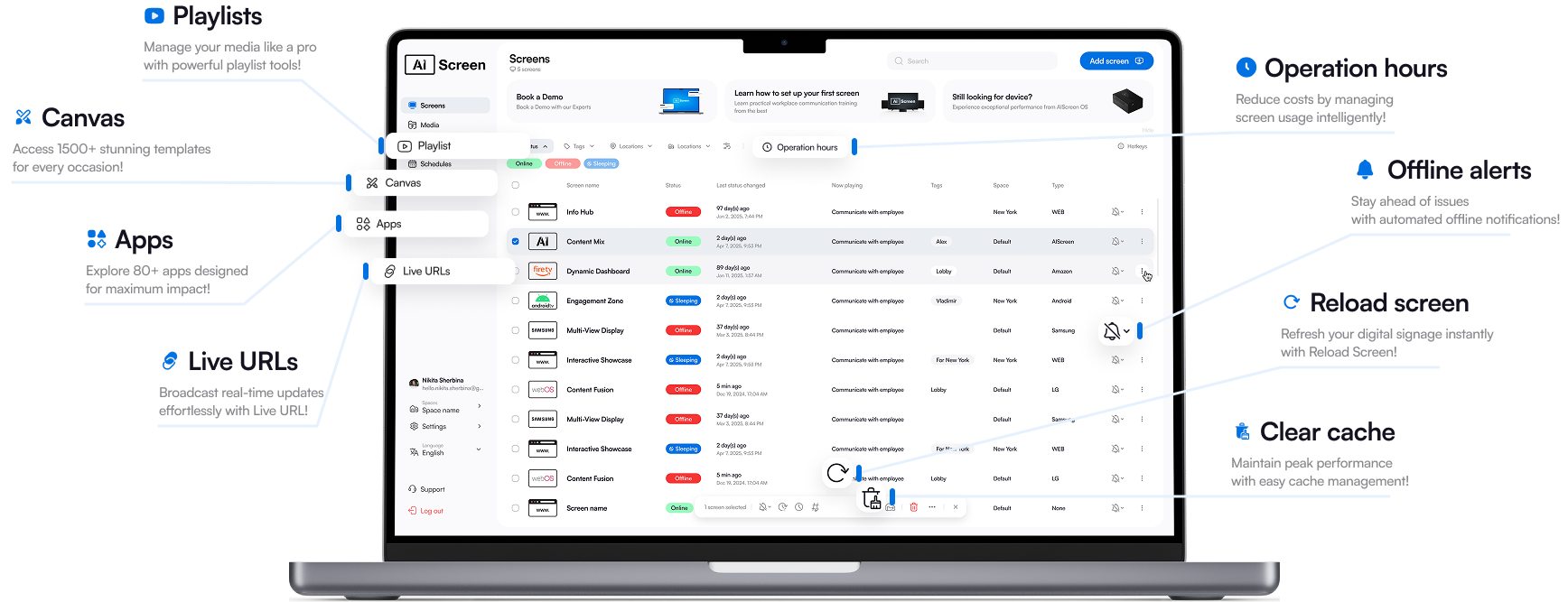
With cloud access, content creators can update screens instantly without being on-site. This creates a simple workflow, reduces downtime, and ensures content remains up to date across locations. It also supports content creation by helping teams generate ideas, deliver personalized experiences, and reach potential customers with relevant, structured data-driven messaging.
3. Integrate with Other Business Systems
Integrate with other business systems to bring data-driven intelligence into your digital signage strategy. Whether you’re showcasing real-time sales performance or dynamically updating promotions based on inventory, integration enables personalized, up-to-date messaging.
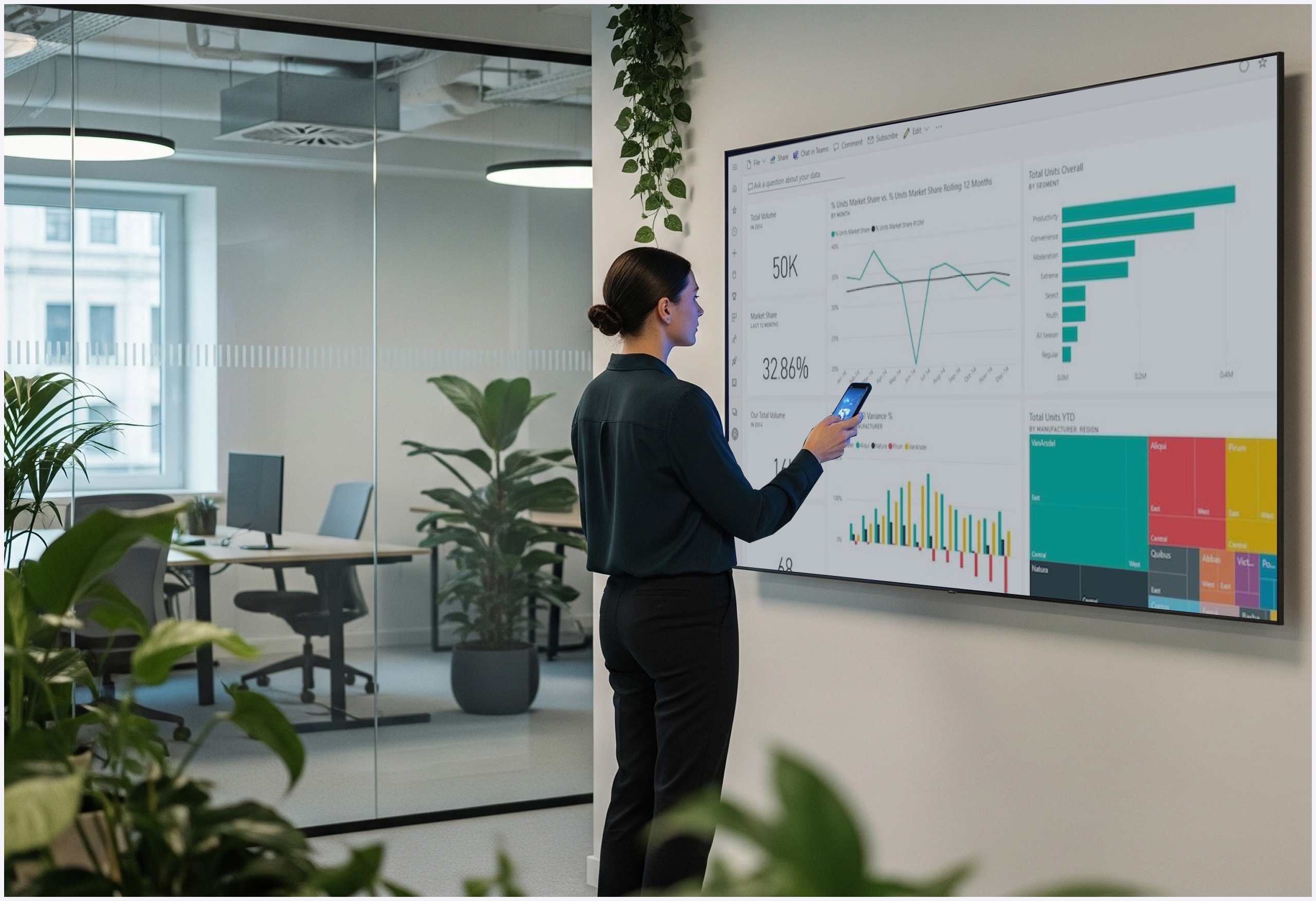
- Power BI: Leverage data dashboards by integrating digital signage content with tools like Power BI to automatically reflect KPIs and key sales performance across multiple displays in real time.
- Tableau: Deliver real-time insights on screen by syncing with Tableau, making complex data visual for internal teams or customer-facing environments like retail and finance.
- Google Data Studio: Use Google Data Studio to automate display content such as marketing metrics or live service levels across departments or locations.
- Microsoft Excel Sheets: Automate updates by connecting Microsoft Excel Sheets to your digital signage system, perfect for displaying shift schedules, inventory notices, or sales figures that change frequently.
4. Set Up Dynamic Content Scheduling
Dynamic content scheduling helps automate the content calendar and ensures the right message reaches the right audience at the right time.
Businesses can schedule content based on time, location, or events, improving content planning and delivery. This reduces manual effort and ensures consistency across multiple screens.

According to Statista, businesses using automated scheduling report improved efficiency in managing digital content. Scheduling also helps maintain content freshness and prevents outdated information from being displayed.
A well-planned scheduling strategy focuses on delivering relevant content that aligns with audience behavior and business goals.
5. Monitor Performance and Analytics in Real-Time
Real-time analytics help businesses track content performance and optimize their strategy.
With performance dashboards, businesses can measure engagement, interaction levels, and content effectiveness. These insights help identify which content performs best and where improvements are needed.
By collecting feedback and analyzing data, businesses can refine their content management strategy and improve content production over time.
Real-time monitoring also allows quick updates, ensuring content remains relevant and aligned with audience expectations. This improves engagement and supports better decision-making.
6. Enable Remote Troubleshooting and Updates
Enable remote troubleshooting and updates to minimize downtime and keep your digital signage content flowing smoothly. This is especially crucial for businesses with multiple locations, different screen types, and various internet connection strengths. Troubleshooting tools are a key component of long-term signage success.
With remote access, you can quickly fix file errors or reboot displays. Even if you’re not physically present, you can replace outdated messages instantly. Using digital signage best practices, such as maintaining contrast, font size, and limiting too many colors, ensures your visuals remain impactful even during system issues. Troubleshooting tools are a key component of long-term signage success.
How to Use Live Streaming in Your Digital Signage Content Strategy?
Live streaming can enhance your digital signage content strategy by delivering real-time, dynamic content across multiple screens. It allows businesses to broadcast events, announcements, social media feeds, or live updates, keeping messaging fresh and engaging for viewers.
By integrating live streaming into your content management workflow, you can improve audience engagement, respond to real-time scenarios, and create more impactful communication. To implement this effectively, you can explore how to set up live streaming on digital signage and apply it within your existing scheduling and content strategy.
How to Manage Content Effortlessly with AIScreen Digital Signage Software?
Managing content becomes easier with AIScreen’s powerful digital signage software designed for modern businesses. With advanced content management tools, cloud-based scheduling, and seamless integrations, AIScreen simplifies the entire process of creating, organizing, and publishing content.
It supports everything from content planning to execution, helping businesses maintain high quality content across all screens. Start your 14-day free trial or schedule a demo to see how AIScreen helps you manage content effectively, streamline workflows, and deliver impactful digital signage experiences.


FAQs
What is digital signage software used for?
Digital signage software is used for content creation, scheduling, and displaying dynamic messages across screens using a centralized content management system. It supports the full content lifecycle, from content production to publishing, helping businesses organize content, maintain structured content, and deliver engaging experiences aligned with their overall content strategy.
Can I manage digital signage software content remotely?
Yes, digital signage software enables remote control through a cloud-based management system, making content management easy across locations. It streamlines the content management process, improves file management, and helps teams organize content efficiently without relying on manual updates or dealing with unstructured content.
How do I schedule content for digital signage software?
Content can be scheduled using dashboards and timelines within the content management system, supporting a smooth content workflow. Businesses can plan content production, set due dates, and align updates with their content calendar, ensuring the right message reaches the target audience at the right time.
Is digital signage software compatible with other business systems?
Yes, digital signage software integrates with POS systems, CRMs, and analytics tools, strengthening your content management strategy. These integrations enhance the content creation process, improve data accuracy, and help deliver relevant, data-driven messaging that aligns with the customer journey and business goals.
How can I track the performance of my digital signage software content?
You can track performance using built-in analytics dashboards within the content management system, which monitor engagement and results. These insights support better content operations, refine the content strategy, and help businesses optimize content production to create more effective and impactful digital signage campaigns.
