
Portable Digital Signage Displays: Complete Buying & Setup Guide
Portable digital signage displays are a modern solution that helps businesses capture their audience’s attention with vibrant visuals, real-time updates, and engaging content. Unlike static posters, portable digital signage allows you to showcase videos, ads, announcements, and promotions dynamically, ensuring customers stay informed about seasonal sales and the latest trends. According to Grand View Research, the global digital signage market is projected to reach $45.3 billion by 2030, showing how businesses are increasingly turning to digital display screens for better communication and customer engagement.
In this blog, you’ll get a complete portable digital signage displays complete buying setup guide, covering everything from selecting the right digital signage hardware to step-by-step setup. We’ll also highlight how AIScreen provides a user-friendly content management system (CMS) that simplifies updates, scheduling, and management across multiple screens.
What Is Portable Digital Signage?
Portable digital signage is a flexible, mobile display solution that enables businesses to showcase dynamic content like advertisements, menus, or promotions across various settings. Unlike fixed signage displays, portable digital signage screens can be moved easily, giving businesses the freedom to adapt to changing needs in retail stores, trade shows, and hospitality venues. A key advantage is the ability to use digital signage software for portable device, allowing businesses to update content remotely and manage displays with ease.
The difference between fixed and portable signage lies in mobility and adaptability. While fixed signage is anchored in one place, portable digital signage offers the flexibility of interactive displays that can be deployed in different commercial settings, whether indoors or outdoors. According to Fortune Business Insights portable displays, interactive digital signage and portable displays are contributing to a market growth rate of 6.9% CAGR, driven by demand from retail, education, and hospitality sectors.
Where to Use Portable Digital Signage
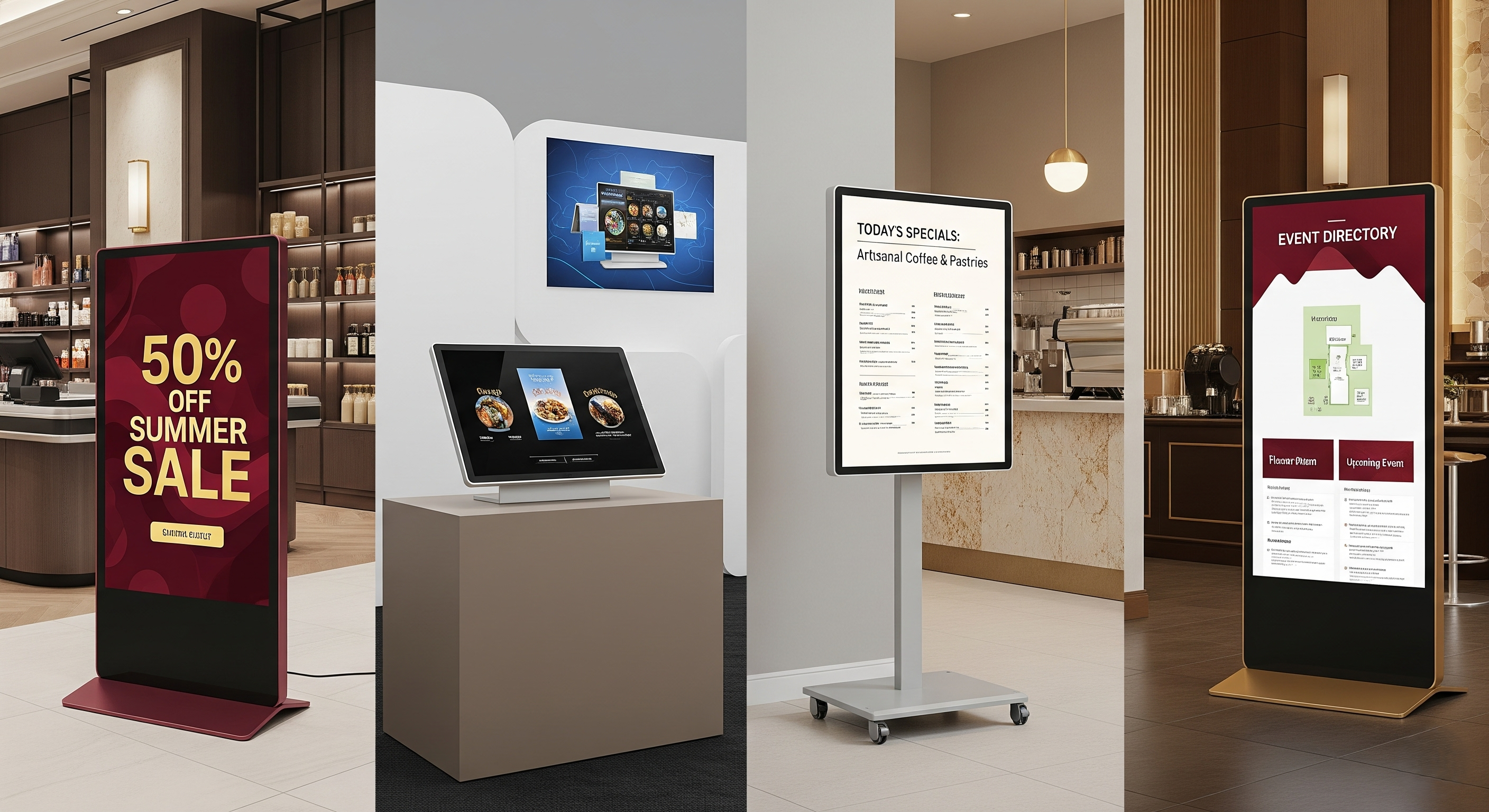
To use portable digital signage, place it strategically in high-visibility spots where it can make the greatest impact. This includes spaces like shopping malls, trade shows, cafés, restaurants, and lobbies. Portable digital signage screens deliver vibrant visuals and timely messaging, offering businesses an effective communication tool across various settings. According to MarketsandMarkets, 80% of digital signage networks are deployed in retail environments, underlining how well-suited these digital displays are for dynamic and customer-facing uses.
Retail environments for product promotions or sales announcements: Portable digital signage displays are perfect for retail stores, where changing promotions or visual campaigns can be showcased prominently. Positioned near popular products or checkout areas, these digital displays can elevate customer engagement, leveraging video walls or standalone screens to draw attention and influence buying decisions.
Trade shows and events for dynamic presentations: At trade shows, portable signage acts as a dynamic focal point, drawing attendees in with bright, attention-grabbing visuals. These sleek digital signs are compact enough to fit on counters or within booths, supporting interactive demos or visually appealing content without dominating the setup.
Cafes or restaurants for digital menu boards that can be moved between counters or locations: In cafes and restaurants, portable digital signage enables businesses to highlight menus, promotions, or specials dynamically. These units can adapt to counter layouts and easily move from one service area to another, offering flexibility and a user-friendly interface for updating content on the fly.
Hotel lobbies or convention centers for directories or event schedules: In lobbies, portable digital signage delivers professional and updated messaging, whether it’s event schedules, wayfinding, or welcome screens. The versatile placement helps visitors find their way, while the latest technology behind the screens ensures high display resolution and smooth, engaging visuals.
How Portable Digital Signage Works?
Portable digital signage works by combining digital signage hardware (such as LED displays, LCD panels, and media players) with software solutions like our content management system. These digital signage solutions allow businesses to schedule, update, and display content, including videos, weather updates, promotions, or menus, remotely through a cloud-based platform.
This technology integrates simplicity with connectivity. LED and LCD screens offer high image quality, wide viewing angles, and top-notch performance, ensuring content remains visible in both dark rooms and bright ambient lighting. Some portable units connect via outlets, while others operate on batteries for complete mobility. Businesses can use apps from the Google Play Store or Google TV, connect devices like Fire TV Sticks, and manage content from multiple displays simultaneously.
According to Gartner, businesses that adopt content management solutions for digital signage reduce operational inefficiencies by 23%, proving that portable digital signage screens aren’t just about visuals but also about streamlining workflows.
What are the Benefits of Portable Digital Signage?
The benefits of portable digital signage are numerous, offering flexibility, cost savings, and higher audience engagement. These digital display screens adapt easily to various business needs, from promoting restaurant menus to enhancing customer engagement in hospitality venues. According to Forrester, businesses using interactive digital signage see up to a 47% increase in customer satisfaction, making it a powerful tool for building stronger brand connections.
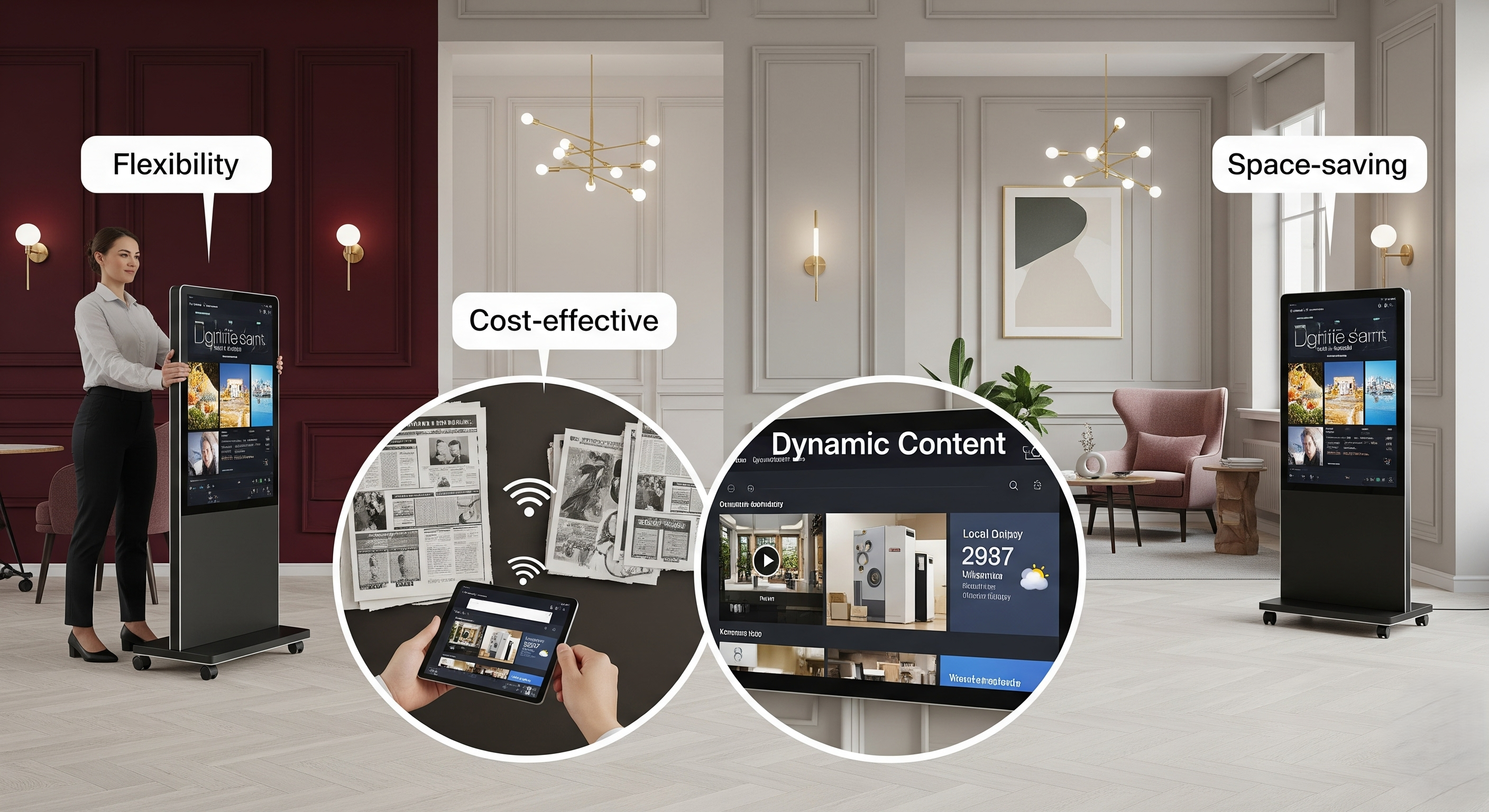
- Flexibility: Portable signage stands out for its mobility. Businesses can move these digital signage displays across retail stores, festivals, trade shows, or corporate events, ensuring optimal visibility in high-traffic areas. This allows businesses to target customers dynamically and create a memorable experience with each setup.
- Cost-effective: Portable digital signage reduces costs compared to traditional signs. Unlike printed posters, which require recurring expenses for updates, portable signage enables easy content updates via CMS without added costs. This makes it a low-cost, energy-efficient solution for businesses seeking ROI from digital signage market investments.
- Dynamic content: With the ability to display videos, images, weather updates, and promotions, portable signage allows businesses to tailor messages in real time. Content updates can be scheduled, automated, and customized to audience behavior, making them more engaging than static signs.
- Space-saving: Portable displays require no permanent fixtures, making them ideal for small businesses, educational institutions, and bus stops where space is limited. Their sleek design and various connectivity options ensure easy integration in hospitality venues, shopping malls, and restaurants without cluttering the environment.
Best Portable Digital Signage Screens
The best portable digital signage screens, it’s key to look at features like display resolution, continuous operation, and connectivity options. Whether you’re setting up in retail stores, events, or hotel lobbies, the right screen ensures your digital displays deliver visually appealing content in any setting. Here’s a curated shortlist of top options, with their prices and standout features:
Philips BDL4050D
The Philips BDL4050D, compact yet powerful, is perfect for portable signage setups. Its Android-powered system with HTML5 browser ensures easy content updates, while this Philips device’s commercial-grade durability makes it reliable for frequent transport and use.
- Display Size: 40” Full HD LED Display
- Smart Features: Android-Powered with HTML5 Browser
- Video & Audio: Optimized for Video Walls & Standalone Signage
- Connectivity: Mobile App Control, Multiple Input Options
- Additional: Commercial-Grade Durability, Continuous Operation Ready
- Price: $749
Sony FWD-55X80H
Sony FWD-55X80H, with stunning 4K HDR visuals and Sony’s trusted Pro Mode, it delivers vibrant content even in dynamic environments. Its robust build and color accuracy make it ideal for portable digital signage in trade shows, events, and indoor promotions.
- Display Size: 55” 4K HDR IPS Panel
- Smart Features: Sony Pro Mode for Professional Signage Use
- Video & Audio: Excellent Color Accuracy & Reliability
- Connectivity: Multiple HDMI & USB Ports
- Additional: Robust Build, Suitable for Indoor & Mild Outdoor Applications
- Price: $1,299
LG 43UH5F-B
LG 43UH5F-B is engineered for 24/7 operation; it combines ultra-HD clarity with a slim, dust-resistant design. This LG device’s portability and durability make it a strong choice for businesses that need reliable, high-quality displays in busy, high-traffic locations.
- Display Size: 43” Ultra-HD IPS Panel
- Smart Features: Slim Bezel, Dust-Resistant Design
- Video & Audio: 500 cd/m² Brightness for Clear Visibility
- Connectivity: VESA Mount Compatibility, Multiple Inputs
- Additional: Designed for 24/7 Continuous Operation in High-Traffic Areas
- Price: $1,149
When choosing a portable screen, consider factors such as size, brightness, portability, and cost-efficiency. Businesses often compare not just screen features but also sourcing options.
How to Set Up Portable Digital Signage Displays
To set up portable digital signage displays with digital signage apps that help businesses easily set up digital signage content across devices. According to Market Us Scoop, 76% of American consumers are inclined to enter a store for the first time when drawn by appealing digital signage.
Step 1: Choose the Right Portable Screen
Choosing the right portable screen is the primary factor when setting up digital signage portable display solutions. Businesses investing in high-resolution screens see higher engagement rates compared to those using outdated display resolution formats.
Here’s how you can choose portable screens tailored for your business needs, the best one can be:

Philips BDL4050D
- Display Size: 40” Full HD LED Display
- Smart Features: Android-Powered with HTML5 Browser
- Video & Audio: Brilliant Visuals for Video Walls & Standalone Signage
- Connectivity: Mobile App Control, Multiple Input Options
- Additional: Commercial-Grade Durability, Designed for Continuous Operation
- Price: $749
Step 2: Install and set up digital signage software
Install and set up digital signage software on your smart TV; you’re setting the stage for a gorgeous, attention-grabbing digital display. This step to install software is your foundation; it’s what makes everything else possible. For a broader overview of installation methods across screen types, see how to set up digital signage.
Once installed, you’ll have full control over your digital screens. You can easily connect to your digital screen solution using the cloud and manage your content from any device, anywhere you have internet access.
Follow the steps below to get started:
- Visit the app store on your smart TV.
- Type “AIScreen Digital Signage Software” in the search bar.
- Click the “Install” button to download the AIScreen App.
- Open it, and note the 4-digit pairing code showing on your screen.
Step 3: Create an Account in the Digital Signage Management App
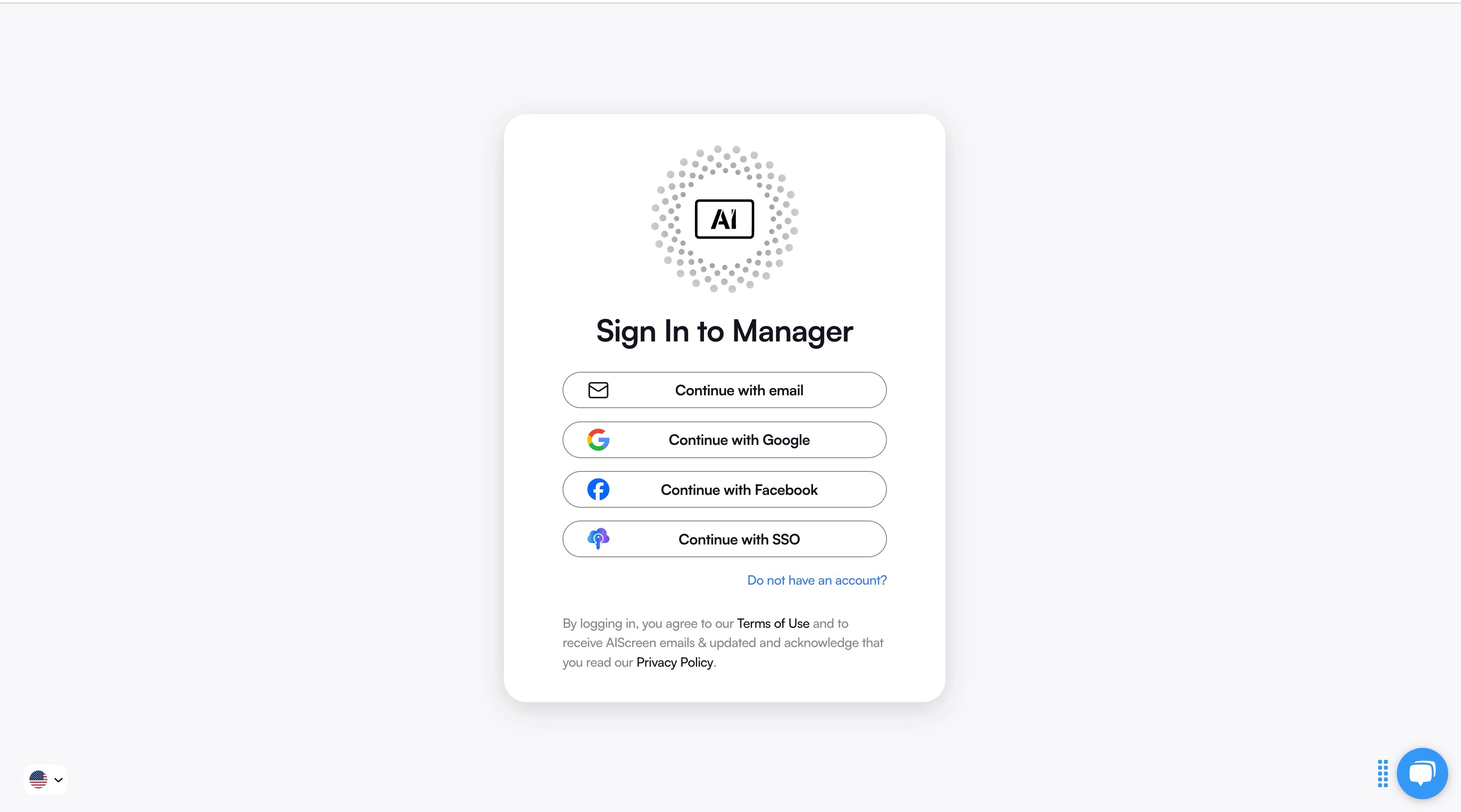
Creating an account in the digital signage management app lets you pair your screen with the cloud-based dashboard for content synchronization.
You can create your account in just two steps:
- Visit AIScreen.io on your laptop or computer.
- Sign up by entering your name, email, and password. For quick onboarding, sign up with a Google or Facebook account.
Once signed up, log in to your manager account and explore your web-based dashboard for managing digital signs.
Step 4: Pair your Portable Screen with the Software
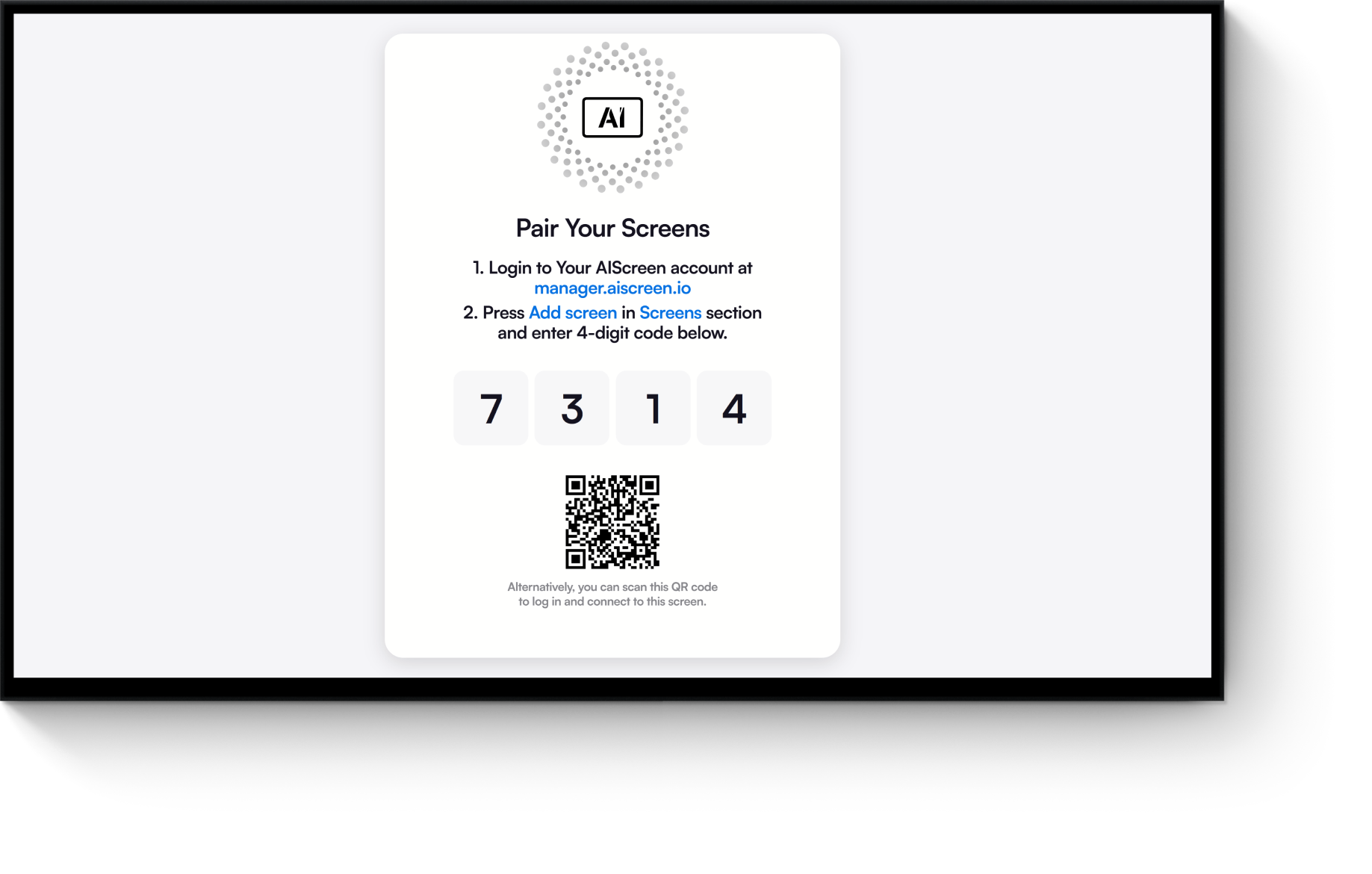
Pair your portable screen with the software after successfully logging into your manager account, with the menu management application, so that your admins and managers can control your digital signage screens and content remotely.
Here’s the step-by-step guide to pair your display with the software:
- Log in and click “Add Screen” in the dashboard.
- Enter the 4-digit pairing code displayed on your TV screen.
- Name your screen and choose orientation (horizontal or vertical).
- Click the “Pair” button to complete the setup
Step 5: Upload Your Template and Create a Playlist

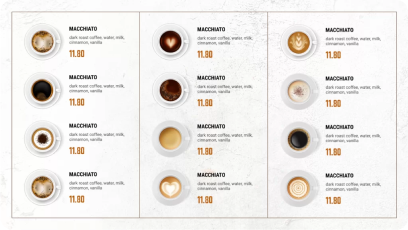
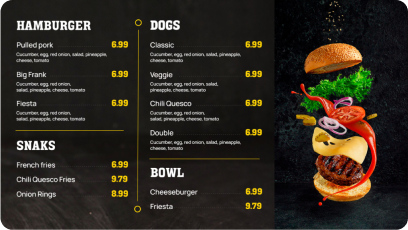
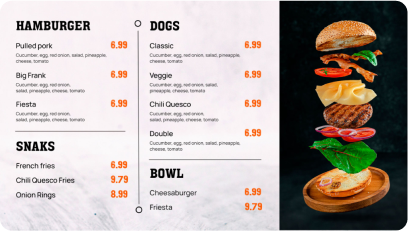
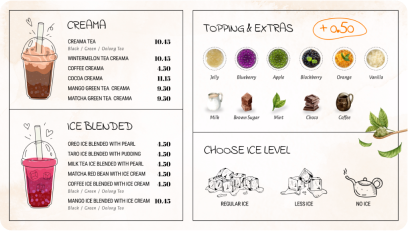
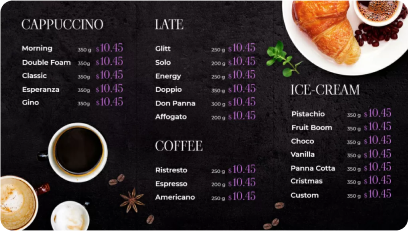
Upload your template and create a playlist with AIScreen, which comes with pre-designed, professional digital board templates that are perfect for any place. You can easily customize digital signage templates with your services, pricing, and other things.
Additionally, according to Market Us Scoop, 67% of consumers report frequently purchasing products based on the visual content they see on digital signs. With our Canvas editor, you can edit your content, adjust prices, swap backgrounds, add your logo, and choose fonts that reflect your vibe.
Follow these steps to upload existing signs from your device:
- Go to the “Media” section on your dashboard.
- Click the “Upload” button.
- Select your media file from your device and upload it.
You can easily create content for your digital display with our editor, Canvas. You can customize our professionally designed digital display templates to design digital screens that reflect your branding.
Follow these simple steps to customize your display template:
- Navigate to “Canvas” and select a template you’d like to customize.
- Add images, animations, or videos to your chosen template.
- Incorporate branding elements like your restaurant’s logos, fonts & colors.
- Save your designs or publish them on the screen
Discover 1500+ customizable digital signage templates
Set Up Portable Digital Signage Displays With 1500+ Templates
Check our templates






Step 6: Make it Live
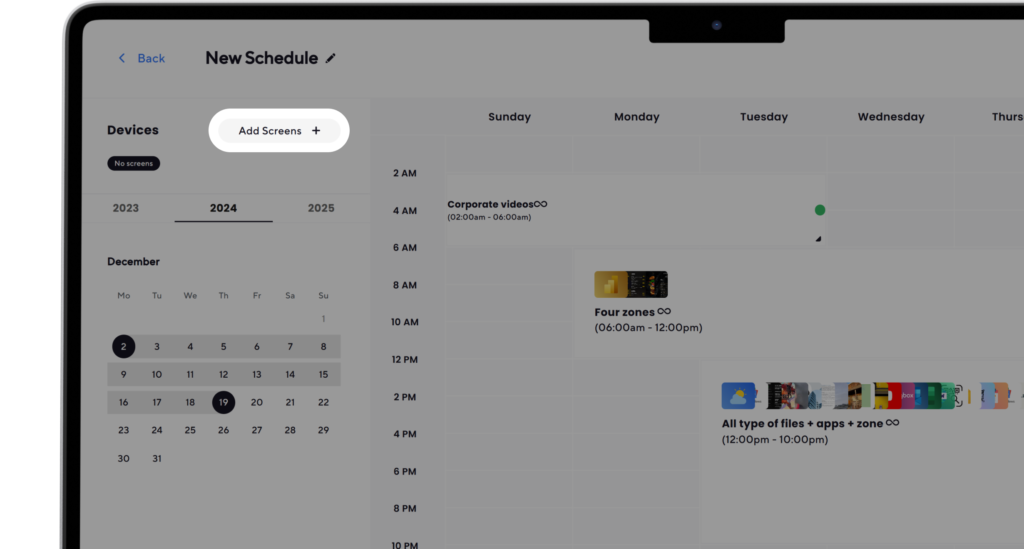
Make it live with AIScreen; you can daily schedule different services to show at different times. You can create playlists and set up a display schedule that automatically switches based on time or day.
This ensures your screen always shows relevant, engaging content and helps you promote the right services at the right moment to the right audience.
Here’s how to do it:
- Create a Playlist: Create and upload content to your newly created playlist. Arrange files so that they are displayed in sequential order.
- Create a New Schedule: Next, click on the “Schedule” tab in your dashboard and tap “Create New Schedule” to create a schedule for a specific time slot.
- Add a Playlist to the Schedule: Select the time slot (start date, time, and duration) for the content you want to play automatically. Confirm and add the playlist you want to schedule.
- Assign Devices, Review, and Save: Click “Add Device” to choose the screens or players to slideshow scheduled content. Click “Save,” and it’ll be played at the specified time slot.
From Buying to Set Up Portable Digital Signage, AIScreen has Got You Covered
From buying to set up portable digital signage, AIScreen has got you covered with a complete end-to-end solution. We simplify every step of the process, from choosing the right digital signage screens to setting up digital displays and managing them through our powerful digital signage solutions.
Whether you need compact display screens, larger screens for video walls, or weather-ready options for outdoor applications, AIScreen ensures seamless installation, easy content scheduling, and reliable performance. Start your free trial today or book a demo to see how AIScreen can optimize your signage management for your brand.


Frequently Asked Questions
What size portable digital signage should I buy?
The size of portable digital signage you should buy depends on your audience, location, and screen size requirements. Smaller display screens are ideal for retail counters or limited spaces, while larger screens are better for events and video walls where visibility matters.
Do portable digital signage displays require Wi-Fi?
Portable digital signage displays do not always require Wi-Fi, but having a network connection enhances easy content management and real-time updates. Offline options still allow preloaded videos, images, and advertising campaigns to run without disruption.
What’s the difference between portable and fixed digital signage?
The difference between portable and fixed digital signage lies in mobility and use case. Portable digital displays can be moved easily for outdoor applications, trade shows, or temporary promotions, while fixed signage is mounted permanently with a VESA mount for continuous operation.
Is there a plug-and-play option for portable digital signage?
Yes, there is a plug-and-play option for portable digital signage, making it simple for businesses to set up without technical hassle. These digital signage screens come pre-configured to display videos, images, and other content instantly.
Are portable digital signs touchscreen-enabled?
Portable digital signs can be touchscreen-enabled depending on the model and technology you choose. Many modern smart TV-style displays and digital signage solutions feature interactive functionality that improves customer engagement.
