
How to Do Retail Digital Signage Installation? Step-by-Step Guide
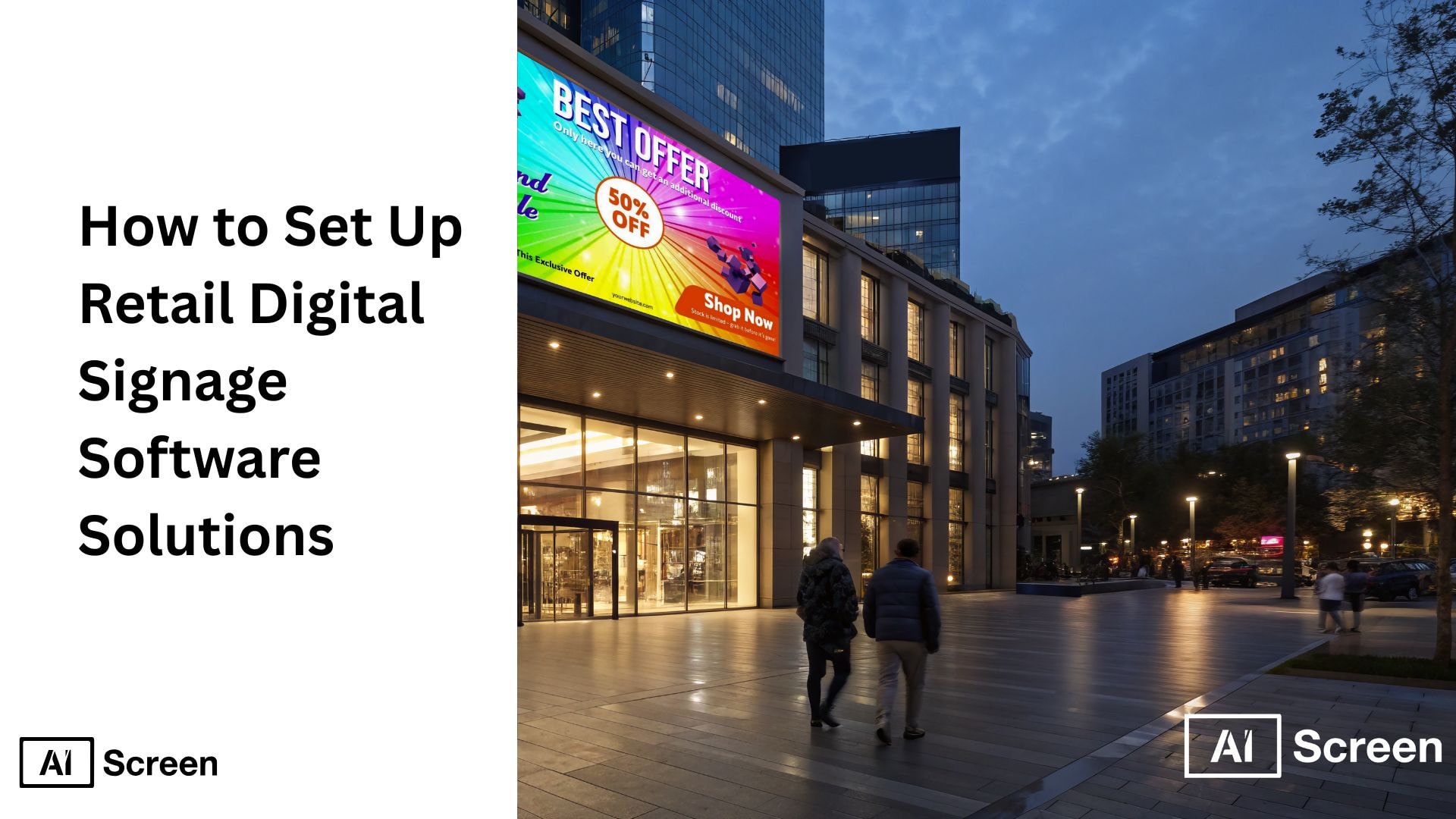
Setting up retail digital signage software involves a few essential steps: defining objectives, selecting the right hardware and software, creating engaging content, and managing the system effectively. Start by identifying your goals, such as boosting sales or enhancing customer engagement. Choose suitable hardware like digital signage media players, digital displays, and pair them with a reliable content management system (CMS). Finally, design compelling content, install and configure the system, integrate it with your network, and test thoroughly for seamless performance. According to Research Gate, 68% of retailers using digital signs report increased customer engagement, while 56% note a boost in sales, proving the value of investing in a reliable digital signage solution.
This article explores how to set up retail digital signage software solutions efficiently, providing practical steps for installation, digital signage hardware selection, content creation, integration with other business systems, and web pages. By integrating digital signage software with retail management tools like POS and inventory systems, businesses can enjoy enhanced operational efficiency, data-driven decision-making, and consistent branding across multiple locations.
What are the Benefits of Integrating Retail Digital Signage Software with Other Retail Systems?
Retail digital signage offers numerous benefits that extend beyond simply displaying static signs. Integrating retail digital signage software with other business systems enhances efficiency and provides actionable insights, helping retailers deliver targeted content and maintain consistent brand messaging. According to the Digital Signage Federation, retailers integrating digital signage with POS and CRM systems see up to a 30% increase in customer engagement.
Let’s explore the specific benefits of digital signage in retail, highlighting how it enhances customer experience and operational performance.
1. Enhanced Customer Experience
Digital signage enhances the customer experience by delivering personalized content tailored to location, time of day, or individual shopping behavior. Imagine this: dynamic displays, engaging visuals, and digital menu boards encourage longer visits and higher engagement while making the shopping journey more interactive. Retailers can leverage this technology to showcase seasonal promotions or new product launches, ensuring customers stay informed and captivated throughout their visit.
2. Improved Operational Efficiency
Automated digital signage reduces the need for manual content updates, streamlining store operations by using effective digital signage players. Businesses can quickly adjust pricing, promotions, and inventory displays across multiple locations, saving time and reducing errors. By using a centralized digital signage network, retailers can maintain consistent and efficient communication, ensuring their content is fresh, without the hassle of constantly managing static signs.
3. Data-Driven Decision Making
Integrating digital signage with retail management systems, a digital signage platform provides essential features and actionable insights that help businesses make informed decisions. Here’s the trick: analytics from digital displays can guide pricing strategies, optimize promotional campaigns, and improve inventory management, enabling smarter planning. By leveraging data-driven signage, retailers can monitor customer engagement and adjust content in real time for maximum impact and effectiveness.
4. Enhanced Brand Consistency
Digital signage ensures that branding and messaging stay consistent across all store locations. Let’s say by maintaining uniform visuals, promotions, and content, retailers strengthen brand identity and create a cohesive customer experience. This consistency not only builds brand loyalty but also maximizes viewer engagement, making every customer interaction reflect the brand’s core values and messaging.
5. Cost-Effectiveness
Using digital signage reduces reliance on printed materials, cutting costs and minimizing environmental impact. Let’s say retailers update content in real time, keeping messaging relevant without the recurring expense of prints. This cost-effective approach, particularly when leveraging free digital signage software, enables stores to launch promotions quickly, maintain fresh content, and respond instantly to market trends.
What Technologies and Software Power Retail Digital Signage?
Digital signage relies on a combination of hardware and software to deliver dynamic, engaging content. From high-resolution screens to digital signage hardware, media players, and content management systems, technology drives the seamless operation of retail digital signage players and networks. According to a report by Digital Signage Today, 80% of retailers say that digital signage improves in-store customer experience. Choosing the right tools ensures content remains visually compelling, interactive, and easy to manage across multiple locations.
Core Technologies Behind Digital Signage
Retail digital signage systems rely on hardware like digital displays, smart TVs, and media players to showcase vibrant, dynamic content. Imagine this: when combined with software platforms, these devices enable interactive features such as touchscreens, QR codes, and real-time data integration. This technology guarantees high-quality visuals, seamless playback, and responsive content management across multiple screens, enhancing the overall customer experience.
Exploring Different Digital Signage Software Solutions
There are several types of digital signage software built to support content creation, scheduling, and analytics. Imagine this: platforms like AIScreen provide centralized control, enabling retailers to manage multiple screens, automate content updates, and monitor performance efficiently. These software solutions streamline operations and make it simple to deliver engaging digital signage content consistently across all locations.
Cloud-Based Digital Signage Solutions
Cloud-based digital signage allows retailers to manage displays remotely and update content in real time. Let’s take an example: promotions, menus, and messaging can be adjusted instantly without requiring on-site intervention. This flexibility keeps content relevant, reduces IT overhead, and simplifies management across multiple locations while leveraging advanced features for smoother operations.
Interactive Digital Signage: Engaging the Customer
Interactive digital signage encourages customer engagement through touchscreens, QR codes, and other interactive tools. Let’s say customers use these features to browse product details, place orders, or access personalized promotions, creating a more immersive and enjoyable shopping experience. This type of content also provides retailers with valuable insights into consumer behavior and preferences, helping refine marketing strategies and in-store offerings.
Integration with Retail Management Systems
Integrating digital signage with retail systems such as POS, inventory management, and loyalty programs enables seamless operational efficiency. Imagine this: real-time data from these systems can trigger dynamic content, like pricing changes, inventory alerts, or emergency notifications, directly on displays. POS integration ensures synchronization between sales, stock levels, and promotional content.
Data Security and Privacy in Retail Digital Signage Solutions
Ensuring data security is essential when digital signage interacts with customer-facing systems. Here’s the trick: using encryption, secure access controls, and adhering to privacy regulations protects both sensitive customer and business information. Robust security measures not only safeguard the integrity of the digital signage network across multiple locations but also build trust with customers, reinforcing a reliable brand image.
Future Trends: AI and Machine Learning in Digital Signage
AI and machine learning are revolutionizing digital signage by enabling personalized and automated content delivery. Let’s take an example: these technologies analyze customer interactions to optimize content scheduling, promotions, and product recommendations. Retailers can use AI-powered insights to incorporate user-generated content, enhance engagement, streamline operations, and provide a highly tailored shopping experience that adapts in real time.
How to Do Retail Digital Signage Installation?
Setting up retail digital signage software requires a structured approach to ensure displays, content, and integrations function smoothly. Following a systematic setup process reduces downtime, ensures consistent branding, and maximizes ROI from the signage network. According to Nielsen, digital signage increases brand recall by up to 47% compared to static signage.
This step-by-step guide provides actionable instructions for selecting hardware, installing software, creating templates, and launching content across retail locations.
Step 1: Choose the Right Digital Display for Retail Use
Selecting the appropriate digital display is critical for visibility, durability, and content impact. LED, LCD, and outdoor-rated displays deliver high-quality visuals for digital signs that are suitable for various lighting conditions. Brands like Insignia and Toshiba are recommended for high-resolution, reliable retail digital signage screens.
Insignia™ Class F30 Series LED 4K UHD Smart Fire TV
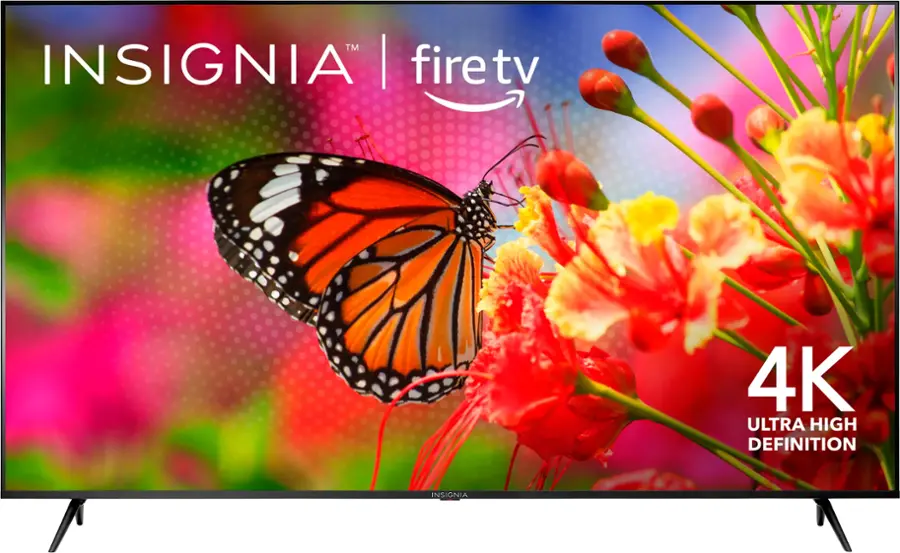
- Resolution: Crisp 4K UHD delivering clear, vibrant visuals
- Smart Features: Built-in Fire TV with Alexa voice control
- Connectivity: Dual-band Wi-Fi, HDMI, and USB ports
- Best Use: Great for checkout areas, endcaps, and freezer displays
- Price Range: $299–$419
- Highlight: Reliable performance with smooth playback for long hours
Toshiba Class C350 Series LED 4K UHD Smart Fire TV
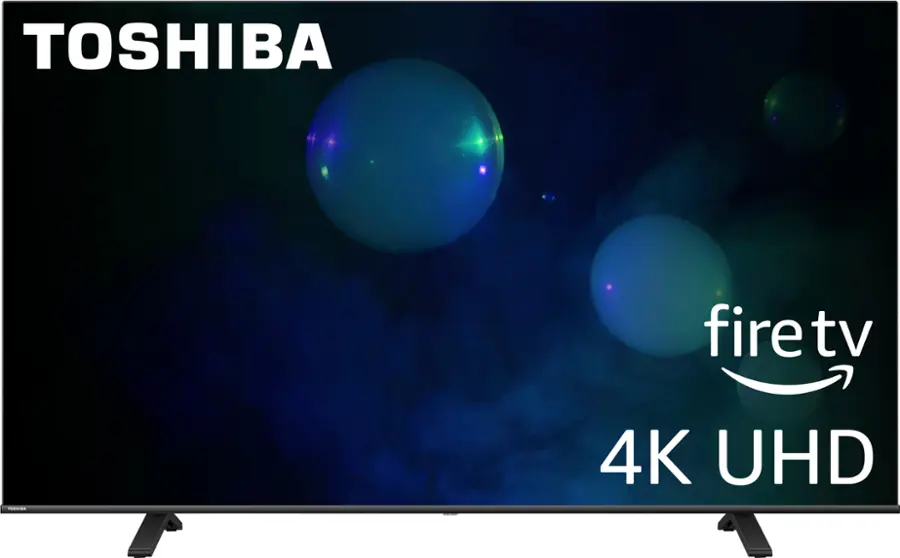
- Resolution: Bright 4K UHD with rich, lifelike colors
- Smart Features: Fire TV with Alexa integration for easy control
- Connectivity: HDMI, USB, and Wi-Fi for versatile setups
- Best Use: Ideal for produce sections, promo aisles, and small signage zones
- Price Range: $329–$449
- Highlight: Strong visuals and simple content management for daily grocery promotions
Retailers should evaluate factors including screen size, resolution, feature set, price, and visibility. Proper display selection ensures that customers can clearly see promotions, digital screens, digital menu boards, and interactive content throughout the store. digital display
Step 3: Download and Set Up Retail Digital Signage Software
Once you’ve selected your display, the next step is to download retail digital signage software such as AIScreen and complete the setup process. This software enables you to manage, schedule, and publish content seamlessly across all your retail displays from a single platform.
By configuring the system correctly, you gain centralized control that simplifies content updates, reduces manual effort, and keeps messaging consistent across locations. This is also the stage where retailers define how to integrate retail media digital signage, connecting displays with POS systems, inventory tools, and promotional data sources to ensure smooth, real-time operation.
Step 3: Create an Account in the Retail Management App
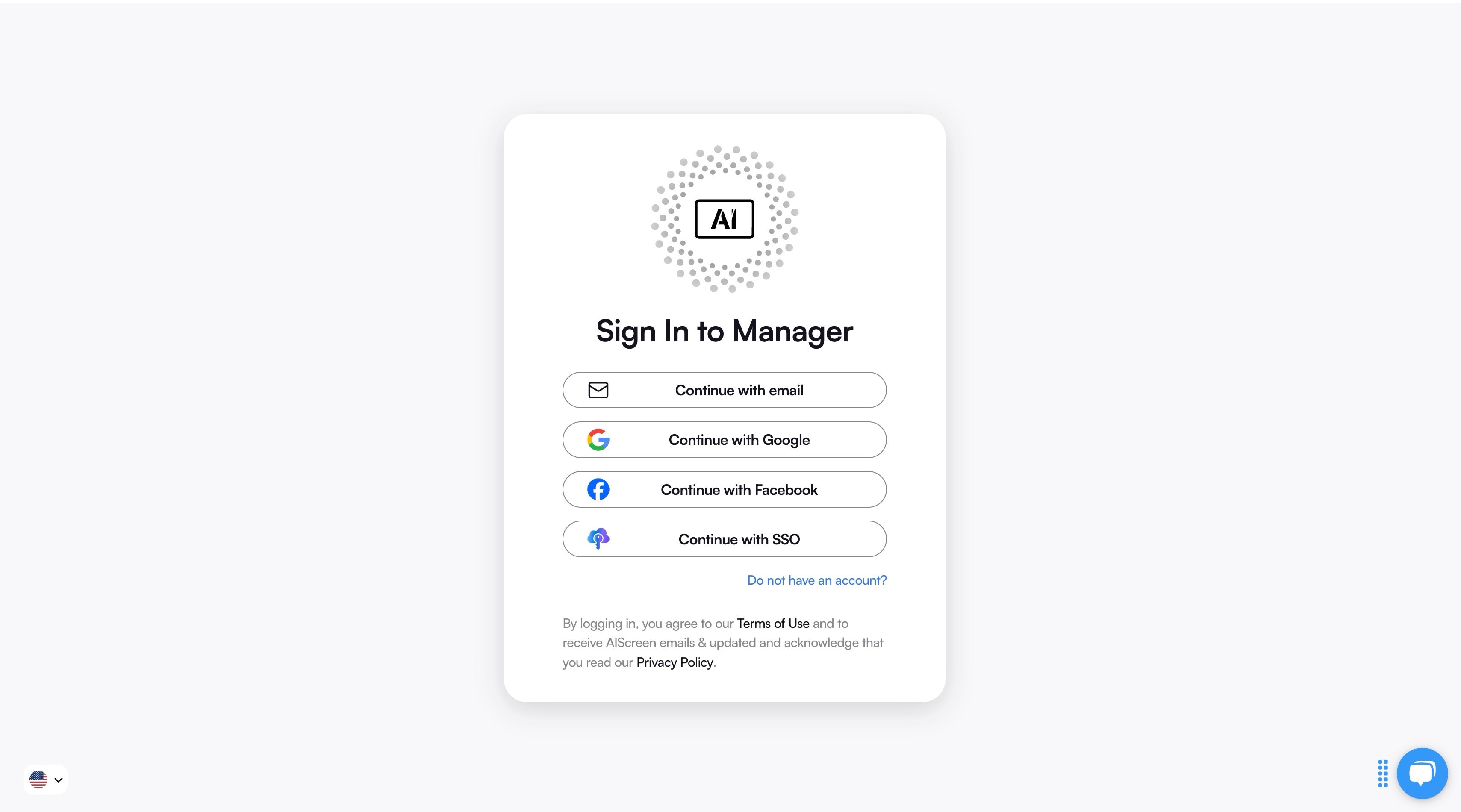
Once the software is installed, creating an account in the retail management app gives you a central hub for controlling your digital signage network. This account lets you schedule content, manage templates, and oversee multiple locations, ensuring consistency in messaging across all stores.
A properly configured account also enables quick updates to promotions, interactive content, and emergency alerts. This step ensures that your retail digital signage system is ready for everyday operation and can support timely marketing initiatives.
Step 4: Pair Your Device with the Signage Software
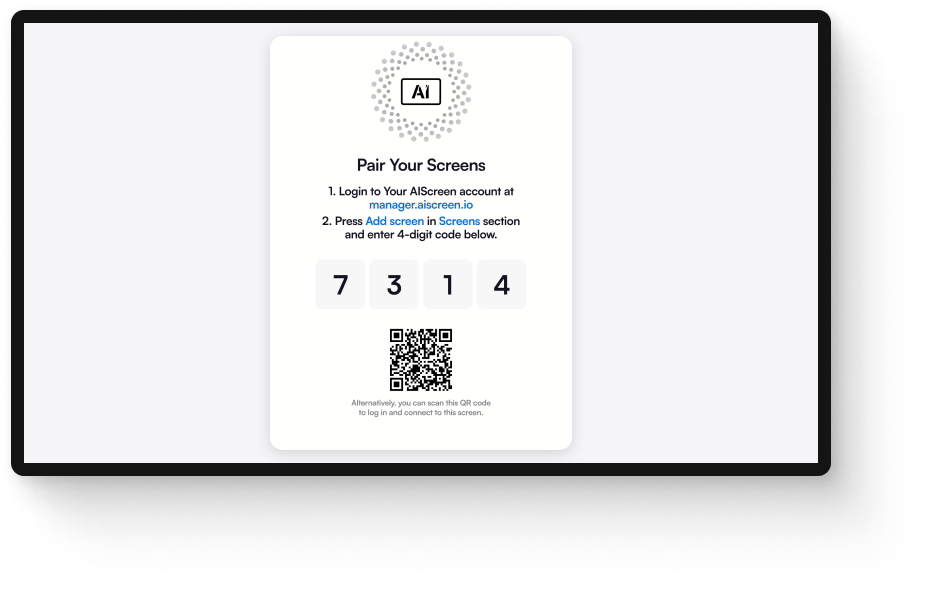
With your account in place, pair your display devices, TVs, or media players with the digital signage software. Devices can connect via HDMI or wirelessly, providing flexibility depending on your retail layout. Correct pairing ensures all screens receive content updates in real time.
This setup ensures your [digital signage content] is displayed smoothly and consistently across multiple screens. By having properly paired devices, you can leverage interactive and dynamic features to capture customer attention and maintain a consistent brand presence.
Step 5: Upload or Customize Your Retail Digital Signage Template
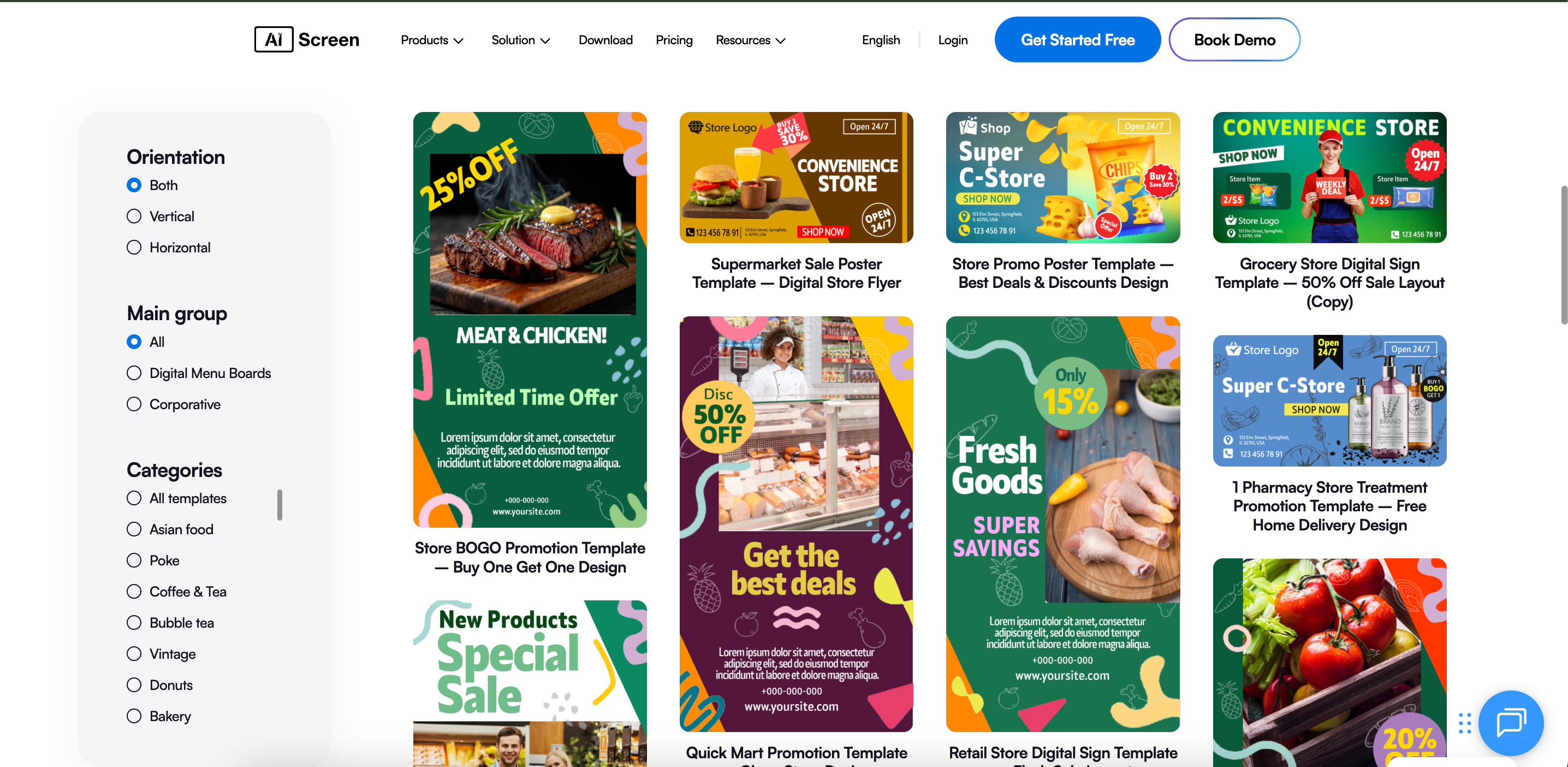
After pairing your devices, upload or customize your digital signage templates to align with your brand identity and marketing campaigns. Templates can be pre-designed or created from scratch to suit promotions, seasonal content, or interactive displays.
When you customize your retail digital signage template, it allows you to quickly implement visually cohesive content across all screens. Custom templates reduce manual effort and maintain brand consistency throughout your digital signage network.
Step 6: Schedule Content Playback and Launch
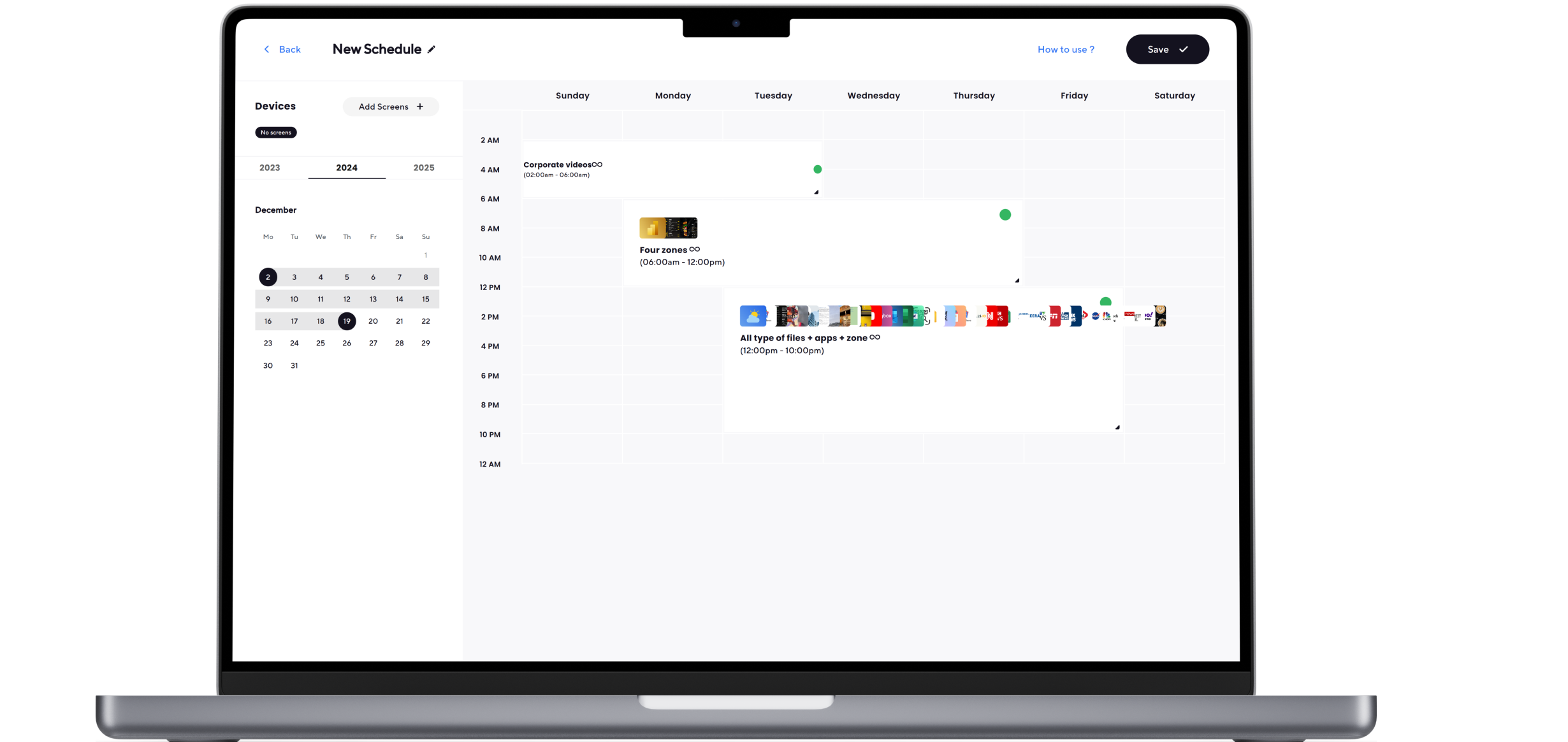
The final step is to schedule content playback and launch your digital signage displays. Set dayparting to show different promotions at designated times and test each screen for clarity and performance to ensure everything runs smoothly.
Once you set up content schedule, all content can go live in real time across your retail locations. Scheduling ensures effective communication, enhances customer engagement, and drives sales by presenting timely and relevant content.
Why AIScreen is the Best Retail Digital Signage Software Solution
AIScreen stands out as a comprehensive digital signage software solution designed specifically for retail businesses. It combines intuitive tools, versatile display options, and advanced features that simplify content management and enhance customer engagement across multiple locations. According to Retail Systems Research, 61% of retailers use digital signage to promote time-sensitive offers and seasonal promotions. By leveraging AIScreen, retailers can streamline operations while delivering dynamic and personalized content to captivate their audience.
1. Effortless Scheduling & Streamlined Screen Management
AIScreen provides intuitive scheduling and screen management tools, making it simple to update content across multiple displays. Imagine this: retailers can automate content playback, schedule promotions, and control numerous screens from a single interface, cutting down on manual effort and boosting operational efficiency. This approach keeps digital signage content fresh, engaging, and consistently aligned with the brand’s messaging.
2. Versatile Display Options
AIScreen supports a diverse range of displays, from compact tablets to expansive video walls, giving retailers flexibility in choosing the ideal setup for their store layout. Imagine this: whether deploying a single digital sign or an entire network of multiple displays, AIScreen ensures seamless compatibility and consistent performance, adapting effortlessly to any retail environment.
3. Ready-Made Apps and Live Feeds
With AIScreen, retailers can leverage pre-built apps and live feeds to enrich content delivery. Let’s say social media integration or real-time news tickers are added—these tools make digital signage displays more dynamic and engaging. By using these features, businesses can captivate customers and sustain an interactive, immersive shopping experience.
4. Always-On Screen
AIScreen guarantees 24/7 uptime for digital displays, a critical feature in busy retail environments. Here’s the trick: consistent performance enables stores to communicate continuously with customers, showcasing products, seasonal promotions, and other dynamic content without any disruptions.
5. Rapid Content Updates
AIScreen allows for instant content updates, giving retailers the ability to modify menus, promotions, or inventory details in real time. Let’s take an example: this immediacy keeps digital signage content relevant and timely, ensuring customers always receive accurate, engaging, and up-to-date information.
6. Centralized Content Management for Franchises
For franchise operations, AIScreen provides centralized content management for your digital signage project, enabling owners to update and control content across multiple locations from one platform. Let’s take an example: this centralization ensures brand consistency, streamlines operations, and allows for coordinated campaigns that maintain a unified customer experience across all stores.
7. Personalized Signage That Adapts to Customer Behavior
AIScreen leverages AI to deliver personalized digital signage content based on customer behavior and interactions. Imagine this: by adapting promotions, recommendations, and interactive elements to each shopper, AIScreen enhances engagement, drives sales, and creates a more tailored and satisfying customer experience.
Ready to Set Up Retail Digital Signage That Scales With Your Store?
If you’re looking to elevate your retail experience and engage customers more effectively, AIScreen provides the ideal solution. Its versatile digital signage software allows you to manage content effectively, schedule promotions to keep customers engaged, and maintain consistent branding across multiple locations with ease. From single digital signs to a complete network of displays, our software adapts seamlessly to your store’s unique requirements. According to a study by Digital Signage Federation, businesses using digital signage see an average 30% increase in sales for promoted products.
By implementing our cloud-based solution, your store can streamline operations, deliver personalized content to captivate customers, and adapt quickly to changing promotions or inventory. The platform supports interactive content, social media feeds, and dynamic displays that keep your customers engaged while ensuring consistent performance. Explore AIScreen today and take the first step toward a more dynamic, efficient, and customer-focused retail environment that can scale as your business grows.


FAQs
What are the key benefits of setting up digital signage in retail?
The key benefits of setting up digital signage in retail include the right digital signage software, enhanced customer engagement, streamlined operations, and consistent brand messaging. Digital signage enables retailers to display dynamic content, promotions, and updates in real-time, reducing reliance on static signage. It also allows for personalized content that resonates with specific audiences, improving the overall shopping experience. Additionally, digital signage can increase sales by influencing purchasing decisions through captivating visuals and interactive elements associated with digital signage systems .
How does digital signage software improve retail sales?
Digital signage software improves retail sales by providing a platform to display targeted promotions, product highlights, and timely offers to customers. It enables retailers to adjust pricing and promotions dynamically based on real-time data. By leveraging interactive content and social media feeds, digital signage encourages engagement and keeps customers informed. Ultimately, the software helps drive conversions by creating a more compelling and responsive shopping environment.
Can I integrate retail digital signage with POS or inventory systems?
Yes, you can integrate retail digital signage with POS or inventory systems, which allows for real-time updates on product availability and pricing. This integration ensures that displayed content is accurate and synchronized with backend systems. It also enables automated updates for promotions and inventory changes without the need for an internet connection manual intervention. Such integration enhances operational efficiency while improving the customer experience by providing timely and relevant information.
What are the future trends in retail digital signage?
The future trends in retail digital signage include increased use of AI and machine learning for personalization, automation, and predictive analytics. Retailers are expected to adopt more interactive displays with touchscreens, QR codes, and augmented reality features. Cloud-based platforms will enable remote management and faster content updates across multiple locations. Additionally, integration with IoT devices and mobile applications will further enhance customer engagement and operational efficiency.
Is digital signage software suitable for small and large retail businesses alike?
Yes, digital signage software is suitable for small and large retail businesses, offering customizable templates and scalable solutions to fit different operational needs. Small retailers can benefit from cost-effective solutions with simple management tools, while larger franchises can leverage centralized control and multi-location content scheduling. The flexibility of digital signage software allows businesses of all sizes to deliver engaging content. This ensures consistent performance, efficient operations, and enhanced customer experience regardless of business scale.
