
How To Buy Displays For Stunning Retail Digital Signage

Finding the proper digital display is crucial for creating impactful retail signage. AIScreen’s research shows that U.S. digital retail media advertising spending reached $46 billion in 2023, reflecting the growing demand for high-quality displays from reliable suppliers.
This blog post will explore where to buy retail digital signage displays—from budget options to premium screens. You’ll learn about online marketplaces, AV suppliers, direct manufacturers, and wholesale platforms, and a feature comparison table to help you choose the best display for your business.

Short Summary
- Digital Signage captures attention, boosts engagement, and increases sales with dynamic, real-time content.
- Suitable for retail, restaurants, offices, and healthcare, offering tailored solutions like promotions, menus, and wayfinding.
- Sony, Samsung, LG, and TCL offer high-quality 4K displays with features like wide viewing angles and sleek designs.
- Provides all-in-one digital signage with cloud-based management, AI scheduling, and commercial-grade displays.
- Easy setup with Raspberry Pi hardware, our software, and seamless Square POS integration for real-time updates.
- Plan engaging, time-sensitive content with our automated scheduling for maximum impact.
- Essential accessories like mounts, cables, and cooling fans enhance display functionality and durability.
Why Should You Buy a Display for Your Retail Store?

Businesses should buy displays for their retail stores as they are innovative ways to attract customers and improve communication. A high-quality digital signage display is a game-changer. Digital Signage Today shows that companies see a 47% engagement boost using digital displays.Here’s why:
- Grabs Attention: Bright, high-resolution displays with motion graphics stand out more than static signs.
- Boosts Engagement: Show real-time promotions, videos, and interactive content to captivate customers.
- Drives Sales: Digital signage can increase sales by up to 29.5% with targeted promotions.
- Enhanced Experience: Self-service kiosks, wayfinding, and queue management screens improve customer satisfaction.
- Saves Time & Money: Instantly update content without printing costs.
- Strengthens Branding: Display logos, mission statements, and testimonials for a cohesive brand presence.
- Gives a Competitive Edge: A modern digital display sets you apart from competitors using static signage.
- Works for Any Business: Retail stores, restaurants, offices, and healthcare facilities all benefit from digital signage.

What Are the Best Digital Displays to Buy for Your Retail Store?
Here are some of the best digital displays to buy for your retail store:

1. Sony BRAVIA 3 LED 4K UHD Smart Google TV Retail Signage
- Screen Sizes: Available in 43” to 85” to fit different business needs.
- 4K Ultra HD Resolution: Advanced picture processing ensures sharp, detailed visuals.
- Brightness: 350 nits, suitable for bright indoor environments.
- Wide Viewing Angle: Clear visuals from multiple angles.
- Sleek & Modern Design: Enhances the look of corporate, retail, and hospitality spaces.
- Easy Setup & Content Sharing: Supports networked control for seamless AV management.
- 16/7 Operation: Designed for long-term digital signage use.
- Price: $499.99 – $1,499.99

2. Insignia F30 Series LED 4K UHD Smart Fire TV Retail Display
- Screen Size: 43″-65″
- Price: $170 – $300
- 4K UHD Display: Four times the resolution of Full HD, with AI-powered upscaling.
- Voice Remote with Alexa: Control settings, switch inputs, and manage smart home devices hands-free.
- Smart Features with Fire TV: Access Netflix, Hulu, Prime Video, YouTube, and more.
- Immersive Audio: Two-speaker playback enhances sound clarity.
- Secure Packaging: Ships safely with clear labeling.

3. Samsung QBC Series 4K UHD Retail Display
- Screen Size: 43″-85″
- Price: $750. – $3,110
- Ultra-Thin (28.5mm Depth): Saves space while maintaining a modern aesthetic.
- Dynamic Crystal Color Technology: Displays over a billion shades for lifelike visuals.
- Quantum Processor Lite 4K: Enhances image clarity and sharpness for consistent quality.

4. TCL Class S4 4K UHD Google TV Retail Signage
- Screen Size: 50 inches
- Price: $300
- HDR PRO+ Technology: Enhances contrast, colors, and fine details for better visibility.
- Quantum Dot Technology: Displays over a billion colors for ultra-realistic visuals.
- Built-in Google Chromecast: Allows streaming directly from mobile devices.
- Motion Rate 240 & MEMC Technology: Smooth motion handling for dynamic content.
- Gaming-Optimized Features: 120Hz refresh rate and AMD FreeSync for seamless performance.

5. LG 32 SM5J-B Retail Sign
- Screen Size: 32 inches
- Price: $720
- Full HD Resolution (1920×1080 pixels) – Sharp and clear visuals.
- 400 nits Brightness – Ideal for indoor use.
- Slim & Stylish Design (55.5mm Depth): Fits modern business environments.
- Built-in Speakers (10W x 2): Enhances announcements and background music audio clarity.

6. Hisense QD5 Series QLED 4K UHD Smart Google TV Retail Sign
- Screen Size: Available in 42″ – 65″.
- Price: $199.99 – $349.99
- Quantum Dot Technology: Provides vibrant colors and deep contrast.
- ULED XD Technology: Uses dual LCD layers for enhanced brightness and contrast.
- Dolby Vision HDR & Dolby Atmos Audio: This delivers an immersive viewing experience.
- Gaming Mode: Low input lag and Variable Refresh Rate for smooth visuals.
- Multiple Ports: Compatible with all major business applications.

Comparison Table:
| Brand | Screen Sizes | Resolution | Brightness | Operating Hours | Price Range |
|---|---|---|---|---|---|
| Sony BRAVIA 3 | 43”-85” | 4K Ultra HD | 350 nits | 16/7 | $499 – $1,499 |
| Samsung QBC | 43”-85” | 4K UHD | 500 nits | 24/7 | $750 – $3,110 |
| LG 32 SM5J-B | 32” | Full HD | 400 nits | 16/7 | $720 |
| TCL Class S4 | 50” | 4K UHD | HDR PRO+ | 16/7 | $300 |
| Hisense QD5 | 42”-65” | 4K UHD | Dolby Vision HDR | 16/7 | $199 – $349 |
How to Set Up a Retail Digital Display After You Buy One for Your Business?
Below, you will find steps to step up a retail digital display. Purchasing a digital display is the first step in transforming your business with dynamic signage. You need the proper hardware, software, and content strategy to leverage its potential fully.
Step 1: Choose the Raspberry Pi Hardware for Your Retail Signage

Proper digital signage hardware ensures seamless operation and a great customer experience. One of the best budget-friendly options is Raspberry Pi OS hardware, which is known for its reliability and smooth performance. Features include:
- Scheduled Turn-On/Off – Automate screen usage for multiple displays.
- 4K Resolution – Deliver high-quality, crisp visuals.
- Fast RAM (16GB) – Ensures smooth operation.
- Ample Storage (32GB) – Accommodates various digital signage needs.
- Budget-Friendly – Cost-effective option for small and large businesses.
- Built-in Wi-Fi – Easy connectivity to digital signage software.
- Energy-Efficient – Low power consumption for long-term savings.
- Portable – Compact and easy to set up.
- Multi-Screen Support – Manage multiple displays simultaneously.
- Price: Starts at $128
Step 2: Install the Best Retail Digital Sign Software

Once you have the hardware, the next step is to install powerful digital signage software to manage your display. We are a top choice because of our user-friendly interface and remote content management for displays 2 go reviews.
- Download the AIScreen App, which is available on the Play Store.
- Sign Up & Login – Create an account for seamless access.
- Enjoy a 14-Day Free Trial – Test all features before committing.
- Easy Setup – Enter your company name and contact details to get started.
- Manage Your Displays – Create playlists, schedule content, and control multiple screens from one dashboard.
Step 3: Link Your Retail Digital Sign

Now that the software is installed, connect your display to our platform to manage content efficiently.
- Open the App and navigate to the “Screens” section.
- Add a Screen – Tap “Add Screen” and enter the 4-digit code displayed on your device.
- Name Your Display – Assign a name and set the screen orientation (portrait or landscape).
- Save & Activate – Finalize your settings and use your digital display immediately.
Step 4: Customize Retail Digital Sign Templates
Once your digital display is connected, the next step is to design eye-catching content. Our Canvas Feature makes creating professional digital signage templates tailored to any business need effortless.
- Choose from 1,500+ Pre-Made Templates – or design your own.
- Drag-and-Drop Editor – Easily add images, text, and fonts.
- Real-Time Updates – Instantly update promotions, advertisements, product showcases, event schedules, announcements, and more across industries such as retail, hospitality, corporate offices, and entertainment venues.
With us, your interactive display retail digital signage stays fresh, engaging, and perfectly aligned with your business needs in real time.

Step 5: Plan Your Retail Digital Sign Content Strategy
To make the most of your digital display, you need a well-planned content strategy that keeps your signage relevant, engaging, and time-sensitive.
Our automated content scheduling ensures your business displays the right content at the right time, whether in retail, hospitality, corporate, healthcare, or any other industry.

- Morning Content – Showcase daily announcements, motivational quotes, new product arrivals, early-bird promotions, or breakfast specials.
Afternoon Content – Highlight limited-time deals, flash sales, upcoming events, appointment availability, or lunch promotions.
Evening Content – Display event reminders, exclusive discounts, end-of-day reports, employee recognition, or dinner specials.
With our content scheduling, your digital signage adapts in real time, ensuring that your customers, employees, or visitors always see the most relevant and impactful messages.
Where to Buy the Best Retail Digital Signage Displays?
Choosing the right place to buy a display for your retail digital signage is crucial for the best performance, durability, and cost-effectiveness.
Whether you need an all-in-one digital signage solution or a standalone commercial-grade screen, the right supplier can make all the difference. Below are the best platforms for buying retail digital signage displays, categorized by business needs.
1. AIScreen – The Ultimate All-in-One Retail Digital Signage Solution

If you’re looking for more than just a display, AIScreen is the perfect choice. Unlike other options that only sell hardware, we provide a complete digital signage ecosystem with innovative content management tools, remote access, and commercial-grade display solutions.
Pros:
- Plug-and-play solution – Displays come pre-configured with digital signage software for easy setup.
- Cloud-based management – Control and update signage content remotely from anywhere.
- Commercial-grade reliability – Designed for 24/7 operation in high-traffic retail environments.
- Customizable content – AI-driven content scheduling and dynamic visuals to attract customers.
- Scalable for all businesses – From small retail shops to large multi-location enterprises.
Cons:
- It requires a subscription for advanced cloud-based features but offers free trials.
If you want a complete digital signage solution beyond buying a display, AIScreen is the best platform.
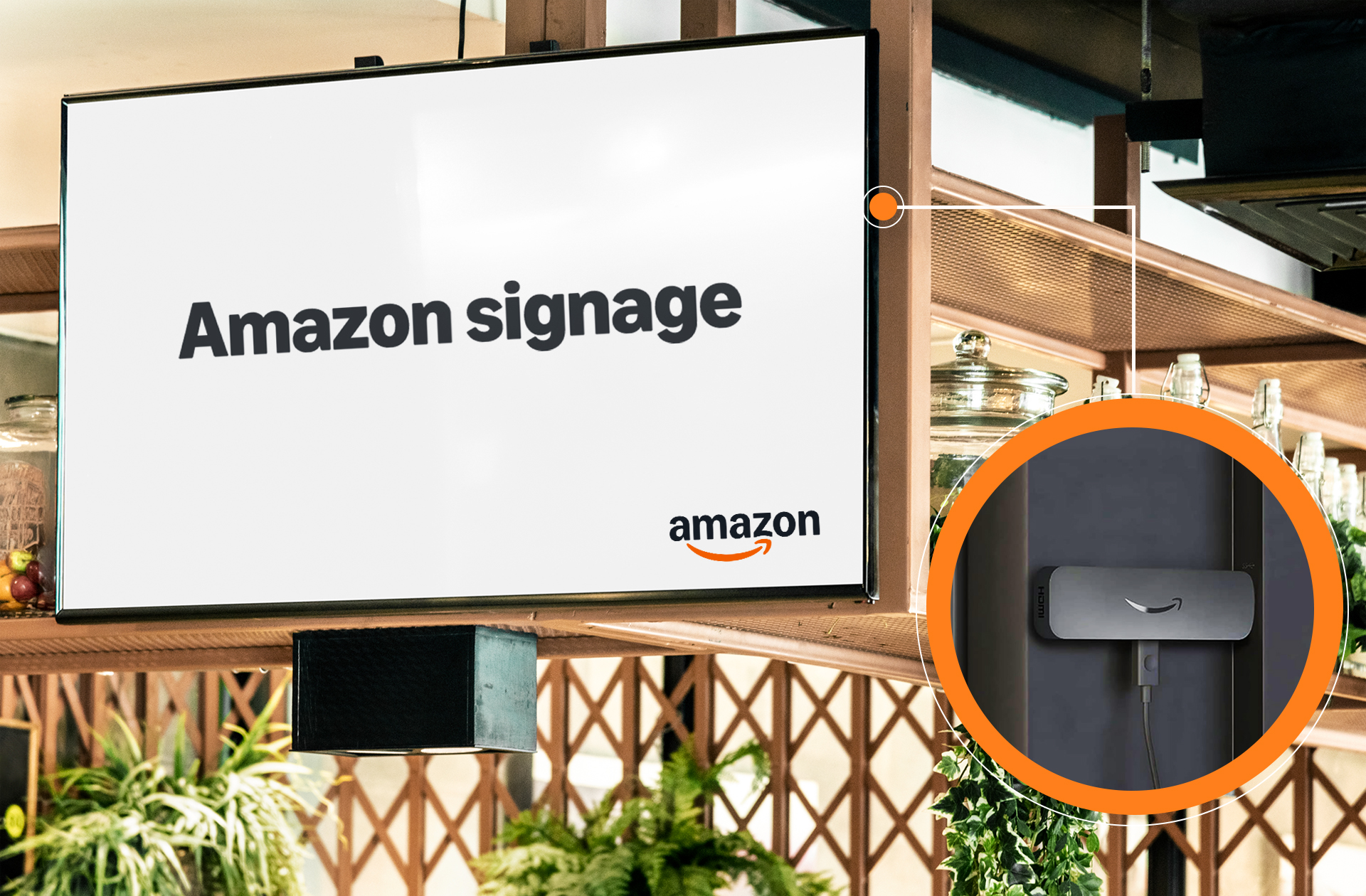
2. Online Marketplace Amazon for Retail Digital Displays
Amazon is one of the most popular platforms for buying a display for retail digital signage due to its vast selection and competitive pricing.
Pros:
- Wide range of brands and screen sizes.
- Customer reviews help compare options.
- Fast shipping for quick setup.
Cons:
- Limited commercial-grade displays (mostly consumer models).
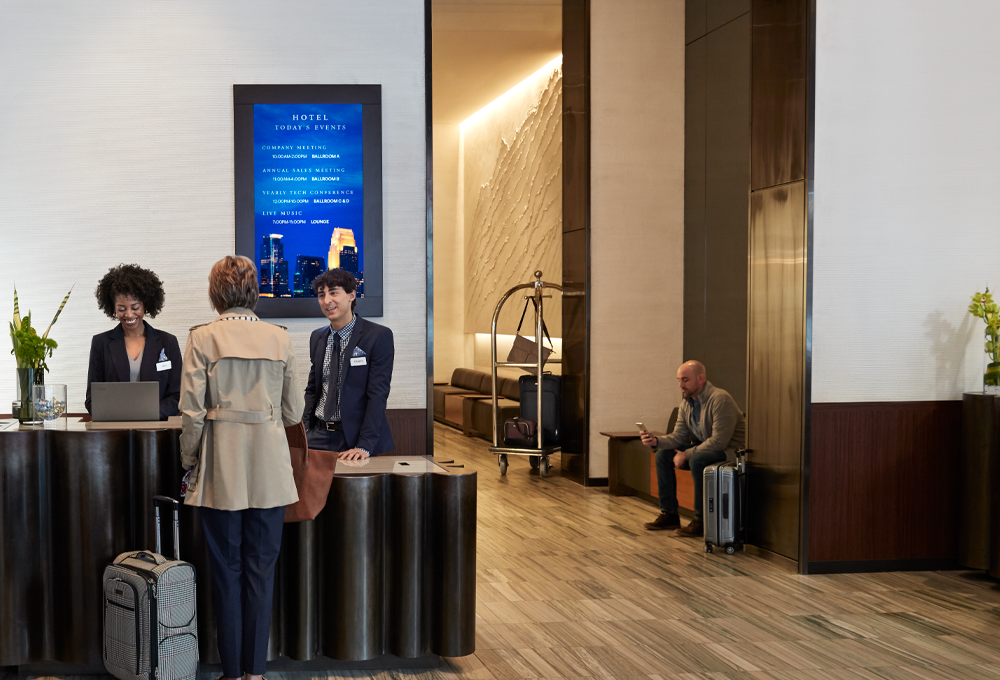
3. Online Marketplace Best Buy Business for Retail Digital Displays
Best Buy Business provides high-quality retail signage displays tailored for commercial use. Their solutions enhance customer engagement, branding, and communication for businesses.
Pros:
- Access to commercial-grade screens.
- Financing options available.
Cons:
- Limited selection of high-end brands compared to specialized suppliers.
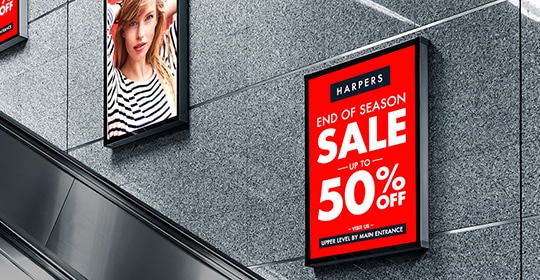
4. Specialized AV Supplier CDW for Commercial Retail Signs
CDW is a top high-end commercial and enterprise display supplier that offers advanced digital signage solutions. Their products ensure reliability, clarity, and seamless business integration.
Pros:
- Offers professional-grade digital signage solutions.
- Provides enterprise integration for multi-location businesses.
Cons:
- Higher price points compared to online marketplaces.
5. Specialized AV Supplier B&H Photo Video for Commercial Retail Signs
B&H Photo Video is a trusted provider of professional AV equipment, including high-quality digital signage displays. They offer reliable solutions for businesses, retail, and commercial applications.
Pros:
- Large inventory of commercial-grade displays.
- Trusted by businesses, educators, and content creators.
Cons:
- Limited financing options compared to corporate suppliers.
6. Direct from Manufacturer Samsung for High-Quality Retail Signs
Samsung is a global leader in commercial digital displays, offering cutting-edge technology and superior image quality. Their solutions enhance business signage, engagement, and branding.
Pros:
- Premium commercial displays with advanced features.
- Extended warranty options for business buyers.
Cons:
- Higher upfront costs.
- Bulk purchasing is required for best pricing.
7. Direct from Manufacturer LG for High-Quality Retail Signs
LG provides innovative commercial displays with stunning visuals and flexible customization options. Their digital signage solutions enhance business communication and customer engagement.
Pros:
- Custom digital signage solutions for businesses.
- Advanced OLED and LED display technology.
Cons:
- Pricing is not readily available and requires direct contact.
8. Wholesale and Bulk Purchase Platform Alibaba for Retail Signage
Alibaba is ideal for bulk orders and direct-from-manufacturer purchases. It offers a wide range of commercial displays, and businesses can find cost-effective digital signage solutions tailored to their needs.

Pros:
- Significant bulk discounts.
- Access to multiple manufacturers and display models.
Cons:
- Longer shipping times.
- Potential import fees and customs clearance.
9. Wholesale and Bulk Purchase Platform Costco for Retail Signage
Costco provides budget-friendly digital signage displays that are perfect for small businesses. Their displays offer great value, combining quality and affordability.
Pros:
- Competitive pricing for small businesses.
- Reliable customer service.
Cons:
- Limited selection of commercial-grade displays.
Here’s a short table summarizing the best places to buy retail digital signage displays and key details:
| Category | Supplier/Brand | Key Benefits | Considerations |
|---|---|---|---|
| All-in-One Digital Signage Solution | AIScreen | Pre-configured software, remote cloud management, AI-driven content scheduling | Requires subscription for advanced features |
| Online Marketplaces | Amazon | Large selection, fast shipping, customer reviews | Mostly consumer-grade displays |
| Best Buy Business | Commercial-grade screens, financing options | Limited high-end brands | |
| Specialized AV Suppliers | CDW | Enterprise-grade displays, multi-location support | Higher price points |
| B&H Photo Video | Large inventory, trusted brand | Limited financing options | |
| Direct from Manufacturers | Samsung Business | Premium features, extended warranty | Higher upfront costs, bulk discounts available |
| LG Business Solutions | OLED/LED options, customized solutions | Pricing requires direct inquiry | |
| Wholesale/Bulk Suppliers | Alibaba | Bulk discounts, a wide selection | Longer shipping times, potential import fees |
| Costco Business Center | Affordable pricing, reliable service | Limited commercial-grade selection |
What are the Types of Digital Displays that Businesses Can Buy?

Here are the main types of digital displays:
1. LED Displays for Retail
Best for: Outdoor advertising, billboards, stadiums, storefront displays
- Ultra-bright and visible even in direct sunlight.
- Energy-efficient with lower power consumption.
- It has a long lifespan and requires minimal maintenance.
- Available in various sizes, from minor storefront signs to large billboards.

2. LCD Displays for Retail
Best for: Indoor signage, retail stores, restaurants, office spaces
- High-definition visuals with sharp images and vibrant colors.
- Good brightness levels, ideal for indoor lighting conditions.
- Energy-efficient compared to older display technologies.
- Cost-effective for businesses of all sizes.

3. OLED Displays for Retail
Best for: High-end retail displays, luxury brand advertising, entertainment
- The superior contrast and deep blacks for high-quality visuals.
- Wide viewing angles with consistent clarity from any perspective.
- Ultra-thin and flexible design, allowing curved or transparent screens.
- More expensive than LCD and LED displays.

4. QLED Displays for Retail
Best for: Retail showrooms, commercial presentations, digital menu boards
- Enhanced color accuracy using Quantum Dot technology.
- High brightness levels are suitable for bright indoor environments.
- Premium display quality with high resolution and deep contrasts.

5. E-Paper Displays for Retail
Best for: Price tags, informational kiosks, wayfinding signage
- Paper-like display with no glare, easy to read in any lighting condition.
- Low power consumption, lasting months on a single charge.
- It is not suitable for videos or animations; it is best for static content.

6. Projection Displays for Retail
Best for: Events, conferences, museums, immersive advertising
- It can display content on large surfaces such as walls, floors, and ceilings.
- Adjustable screen size to fit any space.
- Works best in dark environments with controlled lighting.

7. Transparent Displays for Retail
Best for: Luxury retail, futuristic product showcases, museums
- See-through design allows products behind the display to remain visible.
- Creates a modern, high-tech experience.
- It is more expensive and used primarily by high-end brands and exhibitions.

What are the Touch Screen Displays to Buy for Businesses?
Touchscreen displays have transformed how businesses interact with customers. They provide an intuitive, user-friendly, and interactive experience. Users can navigate menus, browse products, and access information with a tap or swipe.

They are widely used in retail stores, restaurants, corporate offices, healthcare facilities, and educational institutions for various purposes, such as self-service kiosks, digital signage, point-of-sale systems, and interactive learning tools.
Types of Touch Screen Retail Signs

1. Resistive Touch Screens for Retail Signage
- It uses two layers that register a touch when pressed together.
- Works with fingers, gloves, or styluses.
- It is affordable and durable but has lower clarity and multi-touch capability.
- Common in ATMs, industrial controls, and older touch devices.
2. Capacitive Touch Screens for Retail Signage
- It uses electrical charges to detect touch.
- Supports multi-touch gestures like pinch-to-zoom and swipe.
- Offers higher clarity, brightness, and responsiveness than resistive screens.
- Found in smartphones, tablets, and interactive kiosks.

3. Infrared (IR) Touch Screens for Retail Signage
- It uses an invisible grid of infrared light to detect touch.
- It is highly durable and offers excellent touch accuracy.
- Works with fingers, gloves, or styluses without pressure.
- Common in large-format interactive displays, corporate presentations, and educational smartboards.
4. Surface Acoustic Wave (SAW) Touch Screens for Retail Signage
- It uses sound waves to detect touch, providing precise touch response.
- It offers excellent clarity and durability but may not work well with gloves.
- Common in high-end kiosks and interactive displays.

5. Optical Touch Screens for Retail Signage
- It uses cameras and infrared sensors to detect touch input.
- Highly accurate and durable with multi-touch support.
- It is ideal for large interactive displays and video walls.
Advantages of Touch-Screen Retail Signs

- Enhanced User Experience – Provides an easy and interactive way for customers to access information.
- Faster Transactions – Ideal for self-service kiosks and point-of-sale systems to reduce wait times.
- Space-Saving Design – Eliminates the need for keyboards and mice, making it perfect for compact spaces.
- Increased Engagement – Attracts customers with interactive menus, product catalogs, and digital signage.
- Easy to Maintain – Modern touch screens are durable, scratch-resistant, and easy to clean.
What Should You Know Before Buying a Display Technology?

Different display technologies offer unique features and benefits depending on business needs. Below are the advantages of two popular display technologies: TFT and IPS.
TFT Displays (Thin-Film Transistor Displays) for Retail Signage
TFT (Thin-Film Transistor) displays are LCD technology that enhances image quality by improving contrast, response time, and color reproduction. These displays are commonly used in smartphones, tablets, monitors, and digital signage solutions.

Advantages of TFT Displays for Retail Signage:
- High Resolution and Color Accuracy – Produces sharp images with vibrant colors, making it ideal for digital signage and advertising.
- Fast Response Time – Reduces motion blur, ensuring smooth visuals for video playback and interactive displays.
- Wide Viewing Angles – Allows clear visibility from different angles, improving customer engagement in retail settings.
- Energy Efficient – Consumes less power than older display technologies, reducing operating costs.
- Cost-Effective – A budget-friendly option for businesses looking for high-quality digital displays without a premium price.
IPS Displays (In-Plane Switching Displays) for Retail Signage
IPS (In-Plane Switching) is an advanced LCD technology known for its superior color accuracy and viewing angles. It is commonly found in high-end monitors, televisions, smartphones, and professional displays.

Advantages of IPS Displays for Retail Signage:
- Wide Viewing Angles – This ensures precise and consistent visuals even when viewed from extreme angles, making it ideal for menu boards, retail displays, and interactive kiosks.
- High Color Accuracy – Displays true-to-life colors, perfect for graphic design, branding, and digital marketing applications.
- Fast Response Time – Minimizes motion blur, ensuring crisp images in fast-moving videos or interactive touchscreens.
- Energy Efficient – It uses less power than traditional LCDs, making it a sustainable business choice.
- Cost-Effective – Provides high-quality visuals at a reasonable price, offering great value for businesses investing in digital displays.
What Should You Know About Display Interfaces?

You should know that display interfaces are the connection types used to link a digital display to media players, computers, or other devices. Choosing the proper interface ensures high-quality visuals, smooth performance, and compatibility with your setup.
Common Retail Digital Display Interfaces:
1. HDMI (High-Definition Multimedia Interface) for Retail Signage
- It is the most popular interface for TVs, monitors, and digital signage displays.
- It supports high-definition video and audio on a single cable.
- Comes in different versions (HDMI 1.4, 2.0, 2.1) with varying resolutions and refresh rates.
2. DisplayPort (DP) for Retail Signage

- Designed for high-end monitors, gaming screens, and professional displays.
- Supports higher resolutions and refresh rates than HDMI.
- It is ideal for multi-display setups in offices and control rooms.
3. VGA (Video Graphics Array) for Retail Signage
- Older analog interface, mostly outdated but still used for legacy systems.
- Does not support audio or high-definition resolutions.
- It can be converted to HDMI or DisplayPort using adapters.
4. DVI (Digital Visual Interface) for Retail Signage

- Older digital interface used for computer monitors and projectors.
- It supports higher resolutions than VGA but lacks audio transmission.
- Available in DVI-D (digital), DVI-A (analog), and DVI-I (integrated) versions.
5. USB-C (Universal Serial Bus Type-C) for Retail Signage
- A modern interface that supports video, audio, and power delivery in one cable.
- Used in laptops, tablets, and high-end monitors for a sleek, single-cable setup.
- Supports DisplayPort over USB-C for 4K and 8K displays.
6. Thunderbolt for Retail Signage
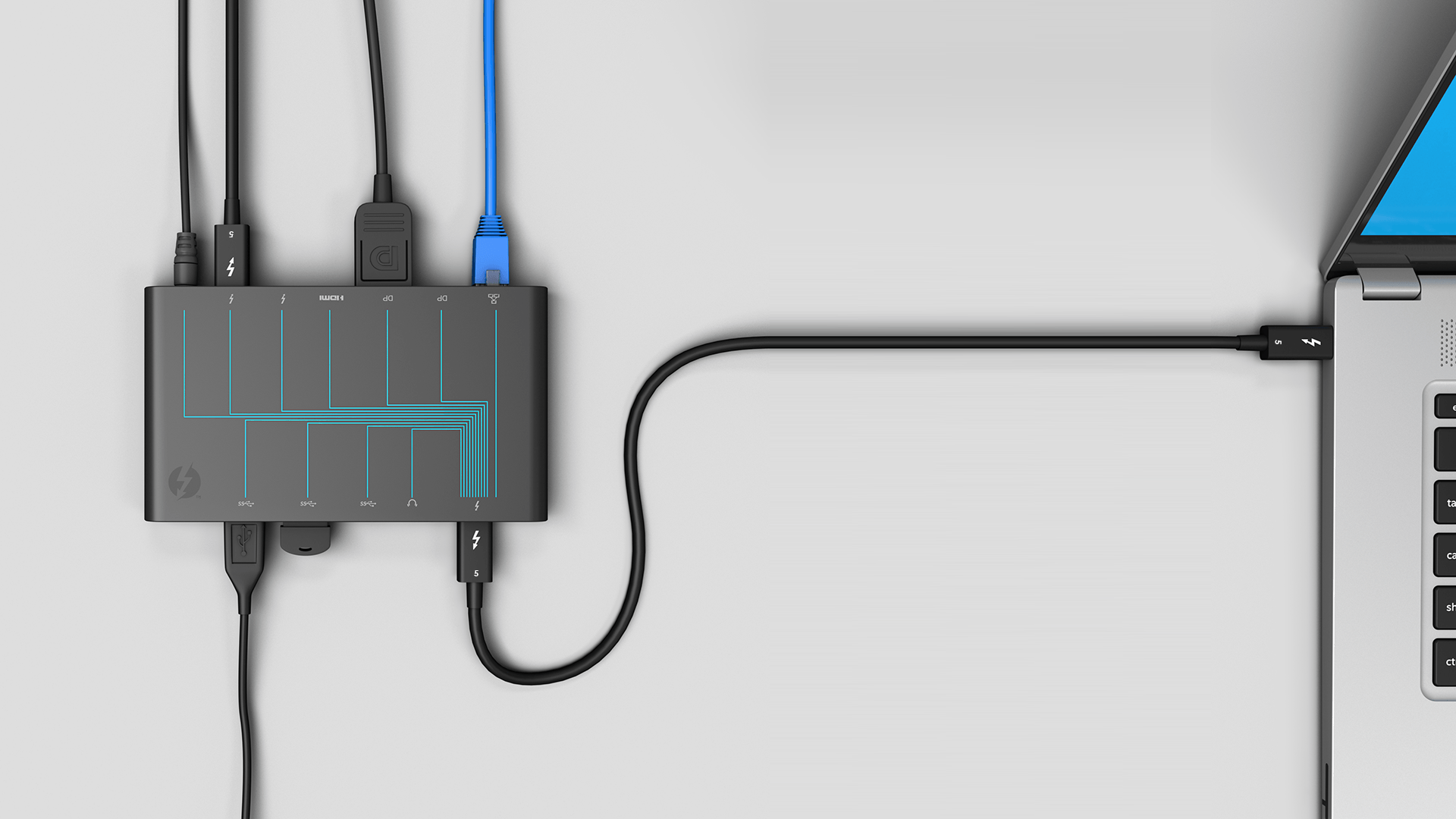
- A high-speed interface developed by Intel and Apple.
- Supports video, data transfer, and power delivery.
- It is found in MacBooks and professional editing setups for high-performance displays.
7. SDI (Serial Digital Interface) for Retail Signage
- A professional-grade interface used in broadcast and video production.
- Supports long-distance signal transmission without quality loss.
- Ideal for TV studios, live streaming, and large-scale digital displays.
What Display Accessories Are Essential for Your Retail Business?

Below are the types of accessories that are essential. Display accessories are crucial components that enhance digital displays’ functionality, durability, and efficiency. These accessories help improve mounting, connectivity, protection, and overall user experience.
Types of Retail Digital Sign Accessories
1. Mounting Solutions for Retail Digital Signs
- Wall Mounts – Secure the display to a wall for a clean, space-saving setup.
- Ceiling Mounts – Ideal for high-traffic areas where visibility is key.
- Floor Stands – Portable stands for flexible display placement.
- Tabletop Stands – Small stands for desk or counter displays.
- Articulating Mounts – Adjustable mounts that allow for tilting and swiveling.
2. Connectivity & Cables for Retail Digital Signs
- HDMI Cables – High-definition video and audio transmission.
- DisplayPort Cables – Supports high-resolution displays with better refresh rates.
- VGA Cables – These are Used for older display systems.
- USB & USB-C Cables – Connect external devices and accessories.
- Ethernet Cables – Provides a stable internet connection for smart displays.
3. Power Accessories for Retail Digital Signs
- Surge Protectors – Prevents damage from power fluctuations.
- Power Strips – Allows multiple devices to be plugged in at once.
- Power Adapters – Ensures proper voltage and compatibility with displays.
- Battery Packs – Useful for portable or temporary display setups.
4. Protective Accessories for Retail Digital Signs
- Screen Protectors – Shields against scratches, dust, and fingerprints.
- Anti-Glare Filters – Reduces reflections and improves visibility in bright environments.
- Weatherproof Enclosures – Protects outdoor displays from weather conditions.

5. Input & Control Devices for Retail Digital Signs
- Remote Controls – Allows easy operation and content switching.
- Touchscreen Styluses – Enhances accuracy on touch displays.
- Wireless Keyboards & Mice – Improves usability for interactive displays.
- Media Players – Supports digital signage content playback.
6. Audio Accessories for Retail Digital Signs
- External Speakers – Enhances sound quality for presentations or signage.
- Microphones – Useful for interactive or announcement-based displays.
- Headphone Jacks – Allows private listening when needed.
7. Cooling & Maintenance Accessories for Retail Digital Signs
- Cooling Fans – Prevents overheating for prolonged display usage.
- Dust Covers – Protects displays when not in use.
- Cleaning Kits – Includes microfiber cloths and screen-safe cleaning solutions.
What Case Studies Show How Businesses Choose Displays for Success?

1. Adidas’ Integration of Retail Digital Signs in Stores
Background:
Adidas, a globally recognized sportswear brand, sought to enhance customer engagement and streamline the shopping experience in its retail stores. To achieve this, it incorporated advanced digital solutions that showcased its products dynamically and interactively.
Objective:
The primary objective was to create an immersive retail environment that displayed products and provided customers with interactive experiences.
Adidas wanted to bridge the gap between online and offline shopping by integrating digital elements that could offer real-time information and virtual try-on capabilities.
Solution:
Adidas collaborated with Display Innovations to produce and install large-format digital advertising displays within their retail stores. These open-frame displays were seamlessly integrated into the store’s design, providing dynamic content to enhance the shopping experience.
Key implementations included high-definition screens showcasing detailed product information, pricing, real-time availability, and interactive mirrors in fitting rooms that allowed customers to try on different clothing items virtually.
Result:
Integrating digital signage transformed Adidas’ retail spaces into interactive and engaging environments. Customers experienced a more personalized shopping journey, which increased satisfaction and sales conversions.
The dynamic displays effectively communicated product features and promotions, contributing to a modernized brand image and enhanced customer loyalty.
2. Asda’s Trial of Digital Scratchcard Dispensers Using Retail Digital Signs

Background:
Asda, one of the UK’s leading supermarket chains, aimed to modernize the purchasing process for National Lottery scratchcards, which had remained unchanged for three decades.
In partnership with Allwyn, the operator of The National Lottery, Asda sought to introduce innovative technology to improve customer experience.
Objective:
The objective was to streamline and enhance the scratch card purchasing process, making it faster and more engaging for customers. Asda wanted to reduce wait times at checkout and provide a more interactive method for customers to select and purchase scratchcards.
Solution:
In a UK-first trial, Asda installed a high-tech digital scratchcard dispenser at their Ashton-under-Lyne store. Developed in collaboration with Scientific Games, the Sci-Q Scratchcard dispenser features:
- 40-Inch Digital Display: Showcases the artwork of 20 different National Lottery scratchcards, automatically updating when new games are added.
- Touch Screen Terminal: Allows store staff to efficiently manage transactions and assist customers in selecting their desired scratch cards.
- Automated Dispensing Unit: Securely houses scratchcards and dispenses them upon selection, reducing manual handling and improving security.
Result:
The introduction of the digital scratchcard dispenser led to:
- Enhanced Customer Experience: Customers benefited from a quicker and more interactive purchasing process, reducing wait times and improving satisfaction.
- Operational Efficiency: Store staff experienced a more streamlined workflow, allowing them to assist more customers effectively.
- Modernized Retail Environment: The innovative dispenser contributed to a contemporary store atmosphere, aligning with Asda’s commitment to adopting cutting-edge technologies.
This trial represents a significant shift in retail lottery sales, and its success could lead to broader implementation.
These case studies exemplify how integrating digital display solutions can address specific retail challenges, improve customer engagement, increase sales, and enhance operational efficiency.
FAQs
Where can I buy budget-friendly retail digital signage displays?
Amazon and Costco Business Center offer affordable options, but AIScreen is the best choice for a complete digital signage solution.
It provides commercial-grade displays and includes cloud-based content management, remote access, and AI-powered scheduling, ensuring a seamless digital signage experience for any retail business.
What is the best resolution for a retail digital signage display?
A 4K resolution (3840 x 2160 pixels) is ideal for retail digital signs. It includes ultra-clear visuals, making text and images stand out. Higher resolution enhances readability and engagement, ensuring that promotional messages and product details are easily viewed from any distance.
Are outdoor displays different from indoor displays?
Yes, outdoor digital signage displays require at least 1000+ nits brightness to remain visible under direct sunlight. They are also built with weatherproof enclosures (IP65 or higher) to protect against rain, dust, and extreme temperatures, ensuring long-lasting performance in outdoor environments.
Unlock Retail Success with AIScreen Digital Signage


Investing in high-quality digital signage displays can transform your retail business by capturing attention, boosting engagement, and increasing sales. With options like Sony, Samsung, and LG, companies can find displays tailored to their needs.
However, AIScreen is the leading provider of a complete solution. It offers commercial-grade displays, cloud-based management, and AI-powered content scheduling, making it the ideal choice for businesses of all sizes.
AIScreen’s all-in-one platform simplifies setup, content creation, and real-time updates, ensuring your digital signage is always fresh and engaging.
Whether you’re a small shop or a large enterprise, we provide the tools to create a modern, tech-savvy retail environment that keeps customers returning. Choose us for a seamless and innovative digital signage experience. Contact us for more details.
