
10 Best Signs for Conference Rooms Every Office Needs
Have you ever wondered why the best signs for conference rooms every office needs can completely change how teams meet and communicate? Every great idea begins in a meeting room, but when spaces are misused, unclear, or double-booked, even the best ideas get lost in the noise. Clear conference room signs help prevent interruptions, simplify scheduling, and support better communication across the workplace. According to the Workplace Navigation Report (2025), 78% of employees say meeting room signage reduces confusion and improves daily workflow.
This blog post breaks down the 10 must-have types of meeting room signage, their practical use cases, and why modern workplaces are shifting toward digital, custom conference room signs for consistency and stronger branding. By the end, you’ll know exactly which signs your office needs, how they improve meeting flow, and why digital options are quickly becoming the preferred choice for organized, high-performing teams.
1. Conference Room Reserved Sign
Ever walked toward a meeting space only to find two teams awkwardly waiting to figure out who actually booked it? A conference room reserved sign solves that chaos instantly.
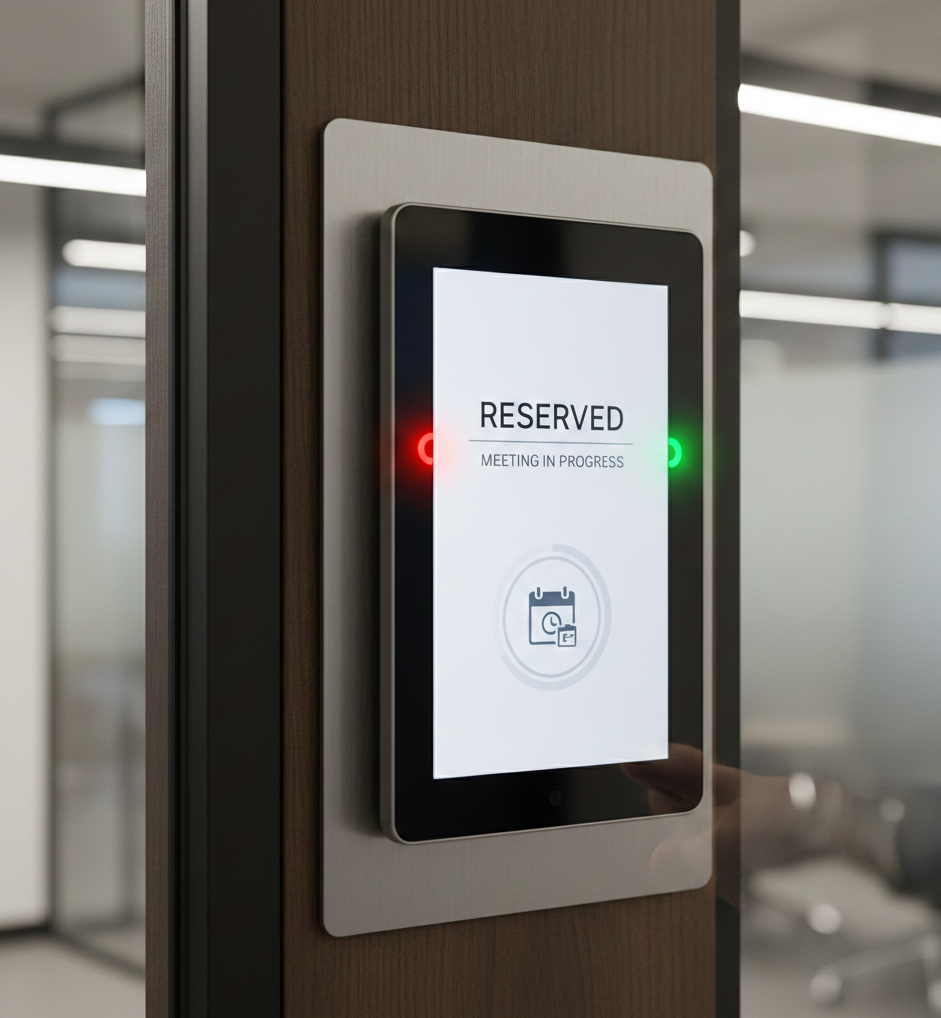
Clear meeting room signs play a crucial role in keeping any office space organized, especially in hybrid setups where people move between remote and in-office schedules. A well-placed room-reservation sign eliminates confusion, prevents overlapping bookings, and sets the tone for an efficient workplace.
Traditional slider plaques have been around forever, simple, mechanical, and reliable. You slide to “In Use,” “Reserved,” or “Available,” and everyone immediately knows the status.
But today’s workplaces are evolving, and digital signage is stepping in with sleek screens that instantly sync with booking systems. These conference room screens display live reservations and upcoming meetings and even integrate with your brand identity.
According to IWG Workplace Trends (2025), 62% of hybrid offices report smoother scheduling after upgrading to better meeting room signage. It’s a slight improvement that makes a significant operational impact.
If you want to make your office signs even more straightforward, use a simple color code:
- Red for occupied – meeting happening now
- Green for available – the room is free
It’s visual, universal, and removes all guesswork.
2. Meeting Room In Use Sign
Ever been deep in a presentation and someone opens the door because they didn’t know the room was occupied? A meeting room in use sign prevents that awkward interruption instantly.
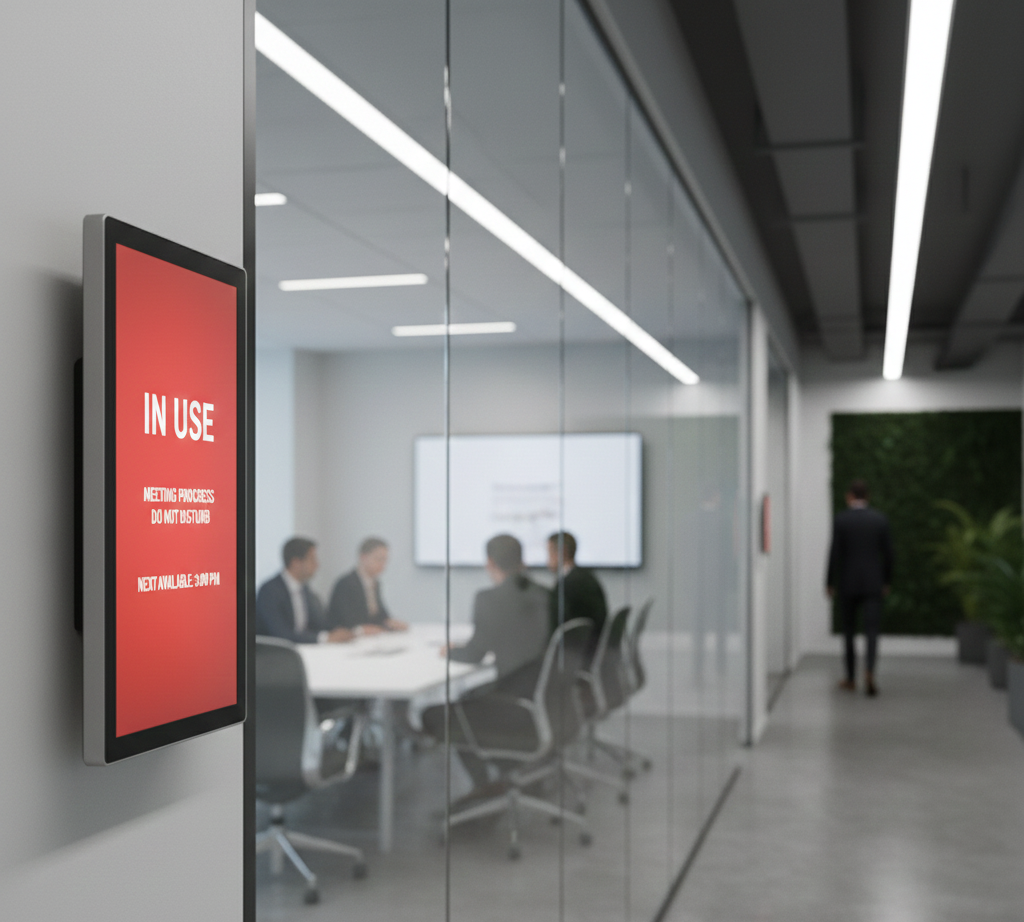
These signs are essential in modern workplaces where privacy, focus, and professionalism matter. Whether you’re using simple magnetic sliders or advanced digital signage, meeting room signs maintain workflow and minimize disruptions.
There are three popular designs:
- LED indicators that glow red when busy and green when free
- Motion-triggered sensors that activate automatically when people enter
- Magnetic or sliding plaques for low-tech but effective meeting room signage
And yes, these signs work. Offices that use clear visual indicators report 35% fewer interruptions (Workplace Insight, 2025). Another study by Future of Work Survey (2024) found that teams save up to 18 minutes per meeting simply by reducing disruptions.
When you invest in a better conference room display, you’re not just improving communication; you’re enhancing overall productivity. Digital signage goes even further by syncing with calendars, showing live reservations, and keeping the whole office environment running smoothly.
Plus, thoughtfully designed office signs reinforce your brand identity. From color palettes to typography, your meeting room signage design can match your office aesthetic while staying functional.
Whether you’re running a busy corporate floor or a coworking hub, a clear conference room-in-use sign is one of the simplest upgrades that dramatically improve the overall office experience.
3. Conference Room Door Signs
Ever noticed how the smallest detail can completely change how a workplace feels?
Conference room door signs do precisely that: functional, stylish, and essential for smooth navigation.
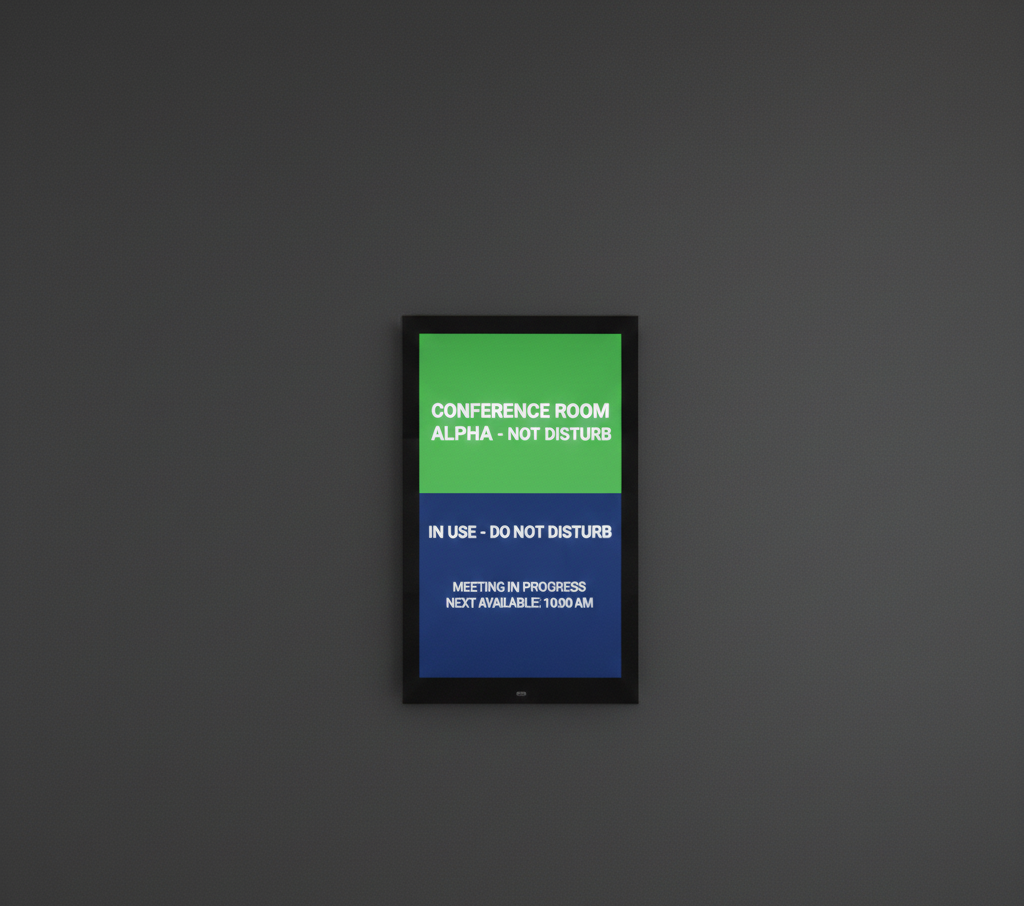
These signs aren’t just labels; they’re part of your conference sign system, guiding employees and visitors just as wayfinding signs near a reception desk or in high-traffic areas do. The right meeting room door signs help people instantly identify the space, reduce confusion, and contribute to a more organized office environment.
Material choice matters. Modern offices love:
- Acrylic for a clean, floating look
- Brushed aluminum for a sleek, professional finish
- Frosted glass for a premium, privacy-friendly touch
Because these room signs are visible every day, brand consistency becomes crucial. Matching fonts, finishes, and even the polish of your wall graphics or digital displays strengthens your overall company culture. Even simple static signage can feel more intentional when it matches the wall colors or aligns with your company color palette.
Design tip: Make sure your door signage ties into surrounding elements, like floor decals, lighting, or accent walls, to create visual harmony and a positive impression for anyone entering the space.
4. Custom Conference Room Signs
Ever walked into a workspace where everything, from the door signs to the décor, feels uniquely “them”? Custom conference room signs are among the easiest ways to bring personality to your workplace.
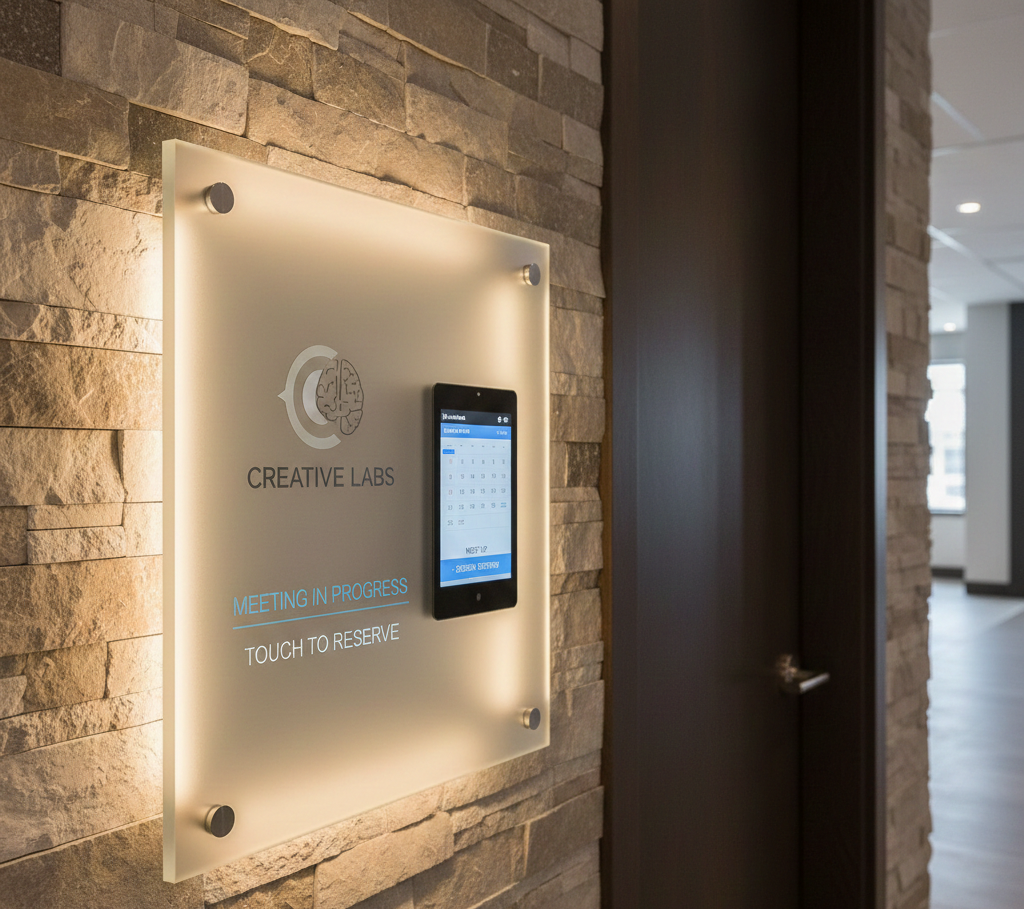
Customization turns ordinary room signs into branding tools. You can incorporate logos, brand typography, and messaging that align with your company culture. Even the name of the room can elevate the experience, imagine “Innovation Room” etched on backlit glass, glowing softly next to your digital displays.
With the rise of interactive workplaces, these signs now go far beyond static labels. Options include:
- Touchscreen panels that show schedules from integrated calendar systems
- Augmented reality markers for immersive walkthroughs
- ADA-compliant versions with braille and tactile lettering
- Designs that blend with wall graphics in high-traffic areas
Good conference room display design seamlessly fits into your broader environment. Whether you’re pairing brushed metal with frosted acrylic or matching ink colors to a brand palette, custom elements signal professionalism and attention to detail.
These personalized signs don’t just enhance navigation; they strengthen your entire meeting room signage strategy and support easy wayfinding across the office.
In modern offices where every touchpoint matters, custom signage contributes to efficiency, aesthetics, and brand alignment simultaneously.
5. Meeting Room Reservation Sign
Ever wish scheduling a meeting felt less like a guessing game and more like a smooth, automated process? That’s exactly what a meeting room reservation sign brings to your workspace.
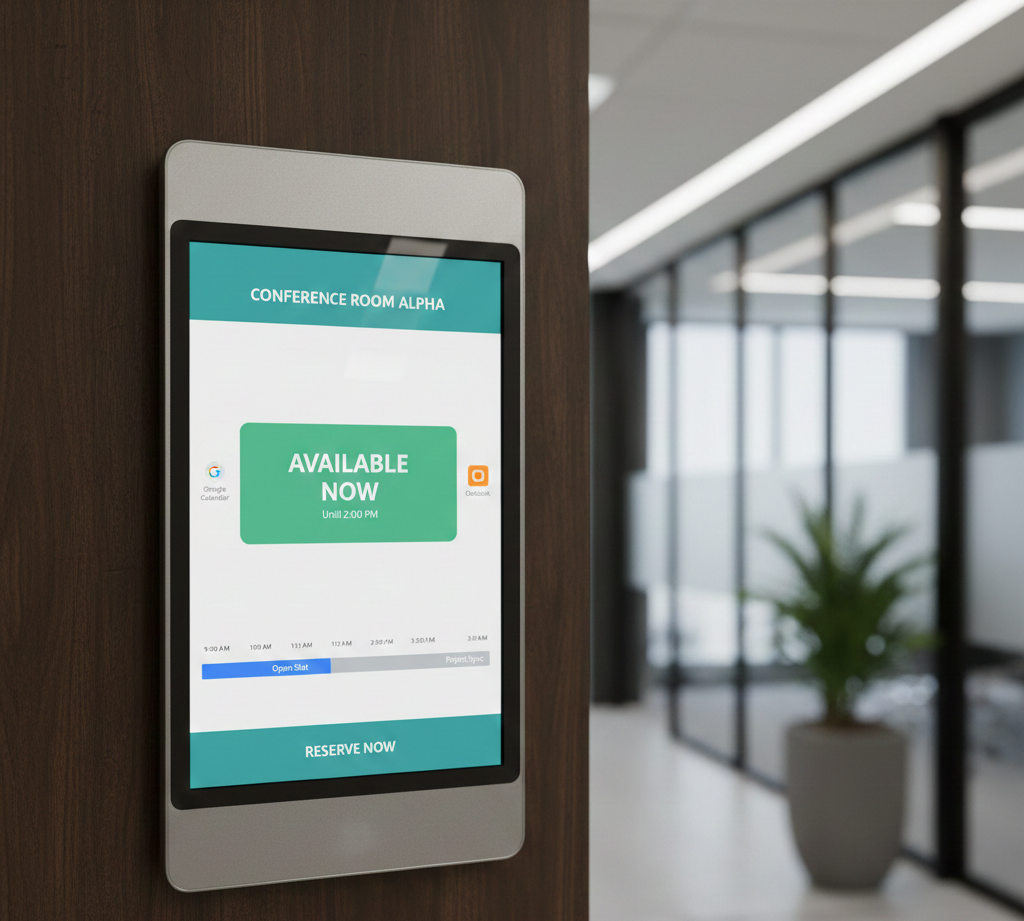
A well-placed conference room reserved sign does more than label the space; it becomes a smart scheduling tool. Modern versions integrate directly with Google Workspace, Microsoft Outlook, and other calendar systems, pulling real-time data so teams always know what’s available.
You’ll often see these signs prominently displayed near high-traffic meeting zones. A tablet outside the door can show:
- Current meeting status
- Upcoming bookings
- Real-time availability
- Alerts that prevent scheduling conflicts
When this information syncs across devices, your meeting room sign becomes part of a bigger workflow. No more double-booked rooms. No more awkward knock-before-enter moments. And no more confusion about who reserved what.
These reservation signs can also match your company logo, colors, or typography to blend naturally with your branding.
Whether the system is simple or sophisticated, the goal is the same: clearer communication and smoother scheduling without adding extra signs required throughout the workspace.
6. Digital Conference Room Signage
Ever walked through a workspace where every meeting room feels connected, intelligent, and effortless to manage? That’s the power of digital conference room signage in today’s modern offices.
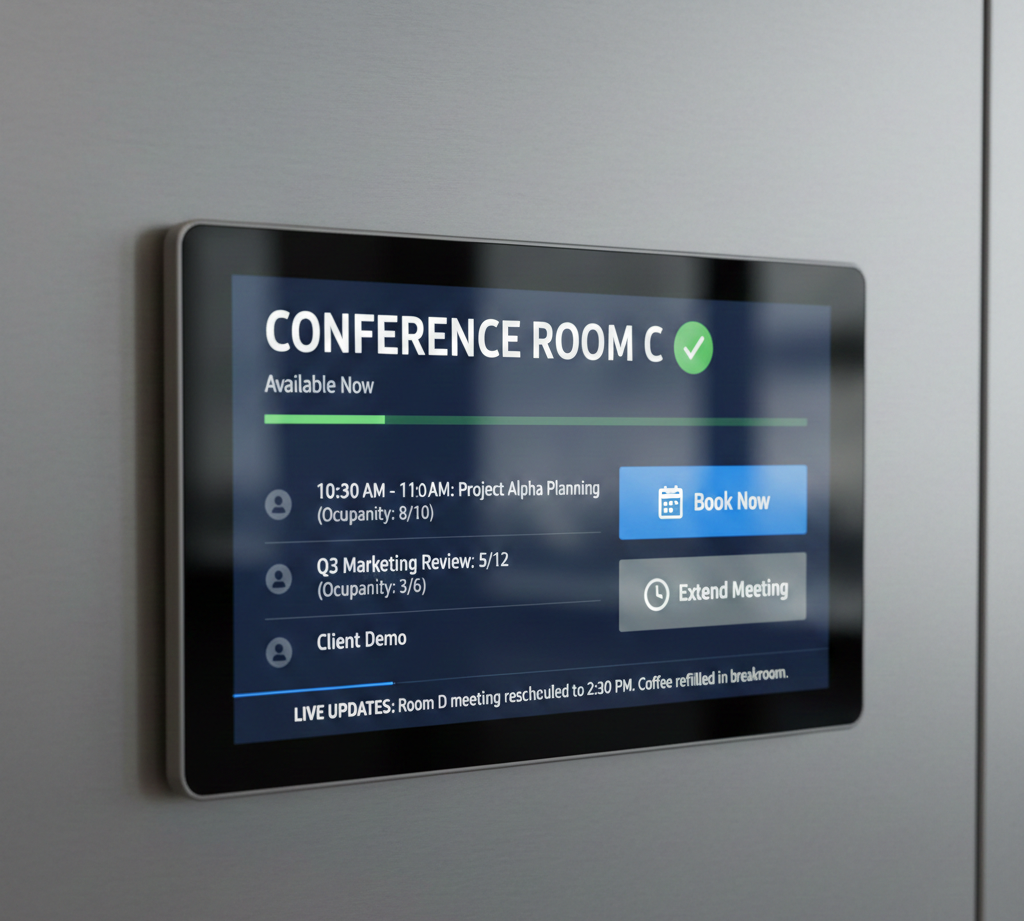
Digital conference room signage takes everything a traditional door sign does and amplifies it with automation. These digital conference room signs are powered by a centralized CMS, allowing admins to manage multiple rooms, update schedules, and adjust room permissions from anywhere.
Touchscreen booking lets employees reserve a room on the spot. Occupancy sensors can automatically switch the sign from “Available” to “In Use,” eliminating human error. And remote control tools allow IT teams to manage all meeting spaces without physically visiting each door.
Better yet, this system integrates with your corporate dashboards, displaying crucial meeting metrics, capacity updates, or even internal communications. It’s modern, intuitive, and built for scaling.
When it comes to meeting room signage, digital screens can also incorporate your company logo, match the office color palette, and complement your branding. With all the information prominently displayed, teams find rooms faster, avoid scheduling conflicts, and improve meeting efficiency across the entire building.
7. Meeting Room Door Signs with Room Names
There’s something instantly welcoming about a workspace where rooms have personality. Meeting room door signs with room names make navigation easier while giving each area a unique identity.
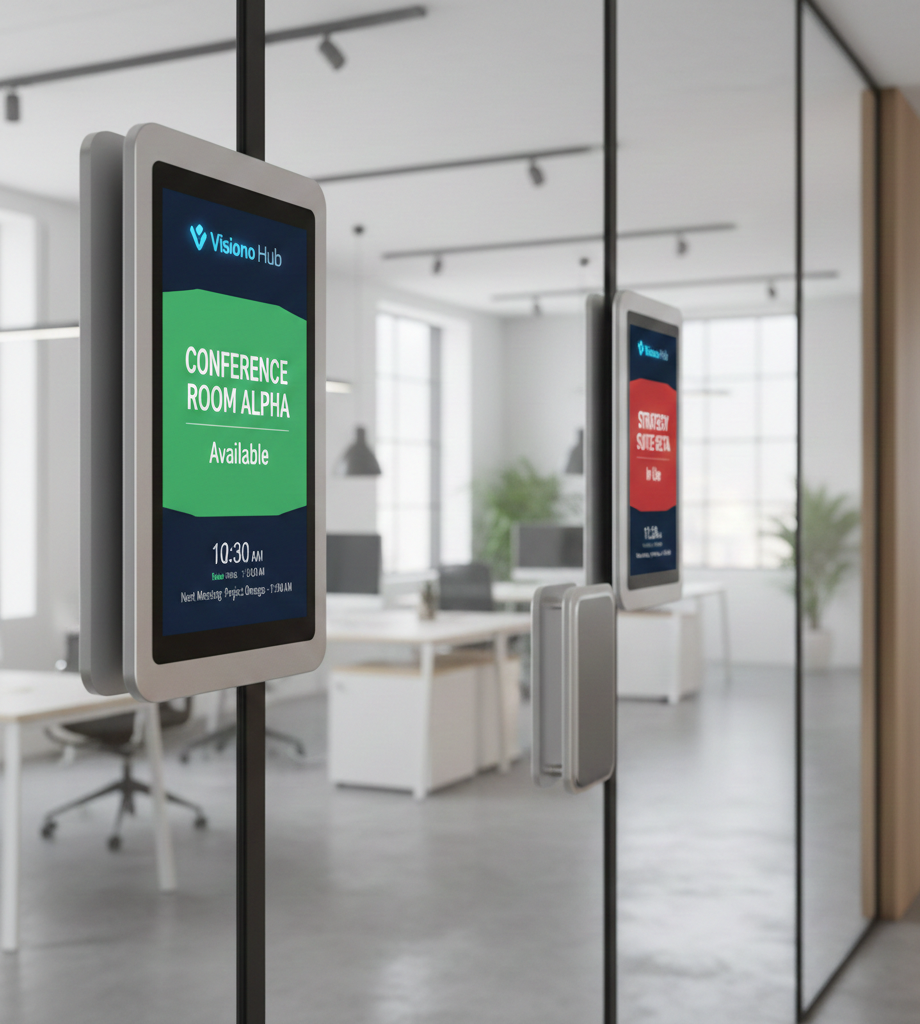
Using themed names like “Vision Hub,” “The Hive,” “Think Tank,” or “Brainwave Studio” helps employees remember locations faster and makes your meeting spaces feel more engaging. These conference room door signs turn plain rooms into branded destinations.
Visual cues make these signs even more effective. Color strips, minimalist icons, or directional arrows help people move through the office without hesitation. And when your naming style matches your company branding, it boosts authenticity and strengthens brand recognition.
To make your meeting room signage smarter, add a QR code beside the door. Scanning it shows the room’s calendar, live availability, or the booking link. This simple upgrade reduces scheduling conflicts and keeps meetings running smoothly.
These signs also fit naturally alongside operational elements such as emergency alerts, wall labeling, and fire extinguisher markers, keeping the entire layout clean and intuitive.
8. Conference Room Plaques and Nameplates
A polished plaque can transform a space from ordinary to executive-level professional. Conference room plaques and nameplates combine elegance with clarity, making a perfect fit for areas where first impressions matter most.
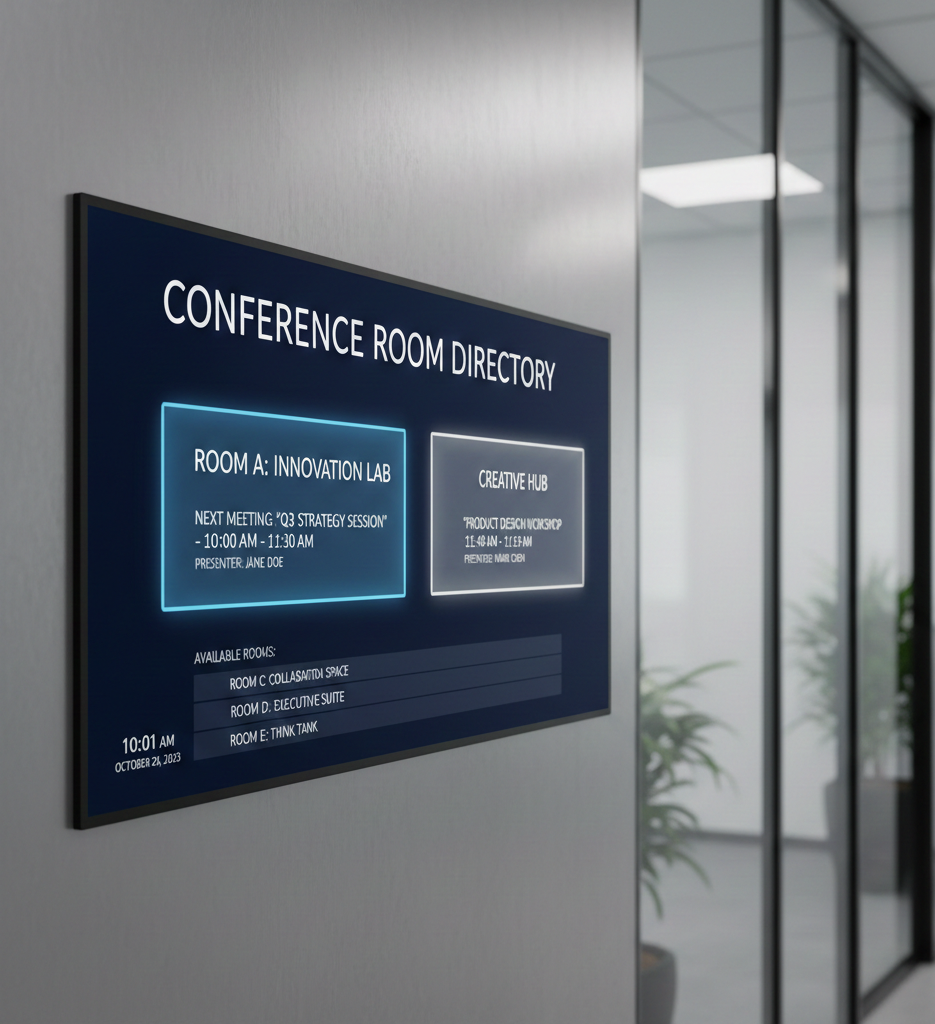
High-end materials like brass, woodgrain, or matte acrylic give these signs a refined look that enhances your office aesthetic. They’re durable, visually striking, and ideal for leadership floors or formal meeting spaces.
Premium finishes elevate the design further. Engraved text, frosted etching, or raised 3D letters turn standard conference room plaques into architectural elements. These details seamlessly support broader interior design and emphasize your company branding.
Functionality matters too. Pair your plaque with a small in-use slider for real-time visibility. This addition blends perfectly with the plaque’s look and ensures your meeting room signage remains both stylish and practical.
Whether placed near executive offices, collaboration areas, break rooms, or essential labeling like fire extinguishers, these plaques maintain a unified aesthetic across the workplace.
Professional, durable, and visually aligned, this is how signage should look in a modern corporate setting.
9. Meeting Signs with Changeable Inserts
A flexible office runs on tools that adapt as quickly as schedules change. That’s why meeting signs with changeable inserts are a perfect fit for dynamic workplaces.
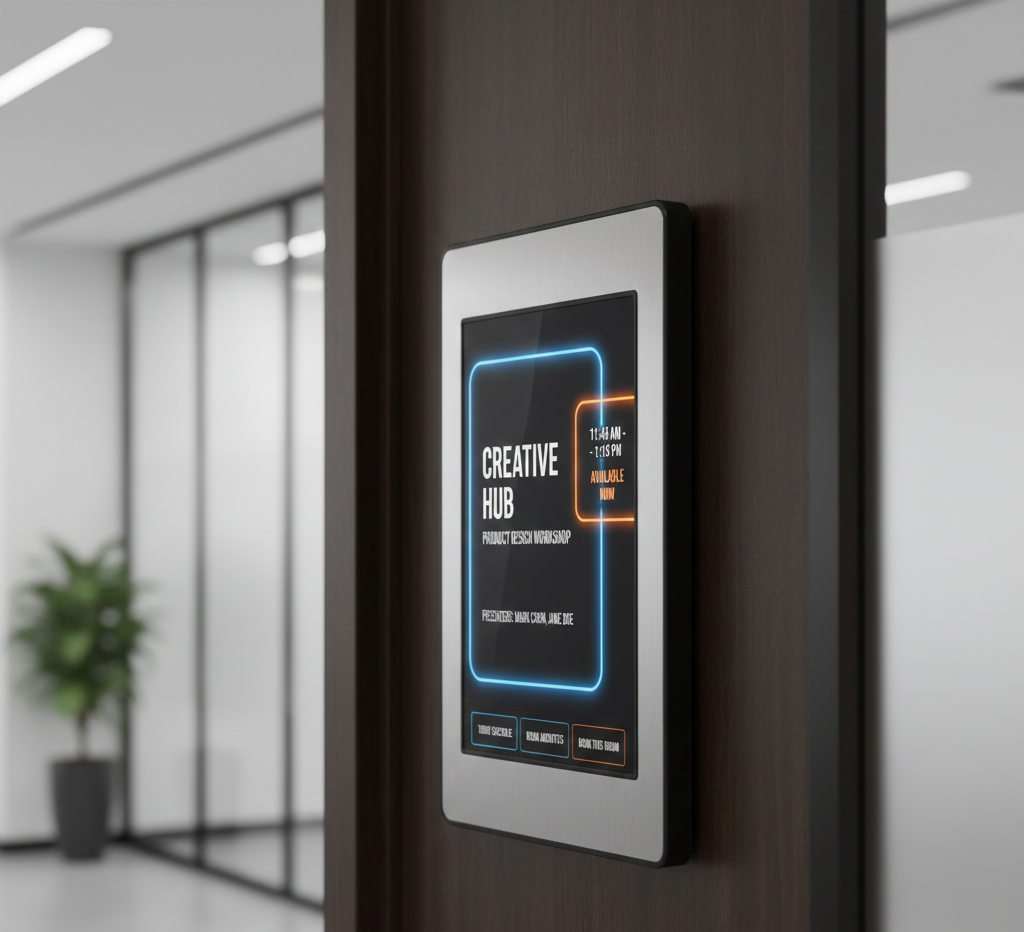
These modular meeting signs are built for hybrid teams, rotating schedules, and multi-purpose spaces. Instead of permanently labeling a room, these systems allow you to swap inserts in seconds, ideal when a space shifts from “Workshop Room” in the morning to “Training Hub” in the afternoon.
This adaptability makes your conference room signs more efficient across departments. A single conference sign can serve multiple functions without needing costly replacements. Plus, reusable inserts mean easier maintenance and long-term cost savings.
Designs often include sliding frames, magnetic backs, or dual-panel systems that allow instant updates. Think of a sign that toggles between “Boardroom” and “Brainstorm Zone” with a single slide, simple, clean, and practical.
Modular inserts also support brand consistency. You can match fonts, colors, or icons so signs look unified throughout the office, even when the content changes.
10. Conference Room Signage with LED Indicators
Clear visibility can make or break meeting flow in a busy workplace. That’s where conference room signage with LED indicators provides instant, unmistakable communication.
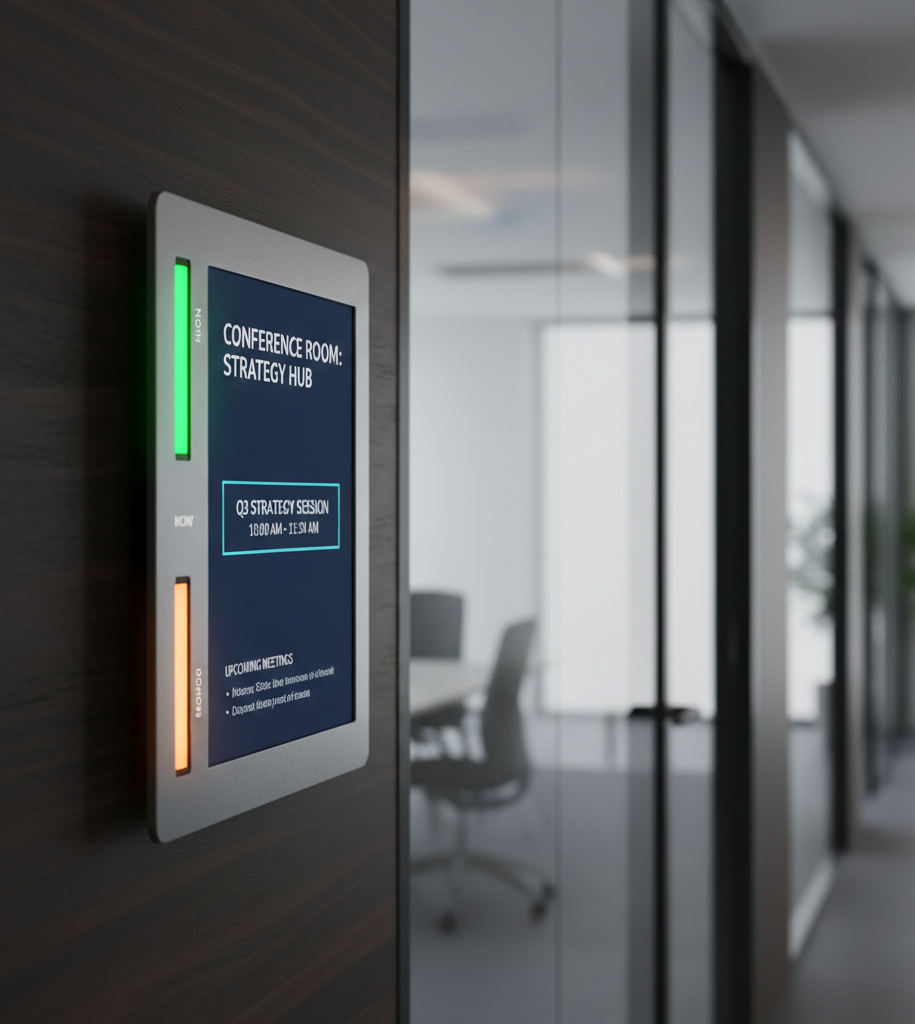
LED-based meeting room signage uses universally understood color logic:
- Green = Room Available
- Red = Room Busy / In Use
These lights eliminate confusion from a distance, making it obvious whether you can enter or should wait. In busy corridors or large offices, this quick-glance clarity dramatically improves navigation.
Many modern conference room signs connect to occupancy sensors or a scheduling CMS. When a meeting starts, the system can automatically switch to red; when the room becomes free, it flips to green, no manual updates needed. This kind of automation keeps your conference room in use sign accurate at all times.
Remote control features allow IT or facility teams to manage indicators from a dashboard, ensuring the signage stays synced with real-time bookings. This setup helps reduce interruptions and keeps meetings running smoothly.
Installation is simple, too. Using low-voltage LED strips keeps energy consumption low while maintaining consistent illumination.
LED indicators = instant clarity, automation, and a more organized office flow.


Why Use Digital Conference Room Signs?
Digital tools are reshaping how workplaces communicate, and meeting spaces are one of the biggest beneficiaries. Digital conference room signage offers functional and strategic advantages that traditional static signs can’t match.
Using digital room signs maximizes meeting space utilization and eliminates scheduling conflicts. These office signs are also cost-effective since they don’t rely on printed notices or manual updates. With smart automation, everything stays accurate without extra effort.
Below are the key reasons digital options outperform static alternatives:
- Real-time schedule sync with Outlook or Google Calendar: Digital conference room signs automatically pull updates from your scheduling system, ensuring every meeting status stays accurate. No manual edits. No outdated printouts.
- Reduced scheduling conflicts and double bookings: These tools update instantly and help teams see availability at a glance. The result? A massive drop in booking errors and walk-ins.
- Modern aesthetic for tech-enabled offices: Sleek screens upgrade your workplace environment. They complement meeting room signage and reinforce a polished, future-forward brand look.
- Energy-efficient operation with low maintenance: Most displays use low-power technology, meaning they run all day without driving up utility costs or needing constant servicing.
- Integration with IoT sensors for occupancy analytics: Connected sensors detect real usage patterns, helping you understand which rooms are overused or underused, and improving long-term space planning.
What Are the Best Conference Room Signage Content Ideas?
Keeping your screens fresh, helpful, and easy for employees and visitors to understand is key to maximizing the impact of digital displays.
The best conference room signage content ideas become far more valuable when the content is informative, engaging, and strategically placed at eye level throughout the workplace.
With digital conference room signs, you don’t rely on manual updates and can create dynamic layouts with customizable options that suit every space. The goal is to make meeting information easy to access and always visible, thereby boosting clarity and productivity across the workplace.
Below are smart content ideas to enhance your meeting room signage, reduce confusion, and make each meeting flow more smoothly.
1. Display Meeting Schedules and Room Availability
Keep everyone aligned and reduce unnecessary back-and-forth by showing real-time booking data.
Displaying meeting schedules and room availability allows employees to instantly check when a room is free, see who booked it, and confirm the status of their meeting.
A great setup includes:
- Real-time synced calendars
- QR codes linking to your booking page
- “Book Now” buttons on touchscreen devices
This content becomes highly visible, eliminating the need for printed schedules or manual updates. It makes the space more organized and helps employees plan efficiently throughout the workplace.
2. Highlight Company Announcements and Updates
Screens can do more than show bookings; they can strengthen communication across the office.
Highlight company announcements and updates by sharing key reminders, policy changes, internal news, and upcoming events.
Between each meeting, rotate slides featuring:
- Holiday schedules
- HR deadlines
- New-hire welcomes
- Team event reminders
This keeps employees informed without cluttered emails. It also improves the experience for visitors who pass by these signs, giving them a sense of your workplace culture.
3. Showcase Team Achievements and Goals
A motivated team performs better when its progress is acknowledged. Showcase team achievements and goals to spotlight project wins and celebrate the employees behind them.
Display content such as:
- Completed milestones
- Department goals
- Sales achievements
- Recognition badges
This type of content not only inspires collaboration but transforms the meeting space into a place where success is visible. It also encourages employees to engage more deeply with team initiatives.
4. Add Inspirational Quotes and Visual Branding
Motivational messages set the tone for a productive meeting atmosphere. Add inspirational quotes and visual branding to reinforce company values in a subtle, uplifting way.
Great ideas include:
- Company mission statements
- Leadership quotes
- Branded backgrounds
- Visuals that match your company palette
These elements help create a cohesive workplace identity and make meeting areas more inviting to both employees and visitors.
5. Display Live Metrics or Dashboards During Meetings
Real-time data can inform better decisions when presented clearly and can display live metrics or dashboards during meetings, giving teams immediate access to KPIs and project analytics.
Examples include:
- Sales numbers
- Project timelines
- Customer support metrics
- Productivity indicators
Data-driven screens are beneficial in collaborative spaces where progress must remain visible as teams work toward shared goals. This approach elevates every meeting and helps employees stay aligned.
Which is Better: Traditional or Digital Conference Room Signs?
Choosing the right sign depends on how your workspace operates day to day. Which is better, traditional or digital conference room signs? Ultimately, it comes down to your office culture, budget, and long-term scalability needs.
Wondering if traditional or digital solutions fit your workflow better? The comparison below breaks down key differences so you can make a confident choice about your conference room signage design, whether you’re upgrading meeting areas, improving navigation, or enhancing technology inside your meeting room signage ecosystem.
The choice between traditional and digital meeting room signs depends on your office culture, budget, and scalability needs. To answer that, let’s compare the core features of both types of conference room signs to help you determine what fits best for your team’s short-term goals and long-term efficiency.
Comparison Table
| Feature | Traditional Room Signs | Digital Room Signs |
|---|---|---|
| Content | Static (e.g., printed names, times, or agenda on plaques) | Dynamic (real-time updates, video, or interactive content) |
| Update | Manual reprints required | Remote updates via CMS; automatic calendar sync |
| Engagement | Passive; fixed visuals | Interactive; touchscreen or live data |
| Customization | Limited fonts, static layouts | Full branding, animations, and rich media |
| Costs | Low initial, high long-term (replacements) | Higher upfront, minimal long-term maintenance |
| Real-Time Info | Not supported | Displays live booking and occupancy data |
| Scheduling Integration | Manual entry | Integrates with Office 365, Outlook, or Google Workspace |
Traditional setups rely heavily on printed materials and meeting room signage that must be physically replaced, which adds ongoing costs and slows information flow.
Digital solutions, on the other hand, offer real-time updates and frictionless scheduling, particularly when using digital conference room signage connected to shared calendars.
Modern digital conference room signs also help department heads monitor meeting progress, improve space utilization, and streamline communication by displaying meeting titles, speakers, times, and important updates, all without manual maintenance.
Switching to digital room signage software enhances productivity, improves visitor navigation, and supports scalable communication throughout the office. If your goal is to upgrade efficiency while reducing long-term operational work, digital signage is the strategic choice.
Modernize Your Office with Smart Conference Room Signage!
Clear, attractive, and intelligent signage is more than a design upgrade; it’s a tool that improves productivity and helps everyone move through the workplace with confidence.
Modernize your office with smart conference room signage that uses automated displays to reduce interruptions, simplify scheduling, and keep every meeting space clearly visible and organized.
AIScreen is the leading provider of modern digital signs, offering advanced conference room signs, custom displays, and full booking integrations that make space management effortless. If your workplace is ready to improve navigation and efficiency, AIScreen makes it easy to upgrade your meeting room signage from day one. Contact us.
FAQs
What are conference room signs?
Conference room signs are labels, plaques, or digital displays used to identify meeting spaces, show availability, and communicate room status. They help employees and visitors quickly understand whether a room is free, reserved, or currently in use. Modern conference room displays may also include schedules, instructions, or branding elements.
Why do offices need conference room signs?
Offices need conference room signs to reduce confusion, prevent double-bookings, and simplify navigation. Clear signage ensures meeting spaces are used efficiently and helps people avoid interrupting sessions already in progress. In modern workplaces, they also support smoother collaboration and improve overall space management.
How do digital conference room signs work?
Digital conference room signs work by syncing with scheduling tools such as Outlook, Google Calendar, or Office 365 to display real-time meeting updates. These digital conference room signage systems can show availability, room status, upcoming bookings, and even occupancy data using sensors. They update automatically, no manual changes required.
What materials are best for meeting room signage?
Materials best for meeting room signage include acrylic, aluminum, frosted glass, and matte plastics. These materials offer durability, a clean aesthetic, and easy customization. For premium environments, brushed metal or engraved wood adds a more executive feel. Material choice often depends on the brand style and the overall design of the meeting room signage.
What’s the difference between a room reserved sign and an in-use sign?
The difference between a room reserved sign and an in-use sign lies in the status they communicate. A reserved sign shows a future booking, meaning the room is scheduled but may not yet be occupied. An in-use sign indicates that the meeting is happening now and that the room should not be entered. Both types improve clarity and prevent interruptions.
