
Best Sign Board Electronic Solutions in 2026

Creating an electronic signage sign board is a simple and effective way to display dynamic messages, attract customers, and improve communication across business environments. A digital signage setup typically includes a digital display, a media player, and digital signage software to manage and control content. According to Allied Market Research, the market was valued at USD 23.6 billion in 2022 and is projected to reach USD 50.6 billion by 2032, growing at a CAGR of 8%.
This guide explains the complete process step-by-step, from choosing the right screen to launching your signage with digital signage software. You will learn how to create high-quality digital signs for retail locations, office buildings, schools, and outdoor environments. By the end, you will be able to build a cost-effective, scalable signage system that delivers maximum visibility and enhances your brand image.
What is an Electronic Signage Sign Board?
Electronic signage boards are digital displays used to show dynamic content such as promotions, safety messages, digital menu boards, and advertising across various industries. These systems replace traditional static signs with flexible, high-resolution digital signage that can be updated instantly. Unlike printed boards, digital signage allows businesses to create content using images, videos, and custom text in just a few clicks.
This makes it easier to match messaging with audience needs and improve communication in real time. Businesses can control content centrally and display it across multiple locations, ensuring consistency and efficiency. Generally speaking, electronic signage offers better visibility, especially in bright environments or outdoor settings with direct sunlight. With LED signs or LCD screens, businesses can ensure their messages remain visible and engaging at all times. Whether placed in retail stores, schools, or office buildings, these digital displays provide a modern, cost-effective solution for delivering impactful messages.
How Does Electronic Signage Actually Work?
Electronic signage works by combining a digital display, a media player, and digital signage software to deliver content seamlessly. The media player connects to the screen using HDMI and pulls content from a centralized system through Wi-Fi or a network connection. Once connected, businesses can upload images, videos, and graphics through a web dashboard. The software schedules and distributes content across one or multiple screens, ensuring consistent communication.
This process is simple and efficient, allowing businesses to update content remotely without manual intervention. The system also ensures high-quality playback, smooth transitions, and real-time updates. This helps businesses maintain a strong presence, improve audience engagement, and deliver messages at the right moment. By using digital signage, organizations can connect with visitors and customers more effectively across different environments.
What Equipment Do You Need to Create an Electronic Sign Board?
To create an electronic signage sign board, you need three core components: a digital display, a media player, and digital signage software. These elements work together to deliver content efficiently and ensure long-term performance. A digital display can be a TV, LED display, or outdoor digital sign depending on your business needs and location. High-resolution screens provide better image quality and visibility, especially in bright or outdoor environments. Media players, such as Raspberry Pi or Android devices, power the content and connect the display to the software.
Additional tools like mounting brackets, cables, and installation services help ensure a stable and professional setup. Technical support and full service installation can further simplify the process, especially for larger organizations or multiple locations. Choosing the right combination of equipment ensures your signage system remains reliable, energy-efficient, and scalable. This setup allows businesses to create impactful signage that stands out and delivers a great experience for customers.
What Are the Benefits of Using Electronic Signage for Businesses?
Electronic signage improves communication, enhances visibility, and provides a cost-effective way to reach customers. Businesses can update messages instantly, eliminating printing costs and saving money over time. Digital signage helps attract potential customers by displaying bright images, engaging videos, and dynamic promotions. This creates a strong brand image and improves customer experience across retail stores, office buildings, and public spaces.
Businesses can also schedule content to match audience behavior, ensuring messages are shown at the right time. Another key benefit is flexibility. Businesses can create their own ads, update content in real time, and adapt messaging based on location or audience. This makes digital signage one of the best investments for modern communication and advertising.
What Is the Difference Between Digital Signage and TV?
The key difference between digital signage and TV is control and purpose. Digital signage is designed for business communication and advertising, while TVs are primarily used for entertainment. Digital signage allows businesses to control content, schedule messages, and manage multiple screens from one platform. TVs, on the other hand, display pre-programmed content without centralized control.
This makes digital signage more suitable for retail locations, office buildings, and public environments where targeted messaging is essential. Additionally, digital signage supports advanced features such as analytics, real-time updates, and content scheduling. These features help businesses improve communication and maximize visibility..
How to Create Electronic Signage Sign Board: 7 Step Guide
Creating an electronic signage sign board follows a structured process that ensures smooth setup, strong visibility, and effective content delivery. By following these steps, any business or organization can create a high-quality digital sign that fits its audience, improves communication, and helps the brand stand out in a competitive world.
Step 1: Choose the Right Display for Sign Board
Choosing the right digital display is the foundation of a perfect sign. Select between LED display, LCD, or OLED based on your environment, price, and business needs.
- LED signs are ideal for outdoor digital signs due to brightness and durability in direct sunlight.
- LCD screens work well for indoor store, schools, and office walls.
- Always prioritize high resolution for clear images, videos, and readable messages.
Generally speaking, the right display ensures your new signage remains visible, delivers maximum presence, and attracts new customers across any city location.
For a deeper understanding of modern solutions and technologies, you can explore 10 best electronic signs solutions 2026 to see how digital signage continues to evolve and outperform traditional displays
Insignia™ – Class F30 Series LED 4K UHD Smart Fire TV (43″–65″)

The Insignia Class F30 Series LED 4K UHD Smart Fire TV offers 720p HD clarity, Alexa Voice Remote for hands-free control, Apple device sharing, HDMI audio, and reliable operation for small businesses. Price: $170–$299.
Toshiba – Class C350 Series LED 4K UHD Smart Fire TV (43″–75″)

The Toshiba Class C350 Series LED 4K UHD Smart Fire TV delivers stunning visuals with Regza Engine 4K, DTS Virtual X Technology, and multiple size options. Price: $210–$649.99. Ideal for showing live weather or digital signage content in any setting.
Step 2: Connect with a Media Player
A media player powers your digital signage and ensures smooth playback of content. Devices like Raspberry Pi or Android players are cost-effective and energy-efficient.
- Supports smooth playback of videos, graphics, and custom text
- Provides strong control over content across screens
- Works reliably even with limited Wi-Fi
This setup ensures your digital sign runs efficiently while saving money and reducing manual effort for your team.
Step 3: Install and Set Up Digital Signage Software
Installing digital signage software makes the entire process simple and scalable. It allows you to create, manage, and update messages remotely.
- Download the app on your device
- Connect to a stable network
- Upload images, videos, or promotional content
- Organize playlists for different campaigns
This step helps your company maintain consistent advertising, improve customer engagement, and keep content updated without physical access.
Step 4: Log in or Sign Up to the Account in the Digital Signage Management App
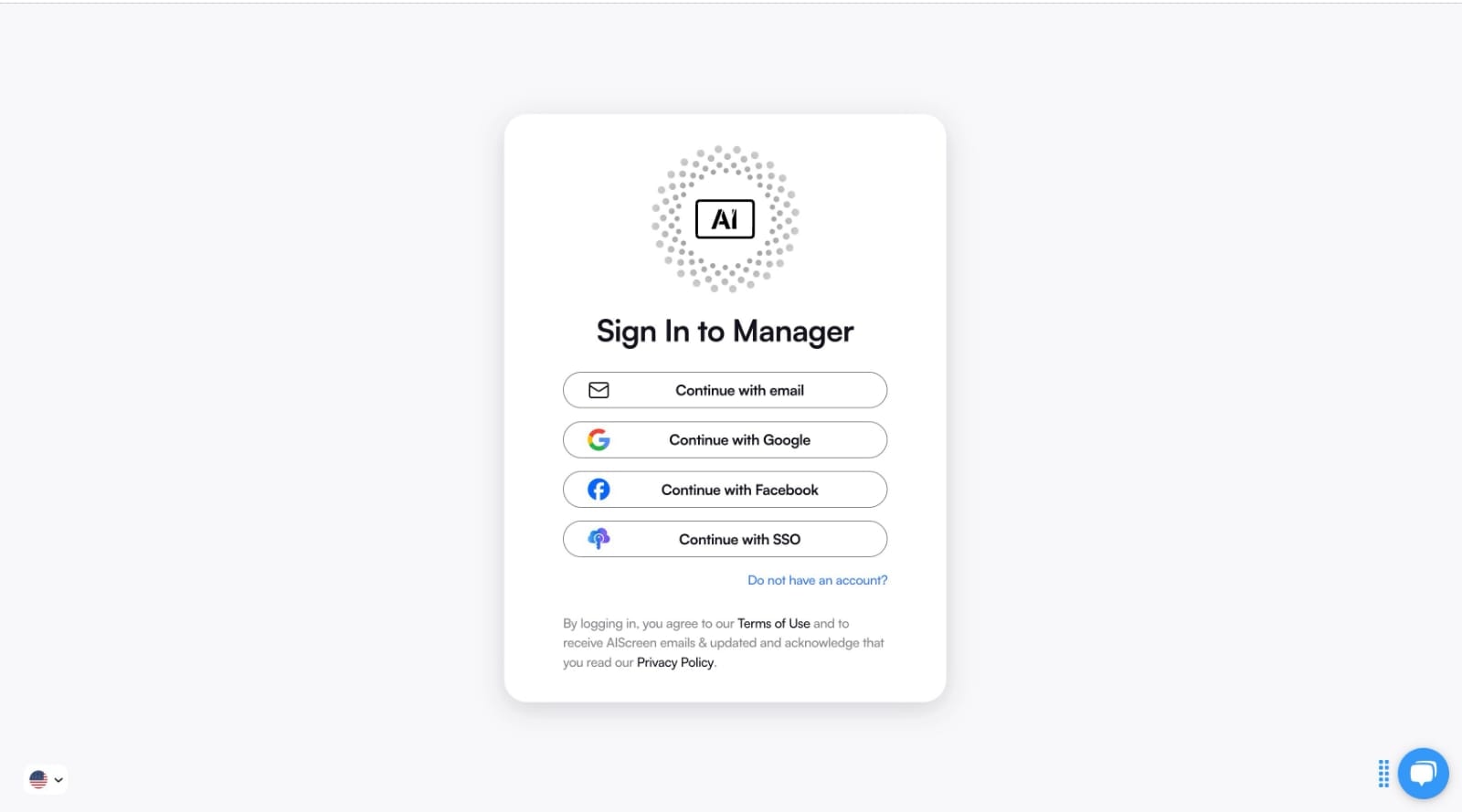
Creating an account unlocks full control over your digital signage system.
- Sign up using your business details
- Add screens and organize them by location
- Upload and manage content from one dashboard
This centralized system improves communication, aligns brand image, and ensures every display delivers the right answer to your audience needs.
Step 5: Pair Your Devices with the Software

Pairing connects your screen to the software so your digital display shows the correct content instantly.
- Add a screen from the dashboard
- Enter the pairing code
- Select orientation and confirm
Proper pairing ensures your messages are always visible, synchronized, and ready for your audience without delays.
Step 6: Upload or Customize Your Electronic Signage Sign Board Templates
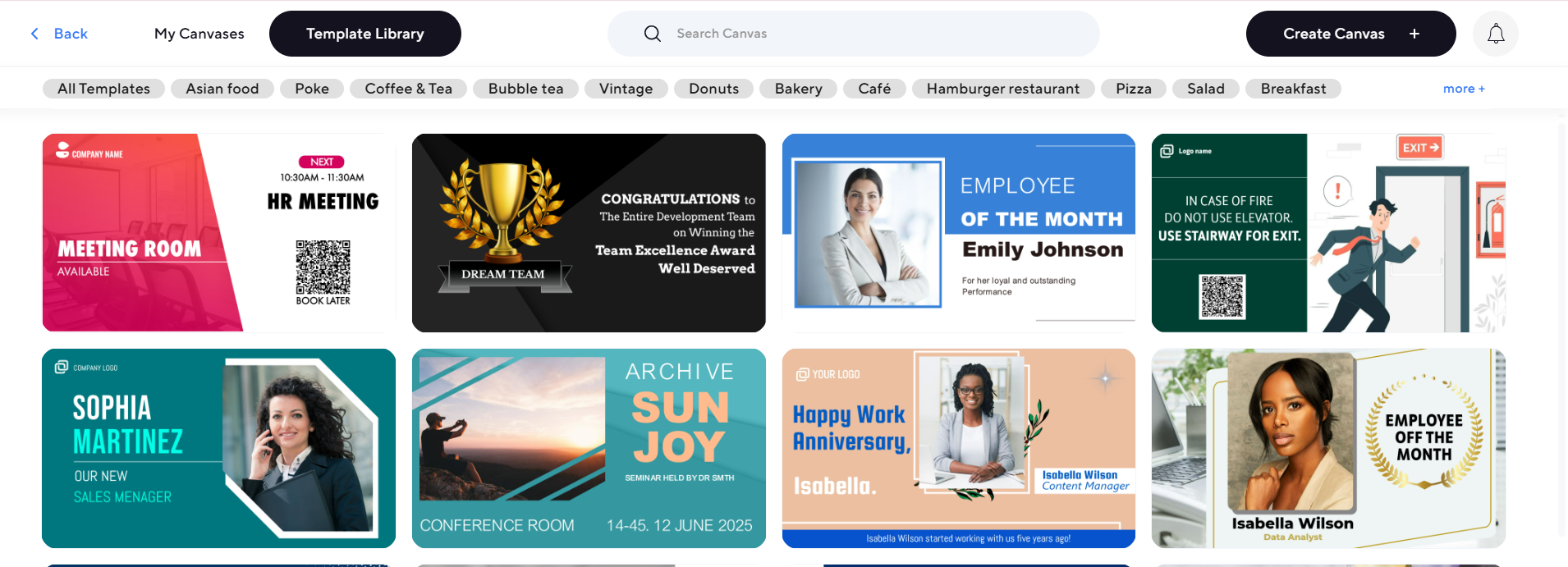
Customizing templates helps you create a perfect sign that reflects your brand.
- Use drag-and-drop tools to add graphics, videos, and custom text
- Design content for promotions, announcements, or digital menu boards
- Organize playlists based on visitors and peak hours
High-quality templates improve presence, enhance advertising, and deliver a great experience to your customers across retail locations or public spaces.
Step 7: Set Up the Display Schedule and Launch
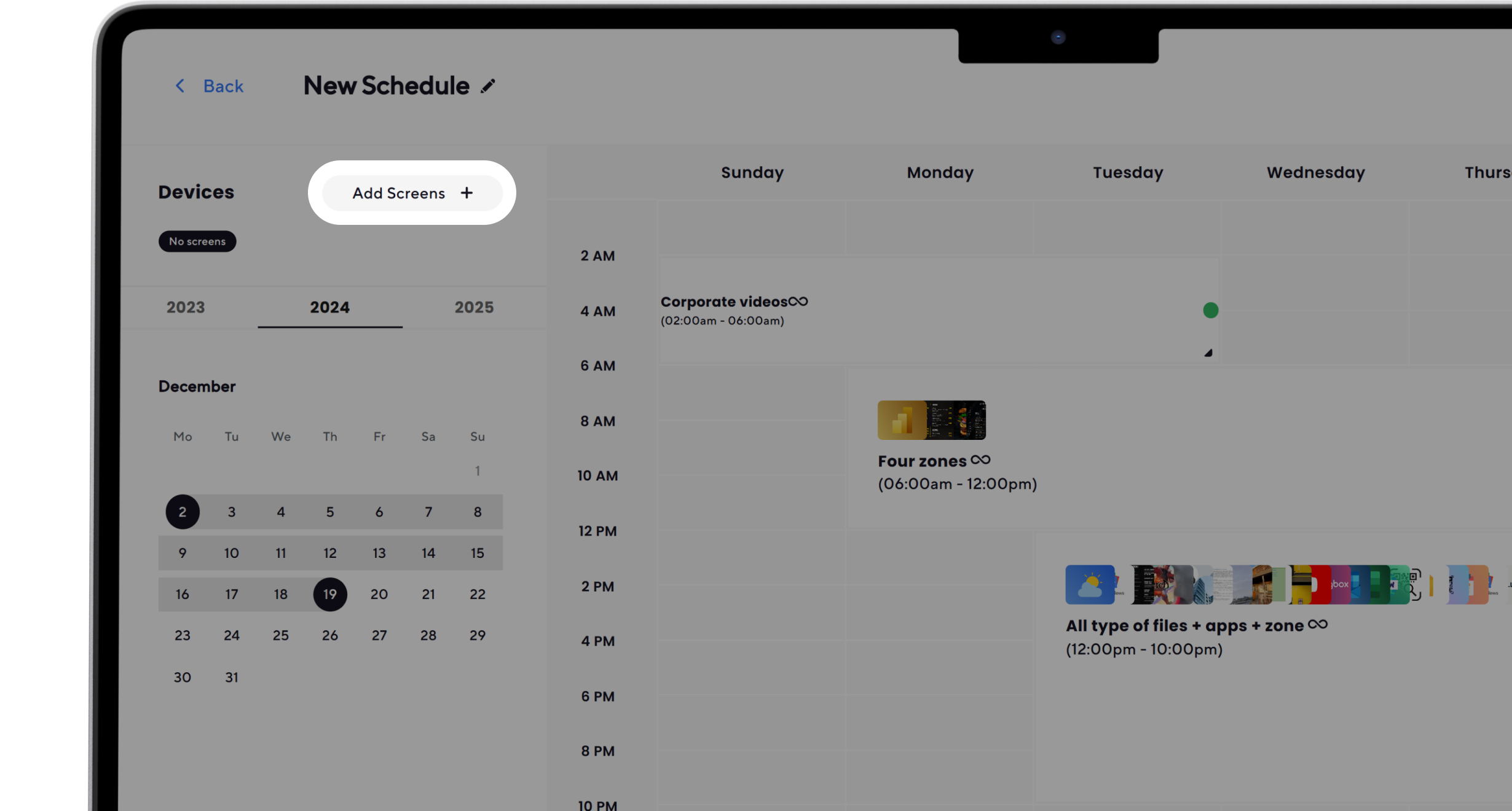
Scheduling ensures your digital signage shows the right content at the right moment.
- Run promotions during peak traffic
- Switch content automatically throughout the day
- Update announcements instantly
Once published, your digital sign goes live, helping your business connect with its audience, improve visibility, and maximize results.
How Do Different Types of Business Sign Boards Compare?
Different types of signage serve different purposes, and choosing the right one depends on your business goals and environment. Digital signage offers flexibility and real-time updates, while traditional signs provide static information.
Businesses looking to expand their signage strategy can explore what are the types of business park signage? to understand how various signage solutions can work together to improve visibility, branding, and communication across locations.
Start Creating Your Electronic Signage Sign Board Now
Starting with digital signage is a smart move for any business looking to improve communication and visibility. With modern solutions like AIScreen, you can easily create, manage, and update content across multiple screens from a centralized dashboard. AIScreen offers powerful features such as real-time content updates, smart scheduling, customizable templates, multi-screen control, and seamless integration with your existing displays.
You can design engaging visuals, automate campaigns, and manage everything remotely with just a few clicks. Whether for retail stores, schools, or corporate environments, AIScreen provides a scalable and cost-effective solution to attract customers and streamline communication. Start your 14-day free trial with no credit card required and experience how easy it is to transform your signage strategy.


Frequently Asked Questions
How much does it cost to create an electronic signage sign board?
The cost of creating an electronic signage sign board depends on your setup. A basic configuration using a consumer TV, free digital signage software, and a simple media player can start at around $250–$500. Professional digital displays with advanced features, scheduling tools, and templates may range from $1,000–$3,000 or more, depending on size and technology.
Can I use a TV as an electronic sign board?
Yes, you can use a TV as an electronic sign board, as many small businesses repurpose smart TVs or consumer displays as digital signs. With the right media players or web dashboard software, you can create digital signage content and display images, videos, and slides directly on your TV over Wi-Fi.
How do I choose the right display for my electronic sign board?
Choosing the right display for your electronic sign board involves considering resolution, brightness, size, and environment. For indoor use, LED or LCD models work well, while outdoor displays need weatherproofing and high brightness. Your sign board display should match your location, audience visibility, and business needs.
How do I update content on an electronic sign board?
Updating content on an electronic sign board is simple with digital signage content management tools. You can upload new images, videos, and graphics through a web dashboard from your computer or even Google Slides. Updates happen instantly across all connected screens using content scheduling.
Can electronic signage sign boards be used outdoors?
Yes, electronic signage sign boards can be used outdoors as they are weather-resistant, high-brightness digital displays designed for direct sunlight. Outdoor-ready screens paired with secure media players and durable mounts ensure your signage content stays visible and functional in all conditions.
