
What is SaaS Digital Signage?

SaaS digital signage is a cloud-based solution that allows businesses to manage, control, and distribute display content across multiple screens using the internet. Unlike traditional systems, it uses software as a service on a subscription basis, eliminating the need for heavy hardware, complex installations, or deep technical knowledge. Businesses can access digital signage software from anywhere and update content in real time across various locations, making it a scalable and cost effective approach. According to Research Gate, digital signage increases how long customers stay in-store by up to 30%
This blog post will walk you through what SaaS digital signage is, its key features and components, and how it can transform your digital signage strategy for better reach, performance, and ROI that digital signage software offers.
What Does Digital Signage Service Mean?
Digital signage as a service is a centrally hosted system provided by a service provider that enables businesses to operate and manage digital signage software through the cloud. It works on a subscription basis and supports content management, scheduling, and updates across multiple locations without requiring local infrastructure.
This model simplifies operations by offering automatic upgrades, seamless integration with existing systems, and remote control over digital displays. It enables organizations to manage content efficiently, deliver engaging content, and maintain consistency across all digital signs without manual intervention.
What Are the SaaS Digital Signage Service Examples?
SaaS digital signage services primarily include ad servers and content management systems that automate content delivery and improve targeting.
1. Digital Signage Ad Server
A digital signage ad server is a tool that controls how and when content is displayed on digital screens with the help of digital signage platform like AIScreen. It uses analytics and targeting logic to deliver messages to the right target audience at the right time. This improves engagement, ensures relevant communication, and enhances campaign performance across public spaces and retail environments.
2. Digital Signage Content Management System (CMS)
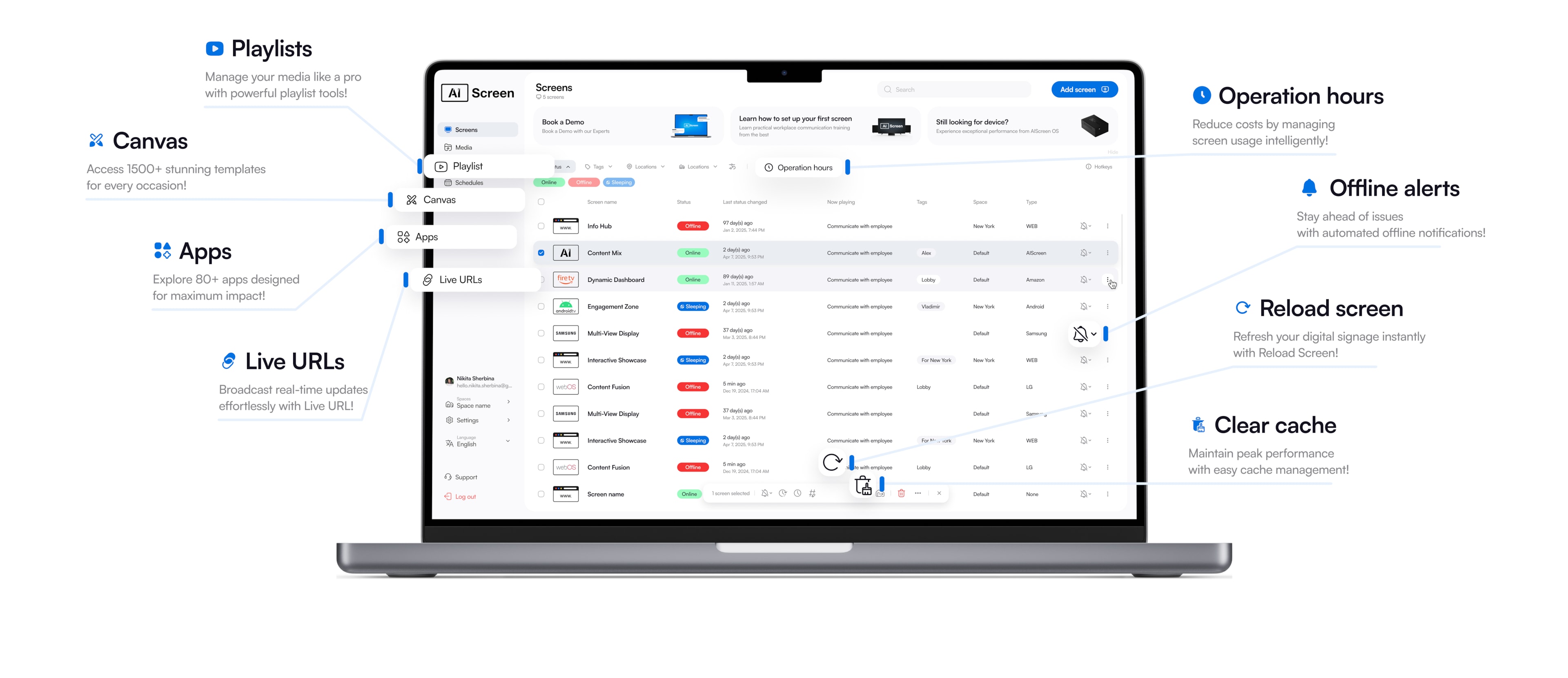
A CMS enables businesses to create, schedule, and update display content remotely across multiple screens. Platforms like digital signage CMS provide structured workflows for content creation, scheduling, and automation. Many organizations integrate CMS tools with dashboards like Power BI or Google Slides to display company news, KPIs, and operational data. This improves operational efficiency, ensures timely updates, and helps teams manage media across digital screens more effectively.


What are the Top 4 Benefits of SaaS for Digital Signage?
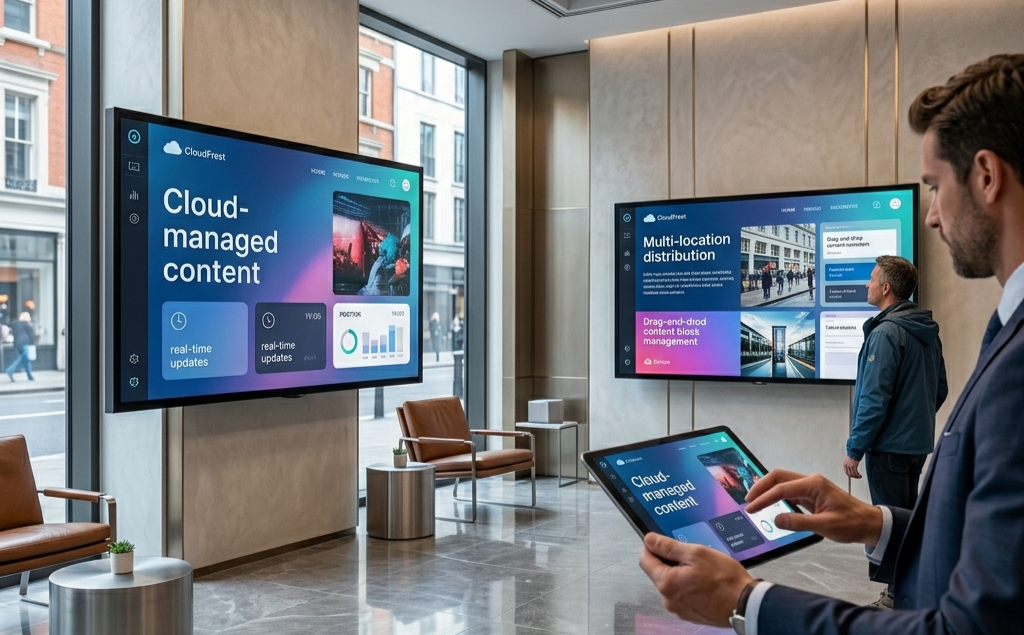
SaaS digital signage provides efficiency, flexibility, and scalability, making it more effective than traditional signage systems. According to Harvard Business Review, businesses using dynamic communication tools like digital signage improve customer retention by up to 33%.
- Easy Deployment: SaaS eliminates the need for complex setups by allowing businesses to deploy digital signage software quickly across multiple screens without deep technical knowledge.
- Reduced Maintenance: Service providers handle updates, security, and system performance, reducing the burden on internal IT teams and ensuring smooth operation.
- Access to Latest Technology: Cloud platforms continuously add features, enabling businesses to benefit from the latest tools, digital signage analytics, and automation without extra cost.
- Pay-As-You-Go Model: Businesses only pay for what they use, making SaaS a cost effective solution that aligns with evolving business needs.
- Flexible and Accessible: Cloud digital signage software allow teams to manage content, schedule messages, and update digital screens from anywhere using a web interface.
What SaaS Digital Signage Considerations for Businesses?
SaaS digital signage considerations for businesses focus on selecting the right software as a service model that aligns with workflows, security, and long-term scalability. Choosing the right digital signage software ensures your digital signage solutions remain efficient, user friendly, and capable of delivering dynamic content across multiple screens or even a single one screen setup.
- Security Risks: Ensure the software includes strong encryption, user permissions, and secure remote access to protect digital signs and prevent unauthorized control. Security matters when managing content across web-based systems and connected screens.
- Customization Needs: Choose platforms that allow you to create branded layouts using templates, images, and media. A flexible system with strong features helps businesses operate efficiently while maintaining consistent messaging across locations.
- Integration with Existing Systems: Confirm compatibility with POS systems, CRMs, calendars, and analytics tools. Seamless integration helps automate content delivery, reduces manual work, and ensures the same content can adapt across different environments.
- Hardware and Compatibility: Ensure the platform works across multiple operating systems and supports devices like a media player or smart displays. This flexibility makes scaling easier without heavy hardware investments.
Choosing the right setup ultimately makes sense when it balances cost, performance, and long-term benefit, ensuring your signage network delivers value consistently.
What Integrations are Common With SaaS Digital Signage?
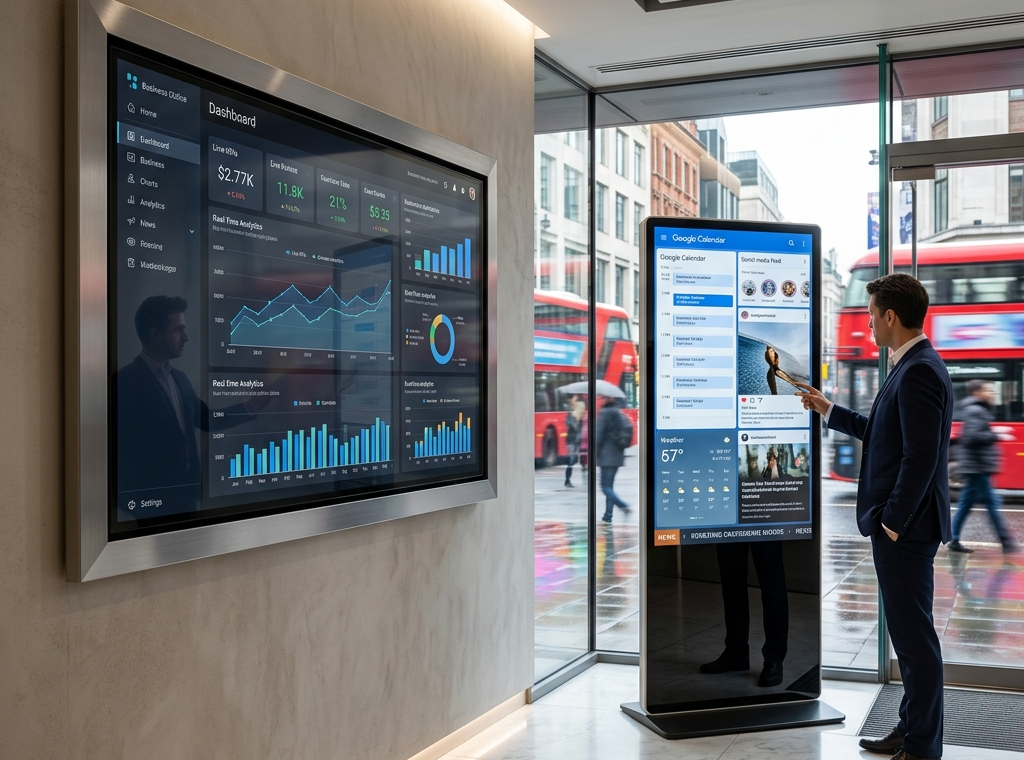
Common integrations with SaaS digital signage enable automated content delivery, smarter communication, and real-time display updates across digital screens. These integrations transform basic digital signage solutions into intelligent systems that deliver dynamic content without manual effort. Modern platforms like AIScreen connect with multiple tools to enhance services, improve customer engagement, and streamline operations across various locations.
- Calendars & Event Feeds: Integrations with Google Calendar or Outlook push live schedules to screens, ensuring timely information is always visible in offices, classrooms, and public spaces.
- Social Media Feeds: Platforms like Instagram and Facebook pull live posts and social media feeds into layouts, helping brands share updates, promotions, and user-generated media content instantly.
- POS & Menu Data: POS integrations allow automatic updates for pricing, inventory, and offers. This helps businesses deliver accurate promotions on digital displays and improves the customer experience.
- Dashboards & BI Tools: Tools like Power BI and Google Data Studio display analytics, KPIs, and insights directly on screens, improving internal communication and decision-making.
- Weather & Time Widgets: These integrations provide live environmental updates, helping businesses deliver contextual and relevant messages.
- News & Live Feeds: RSS feeds keep display content fresh with live updates, ensuring screens always show engaging and current information.
- Room Booking Systems: Office tools sync meeting schedules and availability across digital signage saas platforms, improving workspace efficiency.
- Ticketing Systems: Queue management and service updates are displayed in real time, enhancing customer flow and reducing wait-time confusion.
- Emergency Alerts: Safety notifications and alerts can be pushed instantly across all connected digital signs, ensuring critical communication reaches everyone quickly.
These integrations work together to automate workflows, reduce manual uploads, and help businesses deliver engaging, data-driven solutions. Whether managing one screen or a large network, integration ensures your system remains efficient and scalable.
How to Set Up POS Digital Signage for Better Content Automation?
Setting up POS digital signage helps businesses automate display content, improve engagement, and deliver real-time promotions at the point of sale. By integrating POS systems with SaaS digital signage, businesses can update pricing, promotions, and inventory instantly across digital screens.
This ensures accurate messaging, reduces manual work, and enhances customer experience. To implement this effectively, you can explore how to set up POS digital signage, which explains how to connect POS systems, automate updates, and optimize content delivery for better results.
Why SaaS Digital Signage Is a Smart Choice for Modern Businesses?
SaaS digital signage is a smart choice for modern businesses because it simplifies management, reduces costs, and scales effortlessly across multiple screens. With a software as a service model, businesses can manage digital displays remotely, deliver real-time updates, and maintain consistent messaging without complex hardware. It’s cost effective, flexible across operating systems, and easy to use.
AIScreen enhances this further with automation, analytics, and a user-friendly dashboard to create, schedule, and manage content seamlessly. Whether for one screen or many, it ensures smooth performance and engaging communication. Start optimizing your signage today, book a demo and try AIScreen free for 14 days to experience smarter content management.
FAQs
What are the advantages of SaaS digital signage over traditional systems?
The advantages of SaaS digital signage over traditional systems include flexible digital signage solutions that run on cloud-based digital signage software without heavy hardware. It supports real-time updates, remote control, and tools like rise vision or a media player for seamless performance. Businesses pay less upfront and gain long-term benefit through scalable, efficient solutions.
Can I integrate SaaS digital signage with my existing content management tools?
Yes, SaaS digital signage integration with existing tools allows businesses to connect CRMs, POS systems, and other software easily. These integrations enhance features, automate updates, and improve content flow across systems. It ensures smooth communication and better content delivery using connected cloud-based solutions.
How secure is cloud-based digital signage?
Cloud-based digital signage is secure because it uses encrypted cloud systems, access controls, and regular audits. Reliable providers protect company data and ensure safe content delivery across all connected screens. This security framework helps businesses confidently manage digital signage software without risks.
Is SaaS digital signage suitable for multi-location businesses?
Yes, SaaS digital signage is suitable for multi-location businesses because it allows centralized control across multiple sites. Teams can manage content, update images and videos, and streamline communication for employees from one dashboard. It improves efficiency while maintaining consistent messaging across locations.
How much does SaaS digital signage cost?
The cost of SaaS digital signage typically ranges from $10 to $50 per screen monthly depending on features and scale. Businesses only pay for what they use, making it a cost-effective option with strong ROI. This pricing model offers offering flexibility and supports growth without high initial investment.
