
How to Evaluate Digital Signage Software During a Free Trial

To evaluate digital signage software during a free trial, start by focusing on its core features, ease of use, and overall compatibility with your business setup. Pay close attention to content creation tools, content scheduling, and management functions that support your daily operations. Evaluate the user interface for simplicity, test how well it integrates with your existing hardware and systems, and don’t overlook reliability, performance, and built-in security features. According to Digital Signage Today, digital signage in retail environments leads to a 47.7% increase in brand recall, significantly enhancing customer engagement at the point of sale.
This guide outlines how to evaluate digital signage software during a free trial, so you make the most of your limited test period. You’ll learn which features to prioritize, which tests to run, and what pitfalls to avoid. Let’s break it down in detail and help you choose the best digital signage software for your needs.
Why Digital Signage Software Free Trials Are Important

Digital signage software free trials are important because they provide businesses with a no-risk opportunity to explore how well the platform integrates into their digital signage software. Before committing financially, companies can assess whether the signage software aligns with their operational needs, goals, and hardware setup.
According to Grand View Research, the digital signage market size is expected to reach $45.3 billion by 2030. A proper free trial helps ensure your business invests in the right digital signage solution. During the free trial, test advanced features to see if they meet your needs without upfront costs. Check integration with your existing hardware and assess how intuitive the user interface is for your team. Evaluate customer support quality and how often updates are rolled out. This process helps you avoid paying for tools you won’t use, keeping long-term costs in check
What Features Should You Evaluate During a Digital Signage Software Trial?
The features you should evaluate during a digital signage software trial are those that directly impact how effectively you manage and display your digital signage content. One of the most critical features is content scheduling, which lets you control what appears on your screens at specific times of the day or week. Begin by checking how intuitive the user interface is and how easy it is to create, schedule, and edit content. A user-friendly dashboard with drag-and-drop functionality is essential for daily operations.
According to Deloitte, 67% of businesses said user-friendly technology directly impacts their operational efficiency. Here’s a breakdown of the most important features to assess:
- Ease of Use Interface: Make sure the software is easy to learn and navigate without needing formal training. A clean, user-friendly dashboard with drag-and-drop tools and real-time preview options can make a big difference in daily use. An intuitive design reduces errors and speeds up deployment. The easier it is to use, the faster your team will adopt it. Remote Management confirms the platform lets you manage your screens from anywhere through a cloud-based system. Remote access allows updates, scheduling, and monitoring from any device, which is ideal for businesses with multiple locations. It also saves time and reduces dependency on on-site staff. This kind of flexibility is crucial for growth.
- Scalability: Select a solution that supports business expansion without bottlenecks. Whether you’re adding more screens, users, or locations, the software should stay responsive and manageable. Scalable platforms are built to evolve with your brand’s needs. It ensures you won’t have to switch providers every time you grow.
- Content Scheduling: Test how well the system allows for flexible content scheduling. You should be able to set content by time, date, or specific screen zones to match customer flow or promotions. Automation here means less manual work and more timely messaging. It’s especially useful for multi-location or 24/7 businesses.
- Integration Capabilities: Make sure the platform connects easily with other tools like social media feeds, POS systems, weather data, and calendars. This turns your signage into a smart, automated content hub. Integrations cut down on manual input and keep your content fresh. It also enables richer, more relevant display experiences.
- Network Monitoring: Choose software with real-time network and screen status monitoring features. You should be able to check playback, device health, and connectivity instantly. This helps resolve issues quickly before they affect customers. Proactive alerts and insights are valuable for reliability and uptime.
- Seamless Integrations: The platform should work with third-party hardware such as digital signage players, video walls, or interactive kiosks. Compatibility across devices saves money and reduces setup friction. Seamless integration also enhances functionality across touchscreens or multiple display types.
- Security: Ensure the software includes user access control, data encryption, and role-based permissions. Admin roles should be protected by passwords and backed by audit logs or IP whitelisting. Strong security prevents unauthorized changes and protects sensitive data. This is especially important for franchises or public environments.
- Smart Content Management Automation: Look for features that allow automated content changes based on time, location, or external triggers like weather or stock updates. Templates and rules should adapt your messaging dynamically without manual input. Automation ensures consistency and relevance across locations. It’s a major time-saver and improves impact.
How to Tell if the Software is Right for Your Business Needs

To tell if the software is right for your business needs, focus on how well its features align with your daily operations and signage goals. According to Adobe, 66% of businesses consider real-time analytics a critical factor when evaluating digital signage platforms for long-term use.
Evaluate the following key areas to determine software fit:
- Business Size Compatibility: Ensure it supports small businesses or medium sized businesses and scales to enterprise levels.
- Content Complexity Support: Look for media-rich templates, interactive kiosks, and video walls if your signage is complex.
- Remote Management Flexibility: If managing content from different locations, test how the system handles remote content updates.
- User Access & Roles: Check if team members can have different permissions (e.g., content editor vs admin).
- Hardware Integration: See if it works seamlessly with smart TV screens, digital kiosks, or additional screens.
- Display Network Management: Test management of your entire digital signage network from a single dashboard.
- Analytics Tools: Use built-in analytics to evaluate digital signage content effectiveness and audience response.
- Customization Options: Does it support custom layouts, templates, and branding?
How to Take Advantage of a Free Digital Signage Software Trial
To take advantage of a free digital signage software trial, begin by setting clear objectives that match your business goals. According to McKinsey, companies that personalize their signage content based on location or time of day see a 20% increase in conversion rates.
Use the trial period to explore core features such as content creation, scheduling, and remote display management. Upload your own content and simulate real-world scenarios across multiple screens to assess how well the platform handles day-to-day operations.
Maximize the free trial with these tips:
- Create Real Content: Upload content your business would actually use (e.g., menus, ads, corporate messages).
- Simulate Real Scenarios: Test across multiple screens, different layouts, and locations.
- Try All Modules: Explore content creation, content scheduling, media library, and playlist settings.
- Involve End-Users: Ask team members who will use the system to provide feedback.
- Track Issues: Keep a log of any technical problems or user complaints.
- Ask Support Questions: Reach out to tech support with common scenarios and evaluate the speed and helpfulness of their responses.
- Review Analytics: If available, review reports to understand viewer interactions.
- Use It Daily: Run it consistently for 7-10 days to mimic live deployment.
Which Tests Should I Perform During My Digital Signage Software Trial?
The tests you should perform during your digital signage software trial must reflect real business scenarios to ensure the platform meets your operational needs. According to MarketsandMarkets, digital signage in the education sector is projected to grow at 9.8% CAGR through 2028, making education-specific templates a feature to test during trials.
Start by uploading different content formats, videos, images, live data, and social media feeds, to test compatibility and content rendering across digital screens. This helps you evaluate how the software handles diverse content types in real time.
Recommended trial tests include:
- Multi-Screen Playback: Display content on multiple screens at once to test synchronization.
- Content Type Test: Upload video, images, live data, RSS feeds, and social media feeds to check compatibility.
- Downtime Simulation: Disconnect screens or the internet to see how the system handles offline content.
- Speed Test: Measure how fast content uploads, publishes, and syncs to screens.
- Device Switching Test: Switch between laptops, tablets, and smartphones to see UI responsiveness.
- User Role Assignment: Assign different roles and observe permission handling.
- Interactive Touchscreen Test: If supported, test touch functionality for navigation, form input, or wayfinding.
- QR Code Tracking Test: Check whether the platform supports QR-based interactions and analytics. This is where understanding how to create, track, and optimize QR codes on digital signage becomes essential for evaluating engagement performance.
- Media Player Compatibility: Use your digital signage player or test the vendor’s player for compatibility.
What Are the Common Issues with Free Digital Signage Software Trials?
The common issues with free digital signage software trials usually involve limited functionality and hardware compatibility. Some trials restrict access to advanced features like content scheduling, analytics tools, or media library, making it difficult to assess the full value of the software. This can prevent businesses from simulating real-life usage during the trial period. According to Forrester Research, 74% of employees prefer digital signage for internal communication over traditional email or bulletin boards.
Another issue is integration challenges with your existing digital signage hardware, such as smart TVs or media players. Technical glitches, lack of customer support, and minimal documentation can also make the trial experience frustrating. In some cases, trials only support a single screen or location, which limits your ability to test across multiple displays or environments. Identifying these issues early helps in choosing the right digital signage software.
Here are common pitfalls to watch for:
- Limited Features in Trial Version: Some providers restrict advanced features like analytics, scheduling, or content library access.
- Hardware Compatibility Issues: Your existing hardware or media player might not support the software.
- Poor Technical Support: Limited or delayed responses during trial make future support uncertain.
- Difficult Scaling: If the trial only supports one screen or location, it’s hard to test real-world needs.
- Lack of Tutorials: Without onboarding or tutorials, user experience suffers.
- Content Limitations: Restrictions on content size, format, or uploads may affect proper evaluation.
Why You Should Consider a Free Trial of AIScreen Software
You should consider a free trial of AIScreen software because it offers a complete, user-friendly digital signage solution built for modern business needs. The platform enables users to manage content across multiple locations, automate scheduling, and track performance, all from a cloud-based dashboard. With real-time updates, customizable templates, and secure remote access, AIScreen simplifies the entire digital signage system for businesses of any size.
According to Statista, 82% of shoppers say seeing a digital display has influenced their buying decision during in-store visits. During the free trial, you can explore AIScreen’s advanced features without making a financial commitment. From interactive touchscreens and social media feeds to analytics tools and remote display control, every essential function is available to test. AIScreen also supports seamless integration with your existing hardware, making it an ideal digital signage software choice for small businesses, retail stores, healthcare facilities, and enterprise networks.
Top reasons to try AIScreen:
- User-Friendly Interface: Drag-and-drop design with customizable templates and real-time previews.
- Powerful Content Management: Create playlists, upload content, and schedule by date, time, or event.
- Remote Display Management: Control digital signage screens across multiple locations from one dashboard.
- Secure & Scalable: Enterprise-grade security with flexible scaling across teams, displays, and geographies.
- Smart Automation: Trigger content based on time, weather, or data feeds for dynamic visual communication.
- Customer Feedback Integration: Display live feedback by incorporating reviews and survey results.
- Data-Driven Decisions: Use built-in analytics tools to optimize campaigns and improve customer satisfaction.
Setting Up Digital Signage Software for Your Business with AIScreen Today!
Setting up digital signage software for your business with AIScreen ensures a smooth transition from trial to live deployment. By taking full advantage of the platform’s features during your free trial, you’ll be ready to launch with confidence. According to Cisco, video content used in digital signage increases retention rates by 80%, making it a powerful format to include in your content testing.
AIScreen’s all-in-one solution enables users to upload content, create playlists, manage digital signage screens, and gather valuable insights across industries like retail, healthcare facilities, corporate communication, and education. With no upfront cost, you can test every feature and evaluate customer experiences before allocating resources. Start your free trial today at AIScreen.
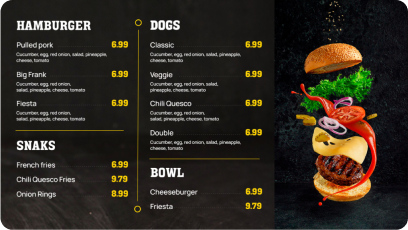
Discover 1500+ customizable digital signage templates
Discover 1500+ fully customizable templates for stunning digital signage.
Check our templates










FAQs
How do I get access to a free trial of digital signage software?
To get access to a free trial of digital signage software, you simply need to visit the provider’s official website and look for the “Start Free Trial” option. Most platforms, like AIScreen.io, allow you to sign up by submitting basic business details. Once registered, you’ll receive access to the dashboard immediately, enabling you to explore features without any financial commitment.
Can I use a free trial of digital signage software for multiple screens?
Yes, you can use a free trial of digital signage software for multiple screens, depending on the provider’s trial policy. Many platforms support testing across multiple digital signage screens to simulate real-world use cases. Be sure to review the trial terms to confirm screen limitations and test performance on additional screens if supported.
How do I know if a digital signage software trial is suitable for my business?
To know if a digital signage software trial is suitable for your business, evaluate how well its features align with your daily operations. Use the trial period to test scheduling, remote management, and content creation tools under real conditions. If the software enhances efficiency and supports your content goals, it’s likely a good fit.
What are the limitations of free digital signage software trials?
The limitations of free digital signage software trials often include restricted access to advanced features, limited content uploads, and reduced screen support. Some platforms also disable analytics, automation, or third-party integrations during the trial phase. These restrictions are meant to protect premium tools while still offering a useful preview.
Can I integrate this software with my existing systems?
You can integrate digital signage software with your existing systems if the platform supports third-party connectivity. During the trial, check whether the software links with your POS systems, CRMs, or calendar tools. AIScreen, for example, offers multiple integration options to ensure a smooth digital signage experience across business tools.


