
What Are 10 Best Coworking Software For Your Workspace?

The 10 best coworking software platforms for your workspace are Archie, Nexudus, Optix, Spacebring, OfficeRnD, Cobot, Coworks, Proximity, Habu, and Yardi Kube. They help manage bookings, memberships, billing, community engagement, access control, and day-to-day operations from one system. Digital Signage Today study shows digital signage captures 400% more views than static signs. This makes it a great workplace communication tool.
This blog provides a detailed 6-step guide on how to set up digital signage software for coworking spaces. From selecting the right hardware to customizing templates and scheduling targeted content, we’ll help you set up the best software for digital signage. This enhances visibility, engagement and operational efficiency for your audience via digital signage screens.
What Is Coworking Software?
Coworking software is a management platform used to run a coworking space through one system for bookings, memberships, billing, room scheduling, community tools, and daily operations. It helps coworking operators manage shared workspace activity more efficiently while giving members a smoother way to book rooms, manage accounts, and access services. According to a report by Gensler, 83% of professionals prefer real-time room booking info displayed digitally, especially in shared workspaces.
In practical terms, coworking software connects the main parts of space management into one platform. That usually includes member management, automated billing, room booking, access control, analytics, and community engagement features that help spaces run more smoothly across one location or multiple locations.
Why Coworking Space Software Is Important?
Coworking space software is important because it helps operators manage bookings, memberships, billing, access control, and daily operations from one system instead of relying on manual work or disconnected tools. Coworking software provides data on occupancy rates, space usage, and revenue trends, aiding in data-driven decisions.
It is also important because modern coworking spaces need more than basic space management. Coworking software supports automation, real-time availability, community engagement, analytics, and smoother self-service for members, which helps reduce admin effort, improve operational efficiency, and support growth across one location or multiple locations.
What Are 10 Best Coworking Space Software
The 10 best coworking space software platforms are as follow:
Archie
Archie is one of the leading coworking software options in current 2026 comparisons and is often positioned as a strong all-around choice for modern spaces. It is commonly evaluated alongside other major tools for member experience, operations, and coworking management.
Features of Archie:
- Desk and meeting room booking
- Visitor management
- Floor plans and check-ins
- Occupancy analytics
- Web and mobile access
- Coworking operations management
- Day Pass Feature
Archie starts at $159-$165/month on its Starter plan, with pricing for pro place is $3.5 per desk/month and a $159 monthly minimum.
Nexudus
Nexudus is a feature-rich coworking platform built around CRM and membership management, booking and access control systems, finance, community tools, and automation for daily operations. It is a strong fit for operators who want deep workspace management in one system.
Features of Nexudus
- CRM and member management
- Desk and room bookings
- Booking and access control
- Visitor check-ins
- Finance tools
- Community tools
- White-label portals and apps
- Workflow automation
Nexudus uses quote-based pricing, with add-ons such as white-label customization and training billed separately.
Optix
Optix is known for automation-first coworking management and supports desk booking, meeting room booking, billing, invoicing, CRM, check-ins, assignments, and recurring plans. It is a practical option for spaces that want to reduce manual work and streamline member workflows.
Features of Optix?
- Desk and room booking
- Invoicing and billing
- Branded mobile app
- CRM tools
- Automations
- Event attendees check-ins and assignments
- Recurring plans
Optix starts at $68 per month for Grow, $85 per month for Pro, and $111 per month for Essentials.
Spacebring
Spacebring is a coworking space software platform centered on member service, admin mobility, bookings, billing, access control, analytics, and customer engagement. It also highlights an admin mobile app and self-service smooth experience of member , which makes it appealing for operators who want strong mobile-first management.
Features of Spacebring
- Room, desk, private office, and parking booking
- Automated billing
- Subscriptions and payments
- Member portal customization
- Admin mobile tools
- Chats, feeds, and events
- Self-service onboarding
Spacebring starts at €158 per month, with e-signatures billed separately.
OfficeRnD Flex
OfficeRnD Flex is built for coworking and flex space operators and focuses on member lifecycle management, automated billing and payments, booking and reservations, visitor management, analytics, and branded mobile apps. It is often seen as a strong option for operators who want structured operations and enterprise level reporting.
Standout feature of OfficeRnD Flex
- Member lifecycle management
- Automated billing and payments
- Bookings and reservations
- Visitor management
- Reporting and analytics
- Branded apps
- Customizable portals
- Integrations
OfficeRnD Flex starts at $185 per month for its Start plan.
Cobot
Cobot is regularly included in current coworking software comparisons and is often considered by operators who want a simpler management platform for bookings, memberships, and billing. It is especially common in lists comparing practical, operator-friendly coworking tools.
Standout feature of Cobot:
- Bookings and memberships
- Invoicing and billing
- Member operations
- Day-to-day coworking workflows
- Simple admin controls
Cobot uses member-based pricing, with public listings starting around $69 per month for smaller spaces.
Coworks
Coworks appears consistently in current coworking software roundups and is generally positioned as a management option for coworking operators who need daily operations support, bookings, and member-facing workflows. It is usually compared with platforms such as Archie, Nexudus, and Spacebring in modern software guides.
Standout feature of Coworks:
- Bookings and coworking management
- Community workflows
- Leads CRM
- Billing and invoicing
- {ush notifications
- Analytics
Coworks starts at $149 per month for Essentials and $249 per month for Premium.
Proximity
Proximity is commonly listed among the best coworking software options for 2026 and is often grouped with platforms focused on access, member management, and modern flex-space operations. It is a relevant option for operators comparing space management and operational efficiency tools.
Features of Proximity:
- Access control
- Smart booking
- Visitor management
- Meeting room management
- Wi-Fi control
- Reservations
- Hospitality-led workflows
Proximity starts at $189 for up to 40 users, with higher tiers for larger user counts.
Habu
Habu is regularly included in coworking software lists as a lighter, more accessible option for smaller or newer spaces. It is generally positioned as a cloud-based coworking management tool for smaller operators who want the core workflows without the heaviest enterprise setup.
Standout feature of Habu:
- Automated billing
- Manual billing overrides
- Booking inquiry forms
- CRM tools
- Internal and external booking
- Ecommerce-style signup flows
Habu starts at $60 per month for up to 40 active users.
Yardi Kube
Yardi Kube is a coworking software platform aimed at startups, SMBs, and growing operators who want to launch, manage, and scale workspaces with one system. Its positioning emphasizes all-in-one management for the first location as well as growth into larger operations running smoothly.
Standout feature of Yardi Kube:
- Member management
- Bookings and payment providers
- Billing
- Wi-Fi support
- Branded apps
- Reporting and performance tracking
- All-in-one operations control
Yardi Kube starts at $349 per month for a first coworking location.
The right choice depends on how your workspace operates. Some platforms are stronger for automation, some for community engagement, and some for scaling across multiple locations, so the best coworking software is the one that matches your admin experience, member experience goals, and growth stage. Many add-on features may cost extra beyond the base plan, especially on other platforms where paid add-ons, deep customization, and advanced user-friendly tools are billed separately.
How To Setup Coworking Software With Digital Signage
To setup coworking software with digital signage follow steps as below:
Step 1: Choose the Right TV for Coworking Spaces

Choose the right TV by matching the screen to the coworking space, viewing distance, and type of information members need to see. The display should be clear, reliable, and large enough to show bookings, announcements, and shared workspace updates in common areas.
Step 2: Download and Set Up Digital Signage Software
Download and set up the digital signage software so the screen can display coworking content from one system. Install AIScreen on the screen or connected player, connect it to the internet, and open the dashboard so the display is ready for room booking updates, community messages, and member information.
Step 3: Create an Account in the Coworking Spaces Management App

Create an account in the coworking spaces management app to access the dashboard where bookings, memberships, schedules, and workspace operations are managed. This gives operators one place to connect coworking software with digital signage and keep the displayed information current.
Step 4: Pair Your Device with the Software

Pair your device with the software by adding the screen in the dashboard and entering the code shown on the display. Once paired, the screen can receive room schedules, member updates, event notices, and other coworking content from the system.
Step 5: Upload or Customize Your Coworking Spaces Template

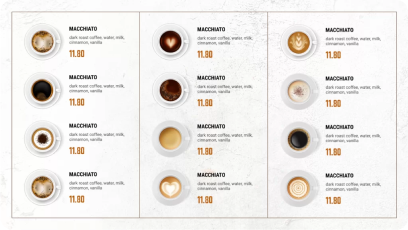
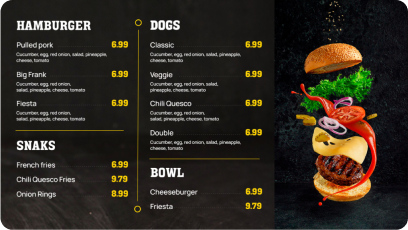
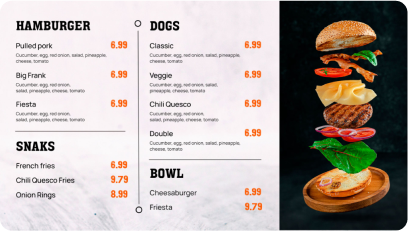
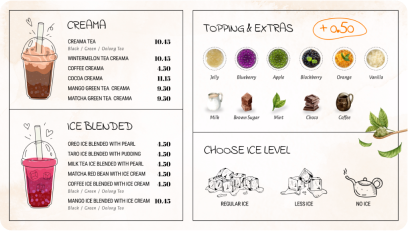
Upload or customize your coworking spaces template so the screen can show branded and useful workspace information. Add your logo, colors, text, booking details, event updates, directions, or community messages so the display fits the member experience you want to create.
Discover 1500+ customizable digital signage templates
Set Up Digital Signage Software for Coworking Spaces With 1500+ Templates
Check our templates







Step 6: Set Up Display Schedule and Go Live

To set up your display schedule, navigate to the scheduling section in your AIScreen dashboard. Here, you can select specific times and dates for each piece of content to be displayed, delivering relevant information when it’s needed.
Ai Screens’ scheduling feature allows you to tailor content for morning meetings, mid-afternoon breaks, and evening wrap-ups. Additionally, you can highlight time-sensitive offers and announcements on selected dates, maximizing coworking engagement.
How Coworking Spaces Use Digital Signage Software

Coworking facilities use software for digital signage network to display important information such as event schedules, available space, announcements, and wayfinding directions on digital displays. This enhances navigation and communication within the space. With a mix of freelancers, startups, and remote teams using the same space, digital signage becomes a vital tool to share relevant information quickly and visually. According to Salesforce, employee engagement increases by 25% in spaces that use digital signage system to highlight team achievements, making it a strong internal communication tool.
Here’s how coworking spaces use software for digital signage to improve operations and member experience:
Facilities Management:
Digital signs keep everyone up to date without manual involvement, whether they display which meeting rooms are full, which printers are in use, or which spaces are available via meeting room signs. Screens can include QR codes for booking rooms or contacting support plus interactive directories, and even guide new visitors through the facility’s layout. It’s a simple way to reduce confusion in a shared environment.
For example, digital signage displays meeting rooms, upcoming events, and important announcements in coworking spaces.
Digital signage can be used for instructions about safety protocols, event schedules, or office navigation, and they can include QR codes for quick access to additional resources or contact information.
Upselling Services:
Many locations offer additional amenities like premium coffee, event passes, company information, or access to other branches.
Digital signage screens can highlight these add-ons, prompting users to upgrade or take advantage of nearby offers.
For multi-location spaces, it can even promote available desks in other cities or offer discounts for expanding access.
Conference Room Signage:

Large digital signage screens in conference and meeting rooms can be used software options to connect to Zoom, Google Meet, or display slides without the need for wires or external devices.
Software like AIScreen makes it easy to present content from any device, helping teams conduct hybrid meetings without setup delays.
Also, it enhances productivity by minimizing technical difficulties, allowing teams to focus on discussions and objectives rather than troubleshooting connectivity issues. Learn more about the 8 best conference room digital signage software in 2026 to improve coworking space management efficiency.
Events and Networking:
From weekly mixers to skill-building talks, coworking locations can post event schedules and updates instantly.
Members can scan QR codes shown on digital displays to RSVP or access event details directly. Unlike paper noticeboard, these digital updates can change in real time, ensuring everyone stays up to date, even for last-minute reminders.
Digital signage can be used to display live updates during events, such as speaker line-ups or session changes, ensuring attendees have the most current information at their fingertips.
Emergency Alerts and Safety Reminders:

In case of urgent updates like a fire drill or an equipment failure, signage offers a fast, visible way to communicate safety procedures. This is especially crucial in shared offices where visitors may not be familiar with evacuation routes or emergency protocols.
Digital signage plays a crucial role in emergency preparedness, offering immediate and clear communication to all occupants. By displaying evacuation routes, emergency contacts, and critical updates, these signs help facilitate a swift and organized response.
Why Use a Screen Saver with Coworking Management Software?
Companies use screen saver coworking management software to keep shared screens useful when they are not being actively used. Instead of leaving the display blank, the screen saver can show room availability, booking schedules, event notices, community updates, announcements, branding, and other workspace information that supports the coworking space throughout the day.
A screen saver extends that value onto lobby, reception, and common-area displays by keeping relevant information visible for members and visitors without extra manual work. For setup guidance, you can refer to how can i put a screensaver on a samsung tv.
Setting Up Digital Signage Software for Your Coworking Space with AIScreen!
Digital signage software is a smart way to share real-time updates, event notices, and room bookings across your office. With AIScreen, this process is easy with a powerful tool, cloud-based system that works seamlessly across TVs, tablets, and dynamic displays. The setup is designed to take less than an hour and requires minimal technical knowledge. Adobe says 59% of users prefer well-designed visual content, which makes signage design templates ideal for coworking areas.
You can install the AIScreen app directly or through a media player after choosing a display. You can access dashboards, templates, and scheduling features after installing the software. You can use screen sever, and content playlists to ensure your messages are delivered consistently and effectively.


FAQs
What kind of content works best in a coworking space?
The kind of content works best in a coworking spaces includes room availability, upcoming events, and internal team spotlights. Adding dynamic elements like weather, traffic, or live social media feeds, in addition to displaying real time data, helps keep your screens engaging. Emergency alerts and facility notices are also essential. A mix of informative and branded visuals works best to engage both visitors and members.
Can I manage coworking space signage remotely across multiple locations?
Yes, you can manage coworking space signage remotely across multiple locations using cloud-based digital signage software. This allows you to control and update screens in real time from any device, regardless of where each location is. You can schedule content, push updates instantly, and monitor screen health from a single dashboard, making it ideal for multi-location coworking operations.
How much does coworking digital signage software cost?
The coworking digital signage software cost varies depending on features, screen count, and service plans. Pricing often depends on the number of screens and included features like scheduling or integrations, making digital signage solutions adaptable and cost effective. AIScreen offers scalable pricing models to suit both small spaces and large coworking chains. Bulk plans usually offer better value.
Do I need technical staff to manage the coworking space’s digital signage software?
No, you don’t need technical staff to manage the coworking space’s digital signage software. Most modern digital signage software like AIScreen is built for ease of use, providing centralized control for managers and is among the best digital signage software. The interface is designed for managers and staff with no IT background. You can drag, drop, schedule, and publish in just a few clicks. Training usually takes less than 30 minutes.
How does digital signage software integrate with room booking systems?
Digital signage software often integrate with room booking software using APIs or prebuilt plugins. This allows your screens and mobile apps to show real-time availability, current meetings, and booking instructions. You can display this info right outside rooms or in shared areas. It keeps everything organized without manual updates.
