
Why Choose On-Premise Digital Signage Software?
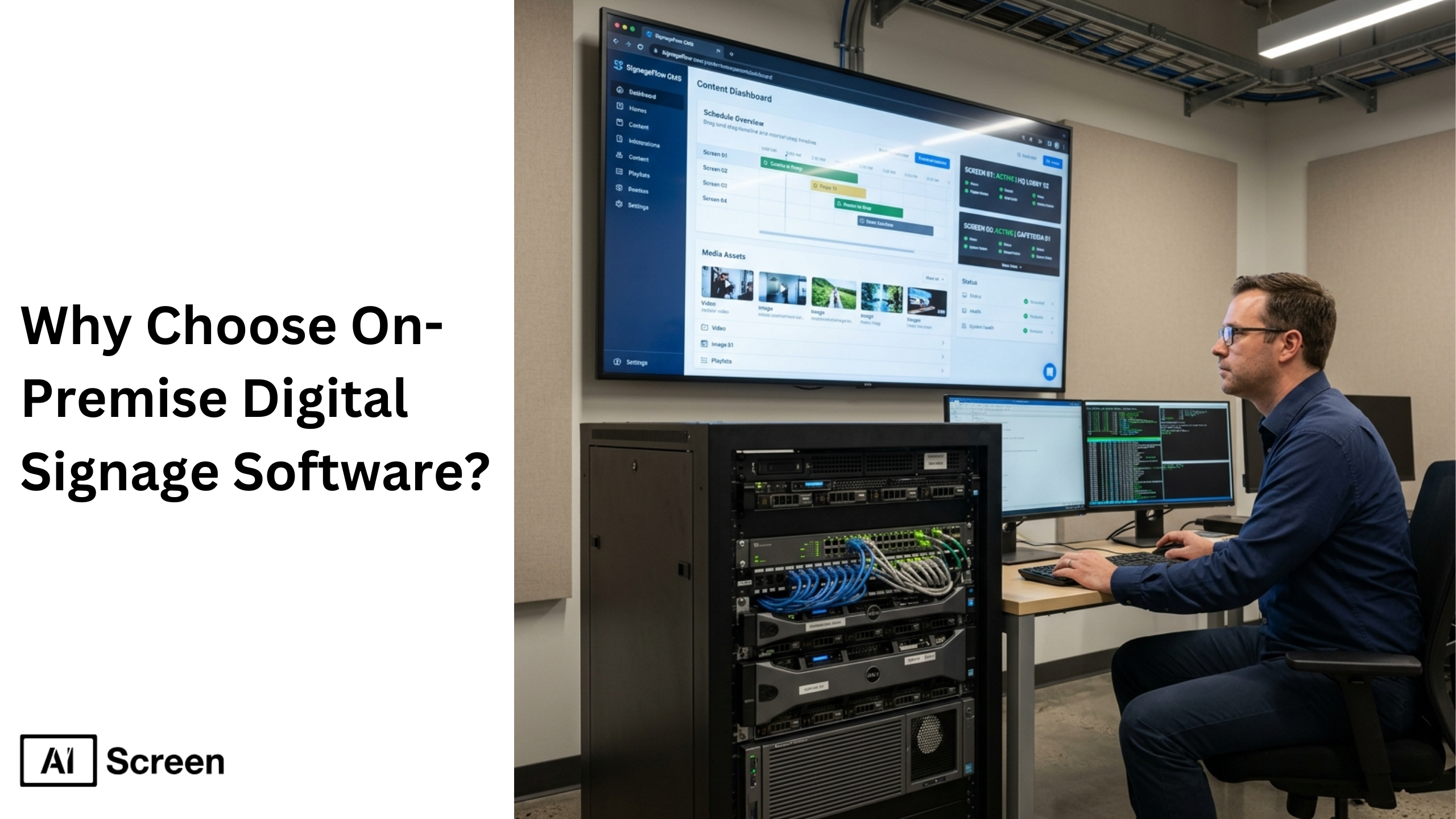
On-premise digital signage software is a self-hosted solution that gives organizations full control over their digital signage systems, data, and infrastructure. Unlike cloud-based tools, this approach runs entirely within internal systems, allowing businesses to manage content, media servers, and signage networks behind their own firewall. Large enterprises prefer on premise digital signage because it supports strict data governance, audit requirements, and enterprise grade security. According to Marketsandmarkets the global digital signage market size is projected to grow from USD 20.1 billion in 2024 to USD 27.3 billion by 2029.
In this blog, we will explain what on premise digital signage software means, why businesses choose it over cloud based solutions, and how to build a secure, scalable architecture. It also covers risks, best practices, and how solutions like AIScreen support both cloud and on prem deployments with hybrid flexibility.
What Is On-Premise Digital Signage Software?
On-premise digital signage software is a complete digital signage solution installed on local servers within a company’s internal systems. This setup allows businesses to manage content, control media assets, and operate a private digital signage network without relying on a cloud based system or external service provider. Platforms like AIScreen extend this functionality by offering hybrid digital signage solutions that integrate with existing systems, support player management, and enable seamless content creation across multiple screens while maintaining enterprise-grade security.
According to Grand View Research, industries rapidly adopting on premise deployments due to increased focus on data protection and localized control, with market growth expected to exceed $8.6 billion by 2026. On premise digital signage software enables businesses to manage content across multiple screens, video walls, and signage displays efficiently. It integrates with existing systems, media servers, and HDMI-based hardware, allowing seamless content creation and distribution. This approach ensures lower latency, better performance, and reliable content delivery even in offline environments.
What are the Key Advantages of On-Premise Digital Signage Software?
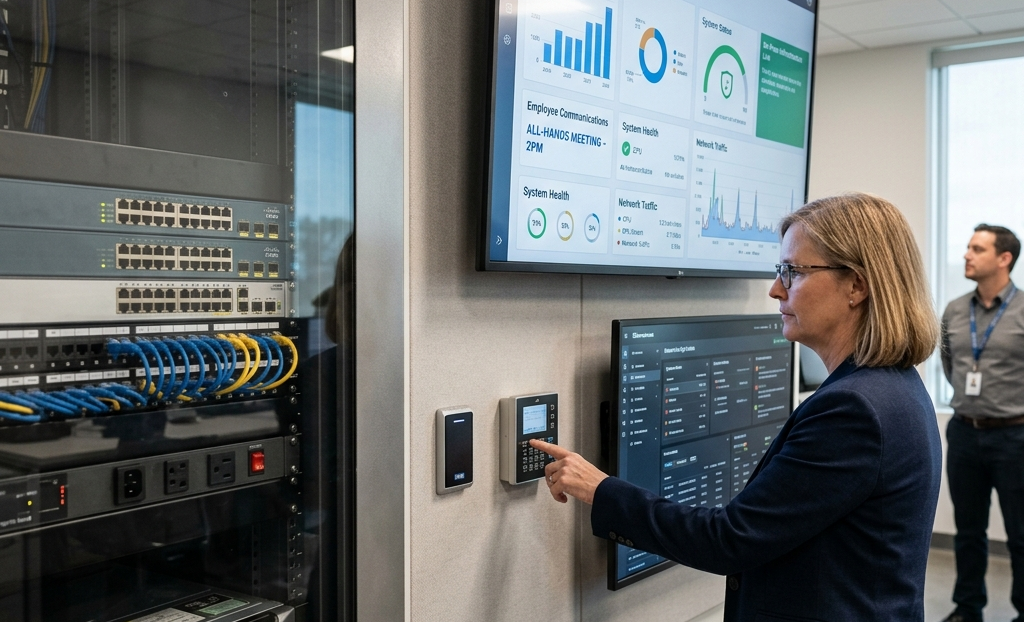
The key advantages of on-premise digital signage platform include control, security, performance, and customization for enterprise environments. Businesses choose this model to meet strict compliance standards, improve internal communications, and maintain long term stability across signage networks.
- Security & compliance: On premise signage provides full control over data residency, encryption, and access controls.
- Customization: On premise digital signage supports custom integrations with ERP, HRIS, Power BI dashboards, and other operational systems.
- Predictable long term costs: Although upfront costs are higher, businesses avoid recurring annual subscription fees. This ensures long term cost control and stability.
- Performance & reliability: Local hosting ensures lower latency, faster content delivery, and uninterrupted playback during internet outages, improving customer satisfaction and operational efficiency.
With AIScreen, businesses benefit from optimized local delivery and automated digital signage capabilities that ensure reliable playback and lower latency across large signage networks.
What are the Key Risks of On-Premise Digital Signage Software?
The key risks of on-premise digital signage software include higher upfront investment, ongoing maintenance, and complex remote management. While it offers control, it also demands strong IT capabilities and infrastructure planning.
- Upfront investment: Businesses must invest in hardware, media servers, and internal infrastructure before deployment.
- Ongoing maintenance: IT teams must handle updates, monitoring, security patches, and scaling, increasing operational workload.
- Remote management complexity: Managing multiple locations without cloud orchestration can slow updates and reduce flexibility in large deployments.
What On-Premise Digital Signage Architecture Includes?
On-premise digital signage architecture includes servers, storage systems, digital signage player devices, and security layers that work together to manage and distribute content within a private network. This architecture ensures full control, secure data flow, and reliable performance.
- CMS & Application Servers: These servers host the content management system, scheduling tools, and analytics dashboards. They manage user permissions, workflows, and content creation within internal systems.
- Database Servers: These store metadata, playlists, schedules, and audit logs. Platforms like SQL Server or PostgreSQL ensure high availability and structured data governance.
- Media Storage & Origin: A local storage system holds media assets such as videos and images. Caching layers improve distribution across large campuses and multiple screens.
- Player Devices: Media players connect to the signage network and render content on screens. They cache data locally for resilience and support dynamic content playback.
- Network & Security Controls: Firewalls, VLANs, and identity providers ensure secure access, while access controls protect sensitive data.
- Monitoring & Observability: Tools like SIEM and performance monitoring systems detect issues, track performance, and ensure system stability.
AIScreen supports this architecture with a flexible digital signage platform that integrates CMS, player management, and analytics into a unified system, simplifying deployment while maintaining full control over internal networks.
What are On-Premise Digital Signage Best Practices?
On-premise digital signage best practices include security planning, scalability, performance monitoring, and disaster recovery strategies. These practices ensure efficient operation and long term success of digital signage deployments.
- Disaster recovery planning: Regular backups and recovery systems ensure data integrity and minimize downtime.
- Security and access controls: Implement firewalls, audits, and user permission management to protect the network.
- Scalability planning: Design infrastructure to support multiple locations with digital signage remote management and future expansion without system limitations.
- Performance optimization: Monitor server performance and optimize configurations to maintain efficiency across many screens.
Which is Better, Cloud-Based or On-Premise Digital Signage?
| Factor | Cloud-Based Digital Signage | On-Premise Digital Signage |
| Setup | Quick, cloud-based deployment | Installed on internal systems |
| Control | Limited control | Full control over data & system |
| Cost | Low upfront, subscription-based | High upfront, long-term stable |
| Scalability | Easy to scale | Requires hardware expansion |
| Maintenance | Managed by software provider | Handled by in-house IT team |
| Security | Strong, provider-managed | Enterprise-grade, fully controlled |
| Flexibility | High (remote access) | Limited to internal network |
| Best For | Growing businesses | Regulated industries & enterprises |
The better choice between cloud based digital signage and on premise digital signage depends on your business needs, control requirements, and infrastructure. Cloud digital signage software solutions operate on a cloud network where a software provider manages updates, security, and performance, allowing users to manage content across multiple screens from anywhere. This model is ideal for businesses seeking flexibility, faster deployment, and lower upfront investment while still maintaining strong performance across distributed environments.
On the other hand, on premise digital signage is a self hosted solution that runs on internal systems, offering full control over data, security, and customization. It is best suited for organizations like corporate offices or regulated industries that require private cloud environments, strict data governance, and tailored solutions. While it involves higher upfront costs and IT involvement, it delivers long-term stability, deeper control, and enterprise-level security across the signage network.
What Should You Consider When Choosing Between Cloud-Based and On-Premise Digital Signage?
| Factor | Cloud-Based Digital Signage | On-Premise Digital Signage |
| Flexibility | High, access from anywhere | Limited to internal systems |
| Ease of Use | Simple, minimal setup | Requires technical expertise |
| Cost | Lower upfront, subscription-based | High upfront, long-term control |
| Control | Managed by provider | Full internal control |
| Security | Strong, provider-managed | Maximum, fully controlled |
| Scalability | Easy to scale | Requires hardware expansion |
| Maintenance | Handled by provider | Managed by in-house IT team |
| Best For | Fast-growing, multi-location use | High-security, regulated sectors |
The considerations for choosing between cloud based and on premise digital signage focus on flexibility, cost, and operational control. Cloud based digital signage solutions prioritize ease of use, allowing users to manage content remotely with minimal technical effort. Features like offline playback, strong data protection, and intuitive dashboards ensure smooth content management while helping businesses scale quickly across multiple locations without complex infrastructure.
For on premise setups, the focus shifts to control, security, and infrastructure readiness. This model requires a dedicated IT team to manage servers, software, and ongoing maintenance, but it provides unmatched control over data and system performance. Businesses with strict compliance requirements or advanced integration needs benefit from this approach, as it supports custom workflows, enhanced security, and long-term cost predictability aligned with specific business needs.
How Do Cloud-Based and On-Premise Digital Signage Solutions Compare?
Cloud based and on premise digital signage solutions compare across setup, maintenance, scalability, security, cost, and updates, helping businesses choose the right digital signage solution.
1. Setup
Cloud-Based: Hosted by a software provider and accessible via the cloud, allowing quick deployment and easy access across multiple locations.
On-Premise: Installed on internal systems within the premise, offering full control and better alignment with strict data requirements.
2. Maintenance
Cloud-Based: Managed by the provider, reducing IT workload and ensuring automatic updates.
On-Premise: Requires manual updates, monitoring, and ongoing maintenance handled by the internal IT team.
3. Scalability
Cloud-Based: Highly scalable, allowing users to expand across many screens and locations instantly.
On-Premise: Scaling requires additional hardware and configuration, making expansion slower.
4. Security
Cloud-Based: Offers strong provider-managed security but relies on external cloud infrastructure.
On-Premise: Provides complete control over data security, access, and network configurations within a private environment.
5. Cost
Cloud-Based: Lower upfront costs with subscription-based pricing, ideal for flexible budgets typically $10-$300 per user monthly.
On-Premise: Higher initial investment but offers predictable long-term costs without recurring subscriptions, typically $10,000 to over $1,000,000 for enterprise systems.
6. Future-Proofing and Updates
Cloud-Based: Continuous updates ensure access to new features and improvements.
On-Premise: Updates must be managed manually, which may slow innovation but ensures controlled system changes.
What are the Industries Where On-Premise Remains the Preferred Choice?

The industries where on premise digital signage remains the preferred choice include sectors that require high security, strict compliance, and full control over data and systems. In healthcare, organizations rely on on premise setups to protect sensitive patient data and comply with strict privacy regulations, ensuring secure communication across internal networks. This approach supports reliable performance even during internet outages, making it essential for critical environments.
Similarly, government, finance, and education sectors depend on on premise digital signage for secure operations and tailored solutions. Government bodies use it to maintain control over confidential data, while financial institutions rely on it to meet compliance standards and display real-time data securely. Educational institutions benefit from its flexibility and reliability with digital signage for education, especially in areas with limited connectivity. Across these industries, the key benefits include enhanced security, operational control, and the ability to align digital signage with specific organizational requirements.
What Are the Best Tools to Design Digital Signage Content Efficiently?
The best tools to design digital signage content include platforms that simplify content creation, support dynamic layouts, and integrate with digital signage software systems like AIScreen. Businesses need tools that allow easy content updates, template-based design, and seamless integration with signage networks.
To explore design-focused solutions, you can check top sign designer free software for digital signage to find tools that help create engaging, high-quality digital signage content while supporting your overall content management strategy.
Get Started with AIScreen’s On-Premise Digital Signage Software!
Getting started with AIScreen’s on premise digital signage software provides a powerful, self hosted solution designed for businesses that need full control, security, and scalability. This digital signage solution operates within your internal network, allowing seamless content management, real-time updates, and integration with existing systems. It supports multiple screens and ensures consistent performance without relying on external cloud infrastructure, making it ideal for organizations prioritizing data privacy and reliability.
AIScreen enhances on premise deployments with advanced features like automation, analytics, and centralized control, helping businesses boost sales and improve communication. It simplifies operations while maintaining enterprise-grade performance. Whether you’re managing a single screen or a large network, AIScreen delivers a secure, scalable, and efficient signage software experience tailored to modern business environments. Book a 14-day free trial, no credit card needed.


FAQs
What does “on-premise digital signage software” mean?
On premise digital signage software refers to a self hosted solution where the digital signage network, media servers, and content management system run within your internal systems. This setup allows businesses to manage content, screen content, and media assets across multiple screens using their own IT team and operational systems.
How does it differ from cloud-based digital signage?
The difference between on premise digital signage and cloud based digital signage lies in control and responsibility. Cloud based solutions rely on a service provider to host the cloud based system, manage updates, and enable remote management, while users focus on content creation and screen updates.
Which business types should choose on-premise over cloud?
The business types that should choose on premise signage include regulated industries, industrial sites, and large enterprises with strict audit requirements and data security needs. Organizations in healthcare, finance, and government benefit from full control and compliance, while manufacturing and logistics sites prefer it due to internet outages and reliability.
What are the long-term costs of on-premise deployment?
The long term costs of on premise digital signage include higher upfront costs for hardware, media servers, and setup, along with ongoing maintenance managed by the IT team. Unlike cloud based systems with annual subscription fees, on prem offers predictable long term stability and cost control over time.
Can on-premise signage be combined with cloud for a hybrid setup?
Yes, on premise digital signage can be combined with cloud solutions in a hybrid setup to balance control and flexibility. Businesses can keep sensitive data, content management, and internal communications within a private cloud or on prem environment while using cloud hosted tools for analytics, remote management, or multi site deployments.
