
How to Make a Digital Signage Kiosk?
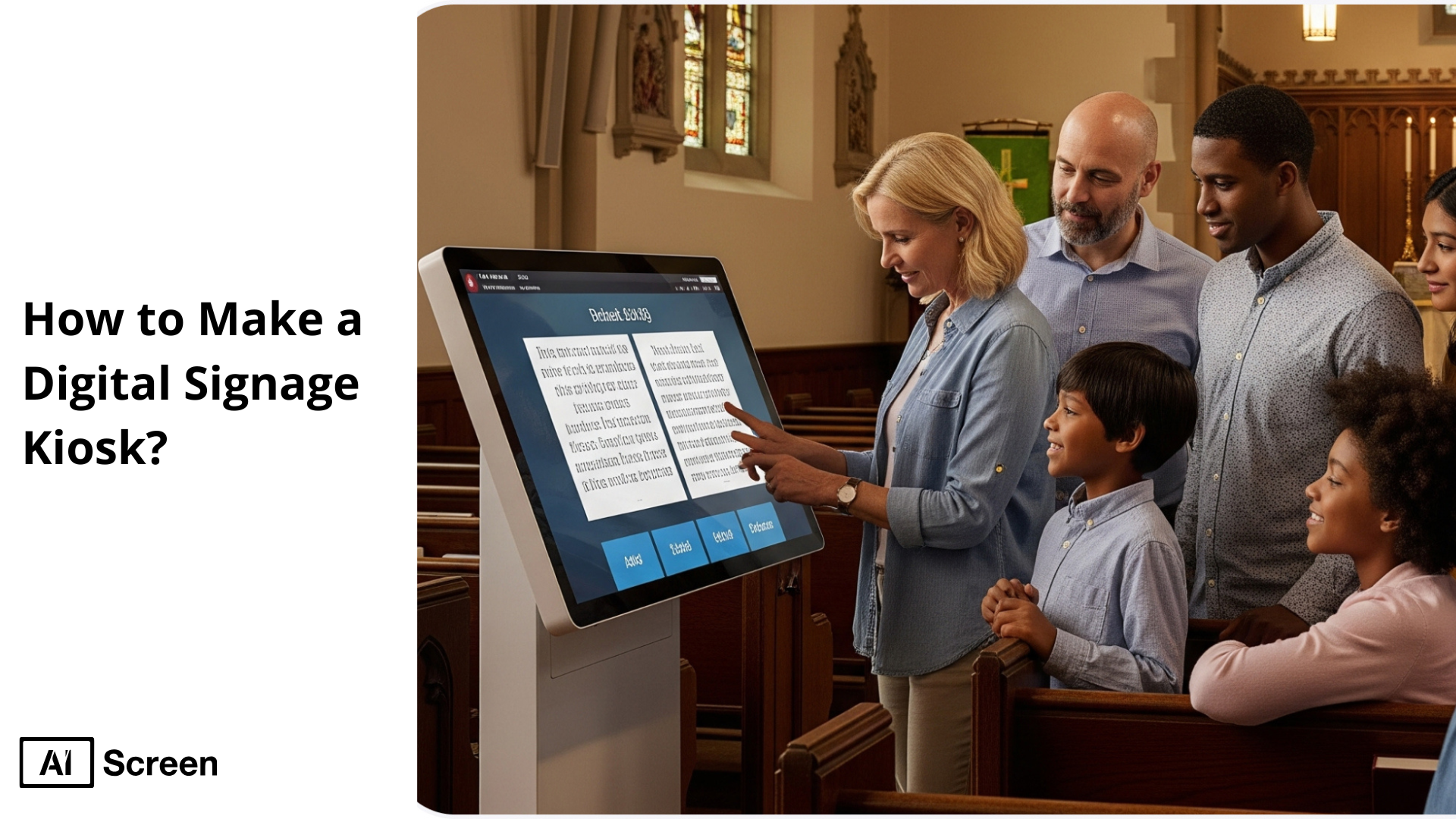
To make a digital signage kiosk, you need an LCD screen or a tablet, a media player, a touchscreen interface, and a network module to connect internet. With a quick assembly, your digital signage kiosk will work like a self-service station for your customers to let them complete tasks, find information, and make purchases. It is convenient, faster, and 24/7 available. According to SNSInsider, digital kiosks offer a huge edge to digital promotions and have become a necessity for businesses, significantly contributing to the digital signage market, where 19% market share is spent on technologies like this, every year.
This article will provide you with a comprehensive guide about the 7 essential steps for building and managing a custom digital kiosk using globally accepted AIScreen’s digital signage solutions. This article will also detail to you how retail, hospitality, and other sectors of business are making the best use of these interactive and cost-effective kiosk modes to solve specific needs in public or commercial spaces. So, let’s begin here with understanding what the digital signage kiosk is.
What Is a Digital Signage Kiosk?
A digital signage kiosk is a freestanding, touchscreen display placed in public spaces to deliver interactive digital content at eye level. Powered by digital signage software for kiosk environments, these units attract passersby and function as self-service stations, allowing users to find directions, place food orders, check in for travel, or access information in airports, train stations, bus terminals, malls, and other high-traffic locations.
Kiosks are typically designed as compact booths or stands and can operate in single-app or multi-app modes, depending on the use case. Unlike traditional staffed stalls that rely on human interaction, digital signage kiosks run on customized software and enable self-service experiences that are faster, scalable, and more consistent. This digital approach transforms kiosks into computer-like public terminals built specifically for high-volume, unattended use.
Different kiosk types serve different purposes. Wayfinding kiosks, for example, help users navigate large spaces with features such as multilingual support, ADA accessibility, and mobile handoff options. Notable implementations include New York’s Moynihan Train Hall, which serves millions of visitors daily, and Galleria Al Maryah, where more than 80 kiosks simplify navigation and customer service.
In quick-service restaurants (QSRs), self-order kiosks powered by digital signage software for kiosk setups can increase sales by 15–30%, according to USSI Global. Brands like McDonald’s use kiosks to improve order accuracy, reduce wait times, and encourage upselling, ultimately increasing average transaction value.
Promotional and advertising kiosks use targeted, animated content to boost brand recall by up to 50% and drive unplanned purchases by 29%, as reported by Digital Signage Today. At destinations like Galleria Al Maryah, networked kiosk displays combine promotions, events, and wayfinding content—extending dwell time while generating additional advertising revenue.
Overall, digital signage kiosks deliver scalable, interactive, and data-driven experiences, making them an essential tool for modern customer engagement across industries.
Why Build a Touch Screen Kiosk for Your Business?
Building a touch screen kiosk for your business offers powerful advantages as these kiosks feature interactive and self-service hubs, and go beyond simple display capabilities to elevate your operational efficiency and customer engagement level across diverse industries.
AIScreen’s digital signage statistics reveal that interactive kiosks can reduce perceived wait times by up to 35% with improving service efficiency by 30% or more. So, whether you are managing a retail chain or a busy supermarket, kiosks, in the form of digital signage displays, help you capture attention by providing instant, relevant information and upselling products right when customers require it.
- Increase Customer Engagement with Interactive Displays: Increase customer engagement up to 400% with interactive displays, compared to static signage practices, as digital signs and kiosks turn passive viewing into an active dialogue (as Digital Signage Federation reports). This engagement persists after you personalize content and product demos for your audience. This further makes the customer experience more memorable as well as influential.
- Reduce Wait Times and Improve Efficiency: Reducing wait times by 20% and improving efficiency lead to customer satisfaction, and make digital kiosks a powerful solution to long queues, as per research from Harvard Business Review. Task automations like ordering and check-ins free up the staff so they can focus on optimizing efficiency and service quality.
- Enable Self-Service Experiences: Enabling self-service experiences, digital kiosks make the consumers prefer products and services of their choice, like choosing items from a food menu. A study by Zebra Technologies revealed that 60% of shoppers prefer using self-service kiosks for routine tasks. Kosks fulfill this demand and drive higher customer satisfaction by enabling businesses to receive valuable data for refining their marketing strategies in the future.
- Deliver Real-Time Information and Promotions: Delivering real-time information and promotions, digital kiosks are instantly updated to ensure that their customers always receive the most current information. This real-time capability helps in promoting flash sales and displaying dynamic content like stock levels. This agility provides a competitive advantage to your business, affirming that agile content delivery can increase a brand’s top-line revenue by up to 33%, as Doc. Broadcom revealed.
How to Make a Touch Screen Kiosk with Digital Signage: 7-Step Guide
To make your touch screen kiosk with digital signage, just follow a 7-step guide by AIScreen to help you transform the way your business interacts with customers. This guide will give you a clear roadmap for creating a digital signage kiosk to meet your specific needs. So, let’s walk together in this journey from conceptualization to deployment to make your project successful with delivering a strong return on investment.
Step 1: Choose the Right Kiosk Screen
Selecting the right kiosk screen is the first and most important step before setting up a digital signage kiosk. Your choice directly affects user experience, screen durability, and how visible and engaging the kiosk will be for viewers. A well-chosen display ensures your kiosk performs reliably and delivers a professional, polished look.
Before finalizing a screen for your digital signage kiosk, consider the following key factors:
- Screen size: Choose a size that matches the environment and use case. For indoor retail or self-service kiosks, screens between 21 and 32 inches are ideal. Larger displays work better in shopping malls, airports, and transportation hubs where visibility from a distance is essential.
- Resolution: Opt for Full HD or 4K resolution to ensure sharp, clear visuals especially when displaying videos, menus, product information, or detailed graphics.
- Brightness: For outdoor kiosks or window-facing installations, high-brightness screens (1,000+ nits) are crucial to maintain readability under direct sunlight.
- Durability: Always select commercial-grade displays with toughened or anti-glare glass. For outdoor use, IP-rated enclosures are essential to protect against dust, moisture, and weather conditions.at AIScreen.io to make a super-classy digital kiosk.

Along with the display, pairing your kiosk with a reliable media player such as the best Raspberry Pi digital signage solution ensures smooth content playback, long-term stability, and easy remote management.
Keeping these features in mind will help your kiosk perform optimally in both indoor and outdoor environments. The result is a visually appealing, durable, and user-friendly digital signage kiosk that delivers consistent value.
Step 2: Select a Secure Kiosk Enclosure
Selecting a secure kiosk enclosure is always important, like selecting a suitable screen to be placed on site. It should be a well-designed enclosure that protects your screen’s internal hardware from tampering, physical damage, and environmental threats. It also offers public safety due to continuous usage and long-term performance.
Your screen enclosure should be:
- Durable: Made from powder-coated steel or aluminum for strength and corrosion resistance.
- Tamper-Resistant: Built using lockable panels and impact-resistant glass, especially for places such as airports, malls, and retail spaces.
- Outdoor Weatherproofing: IP-rated enclosure (e.g., IP65) to protect the screen against dust, rain, and temperature fluctuations.
- Ventilated & Cooling: Keep stable internal temperature with active cooling or passive ventilation systems.
- Accessible: Designs should permit easy maintenance accessibility without compromising security features.
- Aesthetics & Branding: Enclosures should match your environment and optionally allow custom branding or decals.
Expert’s Advice: Always choose enclosures supporting both portrait and landscape orientation, along with cable management for maintaining a clean and professional look of your kiosk display.
Step 3: Install and Set Up Digital Signage Software
Install and set up digital signage software like AIScreen once your kiosk hardware is ready. This simple installation and setup process makes many things easier while operating your kiosk, like remote management of content display. Also, AIScreen signage software is compatible with most devices, affordable, and easy to use. It will help you meet the purpose in the way you want.
Follow the quick process to download digital signage software on your device:
- Visit AIScreen’s official website.
- Choose the version compatible with your device (Android, Windows, LG webOS, or Amazon Fire TV).
- Tap the “Download” button and install the AIScreen app.
Step 4: Log in to Account in the Digital Signage Management App
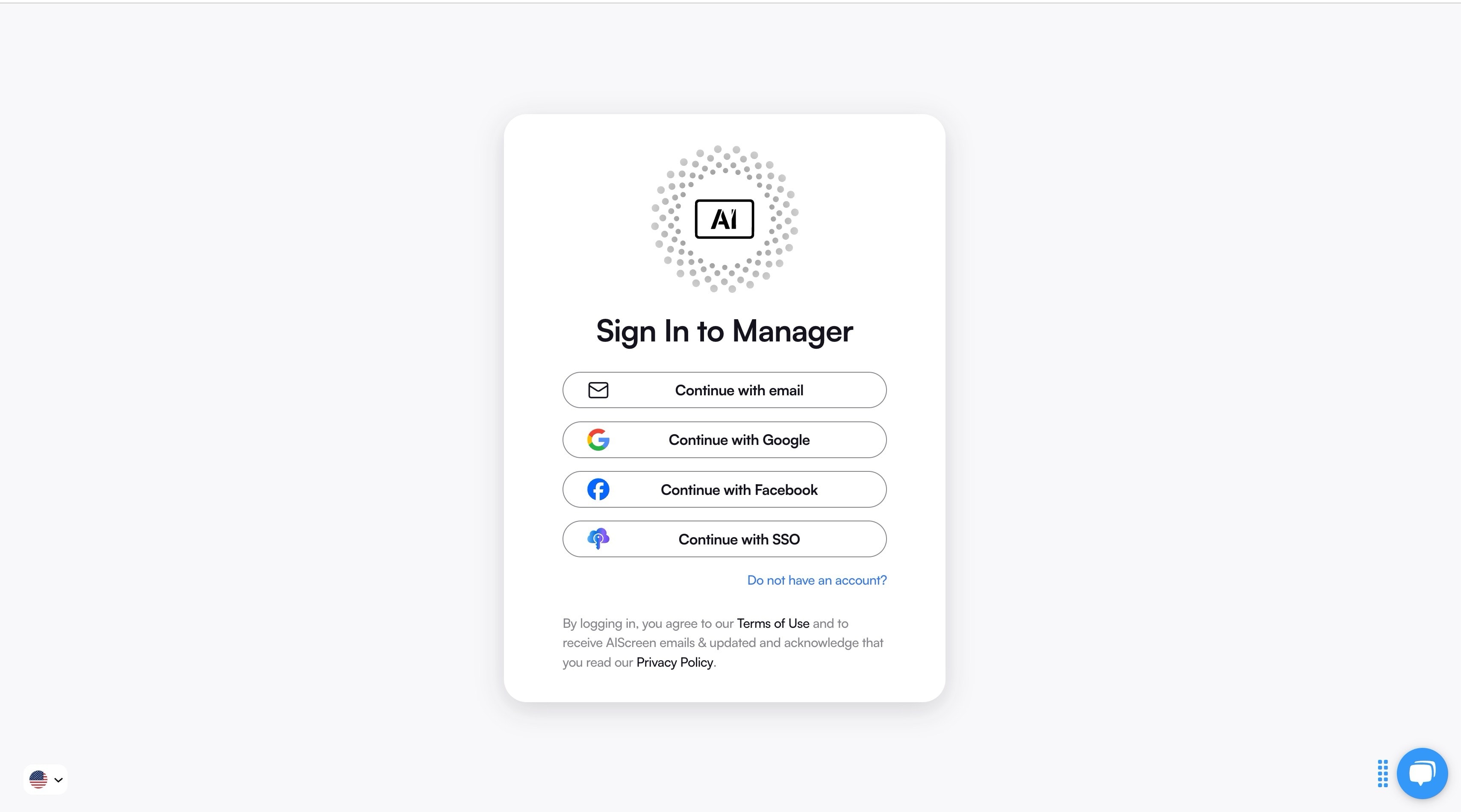
Log in to your account in the digital signage management app, as it will seamlessly connect the device to your cloud dashboard. Launch the AIScreen (or chosen CMS) app on your kiosk device and enter your account credentials to access the platform’s dashboard, including your name, email, and password. Sign up if you do not have an account. This creates a secure, dedicated link between the hardware and your CMS account.
Step 5: Pair Your Kiosk Screen with the Software
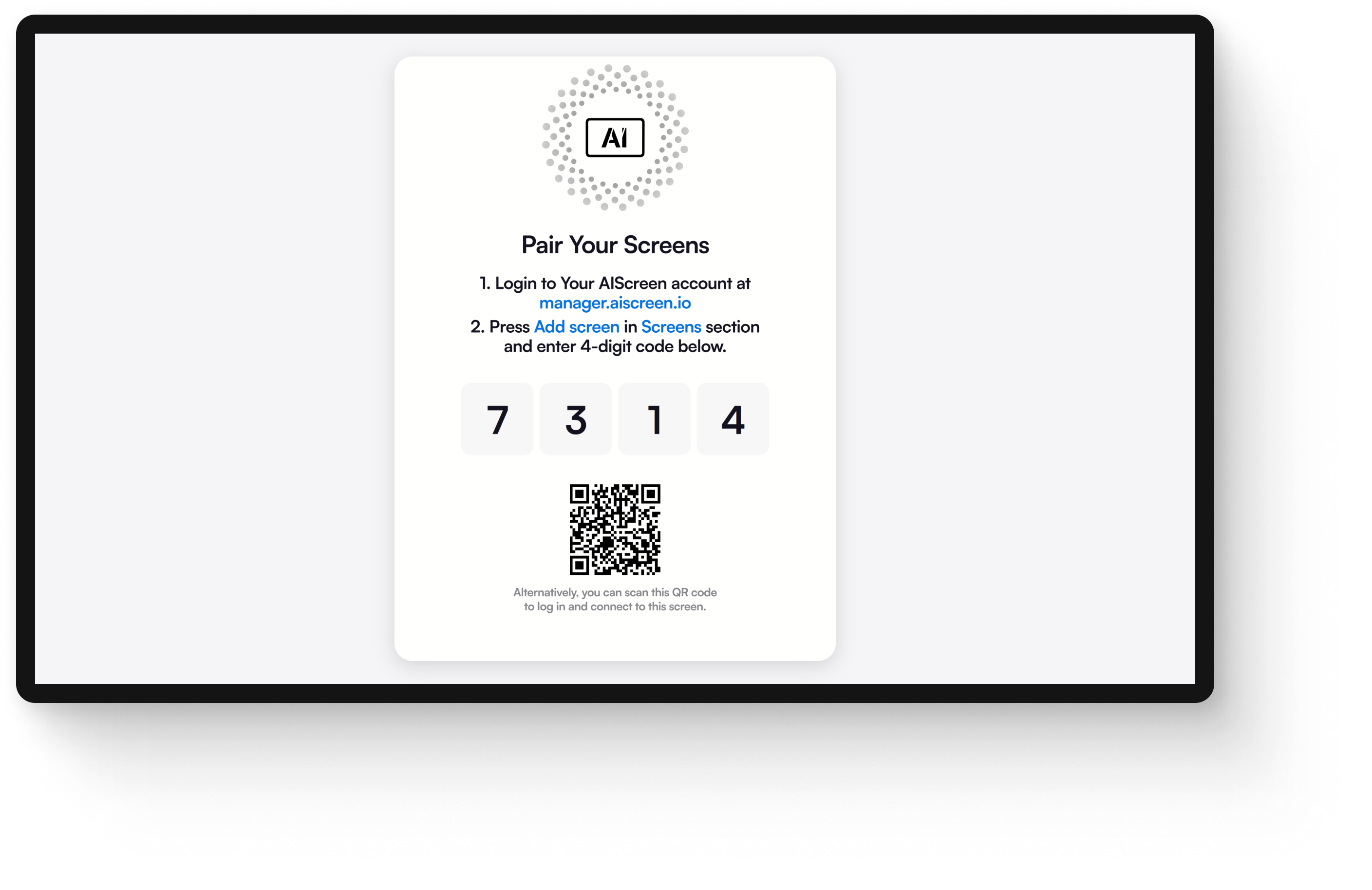
Pair your kiosk screen with the software to let the software control the kiosk remotely. This helps in seamless and efficient content delivery to the screen you have chosen earlier.
Follow the quick pairing steps with AIScreen:
- After installing the software on your device, open the AIScreen player app to display a unique 4-character pairing code on the screen.
- Log in to access the AIScreen dashboard from your device and go to the screens section. Click “Add Screen”.
- Input on-screen code, give a name to your screen, and select the orientation, which could be either portrait or landscape.
- Click “Pair”. When the code gets verified, your screen will be added to your account and ready for content delivery.
Step 6: Design Your Content Template for Interactivity
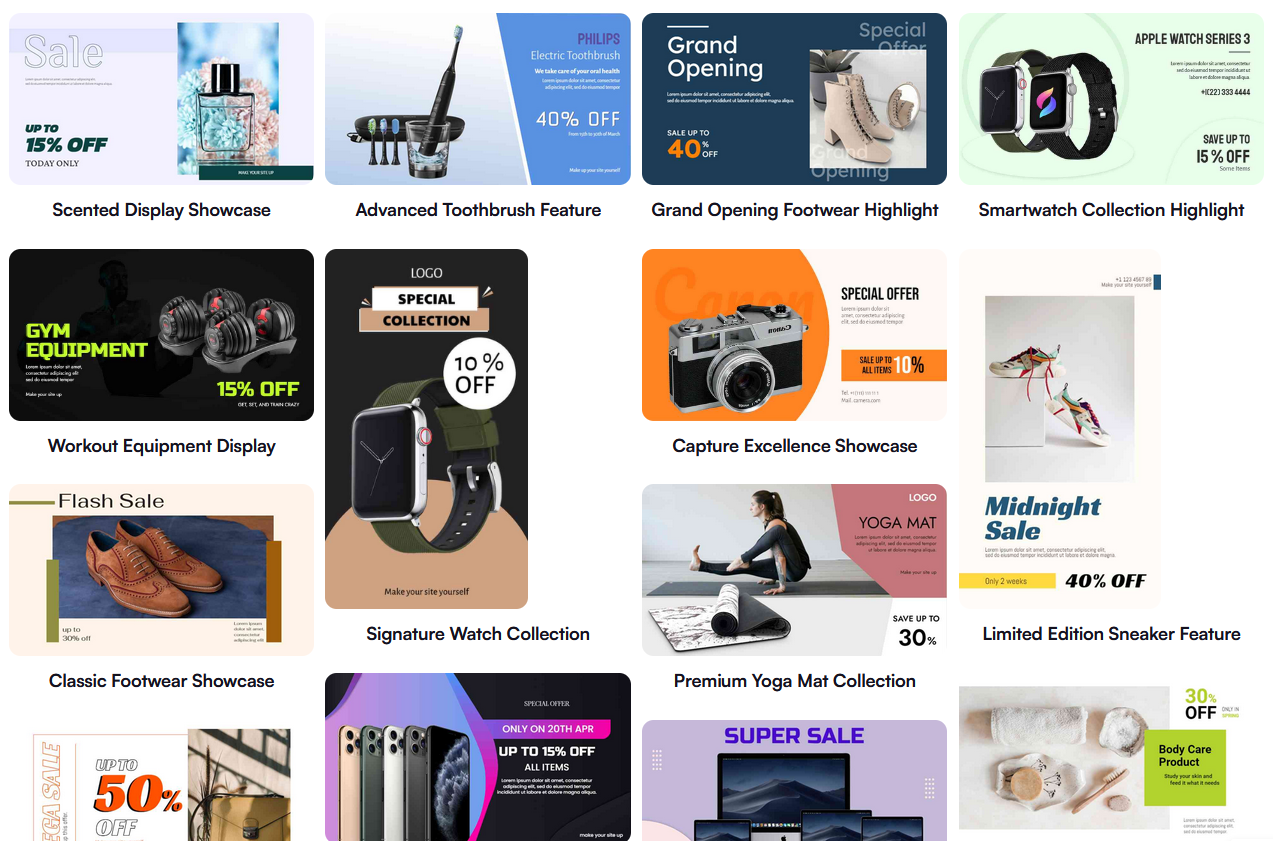
Design your content template for interactivity and engaging customers towards your kiosk. Your digital signage template is not just the design work; it is about crafting exceptional user experiences that draw people in. Clean, thoughtful design and speedy interactions reinforce your brand’s professionalism.
Key steps for designing engaging kiosk templates:
- Choose customizable templates from the AIScreen platform to design menus, promos, and directories.
- Choose simple layouts, uncluttered visuals, and clear fonts.
- Ensure using ‘easy to tap’ buttons and intuitive navigation.
- Incorporate subtle animation and sharp images to grab visitors’ attention.
- Tailor content as per the audience’s needs and the display environment.
Step 7: Set Up the Display Schedule and Launch
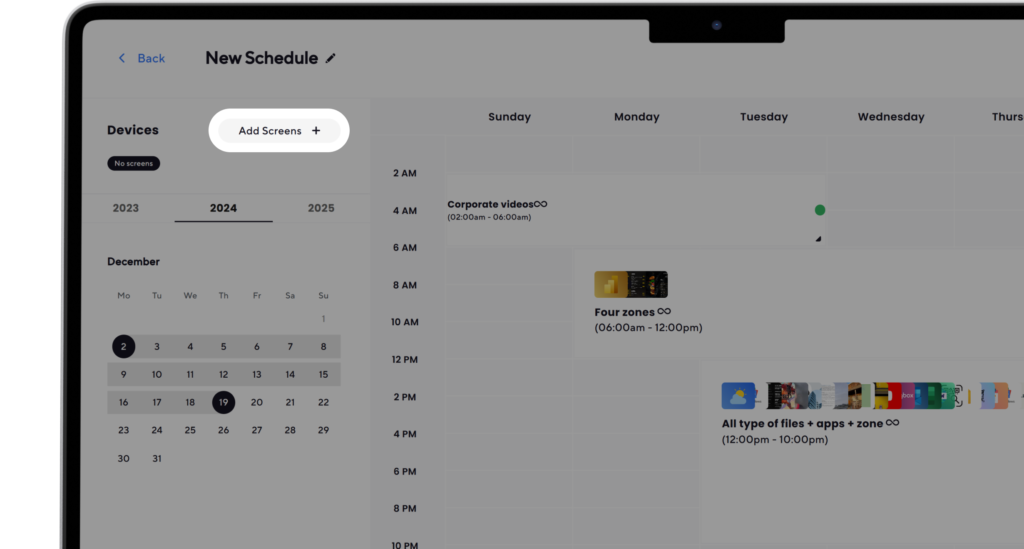
Set up the display schedule and launch your kiosk for content delivery. Efficient scheduling ensures that your kiosk shows timely content, whether it is breakfast specials, lunch promotions, or rotating information displays. Here are the final steps to set up display schedule with AIscreen to make your digital signage kiosk live:
- Log in to the AIScreen dashboard.
- Upload images and videos, and go to the “Playlist” tab to create the playlist. Another best thing here is the drag-and-drop facility to manage the content.
- Open the “Schedule” tab and click on “Create New Schedule” to set up a display schedule.
- Choose the playlist, set the time, and duration to play kiosk content.
- Launch the kiosk and confirm the schedule is running correctly. Also, test it in the real-use conditions with observing visibility, timing, and user interaction.
Build and Manage Your Touch Screen Kiosk With AIScreen Digital Signage Solution!
Build and manage your kiosk with the AIScreen digital signage solution if you are looking for an all-in-one solution to power it. AIScreen will provide you with everything from cloud-based content management and real-time updates to automated scheduling.
Whether you are managing a single kiosk or a nationwide network of multiple kiosks, AIScreen does it all to design and deploy interactive templates, update content remotely in seconds, set display schedules for any time of the day, and monitor performance using a centralized dashboard.
AIScreen creates engaging, dynamic, and user-friendly kiosk experiences conveniently and cost-effectively for its customers.


FAQs
Can I convert a regular screen into a digital signage kiosk?
Yes, you can convert any standard screen into a digital signage kiosk by connecting a media player (like Android, Fire TV Stick, or Windows mini PC) and installing digital signage software such as AIScreen. This turns your display into a smart content hub.
Do I need a touchscreen to make an interactive kiosk?
Yes, you need a touchscreen to make an interactive kiosk, which is essential. It allows users to navigate menus, browse information, or place orders. For non-interactive setups like digital menu boards, touch capabilities are not required.
What is the best operating system for a signage kiosk?
The best operating system for a signage kiosk can be any, depending on your setup, but Android and Windows are the most widely used. Android is affordable and easy to manage remotely. Windows offers high performance for advanced features and enterprise use.
How much does it cost to make a digital signage kiosk?
The cost of making a digital signage kiosk for a basic setup from $250–$500, including a screen, media player, and software. Interactive features of kiosks with touchscreens, custom enclosures, and advanced software may range from $1,000 to $5,000+, depending on hardware and features.
Can I manage multiple kiosks remotely?
Yes, you can manage multiple kiosks remotely using cloud-based platforms like AIScreen. This way, you can manage hundreds of kiosks from a single dashboard, update content in real time, monitor uptime, and schedule displays from anywhere.
