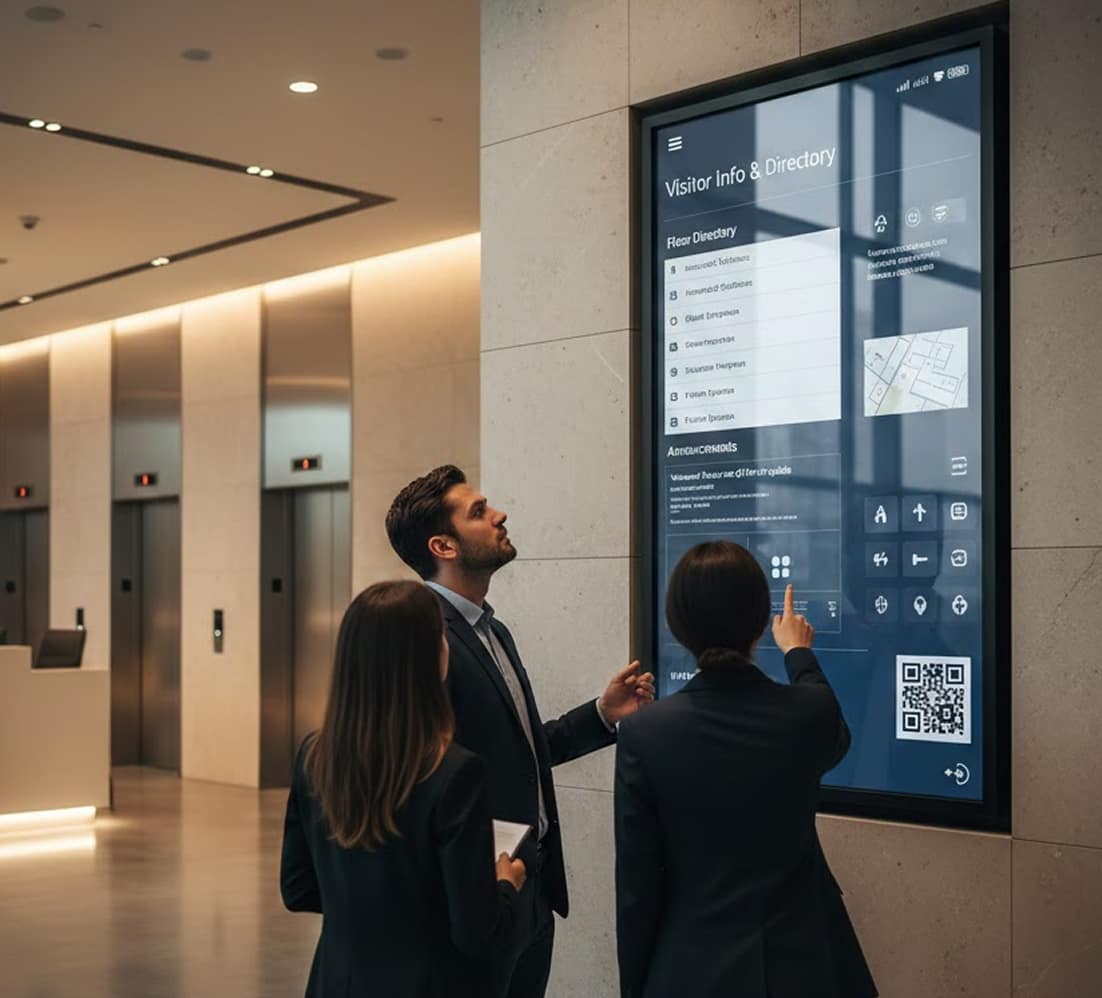
Digital Information
Board

In many environments, important information is scattered across notices, emails, and outdated boards, making it difficult for people to stay informed. A digital information board solves this by bringing updates, schedules, and announcements into one visible, real-time display. Instead of searching for information, users can quickly access it from a centralized screen. With digital signage software, organizations can manage and update content instantly across locations. Announcements, alerts, and schedules stay current for everyone on centrally managed digital signage screens. Everything is powered by the cloud-based digital signage software. Compare plans on the AIScreen pricing page.

14-day FREE trial. No credit card required
Digital information board

Where Information Breaks Down Without Central Displays

When information is not visible in shared spaces, it often gets missed or ignored. Printed notices become outdated, and communication becomes inconsistent across locations. A digital information board ensures that updates are always current, clearly presented, and accessible to everyone in the environment.

How Digital Information Boards Solve Visibility Gaps

Keeping information accurate and visible requires more than static boards. A digital information board provides centralized control, real-time updates, and consistent messaging, making it easier to manage communication across different spaces.

  • Central Display: A digital information board brings all updates into one visible screen.
  • Real-Time Content: Digital signage software updates digital information board content instantly.
  • Clear Communication: Information is displayed in a structured and easy-to-read format.
  • Multi-Location Control: Manage digital information boards across multiple sites from one system.
  • Always Updated: A digital information board ensures information stays current without manual effort.
Digital information board

Why Digital Information Boards
Improve Communication

Announcements lose value when they’re outdated or hard to access. A digital bulletin board keeps messages current, automates delivery, and enables real interaction, all from a single, reliable system. Think of it as the modern successor to the cork wall: instead of pinned flyers, a signage screen by the entrance rotates today’s schedule, a welcome for visitors, and the lunch menu, while digital display boards in shared spaces carry department news and safety reminders. Because every notice has a start and end date, nothing lingers past its moment, and urgent messages can take over in seconds when they matter most. Indoor placement does most of the work: lobbies, elevators, break rooms, and corridors are where people pause long enough to read. It connects to the same digital signage deployments used across other industries. Get started using this simple framework.

  • 1

    Update information instantly from anywhere
  • 2

    Automate content to stay relevant throughout the day
  • 3

    Enable hands-on collaboration directly on screen

Update information
instantly from anywhere

When situations change, communication must be immediate. Cloud-based control allows teams to update displays remotely without being on-site, so a schedule change made at head office appears on every tv screen within moments. This keeps critical updates visible and accurate wherever people look: a digital display board at reception greets guests by name, displays in staff areas rotate shift schedules, and bulletin boards that once needed a ladder and a laminator now refresh themselves. For campuses and multi-building sites, signage displays group by location, so the gym, the library, and the dorms each see their own feed while campus-wide messages reach everyone at once.

Digital information board

Automate content to match time and audience needs

Manual scheduling creates gaps and errors. Automated playlists
ensure the right content appears at the right moment. Dynamic
scheduling keeps information relevant throughout the day.

Enable precise, hands-on collaboration on screen

Digital boards can do more than display information.
Touch-enabled interaction transforms screens into
collaborative tools. Advanced touch technology supports
natural writing and sharing.

Digital information board

How to Set Up Digital Information Borad With Digital Signage Software

To set up digital information board, start by selecting the right display screens and a reliable cloud-based digital signage software. Choosing the right hardware and software is key to enhancing in-store engagement and boosting sales. Follow these simple steps to get started in just a few minutes:

Step 1.
Don’t have a TV?
Digital information board
prev
next

Simply purchase a TV and start without any additional digital signage or hardware.

or
Have TV or hardware?
Digital information board

Then download digital signage software directly on your TV from your app store to manage it remotely.

Step 2.
Connect Your Screen(s).
Digital information board
After receiving your pairing code simply enter this code in your manager account to pair your screen seamlessly
Optional.
AIScreen OS.
AiScreen
Benefits:
  • Remote Troubleshooting
  • Auto Power On/Off TV
  • Track Available Memory in your cache
  • Clean Cache Remotely
  • Security

What Changes When Information Becomes Visible in Shared Spaces

  • Digital information board

    Up to 47%

    faster information delivery

    Updates reach teams instantly without delays

  • Digital information board

    Up to 43%

    reduction in manual updates

    Automation removes repetitive scheduling
    work

  • Digital information board

    Up to 38%

    improvement in
    collaboration efficiency

    Touch interaction supports faster, clearer teamwork

Digital Information Boards Built for Real-Time Communication

Keep every notice accurate, visible, and collaborative with display boards designed for modern workplaces and campuses. Start small: one display where announcements matter most, then connect the rest of the building as habits form. Editors publish from a browser, approvals keep the feed on-brand, and analytics show which messages people actually notice. The result is a channel that earns attention daily instead of fading into the wallpaper the way paper always did.

Fed by your live sources

Connect schedules, feeds and data sources through integrations and the API so the board stays current without anyone updating it.

Discover how organizations
streamline communication with
digital information boards

Digital information board

ClearPath Campus
Improves Real-Time
Communication With
Digital Information Boards

See how ClearPath Campus replaced static notice boards with digital information boards to deliver live updates, automate daily messaging, and enable on-screen collaboration, keeping staff and visitors informed without delays or manual work.

Digital information board

Digital Information Boards That Turn Updates Into Action

Stop chasing messages. Digital information boards keep communication clear, current, and interactive, so updates reach people instantly and collaboration happens right where information is displayed.

Explore other use cases

  • Digital Donor Wall for Lasting Recognition

    Highlight donor contributions in real time and share impact stories that inspire continued giving. Keep recognition accurate, engaging, and connected beyond the physical wall.

  • Digital Hall of Fame for Immersive Recognition

    Transform achievements into interactive, story-driven experiences. Update inductees instantly, personalize exhibits, and understand what resonates through engagement insights.

Frequently Asked Questions

Why Do People Miss Important Updates?

People miss updates because information is spread across multiple channels and not visible. A digital information board brings everything into one screen. AIScreen ensures updates are displayed consistently. This improves visibility.


How Does A Digital Information Board Improve Visibility?

A digital information board improves visibility by placing updates in shared spaces. Users can see information without searching through emails or notices. AIScreen keeps content updated in real time. This ensures clarity.

Where Should A Digital Information Board Be Placed?

A digital information board should be placed in high-traffic areas where people naturally look. Common locations include entrances, lobbies, and shared spaces. AIScreen supports flexible placement. This increases reach.

What Content Can A Digital Information Board Show?

A digital information board can display announcements, schedules, alerts, and general information. It allows structured presentation of updates. AIScreen supports multiple content formats. This improves communication.

Can A Digital Information Board Update Instantly?

A digital information board can update instantly using digital signage software. Changes are reflected across screens without delay. AIScreen ensures real-time updates. This keeps information accurate.

Why Is A Digital Information Board Better Than Printed Notices?

A digital information board is better because printed notices become outdated quickly. Updating them requires manual effort and time. AIScreen allows instant updates across displays. This improves efficiency.

Can Digital Information Boards Work Across Multiple Locations?

Digital information boards can be managed across multiple locations from one system. This ensures consistent messaging everywhere. AIScreen provides centralized control. This reduces communication gaps.

How Does AIScreen Digital Information Board Work?

AIScreen digital information board works through digital signage software that manages content centrally. Updates are made from one dashboard. This removes manual processes. It ensures consistency.

Does A Digital Information Board Reduce Communication Gaps?

A digital information board reduces communication gaps by making updates visible in shared spaces. Users no longer rely only on internal tools. AIScreen ensures synchronized content. This improves alignment.

Is A Digital Information Board Suitable For Different Environments?

A digital information board works in offices, public spaces, schools, and facilities. It adapts to different communication needs. AIScreen supports various use cases. This increases flexibility.