
Tap to Meet Every Honoree
Event calendars, slide carousels and scrolling strips introduce visitors to alumni, athletes and honored community members.
AIScreen digital signage software turns trophy cases, wall plaques and printed posters into screens that celebrate achievements as they happen. Spotlight standout students, athletes and employees alongside community members, then refresh each honoree’s story from any browser.
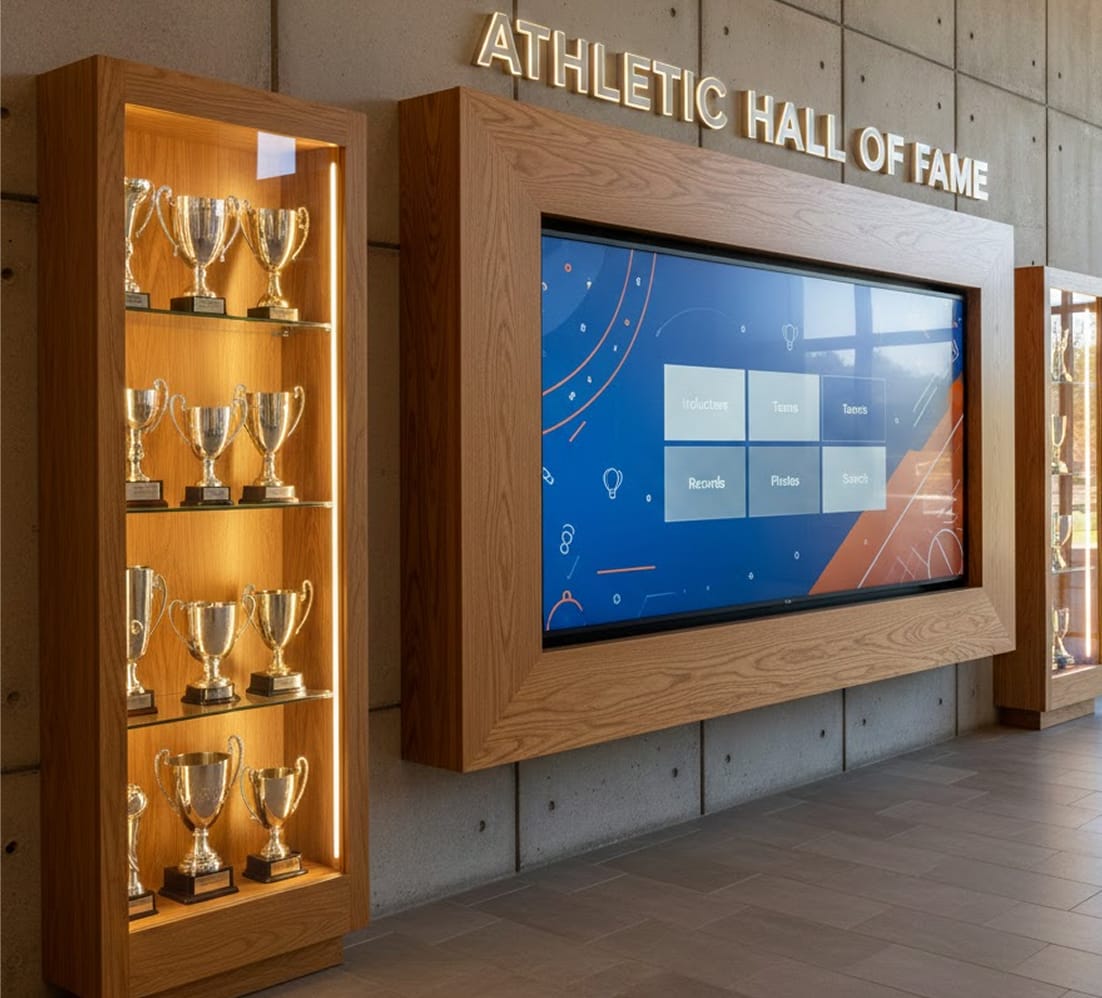

Event calendars, slide carousels and scrolling strips introduce visitors to alumni, athletes and honored community members.


Combine each honoree’s photo, name and achievements on cards that rotate in a carousel.

Touch navigation gives sports, teams, graduation years and award types their own buttons, one tap away for visitors.

Run honorees and their records along a tidy scrolling strip while the main content keeps playing.
Build school and university pride by putting standout educators and students on digital hall of fame displays in hallways.


Use cloud-based software and digital signage templates to feature the teacher of the month’s bio, profile and teaching philosophy.

Celebrate academic awards, name a student of the month and add short profiles that build pride.

Share graduate success stories through YouTube videos or written profiles that celebrate your school’s alumni.
Take your sports legacy out of static trophy cases and onto displays.


Spotlight athletes next to season highlights, sports records and player stats on a digital hall of fame display.

Revisit championship wins and the alumni behind each state title on screens in college arenas, gyms and lobbies.

Update leaderboards from the cloud the moment an athlete reaches a new milestone.
Keep employees and departments motivated by showing workplace excellence at every site.


Recognize what employees achieve outside work too, from community contributions and charity drives to philanthropic pursuits.

Show employee spotlights, work anniversaries and other milestones on breakroom and lobby screens with customizable digital signage templates.

Share a workplace achievement or an all-time sales record on the digital hall of fame in every office location to keep morale high.
On eye-catching screens that anyone can update, any organization or community can thank people who go the extra mile.


Post the bios of firefighters, EMTs and police officers alongside action photos and thank-you stories from residents, honoring their service and lifting morale.

Give local businesses and residents who volunteer a place on screen with their names and stories, and keep donor recognition on its own donor wall.

Celebrate what government officials have achieved, or give long-serving public officials short bios that bring the community closer.

In a free AIScreen demo, our team walks you through how inductee slides, record boards and recognition playlists come together on the screens throughout your organization. Bring your list of honorees, and we will show where each one fits on screen.

Go with AIScreen displays or an AIScreen media player, or check the supported hardware page to reuse screens you already have. Smart TVs that run the AIScreen app can become digital hall of fame displays without extra hardware.

Create an AIScreen account, download the app onto each screen and type its pairing code into the dashboard. Then choose digital signage templates for honorees, records and awards.

Send playlists to your screens, invite colleagues to collaborate with approval workflows, and manage every location, from the gym to the front office, in one dashboard.
Schools, corporate offices and multi-location organizations can run recognition screens and everyday digital signage from one AIScreen platform, whether content plays on a smart TV, a media player or a touch kiosk.

AIScreen holds recognition slides, notices and emergency alerts on the same platform, so staff can collaborate on content while urgent messages reach students instantly.

Manage every recognition screen across your organization in a dashboard built for non-technical staff, on whichever supported hardware you pick.

Count on AIScreen customer support 24/7 by phone, chat or email, even on ceremony night.
A digital hall of fame is a screen, or a set of screens, that honors people and achievements with photos, video and short stories instead of engraved plaques. With AIScreen, everything is edited online in a web dashboard, so new inductees, records and awards can be added without reprinting anything.
Organizations need a digital hall of fame because physical walls run out of room and fall behind as achievements pile up. A screen can rotate through as many honorees as its playlist holds, and a school, club or company can keep its awards history digitally and add this season’s winners the day they are announced.
A digital hall of fame improves recognition by moving honorees from a corner plaque to screens in busy spaces, where photos, video and the story behind each award get noticed. People walking past see more than a name, and visitors at a touch screen can look up the honorees they care about.
A digital hall of fame can be updated instantly from the AIScreen dashboard: change a record, add an inductee or swap a photo remotely, and paired screens show the new version, with no trip to the wall. Scheduling also lets you prepare ceremony slides ahead of time and have them appear on the chosen date.
A hall of fame display can show photos, videos, inductee bios, records, awards and championship histories. Digital signage templates give a quick start, and AIScreen Aura handles fully custom layouts. A Google Calendar app can share the screen in a split-screen zone, so the next induction date stays in view.
A hall of fame screen is used in schools, universities, sports facilities, offices and community buildings, from gym lobbies and alumni centers to breakrooms and town halls. In each of these places, the screens pair with AIScreen once and take their content from one web dashboard after that.
A hall of fame display supports multiple locations, because every screen is linked to one AIScreen account and run from one dashboard. When you schedule content, you choose the screens, so each campus, club or office can show its own honorees while shared news reaches all of them.
AIScreen runs a hall of fame from a web dashboard: honoree photos, videos and templates become slides, slides become playlists, and every playlist is assigned to chosen screens and dates. On touch screens, buttons and an inactivity timeout come from the Touch Kiosk Module; the timeout brings back the start screen after a visitor leaves.
A screen-based hall of fame is better than static displays when honorees change often, because no plaque has to be engraved again and wall space never runs out. A static plaque still suits a single permanent tribute, but a screen keeps growing lists current and shows video and stories a plaque cannot.
A hall of fame display improves engagement when visitors can explore it themselves and stay for the stories behind the names. Organizations asking how to measure visitor engagement with interactive displays can use AIScreen audience analytics: an AI camera reports visitor counts and viewing time per screen, processed anonymously on the device.