
10 Best Indoor Digital Menu Boards in 2026 (Ultimate Guide)
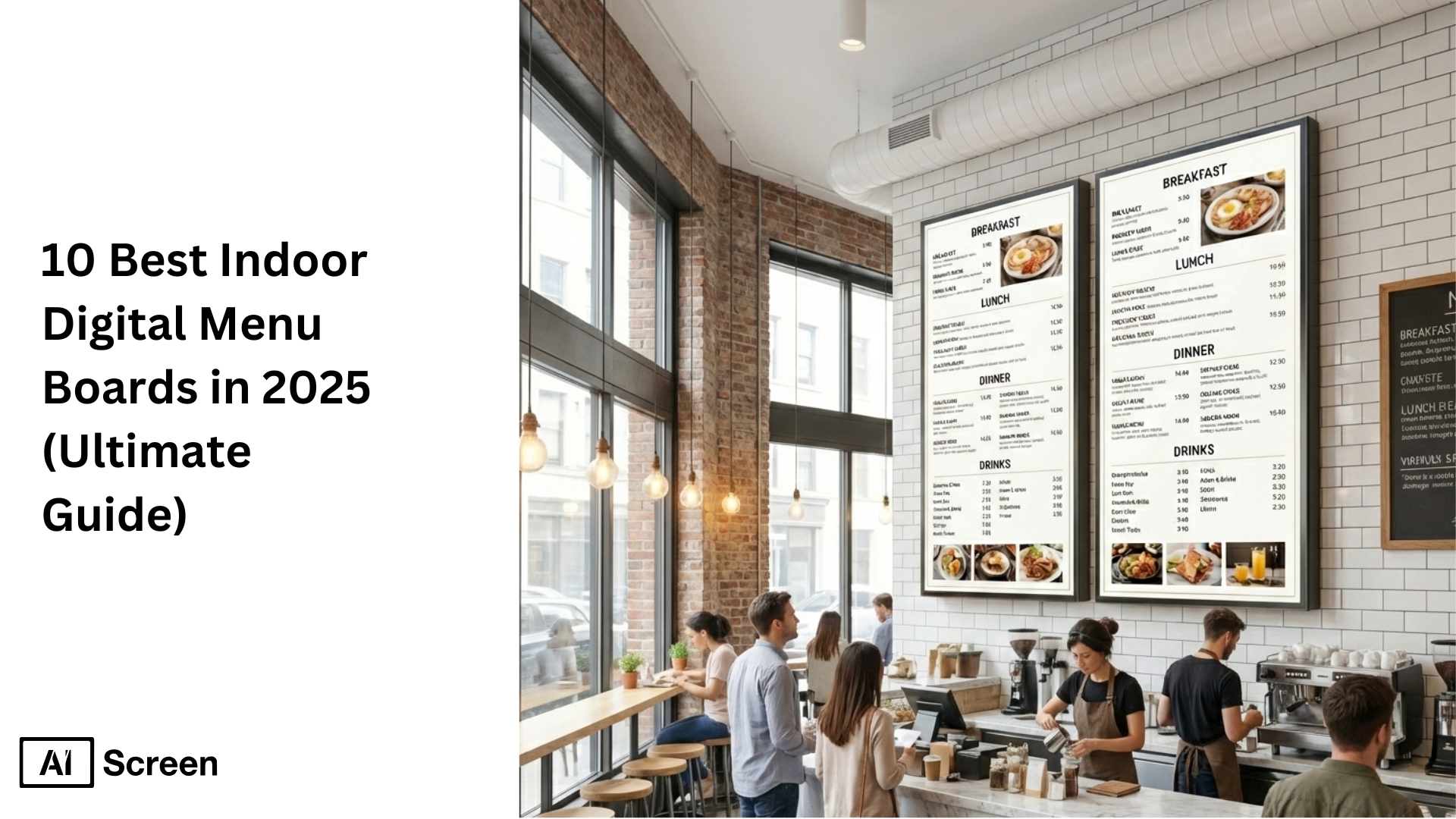
Have you ever wondered how indoor digital menu boards could transform the way your customers see your menu and interact with your restaurant or cafe? These modern digital signage tools don’t just replace static printed menus, they improve menu visibility, boost customer engagement, and help restaurants adapt quickly to changing menu items or promotions. In fact, research from Technavio shows that the digital signage market is expected to grow by over 7% annually through 2028, driven largely by increased adoption in hospitality and retail environments, meaning more businesses are choosing digital over printed displays to enhance customer experience.
In the article 10 Best Indoor Digital Menu Boards in 2025, you’ll learn step-by-step how to set up indoor digital menu boards, from selecting the right display and installing menu software to customizing your templates and scheduling content for different times of day. You’ll also discover how these digital signage solutions can streamline operations, improve readability, and keep your menus fresh and engaging. Whether you run a small café or manage several restaurant locations, this guide will help you make the most of your digital menu strategy.
1. Wall-Mounted Indoor Digital Menu Boards
When space is tight and attention is even tighter, every inch of your wall starts to matter. Wall-mounted indoor digital menu boards are one of the smartest ways restaurants turn unused vertical space into a high-impact communication zone.
According to Deloitte, 49% customers are far more likely to engage with menus that are easy to see from multiple angles, especially in fast-moving environments where decisions happen in seconds.
That’s why wall-mounted boards work best behind counters, above service lines, near ordering points, or along feature walls where foot traffic naturally slows.
The biggest advantage is visibility without clutter. By moving menus off counters and stands, restaurants keep walkways clear while ensuring prices, promos, and featured items stay right in the customer’s line of sight.
This setup is ideal for cafés, quick-service restaurants, food courts, and casual dining spaces with linear or L-shaped layouts.
Wall-mounted digital menu boards also make layout planning easier. You can scale horizontally for wide counters or stack screens vertically in narrow spaces, keeping menus readable without overwhelming the room. The result is a cleaner interior, smoother ordering flow, and a menu that feels intentional, rather than squeezed in as an afterthought.
2. Ceiling-Mounted Digital Menu Boards
When floor space disappears and lines get longer, visibility becomes everything. Ceiling-mounted digital menu boards are designed to stay in clear view even during peak rush, making them especially effective in fast-paced QSRs and high-traffic indoor settings.
Research from QSR Magazine shows that 60% customers tend to look upward while waiting in line, scanning menus before they reach the counter. Mounting digital menu screens from the ceiling keeps menu content visible above crowds, reducing hesitation and speeding up ordering flow.
These menu boards work best in narrow service lanes, food courts, and compact layouts where wall space is limited. By floating menus overhead, restaurants maintain open sightlines, improve visual communication, and keep customer movement smooth, without blocking walkways or counters.
3. Countertop Digital Menu Boards
Those final few seconds at the counter often decide what gets ordered. Countertop digital menu boards tap directly into point-of-sale decision-making, where impulse choices and add-ons naturally happen.
According to Nielsen, a significant share of purchasing decisions are made at the point of sale, especially when content displayed is clear and visually engaging. Compact digital menu screens placed at counters or pickup areas are ideal for highlighting promotions, limited-time menu items, or health-conscious options.
Because of their small footprint, these menu boards fit seamlessly into checkout zones without clutter. They influence customer preferences subtly, using dynamic content and eye-catching visuals right where attention is highest.
4. Single-Screen Indoor Digital Menu Boards
Not every restaurant needs multiple displays to make an impact. Single-screen indoor digital menu boards remain one of the most widely adopted formats, especially for cafés, food trucks, and small-format dining spaces.
Industry adoption data from Statista shows that single-display setups are often the first step businesses take when moving from printed menus to digital technology. The appeal lies in simplicity, one screen, one clear message, and easy content updates.
These menu boards work best when clarity matters more than volume. With the right layout, a single digital menu can present prices, menu content, and daily specials without overwhelming customers, making it ideal for focused indoor digital menu experiences.
5. Multi-Screen Indoor Digital Menu Boards
As menus grow, clarity becomes harder to maintain. Multi-screen indoor digital menu boards solve this by breaking information across multiple screens, making large menus easier to scan and understand.
Studies from Toast indicate that 58% customers order faster when menu categories are visually separated instead of stacked into a single display. Using multiple screens allows content zoning, drinks on one screen, combos on another, promotions on a third, improving readability and reducing friction.
This format works especially well for restaurants with extensive menu items, multiple meal periods, or frequent updates. The flexibility of multiple displays ensures menu boards stay organized without sacrificing visual appeal.
6. Video Wall Digital Menu Boards
Sometimes, the goal isn’t just to inform, it’s to impress. Video wall digital menu boards create a strong visual anchor in flagship locations, large venues, and high-profile dining spaces.
Microsoft research on visual attention shows that large-format, motion-based digital screens hold attention significantly longer than static displays. Video walls use vibrant displays, stunning detail, and synchronized motion to elevate the entire customer experience.
These setups are best suited for brand-forward environments where visual impact matters as much as menu clarity. When used thoughtfully, video walls turn menus into immersive visual communication tools rather than simple price lists.
7. Touch-Enabled Indoor Digital Menu Boards
People like control, especially when choosing what to eat. Touch-enabled indoor digital menu boards give customers the freedom to explore menu content at their own pace.
Data from Pyramid Computer highlights that self-service and interactive digital screens increase engagement and ordering confidence by 65%. Instead of scanning static menus, customers can browse categories, view details, and compare options intuitively.
This approach works well in modern quick-service and fast-casual settings where interaction enhances customer satisfaction. The focus isn’t the technology itself, it’s the experience of discovery and ease.
8. Smart TV-Based Indoor Menu Boards
Digital menus don’t have to mean high upfront costs. Smart TV-based indoor digital menu boards have gained popularity as affordable, accessible options for restaurants starting their digital journey.
Consumer electronics trends reported by IDC show steady growth in smart TV adoption among small businesses. When paired with proper signage software, these digital screens can display dynamic menus, promotions, and updates without complex setups.
They’re best suited for indoor settings where flexibility, cost control, and simplicity matter, especially for one or many stores testing digital menus before scaling further.
9. Cloud-Managed Digital Menu Boards
Managing menus across locations used to be a logistical headache. Cloud-managed digital menu boards change that by centralizing control through a single content management system.
According to Gartner, cloud-based systems are now the preferred choice for businesses managing multiple screens or multiple stores. Real-time updates, remote scheduling, and scalable control allow menus to stay consistent across one or many stores without manual intervention.
This setup enables businesses to respond quickly to price changes, promotions, or availability, keeping digital menu boards accurate and aligned everywhere.
10. Custom-Designed Indoor Digital Menu Boards
A well-crafted menu doesn’t stop at the screen, it shapes perception. Custom-designed indoor digital menu boards allow restaurants to align layout, colors, and motion with their brand identity while keeping menu content flexible and visually clear.
Brand consistency research from Lucidpress shows that consistent visual identity improves customer trust and recall, which is why custom layouts matter more than ever.
Unlike static menus or printed menus, these digital menu boards support tailored content, dynamic updates, and eye-catching visuals that adapt to changing customer preferences.
For brands comparing formats across indoor and outdoor environments, many use the same design principles found in the 10 best outdoor digital menu boards, clear hierarchy, vibrant displays, and strong visual communication, then adapt them for indoor digital menu experiences.
The result is a menu board that reinforces branding, highlights promotions, and delivers a smoother customer experience across one or many stores.


Why Are Indoor Digital Menu Boards Important for Businesses?
Menus shouldn’t slow customers down or staff up, and that’s where smart digital displays quietly change the game. Indoor Digital Menu Boards are important for businesses as they help restaurants and cafés communicate clearly, move faster, and create better in-store experiences.
Improve Menu Visibility
Indoor Digital Menu Boards dramatically improve how menus are seen and understood. Bright digital screens offer enhanced readability even in low-light indoor settings, crowded counters, or fast-moving service lines.
Unlike printed menus that fade, glare, or blend into the background, digital menu content stays crisp, well-lit, and easy to scan, helping customers decide faster and with more confidence.
Engage Customers with Interactive Content
Today’s customers expect more than static information. Indoor Digital Menu Boards support interactive content like QR codes and touch-enabled browsing, allowing customers to explore menu items, view specials, and engage with offers directly on the screen.
This level of interaction increases customer engagement while giving people control over how they discover menu content, which naturally improves the overall customer experience.
Improve Operational Efficiency
Behind the scenes, Indoor Digital Menu Boards simplify daily operations. Real-time updates make it easy to change prices, swap menu items, or launch promotions instantly, without printing costs or delays.
This flexibility enables businesses to respond quickly to availability, time-based offers, or customer preferences, improving efficiency while keeping menu content accurate at all times.
How to Set Up Indoor Digital Menu Boards?
Setting up a digital menu doesn’t need to feel technical or overwhelming. Indoor digital menu boards can be up and running quickly when you follow a clear, step-by-step approach, from choosing the right display to launching your content live. Here’s how restaurants and cafés typically do it.
Step 1: Choose the Right Indoor Display
Before anything goes on screen, the screen itself matters. Choosing the right indoor display ensures your menu stays readable, vibrant, and visible in different lighting conditions, especially near windows or bright interiors.
When selecting a display, focus on screen size, resolution, and indoor brightness. For small cafés or counters, compact displays work well, while larger restaurants benefit from wider screens that customers can read from a distance. Resolution plays a key role too, clear text and sharp visuals make menu items easier to scan during busy hours.
Insignia™ Class F30 Series LED 4K UHD
- Resolution: 720p HD for clear, readable menu content
- Smart Features: Built-in Fire TV with Alexa Voice Remote
- Streaming & Apps: Access to 1M+ apps and channels
- Price Range: Approx. $170–$299

Step 2: Install and Set Up Digital Menu Board Software
Once your display is ready, the next move is control. Installing digital menu board software allows you to create, manage, and update menu content without touching the screen again.
Cloud-based platforms like AIScreen make setup fast and flexible. You simply install the app on your smart TV or connect a media player, then log in to your dashboard from any device. From there, everything, from edits to scheduling, happens remotely.
Key benefits include:
- Cloud-Based Management: Update menus from anywhere
- Drag-and-Drop Editor: Build layouts without design skills
- Instant Updates: Push changes live in seconds
- 14-Day Free Trial: Explore features risk-free
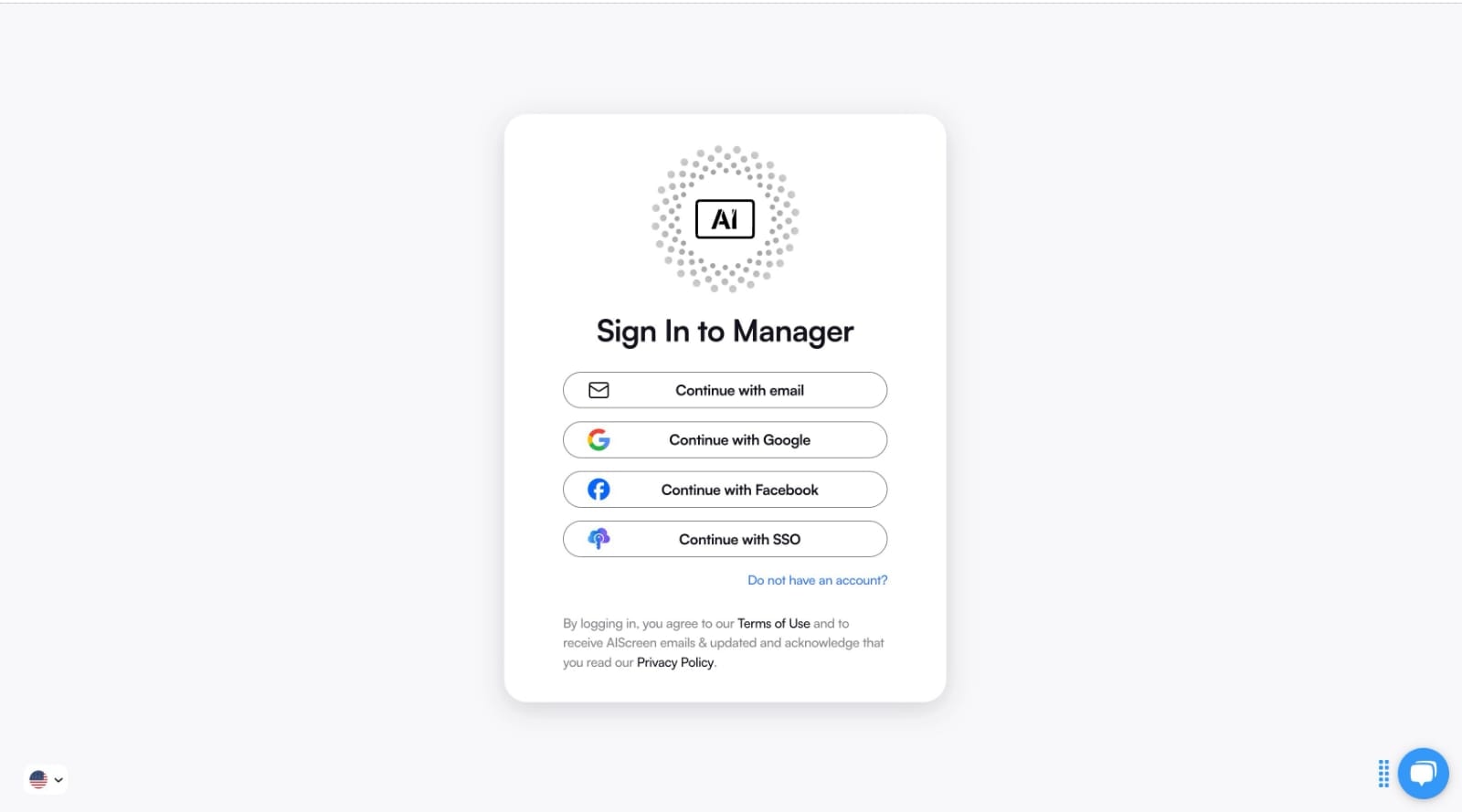
Step 3: Create an Account in the Menu Management App
Access unlocks flexibility. Creating an account in the menu management app gives you full control over your indoor digital menu boards from a single dashboard.
The process is simple:
- Visit AIScreen.io and sign up
- Complete the registration
- Log in and start designing menus immediately
Because the platform is cloud-based, you can manage menu content remotely, whether you’re updating prices, adding items, or adjusting layouts across one or many locations.
Step 4: Connect Your Screens to the Software
This is where everything comes together. Connecting your screens to the menu software links your display to your content in real time.
The pairing process is straightforward:
- Open your dashboard and go to Screens
- Click Add Screen and enter the 4-digit code shown on your TV
- Choose screen orientation (landscape or portrait)
- Save to complete the connection
Once paired, your indoor digital menu board is ready to receive updates instantly.

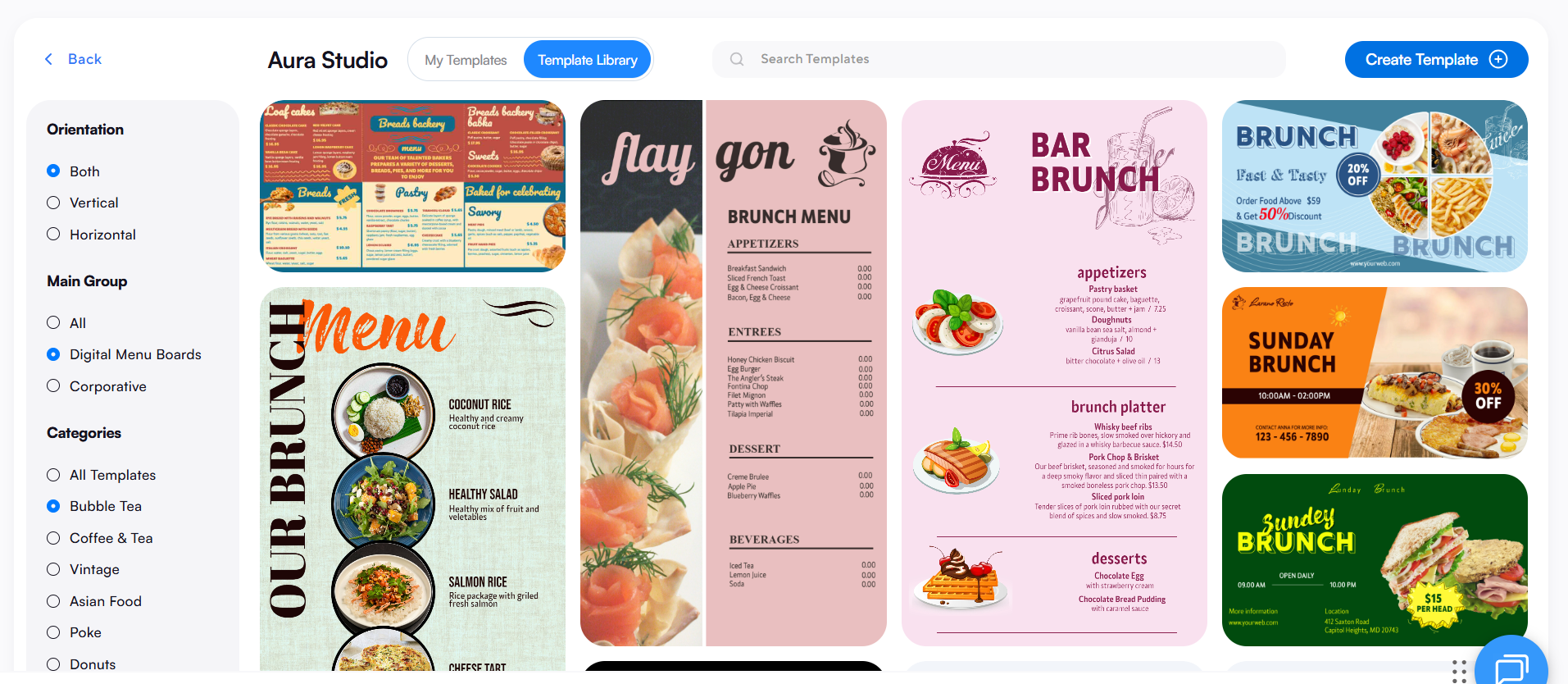
Step 5: Upload or Customize Your Indoor Digital Menu Template
Now comes the creative part. Customizing menu board templates allows your menu to reflect your brand while staying easy to read and visually appealing.
Using the drag-and-drop editor, you can upload menu items, images, and videos to build a professional layout. High-quality visuals, whether it’s food photography, drink highlights, or promotional banners, help create a strong visual impression.
You can:
- Upload content with images, videos, and pricing
- Adjust fonts, colors, and logos to match branding
- Organize menu items into clear categories
AIScreen offers 1,500+ customizable templates, making it easy to maintain brand consistency while updating menu content quickly. Instant previews let you see changes before publishing, ensuring everything looks just right.
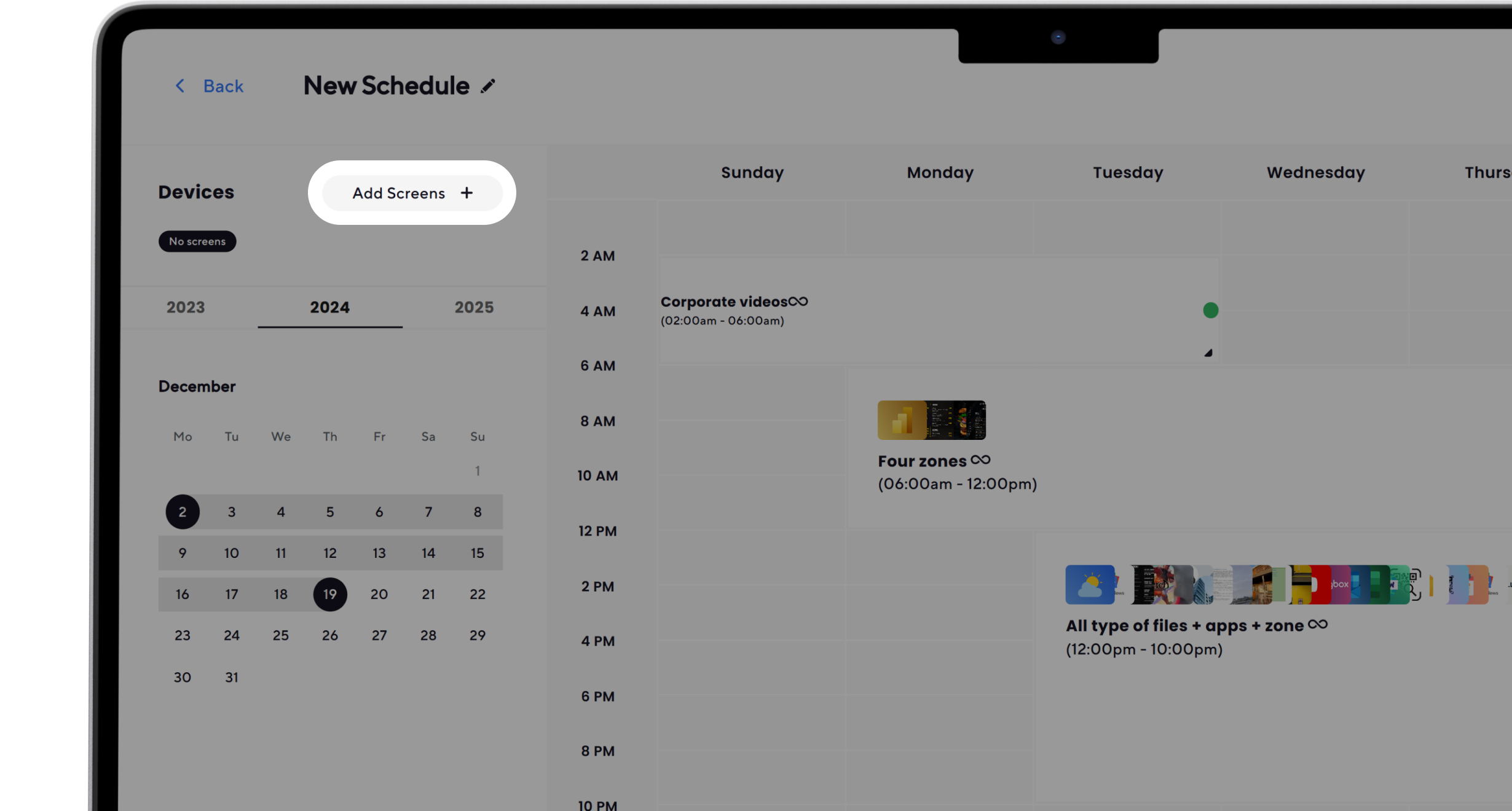
Step 6: Set Up the Display Schedule and Launch the Indoor Digital Menu Boards
The final step is timing. Scheduling and launching indoor digital menu boards ensures the right content appears at the right moment.
You can:
- Schedule breakfast, lunch, and dinner menus
- Use dayparting to adjust content automatically
- Sync updates across multiple screens for consistency
Once everything is ready, click Publish to go live. From your dashboard, you can monitor performance, make updates on the fly, and keep menus accurate throughout the day.
Easy Set Up with AIScreen’s Indoor Digital Displays!
If you’re looking for a faster, cleaner, and more flexible way to manage menus, AIScreen’s indoor digital displays make the transition simple. With real-time updates, cloud-based control, and easy scheduling, restaurants can keep menus accurate, engaging, and consistent across every screen, without daily manual effort.
As a leading provider of digital signage solutions, AIScreen helps restaurants boost visibility, streamline menu management, and improve the overall customer experience. Whether you’re running a single café or managing multiple locations, AIScreen digital signage software makes indoor digital menu boards easy to set up, easy to update, and easy to scale. Contact us.
FAQs
What is indoor digital menu board?
An indoor digital menu board is a digital screen used inside restaurants or cafés to display menu items, prices, promotions, and visuals dynamically. Unlike static printed menus, it allows real-time updates, better readability, and a more engaging customer experience.
What’s the cost of setting up indoor digital menu boards?
The cost of setting up indoor digital menu boards depends on screen size, display type, and software subscription. Most setups range from a few hundred dollars for a single screen to more for multi-screen layouts, making it flexible for small and large businesses.
Can I use my existing TV for an indoor digital menu board setup?
Yes, you can use your existing TV for an indoor digital menu board setup as long as it supports a media player or smart apps. When paired with digital menu software, standard TVs can display dynamic menu content effectively.
What factors should I consider when choosing an indoor digital menu board for my restaurant?
Factors you should consider when choosing an indoor digital menu board include screen size, resolution, visibility in indoor lighting, placement near counters or ordering areas, and how easily content can be updated to match customer preferences.
How do I update and maintain content on my indoor digital menu board effectively?
You update and maintain content on your indoor digital menu board effectively by using cloud-based software that allows remote edits, scheduling, and instant publishing, ensuring menus stay accurate without reprinting or manual changes.

