
How to Use a TV as a Menu Board?
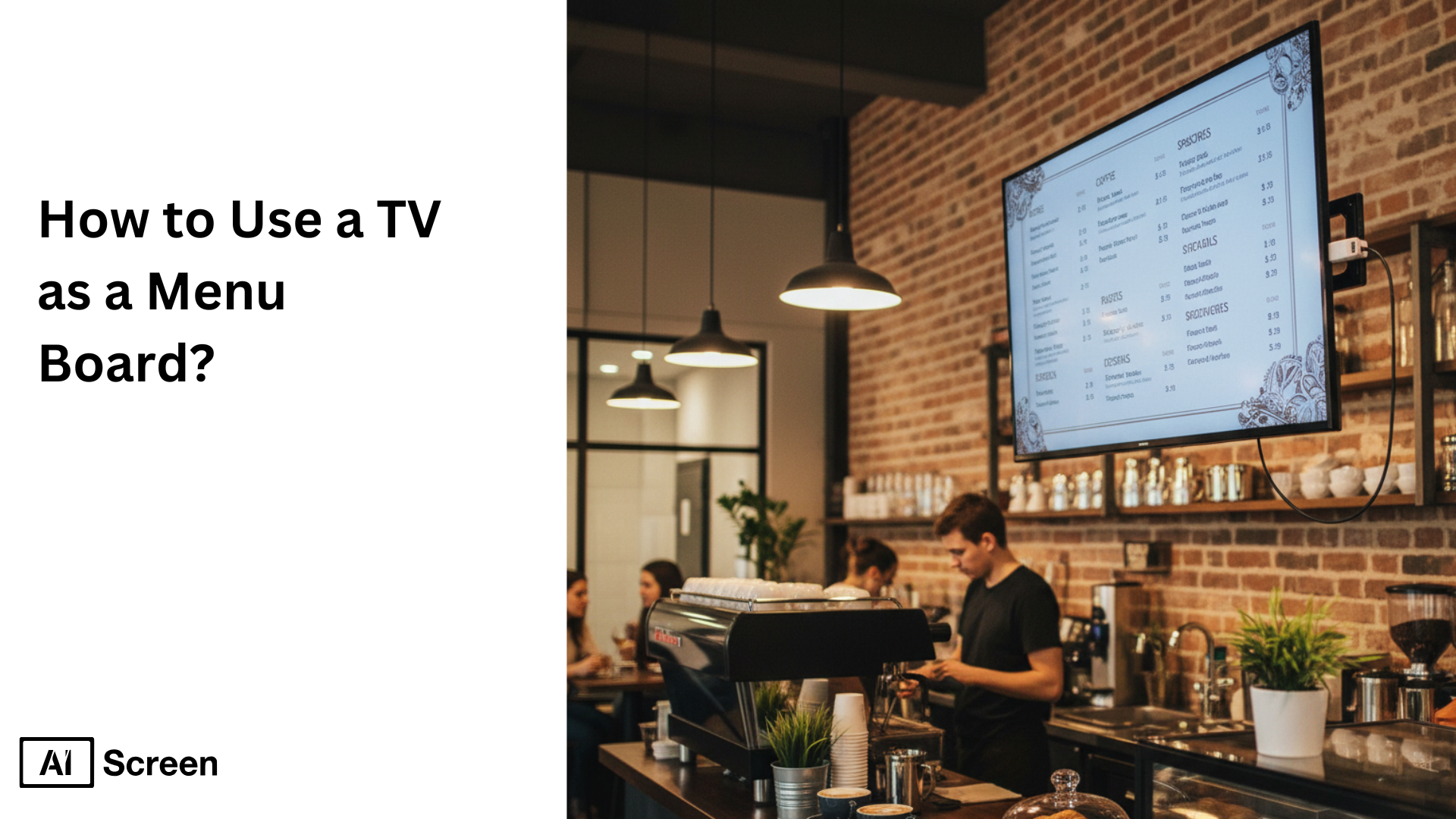
Have you ever wondered how to use a TV as a menu board to make your restaurant look more modern and engaging? Digital menu boards are quickly replacing traditional paper menus, offering a more dynamic and cost-effective way to display food, pricing, and promotions. According to Business Research Insights, the global digital signage market was valued at USD 3.01 billion in 2024 and is projected to hit USD 5.45 billion by 2033.
In this blog post, you’ll learn how to turn any Smart TV into a fully functional restaurant menu on a TV screen using simple digital menu software. We’ll walk through every step, from choosing the right TV and installing the software to customizing your menu templates, scheduling playlists, and going live. By the end, you’ll know exactly how to create a professional, eye-catching digital menu that saves time, reduces costs, and enhances your in-store dining experience.
Step 1: Choose a Smart TV for the Menu Board
Ever wondered what makes a restaurant’s digital menu truly stand out? It all starts with the screen you choose. Your display isn’t just a tool; it’s the first impression customers get of your brand. So choose a smart TV for the menu board.
When creating an eye-catching TV menu, your choice of screen can make or break the experience. The goal is to display your restaurant menu on TV screens clearly, with crisp visuals and smooth motion. A smart TV for the menu board is the perfect fit; it’s designed for seamless app installation, Wi-Fi connectivity, and effortless content updates without the need for external devices.
Select a commercial-grade TV with the ideal size, resolution, and brightness, designed for 24/7 performance and durability. Opt for 1080p resolution to maintain sharp, vivid visuals that make food items stand out. For indoor spaces, TVs measuring 40″ to 55″ are ideal for easy readability across tables.
If your digital menus are exposed to the outdoors, look for TVs with high IP ratings to withstand sunlight, dust, and moisture. Only high-performance screens can deliver a truly immersive dining experience, keeping your visuals engaging and your customers coming back for more.

Amazon Fire TV 2-Series TVs or Amazon Fire TV Omni QLED Series TVs
Low functionality 8/7 working hours (Digital Menu Boards or small businesses) $100 – $400

Toshiba or Insignia Fire TVs
Low functionality 8/7 working hours (Digital Menu Boards or small businesses) $150 – $550

Hisense 4K UHD Smart or TCL Class S4 4K UHD
Google TV 50”
Low functionality 8/7 working hours (Digital Menu Boards or small businesses) $300 – $600

Samsung QBC Series 4K UHD Display
Profesional Low Functioning 16/7 working hours (Corporate & Education) | $750 – $3110

Sony Bravia EZ20l Series
Profesional Low Functioning 16/7 working hours (Corporate & Education) | $650 – $3000

Sony BZ30L 43” – 98” or Sony BZ35L 55”-85”
Professional High Performance Displays 24/7 working hours| $710 – $3,940
If you’re using Amazon hardware, this is also the ideal stage to learn how to make an Amazon Fire TV Stick menu into a digital menu board, allowing you to convert a Fire TV Stick into a fully functional restaurant menu display without investing in a separate media player.
Step 2: Download and Set Up Digital Menu Board Software
Ready to bring your restaurant menu to life? Once your screen is up and shining, it’s time to get your digital tools in place.
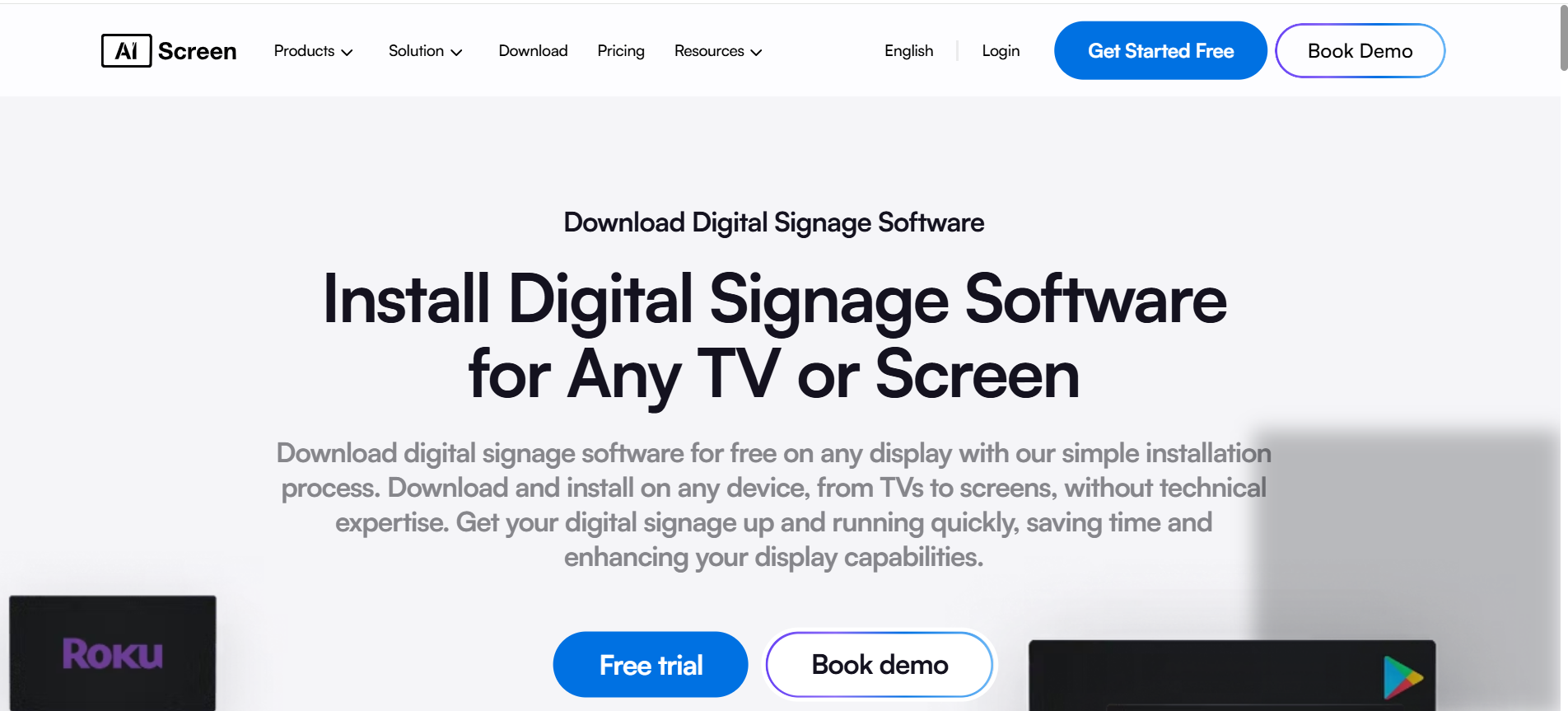
The magic starts when you download and set up digital menu board software, the engine that powers your visual menu. After selecting your smart TV, simply download digital menu board software, such as AIScreen. It’s cloud-based, so you can manage everything online without extra hardware.
The setup is straightforward: Download the AIScreen app on your Smart TV or signage player, connect your device to a stable Wi-Fi network, log in to your cloud dashboard from any browser, upload your media, customize templates, and set display preferences.
With digital menu software, you get drag-and-drop templates, automatic updates, and full remote control, making your TV restaurant menu easy to manage, refresh, and schedule from anywhere. It’s the simplest way to keep your menus fresh and engaging every single day.
Step 3: Create an Account in the Menu Management App
Now that your software is ready, it’s time to unlock the control center where all the menu magic happens.
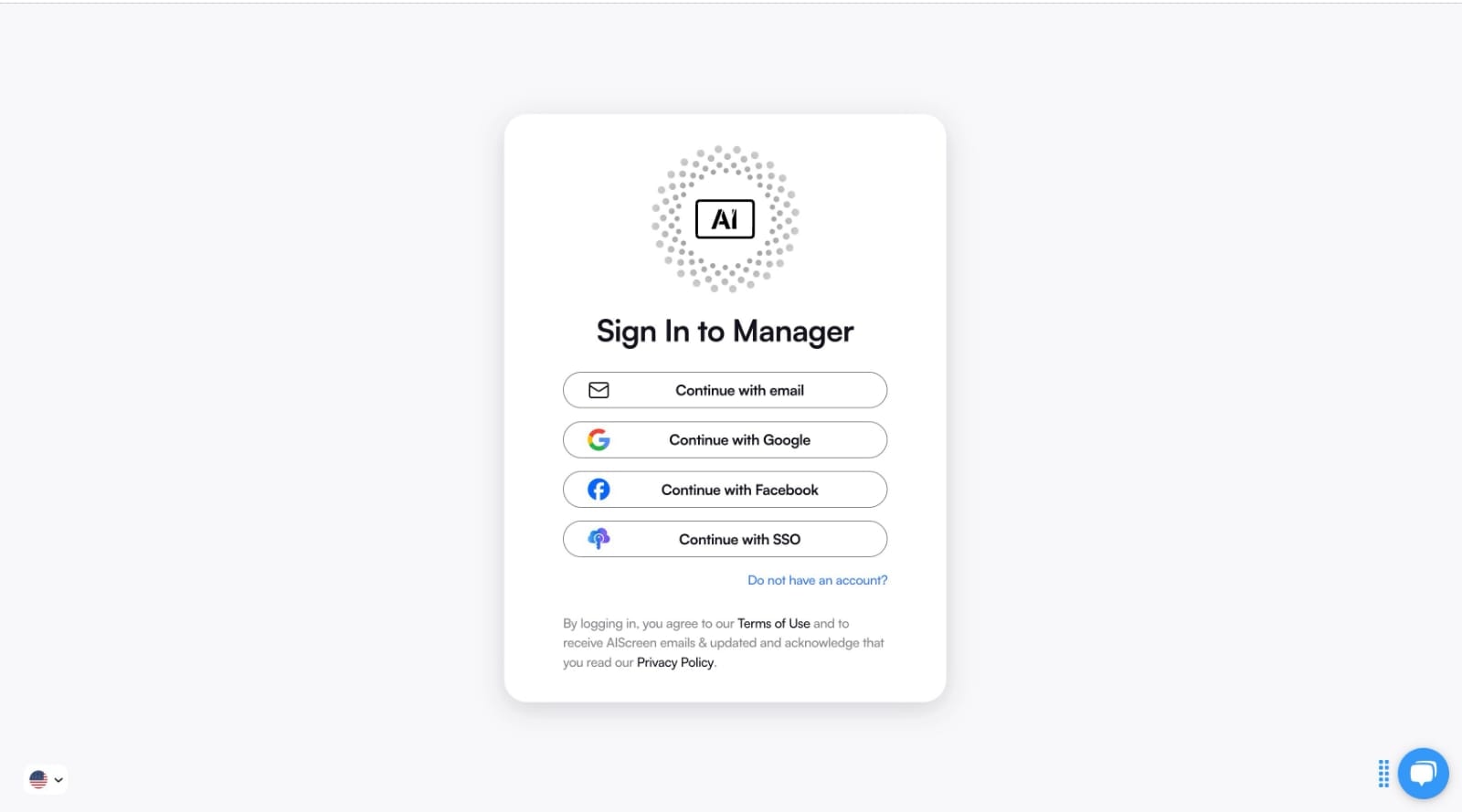
To start managing your restaurant TV menu, create an account in the menu management app. Head to AIScreen.io and click “Sign Up.” Fill in your business details, verify your email, and you’ll instantly gain access to a cloud-based workspace that keeps your menus perfectly organized.
Once inside, you can add menu categories, upload your images and videos, and sync everything with your restaurant’s TV screens in real time. The best part? You can manage multiple displays from a single dashboard, whether it’s updating breakfast specials or scheduling seasonal promotions.
With its clean, user-friendly interface, this setup makes it simple to handle all your content, analytics, and scheduling tools in one place, saving you time while keeping your digital menu fresh and consistent.
Step 4: Pair your Smart TV with the Digital Menu Board Software
Once your account is set up, it’s time to bring your screen to life by connecting it with your digital menu board software. This step pairs your smart TV with the digital menu board software dashboard, ensuring real-time syncing of your content and updates to your TV menu boards.
Go to the “Screens” tab in your AIScreen dashboard, click “Add Screen,” and enter the 4-digit pairing code displayed on your restaurant menu on the TV screen. You can also scan a QR code for a faster connection. Choose your screen orientation, landscape or portrait, depending on your layout and restaurant branding, then click “Save.”
If your connection doesn’t sync immediately, double-check your Wi-Fi, restart the TV, or re-enter the code. Once paired, your dynamic digital menu board will update automatically, giving you smooth, centralized control over all your digital menu displays, anytime, anywhere.
This simple step helps you create digital menu boards that stay consistent, fresh, and easy to manage across your entire digital signage network.

Step 5: Upload or Customize your Menu Board Template
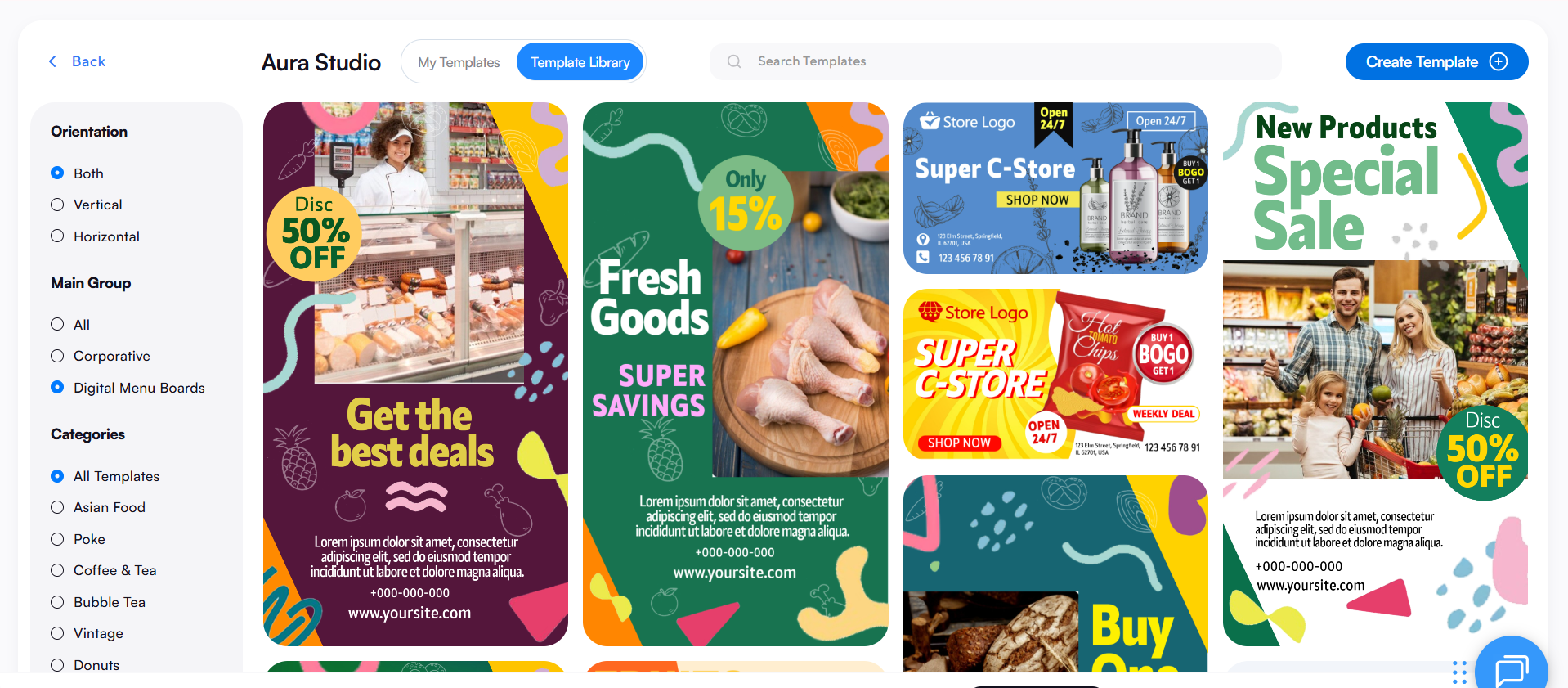
Here’s where your creativity takes the spotlight. It’s time to upload or customize your menu board template so that customers actually see it. Your digital menu board template is the visual heart of your display, combining high-impact design with real-time flexibility.
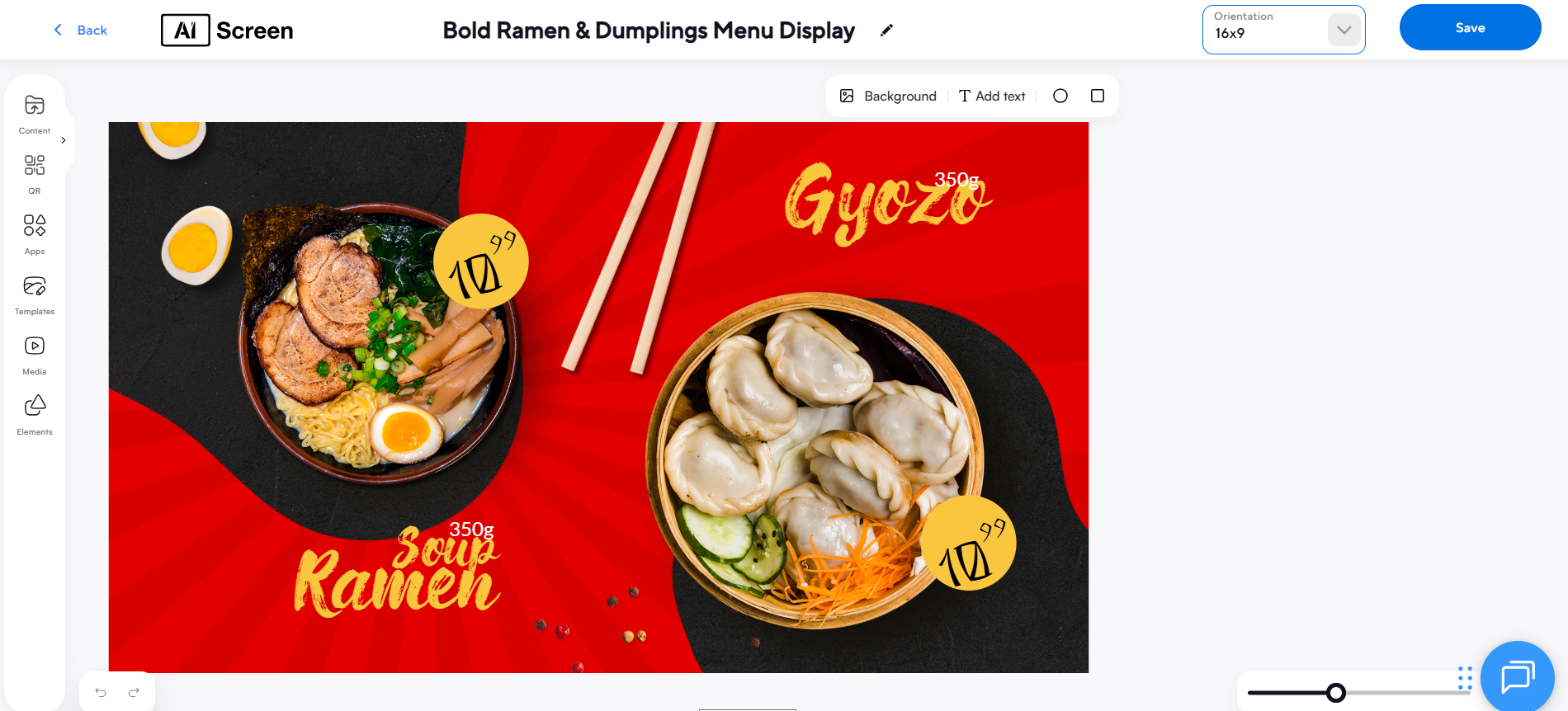
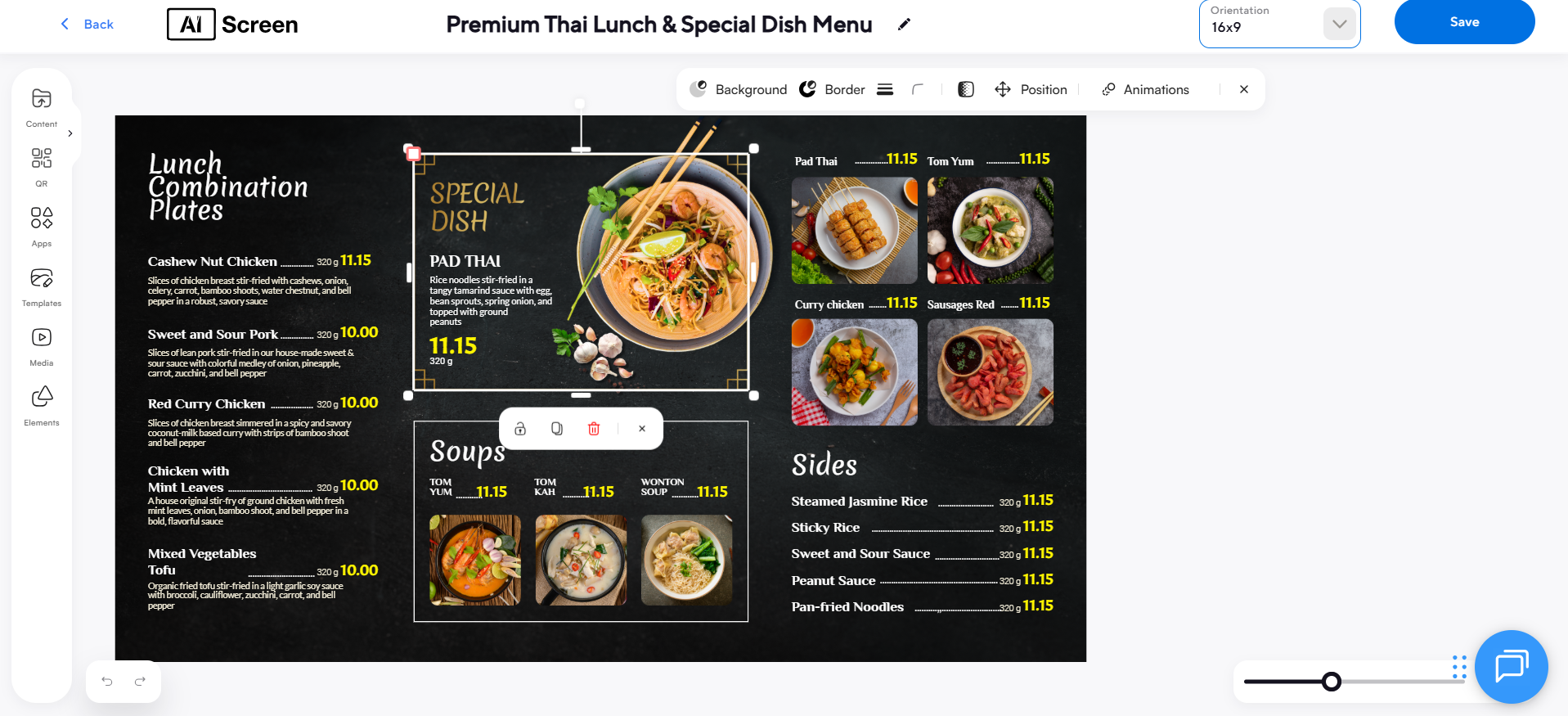
Start by uploading your existing layout or customizing a digital signage template using an easy drag-and-drop editor. Add high-quality images of your dishes, short promotional videos, and dynamic animations to make your screens pop. You can even upload static menus for items that don’t change often, making them perfect for quick-service restaurants that need consistency and speed.
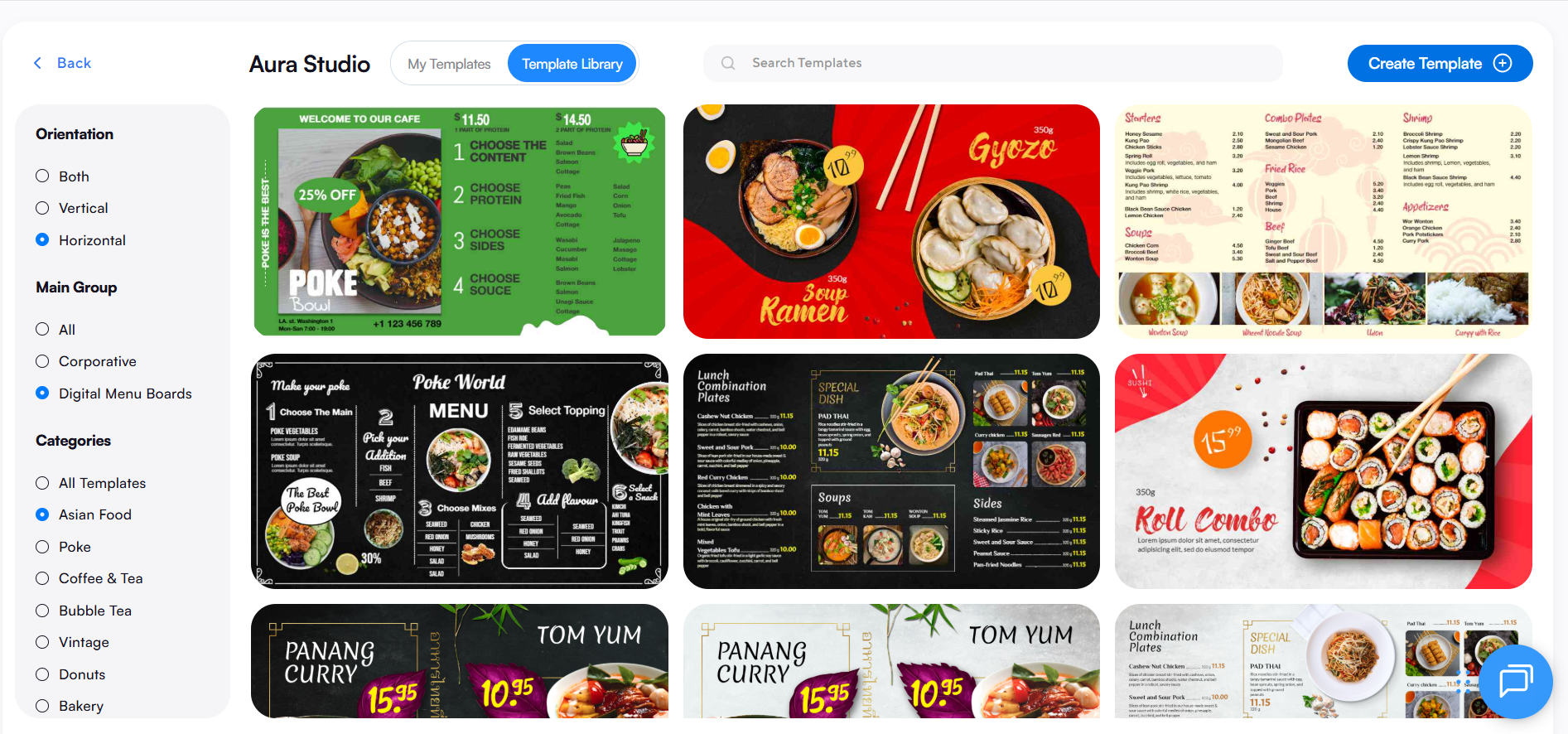
Choose from over 1,500 ready-made templates designed for restaurants, retail, and corporate spaces. Then, tailor each one with your logo, brand colors, and unique fonts. Organize your content into categories like entrées, specials, and drinks to make browsing effortless.
With vibrant visuals, smooth transitions, and dynamic updates, your digital signage displays will not only look professional but also inspire cravings and drive more sales.
Step 6: Set Up the Display Schedule and Launch the Menu
Now it’s time to bring your screens to life! Once your templates are ready, it’s time to set up the display schedule and go live using your TV menu boards. This step ensures that your digital TV menus display the correct content at the right time, keeping your customers engaged throughout the day.
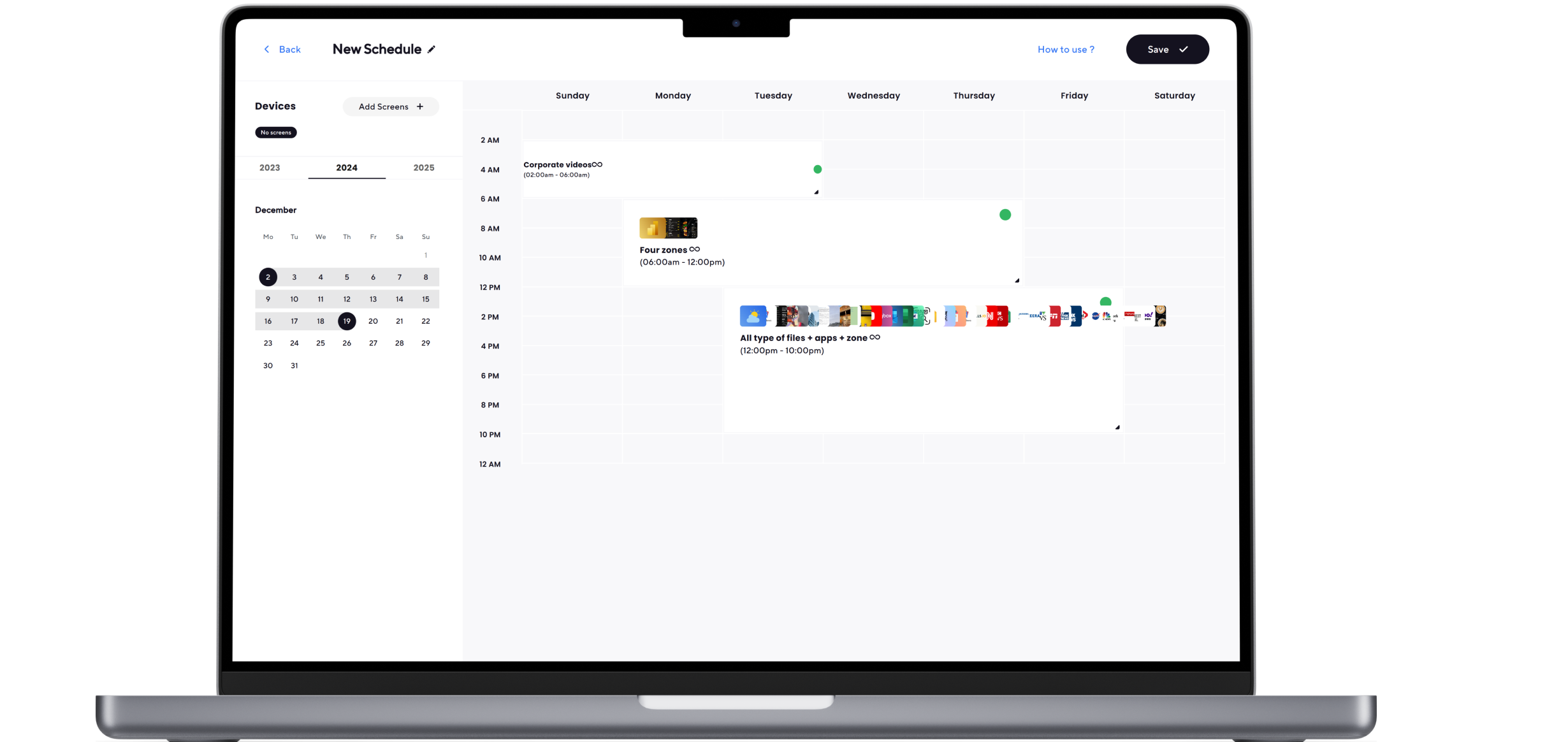
Learn how to schedule menu playlists easily through your AIScreen dashboard. Assign specific playlists for breakfast, lunch, or dinner hours, and preview everything before you hit “Publish.” The smart dayparting feature allows you to automate menu changes based on time or day, ensuring your displays always stay relevant.
Once you’re live, sync updates across multiple screens instantly, regardless of location. Built-in analytics help track engagement, giving you insights to fine-tune future campaigns. With cloud-based automation and remote control, managing your digital menus becomes effortless, and your restaurant stays visually fresh and dynamic every single day.
Why Use TV Restaurant Menu Boards?
Switching from paper menus to TV restaurant menu boards isn’t just about going digital; it’s about transforming your entire customer experience.These modern digital TV menus deliver cost savings, higher engagement, and real-time updates with just a few clicks.
With digital signage software, you can update pricing, add new items, or promote local events instantly, no more reprinting menus or waiting for design changes.
The key benefits include reduced printing costs, easier edits, and the ability to enhance customer experience through dynamic visuals, videos, and even social media feeds.Unlike traditional printed menus, TV screens powered by digital signage solutions are bright, animated, and interactive, keeping your audience glued to the display.
Whether it’s a quick-service restaurant, coffee shop, or multi-location franchise, TV menu boards enable effortless remote management and scheduling features, ensuring every screen stays up-to-date.
You can even plug a media player or USB flash drive into your TV’s USB port to display static menus or loop playlists made in Google Slides. With an internet connection, you can push new menu content across multiple locations, link to streaming apps, or integrate online ordering, all from your dashboard.


How to Design Your Restaurant TV Menu Content
Designing a visually striking restaurant TV menu isn’t just about putting food items on a screen; it’s about creating an engaging, easy-to-read experience that drives appetite and sales.
With the right digital menu board software, you can create layouts that enhance customer engagement and accurately reflect your brand’s personality.
Focus on readability, strong contrast, and visual hierarchy. Your TV restaurant menu should guide customers naturally, from appetizing visuals to special offers, making the selection process effortless and enjoyable.
According to Nielsen Research (2024), restaurants using digital displays report a 31% boost in sales and a 22% improvement in customer satisfaction, proving that great design truly impacts your bottom line.
1: Choose a Restaurant Menu Template
Start with the basics, like choosing a restaurant menu template. Most cloud-based software platforms offer hundreds of menu templates that can be customized in just a few clicks. Pick one that complements your restaurant’s theme, whether that’s rustic comfort or modern minimalism.
According to Digital Signage Today (2023), 68% of customers find restaurants with well-organized digital menus easier to order from.
Remember, not all templates are created equal. Test readability and spacing for your screen size to ensure it’s easily readable from every table.
A well-structured layout helps your menu design remain consistent across multiple screens, saving time and enhancing operational efficiency.
2: Add High-Quality Food Images and Videos
Nothing tempts hunger like a delicious visual. Adding high-quality food images and videos to your TV menu boards or menu TV setup helps capture attention and trigger instant cravings. Showcase your best-selling dishes, special deals, or seasonal specials in vibrant color and sharp detail.
Research by Intuiface (2024) indicates that restaurants featuring visuals on digital screens experience a 49% increase in customer engagement and a 30% rise in impulse purchases. Ensure your visuals are properly lit, well-cropped, and display perfectly on your screen, especially if you’re using multiple TVs connected via an HDMI cable or a USB drive from your local electronics store.
3: Customize Fonts, Colors, and Layout
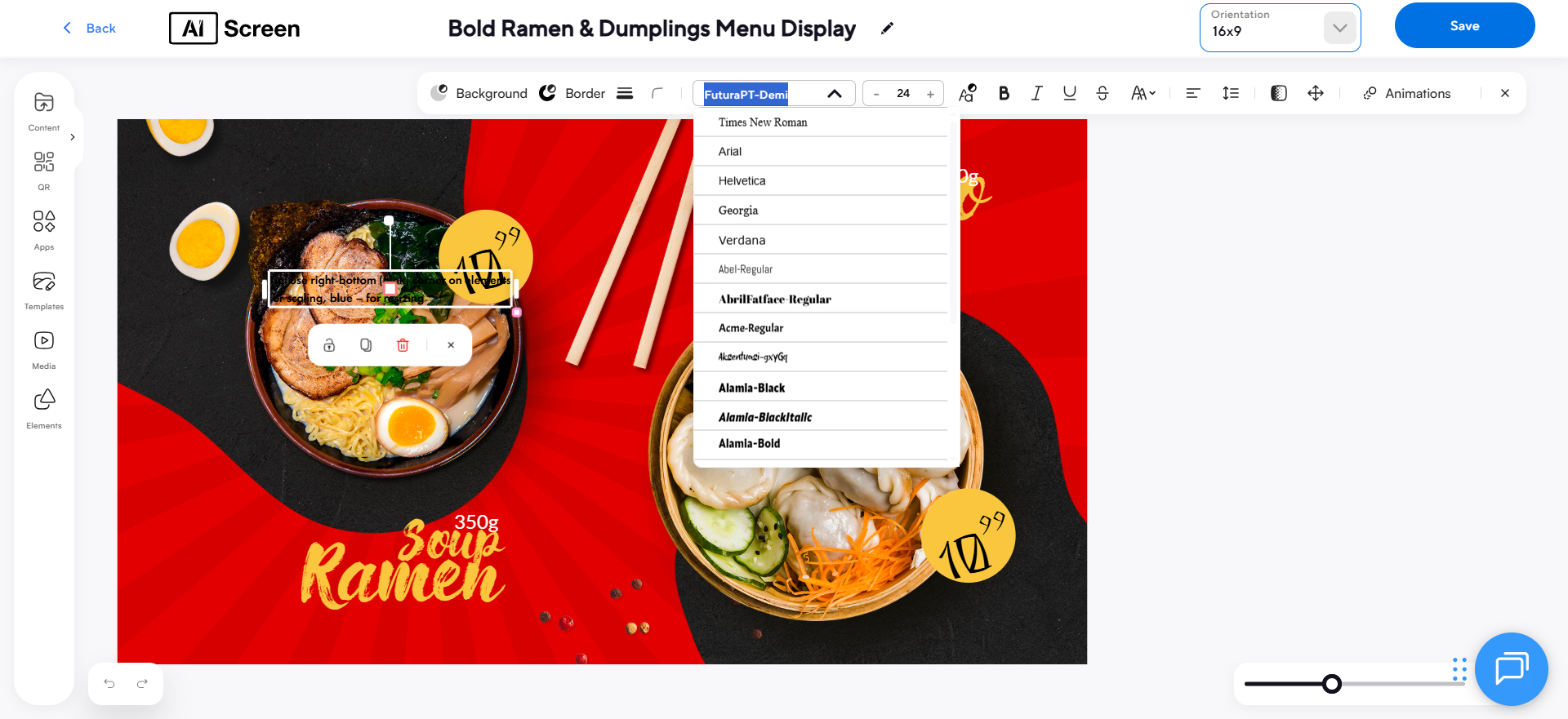
Once your visuals are set, personalize your menu design using your digital menu software. Customize fonts, color palettes, and layout grids to match your brand identity and make your restaurant menu on the TV screen feel cohesive.
ScreenMedia Research (2024) found that consistent branding in digital menus increases recognition by 80% and trust by 60%.
Stick to bold, legible typefaces and ensure a strong contrast between the text and the background for easy viewing from a distance.
Using brand colors creates recognition and consistency across multiple screens. A simple, intuitive layout helps keep your business operations smooth and your menu up-to-date with every new promotion or seasonal change.
4: Highlight Key Menu Items and Offers
Your digital menu board software makes it easy to direct attention where it matters most. Use animations, transitions, or motion effects to highlight key menu items and offers.
These subtle movements draw the eye naturally and encourage customers to explore.
According to QSR Magazine (2024), 74% of quick-service restaurants that use animated menu highlights reported a noticeable increase in sales of promoted items.
Many TV restaurant menu layouts let you feature different menus for breakfast, lunch, and dinner, all scheduled automatically. By placing key items in the visual “hot zones” of your screen, you help customers decide faster and boost sales.
5: Preview and Optimize for Screen Display
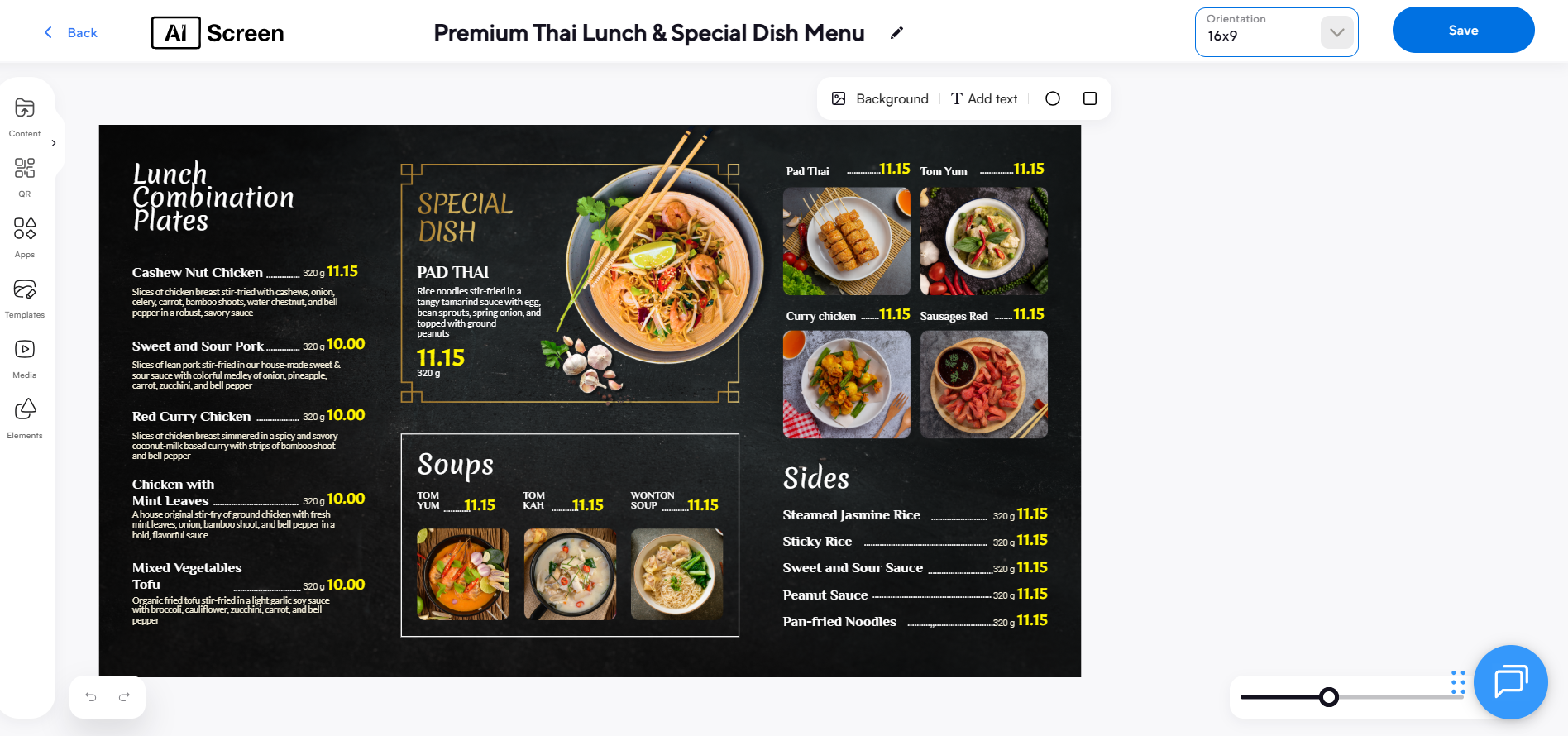
Before going live, always preview and optimize your content for optimal screen display. Testing ensures that your digital TV menus display correctly on your chosen screen size, remain bright, and are easily readable in various lighting conditions.
View your restaurant TV menu on one screen first, then sync across multiple screens for consistency.
Statista (2024) reports that restaurants optimizing their screens before launch reduce display errors by 45% and improve overall customer experience ratings by 29%.
Ensure the correct TV model and HDMI port settings are optimized for optimal clarity, brightness, and color. Previewing provides a final opportunity to verify the accuracy of menu content and ensure visual balance, particularly when showcasing seasonal specials or high-quality images.
How Much Does It Cost to Display a Restaurant Menu on TV?
When it comes to displaying your restaurant menu on TV screens, the cost to display a restaurant menu on TV depends on three main factors: your display, your software, and any optional accessories.
A reliable Smart TV or menu TV can range from $300 to $1,000, depending on size, brightness, and durability. If you prefer a professional-grade screen built for 24/7 use, expect a slightly higher price, but it pays off in longevity.
Next is the digital menu software subscription. Platforms like AIScreen typically start at affordable monthly rates, giving you access to drag-and-drop templates, real-time updates, and remote management tools.
Optional hardware, such as media players or mounts, might add $50–$200, but most Smart TVs don’t need them. AIScreen, a leading provider of digital menu board software, makes it effortless to design, schedule, and manage your restaurant’s displays.
Start your free trial today to create stunning digital menus that boost customer engagement and sales. Contact us.
FAQs
What is a TV menu board?
A TV menu board is a digital display that replaces traditional printed menus with dynamic, high-resolution visuals. It uses digital signage software to showcase food, prices, and promotions on a large TV screen, improving visibility, reducing reprinting costs, and keeping the menu up to date in real time.
How do I use a TV as a digital menu board for free?
To use a TV as a digital menu board for free, connect it to your computer or media player using an HDMI cable and display your menu through tools like Google Slides or PowerPoint. Upload high-quality images, export them to a slideshow, and plug in a USB drive to loop your content, no paid software required.
Can I use a TV as a menu board without any additional hardware?
Yes, you can use a TV as a menu board without additional hardware if it’s a Smart TV. Simply download a digital menu app from your TV’s app store, connect to Wi-Fi, and upload your menu via the built-in browser. It’s ideal for small restaurants wanting simple, cost-effective menu displays.
What software do I need to turn my TV into a menu board?
You’ll need digital menu board software like AIScreen, which lets you upload, schedule, and edit your menu remotely. It supports multiple screens, drag-and-drop templates, and real-time updates, perfect for restaurants managing different menus across several locations.
Can I update my TV menu board remotely?
Yes, you can update your TV menu board remotely using cloud-based software. With just a few clicks, you can change prices, add specials, or update visuals for multiple screens. This feature saves time, boosts operational efficiency, and keeps your restaurant content consistent everywhere.

