
How to Use Digital Signage in Retail Banking
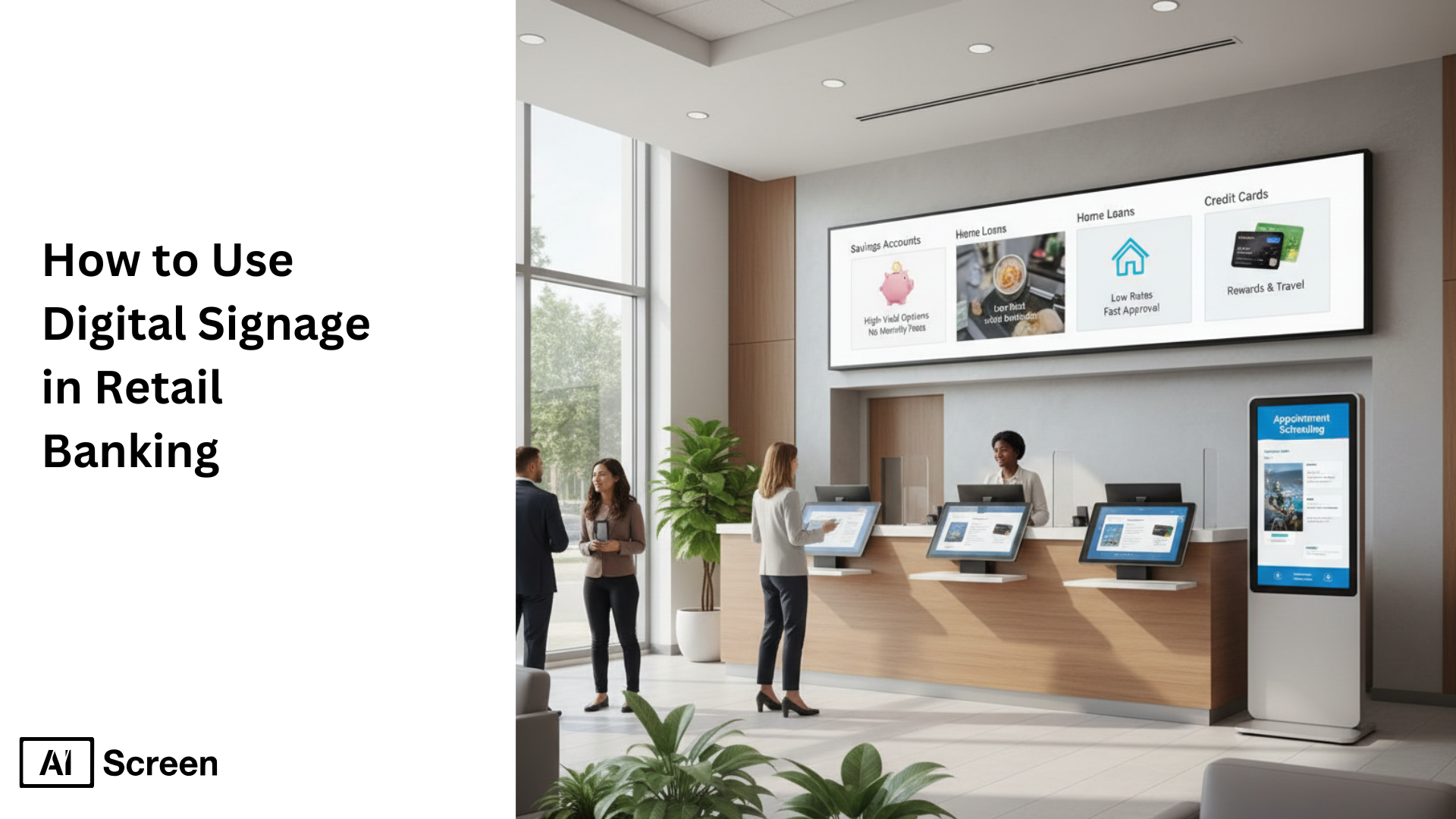
Why are bank branches changing the way they communicate with customers? The answer is clear, modern customers expect faster information, clearer guidance, and a smoother in-branch experience. Digital signage helps retail banks deliver real-time updates, reduce perceived wait times, and improve operational efficiency without increasing staff workload. According to Accenture, 73% of customers say their experience is a key factor in their financial institution loyalty, making customer-focused communication tools like digital signage increasingly essential.
In this article, you’ll learn how to use digital signage in retail banking step by step, from choosing the right displays and setting up software to managing content securely across multiple branches. We’ll also cover the real business benefits, such as improved customer experience, cost savings, and faster communication, along with key security and compliance considerations banks must follow. By the end, you’ll have a clear, practical roadmap for deploying digital signage confidently in a retail banking environment. See how AIScreen’s bank digital signage solution brings this together in one platform.
Step 1: Choose the Right Digital Display for Retail Banks
Let’s start with the screen itself, because first impressions really do matter. Choose the Right Digital Display for Retail Banks begins with picking a screen that fits your branch layout, viewing distance, and the type of content you plan to show.
For most retail bank environments, clarity and readability matter far more than flashy visuals. Smart TVs, commercial displays, or an Android TV box paired with TV Slides all work well when used correctly. Indoor banking spaces typically perform best with 350–500 nits brightness, which keeps content visible without straining the eyes under standard lighting.
In terms of size, 43”–55” displays are ideal for teller counters, waiting areas, and service desks, where customers are seated or standing at a moderate distance.
The goal here isn’t menus or loud promotions. It’s clean, compliance-safe messaging like queue updates, service information, financial education, or brand trust signals. This is also where understanding 10 types of retail signage displays to increase foot traffic helps you choose formats that inform without overwhelming. A reliable option many branches use is:
Toshiba – Class C350 Series LED 4K UHD Smart Fire TV (43″–75″)
It delivers sharp 4K clarity, vibrant colors, and a professional look that fits reception areas and customer-facing spaces. With a price range of $210–$649.99, it’s a practical choice for banks upgrading screens without over-investing.

Step 2: Download and Set Up Retail Digital Signage Software
Now comes the part where your screens actually come to life. Download retail digital signage software to turn any screen, smart or not, into a centrally managed communication tool for your bank branch.
The software acts as the control center behind your displays. It lets you manage announcements, interest rate updates, compliance messages, and service information from one cloud-based dashboard, instead of updating screens manually.
If your TV is smart
- Install the AIScreen app directly on the TV
- Connect the TV to a stable internet connection
- Log in through the web dashboard and start publishing content
If your TV is not smart
No problem, you don’t need to replace it.
- Connect a media player or digital signage device via HDMI
- Ensure reliable internet access
- Launch TV Slides to rotate announcements, rate updates, and service information
This setup enables cloud-managed content on non-smart TVs, giving banks centralized control across branches without upgrading existing hardware.
Step 3: Create an Account in the Digital Signage Management App
Before content starts moving, you need a place to manage it all. Create an account in the digital signage management app to unlock full control over your retail banking displays from a single, cloud-based platform.
Digital signage software for banks works as a no-code system designed for informational and promotional content, perfect for managing multiple branches without technical overhead.
Basic setup flow
- Visit the platform website or app store
- Install the app on your TV or signage player
- Log in to access the content dashboard
Once inside, you can:
- Upload videos, images, and compliance-approved messages
- Schedule content by time, branch, or campaign
- Update screens remotely without local staff involvement
This step is where ease of management really shows. You can push updates instantly, control what plays on each screen, and maintain brand and regulatory consistency across all locations.
It also opens the door to optional integrations, like social media walls, internal announcements, or corporate culture updates, adding value to the reception experience for both visitors and staff without adding operational risk.

Step 4: Pair Your Screen with the Retail Signage Software
This is where everything clicks into place, literally. Pair your screen with the Retail Signage Software ensures each display is securely linked to the management platform, so only approved content reaches your bank screens.
Pairing is essential for security, control, and consistency. It connects the physical display to the cloud dashboard, allowing updates to sync automatically across all locations without manual intervention.
Your screens or kiosks can connect using HDMI, Wi-Fi, or Bluetooth, ensuring smooth synchronization and interactive experiences for branch visitors.
Step-by-step pairing process
- Open the signage app on your display
- Log in and click “Add Screen” in the dashboard
- Enter the 4-digit pairing code shown on the TV
- Name your screen and choose orientation (horizontal or vertical)
- Click “Pair” to complete setup
Once paired, content updates flow automatically from the cloud, keeping messaging consistent, compliant, and up to date across all bank locations.

Step 5: Upload or Customize Your Retail Banks Template
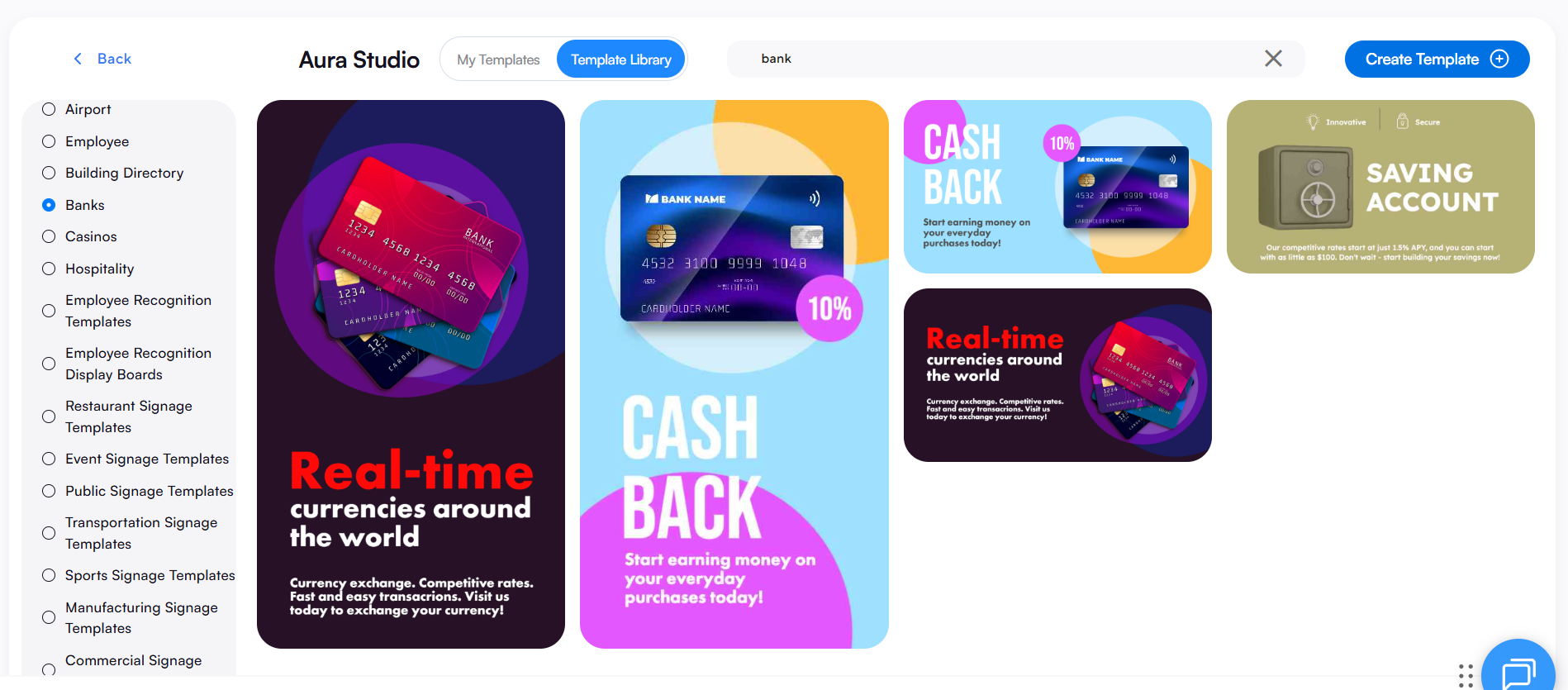
This is where trust gets built, one screen at a time. Upload or customize your retail banks template using banking-specific template editors designed for clarity, structure, and professionalism.
Instead of creative menus, these templates focus on readable layouts that support compliance-safe communication and customer confidence.
With AIScreen’s drag-and-drop editor, you can:
- Upload brand logos and apply official brand colors
- Display interest rates, service hours, queue messages, and promotions
- Use pre-built banking signage templates for regulated layouts
You can also organize playlists for daily announcements, upcoming events, or critical updates. The result is clean, legible messaging that reflects professionalism and reinforces trust, without over-designing the screen.
Step 6: Schedule Content Playback and Launch
The right message only works if it shows up at the right time. Schedule content playback and launch allows banks to automate communication while keeping full control over timing and placement.
How scheduling works
- Create a playlist and arrange content in the desired sequence
- Create a new schedule by selecting start date, time, and duration
- Assign playlists to screens in teller areas, lobbies, or service zones
- Preview content before publishing to ensure accuracy
You can schedule by time of day, morning rate updates, afternoon promotions, or end-of-day notices, and manage everything from a centralized dashboard.
Click Publish, your retail banking digital signage is now live.


How Retail Banks Benefit from Digital Signage?
Walk into a modern branch today, and you’ll notice it’s no longer just about counters and queues. How retail banks benefit from digital signage is best understood when you see it as a customer experience and operational tool, not advertising.
In a retail banking environment, digital signage quietly improves flow, clarity, and trust while helping financial institutions communicate faster and smarter.
Reduced Perceived Wait Times
Waiting feels shorter when there’s something useful to look at. Reduced perceived wait times happen when retail bank digital signage fills idle moments with relevant content instead of silence or static posters.
Banks use digital displays to show financial education tips, service explanations, queue updates, or promote community events. This keeps customers engaged and informed, improving customer satisfaction even when lines are unavoidable.
According to Qmatic, perceived wait time can drop by up to 35% when customers are provided with engaging digital information during queues.
Interactive digital signage, self service kiosks, and subtle interactive elements shift attention away from waiting and toward value, helping banks better understand customer behaviors while enhancing customer experience.
Higher Customer Engagement and Satisfaction
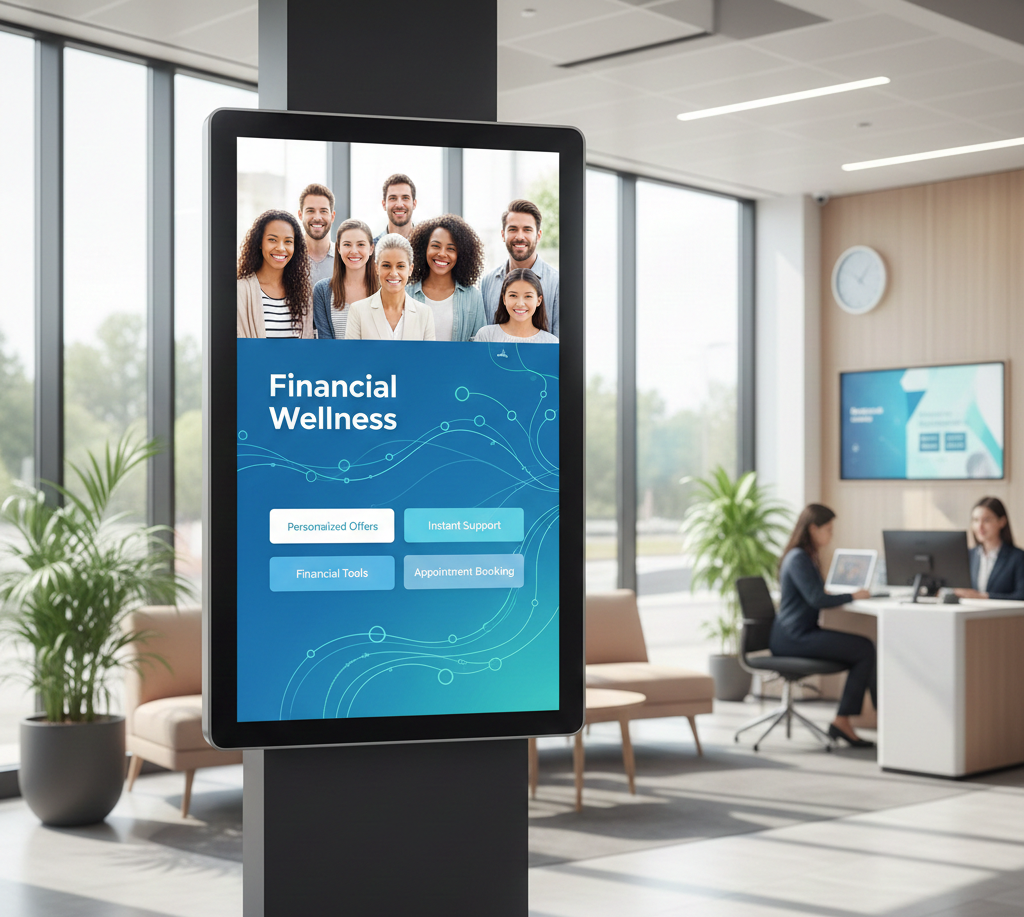
People engage more when information feels helpful, not salesy. Higher customer engagement and satisfaction come from using digital signage to educate customers inside bank branches, without pulling staff away from service desks.
Retail bank digital signage displays explain financial products, walk through common services, and answer frequent questions using clear visuals and short messages. This improves understanding, reduces confusion, and supports better customer behavior, especially among a tech-savvy audience.
According to Digital Signage Today, educational digital displays can increase message recall by up to 47%, directly contributing to a stronger customer experience.
By delivering relevant content at the right moment, digital signage in retail banking helps customers feel informed, confident, and more satisfied with their overall branch experience.
Consistent Branding Across Branches
Consistent branding across branches becomes easier when signage in retail banking is centrally managed. Retail bank digital signage ensures the same tone, visuals, and messaging appear across all branch locations.
This consistency reinforces brand identity, supports brand consistency, and avoids the risk of outdated or mismatched signage. Whether customers visit a downtown flagship or a suburban branch, the branch experience feels unified and professional.
For financial institutions managing multiple bank branches, a single digital signage solution makes reinforcing brand identity effortless.
Lower Printing and Operational Costs
Printing costs add up faster than most teams realize. Lower printing and operational costs are one of the most immediate benefits of digital signage systems.
Traditional posters require printing, reprints, distribution, and manual updates. Digital signage content eliminates these recurring expenses while reducing staff time spent on updates. Gartner estimates organizations can reduce content update and communication costs by up to 30% by switching to digital signage in retail and service environments.
Over time, the right digital signage solution pays for itself through efficiency, sustainability, and fewer operational interruptions.
Faster Communication During Policy or Rate Changes
When information changes, speed matters. Faster communication during policy or rate changes allows banks to update messaging instantly across digital displays.
Interest rate changes, service notices, or compliance updates can be pushed live in real time, no delays, no miscommunication. According to Deloitte, real-time digital communication tools improve customer engagement and information recall by up to 40% in service-driven industries.
In fast-moving retail banking environments, digital signage plays a critical role in helping banks educate customers, share relevant content, and maintain trust during change, without relying on printed notices or staff explanations alone.
What are the Security and Compliance Considerations for Retail Banking Digital Signage?
In banking, trust isn’t optional, it’s everything. The security and compliance considerations for retail banking digital signage starts with a compliance-first mindset, where digital signs support communication without introducing risk.
When done right, signage becomes a customer centric communication platform that protects brand trust while improving operational efficiency across the branch network.
1) Data Privacy and Content Approval Workflows
Control beats complexity every time. Strong content strategy begins with role-based access, simple approval steps, and clear audit trails, without technical jargon. Marketing teams can prepare engaging content, while compliance teams approve it before anything goes live.
This keeps marketing messages accurate, aligned with internal communication policies, and consistent across existing systems.
Best practices
- Role-based access for creators, reviewers, and publishers
- Approval workflows to prevent unreviewed content
- Audit logs for accountability across communication platforms
This structure helps streamline operations while enabling targeted messaging that still engages customers.
2) Avoiding Sensitive Customer Information on Screens
Screens should inform, never expose. Digital signs in bank branches must remain informational only. Avoid displaying personally identifiable data, transaction details, or anything pulled from mobile apps or real time data feeds tied to individual customers.
What works instead
- Financial tips, service explanations, and financial news
- Localized content for working class neighborhoods or specific branch audiences
- Static displays or dynamic content that speaks broadly to customer demographics
Keeping screens passive, not personalized, protects customer trust and reduces risk, especially in high foot traffic areas.
3) Ensuring Compliance with Financial Regulations
Consistency is compliance in action. Scheduled updates, controlled publishing, and standardized templates help banks and credit unions integrate seamlessly with regulatory requirements.
Content can be paused, replaced, or updated instantly across video walls and interactive displays, without relying on printed materials.
Why this matters
- Ensures only approved content is visible
- Supports brand trust and customer loyalty
- Delivers the most value without operational disruption
When digital signage replaces passive screens with engaging content, while staying compliant, it supports investment opportunities, improves customer experiences, and strengthens confidence across every branch location.
Use Retail Digital Signage in Retail Banks to Improve Customer Experience!
Use retail digital signage in retail banks to improve customer experience by delivering clear information, reducing wait-time frustration, and keeping every branch aligned with secure, compliant messaging. With centralized control and real-time updates, banks gain operational clarity while customers enjoy a smoother, more informed visit.
AIScreen stands out as a leading provider, helping retail banks deploy digital signage securely and at scale. Ready to modernize your branches? Start with a platform built for trust, control, and better in-branch experiences, get started today. Contact us.
FAQs
What is retail banking?
Retail banking refers to banking services offered directly to individual customers, including savings accounts, checking accounts, loans, credit cards, and everyday financial services delivered through bank branches and digital channels.
Why are retail banks adopting digital signage?
Retail banks are adopting digital signage to improve customer experience, reduce perceived wait times, ensure consistent communication across branches, and share real-time updates without relying on printed materials or staff intervention.
Can banks manage multiple branch screens from one digital signage dashboard?
Banks can manage multiple branch screens from one digital signage dashboard using cloud-based platforms that allow centralized control, remote updates, scheduling, and compliance-safe content distribution across all locations.
Does digital signage integrate with queue management systems?
Digital signage integrates with queue management systems by displaying live queue status, wait times, and service instructions, helping guide customers efficiently and improving overall flow inside bank branches.
How much does it cost to integrate digital signage in a retail bank?
The cost to integrate digital signage in a retail bank varies based on screen type, number of displays, software subscriptions, and media players, but most banks can start with a scalable setup without large upfront infrastructure changes.
