
What is LCD Digital Signage?
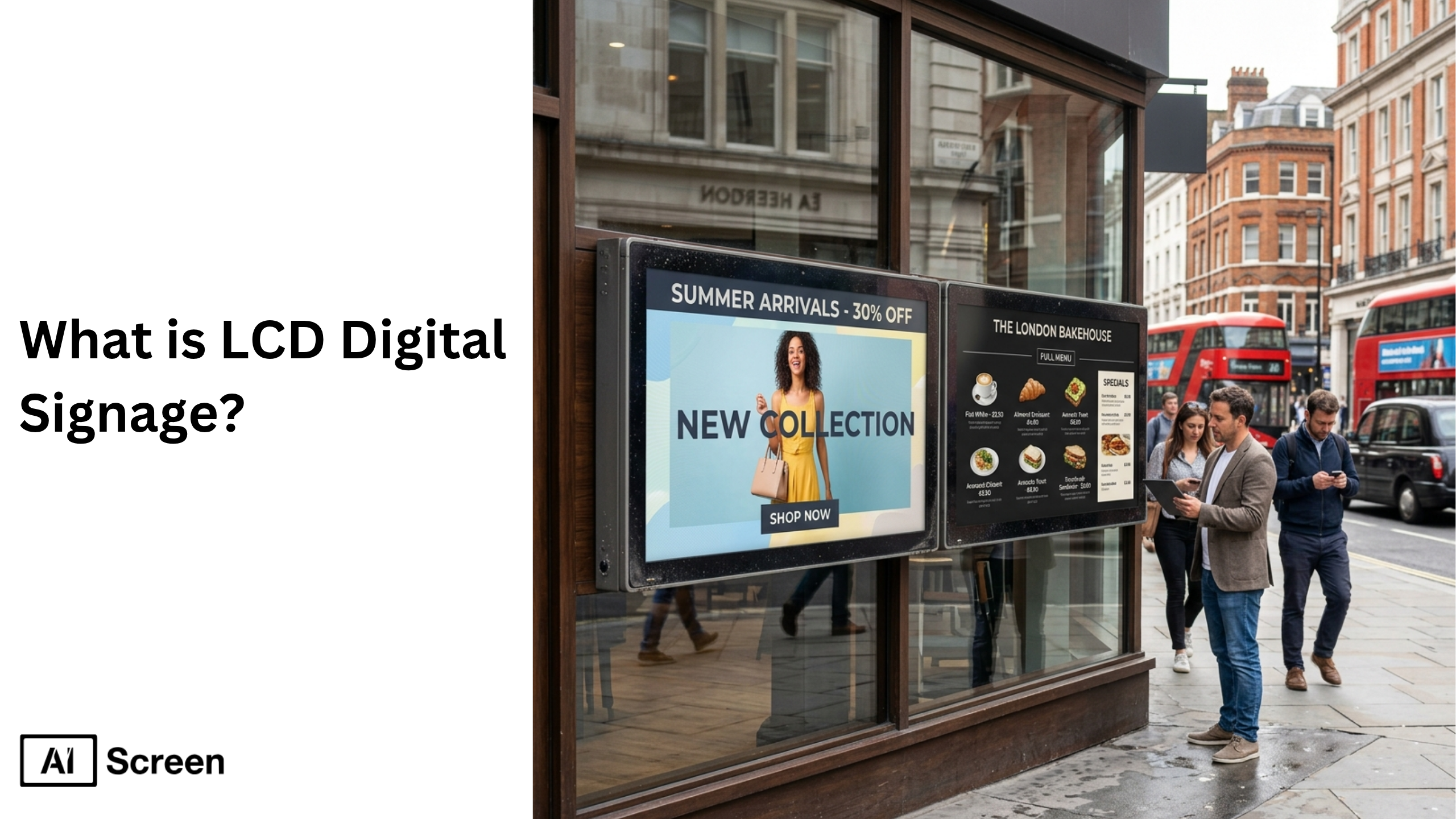
LCD digital signage is a modern display technology that uses digital screens to deliver dynamic multimedia content across business environments like retail stores, corporate settings, and transit hubs. Businesses rely on digital signage software to manage and update content in real time, improving communication and customer engagement across multiple locations. According to Digital Signage Today, the global market is expected to exceed $31.71 billion by 2027, growing at a strong compound annual growth rate of 8.4%.
In this blog, we’ll discuss the core features, benefits, different types, and working mechanisms of LCD digital signage software systems, while also exploring how these innovative displays have transformed the way businesses deliver information, advertise products, and engage customers in today’s competitive market.
What Is LCD Digital Signage?
LCD digital signage is a display system built using LCD screens, a digital signage player, and a content management system to deliver dynamic digital content. It replaces static signage with flexible, real-time communication tools that businesses can control remotely. This system includes digital signage screens, connected devices, and cloud-based digital signage software that allow users to create, manage, and schedule content efficiently.
A robust digital signage platform ensures smooth operation across multiple screens and location. LCD digital signage is widely used in retail stores, healthcare facilities, educational institutions, and corporate settings. Deloitte reports that nearly 70% of businesses are replacing traditional signage with digital displays, showing the growing demand for modern signage solutions.
What Are the Advantages of Using LCD Digital Signage?
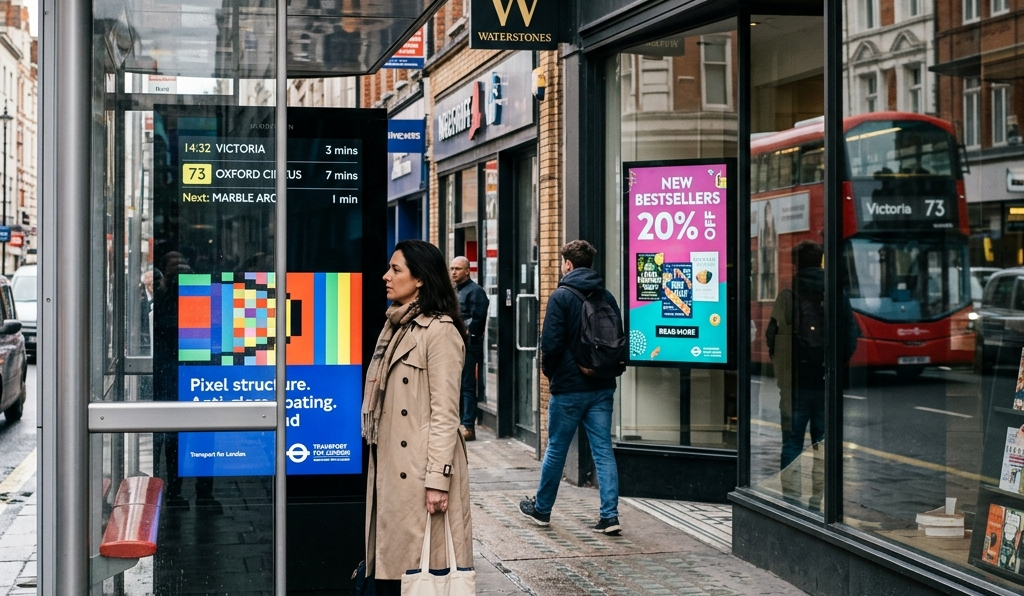
LCD digital signage offers cost-effective, energy-efficient, and flexible communication solutions that improve customer engagement and operational efficiency. Businesses benefit from advanced features that enhance visual performance and scalability.
- Cost-Effective: LCD displays reduce long-term costs compared to printed media and support scalable digital signage systems.
- Energy Efficiency: Lower power consumption improves sustainability and reduces operational expenses.
- Wide Availability: Mass production ensures easy access, replacement, and support across industries.
- Size Flexibility: Available in multiple screen sizes for different business needs and environments.
- Color Accuracy: Delivers sharp visuals ideal for branding and promotions.
- Uniformity: Maintains consistent brightness across digital signage displays.
- Low Heat Output: Supports durability in demanding environments.
- No Burn-In: Prevents ghosting during continuous operation.
- Wide Viewing Angles: Enhances visibility for audiences in high traffic locations.
These benefits make LCD digital signage a reliable choice for businesses aiming to improve customer experience and engagement.


What are the Main Use Cases of LCD Digital Signage Across Industries?
LCD digital signage is used across industries to deliver real-time information, improve communication, and enhance audience engagement. Its flexibility allows businesses to adapt content based on their target audience and environment.
- Retail Stores: Promote products, run campaigns, and boost sales with digital signage content.
- Digital Menu Boards: Improve ordering efficiency and increase upselling in restaurants.
- Corporate Settings: Share dashboards, updates, and internal communications.
- Healthcare Facilities: Display wait times, alerts, and patient information.
- Educational Institutions: Provide announcements, schedules, and emergency alerts.
- Transit Hubs: Show arrival times, directions, and real-time updates.
- Hospitality: Enhance guest experience with event schedules and recommendations.
- Gyms & Entertainment Spaces: Display class schedules and engaging multimedia content.
These applications highlight how digital signage solutions improve communication across industries.
What are the Types of LCD Digital Signage Displays?
The types of LCD digital signage displays are determined by the environment, brightness levels, and usage requirements. Businesses choose displays depending on their location and audience needs.
Indoor LCD Displays
Indoor LCD displays are designed for controlled environments and provide clear visuals without requiring high brightness. These displays are commonly used in retail stores, offices, and digital menu boards.
They offer balanced brightness levels, energy efficiency, and cost-effective performance. Businesses use them for promotions, announcements, and customer engagement.
Toshiba – Class C350
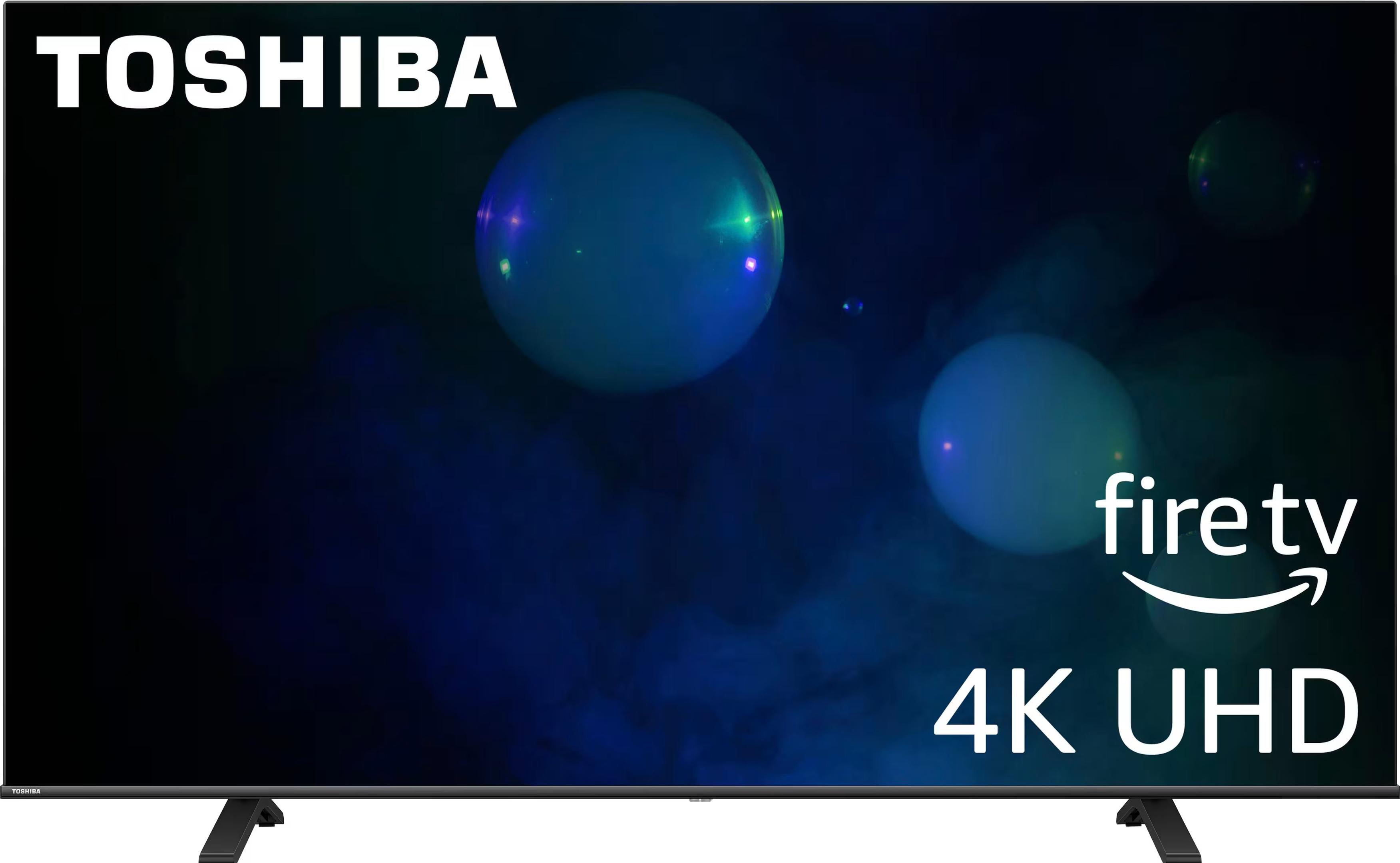
The Toshiba C350 delivers strong picture quality with 4K resolution, vivid colors, and deep contrast, making it a reliable choice for LCD digital signage. It runs on Fire TV OS with Alexa voice control for easy content management and supports multiple devices via HDMI. Its slim design and large screen sizes make it ideal for retail and corporate spaces.
Price Range: $210 – $649.99
Outdoor LCD Displays
Outdoor LCD displays are built for high brightness and durability to perform in harsh conditions. These displays include weatherproof enclosures, anti-glare coatings, and cooling systems.
They are ideal for digital billboards, storefronts, and transit hubs where visibility in sunlight is crucial. Higher brightness ensures readability and maximum impact.
LG XE4F-M Series
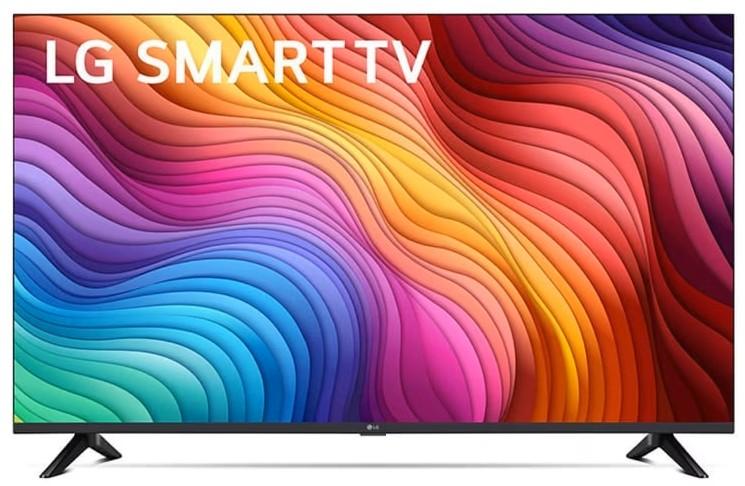
The LG XE4F-M Series is a 32-inch outdoor-ready display built for 24/7 use, offering wide viewing angles and reliable brightness for drive-thru and outdoor signage. It features webOS, multiple connectivity options, and Wi-Fi/Bluetooth support for smooth performance. Its durable design with auto-brightness and temperature control ensures consistent operation in outdoor environments.
Price: $6,933.00
What is Digital Signage Content?
Digital signage content refers to the multimedia elements displayed on screens, including images, videos, live data, and interactive media. The effectiveness of digital signage depends on the quality and relevance of this content.
A strong content management system helps businesses manage digital signage content efficiently, ensuring consistent messaging across digital signage networks. Integration with cloud digital signage software allows real-time updates and centralized control.
How Can LCD Displays Integrate with Digital Signage Software?
To set up digital signage software effectively and efficiently follow these steps given below. This structured approach ensures your digital signage system is stable, secure, and optimized for long-term success. From server installation to display calibration, the process involves both hardware and software readiness.
Step 1: Choose the Right LCD Digital Signage
Choose the right displays for on premises network based on your environment, usage, and content goals. According to Statista, the global digital signage software market was valued at $1.3 billion in 2023, underscoring rising demand for scalable, easy-to-use solutions.
For small cafes or offices, consumer displays like the Insignia F30 Series offer basic digital signage functionality. Larger businesses may benefit from the Amazon Fire TV Omni Series, known for its smart capabilities and interactive features. If your TV isn’t smart, integrate a signage media player like AIScreen OS, Raspberry Pi, or Fire TV Stick.
Step 2: Log in to Digital Signage Software On Your LCD
Log in to digital signage software on your smart TV; you’re setting the stage for a gorgeous, attention-grabbing board. This step of installing and login digital signage software is your foundation; it’s what makes everything else possible.
Once installed, you’ll have full control over your digital screens. You can easily connect to your digital screen solution using the cloud and manage your content from any device, anywhere you have internet access.
Follow the steps below to get started:
- Visit the App Store on your smart TV.
- Type “AIScreen Digital Signage Software” in the search bar.
- Click the “Install” button to download the AIScreen App.
- Open it, and note the 4-digit pairing code showing on your screen.
Step 3: Create an Account in the Management App

Create an account in the management app to pair your screen with the cloud-based dashboard for content synchronization.
You can create your account in just two steps:
- Visit the login page on your laptop or computer.
- Sign up by entering your name, email, and password. For quick onboarding, sign up with a Google or Facebook account.
Once signed up, log in to your manager account and explore your web-based dashboard for managing digital signs.
Step 4: Pair Your LCD Display with the Digital Signage Software

Pair your LCD with the software after successfully logging into your manager account, with the menu management application, so that your admins and managers can control your digital signage screens and content remotely.
Here’s the step-by-step guide to pair your display with the software:
- Log in and click “Add Screen” in the dashboard.
- Enter the 4-digit pairing code displayed on your TV screen.
- Name your screen and choose orientation (horizontal or vertical).
- Click the “Pair” button to complete the setup process.
Step 5: Upload or Customize Your Template
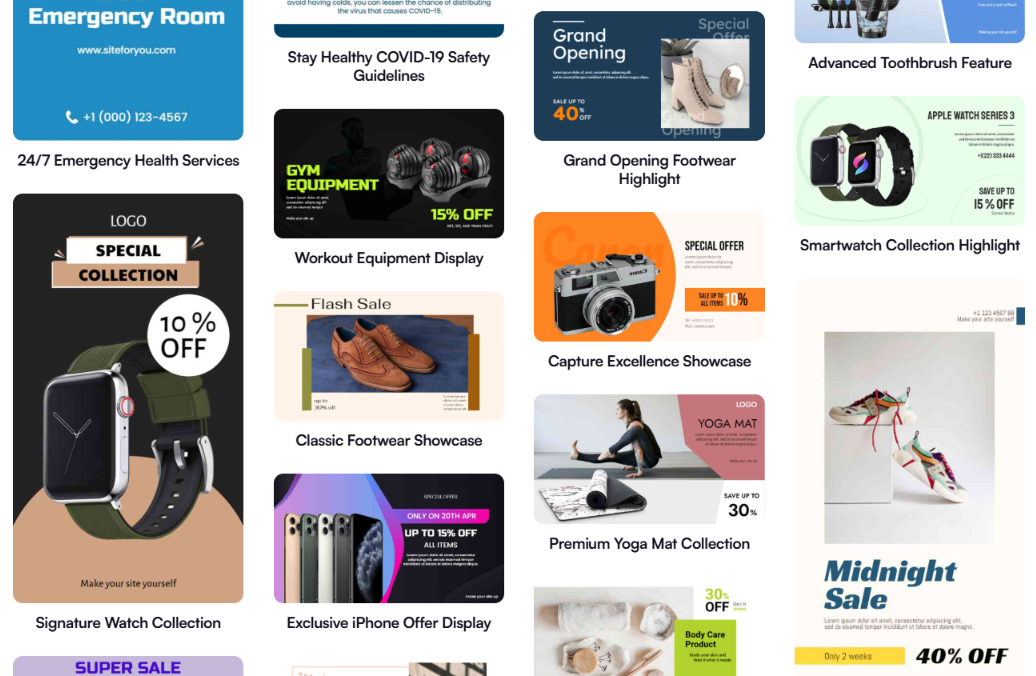
Upload or customize your template with the template designer, which comes with 500K pre-designed, professional digital signage templates that are perfect for any place. You can easily customize digital signage templates with your services, pricing, and other things, making it one of the top sign designer free software for digital signage options for businesses getting started.
Additionally, according to Market Us Scoop, 67% of consumers report frequently purchasing products based on the visual content they see on digital signs. With AIScreen’s Canvas editor, you can edit your content, adjust prices, swap backgrounds, add your logo, and choose fonts that reflect your vibe.
Follow these steps to upload existing signs from your device:
- Go to the “Media” section on your dashboard.
- Click the “Upload” button.
- Select your media file from your device and upload it.
You can easily create content for your digital display with our editor, Canvas. You can customize our professionally designed digital display templates to design digital screens that reflect your branding.
Follow these simple steps to customize your display template:
- Navigate to “Canvas” and select a template you’d like to customize.
- Add images, animations, or videos to your chosen template.
- Incorporate branding elements like your restaurant’s logos, fonts & colors.
- Save your designs or publish them on the screen.
Step 6: Set Up Display Schedules and Launch Your LCD Digital Signage
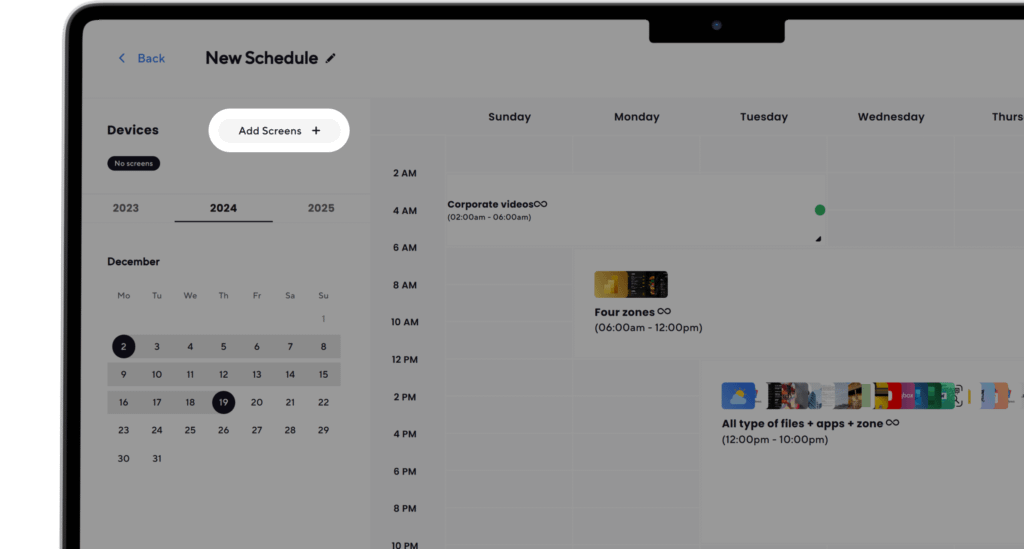
Set up display schedule and go live with digital signage with AIScreen; you can display a schedule for different services to show at different times. You can create playlists and schedules that automatically switch based on time or day.
This ensures your screen always shows relevant, engaging content and helps you promote the right services at the right moment to the right audience.
Here’s how to do it:
- Create a Playlist: Create and upload content to your newly created playlist. Arrange files so that they are displayed in sequential order.
- Create a New Schedule: Next, click on the “Schedule” tab in your dashboard and tap “Create New Schedule” to create a schedule for a specific time slot. You can also check the display schedule guide.
- Add a Playlist to the Schedule: Select the time slot (start date, time, and duration) for the content you want to play automatically. Confirm and add the playlist you want to schedule.
- Assign Devices, Review, and Save: Click “Add Device” to choose the screens or players for slideshow scheduled content. Click “Save,” and it’ll be played at the specified time slot.
How to Choose the Right LCD Display for Your Business?
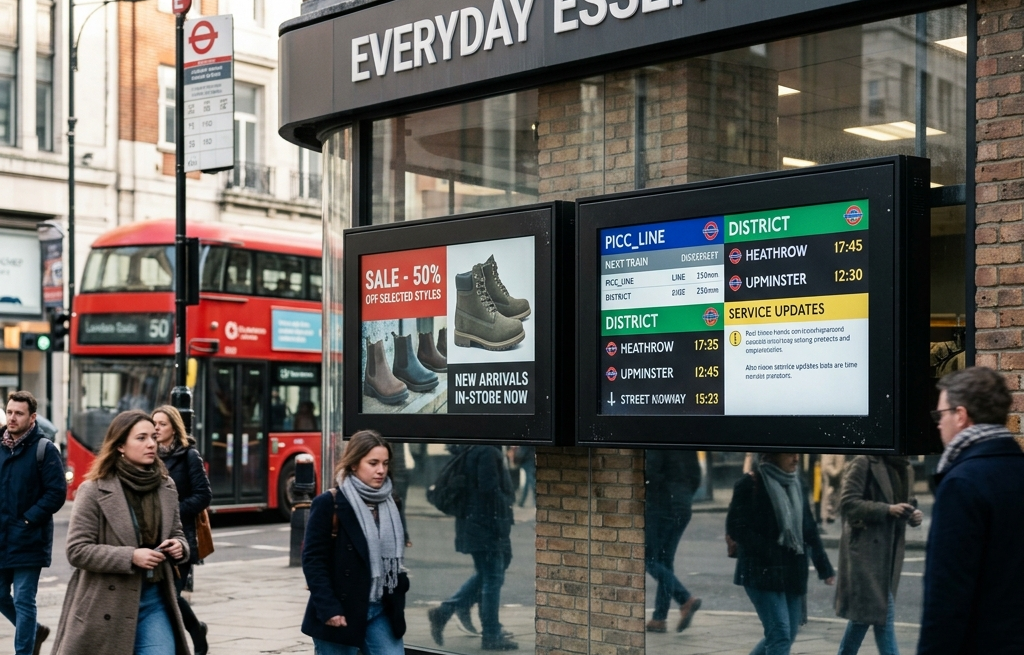
Choosing the right LCD display depends on environment, usage, and integration with digital signage systems. Businesses must evaluate performance factors carefully.
- Define Application: Match displays with use cases like retail, menu boards, or video walls.
- Assess Brightness: Choose higher brightness for outdoor environments and lower for indoor use.
- Select Panel Type: IPS panels offer better viewing angles, while VA panels provide contrast.
- Plan for Durability: Commercial displays ensure long-term performance in demanding environments.
- Integrate Software: Use digital signage CMS to manage content efficiently and scale operations.
For advanced deployments, businesses can also use video wall software to create immersive digital experiences.
How Does SaaS Digital Signage Compare to LCD Digital Signage Systems?
SaaS digital signage enhances LCD digital signage by providing cloud-based management, automation, and scalability. Businesses can control multiple screens remotely without relying on local systems. Unlike traditional setups, SaaS solutions offer flexibility, real-time updates, and seamless integration with data sources.
This makes them ideal for modern businesses looking to scale their digital signage networks efficiently. To explore this further, read what is SaaS digital signage? a comprehensive guide and understand how cloud-based platforms transform digital signage management.
Choose LCD Displays for Smarter Business With AIScreen!
Choosing LCD displays for smarter business means using a digital signage solution that improves communication, strengthens the customer journey, and enhances the overall customer experience. AIScreen delivers an easy-to-use platform for interactive digital signage, helping companies manage digital signage displays, commercial digital signage displays, and multimedia content creation across multiple screens.
AIScreen supports LCD digital signs, LED screens, and multimedia screens for indoor and outdoor displays that withstand harsh weather. Whether for retail stores or digital billboards, AIScreen helps you enhance your signage strategy with dynamic visuals. Start your 14-day free trial today and transform your marketing with just a few clicks!
FAQs
How durable are LCD digital displays for continuous commercial use?
The durability of LCD digital displays for continuous commercial use depends on using commercial digital signage displays built for long hours. These displays include stronger hardware, advanced cooling systems, and reliable components, making them ideal for demanding environments like retail, control rooms, and corporate sites where uninterrupted performance is crucial.
How do contrast ratio and color calibration impact display quality?
The contrast ratio and color calibration impact display quality by improving visibility, clarity, and brand consistency across digital signage displays. Higher contrast enhances readability, while accurate calibration ensures consistent visuals, which is essential for effective advertising, promotions, and delivering a strong customer experience.
What’s the difference between resolution and pixel density?
The difference between resolution and pixel density lies in image sharpness and clarity. Resolution defines total pixels, while pixel density determines how tightly they are packed. Higher density improves visuals for close-range interactive digital signage, ensuring users can access clear content across screens without distortion.
How do LCD displays compare in cost versus LED and OLED?
LCD displays compare in cost versus LED and OLED by being the most budget-friendly option. LCD-based digital signage solutions are widely used by companies because they balance affordability, performance, and scalability. While LED offers higher brightness and OLED delivers premium visuals, LCD remains the practical example for most business applications with limited budgets.
What innovations can we expect in LCD signage technology by 2026?
The innovations expected in LCD signage technology by 2026 include improved energy efficiency, slimmer designs, better brightness levels, and smarter integrations. These advancements will enhance interactive digital signage, improve content creation, and give businesses more power to manage data-driven messaging, helping companies stay ahead in a competitive digital landscape.
