
Library Digital Signage
Library digital signage helps visitors navigate spaces, discover resources, and stay informed independently, while reducing staff workload and keeping information accurate. New arrivals, events, and quiet-hour notices reach patrons on unobtrusive digital signage screens throughout the branch. Related solutions include airport digital signage, transportation digital signage, and stadium digital signage. Everything is powered by the cloud-based digital signage software. For a real example on campus, see how Davenport University runs its campus displays. Explore more education digital signage solutions.

Why Library Digital Signage
Improves the Visitor Experience
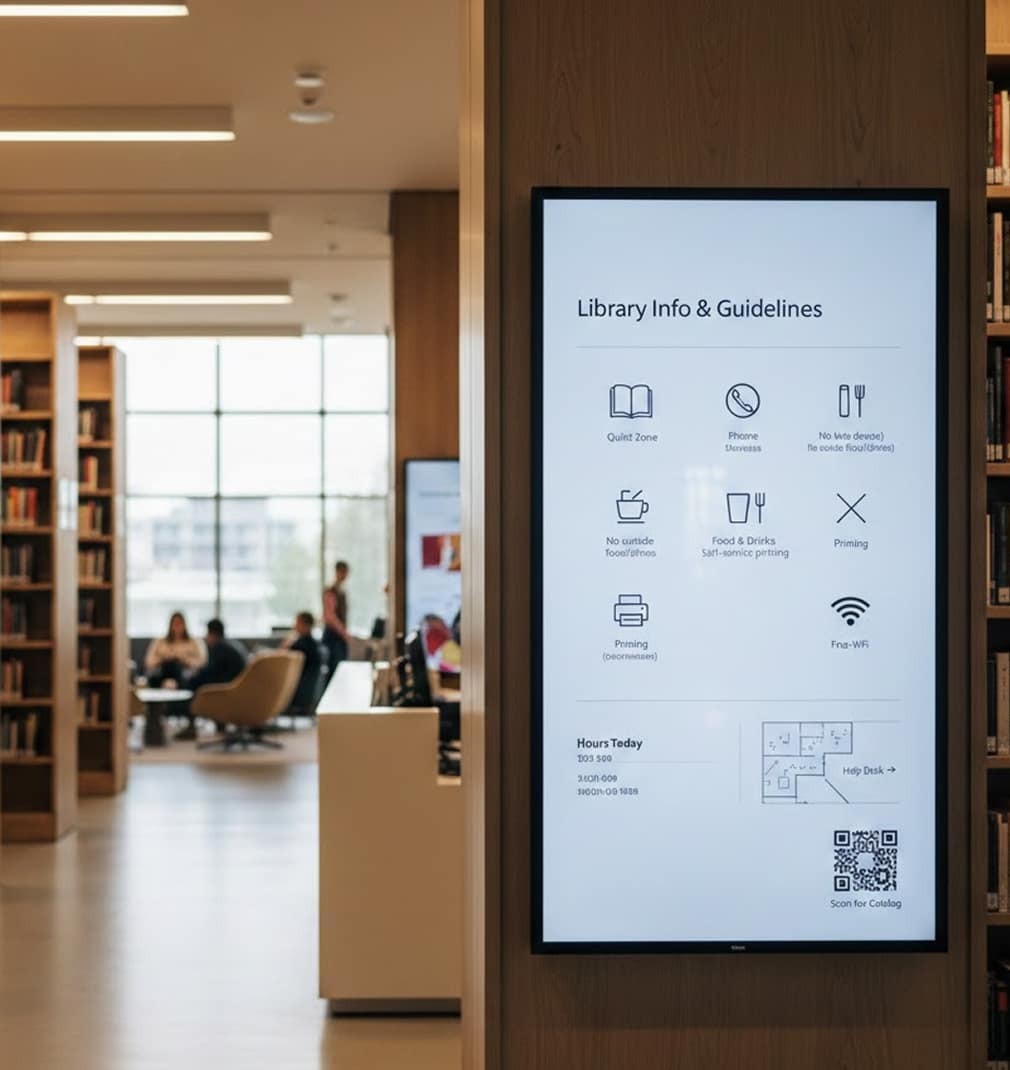
Libraries are evolving into dynamic community spaces. Library digital signage helps patrons find resources faster, stay informed, and interact with content independently, while reducing staff workload and keeping every notice accurate at all times. Digital signs are transforming libraries of every kind: a small branch, a city system with multiple locations, or a university research library. Screens display information patrons actually need: room bookings, new arrivals, reading-program slides, and quiet-hour reminders. A digital screen at the entrance welcomes visitors, while library signage near the stacks points them to services and study rooms. The platform even accepts requests from staff, so any department can queue a digital sign update without touching the hardware. Deployments like this run on AIScreen’s digital signage displays. Get started using this simple framework. Libraries use signage for event calendars, new arrivals, wayfinding, and community announcements across branches. AIScreen schedules program listings, highlights featured collections and digital resources, and updates hours or closures instantly, helping patrons discover services without printed flyers. For library administrators, signage is less about promotion and more about quiet clarity: AIScreen keeps hours, room bookings, event calendars, and new-arrival displays current across branches from one dashboard, so patrons find what they need and staff stop reprinting notices every time a program changes. For a library director running several branches, the daily friction is keeping every notice accurate at once: AIScreen lets each branch queue its own hours, events, and new-arrival slides from one dashboard, pushes a closure to every location instantly, and retires expired flyers on schedule, so patrons always see today’s information instead of last week’s. Wayfinding is where a library first feels navigable. Floor maps on lobby screens guide patrons to the fiction stacks, the reference desk, the children’s room, and the periodicals area, while directional prompts near each aisle point toward specific collections and call number ranges. Clear wayfinding signage lowers the number of “where do I find” questions at the desk and lets patrons move through the building with confidence. Quiet zone reminders sit on screens close to reading tables and study carrels, setting expectations gently without a staff member ever raising a voice. When a section moves during a reshelving project, the map updates from the dashboard and every screen reflects the new layout the same morning. New arrivals deserve to be seen the moment they reach the shelf. A featured collection display rotates recent titles, staff picks, award winners, and themed reading lists across the entrance and the circulation area, giving patrons a reason to browse beyond what they came in for. Cover art, short descriptions, and availability status turn a passive wall into a discovery surface, and the same slide can promote a companion audiobook or ebook edition for patrons who prefer to borrow digitally. A rotating spotlight on the local history collection or a digitized archive surfaces material that most visitors would never think to ask about. Program promotion is quieter and more effective on screen than on a printed flyer. Author talks, maker workshops, resume clinics, and story time sessions appear on an event board that counts down to the next start time and clears itself once the session ends. Families see this week’s story time schedule near the children’s area, teens see coding and gaming clubs near the young adult shelves, and adults see book discussion groups near the reading room, so the right audience meets the right program in the right part of the building. For more library digital signage ideas, libraries pair program boards with reminders that repeat in the days before a popular event fills up. Study room and computer availability boards remove a common point of friction. A live board shows which study rooms are open, which are booked, and how long until the next slot frees up, alongside how many public computers and catalog terminals are currently in use. Patrons reserve a room from a nearby kiosk instead of interrupting the desk, and staff reclaim the time they used to spend answering the same availability question all day. Opening hours and closures are the messages patrons check first, so they belong front and center. Screens show today’s hours, holiday closures, early closings for staff training, and severe weather notices, all updating from one dashboard the instant plans change. A closure pushed at the central branch reaches every location at once, so no patron travels across town to a dark door. Self service prompts connect the physical building to the digital catalog. Screens invite patrons to search the catalog, place a hold, renew a loan, or scan a code that opens the mobile catalog on a personal phone. Community notices and reading challenge boards keep the library feeling like a shared civic space: summer reading progress, local government announcements, literacy program milestones, and volunteer calls all rotate on a schedule. A screen that works like a living digital bulletin board replaces the cluttered cork board by the door and always shows current information. Exhibit and archive highlights round out the mix, spotlighting a rotating art exhibit or a featured special collection that gives patrons one more reason to slow down and explore. Accessibility keeps the whole system inclusive. Large, high contrast text and screens mounted at a readable height help older patrons and visitors with low vision, while slides can rotate through the languages a community actually speaks so notices reach everyone who walks in. A screen can flag which service desks offer interpreter help, which entrances have step free access, and where the accessible restrooms and quiet study spaces are located. For staff, the payoff is measured in reclaimed hours: the flyers that once had to be designed, printed, taped up, and taken down now live as scheduled slides that update themselves, which frees the team to spend its day helping readers rather than managing paper. Seasonal programming gives the screens a rhythm across the whole year. A summer reading challenge can track community progress toward a shared goal, a winter display can highlight cozy reads and adjusted holiday hours, and a back to school week can point students and parents toward homework help, tutoring times, and printing stations. Because every slide is scheduled, a librarian can build a season of messaging in an afternoon and let it run, then adjust a single event without reprinting anything. Over time the same dashboard shows which programs and collections drew the most attention, so the next calendar leans into what the community actually turned up for and quietly retires the notices that no longer earn their space on the wall.
-
1
Empower visitors with interactive self-service tools -
2
Keep information timely with automated scheduling -
3
Extend access to digital resources through mobile connections
1. Empower Visitors With Interactive Touchscreen Kiosks
Today’s library users expect self-service access to
information without waiting in line or asking for help. Touch-friendly kiosks let them search the catalog, check room availability, and browse upcoming programs at their own pace. A kiosk near the entrance answers the questions patrons ask most: is a study room open, has a hold arrived, when does the next program start. Patrons search the catalog by title or author, check availability across branches, and place a hold without joining the line at the desk. The same screen can point a first time visitor toward the reference section, the periodicals area, or the children’s room, so the building feels approachable from the first step inside. Because the kiosk handles routine lookups, staff spend their attention on research help and reader advisory instead of directions.
-
Enable intuitive browsing and navigation using interactivity, allowing patrons to explore events, maps, and library resources on their own.
-
Improve accessibility and engagement while freeing staff to focus on higher-value support with audience measurement.


