
Galleries of Family Photos and Videos
Play slideshows of grandkids, holiday snapshots and personal notes from loved ones on common-area screens.
AIScreen healthcare digital signage helps nursing homes and senior living communities bring residents together, keep safety notices in view and run daily operations more simply. Engage residents, help staff and keep every family informed while one dashboard replaces reprinted notices.

Run every screen in your community from the AIScreen digital signage platform.

Easy cloud digital signage software for multiple displays that runs on almost any device.

Turn any display into a live feed of calendars, weather, news and photos with apps from the AIScreen catalog.

Show urgent, full-screen emergency alerts that override scheduled content on the screens you pick.

Interactive touch screens put resident recognition and wayfinding a tap away.

AIScreen displays, media players and compatibility with many smart TVs and other devices.

A support team on call 24/7 for setup questions and day-to-day help.
AIScreen brings AI to the screen itself. AI cameras with on-site analytics measure presence, attention and dwell time on the device, and the camera does not record video, so teams see which notices hold attention in each common area.
AIScreen digital signage software brings everyday content, live apps and emergency alerts into one place and keeps communication simple for caregivers across every building.

Rotate family photos, birthday wishes and milestone shout-outs on common-area screens for residents.

Spend less time on bulletin boards when meal menus, emergency alerts and event schedules update from one dashboard.

Send alerts about fire drills, severe weather or emergencies to every display at once.

Show videos from grandchildren, holiday greetings and family event invitations in shared lounges.

Pick digital signage templates and use AIScreen Aura to set large, high-contrast text.

Ask for a free walkthrough of AIScreen and see how screens, live apps and emergency alerts can work together to improve communication in your community.
Senior facilities use simple cloud-based digital signage from AIScreen to communicate, work together and keep safety messages visible. Run digital signage, live apps and emergency alerts in every building from one dashboard that works with the hardware you already have. Your messages reach residents on screens they pass daily, with support by call, chat or email.
Play slideshows of grandkids, holiday snapshots and personal notes from loved ones on common-area screens.

Mark birthdays, anniversaries and volunteering milestones using digital signage templates. Spotlight a resident of the month for the whole community to cheer.

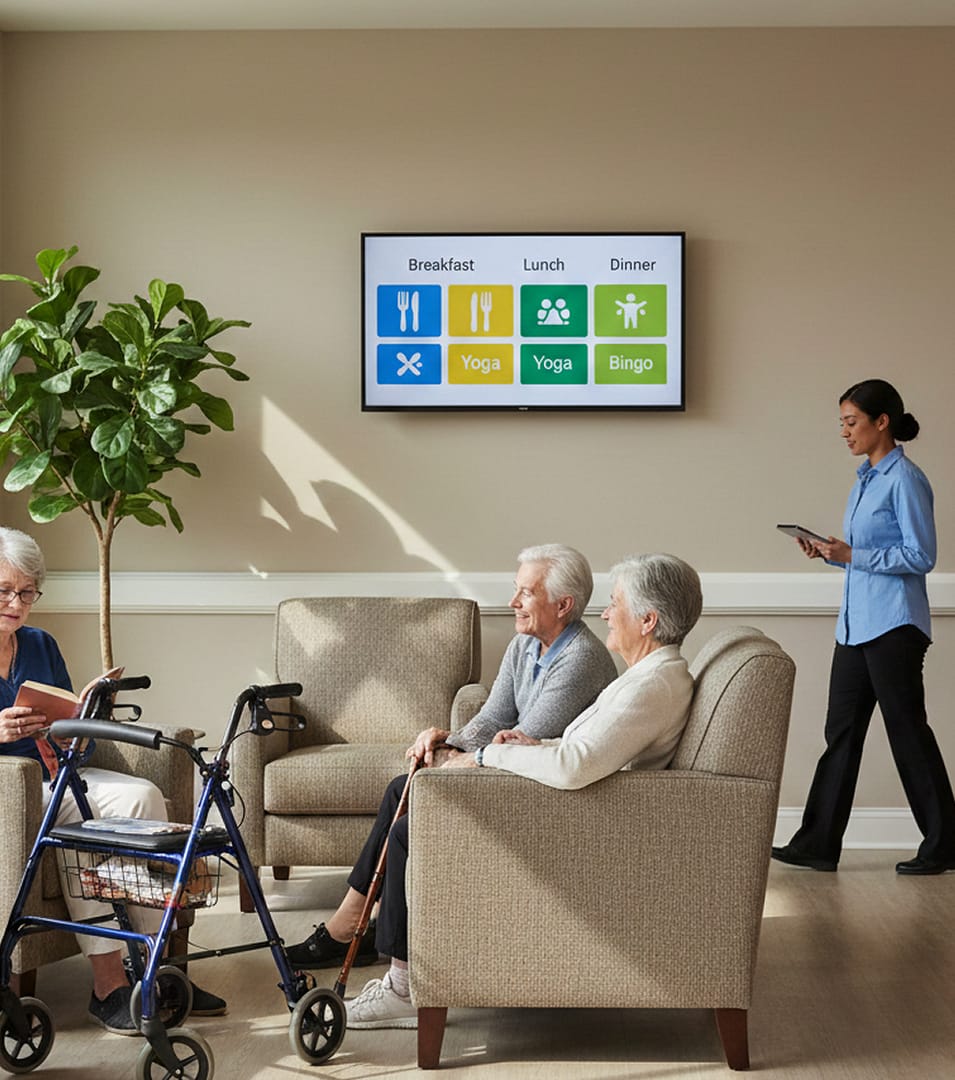
Swap handwritten menu boards for digital menus. Push specials for breakfast, lunch and dinner to dining hall screens and room TVs at once.

Advertise bingo, museum trips, fitness classes and more. Connect Google Calendar or Microsoft Calendar so event details appear on screen automatically.

Override scheduled content with full-screen emergency alerts, lockdown steps or health advisories when a crisis hits.

Post upcoming workshops, safety training reminders and staff news in break rooms and shared spaces.


Starting from scratch? Order wall-mounted, freestanding or touch screen displays from AIScreen. The price includes shipping, duties and one year of support.

Already have TVs in lounges and dining rooms? Connect the AIScreen Stick Player, a 4K HDMI stick, or install the app on the smart TVs, Android boxes and Fire TV devices you own.

Prefer to buy nothing? Install the AIScreen app on Android, Fire TV, ChromeOS, LG webOS, Raspberry Pi, Linux, Windows or Samsung Tizen, pair each screen with a short code and manage it from the dashboard.

Choose what suits each space: AIScreen displays, the AIScreen Stick Player or the TVs already hanging in dining halls, common areas and nursing stations.

Your team signs up once, then turns digital signage templates into emergency alerts, dining menus and activity calendars for each senior living facility.

Show safety notices, daily schedules and family photo galleries. Control screens across wings or several facilities from one dashboard.
Nursing homes and assisted living centers pick AIScreen because content is built in a drag-and-drop editor, urgent notices go out quickly, live content stays current and almost any TV or player can run it.
Everything lives in one place, which keeps the routine simple and lets your team put its energy into residents’ days and their safety.
Coordinators plan menus, calendars and notices in a browser, and the same software runs on smart TVs, media players and AIScreen displays.
Reach our support team by call, chat or email. Installation services come with every plan, and Enterprise adds onboarding and training.
Book a call and watch one platform run screens, apps and emergency alerts for your community.
Senior living digital signage is a network of screens in lounges, dining rooms and hallways that shows daily activities, menus, reminders and community news in large, clear layouts. AIScreen runs all of it from one cloud dashboard.
Senior living digital signage helps residents and families by keeping the day’s plan, the menu and community news on screens that are easy to read. Residents can check what is happening next, and staff update every screen from one dashboard instead of reprinting calendars.
Content that works in a senior community includes activity calendars, dining menus, transportation and appointment reminders, event photos, birthday wishes, weather and community announcements.
Yes, menus and activities can update automatically. Activity calendars sync from Google Calendar or Microsoft Calendar, and dining menus can be scheduled by time, date or interval, so each screen switches to the right meal on its own.
Yes, the display can be easy for residents to read. In AIScreen Aura you set large text, high contrast and smooth transitions, and each playlist sets how long every slide stays on screen.
Screens in a senior living community usually go in the lobby, dining rooms, activity rooms, elevator areas, hallways and other common areas that residents pass every day.
Staff can post updates easily from one dashboard and send them to specific buildings, floors or screens. AIScreen supports multiple users with approval workflows, so you decide who can publish, and staff can add the photos and messages families share with them.
AIScreen serves senior living with cloud software that puts activities, menus, family photos and emergency alerts on easy-to-read screens, all updated from one dashboard on smart TVs, media players or AIScreen displays.