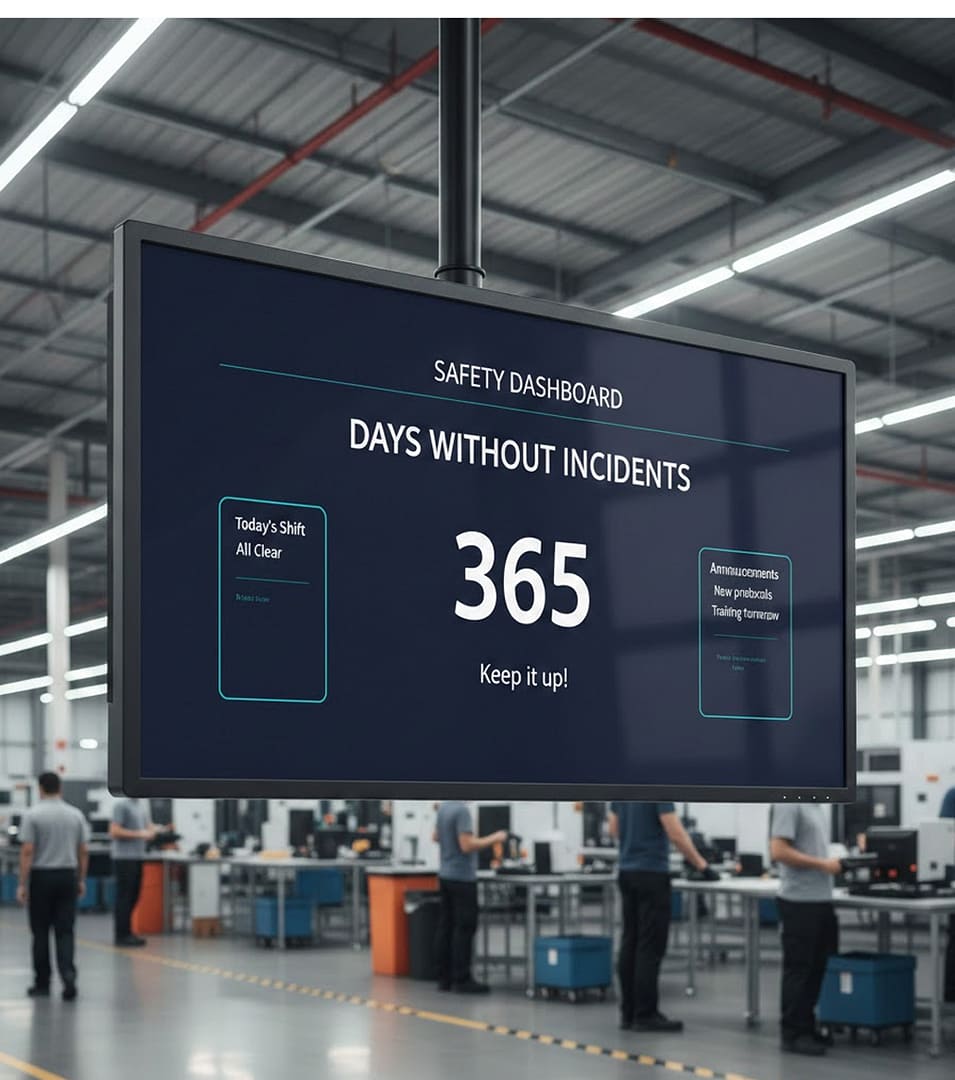
Days Since Last Accident Board Your Crews Can Trust

Give every crew a live accident-free count on the way in, and keep the whole floor informed and motivated. Swap the whiteboard tally for a days since last accident board run by AIScreen digital signage software, made for factory floors, warehouses and other industrial sites.

14-day free trial, up to 3 screens, no credit card
Days Since Last Accident
Days since last accident board on a screen above a factory floor showing the accident-free day count

Days Since Last Accident Board Counters for Each Record You Keep

A static safety board waits for someone with a marker; AIScreen keeps a live number on the days since last accident board, so progress stays visible and motivating.

Factory entrance with a wall screen counting days without an accident as two workers in hard hats walk in

Days Without an Accident in Big Numbers

Put days without an accident front and center, then log a new record the day the streak passes the old one. Updated from one dashboard, the digital safety scoreboard shows every employee the same figure and keeps workplace safety in view.

Warehouse screen showing the current lost time accident streak beside the best record so far

Lost Time Accident Streak Beside the Previous Record

Set the days since the last lost time accident next to the longest streak on record, and previous safety records turn into a target crews chase. On digital signs, every record sets the bar for continuous improvement.

Screen above a workshop door counting days without an injury as a worker in a hard hat walks through

Injury-Free Days at Every Entrance

Count days without an injury and post the total at each door. Each arriving shift sees where the site stands, so safety standards stay high.

Days Since Last Accident Board Screens Built Around Safety Compliance

Publish every site’s safety procedures from one AIScreen dashboard, not through stacks of memos.

Plant corridor screen showing a Keep Aisles Clear safety tip with a small accident-free counter in the corner

OSHA Tips in the Same Loop

Rotate key OSHA safety tips between counter slides so that, on the way to their stations, employees pick up best practices and the rules regulators expect.

Supervisor pointing at a screen that explains how to report a near miss while a small crew in hard hats listens

Near Misses Explained Before They Become Injuries

Teach crews what counts as a near miss and how to report one, using a short slide that follows the day count. A reported near miss flags a hazard before anyone gets hurt.

Factory screen showing the accident-free count with captions in English and Spanish as three workers talk beside it

Bilingual Counts for Mixed Crews

Caption each figure in two languages so bilingual safety scoreboards reach a diverse workforce. Both captions are plain text on one AIScreen Aura slide, so a supervisor edits either language in place.

Days Since Last Accident Board Streaks That Lift Safety Culture

Make each accident-free streak a reason to cheer, with recognition posts and campaigns that reinforce a positive culture and accountability.

Break room screen announcing the reward for the next safety milestone with a progress bar as two workers smile over coffee

Incentive Rewards Tied to the Count

Announce safety incentive programs across the facility, showing which reward the crew earns when the streak reaches the next mark.

Plant screen comparing safety goal progress for the assembly, packing and shipping departments as a manager looks up

Department Goals Side by Side

Show each department’s safety target and its progress on a branded template, beside training completion and incident reports.

Crew in hi-vis vests clapping under a screen that thanks the team for a new safety record

Record Days Marked With a Full-Screen Thank You

Mark key safety milestones, like the day the count beats its old record, on every floor screen. Give the crews behind the streak a shout-out the whole shift can see.

Days Since Last Accident Board in Practice,
From Dock Door to Break Room

How It Works at a Distribution Center

Picture a distribution center where the safety coordinator redraws the accident-free tally on a whiteboard each morning, and the number falls behind whenever she is off shift.
 
With AIScreen, the tally moves into a shared Google Sheets file that counts up from the date of the last recordable incident. Screens at the dock doors and in the break room show that count in a playlist next to a near-miss reminder and a thank-you to the crew. After an incident, she changes one date in the sheet, and every screen picks up the new count without anyone climbing a ladder.
Distribution center dock area with a wall screen showing the accident-free day count as a forklift passes

Days Since Last Accident Board Demo From the AIScreen Team

Book a guided session to see AIScreen manufacturing digital signage keep every screen’s count current.

Days Since Last Accident Board Launch, Step by Step

Step 1.

Pick the Screen and Player

AIScreen media player box and AIScreen Stick Player

Hang a new AIScreen display, or reuse the TVs already on your plant walls with the AIScreen Stick Player plugged in. Any TV on the supported hardware list can serve as the days since last accident board.

Step 2.

Install AIScreen and Build the Board

AIScreen pairing screen with a four-digit code and a QR code on a TV

Sign up for AIScreen, add the AIScreen app to the TV and type in its pairing code. Design the counter slide in AIScreen Aura with digital signage templates.

Step 3.

Push the Count to Every Floor

AIScreen schedule editor with a weekly calendar

Send the board to each floor screen, schedule reminders around it and check status with remote device management at every location.

Days Since Last Accident Board Software With One Dashboard for Every Plant

Built for logistics, warehouse and manufacturing floors, the AIScreen digital signage platform brings easy editing, live data, emergency alerts and broad device support into one place.

One Dashboard for Counts and Content

AIScreen keeps the counter, safety playlists and emergency alerts in one dashboard, so EHS and operations work from the same screens.

Easy to Run in Every Building

Edit digital safety signs with drag and drop in AIScreen Aura, then manage them throughout the organization on the hardware you choose.

Support When the Floor Needs It

Call, email or chat with AIScreen support 24/7, and book a guided demo before rollout.

Days Since Last Accident Board FAQs

What is a days since last accident board?

A days since last accident board is a digital display that tracks a single figure, the days since the last recordable incident, and pairs it with safety reminders and crew recognition.

Why does a days since last accident board work?

A days since last accident board works because the goal sits where everyone passes it. A count that stays current without anyone editing it keeps safety on people’s minds in a way a forgotten whiteboard never does.

Does the counter update automatically?

The days since last accident counter updates automatically once it is connected to your data, for example a Google Sheets cell that counts from the date of the last incident. A reset is one edit to that date, and the screens follow.

What else can the safety board show?

The safety board can also show near-miss counts, training progress, crew recognition and rotating reminders, each as its own slide in the playlist.

Where are these boards used?

These boards hang in manufacturing plants and warehouses, at construction sites and in any facility that runs a safety program, usually where crews enter or gather before a shift.

Can it display across multiple sites?

Yes, it can display the count across multiple sites, with each location showing its own streak while leadership compares every site in one AIScreen dashboard.

What hardware is needed on a plant floor?

The hardware needed on a plant floor starts with a bright commercial display in the crew’s line of sight. Run it from the AIScreen Stick Player or use a supported smart TV with the AIScreen app, then connect either one to the network.

How does AIScreen run safety boards?

AIScreen runs safety boards by keeping the counter current from your data and scheduling reminders and recognition around it on every screen, at one site or many.