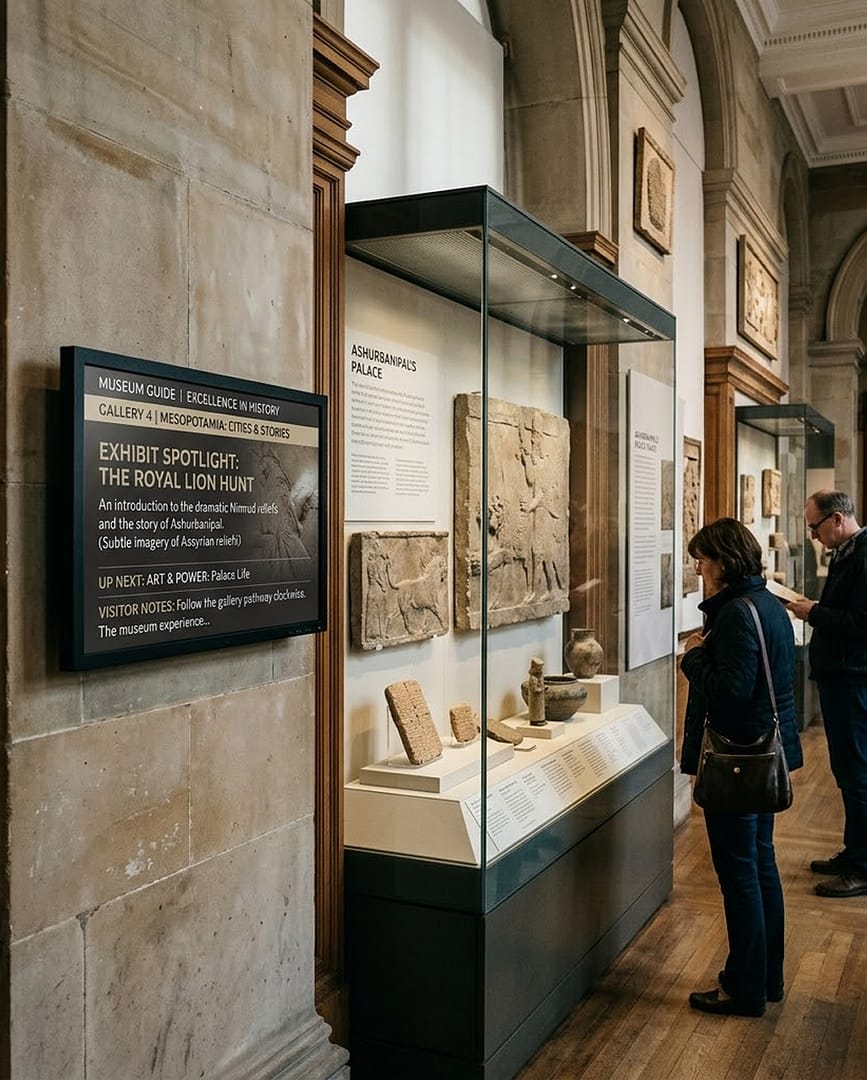
Museum Digital Signage
for Immersive Exhibits and Easier Visits

Spark visitor curiosity with dynamic, immersive exhibit screens that put art, history, and culture in motion.

14-day FREE trial. No credit card required
Digital Signage for Museum

Museum Digital Signage Solutions for Every Gallery

With museum digital signage, museums and exhibit halls shape immersive experiences for every visitor.

  • Invite hands-on exploration from visitors at interactive touch exhibits
  • Bring every exhibit to life with striking visuals and animated transition effects
  • Deepen visitor knowledge with informative multimedia content
Interactive touch kiosk showing an exhibition map in a marble museum exhibition hall

Museum Digital Signage That Keeps Every Exhibit in Step

Immerse your visitors and enrich each experience with AIScreen.

Historical Preservation, Made Immersive

  • Every display in the museum takes its content from one AIScreen dashboard, the main content hub
  • Unusual display sizes fit portrait, landscape or multi-screen video wall layouts without extra coding
  • Visitor photos stream onto screens through a live, personalized Instagram hashtag wall
Portrait exhibit screen with collection highlights and a search bar in a sunlit museum gallery with paintings

Museum Digital Signage Built Around the Visitor Experience

A Better Visit From Entrance to Exit

  • Offline playback keeps exhibit content running when the network connection drops
  • Our cloud-based digital signage software delivers both interactive and informational content
  • Interactive touch displays, video walls and single screens share one platform
Visitors exploring a long wall of interactive history screens in a dark museum gallery

Museum Digital Signage for Synchronized Multi-Screen Exhibits

Ambitious Exhibits, Simple Upkeep

  • Power ambitious multi-screen exhibits with frame-accurate synchronized playback
  • Simplify exhibit maintenance with remote restarts, updates and live screen monitoring
  • Save time and resources with no on-premise servers, automatic failure alerts and encryption in transit and at rest
Nine-screen video wall showing one continuous coastline image, with one panel pulled out on its mount for servicing

Museum Digital Signage From Opening Hours to Evening Events

How It Works at a Regional History Museum

Picture a regional history museum where exhibit labels, guided tour times and the gallery map sit on printed boards that fall out of date the week a new exhibition opens.
 
With AIScreen, the visitor services team runs the entrance screen, the gallery touch kiosks and the video wall from one dashboard. A schedule switches the welcome screen to the evening program, and a corrected label reaches every screen in real time.
 
Visitor tapping a touch screen kiosk with a gallery map, upcoming events and ticket information in an art museum
Digital Signage for Museum Digital Signage for Museum Digital Signage for Museum

Museum Digital Signage to Draw Visitors Deeper Into Every Exhibit

Ready for exhibits that tell a story on screen? AIScreen powers dynamic storytelling through interactive displays, AI camera triggers and synchronized playback.

Plan Your Project With Us

  • Book a demo call
  • Ask for a free consultation
  • Try it free for 14 days

Describe your next exhibit or museum installation in the form, and we’ll show where AIScreen digital signage software fits.

    This field is required
    This field is required
    You must type in an email
    This field is required
    This field is required
    This field is required

    How many screens do you intend to connect?

    • 1-10
    • 11-50
    • 51-199
    • 200-499
    • 500+

    Museum Digital Signage Hardware for Every Starting Point

    AIScreen indoor wall-mounted digital signage displays with a built-in AI camera from the Screens Marketplace

    New Displays for a New Wing

    Fitting out a new gallery? Choose wall-mounted, freestanding or touch screen displays from AIScreen, with shipping, duties and one year of support included in the price.

    Media player box and HDMI streaming stick that run the AIScreen app

    Screens Already on the Walls

    Keep the TVs you have and connect the AIScreen Stick Player, a 4K HDMI media player, or install the app on a smart TV, Android box or Fire TV device.

    AIScreen app pairing screen on a TV, ready to be added to the account

    No New Hardware at All

    Prefer to skip new hardware? Install the AIScreen app on Android, Fire TV, ChromeOS, LG webOS, Raspberry Pi, Linux, Windows or Samsung Tizen, pair the screen with a code, and run it from the dashboard.

    Museum Digital Signage FAQs

    What is museum digital signage used for?

    Museum digital signage is used to show visitors where to go, what they are looking at and what is on today. Screens carry exhibit stories, gallery maps, tour and event times and donor recognition, and they update in real time as exhibitions change. Nobody has to reprint an interpretive panel when a show opens or closes.

    How can screens help with exhibit interpretation?

    Screens help with exhibit interpretation by adding what a printed label can’t hold: archive footage, maker interviews, timelines, maps and close-up images of the object in the room. Curators build these layouts in AIScreen Aura from images, video, PowerPoint files and text, and can swap or add material in real time as the collection or the story changes.

    Can visitors use touch screen kiosks to explore the collection?

    Yes. With the Touch Kiosk Module, any element or widget on the screen can respond to a tap and open another page, a video or a web link, so visitors can browse artworks, maps and stories at their own pace. An inactivity timeout returns the kiosk to its start screen when nobody is using it, and every action can be checked in a full preview before it goes live.

    How does museum digital signage help with wayfinding?

    Museum digital signage helps with wayfinding by putting gallery maps and directions where visitors make decisions, such as the entrance, stair landings and the space between wings. A touch screen map lets people find a specific gallery or piece on their own. Directional screens can be updated the same day a room closes or a new show opens.

    Can the screens show tour times, events and ticket desk updates?

    Yes. Playlists can be scheduled by time, date or interval, so the lobby screen shows the morning’s guided tours before opening and the evening lecture later in the day. Apps such as Google Calendar, Microsoft Outlook Calendar and Google Sheets bring the program onto the screens, so staff update one source instead of editing each screen. The same works for ticket desk notices, like a sold-out entry time or a gallery that is closed today.

    How can a museum show content in several languages?

    A museum can show content in several languages by making a version of each layout per language and adding them to one playlist, so the screen rotates through them. Split screen zones can place two languages side by side on one display, and a schedule can bring a specific language forward when a tour group is booked.

    Can AIScreen run video walls and social media walls in a museum?

    Yes. AIScreen video wall software creates and controls multi-screen displays from one platform, with frame-accurate synchronized playback across multiple players for large, immersive pieces. Apps such as the Instagram Hashtag Wall bring the photos visitors share onto the screens, next to curated content about the collection.

    How do you manage museum digital signage across many galleries or sites?

    You manage museum digital signage across many galleries or sites from one web dashboard. Staff choose which screens a playlist goes to, schedule it once, and updates reach every screen remotely. Remote device management shows what is playing, restarts players and sends alerts when something fails, while role-based access and approval workflows let curators, education and marketing teams each work on their own content.

    Can we use our existing TVs, and what happens if the Wi-Fi drops?

    In most cases, yes. The AIScreen app runs on Android, Fire TV, ChromeOS, LG webOS, Raspberry Pi, Linux, Windows and Samsung Tizen, so many smart TVs work on their own and others need a media player such as the AIScreen Stick Player. AIScreen also works in offline mode, so screens in a basement gallery or a thick-walled historic building keep playing when the connection drops.