Digital Information Board for News, Schedules and Alerts on Every Screen

Show company news, essential updates, notifications and weekly event schedules on any TV through an AIScreen digital information board. Our digital signage software runs the digital information board from a laptop or desktop and lines up key updates and recurring messages by date. As an electronic status board, it keeps your team and visitors up to date in real time.

14-day free trial, up to 3 screens, no credit card
Digital Information Board

Digital Information Board That Replaces the Paper Notice Wall

One Screen for News, Meetings and Welcomes

Business announcements, room and time details for meetings, employee news, HD videos and welcome messages can share one digital information board, in any mix you choose, and AIScreen gets it running quickly. Your content reaches the TV in a few clicks once you drop it into a digital signage template made for announcements.

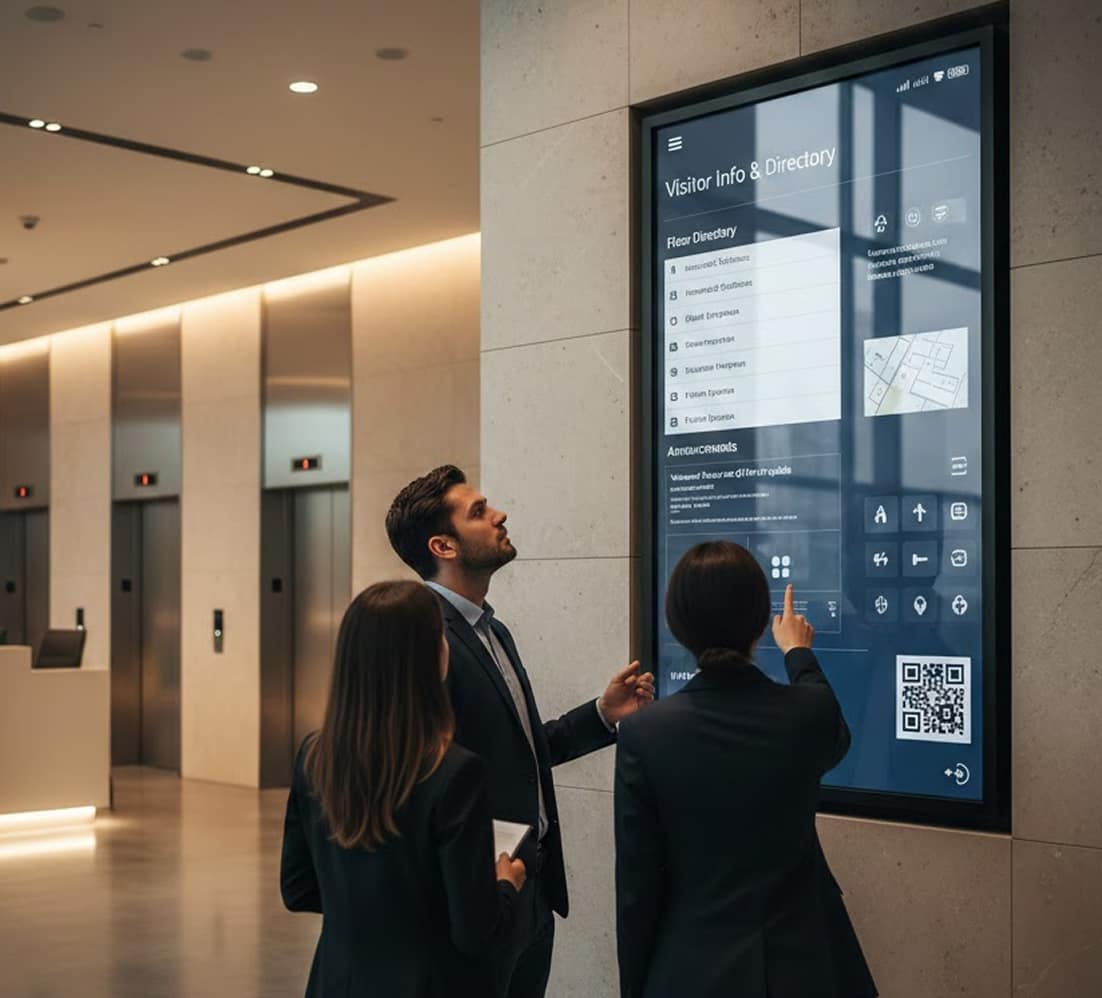
Two visitors in a bright office lobby reading a wall screen with a building directory and today's events

Visitor Welcomes

Greet each customer, vendor, business visitor and employee with a personalized welcome.

Live Data Updates

Google Sheets data appears as charts and tables, keeping key metrics current.

Meeting and Training Calendars

Add training times, event dates and company itineraries to a weekly calendar view.

Company-Wide Announcements

Keep staff current on new offerings, business news and notes from leadership so communication improves across sites.

Social Media Feeds

Promote your social media channels by showing live Instagram posts on the screen.

Employee Recognition

Put a thank-you slide on the screen naming each high achiever and each month’s top employee.

Digital Information Board Projects Start With a Short Conversation

Sharing information on demand with the public gets easier with digital TV boards, whether you run a school, a business or a community organization. Talk to our team or start today.

Digital Information Board in a Regional Office

How It Works at a Regional Office

Picture a regional office where updates arrive by email, the reception desk keeps a printed visitor list and the break room corkboard still shows notices from last month.
 
With AIScreen, the office manager places a portrait screen beside reception and a landscape screen in the break room. The reception screen welcomes each visitor and lists the day’s meetings from Google Calendar or Microsoft Calendar, while the break room board rotates team news, the weather and a short safety reminder, all scheduled from one dashboard.
Visitor with a lanyard reading a portrait welcome screen that lists today's meetings by room, next to an office reception desk

Digital Information Board Scheduling and Widgets in One Dashboard

Scheduling on Your Terms

Update and edit your company’s digital information board displays from any web browser, then let them run automatically. AIScreen runs on Android, Fire TV, ChromeOS, LG webOS, Raspberry Pi, Linux, Windows and Tizen.

Streams can run live, and the playlists and scheduling tools in the dashboard let you set the exact dates and hours for everything else. Each message gets a start and an end, so it leaves the screen when it expires. That suits personalized welcome slideshows and other timed media.

AIScreen dashboard with a new schedule, a monthly calendar, assigned screens and playlists

Widgets You Can Customize

AIScreen Aura, the drag-and-drop editor, lets anyone on the team build a digital information board without design expertise or coding, and the screen can carry a mix of the following:

  • RSS news feeds
  • YouTube videos
  • YouTube Live streams
  • Web pages
  • Google Slides and Google Sheets
  • HD images
  • Videos
  • PowerPoint slideshows
  • Instagram Social Wall posts
  • Weather, date and clock
  • Scrolling Strip tickers
  • QR codes
  • Power BI dashboards
Office corridor screen split into a company news slide, today's weather, a clock and a scrolling news ticker

Digital Information Board Updates You Can Send Remotely to Every Screen

One Hub for Company Communications

With AIScreen as your digital information board software, corporate communications run through one setup that can show anything from emergency alerts to live, engaging social media posts from the company.

  • Keep company communications in one dashboard and send updates automatically.
  • Share HR notices, corporate updates and business news with every team.
  • Post slideshows and PDF files for the company in a few steps, then set recurring schedules ahead of time.
  • Pull live KPIs and performance metrics from Power BI dashboards onto the screen.
  • Turn Google Slides and Google Sheets into dynamic multimedia slideshows that refresh live.
Office lobby wall screen showing an emergency alert that tells people to use the nearest exit

Digital Information Board Benefits for Employees and Guests

Why Teams Move Away From Paper

Put the TV you already own to work and make every update reach employees and guests.

  • Flexible: Anyone with permission can work on the board from any place at any hour. Colleagues who work at another site can still check the content and add their own updates.
  • Touch-Ready: Add interactive buttons that open web pages, videos and other media with one tap. That gives visitors a reason to stop and engage with content.
  • Customizable: Edit any slide whenever plans change, adding fresh content or taking old information down without spending extra time.
  • Cost-Effective: Notices change on screen without anyone reprinting a sign.
  • Paper-Free: The corkboard by the door stops collecting layers of outdated printouts.
Worker reading a digital information board next to a cluttered paper notice board

Building a Digital Information Board, Step by Step

From First Goal to Weekly Refresh

These four steps give your intended audience a digital information board that is easy to access, well organized and engaging.

  • 1. Set your goals: Name the board’s purpose and who should read it. Then choose the kinds of content you plan to post and how they should be grouped.
  • 2. Pick a template: With the purpose clear and AIScreen in place, start your digital information board from a template. Adjust the layout in AIScreen Aura, adding your text, media and design elements in your brand style.
  • 3. Load your content: Fill it with deadlines, events, announcements and key facts. Photos, video clips and QR codes that lead to more resources can sit beside the text.
  • 4. Refresh it weekly: Review your digital information board on a regular schedule so it stays fresh and useful. Take down expired notices, post new ones and act on feedback.
Office manager scheduling slides on a laptop while the wall screen behind her shows an all-hands meeting notice

What Is a Digital Information Board?

A Screen Built for Everyday Messages

A digital information board is a screen, often a regular TV, that shows notifications, information and everyday updates. Such information displays work as a visual communication tool wherever foot traffic is heavy.

In day-to-day practice, teams and offices turn to digital information boards to:

  • Get last-minute updates to employees fast
  • Schedule welcome communications ahead of time
  • Mark birthdays and employee achievements
  • Track incident-free days next to workplace safety reminders
  • Show company news and today’s weather
Employee with a coffee walking past an elevator hallway screen with today's meetings, announcements and the weather

Digital Information Board Examples From Schools and Offices

Where a Board Earns Its Place

Digital information boards open up flexible, inventive ways to get information across in many places. Schools, corporate offices, healthcare facilities and other organizations each tailor digital information boards to show schedules and announcements, team achievements, event updates and interactive content. These information screens make communication clearer and shared spaces far more engaging.

Digital Information Boards in School Hallways

In schools, a digital information board changes how news is communicated, showing schedules, student achievements and daily announcements in an engaging way. Unlike traditional cork bulletin boards, these information display boards save staff time, cut printing and give the school community one central information hub.

Digital Information Boards Across the Office

For offices, a digital information board posts updates, spells out company policies and celebrates what teams achieve. Internal communication improves, teams work more closely and employees stay informed and motivated through the screens they pass every day.

Teacher greeting students in a school hallway beside a welcome back screen

Digital Information Board Setup With Screens, Media Players and Software

What You Need to Get Started

You need only a few pieces to begin.

  • A screen: The TV already hanging in your lobby or break room can carry the board. Starting fresh? Choose from AIScreen digital signage displays for walls, floors, kiosks and outdoor spots.
  • A media player: If the TV has no app store, add the AIScreen Stick Player, an HDMI stick with 4K output, or pick another device from the supported hardware list.
  • Cloud-based software: On that screen or player, install the app from the AIScreen app download page, then pair it once with the short code it shows. From then on, all design work and updates for the digital information board happen in a browser on your computer.
  • Templates: Begin with digital signage templates for announcements, office news or employee recognition, then make them your own.
  • Apps: Drop any app from the widget list above into a zone of your layout and set it up there.
  • Playlists: Group finished layouts into a playlist that rotates them in order or keeps a single layout on screen.
Break room TV with an HDMI stick plugged into its side, showing an office update and the weather above a laptop dashboard

Digital Information Board FAQs

Why do people miss important updates?

People miss important updates when news is scattered across emails, chats and paper notices that nobody checks at the same time. A digital information board puts the current version in one shared place, on screens people pass during the day, so the update is seen without anyone searching for it.

How does a digital information board improve visibility?

A digital information board improves visibility by placing updates where people already gather, such as entrances, lobbies and break rooms. Staff change the content from the AIScreen dashboard, so what is on the wall always matches the latest plan.

Where should a digital information board be placed?

A digital information board works best in high-traffic spots where people pause for a moment, such as reception areas, elevator lobbies, corridors and break rooms. Mount it at eye level and keep each slide readable from a few steps away.

What content can a digital information board show?

A digital information board can show announcements, schedules, alerts and general information. Split-screen zones let one layout carry several of these at once, for example today’s agenda beside a short notice.

Can a digital information board update instantly?

Yes, a digital information board updates instantly. A saved change shows up on all paired screens in real time, and remote device management reports what is on each screen right now.

Why is a digital board better than printed notices?

A digital board is better than printed notices because a correction takes one edit instead of a reprint and a walk around the building. An urgent message can also replace regular content on every screen at once.

Can the boards work across multiple locations?

Yes, the boards work across multiple locations from one AIScreen account. Screens are grouped by location, tag or space, so a regional notice goes to one group while a company-wide message reaches all of them.

How does the AIScreen board work?

The AIScreen board works as cloud software: content is built and scheduled in a web dashboard, then played by the AIScreen app on each screen. Several editors can work in the same content management system, with approval workflows before anything goes live.

Does the board reduce communication gaps?

Yes, the board reduces communication gaps because staff no longer rely on email and chat alone. Posts from Microsoft Teams can appear on the information screens. Digital service updates from IT, such as planned maintenance, reach everyone the same way.

Is the board suitable for different environments?

Yes, the board suits offices, schools, factories, clinics and public buildings. Some teams call it an infoscreen, an info screen, a digital info display or a digital readerboard, and AIScreen sets it up the same way whatever name you use.

Start Your Digital Information Board on Screens You Already Have

AIScreen works with screens you already own. Book a demo, or start a 14-day free trial, up to 3 screens, no credit card.