
Design Digital Signage Templates with Confidence, No Coding Required
Create dynamic digital signage templates using AIScreen Aura and live data integration without
any coding. AIScreen Aura simplifies digital signage templates with an intuitive drag-and-drop
editor, built-in media tools, creative integrations, and multi-zone support in one platform.
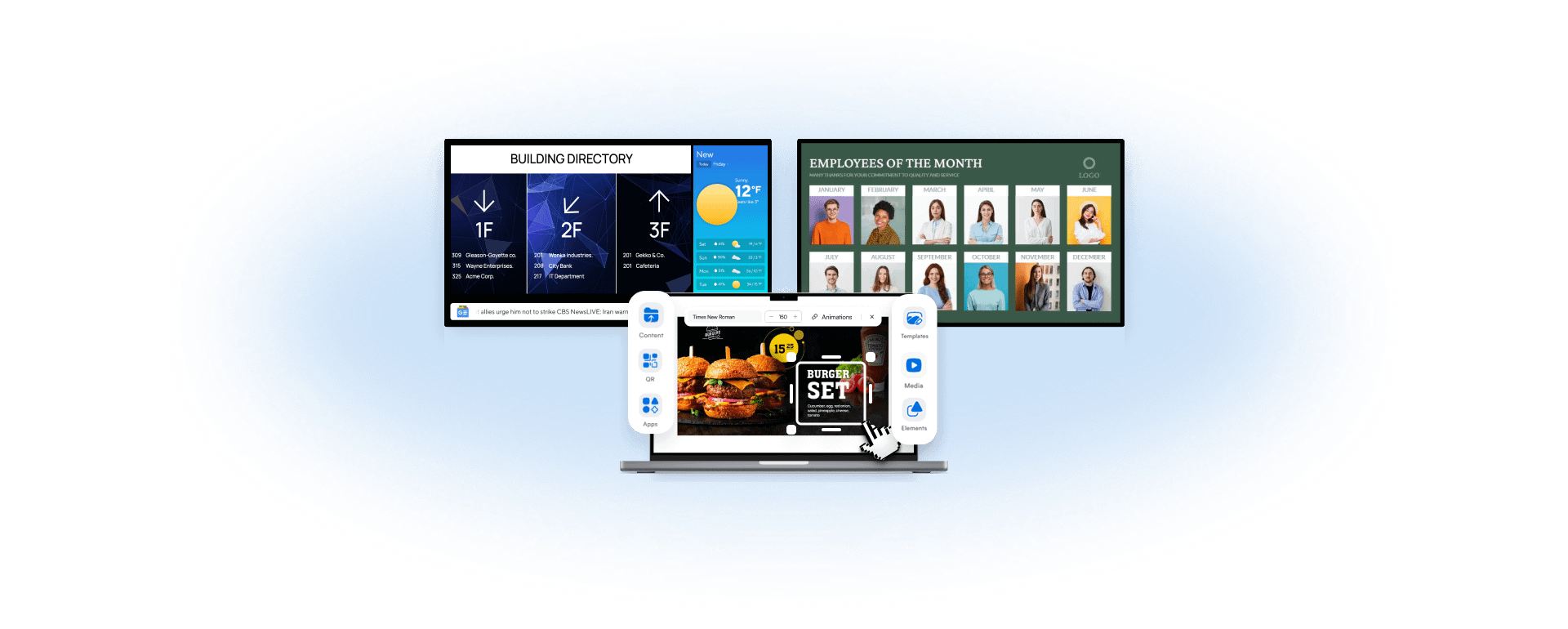

-

A Simplified Content Creation Workflow
Designer comes with a drag-and-drop design and supports any content size or orientation.
-

Seamless Integration with Code-Free Connectivity
Easily connect real-time data sources and lookups, then control what content displays using simple moderation rules.
-

Advanced Multi-Layered, Zone-Focused Design
Customize layouts with multi-zone, multi-layer, and transparency capabilities.
Create Digital Signage Templates, No Design
Skills Needed
Create visually stunning templates with AlScreen Aura without requiring advanced skills. Easily integrate text, media, background music, animations, playlists, and live data feeds into your designs


Quickly Create Dynamic Digital Menu Boards
Design and update dynamic digital menu boards quickly and efficiently using customizable digital menu templates built for speed and consistency. Seamlessly connect with POS integration to automate pricing, availability, and item updates in real time. Structure categories, highlight promotions, and deliver visually compelling, audience-ready menu experiences across any screen.
Build Digital Signage Templates Faster with Drag-and-Drop Design
Designing signage shouldn’t slow your team down or require design expertise. With a drag-and-drop template builder, ready-made templates, and a built-in widget library, creating digital signage layouts becomes simple and efficient.
You can place text, media, QR codes, and design elements directly on the canvas using multi-zone/layer support, while enabling real-time updates & integration for dynamic content. This approach helps teams build polished templates faster and launch content without technical delays.


Sign in to AIScreen Free Digital
Signage Software
Sign in to AIScreen Free Digital Signage Software
Upload and Manage
Digital Signage Media
and Files
Managing media across multiple screens can quickly become chaotic. AIScreen simplifies this with strong file format support, allowing you to upload and organize images, videos, GIFs, PowerPoint and background assets directly inside the template editor.
Built-in remote management & scheduling makes it easy to control deployments, maintain brand consistency, and distribute visuals across locations without duplicating effort or breaking visual standards.nt.


Display Real-Time Information with Digital Signage Widgets
Outdated content can reduce trust and relevance. Digital signage widgets surface real-time information, including public information feeds, utility & database-driven content, dashboards, and key metrics directly within templates.
By adding live widgets, screens stay timely and informative without cluttering the design, ensuring viewers always see information that reflects what’s happening right now.
Get in Touch With Us for
Expert Advice
Get in Touch With Us for Expert Advice
Keep Screens Accurate with Live Data Integration for Accurate, Dynamic Screens
Manually updating screens across locations wastes time and increases the risk of errors. Live data integration connects templates to internal business tools, operational systems, and public feeds so content updates automatically.
With features feed integration, Stream URL, live social media connectors, calendar sync, and dashboard updates, your content updates automatically without manual effort. The outcome is always-on, relevant, and trustworthy digital signage that keeps viewers informed, engaged, and connected to what matters most.

Learn About Important Software Features for Digital Signage


Add Interactive Motion
with Digital Signage Animations
Static screens often fail to capture attention in busy environments. With built-in content designers, AIScreen supports kinetic typography, entrance & exit effects, smooth transitions, and multimedia support to enhance visual flow or interactive motion without overwhelming the viewer.
Animations are easy to apply and manage with AIScreen, helping content move naturally while keeping layouts clean. The result is more engaging signage that guides attention effectively and enhances the overall viewing experience.


Create Interactive Digital Templates for Touch Screens and Kiosks
Passive screens don’t always meet modern engagement needs. Touch-enabled digital signage with data-driven interactivity allows users to interact with content through tap-based navigation and multi-touch support.
These interactive templates are ideal for kiosks, directories, and product displays, giving viewers control over what they see while creating more personalized, engaging, and task-focused screen experiences.
Create Advanced Digital Signage Layouts with Zones and Layers
Complex screens often need multiple content areas working together. Zones and layers, along with flexible zone types, allow you to design structured layouts by controlling positioning, transparency, and stacking order.
This makes it easier to display diverse content such as promotions, alerts, and live data on a single screen, while helping teams test dwell time and maintain clarity across different display sizes and viewing distances.


Organize Content with Slides-Based Digital Signage Templates
When content needs to change over time, managing flow becomes essential. Slides-based templates with direct software integrations help organize information into clear sequences, improving storytelling and pacing.
This approach allows teams to exercise precise slide control and enable real-time updating, making digital signage easier to manage while delivering more dynamic, time-based experiences for viewers.
Design Consistent
Layouts with Digital
Signage Elements
Inconsistent layouts can confuse viewers and weaken messaging. Customizable templates with built-in digital signage elements like text blocks, shapes, and visual components help structure content clearly, while design safe zones ensure proper alignment and visibility across different screens.
With centralized control, teams can standardize how information is presented and create cohesive signage across promotional, informational, and operational displays, making content easier to scan, understand, and trust.


Create Data-Driven Dashboards with KPIs
Share key performance indicators across your displays using intuitive dashboard design tools. Seamlessly integrate with Power BI to display live ERP and CRM data, enabling informed decision-making and empowering teams with clear, actionable business insights.