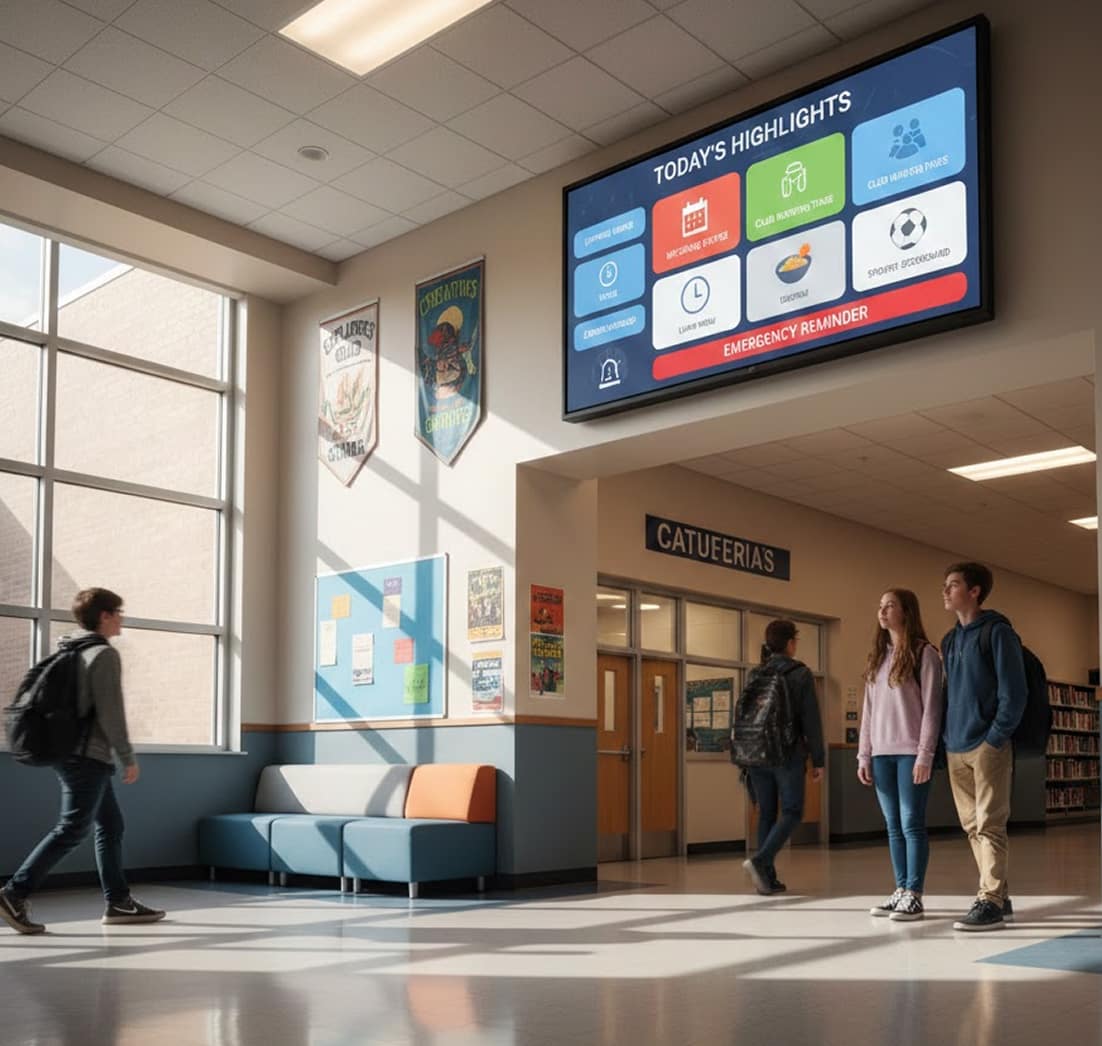
Schools Digital Signage

In schools, important updates often get missed when they rely only on announcements, printed notices, or scattered communication tools. Schools digital signage solves this by placing announcements, schedules, and real-time updates on screens across campus. From hallways to cafeterias, these displays help students and staff stay informed throughout the day. With digital signage software, schools can manage content centrally and ensure consistent communication across all areas. It all runs on the digital signage software.

14-day FREE trial. No credit card required
Schools digital signage

Why School Communication Breaks Down During The Day

In busy school environments, students and staff don’t always have time to check emails or notice boards. Important announcements can be missed between classes or activities. Schools digital signage ensures updates are visible in high-traffic areas, making communication more reliable and easier to access.

How Schools Digital Signage Improves Campus Communication

Keeping everyone informed across a school campus requires more than traditional methods. Schools digital signage provides a centralized way to display announcements, schedules, and alerts in real time, improving visibility and reducing missed information.

  • Daily Announcements: Schools digital signage displays updates for students and staff throughout the day.
  • Real-Time Updates: Digital signage software updates school content instantly across screens.
  • Campus Visibility: Screens placed in hallways and common areas improve message reach.
  • Central Control: Manage schools digital signage across multiple buildings from one system.
  • Consistent Messaging: Ensures the same announcements appear across all school displays.
Schools digital signage

Why Schools Digital Signage
Improves Campus Communication

Keeping students, staff, and visitors informed across a busy campus isn’t easy when information changes constantly. Schools digital signage helps replace static boards and outdated announcements with dynamic, real-time displays that guide, inform, and inspire, without adding work for your IT or admin teams. From a single classroom to a whole district, these signage solutions are a cost-effective way to share schedules, celebrate achievements, and increase efficiency across every building in education. Get started with this simple, proven framework.

  • 1

    Guide students and visitors with interactive displays
  • 2

    Control every screen from one centralized platform
  • 3

    Keep information fresh with real-time data
  • 4

    Reinforce school identity with branded content

Guide Students And Visitors With Interactive Wayfinding
& Displays

Large campuses can feel overwhelming. Interactive displays make navigation intuitive while turning everyday screens into helpful touchpoints for parents and guests. Digital bulletin boards and wayfinding displays promote school spirit, post lunch menus and event calendars, and make information available the moment it changes — one platform for the whole district.

  • Create touch-enabled navigation experiences using interactivity to help visitors find classrooms, libraries, offices, and event spaces effortlessly.

  • Turn screens into engagement tools by letting users access maps, schedules, or resources via the QR code app.

Schools digital signage

Control Every Screen From One Centralized Content Manager

Managing screens across hallways, classrooms,
cafeterias, and common areas shouldn’t require multiple
tools or manual updates.

  • Update announcements, visuals, and schedules across locations from a single content manager designed for multi-screen environments.

  • Keep screens running smoothly with remote device management, reducing the need for on-site technical intervention.

Keep Information Fresh With Real-Time Data Integration

Students and staff expect information to be current,
relevant, and timely, especially in fast-moving school
environments.

  • Automatically show live conditions and forecasts using weather, helping students plan their day at a glance.

  • Share academic updates, announcements, or live metrics by syncing data from google sheets directly to campus screens.

Schools digital signage

Bring School Identity To Life With Advanced Content & Branding

Digital signage should feel like an extension of your school, not generic screens with generic messages.

  • Design branded layouts and visual experiences using a flexible template designer that reflects your school’s colors and identity.

  • Highlight creativity and achievements with dynamic visuals, videos, and artwork using Canva-ready content formats.

How to Set Up School Digital Signage

To set up schools digital signage, start by selecting the right display screens and a reliable cloud-based digital signage software. Choosing the right hardware and software is key to enhancing in-store engagement and boosting sales. Follow these simple steps to get started in just a few minutes:

Step 1.
Don’t have a TV?
Schools digital signage
prev
next

Simply purchase a TV and start without any additional digital signage or hardware.

or
Have TV or hardware?
Schools digital signage

Then download digital signage software directly on your TV from your app store to manage it remotely.

Step 2.
Connect Your Screen(s).
Schools digital signage
After receiving your pairing code simply enter this code in your manager account to pair your screen seamlessly
Optional.
AIScreen OS.
AiScreen
Benefits:
  • Remote Troubleshooting
  • Auto Power On/Off TV
  • Track Available Memory in your cache
  • Clean Cache Remotely
  • Security

What Changes When Students See Updates Throughout The Day

  • Schools digital signage

    Up to 47%

    faster information delivery

    Real-time updates replace printed notices

  • Schools digital signage

    Up to 44%

    reduction in admin workload

    Centralized control eliminates manual updates

  • Schools digital signage

    Up to 37%

    increase in student engagement

    Interactive screens capture attention across campus

Schools Digital Signage Built for Modern Campuses

Keep students informed, guide visitors confidently, and bring school culture to life with schools digital signage designed for today’s educational environments.

Schools digital signage Schools digital signage Schools digital signage Schools digital signage Schools digital signage Schools digital signage Schools digital signage Schools digital signage Schools digital signage Schools digital signage Schools digital signage Schools digital signage

Digital Signage For Education Templates

AIScreen offers customizable, high-impact templates for cafes, bakeries, quick-serve, and more. Available in landscape and portrait, these designs adapt to any menu setup. Easily update text, images, and branding to create stunning digital menu boards in minutes. Simplify your signage with AIScreen’s user-friendly, professionally designed templates!

Discover how schools modernize communication with digital signage

Schools digital signage

Northview Academy Connects Its Campus With Schools Digital Signage

See how Northview Academy replaced bulletin boards and paper notices with schools digital signage to guide visitors, deliver real-time announcements, and showcase school identity, while reducing admin workload through one centralized platform.

Schools digital signage

Schools Digital Signage That Brings Campuses Together

From hallways to common areas, schools digital signage keeps everyone informed, oriented, and engaged. Real-time updates, interactive displays, and branded content help campuses communicate clearly, without adding complexity for IT or staff.

Explore other use cases

  • Digital Signage for Education Across Campuses

    Replace printed notices with real-time displays for announcements, schedules, and alerts. Keep classrooms, hallways, and common areas informed with centralized control and reliable playback.

  • University Digital Signage for Smarter Campus Operations

    Deliver live updates, interactive room booking, and automated emergency alerts across every campus screen. Connect physical displays with student devices to keep everyone aligned.

Frequently Asked Questions

What is digital signage in schools?

Digital signage in schools utilizes digital displays like monitors, projectors, or interactive screens to share information, announcements, and educational content within educational institutions. This technology enhances communication and engagement among students, staff, and visitors.

Schools use signage for bell and event schedules, cafeteria menus, bus alerts, and instant emergency notifications across hallways and offices. AIScreen lets staff schedule announcements by building, push lockdown or weather alerts in seconds, and spotlight student achievements, all from one dashboard.
Is digital signage cost-effective for educational institutions?

Absolutely, digital signage is a cost-effective solution for educational institutions, reducing printing expenses and enabling real-time updates. It offers long-term value by streamlining communication and enhancing engagement within schools and universities.

Can digital signage reduce operational costs?

Yes, Digital signage reduces operational costs by eliminating print expenses, automating content updates, and minimizing manual labor. This technology streamlines communication, leading to significant savings over time. Try your 14-day free trial to explore its benefits.

What types of digital signage are ideal for schools?

Ideal digital signage for schools includes hallway displays, cafeteria screens, interactive classroom boards, and outdoor LED signs. These solutions improve communication, engagement, and learning experiences across campuses.

Can digital signage be customized for different schools?

Yes, digital signage can be customized for schools. Features like branding, content scheduling, and templates allow schools and universities to tailor messages to their specific needs. This customization enhances communication and engagement within the educational environment.

Can students interact with digital signage?

Yes, students can interact with digital signage to access information, explore campus maps, and engage with quizzes or educational content. Interactive displays enhance learning by providing real-time updates and self-service tools, improving engagement and accessibility in educational environments.

Can digital signage be integrated with school management systems?

Of course, digital signage integrates with school management systems to display real-time class schedules, attendance, and announcements. It automates updates, ensuring accurate and dynamic information across screens. This improves communication, enhances engagement, and streamlines operations for schools and universities.

How does cloud-based digital signage software work?

Cloud-based digital signage software allows users to remotely update, schedule, and manage content via a web-based interface, accessible from any device. You can also book a live demo.