Appstore

The apps you know.
From a place you can trust.

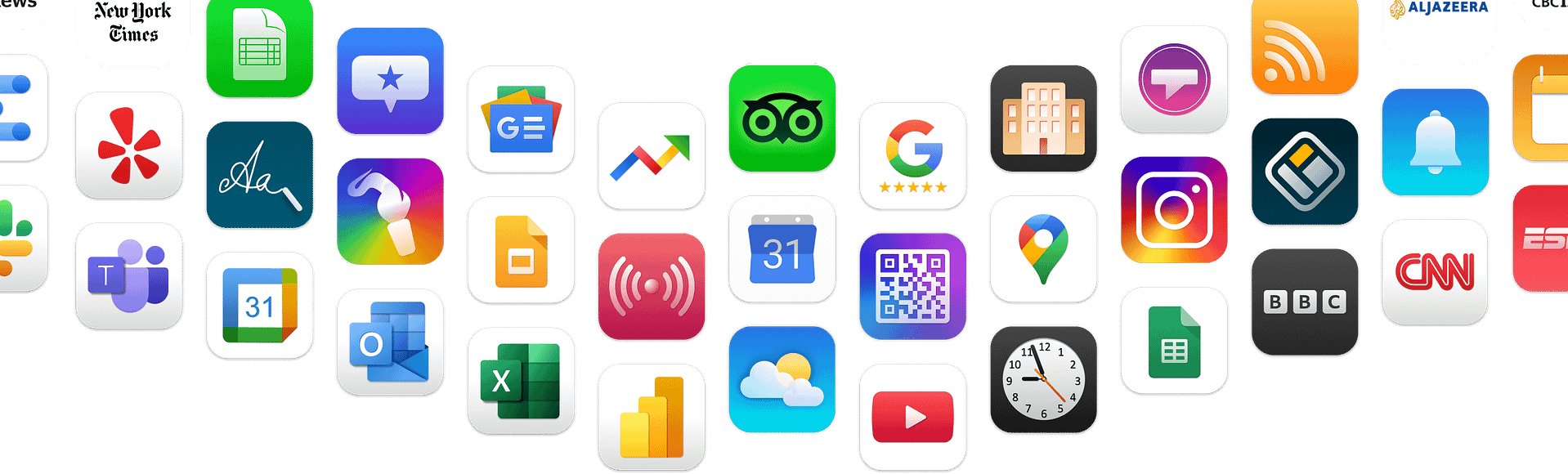
With our expanding collection of applications, you can conveniently repurpose content directly from its original source and effortlessly incorporate live feeds, social media, G Suite, and news channels onto your screens with just a few simple clicks.

Business Intelligence

Coming soon
GroupEx Pro

GroupEx Pro

Building Directory

Building Directory

Introducing the revolutionary Building Directory application, a powerful tool that empowers you to take charge of your building’s navigation system like never before! With its cutting-edge features and user-friendly interface, this app is here to transform the way you guide visitors and occupants within your premises, leaving no room for confusion or uncertainty.   Picture this: a dynamic digital signage display located prominently in your building lobby, boldly showcasing a comprehensive list of all the rooms and offices available. The Building Directory app seamlessly integrates with this display, ensuring that no one ever feels lost or disoriented when stepping foot into your remarkable establishment. It’s the ultimate way to create a welcoming and efficient environment for every individual who walks through your doors.   Gone are the days of relying on outdated, static directories that become obsolete as soon as a room or occupant changes. With the Building Directory app, you have the power to make instant updates and modifications on the fly. No more waiting around for the design team to provide new assets or wasting precious time and resources on manual updates. Simply log in to the app’s intuitive visual editor, effortlessly input the latest details, and watch as the changes are seamlessly reflected in real-time. It’s a game-changer that allows you to stay ahead of the curve and adapt to the ever-evolving needs of your building.   Features Assist in directing the way Eliminate the feeling of being lost in the building lobby. Employ the Building Directory app with your digital signage to promptly display a list of available individuals and their respective locations. Effortless to keep updated Rooms and occupants frequently change, and waiting for the design team to update assets is not practical. Utilize Building Directory’s visual editor—log in, enter the new details, and save it easily. Customize to match your building’s brand Use the theme settings within Studio to set the colours and fonts that match your aesthetic.

Custom Content Creation

Dashboards

Internal Communication

Live Feeds

Most popular apps

Appstore

Follow Us

Introducing Follow Us, the user-friendly social media display app designed to effortlessly showcase your social handles and contact details on your digital signage screens. With Follow Us, you can share the details of your popular social media accounts, including Instagram, Facebook, YouTube, Twitter, and more, making it easier for customers and visitors to find and connect with you online. Features   QR Code Integration By adding your social handles, QR codes, or URLs to your digital signage screens, you create a seamless bridge between your physical establishment and your online presence. This simple yet effective approach allows you to increase your following, boost engagement, and raise awareness about your social channels right within your store or restaurant. Dynamic Social Media Integration Imagine the impact of displaying your vibrant Instagram feed, compelling Facebook updates, captivating YouTube videos, and timely Twitter posts. By showcasing your social media accounts on your digital signage screens, you create an immersive experience for your audience, encouraging them to engage with your brand beyond their visit. Conclusion The Follow Us application is a game-changing solution for businesses aiming to strengthen their social media presence. Whether you’re in retail, hospitality, education, or any other industry, this app enhances your digital signage strategy by encouraging meaningful interactions and driving online engagement. Start using Follow Us today and unlock the full potential of your social media channels!

News

POS Systems

Coming soon
Appstore

Clover

AIScreen’s Digital Menus app integration empowers Clover merchants to effortlessly create, schedule, and update digital menu boards that sync in real time with their Clover POS system. Whenever you update an item, price, or modifier in Clover, your digital menus reflect those changes instantly—without manual effort. Combined with AIScreen’s plug-and-play media players and cloud-based platform (integrated with over 100+ apps), you can streamline your operations and simplify restaurant management from anywhere. Features Schedule Menus for Breakfast, Lunch, and Dinner Have different offerings by time of day? With AIScreen and Clover, you can easily day-part your menus—automatically switching between breakfast, lunch, and dinner layouts. Deliver the right content at the right time and create a smoother, more personalized guest experience. Manage Menus Across 10 to 10,000 Locations From a single dashboard, manage and scale your digital menu content across all of your stores. Use Rules and Tags to control what appears on screens at each location. Whether you’re updating a new item or running a promotion, AIScreen with Clover keeps every screen consistent and accurate. How We Integrate AIScreen connects directly to your Clover POS system, ensuring your digital menus always display the latest data. Prices, item names, modifiers, and out-of-stock status are updated in real time. Use AIScreen’s visual editor to customize your screen design with themes, fonts, background images, and branded graphics—no design skills required. You’re in full control of how your menu looks and functions.

Recommended Apps

Appstore

Google reviews

With the AIScreen Google Reviews app, you can effortlessly display customer reviews on your digital signage screens. This innovative application allows businesses to showcase real-time feedback, enhancing the customer experience and building trust. By turning reviews into engaging visual content, you can attract more customers and create a positive atmosphere in your establishment. Features Comprehensive Information at a Glance The AIScreen app goes beyond just displaying reviews. It provides a holistic view of your business by integrating maps, images, and essential information about your establishment. Customers can easily find directions, view appealing visuals, and read what others have to say—all in one place. This comprehensive approach ensures that potential customers have all the information they need to make informed decisions. Customizable Settings for Tailored Experiences Our app offers customizable settings that allow you to choose which reviews, images, and information to display. Whether you want to highlight your best reviews or showcase specific aspects of your business, AIScreen gives you the flexibility to tailor the content to your audience. This level of customization ensures that your digital signage remains relevant and engaging. Enhance Your Brand’s Reputation In today’s digital age, online reviews play a crucial role in shaping a brand’s reputation. The AIScreen Google Reviews app helps you leverage positive feedback to enhance your brand image. By prominently displaying glowing reviews, you can instill confidence in potential customers and encourage them to choose your business over competitors.

Coming soon
Appstore

Clover

AIScreen’s Digital Menus app integration empowers Clover merchants to effortlessly create, schedule, and update digital menu boards that sync in real time with their Clover POS system. Whenever you update an item, price, or modifier in Clover, your digital menus reflect those changes instantly—without manual effort. Combined with AIScreen’s plug-and-play media players and cloud-based platform (integrated with over 100+ apps), you can streamline your operations and simplify restaurant management from anywhere. Features Schedule Menus for Breakfast, Lunch, and Dinner Have different offerings by time of day? With AIScreen and Clover, you can easily day-part your menus—automatically switching between breakfast, lunch, and dinner layouts. Deliver the right content at the right time and create a smoother, more personalized guest experience. Manage Menus Across 10 to 10,000 Locations From a single dashboard, manage and scale your digital menu content across all of your stores. Use Rules and Tags to control what appears on screens at each location. Whether you’re updating a new item or running a promotion, AIScreen with Clover keeps every screen consistent and accurate. How We Integrate AIScreen connects directly to your Clover POS system, ensuring your digital menus always display the latest data. Prices, item names, modifiers, and out-of-stock status are updated in real time. Use AIScreen’s visual editor to customize your screen design with themes, fonts, background images, and branded graphics—no design skills required. You’re in full control of how your menu looks and functions.

Building Directory

Building Directory

Introducing the revolutionary Building Directory application, a powerful tool that empowers you to take charge of your building’s navigation system like never before! With its cutting-edge features and user-friendly interface, this app is here to transform the way you guide visitors and occupants within your premises, leaving no room for confusion or uncertainty.   Picture this: a dynamic digital signage display located prominently in your building lobby, boldly showcasing a comprehensive list of all the rooms and offices available. The Building Directory app seamlessly integrates with this display, ensuring that no one ever feels lost or disoriented when stepping foot into your remarkable establishment. It’s the ultimate way to create a welcoming and efficient environment for every individual who walks through your doors.   Gone are the days of relying on outdated, static directories that become obsolete as soon as a room or occupant changes. With the Building Directory app, you have the power to make instant updates and modifications on the fly. No more waiting around for the design team to provide new assets or wasting precious time and resources on manual updates. Simply log in to the app’s intuitive visual editor, effortlessly input the latest details, and watch as the changes are seamlessly reflected in real-time. It’s a game-changer that allows you to stay ahead of the curve and adapt to the ever-evolving needs of your building.   Features Assist in directing the way Eliminate the feeling of being lost in the building lobby. Employ the Building Directory app with your digital signage to promptly display a list of available individuals and their respective locations. Effortless to keep updated Rooms and occupants frequently change, and waiting for the design team to update assets is not practical. Utilize Building Directory’s visual editor—log in, enter the new details, and save it easily. Customize to match your building’s brand Use the theme settings within Studio to set the colours and fonts that match your aesthetic.

Social Displays

Appstore

Follow Us

Introducing Follow Us, the user-friendly social media display app designed to effortlessly showcase your social handles and contact details on your digital signage screens. With Follow Us, you can share the details of your popular social media accounts, including Instagram, Facebook, YouTube, Twitter, and more, making it easier for customers and visitors to find and connect with you online. Features   QR Code Integration By adding your social handles, QR codes, or URLs to your digital signage screens, you create a seamless bridge between your physical establishment and your online presence. This simple yet effective approach allows you to increase your following, boost engagement, and raise awareness about your social channels right within your store or restaurant. Dynamic Social Media Integration Imagine the impact of displaying your vibrant Instagram feed, compelling Facebook updates, captivating YouTube videos, and timely Twitter posts. By showcasing your social media accounts on your digital signage screens, you create an immersive experience for your audience, encouraging them to engage with your brand beyond their visit. Conclusion The Follow Us application is a game-changing solution for businesses aiming to strengthen their social media presence. Whether you’re in retail, hospitality, education, or any other industry, this app enhances your digital signage strategy by encouraging meaningful interactions and driving online engagement. Start using Follow Us today and unlock the full potential of your social media channels!

Appstore

Google reviews

With the AIScreen Google Reviews app, you can effortlessly display customer reviews on your digital signage screens. This innovative application allows businesses to showcase real-time feedback, enhancing the customer experience and building trust. By turning reviews into engaging visual content, you can attract more customers and create a positive atmosphere in your establishment. Features Comprehensive Information at a Glance The AIScreen app goes beyond just displaying reviews. It provides a holistic view of your business by integrating maps, images, and essential information about your establishment. Customers can easily find directions, view appealing visuals, and read what others have to say—all in one place. This comprehensive approach ensures that potential customers have all the information they need to make informed decisions. Customizable Settings for Tailored Experiences Our app offers customizable settings that allow you to choose which reviews, images, and information to display. Whether you want to highlight your best reviews or showcase specific aspects of your business, AIScreen gives you the flexibility to tailor the content to your audience. This level of customization ensures that your digital signage remains relevant and engaging. Enhance Your Brand’s Reputation In today’s digital age, online reviews play a crucial role in shaping a brand’s reputation. The AIScreen Google Reviews app helps you leverage positive feedback to enhance your brand image. By prominently displaying glowing reviews, you can instill confidence in potential customers and encourage them to choose your business over competitors.

Coming soon
Social Feed for Facebook

Social Feed for Facebook

Introducing the Social Feed for Facebook, a powerful tool that allows you to effortlessly share your company’s Facebook page posts on one or multiple digital screens. With a simple login to your Facebook account and a selection of the desired business page, you can showcase the latest updates and content directly on your screens.   With the option to add a QR code, you can encourage more viewers to follow your page and increase engagement. By displaying the QR code alongside each individual post, screen viewers can conveniently scan it and be instantly directed to your Facebook page on their phones. This seamless connection drives more engagement, fostering a deeper connection with your audience.   The Social Feed for Facebook streamlines content reusability, as it eliminates the need for continuous manual updates. Once set up, it runs itself, allowing you to focus on other important aspects of your business. This ensures that good-quality content, including snappy Facebook posts with engaging media, can be easily repurposed for consumption on your digital screens.   Experience superb media presentation with the Social Feed for Facebook. Facebook posts support various media combinations, including single or multiple images as well as videos. The app seamlessly adapts the layout to make the best use of the content you provide, ensuring that your media looks stunning on your digital screens.   Unlock the potential of your Facebook page and drive engagement like never before. Connect with your audience, reinvigorate your content strategy, and effortlessly captivate viewers with the Social Feed for Facebook. Start sharing your Facebook page posts on your digital screens and witness the power of increased engagement and brand awareness.

Coming soon
Gallery for Instagram Business

Gallery for Instagram Business

Discover the power of the Instagram Business App, the ultimate tool for effortlessly showcasing the latest images and posts on your digital screens. With this game-changing app, you can boost engagement with both customers and teams by displaying captivating photos and posts directly from your Instagram business page.   Immerse your audience in the vibrant world of your business by showcasing live photos from your Instagram business profile. Whether it’s photos from company events, social gatherings, or behind-the-scenes moments, the Instagram Business App allows you to bring these visuals to life on your digital screens, creating an interactive and engaging experience.   With the ability to display your entire business feed using our Instagram for Business profile, you can ensure that your audience stays up to date with your most recent posts. This not only enhances brand awareness but also gives you the opportunity to increase your follower count, as customers are inspired to connect with your social channels.   The best part? The Instagram Business App ensures that your digital screens are always updated with the latest images and posts. Any new posts sent to your Instagram account are automatically displayed on screen, saving you time and effort while keeping your content fresh and relevant.   Embrace the Instagram Business App today and unleash the true potential of your Instagram presence. Elevate engagement, drive awareness, and effortlessly captivate your audience with the power of visual storytelling. Start displaying your Instagram photos and posts on your digital screens and witness the impact it has on your business.

Take your business to the next level with the power of 14 days free trial or book a demo with us!

It’s now easier than ever to get started with all-in-one digital signage solution that let you manage your content with just a few clicks.