
Integration Of Digital Menu Boards With POS Systems

Are you prepared for a digital menu revolution? Integrating digital menu boards with POS has transformed how quick-service restaurants operate. Studies have shown that this powerful combination can increase sales and improve customer engagement.

With AIScreen’s expertise in seamlessly integrating digital menu boards you can experience the perfect harmony of technology and convenience. This digital match will impress customers and restaurant owners.

Short Summary
- Digital menus integrated with POS boost sales and customer engagement for quick-service restaurants.
- AIScreen connects menu boards with POS, merging tech with ease.
- Integration steps include checking compatibility, designing/customizing menus, connecting the AIScreen to the POS, setting up automatic updates, testing, and monitoring.
- AIScreen ensures smooth operations, customization, and support, enhancing the dining experience for customers and owners.
What is the Integration of Digital Menu Boards with POS?

What is the integration of digital menu boards with the POS? Integrating digital boards with POS (Point of Sale) systems refers to the seamless connection and synchronization between these two technologies in quick-service restaurants.

Integrating spot on digital menu boards with a POS system allows automatic syncing of menu items, prices, and availability between the two, keeping digital displays current without manual updates.

This integration improves efficiency, reduces errors, and offers a seamless experience for both customers and staff.
Square POS Integration With Digital Menu Boards
Integrating the Square POS with AIScreen’s menu boards automatically helps restaurants update multiple menus.
Whenever menu items or prices change in Square, digital boards refresh instantly. This setup supports scheduling menus by meal times (breakfast, lunch, dinner) on the same screens and allows change prices to be automatically updated across multiple locations.

After setting up your Square POS, connect it with AIScreen’s software to broadcast your menus to one or more screens. This will streamline updates and ensure real-time accuracy.
How to Set Up Square App on Digital Menu Boards
Digital Signage on Plug and Play


Then download digital signage software directly on your TV from your app store to manage it remotely.


- Remote Troubleshooting
- Auto Power On/Off TV
- Track Available Memory in your cache
- Clean Cache Remotely
- Security

Step 1: Registration and Login
- Register/Login at squareup.com.
- Add your menu to the Square POS system.
- Create and log in to your AIScreen account.
Step 2: Adding Square App
- Go to AIScreen App Store > Search for “Square” > Select and open the app.
Step 3: Setting Up
- Log in to Square through AIScreen.
- Configure menu settings, screen orientation, and locations.
- Customize categories and themes.
Step 4: Customize Appearance
- Add images, set item visibility, backgrounds, fonts, and colors.
- Configure page switching intervals and out-of-stock item display.
Best Ways Your POS Software And Digital Menu Board Can Work Together
Here are the best ways you can integrate digital menu boards with POS:
1. Real-time Information Updates

Digital menus allow restaurants to instantly update menu items, availability, and promotions through POS software, on-site or via mobile apps, with remote updating.
This ensures customers always see accurate, up-to-date information, keeping everyone aligned.

2. Upselling with Digital Menus:
Square digital menu board POS software can help restaurants increase sales by suggesting complementary menu items or special deals. These suggestions can be based on available stock or the time of day.
3. Streamlined Ordering:
When customers place orders on digital menus, the orders go straight to the POS. This direct process saves time and reduces mistakes made during order-taking.

FAQ’s
How does integrating a menu board with a POS system benefit my restaurant?
AIScreen’s integration automates menu updates, ensuring accurate pricing and availability, streamlining workflows, and enhancing the customer experience.
Can I customize the digital menu board to match my branding and offerings?
With AIScreen’s software, you can design digital menus that match your brand’s look by customizing fonts, colors, and visuals for a cohesive, attractive presentation.
Can a digital menu board track orders?
Digital menu boards show menu items and prices but don’t track orders; with AIScreen’s software, however, real-time POS updates ensure accurate menu availability displays.
Conclusion

Integrating digital menus with POS systems has transformed quick-service restaurants by increasing sales, enhancing customer engagement, and improving efficiency.
Discover 1500+ customizable digital signage templates
Discover 1500+ fully customizable templates for stunning digital signage
Check our templates



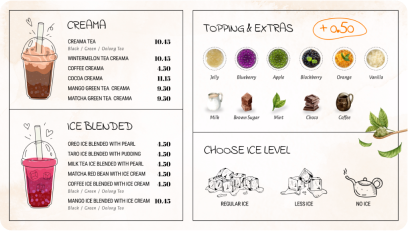
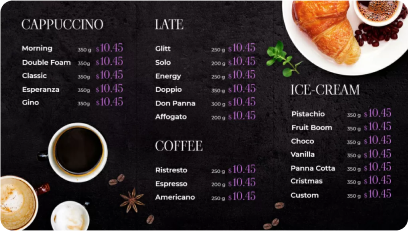


With AIScreen’s expertise, this seamless integration offers customization, compatibility, and ongoing support for a successful setup.

For more information on integrating menu boards with your POS, visit our
Contact Us page.


