
What is a Digital Signage Content Management System?
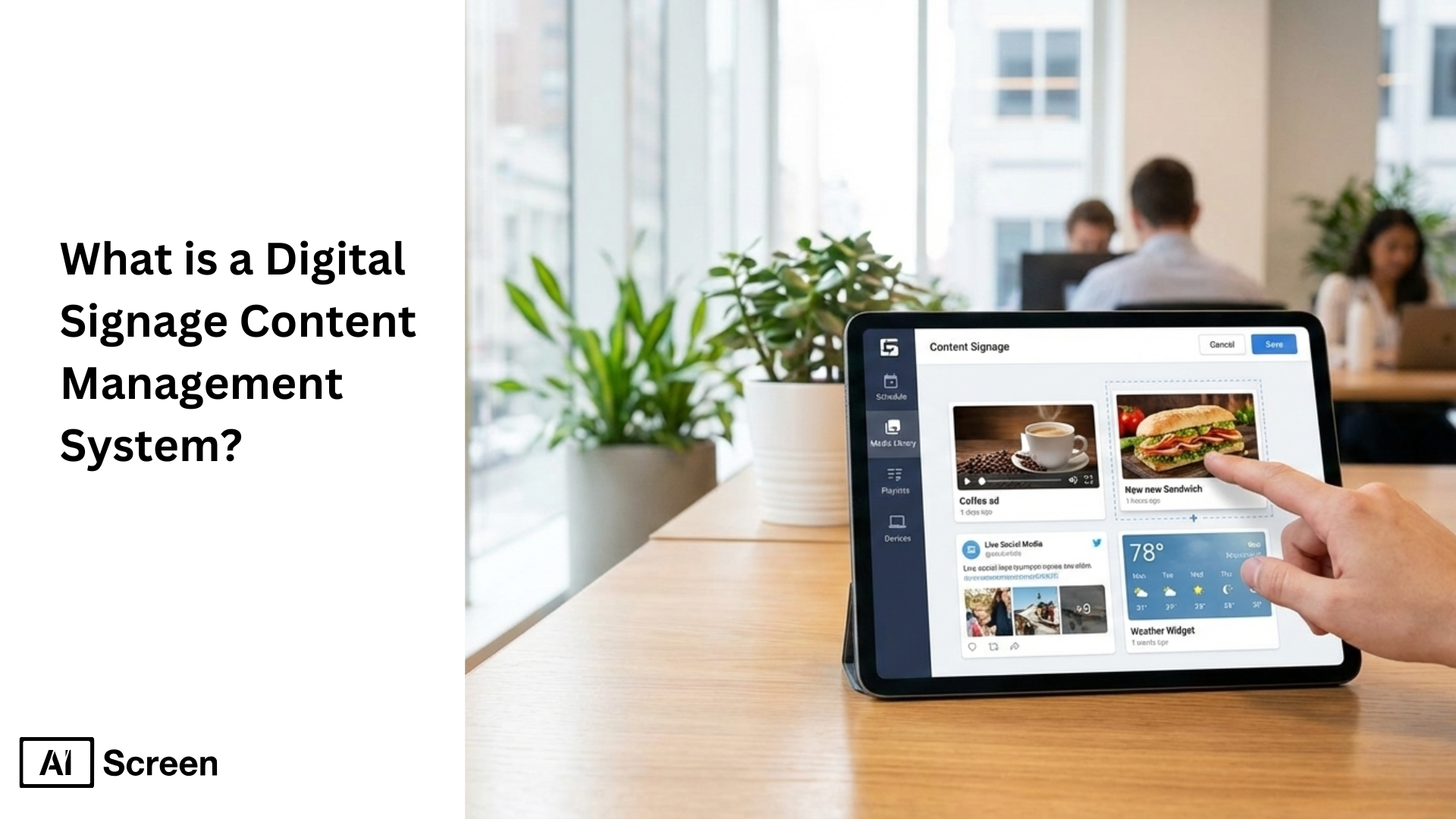
What is a digital signage content management system, and why are businesses rethinking how they manage screens in 2026? A digital signage content management system is no longer just a backend tool, it’s what powers modern, connected communication across offices, retail stores, campuses, and enterprises. Today’s CMS platforms simplify content scheduling, enable remote management, and help teams deliver more engaging, real-time messages across multiple locations. As digital signage networks grow, choosing the right CMS becomes essential for automation, consistency, and scale. The demand is accelerating fast. According to MarketsandMarkets, the digital signage market is projected to grow by over 8% annually, driven largely by cloud-based CMS adoption and multi-location content automation.
In this article, you’ll learn how top digital signage CMS platforms compare, what makes a CMS truly scalable, and why usability and innovation matter more than ever. The list is based on flexibility, scalability, and long-term value, starting with AIScreen, ranked first as the most complete all-in-one digital signage solution for 2026. See AIScreen’s digital signage content creation solution.
What is Digital Signage Content Management System?
Ever wondered why some digital signage networks run like clockwork while others constantly break down? A digital signage content management system (CMS) is the engine behind every reliable screen network, giving organizations centralized content control that makes remote updates, automation, and multi-location scaling possible.
A CMS is a type of digital signage software that allows you to create, manage, schedule, and display content across one or hundreds of screens from a single platform.
Instead of manually updating screens with USB drives or on-site changes, a content management system digital signage solution lets teams push updates instantly from any location. This centralized control is critical because no digital signage network can function efficiently without it.
A CMS ensures the right message appears on the right screen at the right time, whether that’s different languages by location, targeted content for specific audiences, or real-time updates across regions.
According to Grand View Research, the global digital signage market is expected to grow rapidly as businesses adopt cloud-based platforms to manage content remotely and at scale. Beyond distribution, a digital signage CMS also supports content creation, editing, scheduling, and screen health monitoring in one place.
Automation features reduce manual work, while remote access makes it easy to scale from a single display to an enterprise-wide network without increasing operational complexity, supporting efficient budgeting by minimizing on-site maintenance, IT overhead, and long-term operational costs.
Think of it as the lifeblood of your digital signage ecosystem, without a centralized CMS, screens become disconnected, inconsistent, and impossible to manage efficiently.
What Are the Features of Digital Signage Content Management System
Let’s break down what actually makes a signage system powerful instead of painful to manage. The features of digital signage content management systems are designed to give full content control, automation, and network-wide visibility, though the depth of these features varies depending on how advanced the platform is.
At a core level, modern digital signage CMS act as the command center for your digital signage. From a single dashboard, teams can manage screens across locations, automate updates, support 1500+ design templates, and scale without needing constant hands-on work.
More sophisticated CMS platforms also integrate tightly with digital signage media players, enable remote management, and reduce the need for technical expertise as networks grow.
Content Creation, Editing, and Publishing
It should never feel complicated to get content on screen. Content creation, editing, and publishing inside a digital signage CMS is designed for speed and simplicity, even for users with zero technical expertise.
Most modern digital signage software lets you upload images, videos, animations, text, and live content in just a few clicks. Non-technical teams can edit messaging, swap visuals, or publish updates instantly, without touching a media player or visiting the screen location.
This ease of use is why CMS platforms have become the foundation of simple digital signage solutions across retail, offices, healthcare, and education.


Real-Time Content Display
Static screens lose attention fast, and audiences notice. With real-time content display, a digital signage content manager allows you to design and deploy fresh, dynamic content directly inside the CMS.
Built-in design tools, ready-to-use templates, and integrations make it easy to display social media feeds, dashboards, announcements, or dynamic content without relying on external software.
Many cms providers also support seamless screen sharing and integrations with third-party tools, including communication platforms from cloud phone providers, helping teams keep digital signage relevant and visually engaging throughout the day.
Content Scheduling
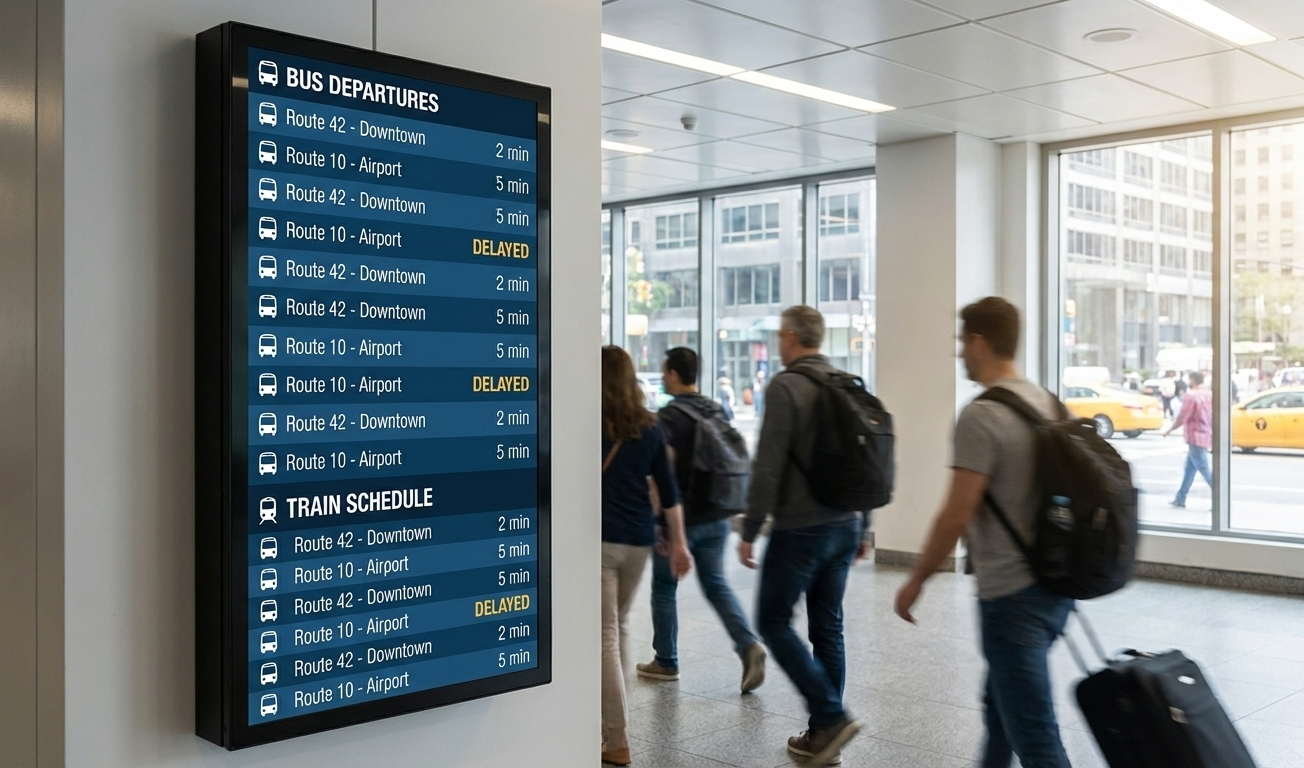
Great screens feel intentional, not cluttered. Content scheduling with cms signage uses layouts, zones, and playlists to control how content flows across the screen.
Layouts divide the display into zones, such as promotions, announcements, or live data, while playlists sequence content in a clean, visual rhythm.
This approach gives teams precise control over screen real estate, ensuring messages don’t compete for attention and that digital signage solutions look polished and professional across all locations.
Emergency Alert Features
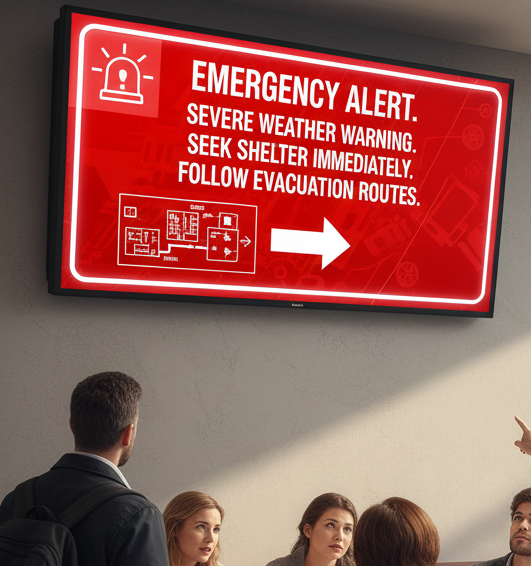
When timing matters, speed is everything. Emergency alert features within a digital content management system allow instant updates across an entire screen network.
Admins can override regular programming to display urgent messages, safety alerts, or live feeds in seconds, no manual intervention required.
According to Deloitte, organizations using centralized digital communication tools respond faster to operational disruptions than those relying on manual updates, helping prevent outdated or stagnant content during critical moments.
Screen Network Management
Managing screens shouldn’t feel like babysitting hardware. Screen network management through cms digital signage automates what would otherwise be constant manual work.
Scheduling rules let you deploy content by date, time, or daypart while remote management tools monitor screen status, connectivity, and digital signage media players from one dashboard.
This reduces on-site maintenance, supports scalable growth, and ensures your digital signs stay consistent, whether you manage five screens or five hundred.
What Are Types of Content Management System for Digital Signage
When something urgent happens, there’s no time to log into ten different systems. Types of content management system for digital signage are designed to give teams instant override control, making sure critical messages reach every screen at once.
A digital signage CMS software allows administrators to pause regular playlists and push emergency alerts, safety notices, or corporate communications across multiple displays within seconds.
This centralized control ensures speed, visibility, and consistency, especially important in environments with multiple screens, touchscreen displays, interactive kiosks, or menu boards.
According to Deloitte, organizations using centralized digital communication platforms respond to incidents significantly faster than those relying on manual updates, reducing confusion during emergencies.
Cloud-Based Digital Signage CMS
Managing screens across cities, or countries, should feel effortless. A cloud-based digital signage CMS lets teams control screen grouping, monitoring, and content deployment from one intuitive platform.
With a cloud based CMS, users can organize screens by location, department, or use case, then deploy engaging content to multiple locations simultaneously. Screen sharing, RSS feeds, social media feeds, and free templates make it easy to keep displays fresh without extra tools.
Real-time monitoring shows which digital signage media players are online, helping teams manage large networks of multiple displays without on-site visits.
Statista reports that cloud adoption continues to rise globally by 68%, driven by scalability and remote access, key reasons cloud-based signage dominates modern deployments.
On-Premise Digital Signage CMS
Not every CMS is built the same way, and deployment matters. A content management system for digital signage can be deployed either in the cloud or on physical infrastructure, and on-premise systems take the latter approach.
On-premise digital signage CMS runs on internal servers and local operating systems, giving organizations full control over data, user permissions, and customization. This model is often preferred by enterprises with strict IT policies or tailored solutions for secure environments.
While it lacks the flexibility of cloud access, it can offer deeper control over media players, network configurations, and internal workflows, especially in large corporate settings.
Hybrid Digital Signage
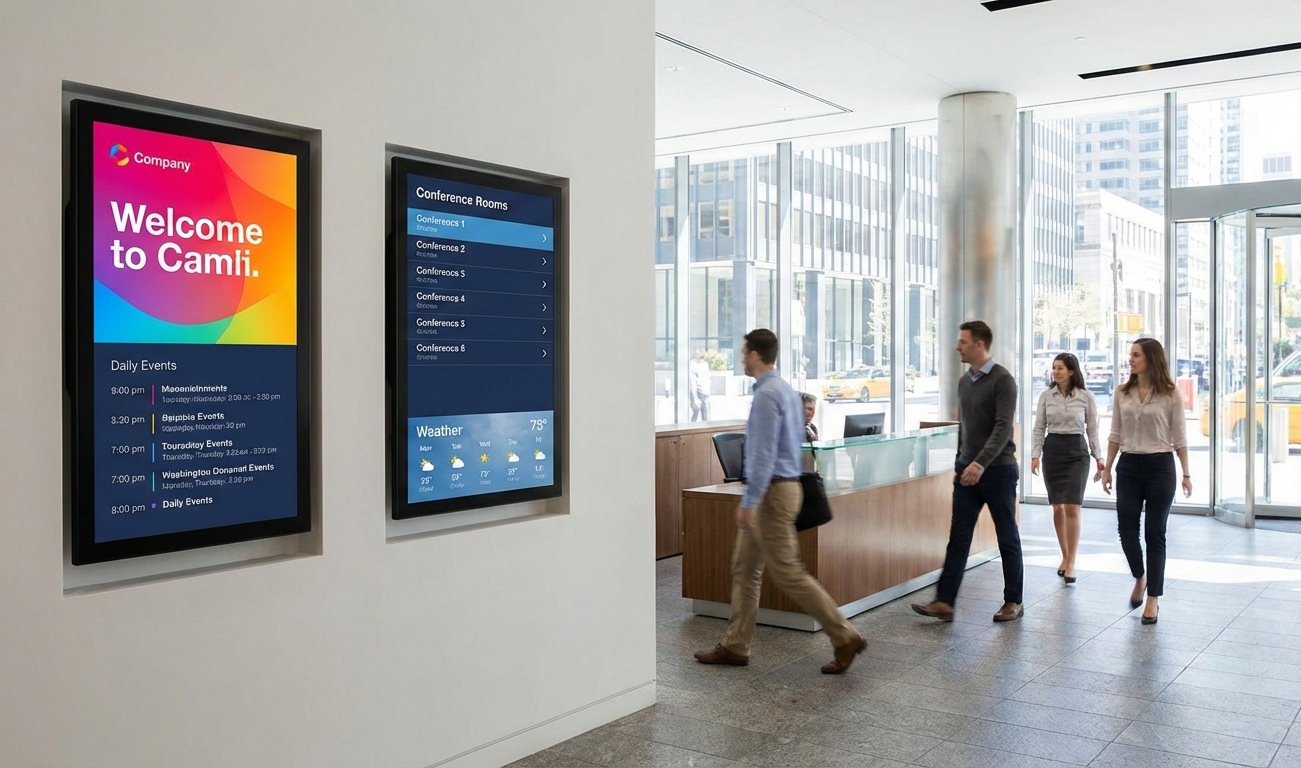
Some spaces need flexibility more than labels. Hybrid digital signage blends traditional signage with digital signs, combining physical displays and dynamic digital content for greater adaptability.
This approach allows retail stores, corporate offices, and public spaces to mix LED displays, static signage, and real-time digital updates. Teams can switch messaging instantly, promotions, announcements, or events, while still leveraging familiar physical formats.
Hybrid setups support engaging content, improve audience interaction, and help organizations worldwide modernize communication without fully replacing existing infrastructure.
According to Grand View Research, hybrid and digital-first display strategies are gaining traction by 59% as businesses seek scalable, flexible communication systems across multiple screens and environments.
Which Are the Important Things to Look for in Digital Signage CMS
Choosing a CMS isn’t just a software decision, it’s an operational one. Which are the important things to look for in digital signage CMS comes down to evaluating how flexible, secure, and future-ready your digital signage content management platform really is.
Not all CMS platforms offer the same level of compatibility, control, or scalability. Some work beautifully across multiple locations and screens, while others quietly lock you into limited hardware or rigid workflows. Think of this section as a practical buyer’s checklist, focused on real-world use, not feature hype.
Hardware Compatibility
The fastest way to limit growth is getting stuck with the wrong hardware. Hardware compatibility matters because your CMS must work across operating systems and digital signage media players without forcing vendor lock-in.
A strong CMS supports Android, Windows, macOS, Linux, and popular media player setups, allowing you to mix and match hardware as needs evolve. This flexibility helps organizations deploy tailored solutions without replacing infrastructure every time technology changes.
Screen Compatibility
Screens change. Your CMS shouldn’t need to. Screen compatibility ensures your content works across kiosks, video walls, touchscreen displays, LED displays, and repurposed TVs.
Whether you’re managing interactive kiosks in retail stores, menu boards, or large-format video walls, the CMS should adapt without redesigning everything from scratch. This future-proofing approach keeps multiple displays usable as layouts, resolutions, and screen types evolve.
Security Features
Security doesn’t need to be complicated to be effective. Security features in a CMS focus on protecting content, access, and control, without adding friction.
Look for practical safeguards like encrypted data transfer, secure user permissions, and alignment with internal security policies. According to IBM Security, access mismanagement remains one of the leading causes of system exposure, which is why role control and secure authentication matter more than advanced technical jargon.
User Control Customization
As teams grow, governance becomes essential. User control customization allows admins to assign roles, manage permissions, and maintain accountability across teams.
Instead of giving everyone full access, CMS platforms should support role-based control, editors, viewers, publishers, making it easier to scale while keeping content consistent. This structure is especially important for corporate communications across multiple screens and departments.
User-friendly Interface
If it’s hard to use, it won’t get used. A user-friendly interface lowers training time and removes adoption barriers for non-technical teams.
An intuitive platform with clean dashboards, logical workflows, free templates, and simple navigation helps teams publish engaging content quickly. According to Gartner, software adoption improves significantly by 76% when platforms prioritize usability over complexity, especially in multi-user environments.
Regular Software Updates
Digital signage doesn’t stand still, and neither should your CMS. Regular software updates keep systems secure, performant, and compatible with evolving hardware and operating systems, an approach that aligns well with teams using the best project management software to coordinate updates and workflows.
The best platforms handle updates remotely, minimizing downtime and manual effort. This ensures your digital signage solutions stay reliable, secure, and optimized, without requiring constant IT intervention or on-site maintenance.
AIScreen Compared to Other CMS Providers
No two CMS platforms are built with the same priorities. AIScreen compared to other CMS providers highlights how platforms differ in flexibility, pricing models, hardware support, and access limitations, factors that matter when scaling digital signage for real-world use cases.
If you’re evaluating solutions as part of A Complete Guide to Workplace Digital Signage for Internal Communications, this side-by-side view helps clarify what you actually get beyond feature lists.
| Comparison Area | AIScreen | Typical CMS Providers |
|---|---|---|
| Flexibility | Designed to work across industries, use cases, and layouts with adaptable workflows | Often optimized for a single use case (retail-only, menu boards, or corporate-only) |
| Pricing Model | Transparent, scalable pricing that grows with the number of screens | Tiered or locked pricing that increases sharply as screens or features are added |
| Hardware Support | Broad compatibility across operating systems and digital signage media players | Limited hardware support or preference for proprietary devices |
| Access & Remote Management | Full cloud-based access with centralized control across multiple locations | Partial remote access or restrictions based on plan level |
| User Permissions | Granular role-based access for teams of any size | Basic user control or admin-only access |
| Scalability | Built to manage multiple screens and locations from one dashboard | Scaling often requires plan upgrades or additional licenses |
| Setup & Usability | Intuitive platform focused on fast onboarding and non-technical users | Steeper learning curve with heavier technical setup |
Rather than positioning one approach as universally “better,” this comparison shows how CMS platforms are shaped by different priorities. The right choice depends on how much control, scalability, and flexibility your digital signage strategy truly requires.
Choose the Best CMS for Your Digital Signage
Choose the best CMS for your digital signage because a digital signage CMS isn’t just a tool, it’s what makes modern screen networks actually work. The right platform helps businesses manage displays from anywhere, automate content workflows, and keep messages timely, relevant, and engaging across every screen. When content updates are easy and centralized, teams spend less time managing screens and more time improving communication.
In 2025, AIScreen stands out as a leading digital signage CMS provider for its innovation, automation, and cross-platform scalability. Built to support growing teams and multi-location networks, AIScreen makes it simple to control content, scale operations, and deliver real-time engagement without complexity. Start your free trial today and experience next-gen digital signage content automation. Contact us.
FAQs
What is a digital signage CMS?
A digital signage CMS is a centralized software platform that lets you create, manage, schedule, and display content on digital signs from one dashboard. It replaces manual updates with remote control, automation, and consistent content delivery across multiple screens.
How is cloud-based digital signage CMS different from on-premise systems?
Cloud-based digital signage CMS differs from on-premise systems comes down to access and scalability. Cloud-based CMS works online with remote access from anywhere, while on-premise systems run on local servers and require in-house IT infrastructure.
Which CMS is best for small businesses?
The best CMS for small businesses is usually one that’s cloud-based, affordable, and easy to use without requiring technical expertise. Small teams benefit most from intuitive platforms that support quick setup, flexible pricing, and remote management.
Can I integrate a CMS with third-party tools?
Whether a CMS can integrate with third-party tools depends on the platform, but most modern systems support integrations such as social media feeds, RSS feeds, calendars, analytics tools, and screen sharing to keep content dynamic and relevant.
How do I measure the performance of digital signage content?
To measure the performance of digital signage content typically involves tracking engagement metrics, playback reports, screen uptime, and content scheduling data. Advanced CMS platforms also connect with analytics tools to evaluate reach, effectiveness, and content impact over time.
