
How to Create DIY Digital Signage for Your Business
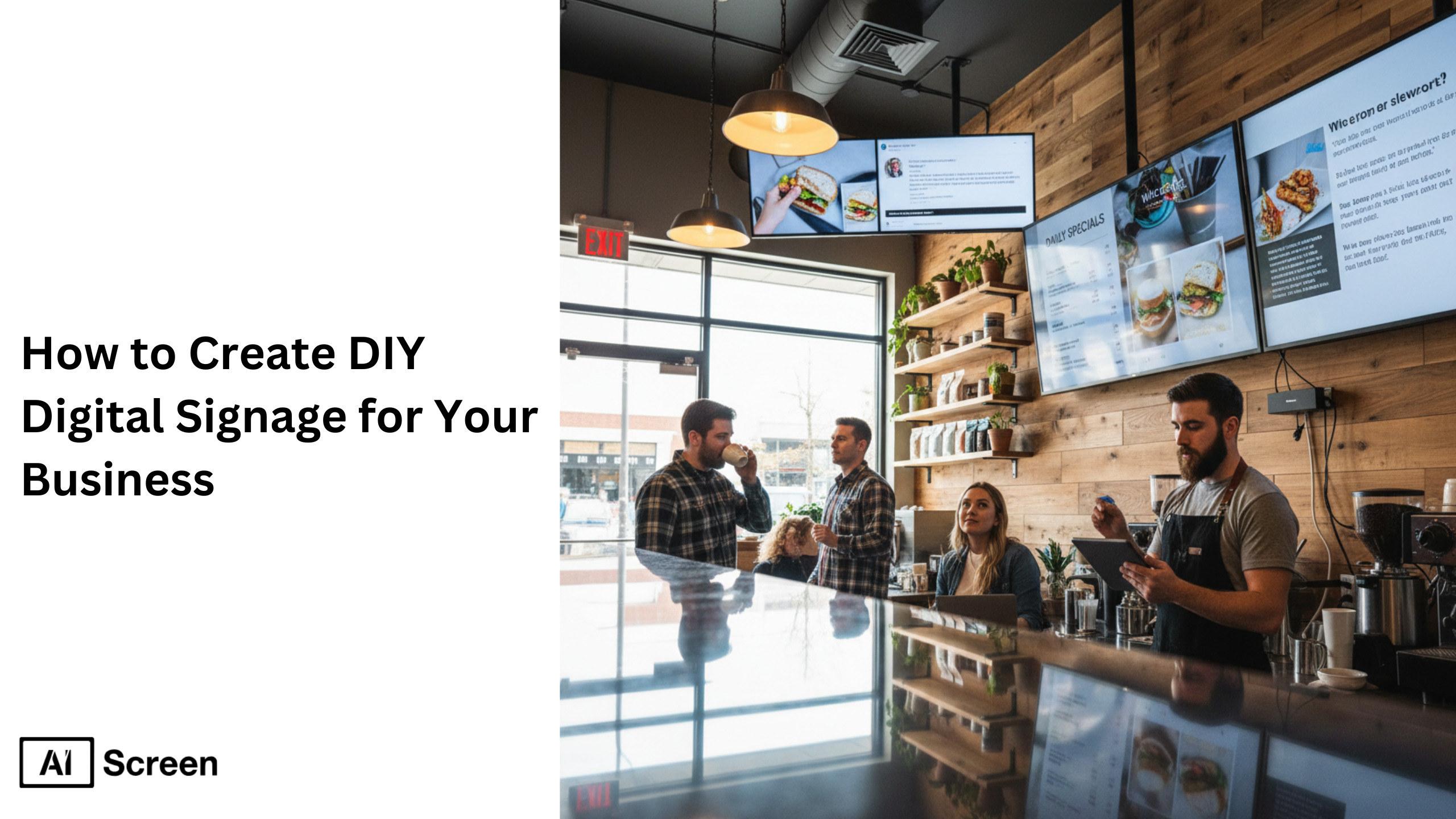
DIY digital signage lets small businesses design and control their own display systems without hiring an expensive signage provider. It combines simple hardware like TVs, mini PCs, or Android sticks with free digital signage software, allowing anyone to showcase promotions, announcements, and social media feeds on-screen. According to Statista, the global digital signage market is projected to exceed $30 billion by 2030, proving how businesses everywhere are embracing visual communication for brand visibility and customer engagement.
In this blog, you’ll learn how modern cloud-based tools make it easy to turn TVs, tablets, and computers into dynamic digital signs, no coding or technical expertise needed. These solutions help small businesses manage multiple screens, update content remotely, and build their own digital signage network on a tight budget. Let’s move to the 6 simple steps that will help you create your own digital signage setup from scratch.
How Do You Set Up DIY Digital Signage for a Business?
Start by choosing and installing a compatible screen, then connect it to reliable digital signage software. Customize your layouts, upload images, videos, or announcements, and organize the content to match your brand.Once everything is ready, schedule your content to play at specific times and update it remotely whenever needed.
Step 1: Choose a Suitable Display for a Do-It-Yourself Digital Signage
Nearly 65% of small businesses use consumer-grade TVs for digital signage due to affordability, according to TechRadar. Selecting the right screen depends on your environment, audience, and the type of digital signage content you want to show.
The good news? You can turn your TV into digital signage without needing extensive technical knowledge, just simply plug in a small digital signage media player like Raspberry Pi or Fire TV Stick, connect it to your network, and start sharing engaging content instantly.
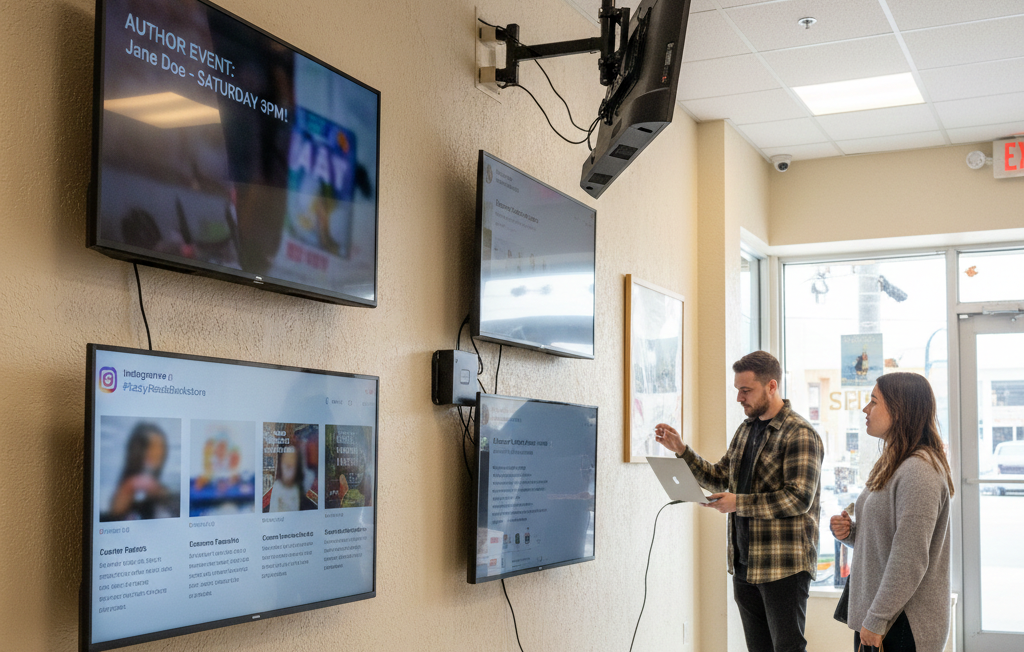
For smaller spaces or startup offices, consumer displays like the Insignia F30 Series LED 4K UHD are affordable and reliable. Larger teams operating across multiple locations may prefer the Amazon Fire TV Omni Series, which offers interactive elements, voice control, and smart integration for a more dynamic content experience.
Isn’t it amazing how a simple TV can transform into a powerful tool for visual communication?
There are several digital signage display types suitable for different digital signage networks, each supporting a range of media formats, videos, and user-friendly interfaces that make it easy to create content, manage it, and attract your target audience.
There are several types of TV displays suitable for digital signage, including:
Insignia™ Class F30 Series LED 4K UHD
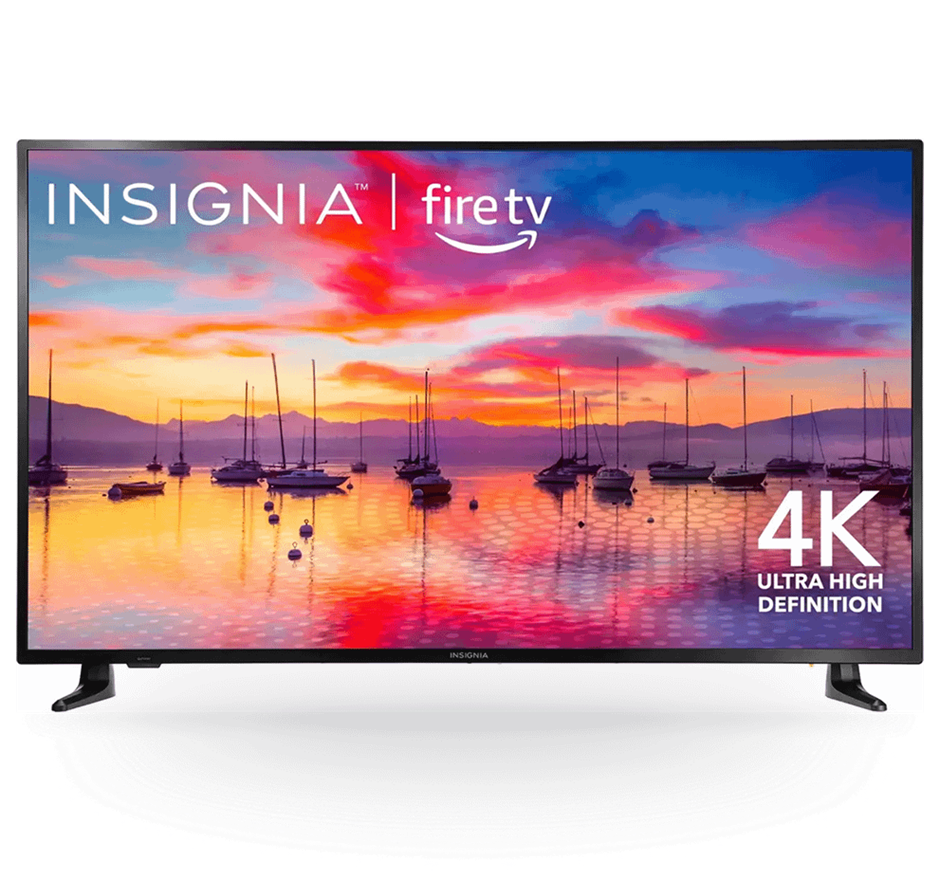
- Resolution: 720p HD for clear menus and visuals
- Smart Features: Built-in Fire TV with Alexa Voice Remote
- Apps & Streaming: Access to over 1M shows and apps via Alexa
- Price Range: $170 – $299
- Use Case: Ideal for small offices or cafés that want to display promotions or updates with free digital signage software
Amazon Fire TV Omni Series 4K UHD Smart TV
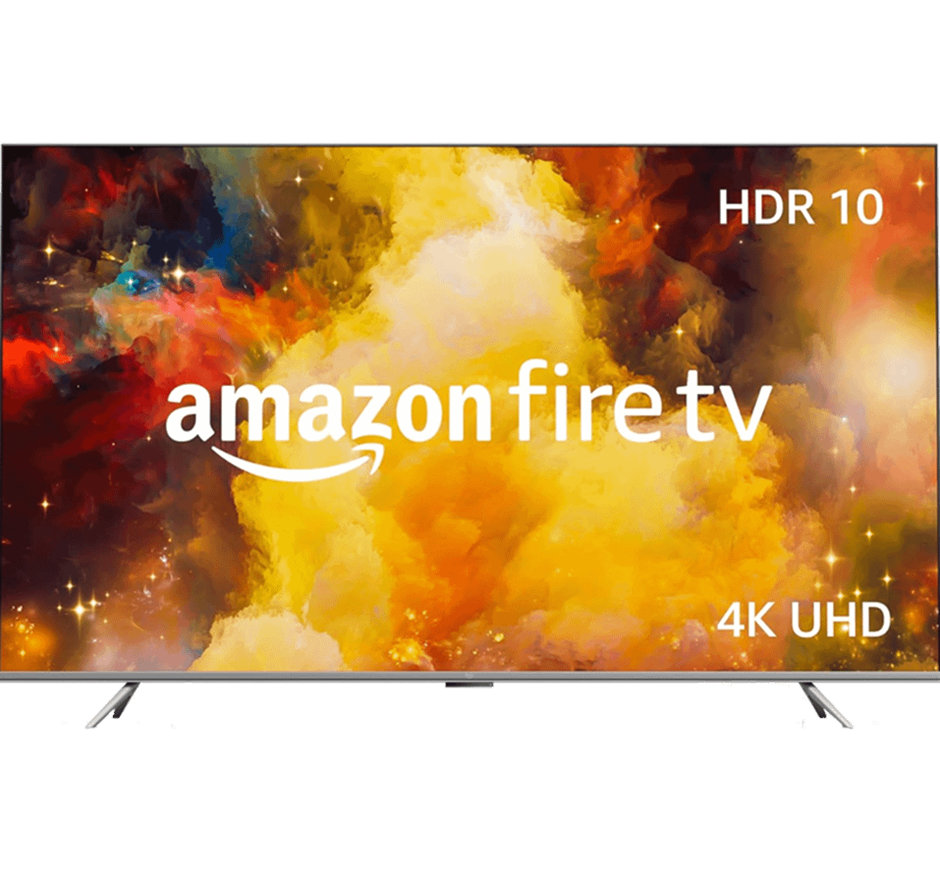
- Display Sizes: 43”–75” 4K UHD LED Display
- Smart Features: Hands-free Alexa Voice Control
- Video & Audio: HDR10, HLG, Dolby Vision, HDMI eARC
- Connectivity: Multiple USB & HDMI Ports, Bluetooth & Wi-Fi
- Additional: Built-in Fire TV OS, Screen Mirroring, Wall-Mount Compatibility
- Price Range: $299.99 – $1,049.99
- Use Case: Perfect for expanding digital signage networks, supporting remote management, and enhancing internal communication through real-time alerts, emergency alerts, or customer experience updates.
Step 2: Download and Set Up Digital Signage Software
There are dozens of free digital signage software options and open-source platforms available today, each designed to help you create digital signage displays that fit your business goals. This step, installing the right software, forms the backbone of your entire digital signage deployment, giving you the power to control every screen, message, and layout remotely.
Cloud-based software like AIScreen offers remote management, allowing you to update digital signage content from a web dashboard or mobile app, while offline tools work best in limited internet setups. But here’s what most small businesses wonder, how do you actually install it? It’s simple.
Follow these steps to get started:
- Open the App Store on your Smart TV or computer.
- Search for “AIScreen Digital Signage Software.”
- Click Install to download digital signage software (free version or free plan).
- Launch the app to see a 4-digit pairing code on your display screen.
Once installed, connect your media player or digital sign to the cloud. From there, you can manage content, schedule updates, and display dynamic content like videos or user-generated content with interactive elements that increase brand awareness and attract your target audience.
With just these few tools, you can create, edit, and deploy the right content that saves time, delivers relevant information, and helps your business stand out, without needing advanced features or coding skills.
Step 3: Create an Account in the Digital Signage Management App
Creating your account is the first step to managing and monitoring your digital signage deployment from a single dashboard. With a digital signage app, you can easily upload media, schedule playlists, and keep your digital display running smoothly across all locations.
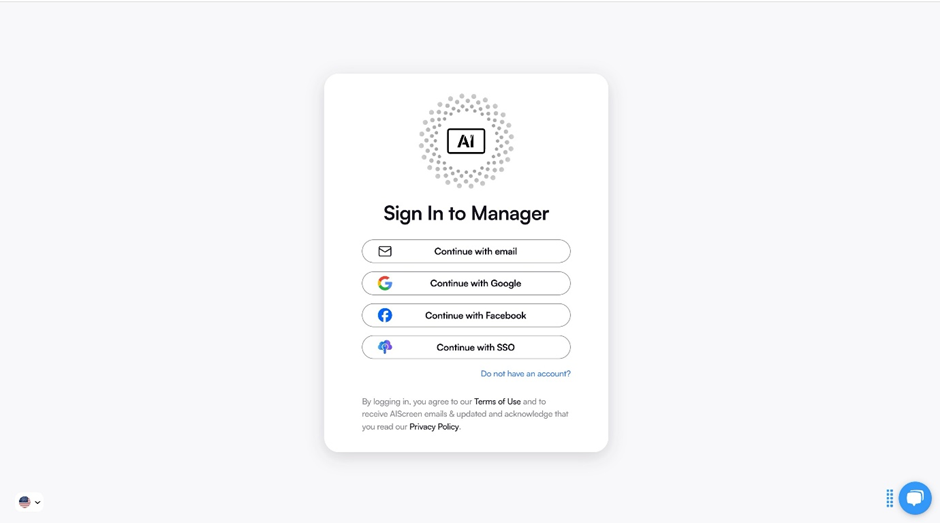
You can create your account in just two steps:
- Visit the login page on your computer or laptop.
- Sign up using your name, email, and password, or connect instantly with your Google account for faster setup.
Once logged in, your digital signage management system lets you create digital signage campaigns, upload videos or free content, and manage everything in full-screen mode. The content management dashboard saves time by allowing you to design layouts, reuse existing content, and track performance metrics to gather data about your audience.
Platforms like AIScreen make this process simple with more advanced features that work seamlessly across different operating systems and media players, ensuring smooth internal communication and helping businesses focus on attracting customers instead of managing tech.
Step 4: Pair Your Display with The Digital Signage Software
Once your software is installed, the next step is to pair your display with the platform. This connection allows you to create digital signage campaigns and control them from your dashboard with ease using digital signage software. It’s how businesses manage and monitor what plays on every screen in real time.
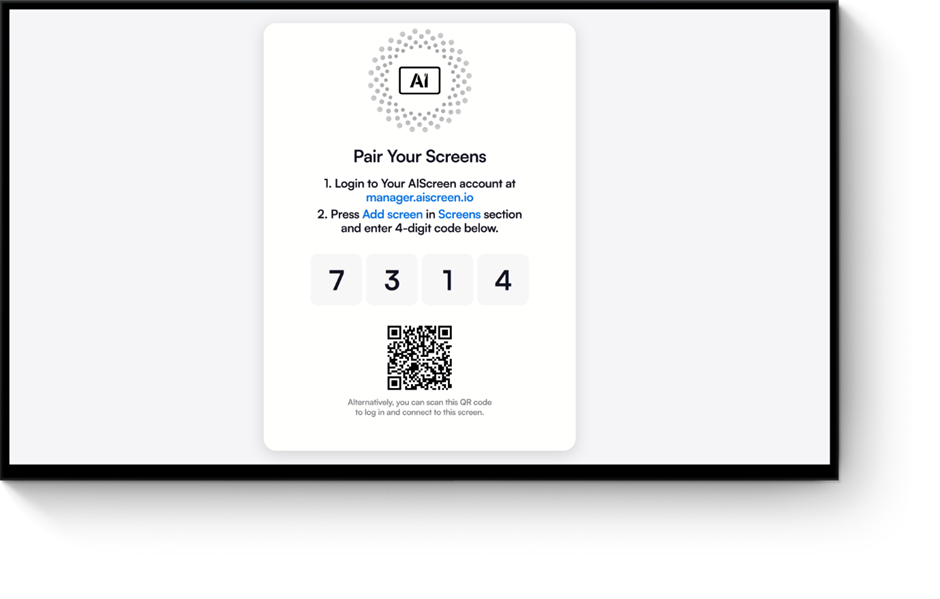
Pair your Zoom Room with the software after successfully logging into your manager account through the menu management application. This setup ensures admins and managers can update digital signage content, track audience engagement, and push new videos or messages remotely. It’s a simple, reliable process that supports both Wi-Fi and LAN connections for consistent playback.
Here’s the quick step-by-step guide to pair your display with the software:
- Log in and click “Add Screen” in the dashboard.
- Enter the 4-digit pairing code displayed on your TV screen.
- Name your screen and choose its orientation (horizontal or vertical).
- Click “Pair” to complete the setup process.
Let’s look at this: a small café owner uses a media player to connect their smart TV, uploads menus made in Google Slides, and schedules promotions using built-in design tools. Within minutes, they’ve built a complete digital signage solution, no extra hardware or coding needed. This approach helps create, manage, and deliver professional content that keeps customers engaged while saving both time and cost.
Step 5: Upload or Customize Your Digital Signage Template
Content is the heart of your digital signage program. With AIScreen’s free digital signage tools, you can create or customize a digital signage template easily using pre-designed templates that suit every business, from cafés to retail stores. These templates simplify content management, helping you maintain brand consistency while keeping visuals engaging for your customers.
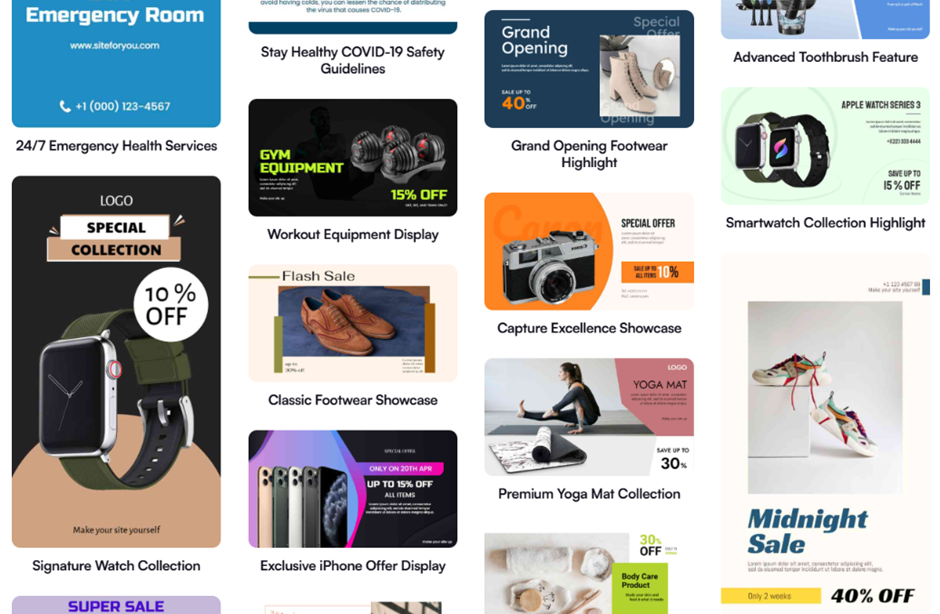
With AIScreen’s Canvas editor, personalization becomes effortless. According to Market Us Scoop, 67% of consumers frequently purchase products based on the visual content they see on digital signs. Let’s look at this, a restaurant can quickly adjust menu prices, change images, or highlight daily offers without needing any computer expertise.
You can upload your existing visuals or start from scratch.
- Go to the “Media” section on your dashboard.
- Click “Upload” and select files from your device or monitor.
- Choose your media and upload it to your library.
To design new content, simply open Canvas:
- Select a template that matches your digital signage solution.
- Add images, videos, or animations using built-in media players.
- Include your logo, colors, and fonts for a cohesive brand look.
- Save or publish instantly to your screens.
AIScreen also integrates with Google Slides, allowing you to repurpose existing presentations into polished, professional digital signage content, a smart, free way to create stunning visuals without design experience.
Step 6: Set Up the Display Schedule and Launch the Do-It-Yourself Digital Signage
Scheduling content ensures your digital signage system runs on autopilot and stays consistent with your business goals. With AIScreen’s digital signage solution, you can easily set up the display schedule that shows different services, announcements, or promotions throughout the day. This is one of the most effective ways to understand how to keep digital signage up-to-date with scheduled content, ensuring the right message reaches the right audience at the right moment without manual updates.
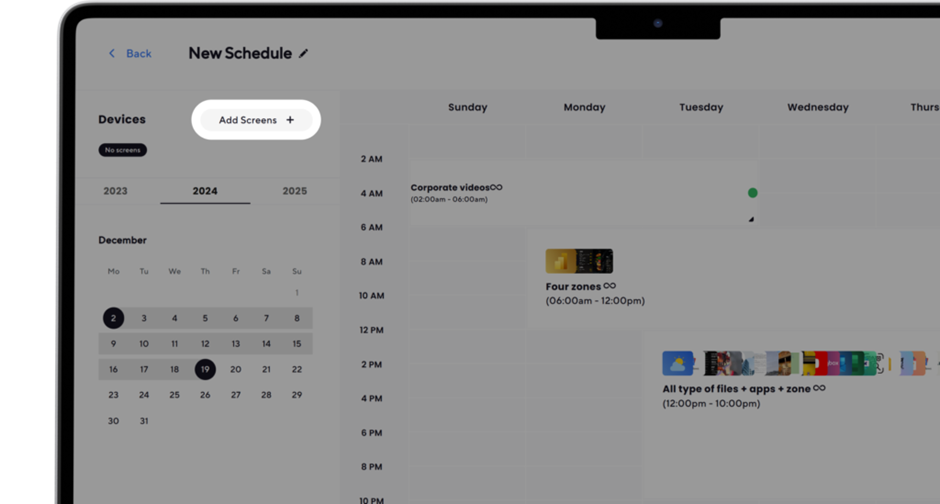
Here’s how to do it:
- Create a Playlist: Upload and organize your digital signage content into a playlist using AIScreen’s intuitive content management tools. You can arrange images, videos, and slides in a sequence that flows naturally.
- Create a New Schedule: Go to your dashboard’s Schedule tab, then select “Create New Schedule.” Assign specific times or days for different content, ensuring your content creation aligns with your marketing or event calendar.
- Add a Playlist to the Schedule: Choose your desired time slot, confirm, and attach the playlist you want to run. This step allows you to automate what plays when, ensuring your screens stay free from manual interference.
- Assign Devices, Review, and Save: Finally, connect your chosen displays or players, review your setup, and click “Save.” Once activated, your campaign runs smoothly, integrating social media integration or seasonal updates effortlessly.
Let’s look at this, imagine your cafe showing breakfast offers in the morning and desserts at night. With AIScreen’s smart scheduling tools, you can manage it all automatically. Once your campaign is live, your TV officially becomes a fully functional digital signage display for business.


What Are the Benefits of DIY Digital Signage for Small Businesses?
The benefits of DIY digital signage for small businesses go beyond affordability, they empower brands to stay visible, flexible, and connected, and can even display webpage on tv for live updates. DIY setups are redefining how small and medium-sized companies use screens to communicate and promote.
Businesses can achieve up to 70% cost savings compared to managed installations, making it ideal for tight budgets. With free digital signage software, you can easily scale from one to over a hundred screens without major investment, keeping control of your message and timing.

Let’s look at this, imagine a café that uses a TV screen to showcase daily specials or a gym that updates class schedules instantly. This digital signage solution not only boosts in-store visibility but also drives real-time engagement.
Whether it’s a boutique, restaurant, or startup, DIY signage helps create stronger brand recall and professional communication without needing an external agency. It’s a business digital signage approach that grows with you, simple, creative, and cost-effective.
What are the Common Mistakes to Avoid When Creating DIY Digital Signage
Even the best DIY signage can fail if small technical details are overlooked. Many businesses rush setup and end up facing performance or visual issues that affect engagement. Avoid these pitfalls to ensure smooth operation and better results.
Choosing Incompatible Digital Signage Software for Smart TVs
Not all digital signage software for smart TV platforms work across Android, LG webOS, or Tizen systems. Using the wrong software can lead to playback issues or connectivity problems. Always check compatibility before installation, or use android digital signage apps that connect easily with your devices for a seamless setup using reliable signage display software.
Ignoring Aspect Ratios and Display Resolutions
Ignoring proper screen ratios can make your visuals look distorted or stretched. The fix is simple, design in a 16:9 ratio for TVs or 9:16 for vertical displays. Following this digital signage display design principle ensures content looks sharp, clean, and professional on every smart digital signage screen.
Overloading the Screen with Too Much Text or Content
Cluttered visuals reduce readability and overwhelm viewers. Remember, “less is more” in digital displays. Focus on clarity, motion, and high-quality visuals. Use concise messaging and animations to maintain interest. Keeping digital signage content creation minimal yet impactful improves engagement and maintains brand focus, especially when using digital signage display software for digital signage advertising. For time-sensitive updates, see how to display announcements on a digital signage tv to keep your audience informed.
Ready to Start Your DIY Digital Signage Journey with AIScreen?
Build your own digital signage system in minutes with AIScreen’s smart, user-friendly tools. You can access 1,500+ customizable templates, manage screens from one dashboard, and support Android, Windows, and Smart TVs. It’s completely free to start, no hardware lock-in, no hidden fees.
Start your DIY digital signage setup today with AIScreen, your all-in-one free digital signage solution. Whether you’re learning how to create DIY digital signage for your business or ready to scale your setup, AIScreen makes it effortless to create, schedule, and display engaging content anywhere.
FAQs
What is DIY digital signage?
DIY digital signage is a cost-effective way for businesses to create and manage their own display screens using affordable hardware and free digital signage software. It allows users to design, schedule, and control content like promotions, updates, or announcements without needing technical expertise.
Can I turn my TV into digital signage for free?
Yes, you can turn your TV into digital signage for free using cloud-based software and a media player like Chromecast, Fire TV Stick, or Raspberry Pi. The process is simple, install the signage app, connect your device, and start displaying content instantly.
What is the best free digital signage software?
The best free digital signage software combines flexibility, remote management, and ease of use. AIScreen stands out for offering a free trial with powerful tools like content scheduling, real-time analytics, and 1,500+ templates.
Is cloud-based digital signage better than offline signage?
Yes, cloud-based digital signage is better than offline signage because it enables real-time updates, remote management, and content synchronization across multiple screens. It reduces manual effort, supports dynamic content scheduling, and ensures all displays stay current.
How can I manage multiple screens for my DIY signage system?
Managing multiple screens for your DIY signage system is easy with cloud-based dashboards that centralize control. Platforms like AIScreen let you upload content once, assign it to different locations, and monitor playback in real time.
