
How to Manage Digital Signage Scheduled Content?
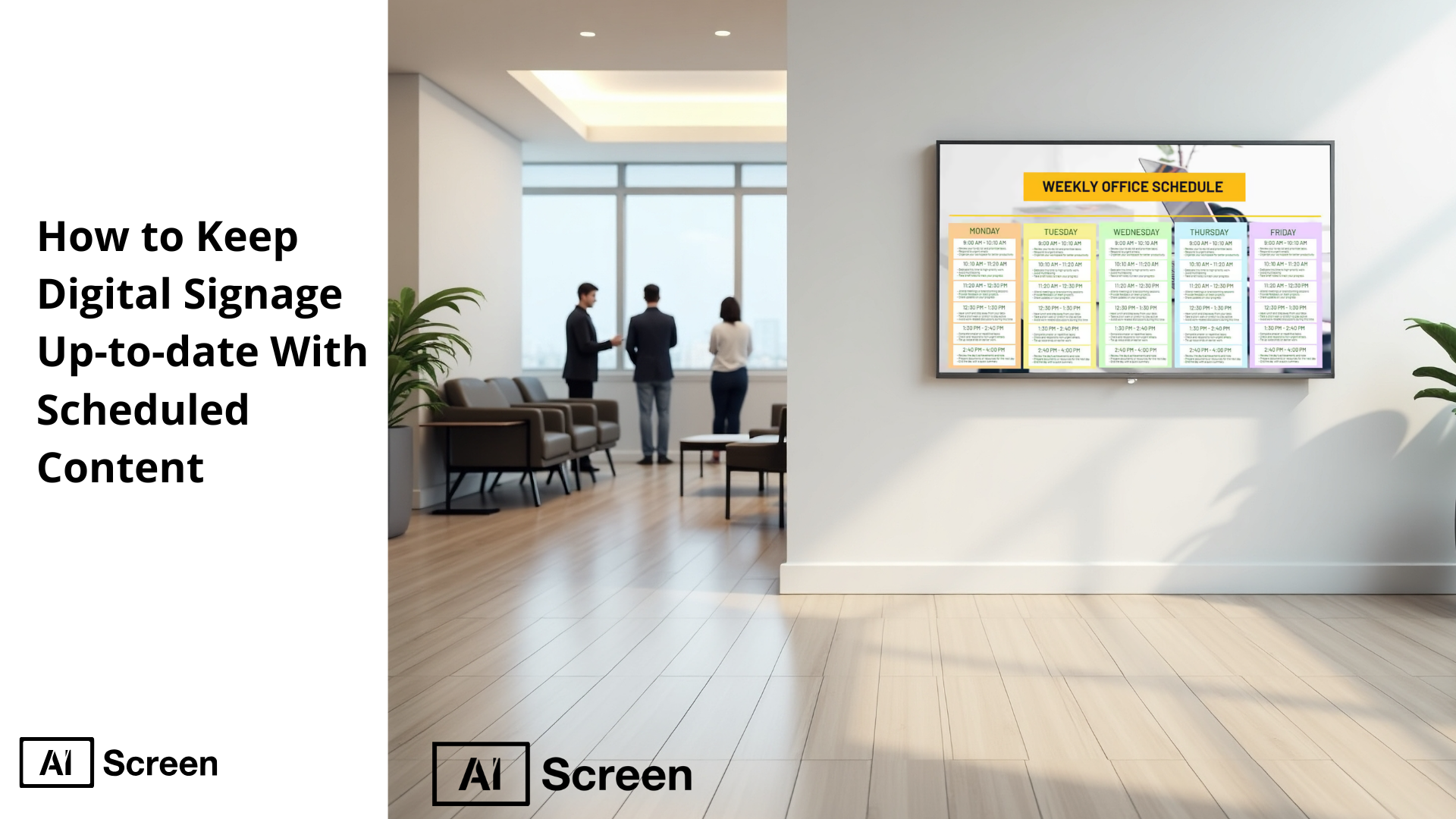
To keep your signage up-to-date with scheduled content, use a content calendar to plan and schedule content in advance. This approach ensures that promotions, seasonal events, or breaking news appear on your digital signage screens without manual intervention, thanks to effective content scheduling. By aligning your signage with business goals and leveraging tools like AIScreen for automated scheduling, you can maintain fresh, relevant content across your digital signage network, ultimately driving higher customer engagement and better sales outcomes.
In this article, we’ll explore how scheduled content transforms your digital signage content strategy into a consistent, results-driven system. By using AIScreen’s digital signage software, you can schedule content in advance, organize playlists, and push real-time updates across your digital signage network. This ensures your digital signage screens always display relevant content, from seasonal events to promotional offers, without manual intervention.
How to Schedule Digital Signage Content?
To keep your digital signage screens relevant, the best solution is to schedule content in advance using reliable digital signage content management software, such as AIScreen. This approach ensures your displays never show outdated promotions, keeps your target audience and viewers engaged, and eliminates the stress of manual updates.
Research from Digital Signage Today shows that well-planned digital signage content can increase customer engagement by over 30%, making scheduling one of the most important parts of any digital signage content strategy.
Think of it this way: instead of worrying about whether your signs are updated on time, you set everything in place once, and the system takes care of the rest. With digital signage software, you’re not just saving time; you’re creating a reliable rhythm for content delivery that aligns with your business goals to boost engagement. Imagine walking into your store and knowing every display is already prepared with the right message for the day ahead.
Step 1: Log In to Digital Signage Software
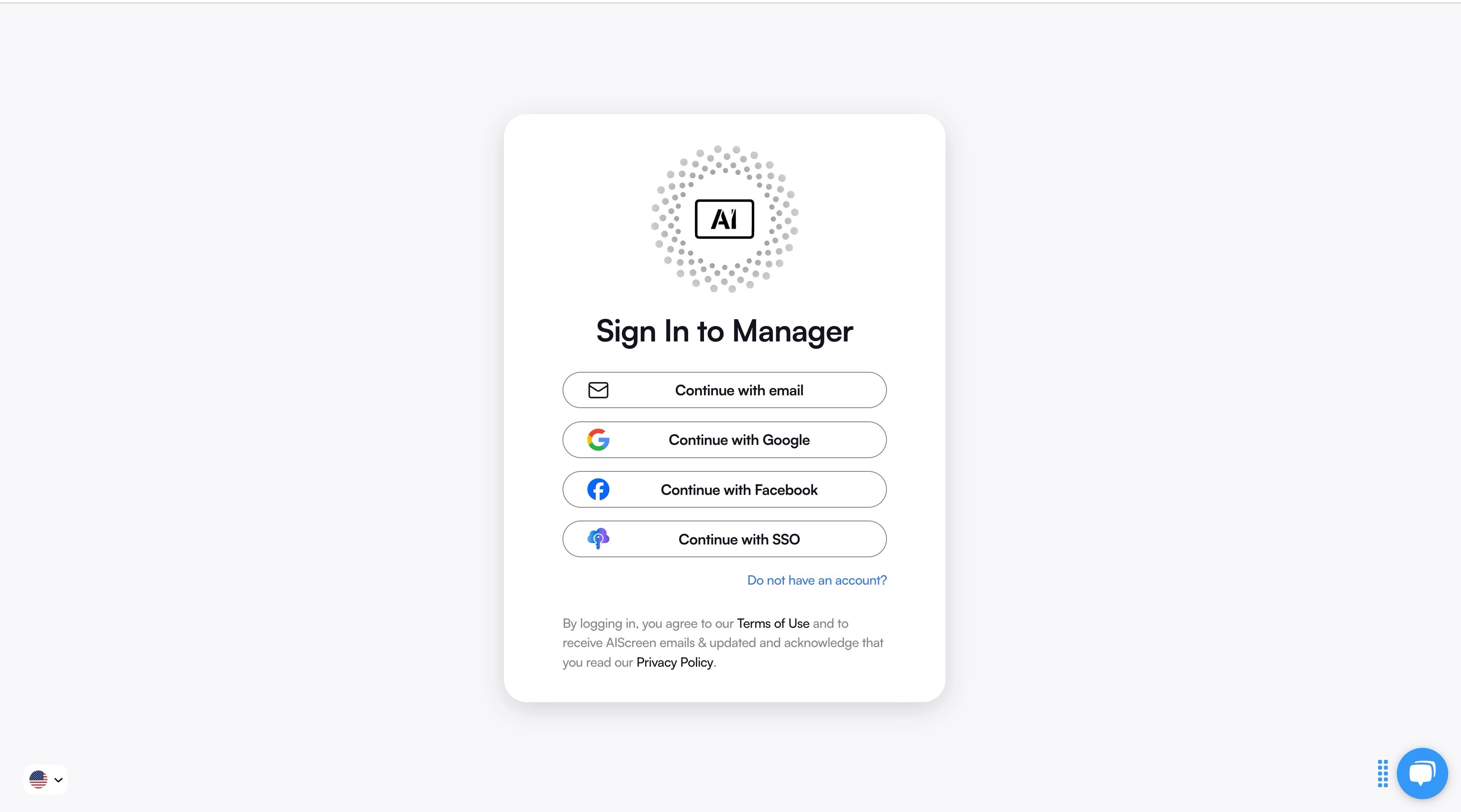
To begin scheduling, the first step is logging into your content management system (CMS). With AIScreen, this content scheduling process is effortless thanks to its cloud-based digital signage content management software dashboard that puts every digital display under one roof. Instead of logging into separate systems for each location, you gain full control over individual screens from a single platform. Picture a retail chain with 50 stores across different cities, one quick update in the CMS, and every digital signage screen updates instantly, saving hours of manual work.
Step 2: Go to Media and Upload Your Files
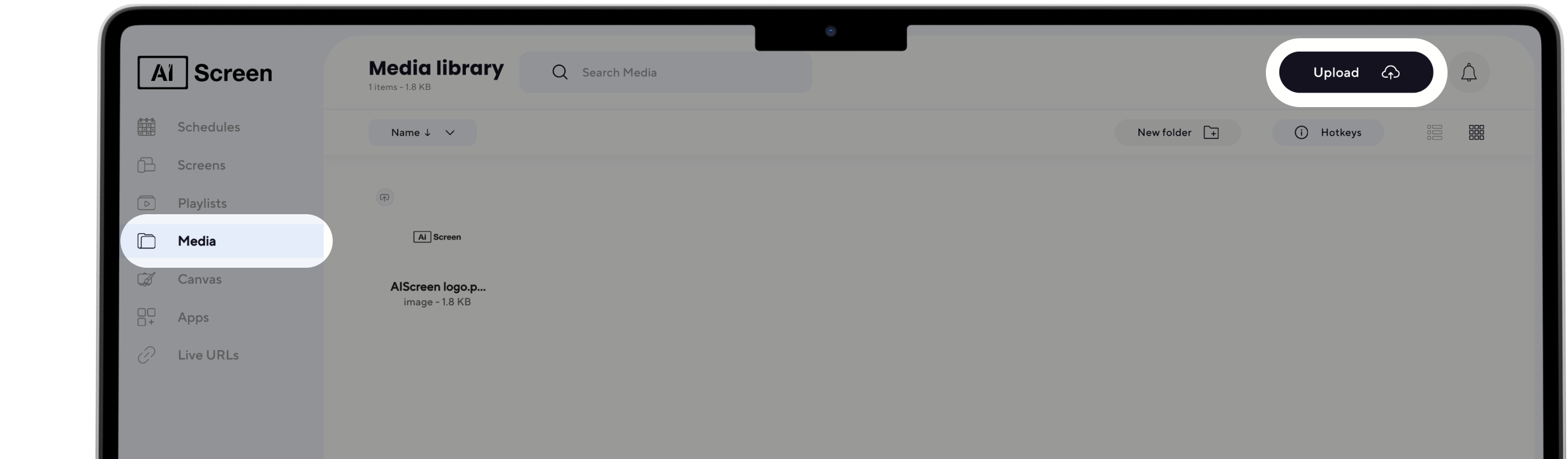
To keep your digital signage fresh and engaging, you need to upload or select new content regularly. This step defines how visually appealing and interactive your screens will be. Digital signage content creation with fresh, high-resolution images, videos, or even interactive screens with live social media feeds transforms your signage into something dynamic and attention-grabbing.
Imagine a coffee shop streaming customer social media posts tagged with its brand. Not only does this keep the content authentic and up to date, but it also builds trust and encourages more people to share their experiences online, fueling a cycle of audience engagement.
Step 3: Create a New Playlist

Click the Create New Playlist button in the top right corner of your screen to get started. This opens the playlist creation flow so you can build a new sequence from scratch.
A fresh playlist editor will appear with all your layout and timing options ready. From here you can begin adding content blocks apps and media to customize your playlist.
Step 4: Navigate to Schedule and Create a New Schedule

The best way to ensure your screens deliver the right message is to set clear display times and durations for your content. Think of it as creating a rhythm for your screens. For instance, a fast-food restaurant could showcase breakfast items between 6–11 a.m., lunch specials from 11–3 p.m., and late-night offers after 9 p.m.
This method, called dayparting, guarantees that the right message reaches your target audience at the right time of day. The best part? From the main menu click the Schedule tab to open your scheduling dashboard where all timing and playback controls live. Then select Create New Schedule to start building a new timeline as a scheduler window opens for setting dates times and screen assignments.
Step 5: Assign Your Playlist to the Schedule

Organizing content into playlists is the smart way to bring order to your updates. Instead of dumping everything together, playlists help you group related items for smoother scheduling. One playlist could showcase promotions, another could run menus, and another could focus on brand storytelling.
In the schedule timeline click on the time slot where you want your playlist to appear and set the start date time and duration for when the content should run. Once you confirm the time slot the schedule updates instantly and your playlist is now assigned to play at the exact moment you selected.
Step 6: Add Playlists to the Schedule

After organizing, it’s time to schedule your playlist. This defines when and where each playlist appears. By setting start and end times, you ensure the right content reaches the right people at the right moment. It keeps your signage purposeful instead of random.
Click ”Add Playlist” in the scheduling window and a list of all available playlists will appear. Choose the playlist you want to include and it will be added to your schedule instantly so it plays at the exact time you have planned.
Step 7: Add Screens

Once the playlist is added to the schedule click ”Add Device” to assign it to a specific screen or player. Select the target device from the list then confirm your choice so the schedule is applied to that screen.
This step ensures your content reaches the right location at the right time giving you full control over how each display functions. It also keeps multi screen networks organized since every device follows its assigned timeline without extra manual work.
Step 8: Review and Save

Review the full schedule to make sure every time slot playlist and device is correctly assigned and aligned with your content plan. Look over dates durations and any overlapping items to ensure everything will run smoothly.
Once everything looks right click ”Save” to finalize your schedule and apply it to your network. The content will now play automatically on the assigned devices at the exact times you selected keeping your screens fully in sync.


How to Keep Scheduled Content Fresh?
Keeping your digital signage schedule fresh is how you stay relevant to customers in every moment. Audiences change their intent throughout the day and promotions shift fast so a set-and-forget playlist will never deliver the engagement or ROI you expect. Regularly reviewing and updating content ensures your screens always reflect what is happening right now whether it is a new offer a seasonal shift or an operational update.
A strong scheduling strategy uses data timing and customer behavior to guide what appears on screens. When you optimize content rotation seasonal planning and audience targeting your displays feel alive instead of repetitive. Below are the key practices to keep scheduled digital signage content up to date and performing well.
According to Grand View Research, companies using a content scheduling feature report saving up to 50% of their weekly content management time. By adopting a consistent review process and smart scheduling strategies, you can ensure your displays always deliver the right message at the right time to drive sales.
1. Know Your Customer and How They Vary During Day
Your audience changes hour by hour which means your content should too. Mapping dayparts morning midday evening helps you match messaging with what customers actually want at that time. Breakfast shoppers lunchtime crowds and after-work visitors each respond to different content so tailored playlists perform far better.
Time based and location based scheduling ensures screens stay relevant automatically. A lobby screen can show welcome messages in the morning and events later in the day while a retail entrance can switch to promos that match peak traffic patterns.
2. You Should Know What Your Customer Do After Watching Display
The success of digital signage depends on what viewers do next. Every piece of content should guide a clear next action like scanning a QR code using a short URL redeeming a promo or heading toward a featured product or service.
Tracking these actions helps you learn what drives results. You can measure scans visits questions asked to staff or direct purchases to understand which screens push customers forward and which need improvement.
3. Know Which Content are Getting Most ROI
Performance tells you what stays and what goes. Evaluate which content delivers the strongest engagement sales lift sign ups scans or foot traffic. High performing screens deserve more rotation while weak assets should be refreshed or retired.
If you want deeper methods you can explore how to track digital signage ROI after implementation on AIScreen where engagement and business outcome tracking are explained in detail.
4. Seasonal Adaptation
Seasonal messaging keeps your screens timely and increases relevance. Build a content library for holidays events and product cycles so you can schedule months in advance. This makes planning easier for marketing and operations teams across multiple locations.
Still keep room for fast updates. If a last minute promo launches or an event changes your schedule should allow quick swaps without disrupting the rest of your playlist.
5. Preventing Monotony
People tune out content that never changes. To avoid banner blindness rotate creative regularly and mix content formats such as video motion graphics user generated content announcements and product highlights.
Different zones can also have different playlists so every area of your space feels intentional. A lobby may run brand messages while a checkout zone prioritizes fast CTAs or limited time offers.
6. Don’t Forget to Promote Brand
Digital signage is not only for promos and operational updates. It is a powerful platform for brand storytelling. Mix in content that reinforces identity such as values testimonials social proof employee highlights and visual brand cues.
Balanced content builds trust and recognition. When viewers repeatedly see consistent branding through motion visuals reviews and real stories, and you optimize digital signage qr codes to invite interaction, your screens become part of the overall brand experience not just a place for announcements.
Why Use AIScreen for Scheduled Content?
The simplest way to keep your digital signage content up to date is by using a platform that automates the process for you. AIScreen makes this effortless with cloud-based management, meaning you can log in once and update every display in your network within minutes. Instead of wasting hours with manual intervention, you can rely on automated scheduling, real-time updates, and dynamic content delivery that always keeps your screens relevant.
With features like playlist management, performance analytics, and high-resolution displays, AIScreen ensures your digital signage strategy is never static. Instead, it evolves with your audience, maintains viewer interest, and drives customer engagement year-round.
Frequently Asked Questions
What tools are available for scheduling digital signage content?
The best tools for scheduling digital signage content are cloud-based platforms like AIScreen, which offer automated scheduling and real-time updates. These systems let you create playlists, assign content to multiple screens, and set time slots without manual effort. Most of them also integrate with social media feeds and data sources for dynamic updates. Using such digital signage software saves time while keeping displays fresh and engaging.
Can I schedule digital signage content for multiple screens?
Yes, you can schedule digital signage content for multiple screens from a single dashboard. Platforms like AIScreen allow you to group displays by location or audience type, ensuring the right message plays at the right place. For example, a retail chain can show promotions in urban stores while displaying seasonal offers in suburban locations. This flexibility creates a smarter digital signage strategy that targets different audiences effectively.
What are the benefits of scheduling content for digital signage?
The benefits of scheduling content for digital signage include saving time, reducing manual updates, and maintaining viewer interest with relevant displays. Scheduled content ensures promotions, seasonal events, or breaking news appear exactly when needed. It also minimizes outdated content, which can hurt engagement. By automating these processes as part of your content strategy, businesses deliver the right message at the right time, boosting overall audience engagement.
Is it possible to update digital signage content remotely?
Yes, it is possible to update digital signage content remotely using cloud-based systems like AIScreen. You can log in from anywhere, upload new content, and push it across your digital signage network instantly. Imagine managing multiple screens across different cities with just one click. This feature is especially useful for businesses with multiple locations that need consistent and up-to-date content delivery.
What happens if a scheduled content update fails?
If a scheduled content update fails, most CMS platforms are designed to display fallback content, so your screens don’t go blank. This ensures your digital displays continue running with the last uploaded content until the issue is fixed. In many cases, systems like AIScreen send alerts so you can take quick action. Having automated backup processes minimizes disruptions and keeps your signage reliable.
