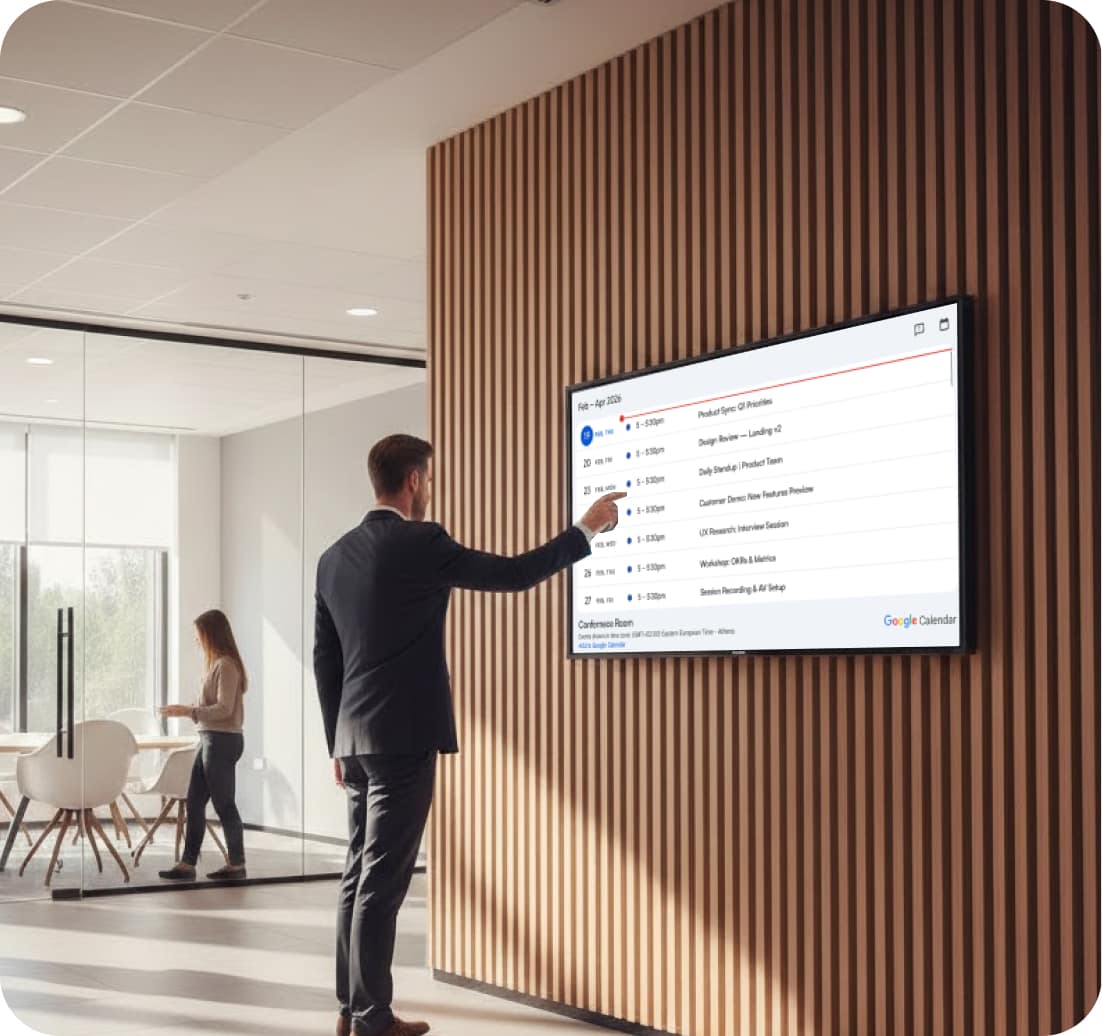
Office Digital Signage

Office digital signage is used to share announcements, updates, and important information across workplace screens in real time. Screens placed in lobbies, work areas, and shared spaces help employees stay informed without relying only on emails or internal tools. With digital signage software, organizations can manage content centrally, improve visibility, and ensure consistent communication across teams and locations. Many teams pair this with digital lobby signage, corporate digital signage, and digital signage employee communications. Everything is powered by the cloud-based digital signage software.

14-day FREE trial. No credit card required
Office Digital Signage

Why Office Digital Signage Is Needed in Modern Workspaces

In many workplaces, important updates get lost across emails, chats, and multiple tools. Employees often miss key information simply because it isn’t visible at the right time. Office digital signage solves this by placing updates directly in shared spaces where teams naturally look.

Solutions for Office Digital Signage Challenges

Managing communication across departments and locations can be difficult without a centralized system. Office digital signage makes information visible, keeps updates consistent, and reduces reliance on scattered communication channels.

  • Live Updates: Displays real-time office digital signage content for announcements and internal updates.
  • Better Visibility: Office digital signage screens ensure employees see important information daily.
  • Central Control: Manage office digital signage across locations using digital signage software.
  • Team Alignment: Keeps teams informed and aligned across departments and roles.
  • Consistent Messaging: Ensures the same communication appears across all office screens.
Office Digital Signage

Why Office Digital Signage Improves
Workplace Communication

Modern offices run on timely information and smart experiences. A connected screen network brings real-time data, interactive tools, and automated scheduling together, helping teams stay informed, engaged, and productive throughout the day. Digital signage for offices helps you turn the hallway, the kitchen, and the lobby into quiet channels that carry the day’s priorities without another email. The engine behind it is software that creates, schedules, and controls multimedia content from one place: design a layout once, and it can deliver dynamic content to every floor, display imagery from the last company retreat, or spotlight a single metric when it matters. Electronic screens you already own are usually enough to start, because the platform uses screens of any brand and can transform any screen with an HDMI port into a live sign. Get started using this simple framework.

  • 1

    Connect Office Screens to Real-Time Business Data
  • 2

    Create Interactive and Personalized Office Experiences
  • 3

    Automate Content Changes Throughout the Workday

Connect Office Screens
To Real-Time Business Data

When office feeds refresh automatically, teams stay aligned without manual work. Live integrations ensure screens always reflect what’s happening now. From meeting room availability to performance dashboards, data stays accurate and visible. Content distribution follows rules you set once: HR’s welcome slides run in reception, engineering metrics stay on the engineering floor, and a security notice can preempt everything for five urgent minutes. Behind the scenes, management software watches the fleet of signage devices, flags a screen that goes dark, and restarts it before anyone walks past a black rectangle. It’s the difference between a network of screens and a pile of TVs with USB sticks.

Office Digital Signage

Create Interactive And Personalized Office Experiences

Office screens don’t have to be passive. Touch-enabled and sensor-driven features turn displays into useful, engaging tools. Smart triggers personalize content based on who’s nearby, improving relevance for both employees and visitors.

Automate Content
Changes Throughout
The Workday

Office communication changes by the hour. Smart
scheduling ensures the right message appears at the right
time, without constant updates. Automation reduces
workload while keeping messaging relevant.

Office Digital Signage

Setting Up Digital Signage for Office

Setting up digital signage for office is crucial for business success and improving employee engagement. AIScreen offers flexible solutions tailored to your specific needs, ensuring that your digital displays effectively connect and engage your workforce.

Step 1.
Don’t have a TV?
Office Digital Signage
prev
next

Simply purchase a TV and start without any additional digital signage or hardware.

or
Have TV or hardware?
Office Digital Signage

Then download digital signage software directly on your TV from your app store to manage it remotely.

Step 2.
Connect Your Screen(s).
Office Digital Signage
After receiving your pairing code simply enter this code in your manager account to pair your screen seamlessly
Optional.
AIScreen OS.
AiScreen
Benefits:
  • Remote Troubleshooting
  • Auto Power On/Off TV
  • Track Available Memory in your cache
  • Clean Cache Remotely
  • Security

What Impact Do Shared Screens Have on Workplace Communication?

  • Office Digital Signage

    Up to 45%

    faster internal
    communication

    Real-time updates keep
    teams informed instantly

  • Office Digital Signage

    Up to 42%

    reduction in manual content updates

    Automation removes
    repetitive admin work

  • Office Digital Signage

    Up to 35%

    increase in employee engagement

    Interactive screens drive participation and visibility

Office Digital Signage Built for Modern Workplaces

Keep teams informed, aligned, and engaged with a signage solution designed for today’s dynamic work environments. Free digital signage plans make the first screen effortless, and digital content scales with the office as you grow: one lobby display this quarter, every floor by next year. Corporate rollouts stay manageable because permissions mirror the org chart, and the dashboard shows the whole estate at a glance, from headquarters to the smallest satellite office.

Office Digital Signage Office Digital Signage Office Digital Signage Office Digital Signage Office Digital Signage Office Digital Signage Office Digital Signage Office Digital Signage Office Digital Signage Office Digital Signage Office Digital Signage Office Digital Signage

Digital Signage Templates for Office

AIScreen offers customizable, high-impact templates for employee communications, and more. Available in landscape and portrait, these designs adapt to any menu setup. Easily update text, images, and branding to create stunning digital menu boards in minutes. Simplify your signage with AIScreen’s user-friendly, professionally designed templates!

Discover how companies are transforming workplace communication with office digital signage solutions.

Office Digital Signage

BrightCore Elevates Office Communication with Digital Signage

Learn how BrightCore streamlined internal messaging using office digital signage, enabling real-time updates, company announcements, and performance dashboards across office spaces, while keeping teams informed and aligned.

Office Digital Signage

Office Digital Signage That Works Smarter

Eliminate information gaps, reduce manual updates, and keep everyone aligned with office digital signage. Display real-time announcements, dashboards, schedules, and key updates on any screen, automatically synced across departments and locations. Get clearer communication, more engaged teams, and a more connected workplace.

Explore other use cases

  • Corporate Digital Signage

    Share company updates, KPIs, and internal messages across offices and campuses from one centralized platform. Replace emails and static boards with synchronized, automated communication.

  • Sales Signage for Faster Buying Decisions

    Turn shopper attention into action with dynamic displays, real-time promotions, and mobile-connected experiences. Help customers explore products faster and make confident purchase decisions.

Frequently Asked Questions

What is office digital signage and why is it needed?

Office digital signage displays meeting schedules and room availability outside meeting rooms. It helps teams avoid confusion and quickly identify available spaces.

Office screens keep teams aligned with room schedules, KPI dashboards, company news, and visitor welcomes across the workplace. AIScreen connects Microsoft 365 and live data, targets content by floor or team, and updates instantly, turning idle screens into a real-time workplace communication layer.
What is the best software for digital signage in office?

For effective office digital signage, leading digital signage software options include AIScreen, ScreenCloud, Yodeck, and TelemetryTV. These platforms provide cloud-based, scalable solutions with advanced content management features.

Can digital signage increase workplace productivity?

Yes, digital signage enhances workplace productivity by streamlining communication and providing real-time updates, enabling employees to stay informed and make quicker decisions, thereby improving workflow efficiency.

How much does digital signage for office cost?

Digital signage for meeting room costs vary based on software, hardware, and installation. AIScreen offers affordable plans starting at $10 per screen/month, with over 100 apps, 1,500 templates, and unlimited storage. Hardware costs range from $200 to $5,000, and installation starts at $200. Get a cost-effective solution tailored to your needs.

Is digital signage effective for remote or hybrid employees?

Yes, digital signage solutions are highly effective for remote and hybrid employees. By providing cloud-based access, these systems synchronize updates across multiple locations and devices, ensuring all team members stay informed and engaged.

What features should I look for in digital signage for office?

When selecting digital signage for meeting room, prioritize features such as:

  • Real-time updates
  • Employee engagement tools
  • Automated scheduling
  • Cloud-based access
  • Robust security controls
  • Integrations with platforms like Slack, Microsoft Teams, and HR software

These functionalities enhance internal communication and streamline operations.

What is the ROI of using digital signage in workplaces?

Digital signage enhances employee communication, leading to a 25% increase in productivity. It reduces communication gaps and administrative costs, improving engagement and information retention.

What are the benefits of using digital signage for internal communications?

Key employee communications digital signage benefits include enhanced engagement, real-time updates, reduced email clutter, better brand consistency, and increased transparency. It also enables organizations to share important company announcements, news, and events effectively. Compare plans on the AIScreen pricing page.