Wayfinding Digital Signage That Gets Visitors to the Right Door

Guide people with wayfinding digital signage: live maps, searchable directories and turn-by-turn directions you change from one dashboard.

14-day FREE trial. No credit card required
Wayfinding digital signage
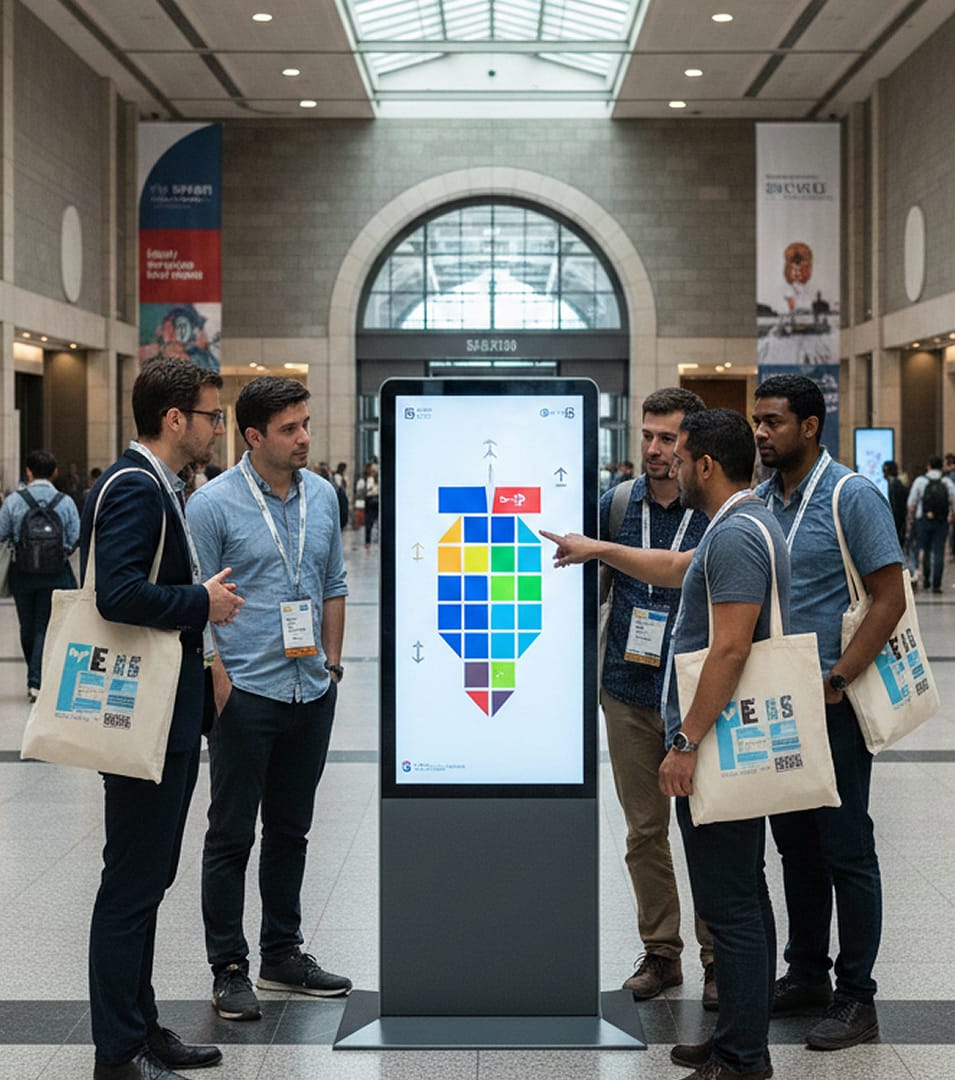
Two colleagues tap a wall-mounted touch screen display while one holds a tablet

Wayfinding Digital Signage That Cuts Confusion at Every Decision Point

Signage and Wayfinding Working as One System

Printed map signage still has a place, but signage and wayfinding work harder together once the arrows live on connected screens. Navigational signage at an entrance or an elevator bank answers the question people stop to ask, and digital wayfinding solutions keep that answer correct after every office move.

Each screen can also match its location, which is what location-based digital signage means in practice: a lobby display lists departments and check-in desks, while a corridor screen acts as a wayfinder to the nearest restroom or meeting room. Because your wayfinding systems share one dashboard, an update publishes once and appears everywhere, with no ladders and no out-of-date arrows.

Freestanding wayfinding screen with a floor map and room list beside glass doors in a bright office lobby

Wayfinding Digital Signage Apps Behind Every Map, Listing and Route

Choose the apps that give your wayfinding digital signage search, floor plans and a handoff to phones.

Touch Screens That Greet Visitors at the Door

Put a touch screen directory at the entrance so visitors find any room without asking reception.

  • Let guests tap their way with the Touch Kiosk Module
  • Open a floor map from any tap action
  • Return to the home screen after a set idle time
Two travelers tapping a wall-mounted touch screen with a terminal floor map and route search

Wayfinding Digital Signage Directories Visitors Can Search on Their Own

Answers on Tap From an Interactive Lobby Directory

Let visitors settle wayfinding questions on their own at a digital lobby directory.

  • Use the Building Directory app so visitors can browse by touch
  • Search listings by name, department or meeting room
  • Offer the listings in more than one language
Visitor tapping a touch screen directory beside the floor buttons inside an office tower elevator

Wayfinding Digital Signage That Hands Directions Off to Phones

Scan-to-Phone Directions With a QR Code

Put the route in a visitor’s pocket with a code they scan from the screen.

  • Place a QR code beside the directory listings
  • Aim each code at a single destination
  • Change the linked content while the code on screen stays the same
Visitor scanning a QR code on a lobby directory screen with a phone

Wayfinding Digital Signage Designed in Canva or AIScreen Aura

Floor Signs and Maps Drawn in Canva

Your designers can sketch floor maps and arrows for directional signage in Canva and send the finished file to your screens.

  • Send finished artwork from the Canva app to a playlist
  • Match every sign to your brand colors and fonts
  • Place text and design elements in AIScreen Aura
Laptop on a grey backdrop showing the AIScreen Aura editor with a building directory slide

Wayfinding Digital Signage Benefits in Every Lobby, Floor and Site

Run wayfinding digital signage from one place so routes and directory listings stay accurate on screen.

Easy-to-Follow Directions

Point visitors down the right route with digital directional signage

Live Updates

Refresh a wayfinding display as rooms, opening hours and routes change

Smoother Foot Traffic

Keep people moving with a connected wayfinding setup

Answers Without Asking

Offer a touch screen building directory so staff can focus elsewhere

One Visual Standard

Keep wayfinding digital signage uniform across sites

Room to Grow

Extend digital wayfinding software to more screens and locations

Wayfinding Digital Signage Running on Real-Time Data

Live Data for Digital Signage When Plans Shift

Real-time data digital signage keeps maps and room schedules in sync, so the directions people see match the building the moment something changes. When a conference changes halls, a clinic sends patients to another wing or an elevator goes out of service, live data feeding your wayfinding signs updates each affected route at once.

Playlists and schedules handle the routine work. A digital signage room schedule refreshes availability with no manual edits, morning arrivals can see parking guidance while afternoon guests see event listings, and emergency messaging can take over every display as an exit guide.

Lobby lounge screen showing a building directory next to today's events

Wayfinding Digital Signage Keeps NorthPark Center’s Kiosks Current

From Static to Stunning: How NorthPark Center Used AIScreen to Turn Digital Signage Into a Luxury Experience

The Challenge

Updating the wayfinding kiosks at NorthPark Center in Dallas took days, so promotions, events and tenant changes often reached guests late.
 

The Solution

AIScreen gave the team real-time control of its digital displays, with zone-based content scheduling and instant campaign launches.
AIScreen preserved our brand’s elegance while moving at the speed guests expect. Every update feels polished and on-brand, yet it reaches people instantly. Guests notice the clarity and consistency, and our team feels confident in every message. It’s rare to find both style and speed in one solution.
Kristen Gibbins,
Executive Director
Shopper using a touchscreen mall directory kiosk

Wayfinding Digital Signage Integrations That Keep Directions Accurate

Connect calendars, spreadsheets and directory data so your wayfinding software shows today’s rooms, events and listings.

Google Calendar

Display events in real time on the screens beside each room.

Microsoft Calendar

Show live calendar data so room schedules stay current.

Google Sheets

Edit a spreadsheet and the change reaches every screen.

Building Directory

Keep floor maps and listings up to date across your screens.

Blue building directory template listing tenants by floor Building directory digital signage template with arrows to three floors Multi-level floor navigation template with distances to each floor

Wayfinding Digital Signage Templates for Lobby Directories and Floor Guides

Pick from digital signage templates designed for digital directory boards, including building directory digital signage templates with floor lists and arrows you fill in with your own tenants. Edit each one in AIScreen Aura with no coding and publish it to any screen.

Wayfinding Digital Signage Built on One AIScreen Platform

What Teams Get When They Run Wayfinding on AIScreen

  • Single dashboard. Organize screens by location, tag or status, and lock edits behind role-based access.
  • Quick map changes. Push a tenant move to every directory and directional screen at once, with nothing to reprint.
  • Growth without rework. Add screens in this building or the next, all working from the same dashboard.
  • Shared platform. Run event listings and emergency alerts on AIScreen digital signage software as well.
Freestanding office directory screen listing room numbers by floor in a bright corporate lobby

Wayfinding Digital Signage Analytics That Show What Visitors Look For

Wayfinding Tools That Report How Screens Get Used

Understand how people move through your space and what they search for most. Modern wayfinding tools show which directories get the most searches and where visitors still get lost, so you can refine content, reposition screens and give people a faster route over time.

  • Check placement across your wayfinding signage programs with proof-of-play reporting
  • Add AI cameras for audience analytics that count viewers without recording video
Building directory screen with a QR code next to a device list showing each screen online

Wayfinding Digital Signage for Concert Halls, Arenas and Live Events

How Do Concert Venues Implement Digital Wayfinding?

They start with venue wayfinding at the decision points. Digital wayfinding stations at gates, ramps and concourses show the way to seats and exits, and each screen works as an interactive guide when crowds need more detail.

The digital signage venues rely on has to change fast, so venue wayfinding software pushes a moved entrance or a closed ramp to every screen at once. Digital signage solutions for venues also carry event listings, so the same network stays useful between shows.

Fans in a stadium concourse using a touch screen fan hub kiosk with a concourse map, seat finder and food and drink menu

Wayfinding Digital Signage Across Hospitals, Campuses, Offices and Airports

Choose digital signage for venues of any size, then add screens at the pace your building needs.

Hospitals

Digital signage for hospitals walks patients from parking to appointment, and the map changes when a clinic moves to another wing.

University Campuses

Digital wayfinding for buildings spread across a campus guides students through the first busy weeks of the semester.

Airports and Transit Hubs

Interactive wayfinding software keeps travelers moving, even when a gate changes at the last minute.

Office Buildings

When it comes to digital signage, office buildings usually start with a lobby directory that changes as soon as a tenant moves.

Mixed-Use Properties

A digital building directory for mixed-use property managers replaces paper maps, so each tenant move reaches every screen at once.

Phased Rollouts

Building wayfinding software works best in stages: one directory screen at your busiest entrance first, then a building signage rollout floor by floor.

Wayfinding Digital Signage Alongside Digital Directories and Mall Screens

  • Digital Directory Solutions for Every Building

    Digital signage directory software puts a digital directory display in each lobby, with building directory software your team updates remotely.

  • Shopping Mall Digital Signage for Guiding Shoppers

    What makes the best digital signage? Shopping mall visitors want touch maps and promotions, and interactive mall directory software delivers both on one network.

Wayfinding Digital Signage FAQs

How does digital signage guide visitors better than a printed wayfinding sign?

Digital signage guides visitors better because the map on the wall changes with the building. Routes and listings are updated centrally the moment a tenant or department moves, so a first-time guest follows directions that are still true and reaches the appointment without stopping at reception.

Where to install digital directories for customer wayfinding?

Digital directories for customer wayfinding work best wherever a newcomer has to choose a direction. In a shopping mall that means entrances, food courts and escalators; at a stadium, the ticket gates and concourses; in a hospital, the corridors that lead to clinics and departments. Office towers put one in the lobby, and casinos place them at busy junctions on the way to the buffet, showroom and hotel tower.

How do malls, arenas and office towers use wayfinding digital signage?

Malls, arenas and office towers use wayfinding digital signage for different jobs. Mall shoppers browse store lists and maps by touch on shopping mall directory software. Arena crowds read concourse screens that point to seats, gates and restrooms, and all of them can show one evacuation route when needed. Office visitors check a lobby directory that lists tenants by floor before they press the elevator button.

How should you plan the layout of digital wayfinding screens?

Digital wayfinding screens are planned by walking the building the way a first-time visitor would. Mark each spot where people slow down and look for a sign, because a screen there removes the hesitation. Then give every display a single job: a touch directory by the door answers any search, and the screens further along only need an arrow toward the next landmark.

What makes digital wayfinding design easy to read at a glance?

Digital wayfinding design is easy to read when the route does most of the talking. Color-coded paths and floor markers guide people faster than paragraphs, and your own fonts, colors and themes keep every directory on brand. For text, high-contrast type and one clear message per frame read cleanly from across a room, as long as nothing critical sits near the edge of the screen.

What should digital wayfinding systems include?

Digital wayfinding systems should include a way for visitors to take the route with them, and touch screen directory software lets people search, plot a route and send it to their phones. AIScreen digital signage wayfinding software also keeps floor maps current from the cloud, with multi-language support for international guests.

Is wayfinding digital signage simple to run day to day?

Yes. Wayfinding digital signage is simple to run because listings can be updated from any device that is online, and one edit changes every affected route. Screens are grouped by building, floor or location, each with its own schedule. Inside wayfinding digital signage software, role-based access gives facilities, marketing and security teams only the part that belongs to them.

Can wayfinding digital signage keep running if the network drops?

Yes. Wayfinding digital signage keeps showing maps and directories during an internet outage thanks to offline playback, so the directions stay up even when the connection does not. The dashboard shows which screens are online or offline, and alerts are triggered automatically when a player fails.

Is digital wayfinding a budget-friendly choice?

Yes. Digital wayfinding removes the reprint after every tenant or department move, because the lobby map becomes an edit in the dashboard. The media players that run your lobby displays can also drive navigation screens, which keeps budgets predictable. Want to try lobby TV display software free before you commit? Put a single directory screen at your busiest entrance on a 14-day free trial, no credit card required.

What are the best digital wayfinding platforms for large campuses and facilities?

The best digital wayfinding platforms for large campuses and facilities let non-technical staff edit each digital wayfinding map and publish it to every building from one dashboard. To learn which digital wayfinding platforms allow non-technical admins to update campus maps while meeting compliance requirements, ask each vendor how edits are reviewed and who can publish. Digital interactive signage should also run on the displays you already own.

Wayfinding Digital Signage That Helps Visitors Move With Confidence

Give visitors accurate directions and interactive maps without relying on staff or static signs. Book a demo, or start a free trial and see your first route on screen.