
6 Best Digital Signage Software Companies for Meeting Room Displays
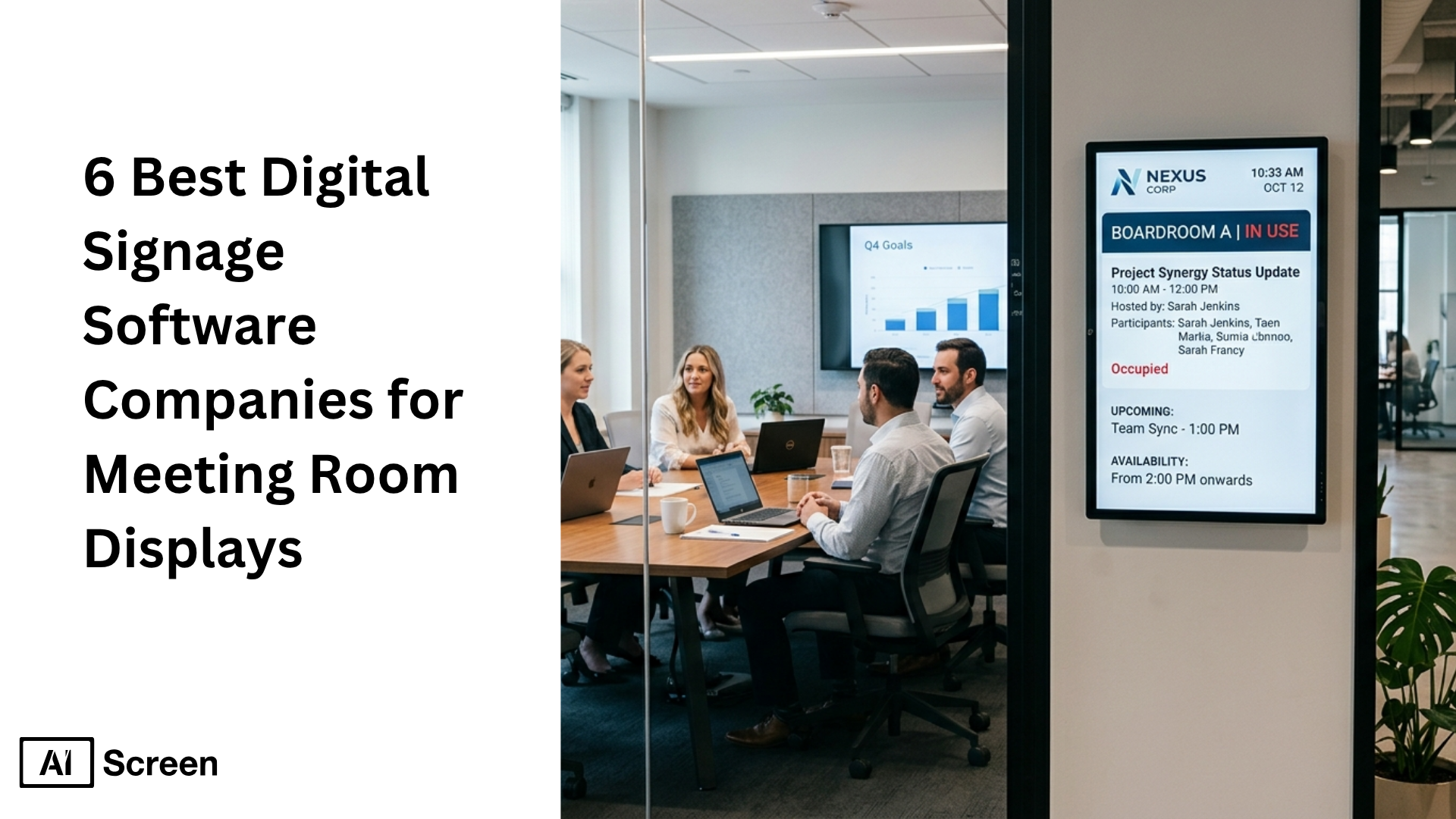
6 best digital signage software companies for meeting room displays are getting more attention as businesses try to make conference rooms easier to manage and more useful every day. Grand View Research says the U.S. digital signage market was worth $7.44 billion in 2025 and is projected to reach $12.97 billion by 2033, which shows how fast digital signage software, digital displays, and smart workplace tools are growing across corporate offices and enterprise environments.
In this article, you will learn which digital signage software companies stand out for meeting room displays, how each digital signage solution compares on pricing, templates, apps, and key features, and which platform works best for conference rooms, room booking, internal communications, and multiple locations. You will also see why AIScreen stands out as a leading provider for businesses that want simple content management, remote management, dynamic content, and better meeting room productivity from one cloud based platform. Explore AIScreen’s meeting room digital signage solution.
What Are 5 Ways Digital Signage Software Improves Meeting Room Productivity?
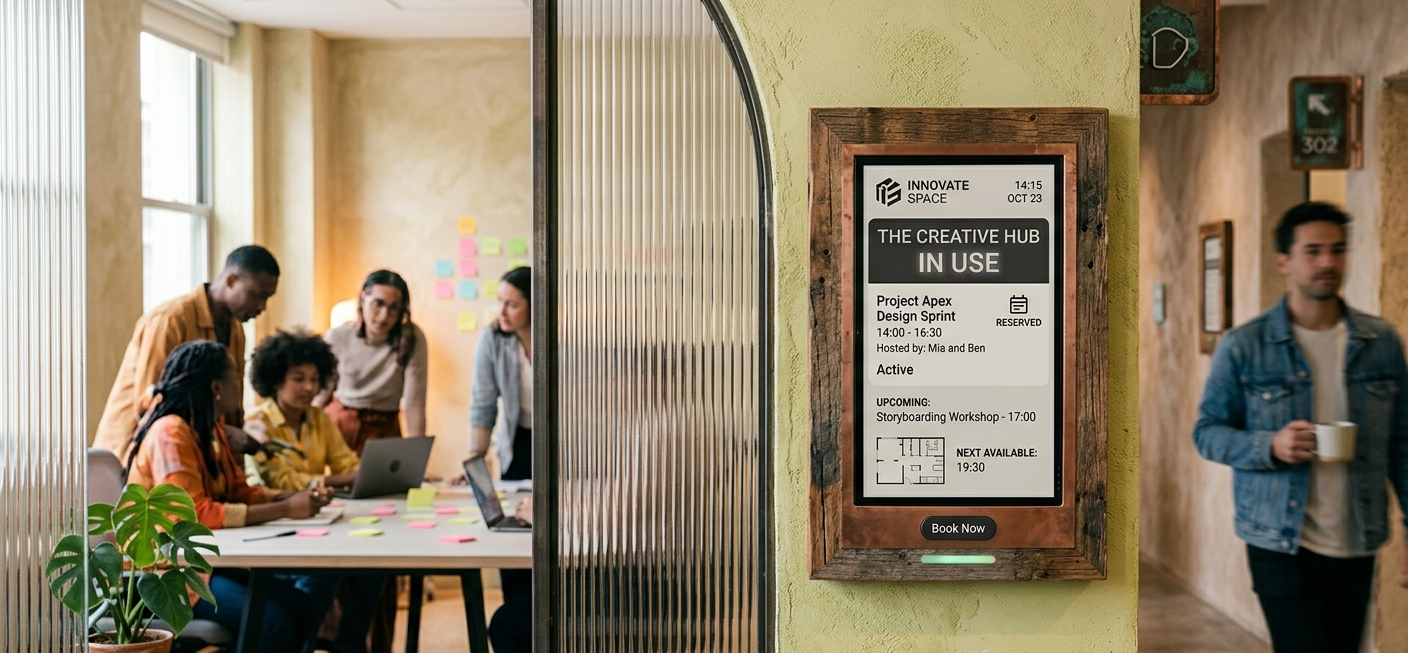
Digital signage software improves meeting room productivity by making room booking clearer, reducing delays, improving room usage, supporting navigation, and strengthening workplace communication.
In corporate offices, a strong digital signage solution helps teams manage content, display meeting room schedules, and keep conference rooms more organized across multiple locations. This is one reason the best digital signage software companies for office environments are becoming more important for daily operations.
Your document also shows that digital signage software supports real-time schedule synchronization, centralized control, analytics, and communication tools that improve operational efficiency in meeting spaces.
Many digital signage platforms integrate with existing tools like Google Workspace and Microsoft 365 to streamline content management.
Digital signage platforms often include built-in templates to facilitate quick content creation without requiring design expertise. Emergency alert capabilities in digital signage software allow organizations to push critical messages to all screens instantly.
This matters because a large share of the workday is already spent in meetings, email, and chat. Microsoft reports that employees spend 57% of their time in communication activities, which means small delays in conference rooms can quickly turn into bigger productivity losses across the business.
The best digital signage software companies for meeting room use usually focus on:
- real-time room availability
- content management and content scheduling
- screen sharing and wireless presentation systems
- remote management and remote device management
- employee communications and company announcements
- advanced security features for enterprise environments
1. Preventing Double-Bookings With Real-Time Room Availability
Preventing double-bookings with real-time room availability is one of the easiest ways digital signage software improves daily meeting room use. When digital signage displays are installed outside conference room screens, employees can instantly see whether a meeting room is free, occupied, or booked next.
Your document explains that room displays can integrate with Google Workspace, Microsoft Teams, and Zoom so businesses can keep meeting room schedules synchronized in real time and reduce booking confusion. It also notes that interactive meeting room booking can happen directly from the display.
This helps corporate offices:
- avoid double-bookings
- reduce interruptions during active meetings
- improve room availability visibility
- help employees book empty rooms on the spot
- make better use of digital screens and existing devices
Your document also mentions visual indicators like green and red LED light bars, which make room availability easier to understand from a distance. That is a simple but effective form of visual communication in busy office environments.
2. Streamlining Meeting Start Times With Platform Integration
Streamlining meeting start times with platform integration helps teams avoid the usual delays that happen when people are trying to connect laptops, launch software, or start calls. This is especially important in a smart meeting room, where technology is expected to work quickly and without friction.
A digital signage software provider can integrate with Microsoft Teams, Google Workspace, Zoom Rooms, and wireless presentation systems so conference rooms are ready faster and screen sharing becomes easier.
When digital signage content is tied to live calendars and meeting schedules, the meeting room experience becomes smoother and more predictable. Instead of dealing with a complex setup every time, teams can walk into meeting spaces and start more quickly.
This helps by:
- reducing time lost at the start of meetings
- improving synchronization between conference room screens and calendars
- supporting screen sharing across mobile devices and existing devices
- lowering reliance on technical expertise for routine meetings
- making digital signage networks more useful in corporate environments
Microsoft has also reported that employees are interrupted every two minutes during core work hours, which shows why reducing meeting friction matters so much. A better digital signage solution helps meetings start on time and keeps teams focused.
3. Improving Room Utilization With Data and Usage Insights
Improving room utilization with data and usage insights helps businesses understand how conference rooms are really being used. Many companies assume they need more meeting room space, but the issue is often poor visibility, uneven booking patterns, or underused rooms.
Your document states that analytics features in digital signage software can help track room usage, room performance, and scheduling behavior. It also shows that centralized control and cloud based platform tools help teams efficiently manage multiple screens and signage networks from one place.
That can help businesses:
- identify overused and underused rooms
- improve room booking rules
- reduce wasted space in corporate offices
- manage content and schedules more efficiently
- improve operating costs across multiple locations
CBRE reported that enclosed meeting room utilization reached 58% in the XY Sense Workplace Utilization Index for Q2 2024, compared with 23% for open areas. That kind of gap shows why businesses need better data before expanding or redesigning meeting spaces.
4. Reducing Distractions With Better Wayfinding and Navigation
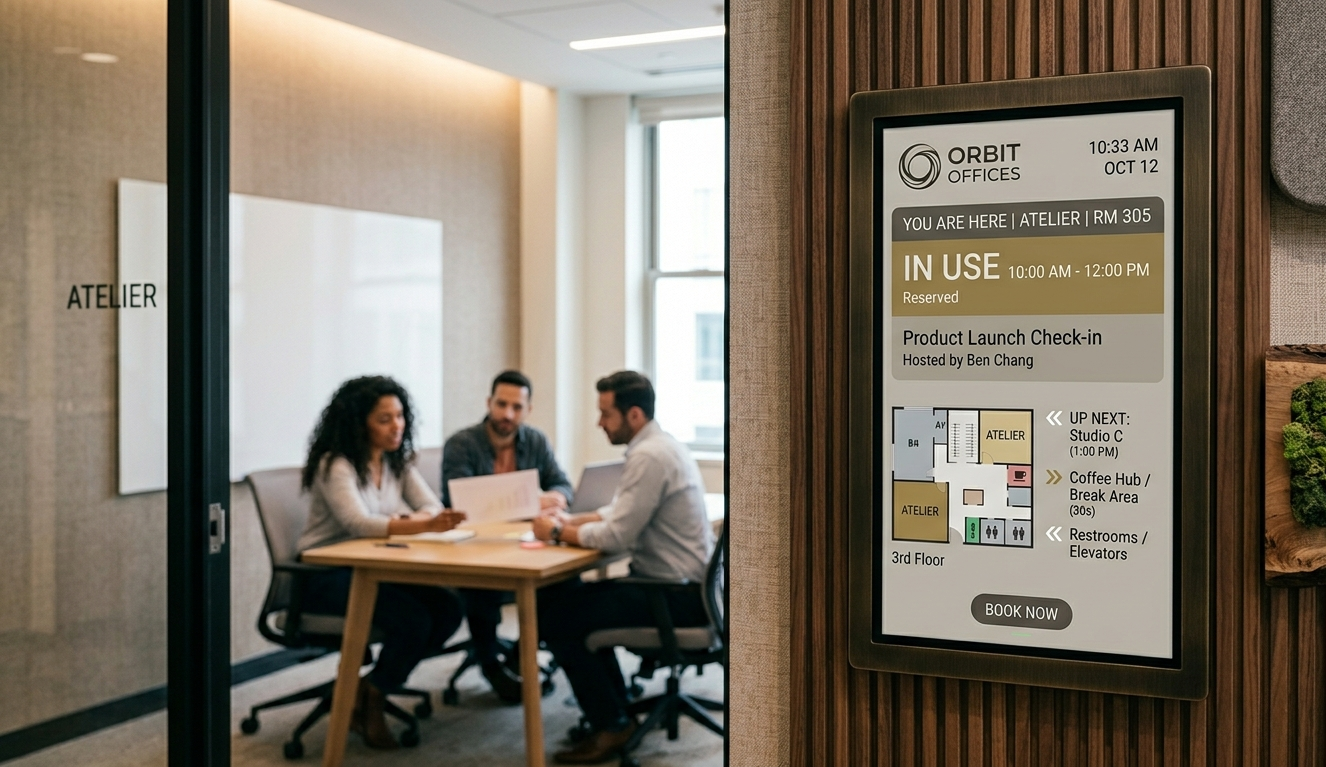
Reducing distractions with better wayfinding and navigation helps employees and visitors find the right room without wasting time. In larger corporate offices, digital signage displays can act as a digital directory for conference rooms, meeting room schedules, floor-by-floor navigation, and visitor management.
Your document notes that many platforms support interactive kiosks, touchscreens, QR-based interactions, and digital wayfinding. That makes digital signage more useful than a static sign because the screen can show dynamic content based on the time, room status, or meeting schedules.
This improves meeting room productivity by:
- reducing time spent searching for conference rooms
- lowering interruptions to other teams
- helping guests move through office environments with confidence
- supporting clearer room booking and room availability visibility
- turning digital displays into helpful navigation tools
Because these systems often support remote management and multiple operating systems, they are easier to roll out across multiple locations and enterprise systems without replacing every part of the existing setup.
5. Strengthening Workplace Communication and Company Culture
Strengthening workplace communication and company culture shows why digital signage is more than a meeting room tool. When conference room screens are not actively showing room booking data or meeting schedules, they can display company announcements, employee communications, corporate communications, emergency alerts, social media feeds, and on brand content.
Your document explains that digital signage software enhances communication and engagement in corporate environments. It also highlights emergency alerts as an important feature that can override scheduled content and send urgent updates across signage networks.
This creates value in several ways:
- keeps employees informed without relying only on email
- supports internal communications across digital signs and digital screens
- reinforces culture through branded messaging
- displays company goals, achievements, and updates
- helps manage content from one content management system with user permissions and centralized control


Which Are the Best Digital Signage Software Companies for Meeting Room Displays?
The best digital signage software companies for meeting room displays usually combine digital signage software, room booking support, content management, remote management, and reliable apps that work well in conference rooms and corporate offices.
For this kind of setup, businesses usually look for a digital signage solution that can handle meeting room schedules, room availability, dynamic content, employee communications, and centralized control across multiple locations.
A good digital signage software provider for meeting spaces should make it easy to manage content on conference room screens, schedule content in advance, and keep digital signage networks synchronized without a complex setup.
Many digital signage solutions offer drag-and-drop editors that allow employees without technical expertise to design content for meeting spaces and conference rooms.
Most digital signage solutions provide user-friendly interfaces for content creation and management. The best digital signage solutions are known for their reliability and ease of use. It should also support user permissions, interactive features, and enterprise grade security if the deployment spans multiple screens, multiple buildings, or enterprise systems.
Based on current official product pages, AIScreen, DotSignage, ScreenCloud, Signagelive, Pickcel, and CrownTV are all relevant names to compare, but they serve slightly different needs.
AIScreen
AIScreen is one of the best and strongest choices for businesses that want a meeting room focused digital signage company with broader support for corporate communications, internal communications, and digital signage displays across enterprise environments.
It works especially well for corporate offices that need conference room screens, room availability displays, dynamic content, multiple screens, and remote device management from one cloud based platform.
AIScreen stands out because it is not limited to one narrow meeting room use case. It can manage digital signage content for conference rooms, office environments, visitor management, digital menu boards, employee communications, dashboards, and emergency alerts from a single content management system.
This flexibility makes AIScreen useful for:
- conference rooms
- meeting spaces
- corporate offices
- multiple locations
- employee communications
- internal communications
- digital signage displays across different departments
Pricing is one of AIScreen’s stronger selling points for businesses that want to control operating costs without losing key features. On its official pricing page, AIScreen lists an Essential plan at $10 per month.
Its higher tier pricing also includes a $30 per month plan that adds SSO, remote hardware management, plug-and-play hardware, onboarding, training, professional design support, and custom integration support, which makes it more suitable for enterprise environments.
That pricing structure is useful because it gives businesses:
- a lower-cost business plan for smaller deployments
- room to scale into enterprise systems
- better remote management options
- access to advanced security features
- support for centralized control as signage networks grow
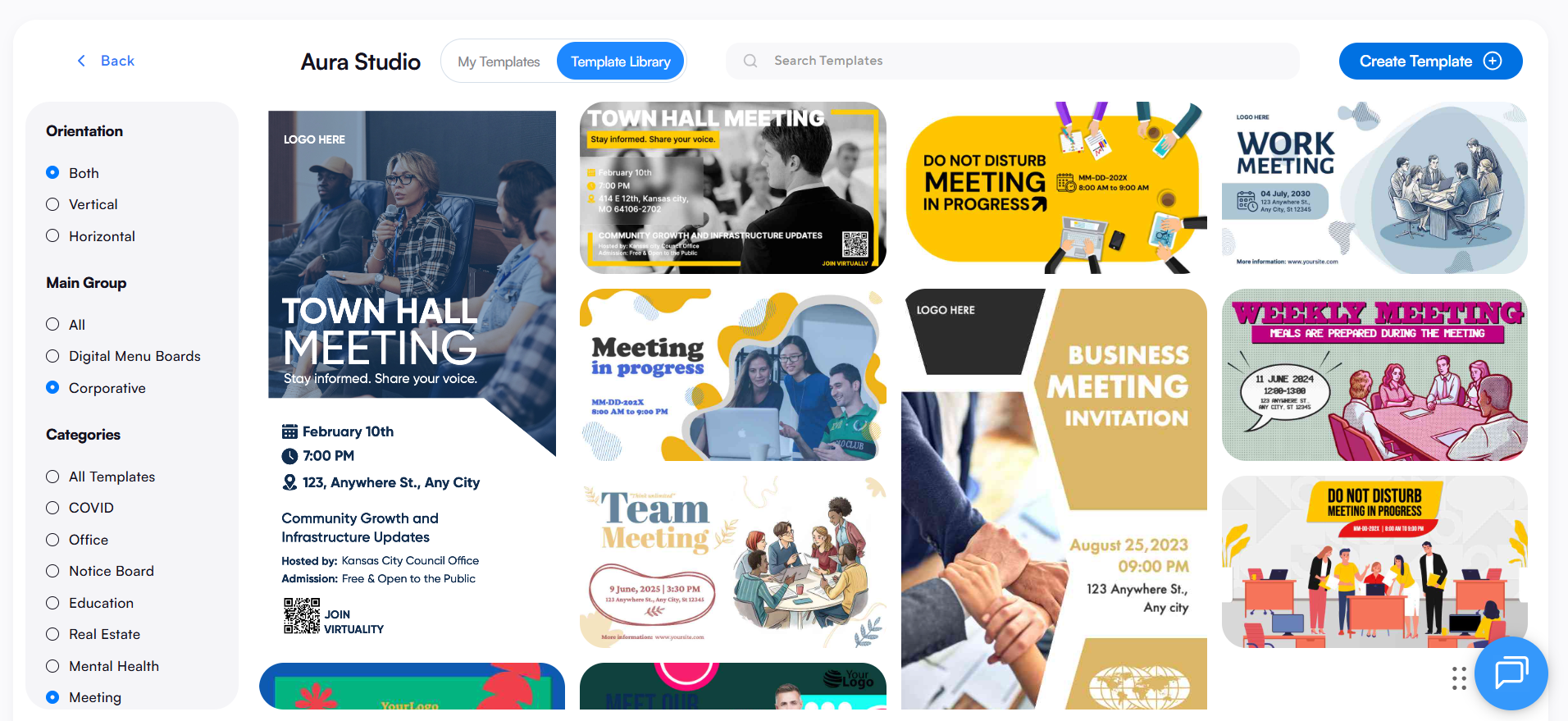
Templates are another major reason AIScreen works well in conference rooms and office environments. The pricing page lists 1,500 free design templates with weekly updates, and the template library covers meeting room schedules, office displays, employee recognition, emergency alerts, hospitality, retail stores, and other workplace use cases.
That template support helps teams:
- create professional digital signage faster
- keep digital signage content on brand
- build meeting room schedules with less manual work
- publish company announcements more easily
- support digital displays across multiple screens
Apps are where AIScreen becomes especially useful for meeting room productivity and corporate communications. Its official apps page says the platform offers 100+ digital signage apps and integrations, including live feeds, social media feeds, Power BI, Tableau, Google Data Studio, and more.
In office environments, that matters because conference room screens often need more than room booking. They may also need dashboards, internal communications, emergency alerts, and digital content from Google Calendar that keeps teams informed between meetings.
This wider app ecosystem helps businesses:
- manage content from one content management system
- show dynamic content across digital screens
- real-time syncing allows for automatic updates for impromptu bookings or early meeting endings
- support employee communications and corporate communications
- connect conference room screens with business tools
- schedule content across multiple locations
- use existing devices more effectively
Key features that make AIScreen particularly strong for meeting room displays include:
- centralized control for multiple locations and multiple screens
- content scheduling and dynamic content updates
- remote management and remote device management
- using built-in templates helps teams create professional digital signage content quickly and consistently
- 100+ apps and integrations
- support for internal communications, company announcements, and emergency alerts
- enterprise-ready features such as SSO, custom integrations, and premium support
DotSignage
DotSignage is a cloud based digital signage software platform that leans heavily into ease of use, digital menu boards, and simple screen management for small and mid-sized businesses. It is a practical option for teams that want signage software with a user friendly interface, fast setup, and strong template support without a heavy enterprise learning curve.
Features that stand out in DotSignage include:
- 750+ editable templates
- 30+ built-in apps
- unlimited playlists and schedules
- drag-and-drop editors
- support for multiple locations and restaurant-style deployments
- approachable pricing for businesses watching operating costs
ScreenCloud
ScreenCloud is the digital signage software brands for businesses that want polished content management, broad integrations, and enterprise-friendly deployment.
It is especially relevant for corporate offices, internal communications, and digital signage networks where teams want to manage digital screens across multiple locations with centralized control. ScreenCloud allows displaying real-time business dashboards on conference room screens when they are not showing schedules.
Features that make ScreenCloud attractive include:
- 100+ apps and integrations
- strong dashboard support
- templates and quick post tools
- enterprise deployment focus
- good fit for internal communications and deskless workforces
- scalable management for multiple screens and signage networks
Signagelive
Signagelive is a long-running digital signage software provider that is more enterprise and partner oriented than many simpler cloud tools.
It is a good option for organizations that care about security, approved hardware ecosystems, and structured digital signage deployments across professional environments. Its official site emphasizes security, scalability, and trusted use by global organizations.
Features that stand out in Signagelive include:
- strong security positioning
- unlimited users on the standard license
- remote device management
- dual-display support
- 500+ marketplace apps
- support for live TV, IPTV, and web content
- a more enterprise-grade and integrator-friendly profile
Pickcel
Pickcel is a flexible digital signage company that works well for businesses that want cloud based platform simplicity but also need room to scale into enterprise systems later.
Its official site positions it as both a cloud and on-premise digital signage solution, with support for a wide range of operating systems and devices. That makes it a useful option for businesses running conference rooms, digital signs, visitor management screens, or digital displays across multiple locations.
Features that make Pickcel appealing include:
- cloud and on-premise deployment options
- 100+ templates and 60+ apps
- content synchronization and advanced scheduling
- dashboard integrations
- MFA and enterprise grade security positioning
- compatibility with Android, Windows, BrightSign, Linux, Samsung, LG, iOS, Fire TV Stick, and ChromeOS
CrownTV
CrownTV is viewed as a more service-heavy digital signage solution rather than just a pure software tool. It combines cloud CMS software with media players, installations, managed content services, and custom app development.
For businesses that want a turnkey digital signage company for corporate offices, retail stores, or office environments, that can be a strong advantage. Its official site emphasizes remote screen control, automated scheduling, sync across locations, and managed deployment rather than a simple self-serve SaaS pitch.
Features that make CrownTV notable include:
- turnkey deployment approach
- media players plus CMS
- managed content and installation services
- custom app development for clients
- multi-location control and automated scheduling
- app support for social, storage, web, reviews, and split-screen content
How Do the Top Digital Signage Software Solutions for Meeting Rooms Compare?
The top digital signage software solutions for meeting rooms compare usually by pricing, templates, apps, meeting room suitability, and how well each digital signage software platform supports corporate offices, conference rooms, and multiple locations.
For meeting room displays, the best digital signage software companies are usually the ones that combine room booking visibility, content management, remote management, dynamic content, and centralized control in one digital signage solution.
| Software | Best fit | Pricing | Templates | Apps / integrations | Meeting room strengths |
|---|---|---|---|---|---|
| AIScreen | Businesses that want a broader digital signage solution for meeting rooms, employee communications, internal communications, and multiple locations | Essential starts at $10/month; higher-tier plan shown at $30/month with SSO, remote hardware management, onboarding, training, and custom integration support | 1,500 free design templates with weekly updates | 100+ apps and integrations, including business dashboards, social media feeds, and workplace content tools | Strong fit for conference room screens because it supports content scheduling, remote device management, digital signage content, centralized control, and wider corporate communications use cases. Your document also points to AIScreen for meeting room management with Microsoft Teams and Zoom Rooms integration. |
| DotSignage | Small and mid-sized businesses that want a simple, user friendly interface and lower operating costs | Standard plan listed at $10 per screen/month when paid annually | 750+ editable templates | 30+ built-in apps | Good for basic conference rooms, digital signs, and office environments where teams want fast setup, manageable pricing, and easy content scheduling rather than heavy enterprise systems. |
| ScreenCloud | Corporate environments that want a mature platform for internal communications and digital signage networks | Core is $20/screen/month + VAT, Pro is $30/screen/month + VAT, Enterprise is custom | Design templates and Quick Post included in Core | 100+ apps and integrations | Strong for enterprise environments, dashboards, and centralized control. It is a good choice when meeting room screens also need employee communications, social media feeds, and business intelligence content. Your document also notes ScreenCloud for real-time business dashboards on conference room screens. |
| Signagelive | Enterprise teams and partners that want stability, security, and broader marketplace access | Standard license is $270/year per device and includes unlimited users and access to free marketplace apps | Template support is less heavily marketed than some competitors, with more emphasis on marketplace-driven content workflows | 500+ marketplace apps and integrations | Better for structured professional digital signage rollouts, remote device management, and enterprise-grade deployments than for highly meeting-room-specific workflows. |
| Pickcel | Businesses that want cloud based platform flexibility with room to scale into enterprise systems | Public pricing references show Professional at $15/device/month, with Enterprise custom; official pricing page presents Professional, Business, and Enterprise tiers | 100+ digital signage layout templates | 100+ integrations highlighted on the official site | Good fit for multiple locations, digital displays, and mixed office environments. It is useful when businesses want content scheduling, user friendly setup, and the option for cloud or on-premise deployment. |
| CrownTV | Businesses that prefer a more turnkey digital signage company with bundled support and installation | Pricing is custom on official software pages; public company content also references software at $39/license monthly or $35/license annually in a cost guide | Templates are less emphasized than services and app-led content workflows | Official app library and custom app additions are highlighted | Best for businesses that want comprehensive solutions, installation help, multi-location control, and less DIY setup. It is more service-heavy than some other signage software options. |
For meeting room displays specifically, AIScreen stands out when a business wants one platform for meeting room, employee communications, room availability, dynamic content, and remote management without giving up templates, apps, or enterprise-ready controls.
Why AIScreen Is a Smart Choice for Meeting Room Productivity
AIScreen is a smart choice for meeting room productivity because it brings room booking, meeting room schedules, digital signage content, and remote management into one simple platform. It helps corporate offices keep conference rooms organized, reduce delays, improve room availability visibility, and manage multiple screens from one place. As a leading provider, AIScreen gives businesses the tools they need to run meeting spaces more smoothly without adding unnecessary complexity.
AIScreen also stands out because it goes beyond basic meeting room displays. It supports employee communications, company announcements, dynamic content, and centralized control across multiple locations, which makes it a practical digital signage solution for growing teams. For businesses that want better meeting room productivity and a platform that can scale with their needs, AIScreen is one of the strongest options available. Contact us.
FAQs
Can digital signage software work with existing meeting room screens?
Yes, digital signage software can work with existing meeting room screens if the hardware supports the platform, browser playback, or a compatible media player. Many businesses use existing devices to avoid extra operating costs while still adding room booking, meeting schedules, screen sharing support, and digital signage content management.
What features matter most in digital signage software for meeting rooms?
Digital signage software for meeting rooms works best when it includes room availability, content scheduling, remote management, centralized control, user permissions, and integrations with Microsoft Teams, Google Calendar, or Google Workspace. Interactive features, enterprise grade security, and a user friendly interface also matter in corporate environments.
Is cloud based digital signage better for multiple office locations?
Yes, cloud based digital signage is usually better for multiple office locations because teams can manage content, schedule content, and monitor digital screens from one dashboard. It also makes remote device management easier, which is important for corporate offices, signage networks, and meeting spaces spread across different sites.
How does digital signage improve internal communications in office environments?
Digital signage improves internal communications in office environments by turning conference room screens and digital displays into spaces for company announcements, employee communications, emergency alerts, and dynamic content. This helps teams stay informed even when they are not actively checking email, chat, or other mobile devices.
Why do businesses compare templates and apps before choosing a digital signage software provider?
Businesses compare templates and apps because these often influence how quickly a business can launch on brand content and expand its digital signage solution later. A strong digital signage software provider should offer customizable templates, useful apps, and content management tools that support conference rooms, corporate communications, visitor management, and other day-to-day workplace needs.
