
Can You Use Digital Signage as a TV?
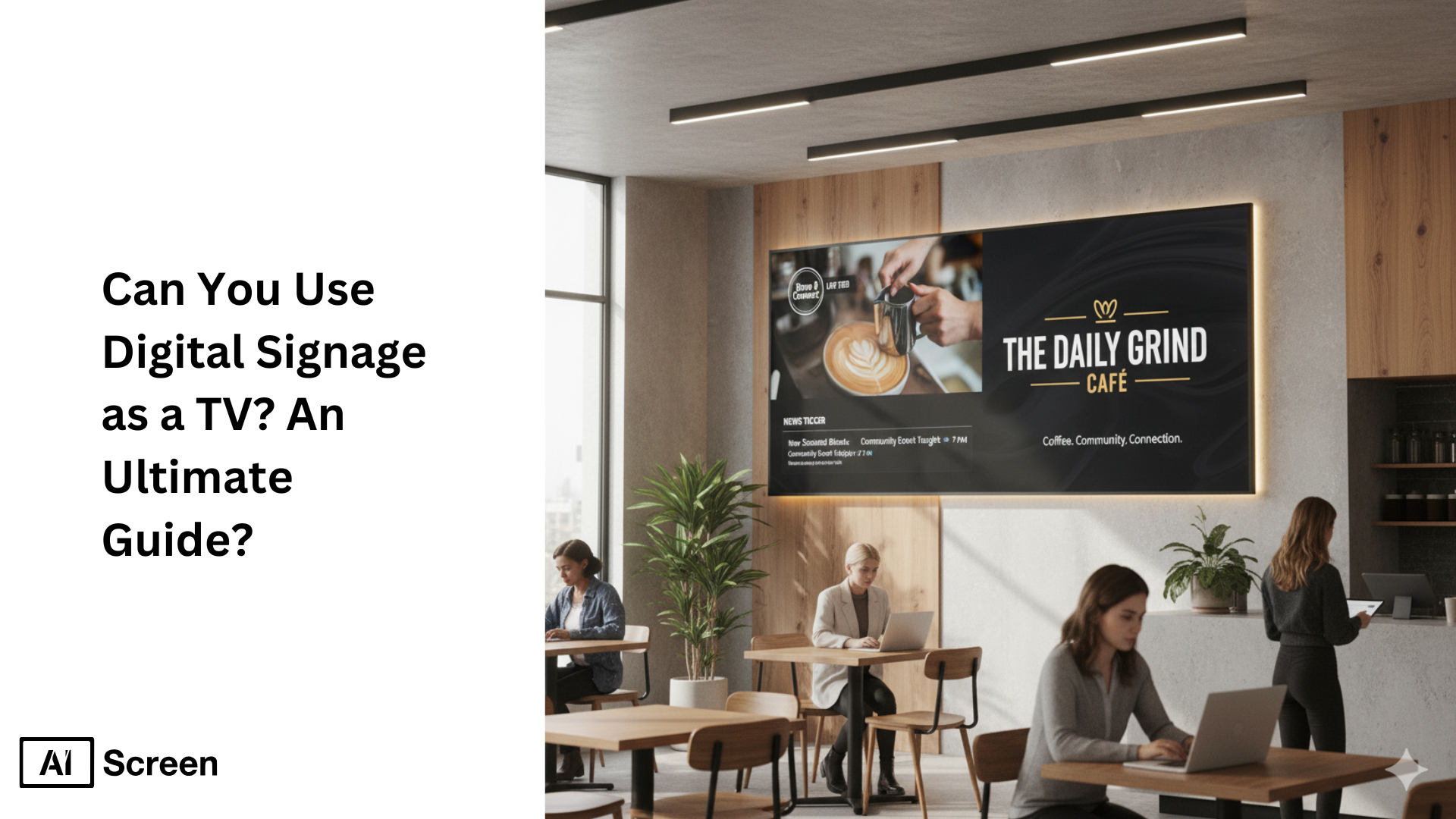
Yes, you can use a standard or smart TV as a digital signage display using the right software. Global digital signage adoption is booming, with the market projected to hit $57.78 billion by 2033 as companies seek flexible, engaging ways to communicate and advertise (source: ResearchAndMarkets). Why limit your screen to news or Netflix? Using digital signage solutions turns your TV into a dynamic hub for branded content, live feeds, promotions, or real-time updates that boost engagement far beyond regular TV functions.
In this article, you’ll discover how digital signage differs from traditional TV broadcasting by offering centralized content control, creative templates, and audience analytics. Want a cost-efficient display for your office, café, or event? Learn the process for repurposing TVs with digital signage software like AIScreen, from setup steps to streaming limitations and best use cases. By rethinking TVs as digital signage platforms, you can maximize your investment and unlock instant, interactive communication.
What Is Digital Signage?
Here’s the same content with digital signage content management software added naturally:
Digital signage is a system that displays multimedia content like announcements, ads, and news on screens using specialized software, allowing for remote scheduling, automation, and real-time customization.
Unlike standard TV or cable broadcast channels that just show preset network programming, digital signage puts full control in your hands: you get to choose what’s displayed, update information instantly, and tailor messages for different audiences or locations, facilitating remote management.
The difference? Traditional TV is limited to network schedules, while digital signage is owner-controlled, super adaptable, and data-driven. With digital signage content management software, you can manage multiple screens, organize media, schedule content, push updates across sites in seconds, and use branded layouts to reinforce your visual identity. If you want your TV to work this way, digital signage software turns any screen into a channel you fully control from one dashboard. Wondering what that costs for your setup? Take a look at AIScreen pricing and pick the plan that fits your screens.
AIScreen serves as the ultimate digital signage hub, letting you handle all this seamlessly from one easy-to-use dashboard, which is perfect for modern businesses that want to keep messages fresh and engaging.
What Are the Advantages of Using Digital Signage as a TV?
Using digital signage instead of traditional TV gives your business more control, creativity, and measurable impact for dynamic advertising. With digital signage software, you can deliver customized content, manage screens remotely, and engage your audience in real time, all while saving long-term costs. Here’s how it outperforms regular television:
1. Versatility and Flexible Content Playback: Digital signage is not limited to one program. It can display videos, live news (RSS feeds), social media updates, ads, or announcements all on a single screen.
Example: Imagine a gym showing motivational workout clips, today’s class schedule, and live weather updates at once. With AIScreen’s multi-zone layout feature, you can divide one screen into sections, each playing unique, dynamic content, keeping your display both engaging and purposeful. This flexibility becomes even more impactful when you look at the top 11 benefits of digital signage, which highlight how versatile content boosts engagement across industries.
2. Centralized Content Management and Control: Forget juggling remotes or individual setups and have faith in cloud servers. A cloud-based digital signage CMS lets you update content across hundreds of screens from one dashboard.
Example: A restaurant chain can instantly update its daily specials or menu pricing across all branches, so no manual effort is required. With AIScreen’s centralized platform, you can push real-time updates, automate schedules, real-time promotions, and ensure brand consistency across every location.
3. Cost Efficiency Over Time
Unlike TV, digital signage doesn’t depend on expensive cable subscriptions, player supports, or recurring media costs. Once you set up your signage network, it’s fully self-managed, and you get a complete guide to run it on cloud-based players.
Example: Businesses can upload and schedule playlists directly, saving thousands annually.
AIScreen’s automation and scheduling tools not only cut costs but also deliver a strong return on investment (ROI) within months of deployment.
4. Increased Engagement and Branding Power
Digital signage offers a vibrant, interactive experience that grabs more attention and boosts brand recall compared to passive TV content.
Example: A retail store showcasing branded visuals, product demos, and special offers sees more engagement and higher sales conversions. With AIScreen’s smart display tools, your brand can turn ordinary screens into powerful storytelling platforms that drive both awareness and action.
How to Use Digital Signage as a TV?
Turning your smart TV into a digital signage display is easier than you think. With the right setup, you can stream dynamic, branded content, automate updates, and even manage screens remotely, all without needing any advanced tech skills. Here’s a simple, step-by-step guide to get started:
Step 1: Choose a Smart Digital Signage Display That Supports TV Playback
Start by picking a smart digital signage display that can double as a TV screen. The best thing is, you don’t need any complex setup. Instead, any Smart TV, Android TV, or Fire TV Stick can easily act as your signage display.
For business-grade performance, choose a commercial digital signage screen built for 24/7 operation. These models deliver higher brightness (400–700 nits), better color accuracy, and longer lifespan than regular consumer TVs.
You can explore reliable displays like the Insignia Smart 4K UHD TV and Toshiba Fire TV Edition, both compatible with AIScreen’s player app and designed for smooth TV-style video playback.
Insignia Smart 4K UHD TV
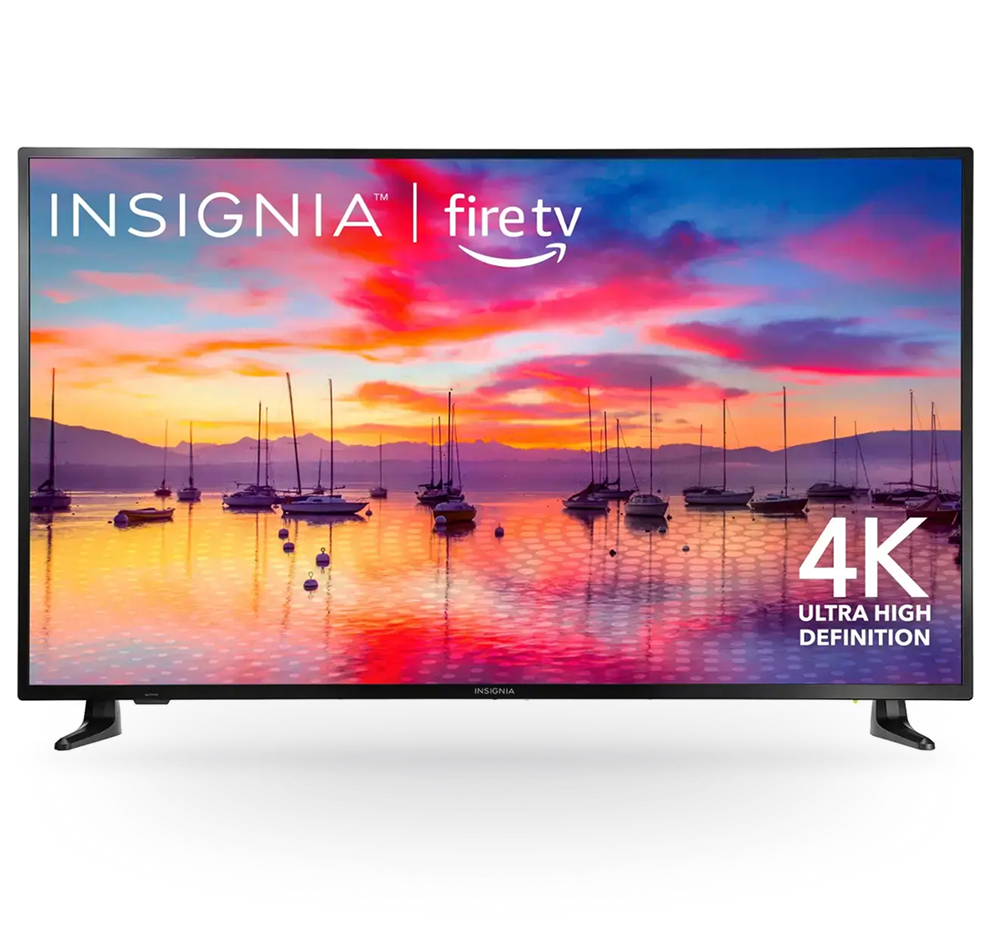
Insignia Smart 4K UHD TV is a popular choice for accessible, hassle-free digital signage, combining 4K clarity with built-in Fire OS and affordable pricing. It is ideal for businesses seeking easy deployment, solid streaming, and reliable playback of standard signage digital content without needing an external media player for basic uses. Here are the specifications.
- 4K Ultra HD LED screen (43″–65″)
- Fire OS, Alexa voice control
- HDR10, Dolby Vision, 60Hz refresh
- Wi-Fi, 3x HDMI, USB, Ethernet, Bluetooth
- DTS Virtual:X audio, built-in speaker
- Supports images, video, tickers, and one-zone layouts
- Integrated media player for simplified setup
Toshiba Fire TV
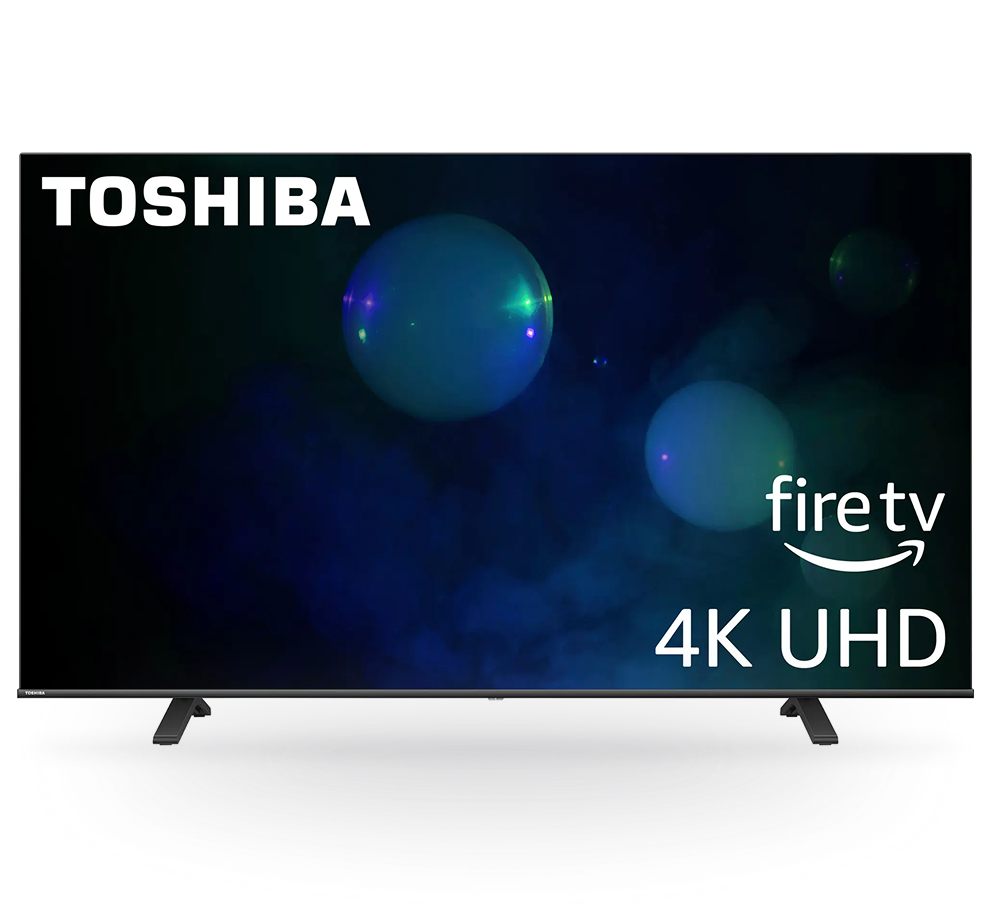
Toshiba Fire TV Edition is known for blending advanced picture quality and multi-zone smart features, making it stronger for cloud-managed signage. With robust hardware and software specifics and enhanced HDR support, it’s built for commercial uses like multi-content layouts, live feeds, and centralized management via AIScreen. Here are the specifications.
- 4K UHD (43″–75″), LED display
- Fire OS 7 (Android 9-based), Alexa voice remote
- HDR10, Dolby Vision, HLG
- ARM Cortex-A55, 2GB RAM, 16GB internal storage
- HDMI x4, USB x2, Ethernet, Wi-Fi, Bluetooth 5.0
- DTS Virtual:X surround, multi-zone ready
- Perfect for cloud signage networks and remote updates
Both TVs integrate seamlessly with AIScreen for easy remote control, content scheduling, and branded layouts, making them great options for modern digital signage needs.

Amazon Fire TV 2-Series TVs or Amazon Fire TV Omni QLED Series TVs
Low functionality 8/7 working hours (Digital Menu Boards or small businesses) $100 – $400

Toshiba or Insignia Fire TVs
Low functionality 8/7 working hours (Digital Menu Boards or small businesses) $150 – $550

Hisense 4K UHD Smart or TCL Class S4 4K UHD
Google TV 50”
Low functionality 8/7 working hours (Digital Menu Boards or small businesses) $300 – $600

Samsung QBC Series 4K UHD Display
Profesional Low Functioning 16/7 working hours (Corporate & Education) | $750 – $3110

Sony Bravia EZ20l Series
Profesional Low Functioning 16/7 working hours (Corporate & Education) | $650 – $3000

Sony BZ30L 43” – 98” or Sony BZ35L 55”-85”
Professional High Performance Displays 24/7 working hours| $710 – $3,940


Step 2: Login and Set Up Your Digital Signage Software
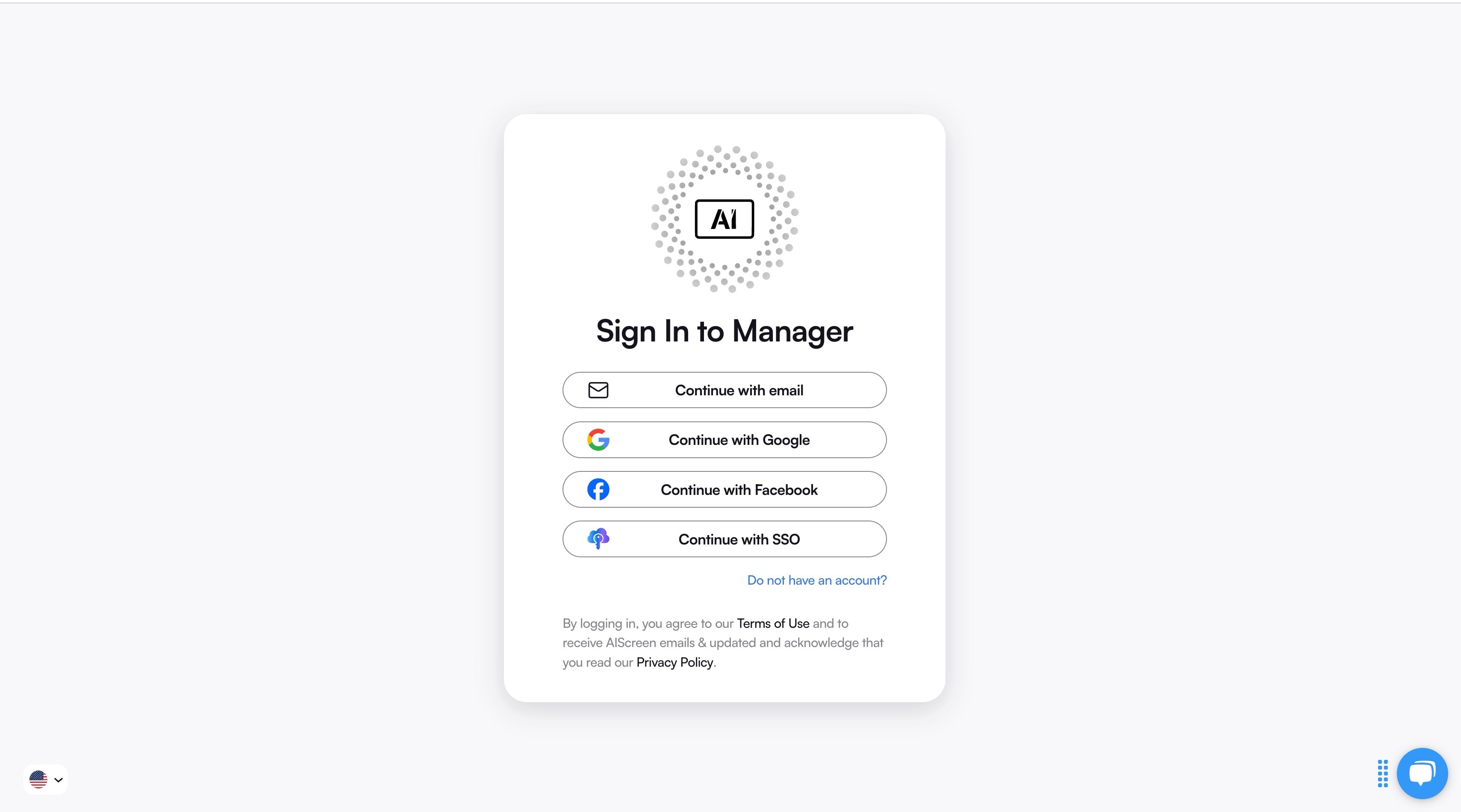
Now, sign up or log in to your AIScreen dashboard. This is your central control hub, where you can upload media files, design content, and manage playlists for all your screens from one place.
AIScreen’s drag-and-drop interface, pre-built templates, and real-time updates make it easy even for beginners. You can design, preview, and publish content without needing any coding skills.
Step 3: Pair Your TV with the Digital Signage Software
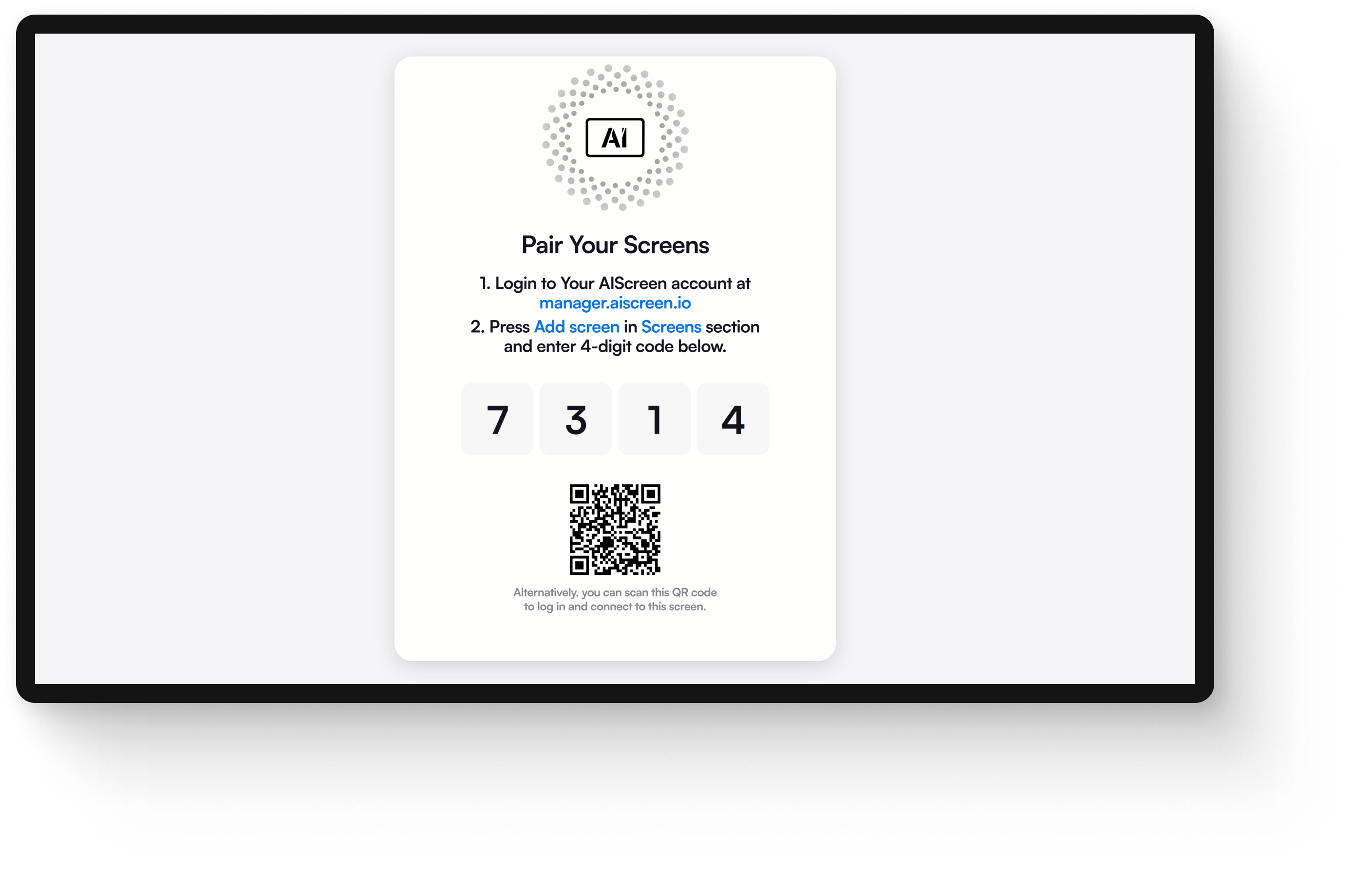
Once your app is installed, pair your TV to connect it with your AIScreen account. Your screen will display a unique pairing code. Simply enter that code inside your AIScreen dashboard under “Add New Device.” Within seconds, your TV will sync with your account, and you will see it listed as “Online.”
This instant synchronization allows you to remotely control your screen, update content, and monitor playback, just like managing a live TV channel.
Step 4: Upload or Customize TV-Style Content Templates
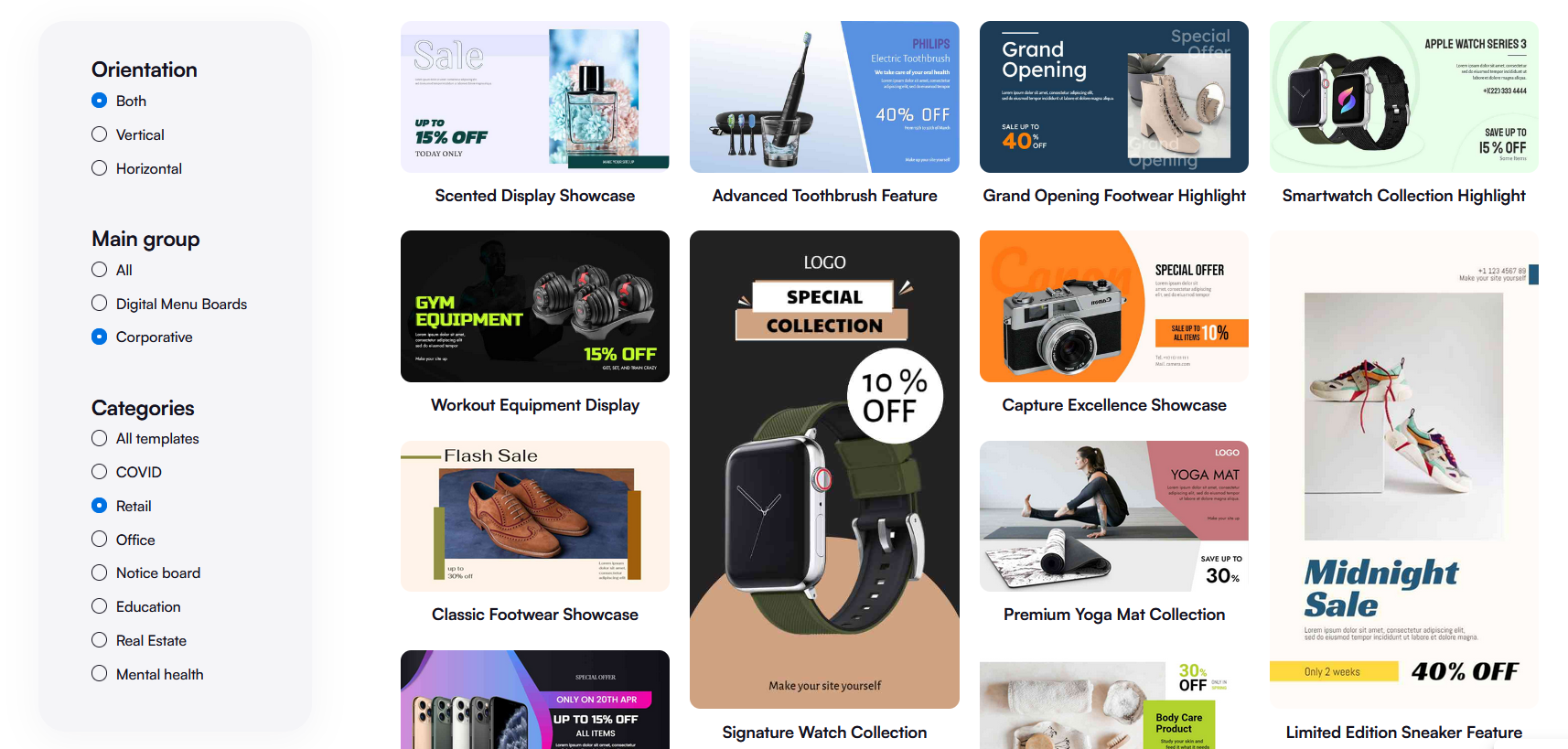
Time to make your signage look like a real TV channel. Use AIScreen’s ready-made, customized TV-style content templates, featuring news tickers, entertainment layouts, weather updates, and promotional designs.
You can customize these templates with your brand logo, videos, live data feeds, or dynamic widgets to create engaging, TV-style broadcasts. Think of it as running your own branded channel with real-time updates, eye-catching visuals, and higher processing power.
Step 6: Set Up Content Schedule and Stream Content Like a TV Channel
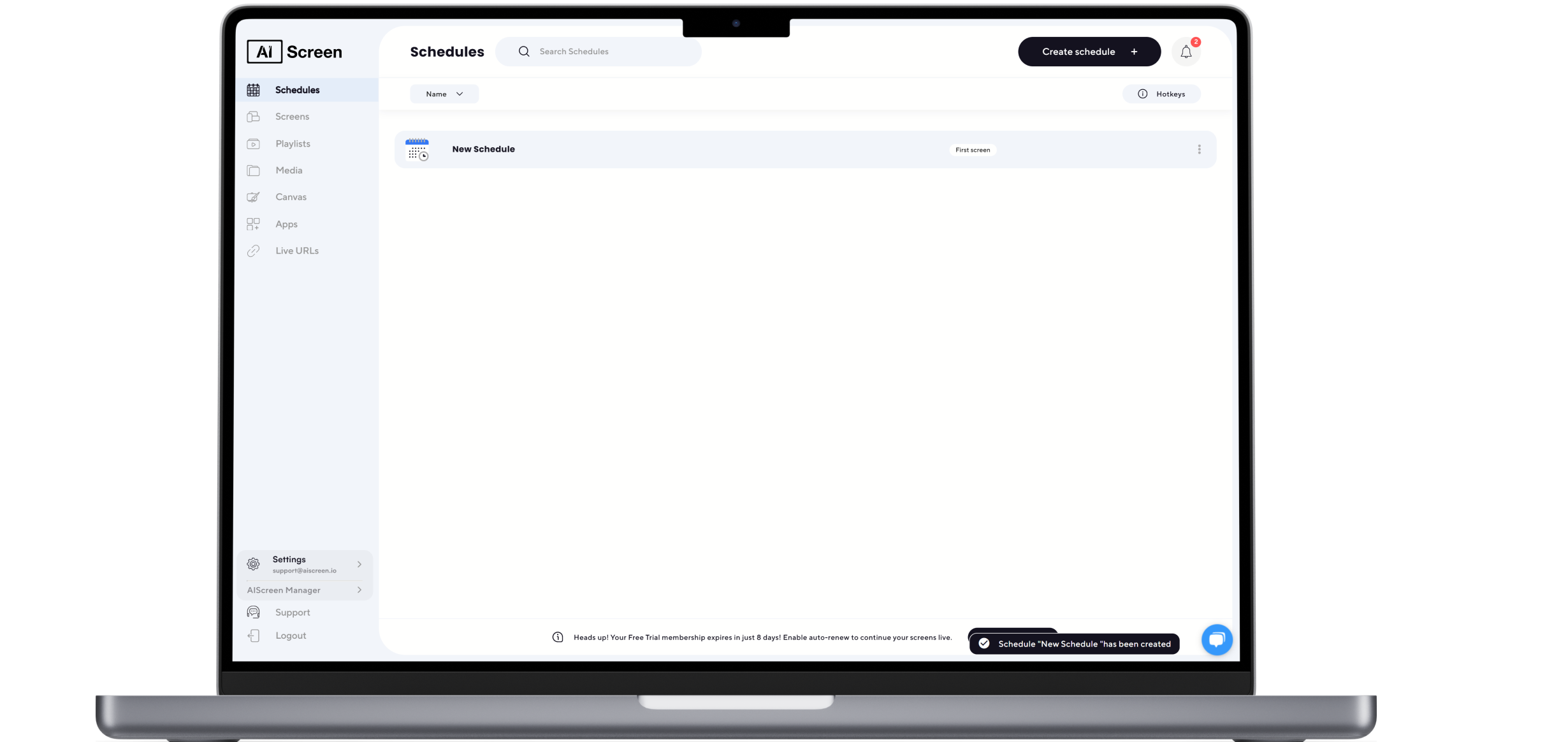
Finally, organize your playlists and set up content schedule to stream like a real TV channel.
For example:
- Show news headlines in the morning.
- Display ads or promotions during mid-day traffic.
- Run entertainment or community content in the evening.
AIScreen’s smart scheduling tools let you automate playback and switch between different types of content throughout the day. Plus, the real-time control dashboard ensures your screens always stay updated and on-brand.
Which Potential Limitations to Consider When Using Digital Signage as a TV?
While turning your TV into a signage display offers great flexibility, there are a few practical considerations to keep in mind to ensure smooth operation and return on investment.
Initial Cost and Hardware Setup: Setting up digital signage requires investment in commercial-grade displays, media players, and professional installation. Though the upfront cost can seem steep, AIScreen’s plug-and-play hardware options simplify setup and reduce hidden expenses, helping businesses achieve strong ROI over time using the best digital signage players.
Internet and Network Reliability: Digital signs depend on stable Wi-Fi or LAN connections for real-time content updates. AIScreen addresses this by offering offline playback and cached playlists, ensuring digital screens continue running smoothly even during connectivity interruptions.
Learning Curve and Technical Setup: Managing content scheduling and understanding the software might challenge new users initially. AIScreen’s user-friendly interface, combined with comprehensive training resources, helps beginners quickly gain confidence and control over their digital signage systems.
These challenges are common but manageable, and AIScreen empowers businesses to overcome them while maximizing the benefits of dynamic, centralized, and engaging digital displays.
What are the Best Uses for Digital Signage as a TV?
Digital signage can serve as an intelligent TV replacement in nearly any professional setting, offering versatile content management and dynamic audience engagement’s key features that traditional TVs cannot match.
- Office Lobbies and Reception Areas: Use digital signage as a large-screen welcome board displaying personalized greetings, corporate offices and their news, and event updates in branded formats. This creates a professional first impression and keeps visitors informed effortlessly.
- Retail Stores and Showrooms: Replace standard TVs with signage screens showcasing time-sensitive promotions, product highlights, and live campaign visuals that adapt to customer traffic and preferences, driving increased foot traffic and sales.
- Restaurants and Cafés: Stream dynamic menus, real-time social media feeds & posts, and entertainment content to create an engaging atmosphere while making menu updates instant and easy via cloud content management software.
- Gyms, Clinics, and Waiting Areas: Display motivational videos, health tips, announcements, and live schedules to engage and inform captive audiences, improving customer experience during wait times.
- Educational Campuses and Corporate Spaces: Serve as information hubs displaying event schedules, recognitions, news, and internal communications with centralized control for seamless content updates across multiple locations.
By deploying digital signage as a smart TV alternative with tools like AIScreen, businesses gain centralized content management, real-time updates, and rich multimedia engagement, all while boosting brand visibility and operational efficiency.
How Can You Use Digital Signage as a TV with DIY Digital Signage?
You can use digital signage as a TV to show live broadcasts, videos, news, branded content, promotions, and business updates on the same screen. This gives organizations more control over what appears on their displays while making better use of existing TV screens.
With DIY digital signage, businesses can create a simple setup using a screen, media player, and digital signage software. It can be a practical option for small businesses that want to manage content, schedule messages, and update displays without investing in a complex signage system.
Ready to Turn Your TV Into a Dynamic Digital Signage Display With AIScreen!
Turn your TV into a dynamic digital signage display with AIScreen, which is your all-in-one, user-friendly software platform for simple setup, scheduling, and automation.
AIScreen transforms any regular TV into a professional-grade display screen capable of showing ads, information, or entertainment, all controlled remotely from one intuitive dashboard.
Thousands of businesses already rely on AIScreen’s advanced features to turn their screens into powerful communication hubs with multi-zone layouts, real-time updates, and rich multimedia content that makes all the difference.
Whether you are running a single display or managing multiple locations, AIScreen makes scaling easy and cost-effective while retaining maximum customer engagement.
Start your free trial or book a demo today and see how effortlessly you can convert any TV into a dynamic digital signage display.
Frequently Asked Questions
Can I turn any TV into digital signage?
Yes, you can turn most standard TVs into digital signage, especially smart TVs with built-in operating systems. For non-smart TVs, you may need external devices as a digital signage media player, to manage and enable users to display content effectively.
Do I need the internet to run digital signage as a TV?
Yes, a stable internet connection (Wi-Fi or wired) is usually needed to remotely update and manage content. However, many digital signage platforms, including AIScreen, offer offline playback modes due to the absence of internet connectivity, storing content locally to keep screens running even without connectivity.
What type of content can I show on a digital signage TV?
You can stream videos, display settings, images, live news or weather feeds, social media updates, interactive menus, and scrolling text with all types of remote content management systems (CMS), customizable to your audience and branding with multi-zone layouts.
Is digital signage better than regular cable TV for businesses?
Yes, digital signage software is better than regular cable TVs for businesses as they give you full control over content with an initial investment only, and can deliver targeted, real-time messages, and support interactive and multimedia content. It is more cost-effective and flexible than traditional cable box TV, which only shows preset live TV broadcasts.
How many screens can I manage at once?
You can manage hundreds or even thousands of screens at once using cloud-based platforms like AIScreen, simultaneously from one dashboard, with cloud-based systems like AIScreen, while understanding digital signage and making multi-location content updates and scheduling easy and efficient.
