
How Does Digital Signage Displays Work? The Complete Guide
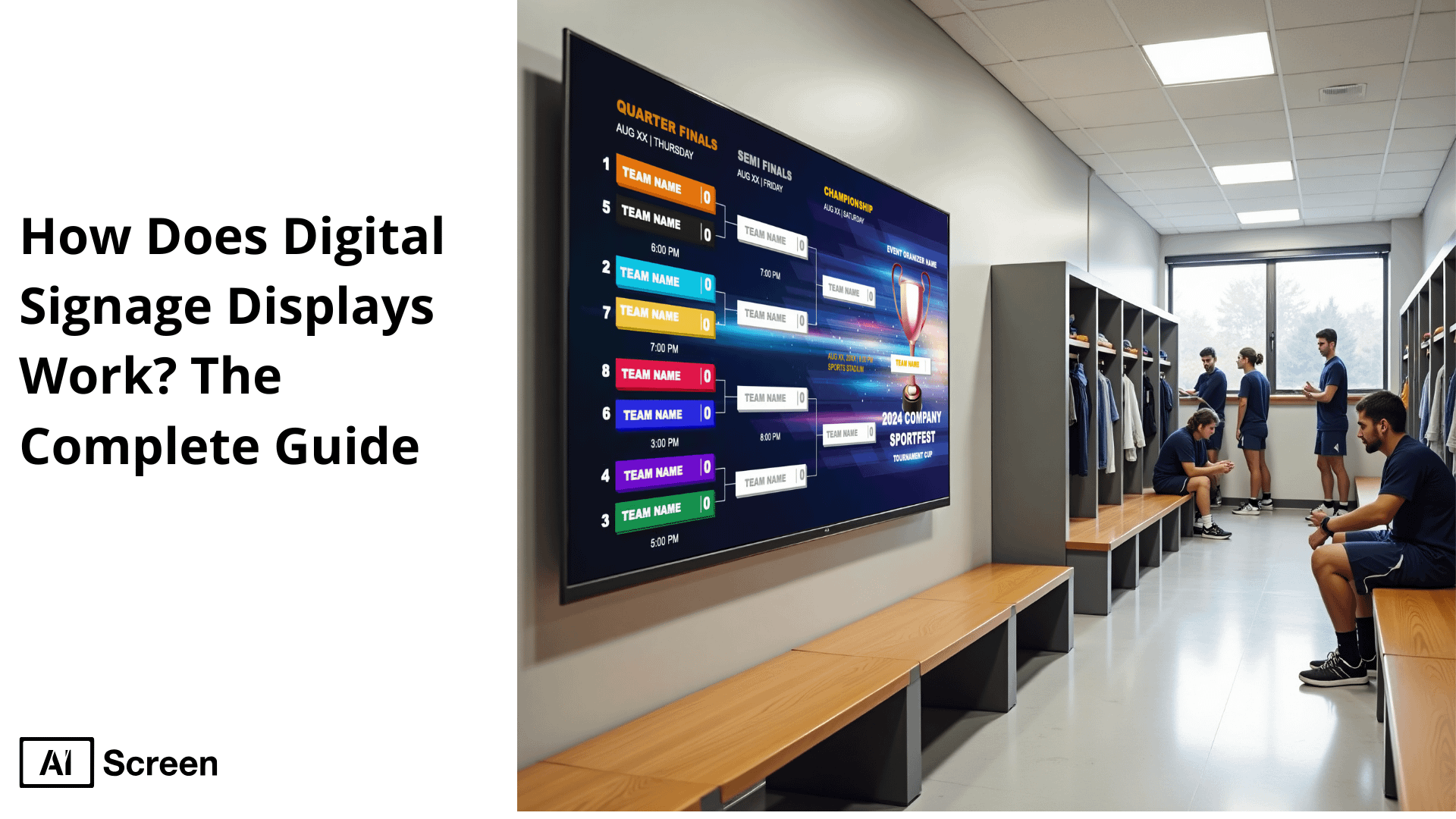
Digital signage displays work with the aid of the electronic screens to provide multimedia contents in real-time environments in a public and private space in the form of videos, images, and text. They are dynamic, flexible and interactive and can be used to reach out to the target markets in a manner that the traditional static signage cannot. According to the Fortune Business Insights, 2024, the digital signage industry was worth $24.86 billion in 2023 and it is currently projected to rise to 2030 to be worth 45.94 billion, at a CAGR of 9.1%.
This blog post will also show you how digital signages are functioning, what are the varying displays and how companies in various industries utilize them to add value to the customers involving them. We are going to discuss important elements, installation, and advantages of digital screens.
What is a Digital Signage Display?
Digital signage display is an electronic screen employed in presentation multimedia materials such as videos, images as well as texts to communicate information, offers and adverts. Such sets are usually managed by the Content Management System (CMS) in order to have an easy updating and dynamic content presentation.
Typical uses of digital signage displays are:
- Retail: Digital signage is adopted in showing products information, offers, and digital menu boards in stores.
- Restaurants: It shows menus, daily offers, and status of orders to optimise the experience of the customer.
- Offices: Digital replicas are in place to give announcements, schedules, and directories in real-time.
- Public Spaces: In airports, malls and stations Digital signage is used to provide information and guide people around.
But in general digital signage displays produce versatile, interactive displays that can be used in many different industries, improving communication and customer engagement.
Nearly 80 percent of the brands that invest in the use of digital signage displays in the retailing sector reported a high level of customer activities and purchases (Nielsen, Digital Signage Consumer Behavior Report, 2023).
What are the Use Cases of Digital Signage Displays?
Use cases of digital signage displays show how companies in industries are utilising this technology to enhance communication, increase customer interactions and deliver engaging dynamic digital content.
As the global digital signage market is gaining momentum, the industries have been gradually embracing the use of electronic signage to engage their customers, make their operations more optimized, and present them with the dynamic digital content to the appropriate target audience. The major use cases in various sectors are listed below:
Retail
Retail digital signage is set up to show promotions, product highlights, and in-store offers as an effort to improve the shopping experience and increase sales.
Retailers use interactive digital signage, video walls, and digital signage hardware in order to provide the most captivating shopping experience. With retail digital signage, quick campaigns and price updates on seasonal promotions can be carried out efficiently, helping stores stay competitive and visually engaging.
Airport
Airport digital signage is used for instantaneous flight updates, wayfinding, security messages, and promotions to passengers.
These interactive screens reduce confusion, improve navigation, and aid airlines and vendors in delivering relevant content to a large number of passengers. With airport digital signage, real-time communication becomes seamless, enhancing the overall travel experience across terminals.
Healthcare
Healthcare digital signage is applied during admission procedures and used to communicate with patients in the waiting room, offer health education, and announce an emergency. Such a healthcare digital signage solution facilitates successful internal communication, the flow of visitors and ensures that dynamic content is delivered in time to the staff and patients.
Employee Communication
Employee communication in corporate offices is based on digital screens transmitting announcements, KPIs, training information, and motivating material. Such digital displays boost internal communication, support remote teams, and eliminate dependence on old-fashioned bulletin boards, making them a vital tool for modern employee communication strategies.
Education
Education digital signage in schools and universities provides the display of classes schedules, their events, digital notice board, and safety instructions. This education digital signage has been used to ensure that students and faculty are up to date with real time information, and also to display various achievements and other critical alerts on rotating digital screens.
Restaurant
Restaurant digital signage features assist QSRs to deploy digital menu boards, order complete attention and notification, and promotions to enhance the efficiency of the order as well as customer engagement.
Such restaurant digital signage automatically update, allow digital signage-based content rotations, and lower paper-based print expenses, which is important since digital signage removes the necessity of commercial paper menus.
Digital Directory
Digital directory systems also direct wayfarers around malls, hospitals, or company headquarters by means of touch-screen digital signage equipment and interactive displays. They simplify navigation, creating better experiences for visitors with real-time tenant listings and floor maps, making a digital directory an essential part of any large facility’s wayfinding strategy.
Manufacturing
Manufacturing digital signage in factories and industrial plants is used to communicate safety guidelines, display production metrics, broadcast compliance reminders, and engage staff in real-time. These digital signs foster better internal communication and productivity across the floor, making manufacturing digital signage a crucial tool for operational efficiency.
Ourdoor
Outdoor digital signage can be targeted at electronic billboards, public service announcements, and event advertising in open air locations. These outdoor digital signage are weather-resistance, as well as, capable of displaying dynamic digital content 24/7 to mass target audiences.
Fitness Center
Fitness center digital signage helps gyms and health clubs share class schedules, workout videos, health tips, and promotional campaigns. The digital signage solutions update, inspire, and engage members on premium digital displays, making them an essential part of any modern fitness center experience.

What are the Types of Digital Signage Displays?
Types of digital signage displays vary depending on the purpose, location as well as the target audience. These screens are an important part of communication in our contemporary world as they present moving, appealing information in different environments. It is important to know the differences to enable you to settle on the most suitable solution to your particular needs.
Consumer Smart TVs
Consumer Smart TVs are available in small as small as small retail stores and small businesses because they are cheap and easy to operate in digital sign system. Delivery of the content is often easy by using innate Wi-Fi connection and streaming in these TVs.
Nonetheless, they might not be durable enough and have the extended use characteristics that are involved in constant use in the business environment. They are best paired with specialized digital signage software and hardware to get the optimum out of them.
Semi-Professional Displays
Semi-professional displays are meant to fill the void between consumer televisions and a fully commercial screen.
They are more durable and have the characteristics of longer use, thus making it an ideal environment, such as retail stores and corporate offices. Such devices usually come up with enhanced cooling systems and a good choice of connectivity services that mean they will perform well with time.
Professional Displays for High-Traffic Areas
Professional displays for high-traffic areas are designed in harsh environments like airports, shopping centers and transportation centers. They are designed in a way that they can run 24/7 and are high lumen to guarantee visibility in bright areas.
They are also designed with features such as IP rating on dust and water resistance and extra cooling features, which ensures that they can be used in high traffic applications.
Outdoor & Drive-Thru Digital TVs
Outdoor & drive-thru digital TVs are particularly made to stand the heat, wind, and other industries features such as rain, dust and direct sunlight. They are designed with very high brightness screens and hard cases to guarantee the visibility as well as strength.
They can be applied in digital billboards displays, informative public displays, and those on drive-thru menus.
Touchscreen Displays
Touchscreen displays offer the interactive functionality since users can interact with the content directly.
Some of the major applications of these displays are in the wayfinding kiosk, self-service check-in stations and the interactive product catalogs. They increase the user experience making it real time and customized in content delivery.
How Do I Know Which Type of Digital Display is Best for My Use Case?

The type of digital display that is best for your use case depends on key factors such as the display setting you are in, budget, and quality of content you do not want compromised.
When it comes to installing a simple retail screen or a top-of-the-line video wall, an outdoor digital billboard: learn the advantages, and limitations of each display technology LCD, LED, OLED, QLED, and dvLED displays when you need to select the most effective form of digital signage to achieve a specific aim.
LCD Display
LCD display is a low expense, high use alternative when a simple basic use of digital signage is desired and image quality is acceptable.
Pros:
- Cheap and in abundance.
- Requires less running expenses since they are energy-efficient.
- Come in sizes and resolutions very broad in nature.
Cons:
- Small contrast ratio and black levels.
- Wider viewing than the newer technologies.
- Can be subject to motion blur where the image is too fast moving.
Best For: Budget-conscious applications like retail stores and basic signage.
LED Display
LED display has fat brightness and thin profiles, which are suitable to normal digital displays.
Pros:
- The backlit monitors, later to be used in brightly-lit rooms.
- Flexible installations are possible with slim design.
- Less energy is used than traditional LCDs.
Cons:
- Continues to use backlighting thereby affecting the black levels.
- It might not have color accuracy in the same scales as more advanced technologies.
Best For: General-purpose signage and displays in various commercial settings.
OLED Display
OLED display is capable of producing deep black, brilliant contrast and screen design that is flexible with it designed perfectly in luxury installations.
Pros:
- Natural black and contrast increased ratio because of self-emissive pixels.
- Large viewing angle with same color appearance.
- Flexible and thinner types of design.
Cons:
- It is more expensive than LED and LCD monitors.
- Possible burn-in of static images in time.
Best For: High quality applications where a high quality image is required including quality retail displays, luxury signage.
QLED Display
QLED display uses quantum dot technology for brighter visuals and vibrant colors in mid-to-high-end signage.
Pros:
- Enhanced brightness and color accuracy using quantum dot technology.
- Improved contrast ratios over standard LED displays.
- Durable with no risk of burn-in.
Cons:
- Still relies on backlighting, so black levels are not as deep as OLED.
- Viewing angles may be narrower compared to OLED.
Best For: Applications needing vibrant colors and brightness, such as retail stores and advertising displays.
dvLED Display
dvLED display (Direct View LED) is ideal for scalable and seamless video walls and large outdoor digital signage.
Pros:
- Modular design allows for custom sizes and shapes.
- High brightness levels suitable for outdoor and large-scale installations.
- Scalable for various applications, from small kiosks to massive video walls.
Cons:
- Higher initial investment and installation complexity.
- Requires professional setup and maintenance.
Best For: Large-scale digital signage, outdoor billboards, and custom installations.
Comparison Table
| Feature | LCD Display | LED Display | OLED Display | QLED Display | dvLED Display |
|---|---|---|---|---|---|
| Contrast Ratio | Low | Moderate | High | High | Very High |
| Black Levels | Poor | Moderate | Perfect | Good | Excellent |
| Viewing Angles | Narrow | Moderate | Wide | Moderate | Wide |
| Brightness | Moderate | High | Moderate | Very High | Extremely High |
| Color Accuracy | Moderate | Good | Excellent | Excellent | Very Good |
| Energy Efficiency | Moderate | High | Moderate | High | Moderate |
| Cost | Low | Moderate | High | Moderate | Very High |
| Burn-In Risk | None | None | Yes | None | None |
| Best Use Case | Budget Signage | General Displays | Premium Displays | Vibrant Signage | Large-Scale Ads |
What are the Features of Digital Signage Displays?
Features of digital signage displays are based on the requirements of the commercial sphere and they can provide much more than regular consumer classes TVs.
The displays offer high durability, brightness and flex to ensure good performance, safety, and long-term work in busy places or open air.
- Durability: Digital signage commercial displays can be used continually, in extreme weather, and in high foot-traffic places. Low-end displays, which are built using low cost materials, might die earlier in harsh environments.
- Ease of Install and Maintenance: Look at the displays and mount configurable designs that are simple to assemble and maintain. Solutions that are in commercial grade are simple to install in a short period of time and are easy to maintain with time and money saving components in the long run.
- Secure Design: The secure design makes theft and tampering impossible. Find mounts that have tamper-proof fasteners and manage cables and enclosures that are lockable to ensure that the display will not be tampered or affected.
- Safety: The display and mounting system must be safety certified, such as UL, ADA and OSHPD. Such certifications ensure that there is adherence to safety measures and it offers reassurance in business places.
These features make digital signage displays more reliable and efficient for high-traffic, commercial use.

How Do Commercial-Grade Digital Signage Displays Differ from Consumer TVs?
Commercial-grade digital signage displays differ from consumer TVs. Below is the comparison.
| Feature | Commercial Digital Signage Displays | Consumer TVs |
|---|---|---|
| Durability & Lifespan | Engineered for 24/7 continuous use with durable components | Built for limited daily use (typically 4–8 hours) |
| Brightness & Visibility | Offers 400 to 2,500+ nits for clear visibility in bright environments | Delivers only 250–350 nits, which is insufficient in bright spaces |
| Screen Orientation | Supports both portrait and landscape modes with ultra-thin bezels | Mostly limited to landscape orientation with thicker bezels |
| Anti-Glare & Contrast | Equipped with anti-glare coatings and high contrast for readability | Typically has glossy, reflective screens with lower contrast |
| Remote Management | Allows cloud-based control, remote monitoring, and scheduling | Minimal connectivity, designed mainly for home entertainment |
| Warranty & Support | Comes with 3 to 5 years warranty and professional-grade support | Usually limited to a 1-year warranty with basic support |
| Heat Management | Built with advanced cooling systems for long, uninterrupted operation | Lacks proper ventilation; prone to overheating with prolonged use |
How Can I use My Existing TV as Digital Signage Display?
Using your existing TV as a digital signage display is easier than you think. With the right software and minimal hardware, you can transform your TV into a powerful tool for displaying content remotely.
Getting Started with AIScreen Digital Signage
Step 1: Choose Your Setup
Don’t have a TV?
- Purchase a TV (like Insignia Fire TV 4K).
- No additional digital signage hardware is needed to get started.

Have a TV or existing hardware?
- Just download software for any screen directly to your TV.
- Available on platforms like Fire TV, Android, Tizen, webOS, Windows, and Linux.
- Manage your screen remotely from the AIScreen app.
Step 2: Add Your Screen(s)
- After downloading, you’ll get a 4-digit pairing code.
- Log in to your AIScreen manager account.
- Enter the pairing code to link your screen seamlessly.
Optional: Use AIScreen Stick Player
AIScreen stick player benefits include:
- Remote troubleshooting.
- Auto power on/off the TV.
- Track available memory in your cash register.
- Clean cache remotely.
- Enhanced security.
With these simple steps, you can turn your existing TV into an effective digital signage display, enhancing your business’s communication and content delivery.
How Are Digital Signage Displays Installed in Various Environments?
Digital signage displays are installed in various environments, including restaurants, retail stores, corporate offices and in the public arena. The installation is always different regarding the requirements in each location including possibilities of mounting, wiring, and network connections.
Issues and considerations in installing digital signage into various environments are given below.
Restaurants
Restaurants commonly use digital signage for menu boards, offers, and in real time incorporation of data (ex: real-time updates on order status). Installation of it goes as follows:
- Mounting options: Displays are usually attached to the walls or put on stands so that they can be visible.
- Wiring: Power and data cables carried behind walls or within cable management systems in order to have a clean and tidy appearance.
- Power and Network: Displays should have a power source in the nearby area, and network connections can also be accomplished using Ethernet or Wi-Fi to control multimedia contents remotely. It is becoming popular to have wireless connections to decrease the complexity of the installation.
- Interactive Content: In other incidences, they may be touchscreen displays or kiosks that enable interaction by the customer (e.g., making orders or looking at nutrition information).
Retail Stores
In retail stores, digital signage can be applied to drive customer experience, awareness of the brand, and introducing more sales with the help of digital posters, highlighting specific products, or social networks. That is the installation procedure:
- Mounting Options: Displays are mounted depending on the space to be provided whether it is on the walls, suspended on the ceilings, or on the digital signage stands.
- Wiring: A bigger system that involves more than two screens will require proper wiring where all the screens are able to be powered well with links to a media player.
- Power and Network: They run power source near each screen, signage network can be installed through Ethernet or Wi-Fi so they can remotely control their contents. Connections with other systems (e.g. point of sale systems) are required frequently to update the information live such as promotions or stock levels.
Corporate Offices
In corporate offices, digital signage has its application to internal communication, company announcements, KPIs and live data. An installation is performed by:
- Mounting Options: Displays are normally affixed on walls or used in places of high traffic. Large format displays can also be used in the conference rooms and lobbies of corporate settings.
- Wiring: Clean, and tidy Organization of wiring is very necessary in corporate environments, where usually cable management systems are used to conceal cables in the walls or the ceiling.
- Power and Network: Digital signage displays must have a consistent source of power and ensuring that the signage network is connected to the network to facilitate remote management of devices and also update content. Displays can be embedded with other systems, e.g. an internal communication tool or a live data source, so as to run without error.
Public Spaces
In public spaces such as airports, malls, and transportation hubs, digital signage is used for wayfinding, emergency alerts, and outdoor advertising. Here’s how it’s typically installed:
- Mounting: Outdoor advertising images are normally installed on free standing or wall mounts. Where there is high traffic, it is common practice to apply a large-format display in order to be seen at a far distance.
- Wiring: Power and data cabling is laid into solid conduits and will interfere with the weather and vandals. In the case of outdoor displays, it requires extra enclosures and wiring resistant to weather.
- Power and Network: The source of power should not stop, so power should be provided to run continuously, and the network connections are also done under the ethernet or cellular system to control the display remotely. Connection to emergency alerts and real-time change systems that exist outside are also important in the public places.
Key Components and Considerations
- Display Screens: LED, LCD, or large-format displays are commonly used for clear visibility and long-lasting performance in all environments.
- Media Player: A media player or digital signage hardware is used to manage content and connect the display to a central content management system.
- Device Management: Remote management tools are essential for monitoring and updating content across multiple screens in real time.
- Safety Features: In high-traffic areas, secure and tamper-resistant mounts and enclosures are necessary to ensure the display’s safety.

How Do Digital Signage Displays Use Sensors and AI Cameras to Personalize Content?
Digital signage displays utilize sensors and AI cameras to generate personalized content that adapts to factors such as demographics, location, and time of day.
This integration allows businesses to deliver dynamic, targeted content to the right audience at the right time, enhancing customer engagement and improving the overall effectiveness of digital signage.
AI Cameras and Sensors
AI cameras and sensors are powerful tools that enable digital sign systems to gather data about the environment and audience. Here’s how they are used:
- Demographics Detection: AI cameras equipped with facial recognition technology can analyze the age, gender, and even emotions of passersby. Based on this information, digital signage displays can show content that is most relevant to the viewer, such as personalized ads or promotions targeted to specific demographics.
- Location-based Personalization: Sensors placed in strategic areas can track foot traffic and location, enabling digital signage systems to tailor content to the specific context of the location. For example, a display in a retail store might show product recommendations based on a customer’s proximity to a particular section of the store.
- Time of Day Adjustments: Digital signage can use sensors to track time, adjusting the content shown based on the time of day. For instance, a morning display might promote coffee or breakfast options, while an evening display could highlight dinner specials or evening events.
Benefits of Using AI for Personalization
Below are the benefits of using AI for personalization:
- Enhanced Customer Engagement: By delivering content that is tailored to the audience’s preferences or needs, businesses can significantly increase customer engagement. Personalized content resonates better with viewers, leading to higher interaction rates and improved customer satisfaction.
- Increased Relevance: AI allows for more relevant and timely content delivery. Whether it’s promoting a seasonal sale, displaying emergency alerts, or showing location-based ads, AI ensures the content is always suited to the current context.
- Improved Conversion Rates: Personalized content is more likely to capture attention and encourage action, such as making a purchase or signing up for a service. This can directly translate into higher conversion rates and better ROI for businesses using digital signage.
- Efficient Content Management: Integrating sensors and AI with digital signage systems can automate content updates and make real-time adjustments based on live data. This reduces the need for manual updates and ensures that content remains fresh and relevant.
Level Up Your Visual Communication with AIScreen’s Digital Signage
Level up your visual communication with AIScreen’s digital signage solutions, designed to enhance customer engagement and streamline content delivery across various industries.
As a leading provider, AIScreen offers innovative tools to display dynamic content, improve internal communication, and increase brand visibility.
With versatile options, including interactive and remote content management, AIScreen ensures that your digital signage works seamlessly to deliver the right message at the right time, boosting business performance and customer satisfaction. Contact us.
Frequently Asked Questions
What Are the Common Uses of Digital Signage Displays?
Common uses of digital signage displays may be found in any number of locations such as: retail stores, restaurants, corporate offices, and other public space. Some of their uses are to show promotional material, directing, event timetables, menu signs and real time information. Digital signage can as well be utilized to improve customer experience, communication process inside the enterprise, as well as giving emergency notices.
What Are the Benefits of Using Digital Signage Displays?
The benefits of using digital signage displays include the ability to attract more customers, provide real-time content updates, and enhance communication. They enable companies to provide focused and dynamic messages that appeal to the audience, it could be in the form of interactive content, you could be providing customized offers, you could be providing way finding solutions. Digital signage also lowers the limitation of printed materials, which source cost saving and sustainability.
What Factors Should I Consider When Choosing a Digital Signage Display?
Factors to consider when choosing a digital signage display would be environment (indoor and outdoor displays), its size, resolution, and brightness. Connectivity possibilities (Wi-Fi, Ethernet), convenience of content management, the sustainability of a long-term use, and other characteristics, such as interactivity or compatibility with other systems are also to be considered. Cost and energy efficiency are also of significance in providing a good return of investment.
What Is the Difference Between LCD and LED Displays?
The main difference between LCD and LED displays is on the technology on backlighting. The realization is that LCD (Liquid Crystal Display) relies on fluorescent lights as a backlight whereas LED (Light Emitting Diode) operates with LEDs. LEDs are more energy-efficient, visibly brighter and are slimmer, more displaced to high-traffic areas as well as outdoor locations. LCDs are cheaper and less bright and contrasted than the LEDs.
How Do Energy Efficiency and Sustainability Impact Digital Signage Displays?
Energy efficiency and sustainability are important considerations when selecting digital signage displays. Energy-efficient displays consume less power, helping businesses reduce operational costs and environmental impact. Additionally, choosing eco-friendly materials and sustainable production methods can further support green initiatives. Digital signage displays with energy-saving modes, such as automatic dimming, help lower power consumption, contributing to a more sustainable business operation.


